Overview

The Logitech MeetUp Conference Camera with Expansion Mic is one of those rare pieces of office hardware that actually delivers on its promise for small-room video conferencing. Built specifically for huddle spaces rather than large boardrooms, this conference cam bundles wide-angle optics, a multi-microphone array, and a custom-tuned speaker into a single compact unit. It has been on the market since 2017, yet it continues to hold its own in a crowded field. Connectivity covers both USB and Bluetooth, so it works with virtually every major platform without complicated setup. The price reflects its professional positioning — this is not a budget buy, and it does not pretend to be.
Features & Benefits

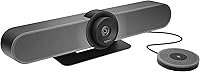
The 120-degree field of view is where this huddle room camera immediately stands out. In a tight room with people sitting close to the camera or spread toward the edges, you simply do not need to adjust positioning — everyone fits in the frame. Video tops out at 4K Ultra HD but intelligently scales to 1080p or 720p based on available bandwidth, which matters in real-world office networks. The three built-in microphones work alongside a speaker tuned for small-space acoustics, and adding the expansion mic pushes audio pickup from 8 feet out to 14 feet. Bluetooth lets the unit double as a speakerphone for mobile calls.

Best For

This conference cam is built for a specific context, and it excels there. Think rooms with two to six participants, frequent video calls on Zoom, Microsoft Teams, or Google Meet, and organizations that want a single device covering both audio and video without patching together separate speakers and cameras. IT teams tend to appreciate the plug-and-play USB setup — no drivers, no lengthy configuration. It also suits companies where audio intelligibility is non-negotiable, not just an afterthought. If your meetings involve larger rooms or bigger groups, you will need a different solution, but for the classic huddle space, few systems compete at this level.

User Feedback

Across hundreds of reviews, the wide-angle lens earns the most consistent praise — buyers repeatedly mention that camera repositioning became a non-issue after installation. Audio clarity, particularly when the expansion mic is in use, also draws strong appreciation. That said, the price is a genuine sticking point for many; those who accept it tend to frame the cost as a long-term investment rather than a casual purchase. On the critical side, a handful of users have encountered friction with firmware updates, which can be disruptive in managed IT environments. A smaller group notes that 4K performance varies depending on the conferencing platform and available network bandwidth.

Pros

  • The 120-degree wide-angle lens captures every seat at a small table without anyone needing to reposition the camera.
  • Audio clarity is consistently rated as one of the strongest aspects, holding up well across long back-to-back call days.
  • Plug-and-play USB setup means most rooms are operational within minutes, with no driver installation required.
  • The expansion mic meaningfully extends audio pickup range for slightly larger or longer room configurations.
  • Works reliably across all major conferencing platforms without changing settings or reinstalling software between sessions.
  • Built-in speaker is tuned specifically for small-room use, reducing the hollow or tinny quality common in cheaper units.
  • Adaptive video resolution scaling keeps calls stable even when office network bandwidth fluctuates during peak hours.
  • Long-term hardware reliability is well-documented, with many buyers reporting consistent performance over multiple years of daily use.
  • Bluetooth speakerphone mode adds genuine utility for quick mobile calls without needing to open a laptop.

Cons

  • The expansion mic is a separate purchase, which catches some buyers off guard given the product name implies it is included.
  • Firmware updates have temporarily broken audio or Bluetooth functionality for a notable subset of users.
  • 4K video output rarely delivers a visible benefit in real-world conferencing due to platform compression and bandwidth limits.
  • Mounting options are basic, making it difficult to achieve precise camera angles in rooms with non-standard furniture setups.
  • Bluetooth reconnection after power cycling can be inconsistent, requiring manual re-pairing more often than expected.
  • The Logitech Sync software dependency adds an unwanted layer of complexity for IT teams running locked-down device environments.
  • Edge-of-frame distortion at very close range is noticeable during calls when participants sit directly beside the camera.
  • Noise cancellation does not perform well in open-plan areas or rooms with louder-than-average background noise sources.
  • At a significant premium over mid-range alternatives, the cost-per-feature ratio is harder to defend for teams with light conferencing needs.

Ratings

The Logitech MeetUp Conference Camera with Expansion Mic earned its scores through AI analysis of verified global buyer reviews, with spam, bot-submitted, and incentivized feedback actively filtered out before scoring. Ratings reflect real-world use in huddle rooms and small offices, capturing both what this conference cam genuinely excels at and where it falls short for certain buyers. Strengths and frustrations are weighted equally so you get an honest picture before committing to a premium purchase.
Video Quality
88%
Most buyers working in well-lit rooms report sharp, detailed image output that holds up well on Zoom and Teams calls. The adaptive resolution scaling is particularly appreciated — the camera does not freeze or pixelate dramatically when bandwidth dips, which is a real issue in shared office networks.
The 4K advantage is frequently lost in practice because most conferencing platforms cap or compress video anyway. Users on slower connections report that the top-end resolution rarely comes through, making the 4K spec feel aspirational rather than consistently usable.
Audio Clarity
91%
This is where the MeetUp system consistently earns its highest praise. The three built-in microphones capture voices clearly across the room, and the speaker produces natural-sounding audio that reduces listener fatigue during long calls. Reviewers regularly single out audio as the strongest reason to choose this over cheaper alternatives.
Audio performance can vary noticeably depending on room materials — hard floors and glass walls introduce echo that the system does not fully suppress. A small number of users in acoustically difficult spaces found the microphones picked up more ambient noise than expected.
Expansion Mic Performance
84%
For rooms where participants sit beyond the camera's immediate reach, the expansion mic genuinely extends usability from roughly 8 feet to 14 feet. Users in longer narrow rooms or L-shaped seating arrangements credit it with making those edge seats feel included in the conversation for the first time.
The expansion mic is a separate purchase rather than included in the base bundle, which surprises some buyers who assume it is in the box given the product name. Connectivity between the mic and the main unit can occasionally require re-pairing after firmware updates.
Field of View
93%
The 120-degree lens is one of the most consistently praised aspects across all reviews. In huddle rooms where people sit close to the camera or at the very edges of a small table, the wide angle captures everyone without any need to reposition the unit — a frustration that plagues narrower conference cameras.
At very close range, some facial distortion is visible at the extreme edges of the frame, which a minority of users find unflattering on video calls. This is a known trade-off with ultra-wide optics and rarely rises to a dealbreaker, but it is worth knowing before setup.
Ease of Setup
89%
Plug-and-play USB connectivity means most offices have the camera running within minutes of unboxing. IT teams particularly appreciate that there are no proprietary drivers required for basic operation, making deployment across multiple rooms straightforward and low-risk.
Bluetooth pairing is less consistent than the USB experience, with some users reporting that mobile devices occasionally fail to reconnect automatically after the camera powers off. Initial Logitech software installation can also add unexpected time to the setup process for less technical staff.
Build Quality
86%
The unit feels solid and well-engineered for a conference peripheral — the matte finish resists fingerprints and the cable connections feel secure under daily use. Several long-term owners mention that after years of use, the camera shows no meaningful wear or degradation in performance.
At 2.21 pounds, it is heavier than some compact competitors, and the footprint on a conference table or monitor shelf is noticeable. The mounting options are functional but not particularly flexible for non-standard room configurations.
Platform Compatibility
87%
Works reliably with Zoom, Microsoft Teams, Google Meet, Cisco Webex, and most other major platforms without any special configuration. Buyers who switch between platforms regularly appreciate not having to change camera settings or reinstall software each time.
A handful of users report that certain advanced features, such as specific audio modes, only function fully within the Logitech Sync management app, which adds a software dependency some IT environments prefer to avoid. Compatibility with niche or enterprise-specific platforms is inconsistent.
Firmware & Software Updates
61%
39%
Logitech does push regular updates that have historically improved performance and added functionality over time. For organizations using the Logitech Sync management platform, updates can be pushed remotely across multiple devices without manual intervention.
Firmware updates are a recurring pain point in buyer reviews — some updates have temporarily disrupted audio or Bluetooth functionality, requiring a manual reset or rollback. Users without IT support have reported confusion navigating the update process, and update notifications are not always clearly communicated.
Value for Money
67%
33%
For organizations that rely heavily on video conferencing and need a reliable all-in-one solution for multiple rooms, the long-term durability and consistent performance do justify the investment over time. Buyers who have owned the system for two or more years tend to rate value more favorably in retrospect.
The upfront cost is a genuine barrier, and when the expansion mic cost is factored in, the total spend climbs noticeably higher. Budget-conscious buyers often feel the price gap between this and mid-range alternatives is not fully closed by the performance difference alone.
Speakerphone Functionality
79%
21%
The Bluetooth speakerphone mode works well for impromptu mobile calls and functions as a credible standalone audio device for smaller huddle rooms. Users who travel between rooms appreciate being able to pair it quickly to a phone without launching a laptop.
Bluetooth pairing is occasionally finicky when switching between devices, and the speaker volume ceiling is lower than dedicated speakerphone units. For rooms with more than four or five people, some users find the output volume insufficient without adjusting system-level settings.
Camera Placement Flexibility
72%
28%
The unit can sit flat on a conference table, mount to a monitor, or attach to a tripod using standard hardware, giving most small-room setups enough options to find a workable position. The relatively compact footprint for a business-class camera helps in rooms where space is limited.
The mounting bracket system is basic and does not allow for fine-tuned tilt or swivel adjustments without physically repositioning the whole unit. Rooms with non-standard furniture heights or wall-mounted displays often require additional accessories to get the camera at the right angle.
Long-Term Reliability
83%
The camera has maintained a strong reliability record over nearly eight years on the market, with very few reviews citing hardware failures under normal office conditions. Businesses running multiple units across locations report consistent performance without frequent replacements.
Because the product launched in 2017, some buyers raise questions about how much longer it will receive active software support. A small number of enterprise users have flagged concerns about long-term compatibility with future operating system versions.
Noise Cancellation
74%
26%
Background noise suppression performs adequately in standard office environments, filtering out common distractions like air conditioning hum and distant keyboard sounds. Participants on the receiving end of calls generally report clean audio in typical meeting room conditions.
The noise cancellation does not hold up as well in open-plan offices or rooms adjacent to high-traffic areas. HVAC systems louder than average and shared wall noise can bleed through, and the system lacks the AI-driven noise processing found in newer competing products.
Multi-Platform Audio Sync
77%
23%
Audio and video remain well-synchronized across major platforms during standard calls, which prevents the disorienting lag that affects cheaper conference cameras. Users running back-to-back meetings across different platforms report consistent sync behavior without needing to restart the device.
Occasional audio latency has been reported specifically when switching between USB and Bluetooth modes mid-session. A small number of users on older operating systems experienced sync drift during extended calls, though this appears less common on current software versions.

Suitable for:

The Logitech MeetUp Conference Camera with Expansion Mic is purpose-built for small meeting rooms and huddle spaces that host between two and six participants, and it performs best in exactly that context. Organizations running daily or near-daily video calls on platforms like Zoom, Microsoft Teams, or Google Meet will find this conference cam slots in without friction — USB plug-and-play means no driver headaches, and Bluetooth adds flexibility for mobile call scenarios. IT managers responsible for equipping multiple small rooms will particularly appreciate the reliability track record and the straightforward deployment process. If your team has ever struggled with mismatched audio and video hardware cobbled together from separate devices, the all-in-one nature of the MeetUp system solves that problem cleanly. It is also a strong fit for organizations where audio intelligibility on calls is treated as a real business priority rather than an afterthought.

Not suitable for:

Budget-conscious buyers should think carefully before committing here, because the Logitech MeetUp Conference Camera with Expansion Mic sits at a premium price point that is difficult to justify for teams with light or occasional conferencing needs. If your meeting room regularly hosts more than six people or has an unconventional layout with participants spread across a large distance, this huddle room camera will reach its limits — the audio coverage and field of view are optimized for intimate spaces, not sprawling boardrooms. Buyers expecting to use 4K video as a meaningful differentiator may also be disappointed, since most conferencing platforms compress or cap video quality well below what the camera can technically output. Organizations with strict IT policies around third-party software may find the Logitech Sync management dependency adds unwanted complexity. Finally, anyone in a room with challenging acoustics — hard floors, large glass surfaces, or loud HVAC — should understand that no firmware update fully compensates for a difficult physical environment.
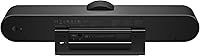
Specifications

  • Brand: Manufactured by Logitech, a Swiss-American company with an established track record in professional-grade peripherals.
  • Model Number: The official model number is 960-001201, used for warranty registration and IT procurement documentation.
  • Dimensions: The unit measures 4.92 x 7.83 x 18.5 inches, designed to sit on a conference table or mount to a display without dominating the space.
  • Weight: The camera unit weighs 2.21 pounds, which is heavier than consumer webcams but manageable for permanent room installation.
  • Field of View: Features a 120-degree diagonal field of view, wide enough to capture all participants in a standard huddle room seating arrangement.
  • Max Resolution: Supports up to 4K Ultra HD video output, with automatic downscaling to 1080p or 720p based on available network bandwidth.
  • Microphones: Includes three built-in omnidirectional microphones arranged to provide broad audio pickup across a small meeting space.
  • Speaker: Integrated speaker is custom-tuned for small-room acoustics, optimized for voice clarity rather than general audio playback.
  • Expansion Mic Range: With the optional expansion microphone connected, audio pickup range extends from approximately 8 feet to 14 feet.
  • Connectivity: Connects to a host computer via USB and supports Bluetooth pairing for use as a wireless speakerphone with mobile devices.
  • Platform Support: Compatible with Zoom, Microsoft Teams, Google Meet, Cisco Webex, and most other major video conferencing platforms out of the box.
  • Video Formats: Supports MP4 video capture format with audio encoded in AAC, MP3, PCM, FLAC, and Dolby Digital/AC-3.
  • Photo Sensor: Uses a BSI CMOS image sensor, a technology well-suited to low-light environments common in small interior meeting rooms.
  • Availability: First available in May 2017, the product has remained in active production and continues to receive firmware support from Logitech.
  • Best Sellers Rank: Holds a Best Sellers Rank of #163 in the Webcams category on Amazon, reflecting sustained commercial adoption since launch.
  • Discontinuation Status: As of the latest available data, this product is confirmed as not discontinued by the manufacturer.
  • ASIN: The Amazon Standard Identification Number is B072Q88NZC, useful for verifying you are purchasing the correct variant.
  • Recommended Room Size: Designed for huddle rooms and small conference spaces accommodating two to six participants seated around a single table.
  • Software Management: Supports optional management through the Logitech Sync platform, enabling remote firmware updates and device monitoring across multiple units.

Related Reviews

ANNKE 8CH 3K Security Camera System with Audio/Mic, 8x 5MP Cameras, 2TB HDD
84%
92%
Video Quality
88%
Night Vision
85%
AI Detection Accuracy
90%
Storage Capacity
75%
Ease of Setup
More
NexiGo P610 Conference Room PTZ Camera
86%
87%
Video Quality
91%
Ease of Setup
85%
Pan and Tilt Range
90%
Remote Control Functionality
88%
Build Quality
More
Logitech Rally Plus
Logitech Rally Plus
77%
83%
Auto-Framing Intelligence
88%
Video Quality
86%
Audio Clarity
79%
Ease of Deployment
58%
Value for Money
More
Yealink A10 4K Video Conference Camera
86%
91%
Video Quality
88%
Audio Clarity
85%
Ease of Setup
92%
AI Features (Auto-framing & Speaker Tracking)
78%
Software Usability
More
TONGVEO 4K Conference Room Camera System
78%
83%
AI Auto-Tracking Performance
78%
Video Quality
58%
Digital Zoom Quality
74%
Speakerphone Audio Clarity
91%
Ease of Setup
More
Yealink UVC34 4K Conference Room Camera System
86%
93%
Setup & Installation
88%
AI Auto-Framing Performance
91%
Video Quality
85%
Audio Clarity & Microphone Array
89%
Camera Build Quality
More
WyreStorm Halo VX10 4K Conference Room Camera
87%
93%
Video Quality
88%
Ease of Setup
90%
AI Tracking Performance
85%
Audio Quality
91%
Build Quality
More
TONGVEO PTZ 3X Wireless Conference Camera System
74%
74%
Wireless Connection Reliability
83%
Video Quality
71%
PTZ Control Responsiveness
78%
Speakerphone Audio Quality
89%
Ease of Setup
More
RayBit SeeUp 4C
RayBit SeeUp 4C
74%
83%
Video Clarity
76%
AI Auto-Framing
78%
Speaker Tracking
71%
Built-in Microphone
67%
Built-in Speaker
More
TOUCAN SC360 360-Degree Conference Camera
77%
88%
360-Degree Coverage
84%
Microphone Performance
67%
AI Speaker Tracking
63%
Video Resolution & Clarity
93%
Ease of Setup
More

FAQ

Yes, the MeetUp system is plug-and-play compatible with both Zoom and Microsoft Teams, along with Google Meet, Cisco Webex, and most other major platforms. You connect it via USB and the operating system recognizes it as a standard audio and video device — no special drivers required for basic operation.

The expansion mic is sold separately, which surprises some buyers given that the product name references it prominently. The base unit includes three built-in microphones that cover rooms up to about 8 feet well, but if your room is longer or has participants seated farther from the camera, the expansion mic is worth the additional investment.

In a typical huddle room, the 120-degree field of view handles two to six people seated around a table without any adjustment needed. People sitting close to the camera or at the far edges of the frame are captured clearly, which is one of the most frequently praised aspects by actual users.

In practice, the 4K output is rarely the full experience most people expect. The majority of video conferencing platforms compress or cap incoming video well below 4K, and your network conditions matter a lot too. You will still get sharp, high-quality video — but the 4K specification is more future-proofing than a day-one visible benefit for most users.

Yes, the camera includes Bluetooth pairing, so you can connect a smartphone or tablet directly and use it as a wireless speakerphone for audio calls. It works reasonably well for this purpose in small rooms, though the speaker volume ceiling is lower than a dedicated speakerphone unit.

For a single room, setup is straightforward — plug in the USB cable and you are essentially done. For multi-room deployments, Logitech offers the Sync management platform, which lets IT teams push firmware updates and monitor device status remotely. Some IT administrators prefer not to add another software dependency, but for larger rollouts the centralized management is genuinely useful.

This is a legitimate concern raised in real user reviews. Some firmware updates have temporarily affected Bluetooth pairing or audio functionality, requiring a manual reset or, in rare cases, a rollback. Keeping a note of the current firmware version before updating in a live environment is a sensible precaution for IT teams.

The Logitech MeetUp Conference Camera with Expansion Mic performs adequately in standard office conditions, handling typical background noise like air conditioning reasonably well. However, rooms with hard floors, large glass surfaces, or particularly loud HVAC systems can introduce echo that the system does not fully suppress. Acoustic treatment in the room itself makes a meaningful difference in these edge cases.

The unit can sit flat on a conference table, mount to a monitor or display using an included bracket, or attach to a standard tripod. The mounting system is functional but fairly basic — fine-tuned tilt or swivel adjustments require physically repositioning the whole unit, which can be limiting in rooms with non-standard furniture heights or wall-mounted screens.

This huddle room camera launched in May 2017, making it nearly eight years old at this point, which is a long product lifecycle for a conference peripheral. It continues to receive firmware updates from Logitech as of the latest available information. That said, it is a fair question to raise with your IT team — particularly if you are planning a multi-year deployment and want assurance about long-term platform compatibility.