Overview

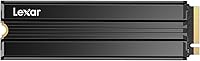
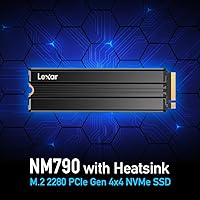
The Lexar NM790 4TB NVMe M.2 SSD has quietly climbed to one of the top spots in the internal SSD category, and with over 2,300 verified ratings averaging 4.8 stars, the community reception is hard to dismiss. Lexar has been a credible name in flash storage for decades, and this drive reflects that pedigree — delivering Gen 4 speeds in a package that includes an integrated heatsink right out of the box, a detail many competing drives skip entirely. One thing worth flagging upfront: this is a DRAM-less design that relies on Host Memory Buffer technology rather than dedicated on-drive cache chips. That distinction matters under sustained workloads, so it pays to go in with clear expectations.
Features & Benefits

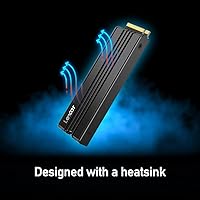
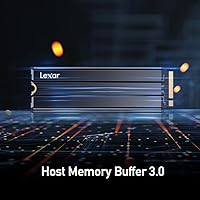
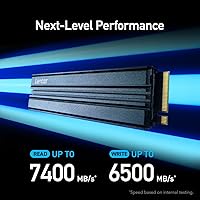
On paper, the NM790 4TB posts sequential reads up to 7,400 MB/s and writes up to 6,500 MB/s — figures that hold their own against the best Gen 4 drives available. The architecture worth understanding is Host Memory Buffer 3.0, which borrows a slice of your system RAM to act as cache rather than relying on dedicated DRAM chips on the drive itself. This works well for typical gaming and everyday transfers, but under prolonged sequential writes — moving a 200GB video project, for example — speeds may dip compared to DRAM-equipped alternatives. The aluminum heatsink helps keep temperatures in check during longer sessions, and a 3000 TBW endurance rating paired with a five-year warranty makes long-term reliability a genuine selling point.

Best For

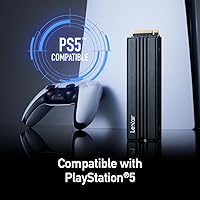
This Gen 4 SSD makes strong sense for PS5 storage expansion — it meets Sony's M.2 NVMe spec requirements and the bundled heatsink removes the need to source one separately, a minor but practical convenience. Creators working with 4K footage or large RAW photo libraries will appreciate consolidating 4TB of fast storage into a single M.2 slot rather than juggling multiple drives. PC gamers who want Gen 4 performance without paying the premium that DRAM-enabled drives command will find this Lexar NVMe drive hits a solid value point. It also earns consideration in compact or power-sensitive builds, where its noticeably lower draw compared to many direct competitors adds up over time.

User Feedback

Across thousands of verified purchases, the pattern is consistent: most buyers are satisfied. The most frequently cited praise covers installation simplicity, real-world speed that matches expectations, and strong value for a 4TB capacity drive. PS5 owners report clean, trouble-free installs with no compatibility issues. Critical reviews, while a small minority, are worth noting — some users running sustained heavy workloads observed write speeds tapering off, which is consistent with what an HMB-based architecture will do under pressure. A handful flagged thermal concerns inside confined cases with poor airflow, though most desktop users found the heatsink sufficient. No significant firmware complaints appear across the review pool, which is a reassuring sign for a drive at this capacity.

Pros

  • Gen 4 sequential read speeds of up to 7,400 MB/s compete directly with the fastest consumer NVMe drives available.
  • 4TB of storage in a single M.2 slot eliminates the need for multiple drives in most builds.
  • The bundled aluminum heatsink is a genuine convenience — especially for PS5 installs where sourcing one separately is a common headache.
  • HMB 3.0 delivers smooth everyday performance for gaming and typical file transfers without the cost of dedicated DRAM.
  • Power consumption runs noticeably lower than comparable DRAM-enabled Gen 4 drives, benefiting laptops and compact builds.
  • A 3000 TBW endurance rating on a 4TB model is reassuring for users who write large amounts of data regularly.
  • The five-year limited warranty provides solid long-term coverage for a significant storage investment.
  • Installation is straightforward, with thousands of buyers reporting a clean, issue-free setup across desktops, laptops, and PS5.
  • Lexar's track record in flash storage lends confidence that firmware and support are unlikely to become pain points.

Cons

  • Sustained sequential write speeds can taper off under heavy continuous workloads due to the DRAM-less HMB architecture.
  • Performance gains from HMB 3.0 are reduced on systems with low available RAM, making the cache benefit inconsistent.
  • Real-world mixed workload speeds fall short of peak advertised figures, as is true for any SSD but more noticeable without dedicated DRAM.
  • The heatsink adds slight physical bulk that could create clearance issues in very tight M.2 slot configurations.
  • Buyers upgrading from a fast Gen 3 drive may notice less dramatic real-world difference than raw spec comparisons suggest.
  • No software bundle or companion utility is included for drive health monitoring or firmware updates.
  • In thermally restricted cases with poor airflow, the integrated heatsink may not be sufficient to prevent throttling under sustained load.
  • DRAM-equipped competitors at a similar price point offer more consistent write performance for professional creative workflows.

Ratings

Our AI-generated scores for the Lexar NM790 4TB NVMe M.2 SSD were produced by analyzing thousands of verified global buyer reviews, with spam, incentivized, and bot-flagged submissions actively filtered out before scoring. Each category reflects the honest distribution of real user experiences — strengths and frustrations weighted equally — so the numbers you see represent what actual owners encountered after installation, not marketing claims.
Sequential Read Performance
92%
Buyers consistently report that the drive loads games and large applications noticeably faster than their previous Gen 3 setups, with OS boot times dropping to just a few seconds on modern systems. The headline read speeds translate well into real-world responsiveness for tasks like scrubbing through large video timelines or loading open-world game assets.
A handful of users noted that reaching the top-end figures requires a PCIe Gen 4 host with sufficient bandwidth — those running it in older Gen 3 slots see a significant ceiling, which occasionally surprises buyers who did not check compatibility before purchasing.
Sustained Write Performance
71%
29%
For typical file transfers — moving a few large game installs, copying RAW photo batches, or importing video clips — the NM790 4TB handles the job quickly and without drama. Most gamers and casual creators will never push it hard enough to notice any performance drop during normal use.
The DRAM-less HMB architecture does show its limits during prolonged, back-to-back sequential writes. Users transferring hundreds of gigabytes in one session — such as duplicating large video project folders or doing continuous drive-to-drive backups — have reported speed dips once the HMB buffer is saturated, which is the single most cited complaint in critical reviews.
Thermal Management
84%
The pre-attached aluminum heatsink is one of the most practically appreciated features among buyers, particularly PS5 owners who would otherwise need to source a cooler separately. Desktop users running extended gaming sessions reported stable drive temperatures that did not trigger thermal throttling under normal airflow conditions.
In poorly ventilated cases or very compact builds with restricted airflow, a minority of users noted that the heatsink alone is not sufficient to prevent temperature climbs under sustained write loads. The heatsink also adds a few millimeters of height, which caused fitment issues for a small number of users with tightly spaced M.2 slots.
Value for Money
88%
At the 4TB tier, buyers repeatedly call out the cost-per-gigabyte as one of the strongest arguments for choosing this drive over DRAM-equipped alternatives. Getting a heatsink included at no extra cost sweetens the package further, especially for PS5 upgrades where accessory costs add up quickly.
Buyers who later discovered the DRAM-less architecture felt the value equation shifts if their workload consistently hits sustained write limits — in those cases, paying a modest premium for a DRAM-cached competitor would have been the smarter spend.
PS5 Compatibility
89%
Console users report an overwhelmingly clean installation experience, with the drive recognized immediately after a brief PS5 formatting process. The heatsink being pre-attached means the whole upgrade takes under ten minutes for most users, and game load times on PS5 show a clear improvement over the stock internal drive.
A small number of PS5 users initially encountered confusion around the formatting step required by Sony, though this is a console requirement and not specific to this drive. A few also noted that the heatsink's dimensions require careful placement to clear the PS5 slot cover without forcing.
Installation Experience
93%
The plug-and-play nature of M.2 installation, combined with the drive arriving with the heatsink already mounted, made setup painless for the vast majority of buyers across all skill levels. Multiple reviewers described it as the easiest hardware upgrade they had done, with zero driver installation required on modern operating systems.
A small subset of users in older systems had to update their motherboard BIOS before the drive was recognized, which caught a few less experienced builders off guard. This is a platform-level issue rather than a flaw in the drive itself, but it has appeared in enough reviews to be worth flagging.
Power Efficiency
81%
19%
Laptop users and small-form-factor builders specifically called out the lower idle and active power draw compared to DRAM-equipped Gen 4 drives they had previously used. In portable systems, this translates to measurably longer battery life during tasks that access the drive frequently.
The efficiency advantage is most visible in controlled comparisons and laptop use cases — desktop users on plugged-in rigs are unlikely to notice any practical difference in their day-to-day experience, making this benefit less universally impactful than some marketing language implies.
Long-term Reliability
86%
The 3000 TBW endurance rating is generous for a consumer-grade 4TB drive, and combined with the five-year warranty, gives buyers genuine confidence for long-term heavy use. Lexar's established history in flash storage reinforces trust that the warranty will actually be honored if something goes wrong.
Because this drive has only been widely available since late 2023, long-term real-world data beyond two years is still limited. A small number of early buyers reported dead-on-arrival units, though this rate appears consistent with industry norms rather than a manufacturing anomaly.
Compatibility Range
83%
The M.2 2280 form factor covers the overwhelming majority of modern desktops, laptops, and the PS5, making this a broadly compatible purchase. Buyers appreciate that the drive works immediately in Gen 4 systems without any special configuration or additional drivers.
Users with M.2 slots limited to SATA or PCIe Gen 2 will find this drive either non-functional or heavily bandwidth-constrained, which has generated a handful of frustrated reviews from buyers who did not verify their slot type beforehand.
Noise & Vibration
97%
As a fully solid-state device with a passive heatsink, the NM790 4TB produces absolutely no noise or vibration under any workload, which buyers upgrading from mechanical hard drives find transformative for their overall system experience.
There are no meaningful negatives in this category — the only theoretical concern is that passive cooling produces no airflow assistance, but this is true of all M.2 SSDs and is not a practical pain point for buyers.
Packaging & Unboxing
76%
24%
Most buyers found the packaging adequate and the drive arrived without damage, with the heatsink pre-installed and ready to go. The straightforward presentation avoids excessive plastic waste, which some environmentally-conscious buyers specifically appreciated.
Several reviewers noted the packaging feels utilitarian compared to premium alternatives from Samsung or WD, which include more documentation and accessories. No installation guide or mounting screw is included in some shipments, which frustrated a few first-time builders.
Warranty & Support
79%
21%
The five-year limited warranty is competitive with the best consumer SSD warranties on the market, and buyers who have contacted Lexar support for RMA processing generally report a functional, if not particularly fast, resolution process.
A recurring complaint in lower-rated reviews is that Lexar's customer support responsiveness can be inconsistent, with some users experiencing slow turnaround times on RMA claims. The support experience does not quite match the confidence inspired by the warranty duration alone.
HMB Cache Effectiveness
68%
32%
For the majority of real-world workloads — gaming, web browsing, application launches, and moderate file transfers — HMB 3.0 keeps performance smooth and responsive in a way that the average user simply cannot distinguish from a DRAM-equipped drive in daily use.
Power users who specifically need consistent sustained write throughput — video professionals, backup-heavy workflows, or NAS-adjacent use cases — find HMB visibly lacking compared to DRAM-cached alternatives. Systems with limited available RAM also see reduced HMB benefit, which compounds the issue in older or RAM-constrained builds.
Physical Build Quality
85%
The heatsink feels solid and is firmly attached without any flex or movement on the drive, giving the assembly a premium feel relative to its price tier. Buyers handling it before installation consistently remark that it feels well-constructed and more substantial than budget alternatives.
A small number of users reported that the heatsink adhesion was slightly inconsistent at the edges on their units, though this did not affect thermal performance in any reported case. The black finish on the heatsink can show fingerprints during handling, which is a very minor cosmetic gripe.

Suitable for:

The Lexar NM790 4TB NVMe M.2 SSD is a strong pick for anyone who needs a large, fast internal drive without the overhead cost of a DRAM-equipped flagship. PS5 owners will find it particularly convenient — it checks Sony's required M.2 NVMe specs and ships with a heatsink already attached, skipping an extra purchase most console upgrades require. PC gamers building or refreshing a rig on a practical budget will appreciate Gen 4 speeds that keep up with the best during real gaming sessions, even if synthetic benchmarks aren't always the full story. Content creators managing growing libraries of 4K footage, RAW photos, or large project files will benefit from the 4TB headroom in a single M.2 slot. For laptop users or anyone building a compact system, the notably lower power consumption compared to DRAM-based Gen 4 drives is a tangible perk that adds up over hours of daily use.
Not suitable for:

The Lexar NM790 4TB NVMe M.2 SSD is not the right tool for workloads that hammer the drive with sustained sequential writes over long stretches. Video professionals encoding and writing large files continuously — think direct-to-drive 8K recording or moving hundreds of gigabytes at once on a tight schedule — may hit speed drops that a DRAM-cached drive would handle more gracefully, because the HMB architecture depends on borrowing system RAM rather than relying on dedicated on-drive cache. Systems with limited available RAM may also see less benefit from HMB, since the feature needs headroom to work effectively. Buyers who plan to run this drive in a poorly ventilated case without adequate airflow should factor in that the heatsink, while helpful, has its limits in thermally constrained environments. If you need the absolute peak of sustained write consistency and price is secondary, a DRAM-equipped alternative will likely serve you better.
Specifications

  • Capacity: The drive offers 4TB of usable flash storage, making it one of the higher-capacity single M.2 options available for both desktops and laptops.
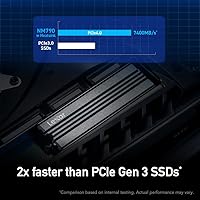
  • Interface: It uses a PCIe Gen 4 x4 NVMe interface, which delivers roughly twice the theoretical bandwidth of older PCIe Gen 3 drives.
  • Form Factor: The standard M.2 2280 footprint means it fits the most common M.2 slot found in modern motherboards, laptops, and the PlayStation 5.
  • Sequential Read: Peak sequential read speed reaches up to 7,400 MB/s under ideal, queue-depth-saturated conditions.
  • Sequential Write: Peak sequential write speed reaches up to 6,500 MB/s, though real-world sustained write speeds will vary depending on workload type and system RAM availability.
  • Cache Architecture: This drive uses a DRAM-less design with Host Memory Buffer 3.0, borrowing a portion of the host system's RAM to handle caching duties instead of dedicated on-drive DRAM chips.
  • Endurance Rating: The 4TB model carries a 3000 TBW (terabytes written) endurance rating, providing substantial headroom for users who write large amounts of data over the drive's lifetime.
  • Heatsink: An integrated aluminum heatsink is pre-attached to the drive to help dissipate heat during extended workloads, eliminating the need to purchase a separate cooling accessory.
  • Power Efficiency: Lexar rates this drive at up to 40% lower power consumption compared to DRAM-enabled PCIe Gen 4 SSDs, which is particularly relevant for battery-powered laptops and compact builds.
  • Compatible Devices: The drive is officially compatible with desktop PCs, laptops, and the PlayStation 5, provided the host system includes a PCIe Gen 4 M.2 slot.
  • Warranty: Lexar backs the NM790 series with a five-year limited warranty, covering manufacturing defects under normal operating conditions.
  • Weight: The drive with heatsink weighs approximately 1.71 ounces, which is slightly heavier than bare M.2 drives due to the attached aluminum cooler.
  • Package Dimensions: Retail packaging measures approximately 6.46 x 4.13 x 0.67 inches, sized to accommodate the drive with heatsink pre-installed.
  • Color: The heatsink and drive assembly are finished in black, consistent with most modern PC and console build aesthetics.
  • Brand: Manufactured by Lexar International, a company with a long-standing history in consumer and professional flash storage products including memory cards, USB drives, and SSDs.

Related Reviews
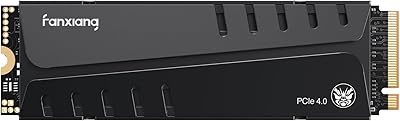
fanxiang S660 4TB NVMe M.2 SSD
88%
92%
Performance
89%
Cooling Efficiency
91%
Ease of Installation
96%
Compatibility with PS5
87%
Build Quality
More
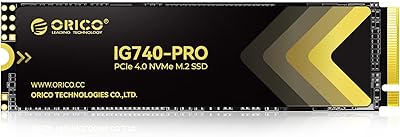
ORICO IG740PRO 4TB M.2 NVMe SSD
79%
91%
Sequential Read Performance
88%
Endurance & Longevity
84%
Thermal Management
79%
Value for Money
74%
PS5 Compatibility
More
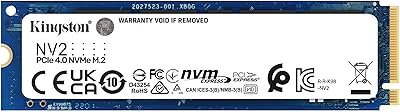
Kingston NV2 4TB M.2 NVMe SSD
90%
94%
Read Performance
88%
Write Performance
91%
Reliability
95%
Installation Ease
89%
Compatibility
More
fanxiang S770 4TB NVMe M.2 SSD

84%
88%
Read Speed Performance
82%
Write Speed Consistency
93%
PS5 Compatibility
86%
Thermal Management
84%
Value for Money
More
ORICO TCM2 M.2 NVMe SSD Enclosure
78%
83%
Transfer Speed
61%
Thermal Management
74%
Build Quality
91%
Ease of Installation
86%
Cable Bundle Quality
More
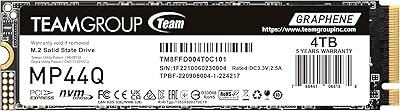
TEAMGROUP MP44Q 4TB M.2 NVMe SSD
88%
95%
Read Speed
92%
Write Speed
90%
PS5 Compatibility
75%
Thermal Performance
88%
Value for Money
More
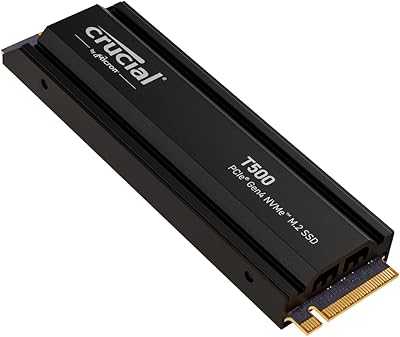
Crucial T500 4TB Gen4 NVMe M.2 SSD
89%
94%
Performance
87%
Cooling Efficiency
90%
Installation Process
92%
Reliability
95%
Compatibility with PS5
More
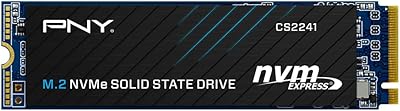
PNY CS2241 4TB NVMe SSD
85%
88%
Read Performance
83%
Write Performance
61%
Thermal Management
92%
Value for Money
94%
Installation Ease
More
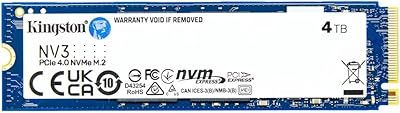
Kingston NV3 4TB M.2 2280 NVMe SSD
87%
93%
Performance
95%
Speed (Read/Write)
64%
Heat Management
88%
Installation Ease
90%
Build Quality
More
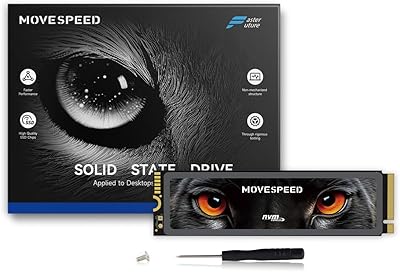
MOVE SPEED HB7450 4TB NVMe M.2 SSD
88%
92%
Performance
88%
Installation Ease
94%
Speed & Read/Write Performance
90%
Compatibility with PS5
83%
Thermal Management & Cooling
More
Ediloca EN705 4TB SSD NVMe M.2 PCIe Gen4
87%
89%
Performance
92%
Value for Money
88%
Read Speed
85%
Write Speed
82%
Build Quality
More

FAQ

Yes, the NM790 4TB meets Sony's M.2 NVMe requirements for internal expansion on the PS5. It also ships with a heatsink already attached, which Sony recommends for the PS5 slot. You do not need to buy or install a separate cooler before putting it in your console.

Host Memory Buffer is a technology where the drive borrows a small slice of your system RAM to act as a cache, rather than having dedicated DRAM chips soldered onto the drive itself. For most everyday tasks — gaming, loading applications, moving individual large files — you are unlikely to notice any difference. The gap shows up mainly during prolonged, sustained sequential writes, like continuously recording or transferring hundreds of gigabytes at once, where a DRAM-equipped drive would maintain higher speeds for longer.

Absolutely. PCIe is backward and forward compatible at the slot level, so a Gen 4 drive will work fine in a Gen 5 slot — it will simply run at Gen 4 speeds rather than Gen 5. You will not damage anything, and performance will be exactly the same as installing it in a native Gen 4 slot.

The heatsink adds a small amount of height to the drive profile, which could be an issue in very tight M.2 slot configurations — particularly on some compact laptops or Mini-ITX boards where the slot sits directly beneath a GPU or another component. Most desktop motherboards have plenty of clearance, but it is worth checking your board's M.2 slot spacing before ordering if your build is unusually compact.

The Samsung and WD drives use dedicated DRAM cache, which gives them an edge in sustained write-heavy workloads and certain professional scenarios. In day-to-day gaming and general use, the difference is minimal for most users. This Lexar drive trades some of that peak sustained performance for a more accessible price point and lower power draw — a reasonable compromise for many buyers.

Like all modern SSDs, a small portion of the total flash is reserved internally for over-provisioning and wear management — this is standard across every brand. The drive will show up slightly under 4,000GB in your operating system, which is normal and expected. Lexar's 3000 TBW rating suggests the over-provisioning is balanced appropriately for long-term health.

If your laptop's M.2 slot only supports PCIe Gen 3 or Gen 2, the drive will still work — it will just operate at those slower speeds. You will not get full Gen 4 performance, but the drive itself will function normally. Just make sure your slot supports NVMe and is not limited to SATA M.2, which is a different protocol entirely.

SSDs have no moving parts, so this Gen 4 SSD produces zero audible noise during operation. The heatsink is passive as well, meaning there are no fans involved. It is completely silent under all conditions.

Technically you can put it in an NVMe M.2 USB enclosure, and it will work as an external drive. That said, you would be capping its performance at whatever the USB connection allows — typically around 1,000 MB/s for USB 3.2 Gen 2 — so you would be paying for Gen 4 speeds you cannot use externally. It is much better suited as an internal drive where it can run at full speed.

Lexar does not bundle proprietary drive management software with the NM790 series. For health monitoring, you can use free third-party tools like CrystalDiskInfo on Windows to check drive temperature, total bytes written, and S.M.A.R.T. status. It is a good habit to check these periodically, especially if you are writing large amounts of data to the drive regularly.

Where to Buy