Lenovo ThinkVision T24i 23.8-inch IPS Monitor


Overview
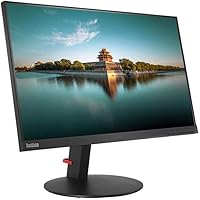
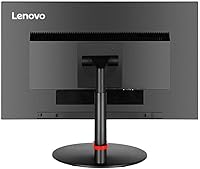
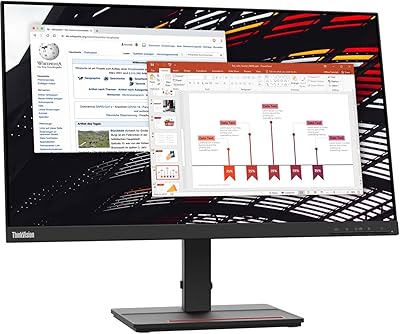
The Lenovo ThinkVision T24i 23.8-inch IPS Monitor sits squarely in the business productivity category — not trying to be flashy, just reliable. Lenovo's ThinkVision line has long catered to office environments where consistency matters more than spectacle, and this display carries that tradition forward. The slim-bezel design makes it a natural fit for dual-monitor setups, where thick borders quickly become an eyesore. At its mid-range price, it competes respectably against similar productivity-focused displays, but what separates it from cheaper alternatives is the fully adjustable stand. Height, tilt, swivel, and portrait pivot — that kind of flexibility is genuinely uncommon at this price tier.
Features & Benefits
The T24i's IPS panel handles everyday tasks well. At 1920x1080 across 23.8 inches, text is sharp and colors look consistent whether you're reviewing spreadsheets or casually editing photos. The 72% NTSC color gamut is worth stating plainly — it's fine for office work, but photographers and designers should look elsewhere. The four-port USB 3.2 hub built into the monitor is one of the most practical touches here; plugging in a keyboard, mouse, and flash drive without fumbling behind your desk adds up over time. Connectivity spans HDMI 1.4, DisplayPort 1.2, and VGA, so pairing a modern laptop alongside an older workstation is straightforward. At 60Hz and 6ms, this is an office panel — not a gaming one.
Best For
This Lenovo office display makes the most sense for remote workers and office professionals who spend long hours in front of a screen. The ergonomic stand — particularly the pivot to portrait mode — is useful for coders, writers, or anyone reading lengthy documents. If you're building a dual-monitor workstation, the slim bezels help both screens feel cohesive rather than disjointed. The built-in USB hub also suits people who want a tidy desk without buying a separate dock. That said, this isn't the right pick for competitive gamers or color-critical creative work. At 60Hz and 72% NTSC, those users are better served by something purpose-built for their specific needs.
User Feedback
With a 4.3-star average, the T24i earns its rating honestly. Buyers routinely highlight the sturdy build quality and the stand's range of motion — two things that tend to matter more once you've actually used a monitor daily for several months. On the other side, some users find the 250-nit brightness underwhelming in sun-lit rooms, and the glossy screen surface draws real frustration from people working near windows — a legitimate concern many office buyers overlook before purchasing. A few reviewers mention that color accuracy, while solid for documents and general browsing, falls short for more visual work. Long-term owners generally report the panel holds up without dead pixels or backlight issues creeping in over time.
Pros
- The stand offers height, tilt, swivel, and portrait pivot — rare flexibility at this price point.
- Slim bezels make the T24i an easy choice for side-by-side dual-monitor configurations.
- The four-port USB 3.2 hub reduces cable clutter without needing a separate dock.
- IPS panel delivers consistent colors and wide viewing angles for collaborative office work.
- HDMI, DisplayPort, and VGA inputs cover both modern laptops and older workstation connections.
- Build quality feels solid and business-grade, with longevity that budget monitors rarely match.
- Text and UI elements look sharp and clear at 1080p across the 23.8-inch panel.
- Portrait pivot mode is genuinely useful for coders and anyone reading long-form documents.
- Long-term owners report minimal issues with backlight uniformity or dead pixels over time.
Cons
- 250-nit brightness struggles noticeably in well-lit or sunny office environments.
- The glossy screen surface reflects ambient light in ways many office users find frustrating.
- 72% NTSC color gamut is too limited for photographers, designers, or video editors.
- 60Hz refresh rate rules it out for anyone who wants smooth gaming on the side.
- No built-in speakers, which means an extra purchase for users who rely on audio at their desk.
- At 7.5 pounds, it is not particularly easy to reposition once assembled on a desk.
- The 1080p resolution, while sharp enough for most tasks, can feel limiting on a nearly 24-inch panel for pixel-dense workflows.
- Glossy coating shows fingerprints and smudges more visibly than matte alternatives.
Ratings
The scores below for the Lenovo ThinkVision T24i 23.8-inch IPS Monitor were generated by our AI system after analyzing verified global buyer reviews, with spam, bot-submitted, and incentivized feedback actively filtered out before scoring. Each category reflects the honest distribution of real user experiences — including the frustrations, not just the praise. Where this display earns strong marks and where it consistently lets buyers down are both reflected transparently.
Build Quality
Ergonomics & Adjustability
Image Clarity
Color Accuracy
Brightness & Glare
Connectivity
Built-in USB Hub
Setup & Assembly
Screen Surface
Value for Money
Dual Monitor Compatibility
Long-term Durability
Eye Comfort
Suitable for:
The Lenovo ThinkVision T24i 23.8-inch IPS Monitor is a strong fit for office professionals, remote workers, and anyone who spends the bulk of their day in productivity applications — spreadsheets, documents, video calls, and web browsing. The fully adjustable stand, which supports height adjustment, tilt, swivel, and portrait pivot, makes it particularly well-suited to people who are serious about ergonomics or who alternate between landscape and portrait orientations throughout the day. If you are building a dual-monitor setup, the slim bezels help both screens sit visually close together without an awkward gap. The built-in four-port USB hub is a genuine desk-management asset for users who regularly connect peripherals like keyboards, mice, or flash drives. Those upgrading from an older machine with only VGA output will appreciate having all three input types available simultaneously.
Not suitable for:
Gamers and creative professionals should steer clear of the T24i for their primary display. At 60Hz with a 72% NTSC color gamut, it simply was not designed for fast-paced gaming or color-sensitive work like photo retouching, video grading, or print design — and no amount of calibration will fully compensate for that narrower color coverage. The 250-nit brightness ceiling also becomes a real problem in sun-drenched rooms or offices with large windows, where the image can look washed out during bright parts of the day. The glossy screen surface compounds this issue, picking up reflections in ways that a matte-panel alternative would not. Users who need a monitor that doubles as a light entertainment hub or media consumption screen may also find the combination of limited brightness and glossy coating less enjoyable than expected for extended movie watching.
Specifications
- Panel Type: The display uses an In-Plane Switching (IPS) panel, which delivers consistent colors and wide viewing angles compared to standard TN alternatives.
- Screen Size: The active display area measures 23.8 inches diagonally, offering a comfortable working surface for productivity and multitasking.
- Resolution: Native resolution is 1920x1080 Full HD, providing sharp text and clear detail across everyday office applications and web browsing.
- Refresh Rate: The panel runs at 60Hz, which is standard for office-class monitors and adequate for all productivity and general-use scenarios.
- Response Time: The rated grey-to-grey response time is 6ms, suitable for typical office workloads but not optimized for fast-paced gaming.
- Brightness: Maximum brightness is rated at 250 nits, which performs well in controlled indoor lighting but can feel limited in very bright or sunlit environments.
- Contrast Ratio: The static contrast ratio is 1000:1, delivering adequate separation between light and dark areas for document and media work.
- Color Support: The IPS panel reproduces up to 16.7 million colors and covers 72% of the NTSC color gamut, appropriate for general office use but not for professional color work.
- Video Inputs: Connectivity includes one HDMI 1.4 port, one DisplayPort 1.2 port, and one VGA port, supporting both modern and legacy devices simultaneously.
- USB Hub: An integrated 4-port USB 3.2 Gen 1 hub is built into the monitor body, allowing direct connection of peripherals without accessing the host computer.
- Stand Adjustments: The included stand supports height adjustment, tilt, swivel, and a full 90-degree portrait pivot, covering most ergonomic positioning needs.
- Bezel Design: The monitor features a super-slim bezel profile on three sides, making it well-suited for seamless side-by-side dual-monitor configurations.
- Screen Surface: The panel uses a glossy screen surface, which can enhance color vibrancy but is prone to reflections in brightly lit or windowed rooms.
- Dimensions: The monitor measures 21.27 x 1.65 x 12.83 inches (L x W x H) without the stand, fitting most standard desk environments without difficulty.
- Weight: The unit weighs approximately 7.5 pounds, making it manageable for initial setup but not designed for frequent repositioning.
- Color Finish: The monitor is finished in Raven Black, which matches most professional and business desktop environments cleanly.
- Model Number: The official Lenovo model number for this configuration is 61CEMAR2US, useful for warranty registration and identifying compatible accessories.
Related Reviews
Futuzen 23.8-inch 1080p 100Hz IPS Monitor
Lenovo ThinkVision S24e-20 23.8″ Full HD Monitor
Dell S2425HS 23.8-inch FHD Monitor
VisionOwl V-Y23QH 23.8-Inch Portable Monitor
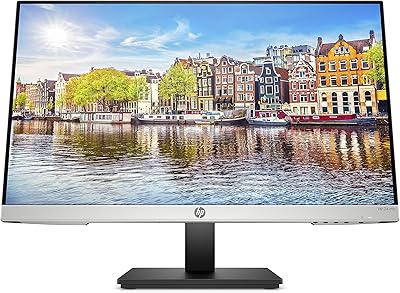
HP 24mh 23.8-inch IPS Monitor
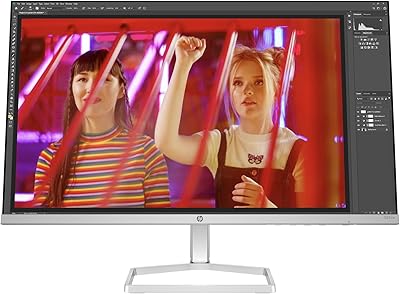
HP Series 5 524sw 23.8-inch FHD Monitor
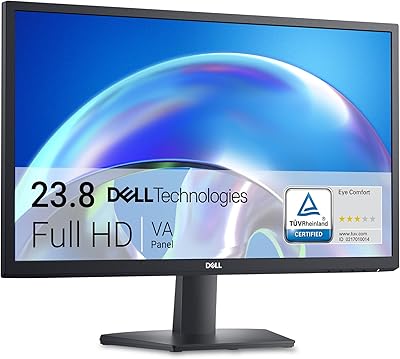
Dell SE2425H 24-Inch Full HD Monitor
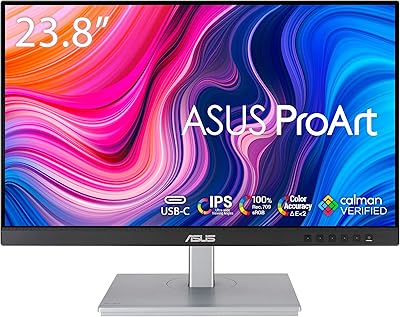
ASUS ProArt PA247CV 23.8-inch Monitor