Lenovo ThinkVision M14t 14-inch Touchscreen Mobile Monitor

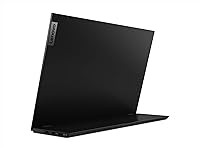
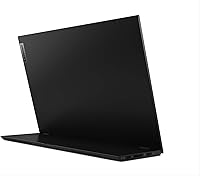
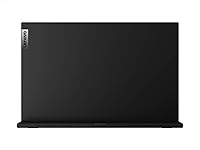

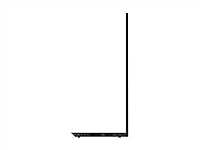
Overview
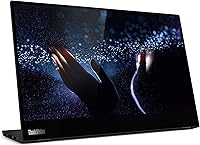
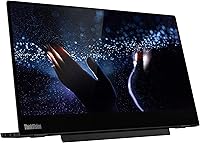
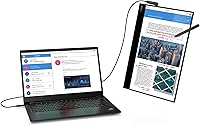
The Lenovo ThinkVision M14t 14-inch Touchscreen Mobile Monitor is built for one specific type of person: someone who works on the move and refuses to compromise on screen real estate. It's a slim, lightweight display that slots neatly into a laptop-centric workflow — plug in a single USB-C cable and you're up and running. What separates it from the crowded portable monitor market is the bundled active stylus, which pushes it into more specialized territory. That said, keep expectations calibrated. This isn't a display for gaming or cinematic streaming. It's a focused productivity tool, and a genuinely capable one for the right user.
Features & Benefits
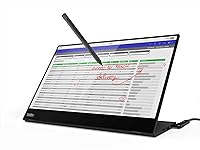
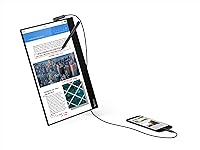
The M14t's IPS panel delivers a clean, sharp 1920x1080 image with wide 178-degree viewing angles — practical when you're presenting across a conference table or angling the screen toward a colleague. At 300 nits, brightness handles indoor environments well, though the glossy panel surface can make brighter settings problematic. The included active pen earns its place: think marking up PDFs, signing contracts, or sketching quick wireframes — not just gimmicky touch input. Dual USB-C ports manage both power and data simultaneously, and the adjustable stand offers a tilt range most portable monitors simply skip. TÜV-certified low blue light is a quiet but practical bonus during long working sessions.
Best For
This portable touchscreen monitor is a natural fit for business travelers who already live out of a carry-on — it weighs just over 1.5 pounds and slides into most laptop sleeves without adding bulk. Consultants, analysts, and designers who regularly annotate documents will appreciate a proper pen experience on a second screen rather than fumbling with a mouse. Students in hybrid programs benefit from the touch and stylus input during lectures or seminars. Home office workers with limited desk space get a compact productivity extension without committing to a full-sized monitor. If your laptop is USB-C-equipped, the setup is essentially plug-and-work.
User Feedback
Verified buyers consistently praise the M14t's solid build quality and touch responsiveness — particularly impressive for a portable display in this price tier. The active pen earns favorable comparisons to pricier drawing tablets for everyday annotation tasks. That said, one complaint surfaces reliably: the glossy screen becomes a real liability in bright rooms or near windows, with noticeable glare that some find hard to work around. A portion of buyers have also run into USB-C compatibility gaps with older laptops, occasionally needing adapters not included in the box. Long-term durability reports are generally positive. On value, opinions split — power users see clear justification, while lighter users question whether a non-touch model would serve them just as well.
Pros
- Single USB-C cable handles both power and video — no adapter sprawl on the desk or in your bag.
- The bundled active pen is accurate enough for contract signing, PDF markup, and quick sketching without buying extras.
- At just over 1.5 pounds, this mobile display genuinely disappears in a laptop bag.
- IPS panel delivers consistent color and contrast from wide angles, useful when sharing the screen with others.
- The adjustable stand offers a tilt and lift range rare among portable monitors — actual ergonomic flexibility.
- TÜV-certified low blue light helps reduce eye strain during long, document-heavy work sessions.
- A three-year warranty with dedicated Premier Support is meaningfully better than the one-year coverage common in this category.
- Dual USB-C ports allow pass-through charging and daisy-chaining, keeping desk cable clutter minimal.
- Build quality consistently earns high marks from verified long-term owners — this feels like a business tool, not a budget accessory.
Cons
- The glossy screen surface creates distracting glare in brightly lit rooms and near windows.
- USB-C compatibility is not universal — some older laptops require adapters that are not included in the box.
- 300 nits brightness is adequate indoors but falls short for any mixed or high-ambient-light environment.
- The active pen runs on a battery, which adds a maintenance step most buyers do not anticipate upfront.
- No built-in speakers means audio depends entirely on whatever device it is connected to.
- At this price, the absence of a carrying case or sleeve feels like a meaningful omission for a travel-focused display.
- The 60Hz refresh rate limits versatility — it is strictly a productivity panel, not a dual-purpose display.
- Touch calibration can drift slightly over time, requiring occasional manual recalibration for precise pen input.
Ratings
Our AI-generated scores for the Lenovo ThinkVision M14t 14-inch Touchscreen Mobile Monitor are produced by systematically analyzing thousands of verified global buyer reviews, with spam, incentivized, and bot-generated feedback actively filtered out before scoring. Each category reflects the full spectrum of real user experiences — not just the highlights — so both genuine strengths and recurring frustrations are transparently baked into every number. The M14t scores well where it matters most for road warriors and annotators, but some categories reveal clear trade-offs worth understanding before you commit.
Portability
Build Quality
Display Quality
Glare & Reflectivity
Touch Responsiveness
Active Pen Accuracy
USB-C Compatibility
Ergonomics & Stand
Eye Comfort
Setup & Ease of Use
Value for Money
Pen Battery & Maintenance
Long-Term Durability
Warranty & Support
Suitable for:
The Lenovo ThinkVision M14t 14-inch Touchscreen Mobile Monitor is purpose-built for professionals who live and work on the move. Consultants, field analysts, and account managers who regularly present data, mark up reports, or sign off on documents will find the combination of touch input and an active pen genuinely practical rather than novelty. It fits naturally into any bag alongside a modern USB-C laptop, adding a full second screen without adding meaningful weight or requiring a separate power brick. Students in hybrid or on-campus programs — especially those in design, law, or business — will appreciate being able to annotate lecture slides or review documents with a pen directly on screen. Home office workers with constrained desk setups also benefit: the adjustable stand handles real ergonomic positioning, and the compact footprint leaves room to breathe.
Not suitable for:
Buyers expecting a strong multimedia or entertainment experience will likely walk away disappointed by the M14t. The glossy IPS panel at 300 nits is adequate for controlled indoor lighting, but it reflects aggressively near windows or in brightly lit rooms, making sustained use genuinely uncomfortable. Gamers should look elsewhere entirely — a 60Hz refresh rate and 8ms response time are perfectly reasonable for documents and spreadsheets, but lag visibly in fast-moving content. If your primary laptop still relies on USB-A or older connection standards, be aware that compatibility hiccups have tripped up a meaningful number of buyers, and adapters are not included. Budget-conscious shoppers who only need a basic second screen for video calls or browsing will find the price hard to justify without a real need for touch or stylus input. Anyone prioritizing outdoor or high-ambient-light use should consider a matte-panel alternative instead.
Specifications
- Display Size: The screen measures 14 inches diagonally, making it compact enough to fit in most laptop bags without a dedicated case.
- Panel Type: An IPS panel provides consistent color accuracy and contrast across the full 178-degree horizontal and vertical viewing angles.
- Resolution: Native resolution is 1920x1080 FHD, delivering sharp text and clear visuals suitable for document work and presentations.
- Brightness: Peak brightness reaches 300 nits, which is adequate for typical indoor office environments but limited in high-ambient-light settings.
- Contrast Ratio: A 700:1 contrast ratio produces reasonable depth between light and dark content for a productivity-class IPS display.
- Refresh Rate: The panel runs at 60Hz, which is standard for document and productivity work but not suited to fast-motion or gaming content.
- Response Time: An 8ms response time is appropriate for office tasks and general productivity use.
- Touch Input: The display supports full touchscreen input, enabling direct on-screen interaction without requiring a mouse or stylus.
- Active Pen: A battery-powered active pen is included in the box, supporting precise annotation, handwriting, and document markup directly on screen.
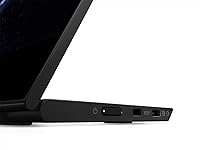
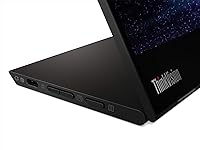
- Ports: Two USB 3.2 Type-C ports support video input, pass-through power delivery, and daisy-chaining configurations.
- Dimensions: The monitor measures 0.55 x 12.73 x 8.92 inches, keeping its physical footprint close to that of a standard 14-inch laptop lid.
- Weight: At 1.54 pounds, the display is light enough to carry daily without meaningfully increasing the load of a typical work bag.
- Bezel Width: Side bezels measure 5.43mm, giving the screen a modern, compact appearance with minimal wasted border space.
- Stand Range: The integrated stand supports a tilt range of -5° to 90° and a lift height of up to 150mm for flexible ergonomic positioning.
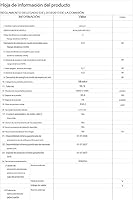
- Power Draw: The monitor consumes just 9W during normal operation, making it practical to power directly from a laptop's USB-C port.
- Eye Care: TÜV Rheinland Low Blue Light certification indicates the display meets independently verified standards for reducing potentially fatiguing blue light output.
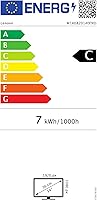
- Certifications: The monitor holds Energy Star 8.0 and EPEAT Silver certifications, reflecting compliance with recognized energy efficiency and environmental standards.
- Warranty: Lenovo covers this monitor with a 3-year warranty backed by Premier Support, including a dedicated technical account manager for case management.
- Screen Surface: The display uses a glossy screen surface, which enhances color vibrancy indoors but increases reflectivity near windows or bright light sources.
- In Box Contents: The package includes the monitor, one USB Type-C to Type-C cable (1.0m), one active pen with battery, and a quick setup guide.
Related Reviews

Lrtzcbi 14-inch Portable Touchscreen Monitor
Magedok MG140-FT02 14-Inch Portable Touchscreen Monitor
Lenovo ThinkVision M15 15″ FHD Mobile Monitor
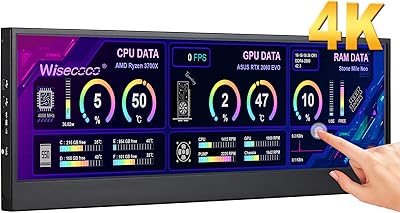
Wisecoco 14-inch 4K Stretched Bar Touchscreen Monitor

Dell P1424H 14-inch Portable Monitor
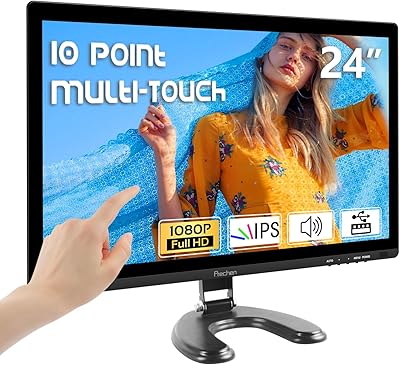
Prechen HD-24 24-Inch Touchscreen Monitor
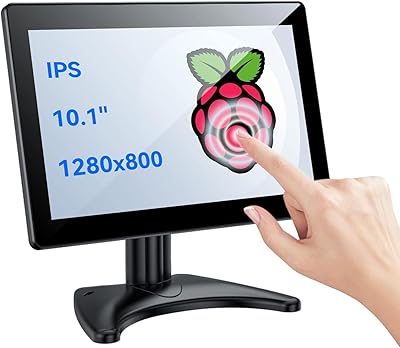
Eyoyo EM101T 10-inch Touchscreen Monitor
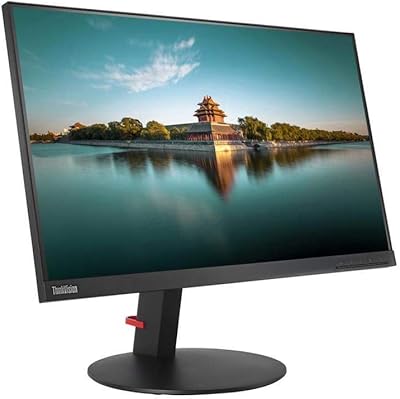
Lenovo ThinkVision T24i 23.8-inch IPS Monitor
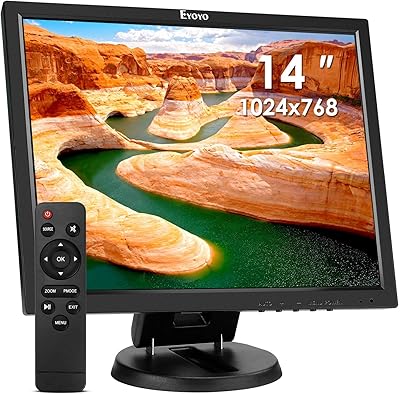
Eyoyo EM14A 14-Inch Security LCD Monitor