Lenovo ThinkCentre Neo 50T Gen 3 Desktop

Overview
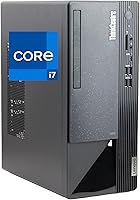
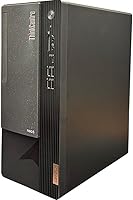
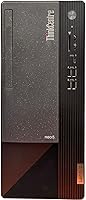
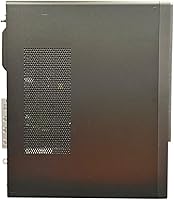
The Lenovo ThinkCentre Neo 50T Gen 3 Desktop is a business-class tower built on Intel's 12th Gen architecture, positioned as a serious workstation without crossing into enterprise-level pricing. This is a machine built around reliability and sustained performance rather than flashy specs. The form factor is practical — compact enough to sit on a desk, easy enough to tuck beside it on the floor. One thing worth flagging upfront is the absence of a DVD drive, which can genuinely disrupt workflows that still depend on optical media for software installs or archived files. For most modern offices it is a non-issue, but it deserves an honest mention before you commit.
Features & Benefits
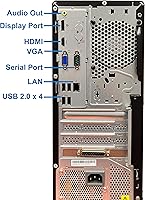
The i7-12700K processor — a 12-core chip boosting up to 5.2GHz — handles heavy multitasking, large datasets, and light creative work without strain. Paired with 64GB of DDR4 RAM, this Lenovo tower runs demanding applications that would slow lesser machines down, and memory upgrades are unlikely to be on your to-do list anytime soon. The 2TB NVMe SSD delivers fast load times and ample storage for files, software, and project assets. Display connectivity is genuinely flexible: DisplayPort, HDMI, and VGA let you drive 4K monitors or keep older screens in service without adapters. Wi-Fi 6 support and a USB-C port with 15W charging complete a connectivity setup that covers most professional environments without compromise.
Best For
This business desktop is a natural fit for small business deployments where IT managers want consistent, maintainable hardware running Windows 11 Pro straight out of the box. Remote professionals who need real processing muscle for data-heavy workflows — without the heat, noise, and complexity of a gaming rig — will find this tower hits a practical sweet spot. It also serves offices still running VGA monitors alongside newer displays well, thanks to that three-output video configuration. Where it does not belong is on anyone's desk who expects discrete GPU performance — the integrated UHD 770 handles display output cleanly, but rendering, 3D work, or gaming are firmly outside its scope.
User Feedback
Buyers consistently call out fast boot performance and a smooth setup experience as highlights — the machine ships ready to work with minimal configuration friction. Build quality earns real praise too, in line with the ThinkCentre line's long-standing reputation for durability in professional environments. On the critical side, a recurring complaint involves fan noise under load, which some find disruptive in quieter office settings. The missing DVD drive has frustrated a vocal minority who did not catch the warning before purchasing. A handful of reviewers also question whether the premium over a similarly specced custom build is fully justified, though most acknowledge that Lenovo's warranty coverage and business support options go some way toward bridging that gap.
Pros
- The 12-core i7-12700K handles heavy multitasking — ERP software, large spreadsheets, video calls — without slowing down.
- 64GB of pre-installed RAM means most business users will never need to think about a memory upgrade.
- A 2TB NVMe SSD delivers fast boot times and plenty of storage for years of business files and installed software.
- Windows 11 Pro ships pre-activated, covering BitLocker, remote desktop, and domain join without extra licensing costs.
- DisplayPort, HDMI, and VGA outputs make this Lenovo tower unusually flexible for mixed legacy and modern monitor setups.
- Wi-Fi 6 support handles congested office networks far better than older wireless standards in comparable machines.
- The ThinkCentre chassis is well-built and accessible, making maintenance and internal upgrades straightforward for IT staff.
- A USB-C port with 15W charging and nine USB-A ports cover virtually any peripheral combination without needing a hub.
- Out-of-box setup is clean and fast — businesses deploying multiple units can have staff up and running quickly.
- Long-term reliability is a genuine differentiator; ThinkCentre machines have a strong track record in professional environments.
Cons
- Fan noise under sustained CPU load is the most consistent complaint across real user reviews — noticeable in quiet offices.
- No optical drive is included and there is no internal bay to add one, which catches some buyers off guard.
- Bluetooth 4.2 is behind the current standard, creating minor compatibility friction with newer wireless peripherals.
- Comparable processing and memory specs can be assembled as a custom build for less, making the price premium a sticking point.
- The stock power supply limits future discrete GPU upgrades without additional hardware investment.
- Pre-installed Lenovo software requires cleanup before deployment, adding time for IT teams managing multiple units.
- Wireless signal consistency has been flagged by some users in larger spaces or buildings with thick walls.
- The tower footprint is larger than many buyers anticipate — floor or desk placement requires dedicated, unobstructed space.
Ratings
The Lenovo ThinkCentre Neo 50T Gen 3 Desktop earned its scores through AI analysis of verified global buyer reviews, with spam, bot activity, and incentivized feedback actively filtered out before any scoring was applied. Across thousands of real-world assessments from IT managers, small business owners, and power users, both the standout strengths and the genuine frustrations were weighted equally. The result is an honest, balanced picture of where this business tower delivers and where it falls short.
Processing Performance
Memory & Multitasking
Storage Speed & Capacity
Build Quality & Chassis
Connectivity & Ports
Wireless Networking
Thermal Management & Fan Noise
Display Output Quality
Software & OS Experience
Value for Money
Setup & Out-of-Box Experience
Optical Drive Absence
Expandability & Upgradability
Reliability & Longevity
Suitable for:
The Lenovo ThinkCentre Neo 50T Gen 3 Desktop is purpose-built for professionals who need a dependable, high-performance workstation without the complexity of building one from scratch. IT managers deploying a fleet of business machines will appreciate the consistent hardware configuration, Windows 11 Pro pre-activation, and the ThinkCentre line's well-documented reliability track record. Small business owners running accounting software, CRM platforms, or multiple browser-based tools simultaneously will find the 12-core processor and generous RAM allocation genuinely capable of keeping pace with demanding daily workflows. Remote professionals who want a stable desk-bound machine — something that simply runs without fuss, week after week — will feel at home here. The triple-display output covering DisplayPort, HDMI, and VGA is a practical advantage for offices still running a mix of legacy and modern monitors, removing the need for adapters or workarounds.
Not suitable for:
The Lenovo ThinkCentre Neo 50T Gen 3 Desktop is a poor fit for anyone expecting discrete graphics performance — the integrated UHD 770 handles display output cleanly but will not run modern games, 3D rendering pipelines, or GPU-accelerated creative workloads at any meaningful level. Buyers who still rely on optical media for software installs, compliance archives, or data recovery should look elsewhere or budget for an external DVD drive immediately, as there is no optical bay in this chassis. DIY enthusiasts and budget-conscious buyers who are comfortable building their own systems will likely find better component-per-dollar value assembling a comparable machine themselves. Anyone shopping for a compact desktop or space-saving form factor should also reconsider — this is a full tower and it commands a fair amount of physical real estate on or under a desk. Finally, users who need cutting-edge wireless peripheral support may find the Bluetooth 4.2 implementation limiting compared to newer standards now common at this price tier.
Specifications
- Processor: Powered by the Intel Core i7-12700K with 12 cores and boost speeds reaching up to 5.2GHz, offering strong multi-threaded performance for demanding business workloads.
- RAM: Ships with 64GB of DDR4 memory running at 3200MHz, providing substantial headroom for running multiple applications simultaneously without performance degradation.
- Storage: Includes a 2TB NVMe SSD as the primary and only storage drive, delivering fast read/write speeds and ample capacity for most professional use cases.
- Graphics: Equipped with integrated Intel UHD Graphics 770, capable of driving external displays at up to 4K resolution but not intended for GPU-accelerated or gaming workloads.
- Display Outputs: Offers three simultaneous display output options — DisplayPort, HDMI, and VGA — accommodating both modern and legacy monitor configurations without adapters.
- Operating System: Ships with Windows 11 Pro pre-installed and pre-activated, including full support for BitLocker encryption, remote desktop, and domain join out of the box.
- Wireless: Supports Wi-Fi 6 (802.11ax) dual-band at 2.4GHz and 5.8GHz, providing faster and more reliable wireless connectivity in congested office network environments.
- Bluetooth: Includes Bluetooth 4.2, compatible with standard wireless peripherals including keyboards, mice, and headsets, though not the latest 5.x standard.
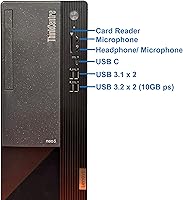
- USB Ports: Features 4x USB 2.0 ports, 4x USB 3.2 Gen 1 ports (5Gbps), 1x USB 3.2 Gen 2 port (10Gbps), and 1x USB-C 3.2 Gen 1 port with 15W charging output.
- Ethernet: Includes a Gigabit RJ45 LAN port for wired network connectivity, recommended for stable, high-bandwidth office network environments.
- Card Reader: Built-in card reader is included, supporting standard SD and compatible memory card formats for direct file transfers without an external adapter.
- Optical Drive: No optical drive is included and no internal bay is available to add one — an external USB DVD drive must be purchased separately if needed.
- Dimensions: The tower measures 11.57 x 5.7 x 13.39 inches (L x W x H), making it a mid-sized tower suitable for desk-top or under-desk floor placement.
- Weight: The unit weighs 15.27 pounds, which is typical for a business tower of this class and straightforward to position during initial setup or redeployment.
- CPU Cache: The i7-12700K includes 25MB of Intel Smart Cache, contributing to responsive performance across switching between tasks and loading data-heavy applications.
- Power Source: Operates on standard AC power; no external battery or UPS is included, and the stock power supply unit supports current configuration but limits future GPU expansion.
- Form Factor: Designed as a traditional tower desktop, offering better internal accessibility and upgrade potential compared to mini-PC or all-in-one alternatives in the same class.
- Memory Type: Uses DDR4 RAM in a dual-channel configuration at 3200MHz; not DDR5, which is a generational limitation of the 12th Gen Intel platform used in this build.
Related Reviews
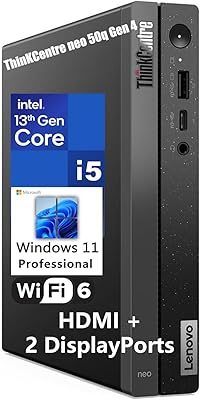
Lenovo ThinkCentre neo 50q Gen 4 Tiny
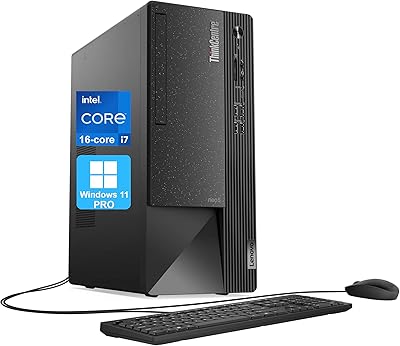
Lenovo ThinkCentre Neo 50t Tower Desktop, Intel Core i7-13700, 32GB RAM, 1TB SSD
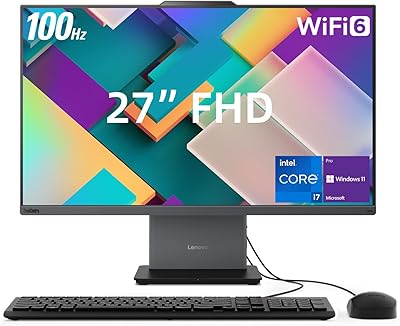
Lenovo ThinkCentre Neo 50a 27″ All-in-One Desktop
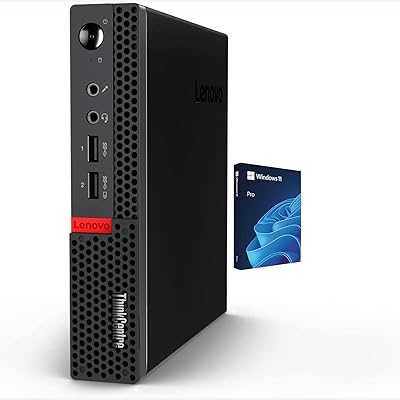
Lenovo ThinkCentre M625 Mini PC (16GB RAM, 512GB SSD)
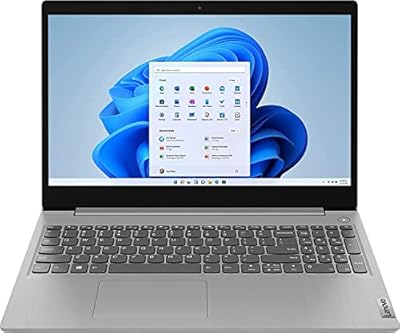
Lenovo IdeaPad 3 15.6-inch Touchscreen Laptop
Lenovo IdeaPad 3 15.6″ Laptop
Lenovo ThinkPad E16 Gen 3 Business Laptop, Intel Core Ultra 7, 32GB RAM, 2TB SSD
Lenovo ThinkCentre All-in-One i5-13420H 16GB 256GB 24″