Overview

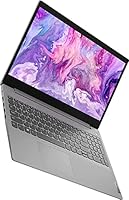
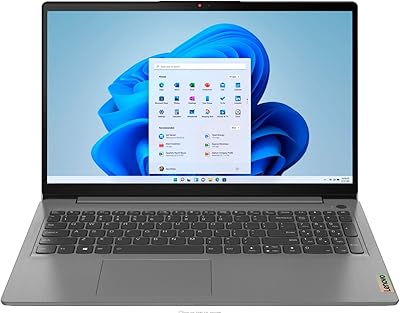
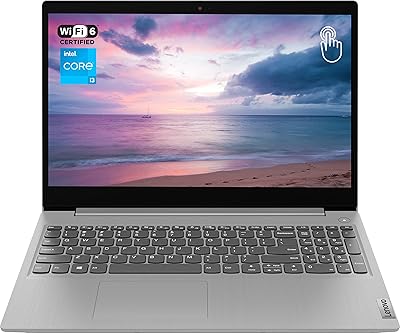
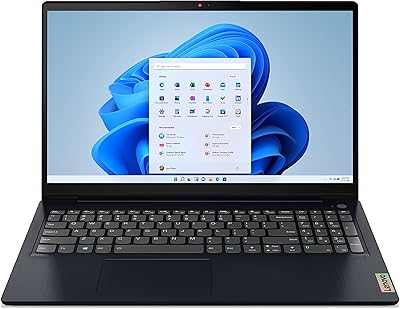
The Lenovo IdeaPad 3 15.6-inch Touchscreen Laptop sits in a crowded budget segment but carves out a distinct identity with one feature you rarely see at this price: a responsive touchscreen. At roughly 3.7 pounds and with Windows 11 Home ready to go straight out of the box, setup is refreshingly painless. The 15.6-inch display gives you enough screen real estate to work comfortably, whether you're juggling spreadsheets or streaming a show. It arrives as a third-party bundle that includes a few extras, though the laptop itself remains the main draw. For everyday home and student use, it covers the basics without pretense.
Features & Benefits

The i3-1115G4 processor is no speed demon, but it handles the daily grind — browser tabs, video calls, Word documents — without constant lag. What genuinely stands out is the 20GB of DDR4 RAM, which is unusually generous for a machine in this tier and keeps things moving when you have a dozen tabs open at once. The 256GB PCIe SSD means Windows boots in seconds rather than the sluggish minute you get with older hard drives. A backlit keyboard rounds out the practical side, and the port selection — USB 3.2, HDMI, SD card slot — means you won't need a hub for basic connectivity.

Best For

This budget touchscreen laptop makes the most sense for students who need a dependable machine for writing papers, attending online classes, and basic research. It's also a solid pick for remote workers who spend most of their day in a browser or on video calls and don't need heavy processing power. Families shopping for a shared secondary computer will appreciate the low barrier to entry, and first-time Windows users will find that the operating system keeps onboarding relatively smooth. If you want touch navigation without paying premium 2-in-1 prices, this IdeaPad 3 is one of the few sensible options at this price point.

User Feedback

Buyers consistently highlight two things: fast boot times and RAM that feels roomier than what you normally expect at this price. The touchscreen earns solid praise for being accurate in everyday use. On the flip side, the HD resolution draws repeated criticism — 1366x768 looks noticeably soft next to the full-HD panels now common on competing budget machines. Battery life is a mixed story, with real-world results ranging from a solid day of light use to just four hours under heavier loads. Build quality is described as adequate but firmly plastic, and the bundled accessories receive lukewarm reactions at best.

Pros

  • 20GB of RAM is unusually generous at this price point, keeping multitasking smooth.
  • The PCIe SSD makes boot times and file loading noticeably faster than budget laptops with older hard drives.
  • Touchscreen functionality adds real convenience for quick navigation and casual note-taking.
  • Windows 11 Home comes pre-installed, so setup is straightforward right out of the box.
  • The backlit keyboard is a practical feature that many competitors at this tier still skip.
  • Port selection is solid: USB 3.2, HDMI, SD card reader, and audio jack cover most daily needs.
  • At under four pounds, this budget touchscreen laptop is easy to carry between home, school, or a coffee shop.
  • Wi-Fi 5 and Bluetooth connectivity keep wireless performance reliable for video calls and streaming.
  • The 15.6-inch screen size hits a practical sweet spot for both productivity tasks and casual media viewing.

Cons

  • The 1366x768 screen resolution looks noticeably soft compared to full-HD panels now common at similar prices.
  • Real-world battery life often falls short of the stated seven-hour estimate under moderate use.
  • The dual-core i3 processor struggles with anything beyond light tasks like documents and web browsing.
  • Build quality is all plastic and feels less sturdy than metal-chassis competitors in the same price range.
  • Intel UHD Graphics make this IdeaPad 3 essentially unusable for gaming or GPU-intensive creative work.
  • The 256GB SSD fills up faster than expected once Windows updates and apps are installed.
  • The 720p webcam produces mediocre image quality in anything other than well-lit conditions.
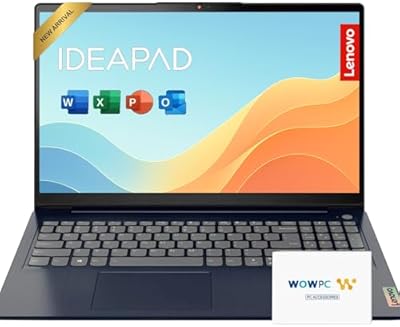
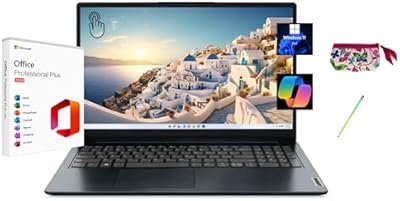
  • Bundled accessories in the third-party package receive mixed reactions and add limited practical value.

Ratings

The scores below for the Lenovo IdeaPad 3 15.6-inch Touchscreen Laptop were generated by our AI after analyzing thousands of verified global user reviews, with spam, incentivized, and bot-flagged submissions actively filtered out before scoring. Each category reflects the honest distribution of buyer sentiment — where this budget touchscreen laptop genuinely delivers, and where it falls short. Both the standout strengths and the recurring frustrations are transparently captured in every scorecard.
Value for Money
81%
19%
Most buyers feel they are getting more than their money's worth, particularly because of the 20GB RAM and PCIe SSD combination at this price tier. Students and home users consistently note that comparable machines with similar specs tend to cost noticeably more, making this IdeaPad 3 feel like a smart allocation of a tight budget.
Some buyers feel the HD screen resolution undercuts the overall value proposition, especially when full-HD alternatives are creeping into the same price bracket. If the display were sharper, the value score would be considerably higher across the board.
Performance
72%
28%
For everyday tasks — browsing, writing, video calls, and juggling a reasonable number of open tabs — this budget touchscreen laptop keeps up without frustrating lag. The 20GB of RAM is the real hero here, giving the modest i3 processor enough breathing room to handle multitasking better than buyers typically expect at this price.
Push it toward anything compute-intensive and the dual-core i3 makes its limits felt quickly. Video editing, large spreadsheet modeling, or running multiple demanding applications simultaneously causes noticeable slowdowns that remind you this is not a workhorse machine.
Display Quality
58%
42%
The 15.6-inch screen size is well-received for comfortable everyday use — there is enough real estate to work in two windows side by side or watch content without feeling cramped. The touchscreen functionality is genuinely responsive and adds a layer of convenience that buyers appreciate for casual browsing and navigation.
The 1366x768 resolution is the most consistently criticized aspect of this machine. Text and images look noticeably soft compared to the full-HD panels now available on competing budget laptops, and buyers who spend long hours in front of the screen often report eye fatigue as a result.
RAM & Multitasking
86%
The 20GB DDR4 configuration is a genuine differentiator at this price point, and buyers notice it in real daily use. Keeping 15 to 20 browser tabs open alongside a video call and a word processor runs without the constant stuttering that plagues less generously specced budget machines.
While the RAM is impressive for the tier, it cannot fully compensate for the processor ceiling during sustained heavy workloads. Power users who habitually run memory-hungry applications like virtual machines or professional audio software will still hit bottlenecks.
Storage & Speed
83%
Buyers frequently highlight how much faster this IdeaPad 3 feels compared to older laptops they have owned with spinning hard drives. Boot times are short, applications launch quickly, and the overall snappiness of the SSD makes the machine feel more premium than its price suggests on a day-to-day basis.
At 256GB, the drive fills up faster than many buyers anticipate once Windows updates, browser caches, and installed apps settle in. Users who store local video files or large project folders will likely need an external drive or consistent cloud storage to avoid running low.
Battery Life
61%
39%
Under genuinely light use — a document open, occasional browsing, modest brightness — buyers can realistically get five to six hours before needing to plug in. For short school sessions or a half-day of remote work near an outlet, the battery holds up acceptably.
The advertised seven-hour figure does not hold up for most real-world workloads. Users streaming video, attending back-to-back video calls, or running multiple apps simultaneously report battery life dropping closer to four hours, which makes the charger a near-constant companion for all-day users.
Touchscreen Responsiveness
77%
23%
Buyers who use the touchscreen regularly describe it as accurate and reliable for tapping, scrolling, and light navigation. It responds well to standard finger gestures and adds genuine utility for users who prefer touching the screen over reaching for the trackpad repeatedly throughout the day.
The touchscreen is not paired with stylus support, which limits its usefulness for handwriting or detailed annotation. Some buyers also note that the glossy touch surface picks up fingerprints aggressively, requiring frequent cleaning to keep the display looking presentable.
Build Quality
63%
37%
The machine feels solid enough for careful everyday handling — sliding it in and out of a backpack, setting it on a desk, or using it on a lap all feel fine. For a budget-tier laptop, the chassis holds together without obvious flex or creaking during regular use.
The all-plastic construction is a common point of disappointment for buyers who have used metal-chassis laptops before. The lid and palm rest flex noticeably under pressure, and a few users report that the hinge mechanism feels less robust than they would like for a machine expected to travel daily.
Keyboard & Typing Comfort
74%
26%
The backlit keyboard is a welcome feature at this price, and buyers who use it for long writing sessions generally find the key travel acceptable. The backlighting is even and functional, making late-night study or work sessions genuinely easier on the eyes.
The keyboard layout feels slightly cramped to touch typists coming from larger or more premium boards, and the key feedback is on the softer side. Extended writing marathons can become tiring, and a small number of buyers mention key wobble on certain keys after a few months of heavy use.
Webcam & Microphone
66%
34%
The dual-array microphone setup captures voice clearly enough for standard video calls, and most meeting participants report no complaints about audio quality under normal conditions. For routine Zoom or Teams calls from a home office or dorm room, the microphone performs reliably.
The 720p camera produces mediocre image quality in anything other than bright, well-lit environments. In typical indoor lighting, the image looks soft and slightly washed out — noticeable enough that buyers who frequently present or interview on video may want an external webcam.
Connectivity & Ports
79%
21%
The port selection covers the practical needs of most everyday users without requiring a hub. Having USB 3.2 ports, an HDMI out, a headphone jack, and an SD card reader all built in means buyers can connect a monitor, external storage, and headphones simultaneously without adapters.
The inclusion of only one USB 2.0 port alongside the two USB 3.2 ports is a minor frustration for users connecting multiple peripherals. There is no USB-C port, which is an increasingly common omission that limits forward compatibility with newer accessories and charging standards.
Portability
78%
22%
At just under 3.75 pounds and less than an inch thick, this Lenovo IdeaPad fits comfortably into a standard backpack without adding significant weight to a student or commuter's load. The footprint is compact enough for most laptop sleeves and shoulder bags sold today.
The 15.6-inch form factor is on the larger side for buyers who genuinely prioritize ultra-portability. Those who move frequently between locations and prefer a smaller, lighter machine may find that a 13-inch or 14-inch alternative suits their lifestyle better.
Setup & Out-of-Box Experience
82%
18%
Windows 11 Home comes fully pre-installed, meaning buyers can be up and running within minutes of opening the box. First-time Windows users in particular appreciate not having to navigate operating system installation or activation steps before getting started.
Like most consumer Windows laptops, it ships with a handful of pre-installed bloatware apps that need to be manually removed. The initial Windows update process on first boot can also take longer than buyers expect, which slightly dampens the otherwise smooth out-of-box experience.
Bundled Accessories
55%
45%
The inclusion of a 64GB SD card in the bundle is a practical touch that adds immediate usable storage for buyers who need it. The charger is standard and functional, and the user guide covers the basics without being entirely useless.
Buyer reactions to the bundled items are lukewarm overall — the accessories feel like an afterthought rather than a curated addition. The SD card is the only item with obvious utility; the rest of the bundle does little to meaningfully enhance the purchase experience.

Suitable for:

The Lenovo IdeaPad 3 15.6-inch Touchscreen Laptop is a strong match for students who spend most of their day writing papers, attending online classes, and jumping between research tabs — the 20GB of RAM keeps that kind of multitasking from feeling like a chore. It also suits remote workers whose daily routine revolves around email, video calls, and cloud-based tools rather than anything compute-intensive. First-time Windows users will appreciate how little friction there is getting started, since Windows 11 Home is already installed and ready to go. Families shopping for an affordable shared machine — one that handles browsing, streaming, and light homework duties without complaint — will find this IdeaPad 3 fits that role comfortably. The touchscreen is a genuine bonus for anyone who wants more intuitive navigation without paying the premium that 2-in-1 convertibles typically command.
Not suitable for:

The Lenovo IdeaPad 3 15.6-inch Touchscreen Laptop was never designed for heavy lifting, and buyers expecting otherwise will come away frustrated. The dual-core i3 processor and Intel UHD Graphics are not built for video editing, 3D rendering, or any kind of gaming beyond the most casual browser titles. The 1366x768 display resolution is a legitimate drawback for anyone who works with detailed visuals, watches a lot of high-definition content, or simply prefers the sharper image that a full-HD panel delivers — and there are competing laptops at similar prices that now offer exactly that. Battery life is also unpredictable enough that power users or students in all-day lecture environments may find themselves hunting for an outlet sooner than expected. If your workflow demands sustained processing power, a crisp display, or long untethered battery life, this machine is not the right fit.
Specifications

  • Processor: Powered by an 11th Gen Intel Core i3-1115G4 dual-core chip running at 3.0GHz base with a boost up to 4.1GHz, suited for everyday computing tasks.
  • RAM: Comes with 20GB of DDR4 SDRAM, which is above average for this price tier and helps keep multitasking and tab-heavy browsing running smoothly.
  • Storage: Equipped with a 256GB PCIe Solid State Drive that delivers significantly faster boot and file transfer speeds compared to traditional spinning hard drives.
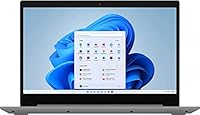
  • Display: Features a 15.6-inch HD touchscreen with a resolution of 1366x768 pixels, offering touch-enabled navigation in a comfortable viewing size.
  • Graphics: Runs on integrated Intel UHD Graphics, which handles standard video playback and everyday visuals but is not designed for gaming or GPU-intensive workloads.
  • Operating System: Ships with Windows 11 Home pre-installed, so the machine is ready to use immediately without requiring additional software purchases or setup steps.
  • Webcam: Includes a 720p front-facing camera paired with dual-array microphones, providing adequate quality for standard video calls and online meetings.
  • Battery Life: Rated for up to 7 hours of use on a single charge, though real-world results will vary depending on screen brightness and workload intensity.
  • Ports: Offers 2x USB 3.2 Gen 1 Type-A ports, 1x USB 2.0 Type-A, 1x HDMI output, a combination audio jack, and a multi-format SD card reader.
  • Wireless: Supports Wi-Fi 5 (802.11ac) and Bluetooth, covering reliable wireless internet and peripheral connectivity for home and office environments.
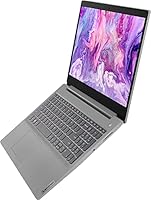
  • Keyboard: Features a backlit keyboard, making it practical to type in low-light conditions such as dimly lit rooms or evening study sessions.
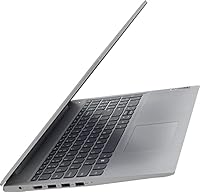
  • Weight: Weighs 3.74 pounds, making it light enough to carry between home, class, or a workspace without becoming a burden in a backpack.
  • Dimensions: Measures 14.26 x 9.98 x 0.78 inches, giving it a slim enough profile to fit into standard laptop sleeves and bags.
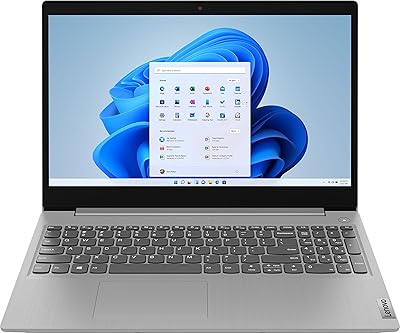
  • Color: Available in Platinum Grey, a neutral finish that resists looking visibly scuffed or fingerprint-heavy during everyday handling.
  • Optical Drive: Does not include an optical drive, which is standard for modern thin laptops but worth noting if you still use DVDs or CDs regularly.

Related Reviews

Lenovo IdeaPad 3 15.6″ Touch Laptop
71%
83%
Touchscreen Usability
76%
Performance & Speed
54%
Storage Adequacy
78%
Display Quality
69%
Battery Life
More
Lenovo Ideapad 3 Laptop, 15.6″, Intel Core i3, 12GB RAM, 256GB SSD
84%
92%
Value for Money
85%
Performance for Everyday Tasks
90%
Portability and Weight
75%
Display Quality
80%
Battery Life
More
Lenovo IdeaPad 15.6-inch Laptop, 12GB RAM, 512GB SSD, Intel Celeron N4500
82%
92%
Value for Money
89%
Battery Life
75%
Display Quality
85%
Performance for Basic Tasks
88%
Portability
More
Lenovo IdeaPad 3 Laptop, 15.6″, Intel Core i3-1115G4, 16GB RAM, 512GB SSD
83%
84%
Performance
91%
Value for Money
85%
Display Quality
76%
Battery Life
80%
Build Quality
More
Lenovo IdeaPad 3 15.6-inch Laptop
70%
78%
Performance
74%
Display Quality
62%
Build Quality
57%
Battery Life
83%
Value for Money
More
Lenovo IdeaPad 3 15.6″ Laptop
70%
83%
Value for Money
67%
Performance
51%
Display Quality
54%
Battery Life
78%
Touchscreen
More
Lenovo IdeaPad 1 15.6″ Touchscreen Laptop
73%
88%
Value for Money
91%
Storage & Speed
84%
Microsoft Office Inclusion
67%
Display Quality
73%
Touchscreen & Stylus
More
Lenovo IdeaPad Gaming 3 15.6″ FHD Laptop - Ryzen 5 6600H, RTX 3050, 8GB RAM, 256GB SSD
82%
91%
Value for Money
87%
Gaming Performance
74%
Battery Life
79%
Display Quality
82%
Build Quality
More
Lenovo IdeaPad 1 Gen 7 15.6″ Laptop
71%
88%
Value for Money
67%
Performance
71%
Display Quality
91%
RAM & Storage
79%
Touchscreen
More
Lenovo Ideapad Slim 3 Laptop, AMD Ryzen 5 5625U, 16GB RAM, 2TB SSD, 15.6″ FHD, Windows 11 Pro
86%
92%
Value for Money
88%
Battery Life
85%
Display Quality
90%
Performance (General)
93%
Storage Capacity
More
HP 15.6-inch Laptop 15-ef0021nr, Ryzen 3 3200U, 8GB RAM, 256GB SSD
82%
92%
Value for Money
85%
Performance
83%
Build Quality
89%
Portability
81%
Battery Life
More

FAQ

It handles the core demands of student life quite well — writing papers, joining video lectures, browsing research sources, and managing cloud storage. The 20GB of RAM in particular gives it more breathing room than most budget machines, so switching between tasks stays responsive. Just keep in mind that it is not built for design-heavy coursework or video production.

On most IdeaPad 3 configurations, the RAM is partially or fully soldered to the motherboard, which limits or eliminates upgrade options. It is safest to assume what you buy is what you get, which is actually fine here since 20GB is already generous for light to moderate use.

Most users find it responsive and accurate enough for scrolling, tapping links, and casual navigation. It is not as refined as a premium 2-in-1 with stylus support, but for basic touch interaction it works reliably. It adds a layer of convenience that you genuinely notice when browsing or reading.

It depends on your habits. After Windows 11 installs and updates settle in, you are realistically working with around 200GB of usable space. For documents, browser use, and streaming that is plenty, but if you plan to store large video files or install many applications, an external drive or cloud storage subscription is a smart addition.

This is one area where the Lenovo IdeaPad 3 15.6-inch Touchscreen Laptop makes a noticeable compromise. The 1366x768 HD resolution looks softer than the full-HD panels that some competitors now offer at similar prices. Text and images are perfectly readable for everyday use, but side by side with a 1080p display the difference is visible, especially for media consumption.
The rated seven hours is achievable under light use with moderate screen brightness, but real-world results tend to land closer to four to five hours under typical workloads. If you plan to use it unplugged for an entire school day or a long work session away from an outlet, carrying the charger is a good habit.

Yes, without any real issues. The i3 processor handles video calling applications comfortably, the dual-array microphones pick up voice clearly, and the Wi-Fi 5 connection keeps the stream stable on a decent router. The 720p webcam is not exceptional, but it is adequate for professional and academic calls.

The third-party bundle includes a charger, a user guide, and a 64GB SD card. The SD card is a practical addition for extra storage, though the charger is standard and the guide is minimal. Buyer reactions to the bundled items are mixed — useful but not the reason to choose this machine.

Only at the most casual level. The integrated Intel UHD Graphics can handle simple browser games and older low-demand titles, but anything modern or visually intensive will struggle significantly. If gaming is a priority even occasionally, a laptop with a dedicated graphics card would serve you far better.

The chassis is plastic throughout, which is entirely expected at this price point but does mean it feels less solid than aluminum-bodied alternatives. It holds up fine for standard daily handling — sliding in and out of a bag, sitting on a desk, being used at a kitchen table. Treat it with reasonable care and it should last through a few years of regular use without issue.