Lenovo ThinkCentre neo 50q Gen 4 Tiny

Overview
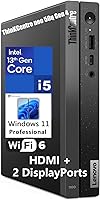
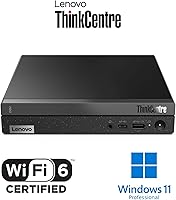
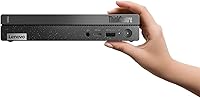
The Lenovo ThinkCentre neo 50q Gen 4 Tiny is one of those rare compact desktops that actually delivers on its promise of fitting into tight spaces without making you sacrifice too much on performance. About the size of a thick hardcover book, this mini desktop ships with Windows 11 Pro already installed, a USB keyboard, and a mouse — so you are not hunting for peripherals on day one. Intel’s 13th Gen hybrid-core processor gives it a genuine edge over older dual-core mini PCs in the same segment. It sits firmly in the mid-range business tier, where reliability and manageability matter more than raw gaming power.
Features & Benefits
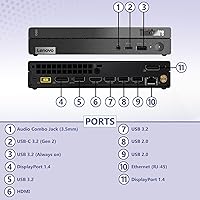
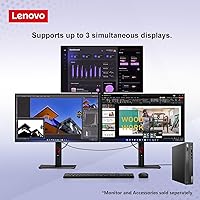
The ThinkCentre neo 50q’s 8-core processor — split between performance and efficiency cores — handles everyday multitasking noticeably better than the older dual-core machines it often replaces. What stands out most for office work is the triple-monitor support: one HDMI 2.1 and two DisplayPort 1.4 outputs let you run a genuinely wide workspace from a box that weighs barely over two pounds. Wi-Fi 6 and Bluetooth 5.2 cover modern wireless needs without any fuss. The front-facing USB-C port charges phones and accessories without reaching around to the back. Power draw stays modest at 65W, and the NVMe SSD makes Windows boot times feel almost instant.
Best For
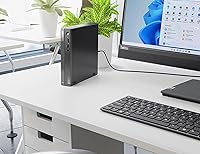
This compact business PC is a natural fit for hybrid workers who regularly pack their setup into a bag and move between home and office — it is genuinely light enough to make that routine painless. Small businesses will appreciate that Windows 11 Pro comes pre-installed, simplifying domain joining and remote management from the start. Tight reception desks, point-of-sale counters, and multi-monitor workstations are exactly where this machine thrives. That said, anyone expecting to run video editing software or GPU-intensive workloads should look elsewhere — there is no discrete graphics, and that limitation is worth knowing about before buying.
User Feedback
Owners of this mini desktop consistently praise how whisper-quiet it runs — even under sustained workloads, most report hearing almost nothing from the unit. Boot times earn similar compliments. Where things get mixed is around the included peripherals: the bundled keyboard and mouse are functional but clearly budget-tier accessories, and a fair number of buyers swap them out quickly. A few users have also noted that the rear USB 2.0 ports feel outdated for the price point, and there are scattered reports of minor spec discrepancies between the listing and what actually arrived. VESA mount setups, though, tend to go smoothly.
Pros
- Fits into a small bag and travels easily between home and office without any fuss.
- Triple-monitor support from a box this small is genuinely rare and immediately useful.
- Windows 11 Pro pre-installed means business features like BitLocker and domain join work right out of the box.
- The 13th Gen hybrid-core processor handles real multitasking workloads noticeably better than older dual-core mini PCs.
- Nearly inaudible fan noise makes it a comfortable fit for shared or quiet work environments.
- Wi-Fi 6 delivers fast, stable wireless performance in busy home and office network conditions.
- NVMe SSD boot times are consistently fast, cutting the time between pressing the power button and working.
- Front USB-C port with charging support is a small but genuinely convenient daily-use feature.
- The bundled keyboard and mouse mean most buyers can be productive straight out of the box.
- Low 65W power draw keeps electricity costs down over long periods of daily business use.
Cons
- Bundled keyboard and mouse feel noticeably cheap and most buyers replace them quickly.
- Two rear USB 2.0 ports feel outdated and limit throughput for older wired peripherals.
- DDR4 RAM is a generation behind DDR5 platforms now available at similar price points.
- No internal expansion bay means storage upgrades require replacing the existing SSD entirely.
- VESA mount is not included despite the form factor being clearly designed for behind-monitor installation.
- Sustained heavy workloads can trigger audible fan spin-up and mild chassis warmth.
- Some buyers have reported minor spec inconsistencies between the listed configuration and what was delivered.
- Integrated graphics create a hard ceiling for any GPU-dependent software or creative application.
- RAM upgrade process is less accessible than expected for a device marketed toward business IT environments.
- No optical drive and limited rear port density may require a USB hub for complex peripheral setups.
Ratings
The Lenovo ThinkCentre neo 50q Gen 4 Tiny scores here reflect an AI-driven analysis of verified global buyer reviews, with spam, bot activity, and incentivized feedback actively filtered out before scoring. Across thousands of real-world experiences — from hybrid office setups to small business deployments — both the genuine strengths and the recurring frustrations are captured transparently in each category below.
Performance for Daily Workloads
Thermal Management & Noise
Multi-Monitor Support
Build Quality & Form Factor
Port Selection & Connectivity
Storage Performance
RAM & Upgradability
Value for Money
Included Peripherals
Software & OS Experience
Setup & Out-of-Box Experience
Wireless Performance
VESA Mount Compatibility
Long-Term Reliability
Suitable for:
The Lenovo ThinkCentre neo 50q Gen 4 Tiny is built for people who need a capable, no-nonsense business desktop without dedicating half their desk to it. Hybrid and remote workers who regularly move between home and office will find it genuinely practical — it fits in a bag, boots fast, and picks up right where it left off. Small businesses and IT departments will appreciate that Windows 11 Pro comes ready for domain environments, BitLocker encryption, and remote management tools without any additional licensing gymnastics. If your workflow lives in a browser, Office suite, or video conferencing platform, this compact business PC handles all of it comfortably across multiple monitors. It also suits reception desks, point-of-sale counters, or trading stations where desk space is tight but a reliable three-display setup is non-negotiable.
Not suitable for:
The Lenovo ThinkCentre neo 50q Gen 4 Tiny is not the right choice for anyone whose work pushes hardware harder than standard office tasks. There is no discrete graphics card, which rules it out entirely for video editing, 3D rendering, CAD work, or any gaming beyond the most casual titles. The DDR4 memory architecture, while functional today, is a generation behind the DDR5 platforms now appearing in competing machines, which matters if you are thinking about this purchase as a three-to-five year investment. Power users who rely on multiple wired peripherals simultaneously may find the port selection frustrating, particularly given the two USB 2.0 ports lingering on the rear panel. Content creators who work with large local media libraries will also feel the limits of 512GB fairly quickly, with no internal expansion slot to remedy it without replacing the drive outright.
Specifications
- Processor: Intel Core i5-13420H, 8-core (4 performance + 4 efficiency cores), 12 threads, up to 4.6GHz boost clock, 12MB cache.
- RAM: 16GB DDR4 SDRAM, soldered or socketed depending on configuration; supports standard business multitasking workloads comfortably.
- Storage: 512GB M.2 PCIe NVMe SSD providing fast read/write speeds suitable for quick boot times and responsive application launches.
- Graphics: Intel UHD Graphics (integrated), supporting up to three simultaneous displays at resolutions up to 4K via dedicated video outputs.
- Display Outputs: One HDMI 2.1 port and two DisplayPort 1.4 ports, enabling triple-monitor configurations at up to 3840x2160 resolution per display.
- Front Ports: One USB-C 3.2 Gen 2 (data and 5V charging), one USB-A 3.2 Gen 2 (Always On, 5V/2.1A charging), and one 3.5mm audio combo jack.
- Rear Ports: Two USB 2.0, two USB-A 3.2 Gen 2, one HDMI 2.1, two DisplayPort 1.4, and one RJ-45 Gigabit Ethernet port.
- Wireless: Intel Wi-Fi 6 AX201 (802.11ax, 2x2) with Bluetooth 5.2 for stable wireless networking and peripheral connectivity.
- Operating System: Windows 11 Professional (English), pre-installed and activated, supporting domain join, BitLocker encryption, and remote desktop features.
- Form Factor: Tiny 1-liter desktop chassis measuring approximately 179 x 182.9 x 36.5 mm (7.05 x 7.2 x 1.44 inches).
- Weight: Approximately 1.11 kg (2.45 lbs) without the external power adapter, making it easily portable between locations.
- Power Supply: External 65W power adapter rated at 89% efficiency, keeping energy consumption low relative to traditional desktop PCs.
- Audio: High Definition (HD) Audio with Realtek ALC256 codec and a front-panel 3.5mm headphone/microphone combo jack.
- VESA Compatibility: Supports optional VESA mounting bracket (sold separately) for wall, under-desk, or behind-monitor installation.
- In the Box: Unit ships with a USB Calliope keyboard, USB Calliope mouse, power adapter, and a Vent-Hear cable bundle.
- Warranty: Covered under Lenovo's standard ThinkCentre commercial warranty; specific terms and duration vary by region and registration.
Related Reviews
Lenovo ThinkCentre Neo 50T Gen 3 Desktop
Lenovo ThinkBook 15 Gen 4 Business Laptop
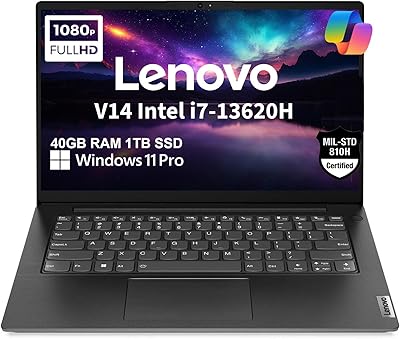
Lenovo V14 Gen 4 Business Laptop
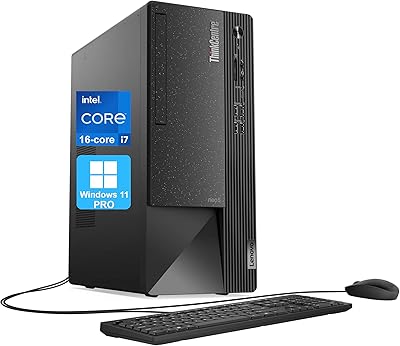
Lenovo ThinkCentre Neo 50t Tower Desktop, Intel Core i7-13700, 32GB RAM, 1TB SSD
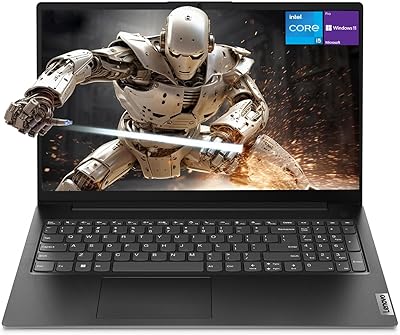
Lenovo V15 Gen 4 15.6″ Business Laptop
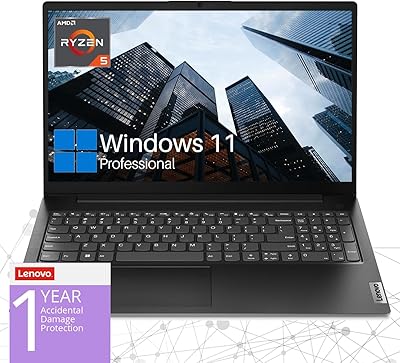
Lenovo V15 Gen 4 Business Laptop, AMD Ryzen 5 5500U, 16GB RAM, 1TB SSD
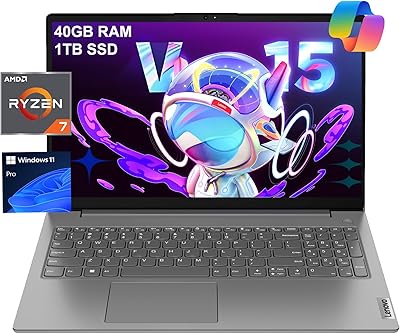
Lenovo V15 Gen 4 Business Laptop, 15.6″, AMD Ryzen 7 7730U, 40GB RAM, 1TB SSD
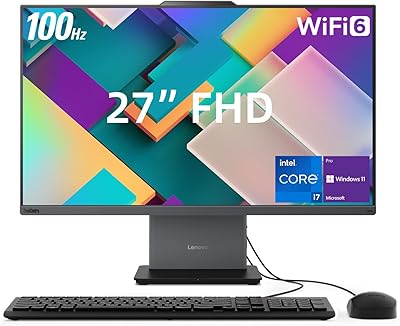
Lenovo ThinkCentre Neo 50a 27″ All-in-One Desktop
Lenovo Tab M8 2nd Gen 32GB Tablet