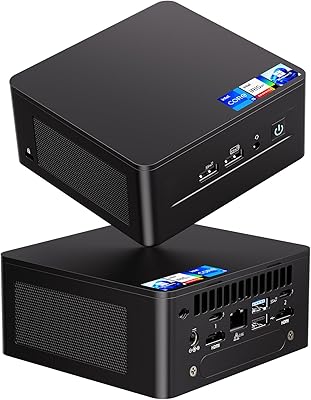
Lenovo ThinkCentre M625 Mini PC (16GB RAM, 512GB SSD)
Overview
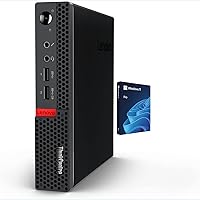
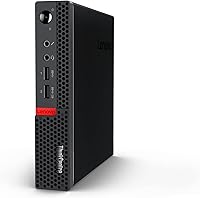
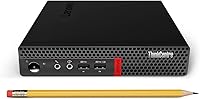
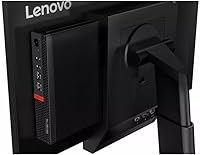
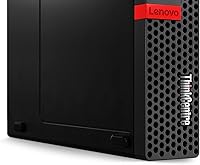
The Lenovo ThinkCentre M625 Mini PC (16GB RAM, 512GB SSD) is a business-class compact desktop from Lenovo's ThinkCentre line, aimed squarely at productivity-focused users who need a capable, no-fuss machine without a large footprint. It sits comfortably on a desk or mounts behind a monitor without consuming meaningful space. The processor — an AMD A4 9120C — is older architecture, honest about being entry-level, so don't expect heavy workloads. What does stand out is the inclusion of Windows 11 Pro, which adds real business value. The RAM and SSD specs are generous for the price, but the CPU sets a clear ceiling on what this compact desktop can handle.
Features & Benefits
The 16GB dual-channel RAM is where this mini PC genuinely impresses for its tier — running a dozen browser tabs alongside a Teams call and an open spreadsheet stays manageable without frustrating slowdowns. The 512GB PCIe NVMe SSD means boot times are quick and file operations feel responsive, a real contrast to older spinning-disk machines. Dual DisplayPort outputs let you run two monitors simultaneously, which alone can reshape a cramped home office setup. The port spread is generous: six USB ports total, built-in Wi-Fi, and Gigabit Ethernet. The whole unit weighs under two pounds and can tuck out of sight when needed.
Best For
The ThinkCentre M625 hits a practical sweet spot for office productivity tasks — email, spreadsheets, video calls, and light document work all run without complaint. IT departments or small business owners deploying affordable Windows Pro desktops in bulk will appreciate the familiar Lenovo build and the domain-join capability that comes with the Pro license. It also works well for digital signage or kiosk use, where a discreet, low-power unit tucked out of sight is exactly what you need. What it is not built for: video editing, gaming, or any CPU-intensive work. Keep expectations grounded and this compact desktop delivers solid practical value for the right use case.
User Feedback
Buyers respond positively to how snappy and responsive this mini PC feels day-to-day — the NVMe SSD and ample RAM make a real difference in perceived speed for routine tasks. The dual-monitor functionality gets consistent praise for working reliably without driver headaches. On the critical side, some users note the AMD A4 9120C shows its age under any meaningful load, with noticeable lag when too many demanding applications run at once. A handful of reviews flag occasional friction around Windows activation during initial setup. Build quality generally draws positive remarks, and the unit runs quietly under normal use, though thermals can become a concern in poorly ventilated spots.
Pros
- 16GB of dual-channel RAM handles real multitasking far better than most budget desktops at this price tier.
- The PCIe NVMe SSD makes boot times and app launches feel noticeably faster than older HDD-based machines.
- Dual DisplayPort outputs let you run two monitors without adapters or extra hardware, right out of the box.
- Windows 11 Pro is included — BitLocker, Remote Desktop, and domain join are all fully functional.
- Six USB ports total give you room for a full peripheral setup without needing a hub.
- The ThinkCentre M625 weighs under two pounds and fits behind a monitor or inside a shallow cabinet easily.
- Both wired Gigabit Ethernet and built-in Wi-Fi are included, covering flexible office and home networking setups.
- Lenovo's ThinkCentre build quality is reliably solid, with a tight chassis and no cheap-feeling flex.
- Fan noise under normal light workloads is minimal and unlikely to distract in a quiet office environment.
- For kiosk, signage, or point-of-sale use, the low power draw and small footprint are genuinely practical advantages.
Cons
- The AMD A4 9120C is an outdated chip that struggles noticeably once workloads go beyond basic office tasks.
- Refurbished and renewed units sometimes arrive with inconsistent Windows activation, requiring support contact to resolve.
- No USB-C or Thunderbolt port means users with modern peripherals or docks will need adapters.
- Storage fills faster than expected once Windows 11 Pro, Office, and business apps are installed — 512GB has less headroom than it sounds.
- In enclosed or poorly ventilated spaces, the fan ramps up audibly and the chassis can run warm.
- Wi-Fi performance is inconsistent at longer ranges and falls short of newer Wi-Fi 6 capable hardware.
- There is no practical upgrade path — CPU, RAM, and internal storage are effectively fixed at purchase.
- Integrated Radeon R4 graphics struggle with anything beyond basic display output, including higher-resolution video playback.
- Buyers receiving refurbished units report variable out-of-box experiences, including missing documentation and pre-existing configurations.
- No optical drive and no easy secondary internal storage bay limit flexibility for users who need local media or large local archives.
Ratings
The Lenovo ThinkCentre M625 Mini PC (16GB RAM, 512GB SSD) has been scored below using AI analysis of verified global user reviews, with spam, bot-generated, and incentivized feedback actively filtered out before scoring. Each category reflects real buyer patterns — not manufacturer claims — so both the genuine strengths and the recurring frustrations are represented as honestly as the data allows. This compact desktop earns solid marks in several areas, but a few categories reveal limitations worth understanding before you buy.
Everyday Performance
RAM & Multitasking
Storage Speed
Dual Monitor Support
Build Quality & Chassis
Thermal Management & Noise
Port Selection & Connectivity
Windows 11 Pro Value
Setup & Out-of-Box Experience
Value for Money
Form Factor & Space Saving
Wi-Fi & Networking
Graphics & Display Output Quality
Processor (CPU) Performance
Long-Term Reliability
Suitable for:
The Lenovo ThinkCentre M625 Mini PC (16GB RAM, 512GB SSD) is a genuinely good fit for anyone whose daily computing life revolves around email, web browsing, Microsoft Office, and video calls — and not much beyond that. Office workers with cluttered desks will appreciate how easily this compact desktop disappears behind a monitor or sits unobtrusively on a shelf. Small business owners or IT managers deploying affordable Windows Pro workstations across multiple desks will find the included Windows 11 Pro license a real practical advantage, covering BitLocker, Remote Desktop, and domain join without additional licensing cost. Home users retiring a slow, aging tower and replacing it with something faster-feeling and physically smaller will likely be pleasantly surprised by the NVMe SSD's responsiveness. It also fits neatly into specialized roles like digital signage displays, point-of-sale terminals, or reception desk kiosks where a discreet, low-power unit is preferable to a full-size desktop.
Not suitable for:
Anyone expecting modern, snappy CPU performance should look elsewhere — the Lenovo ThinkCentre M625 Mini PC (16GB RAM, 512GB SSD) is built around the AMD A4 9120C, a dual-core chip from an older architecture that hits a ceiling quickly once workloads exceed basic productivity tasks. Content creators, video editors, developers running local builds, or anyone using demanding desktop software will find the processor a persistent bottleneck regardless of how good the RAM and SSD specs look on paper. Gamers should not consider this machine at all; the integrated Radeon R4 graphics are years behind even casual gaming requirements. Users who rely heavily on modern USB-C peripherals or Thunderbolt docks will run into friction, as neither port type is present. Finally, buyers who need a machine they can upgrade over time — swapping in a faster CPU, adding more storage internally, or expanding RAM — should know that this compact chassis offers virtually no upgrade path once purchased.
Specifications
- Processor: AMD A4 9120C dual-core CPU running at 1.60 GHz base frequency with a maximum turbo boost of 2.40 GHz.
- Cache: 2MB L2 cache shared across both processor cores.
- RAM: 16GB DDR4 SDRAM in dual-channel configuration for improved memory bandwidth during multitasking.
- Storage: 512GB PCIe NVMe M.2 SSD connected via PCIe x4 interface for fast read and write speeds.
- Graphics: AMD Radeon R4 integrated graphics with no dedicated video memory, relying on shared system RAM.
- Display Output: Two DisplayPort outputs supporting resolutions up to 4096x2160, enabling dual-monitor configurations.
- Operating System: Windows 11 Pro 64-bit, US English, pre-installed with business features including BitLocker and Remote Desktop.
- Front Ports: Two USB 3.0 ports, one headphone jack, one microphone jack, and a power button on the front panel.
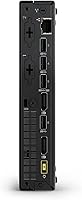
- Rear Ports: One USB 3.0 port, three USB 2.0 ports, two DisplayPort outputs, and one RJ-45 Gigabit Ethernet jack on the rear.
- Networking: Built-in Wi-Fi and Gigabit Ethernet (RJ-45) provide both wired and wireless connectivity options.
- Form Factor: ThinkCentre Tiny form factor — a compact mini PC chassis designed for VESA mounting or desktop placement.
- Dimensions: The unit measures 19.5 x 5 x 9 inches, roughly comparable to the footprint of a thick hardcover book.
- Weight: The system weighs approximately 1.5 pounds, making it easy to mount behind a monitor or relocate as needed.
- Memory Type: DDR4 SDRAM in dual-channel mode, offering higher bandwidth than single-channel DDR4 configurations.
- Storage Interface: The M.2 SSD uses a PCIe x4 interface, delivering substantially faster throughput than SATA-based solid-state drives.
- USB Total Ports: Six USB ports in total — three USB 3.0 and three USB 2.0 — spread across front and rear panels.
- Brand & Series: Manufactured by Lenovo under the ThinkCentre M625 model designation, part of the business-focused ThinkCentre product line.
- Audio Ports: Dedicated 3.5mm headphone and microphone jacks are located on the front panel for convenient peripheral access.
Related Reviews

ACEMAGICIAN Kron Mini K1 Mini PC
KAMRUI GK3Plus Mini PC (N95, 16GB RAM, 512GB SSD)
GEEKOM Air12 Mini PC 16GB/512GB
Blackview MP60 16GB/512GB Mini PC
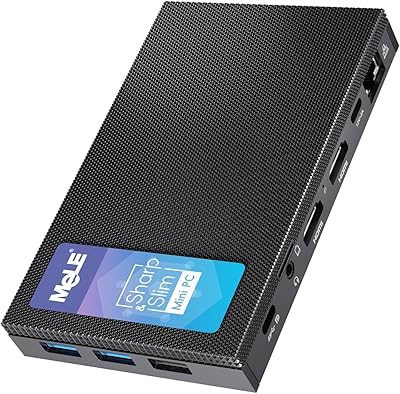
MeLE Mini PC Quieter 4C, 16GB RAM, 512GB SSD
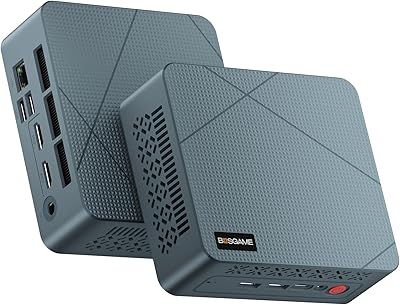
BOSGAME Mini PC E3 (N150, 16GB/512GB)
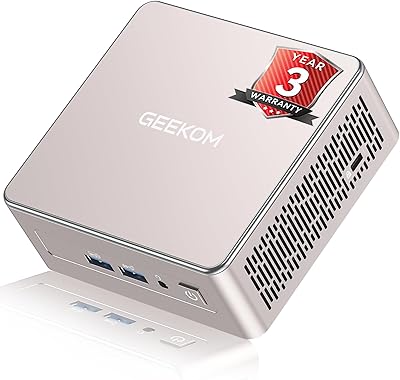
GEEKOM A5 2025 Edition Mini PC
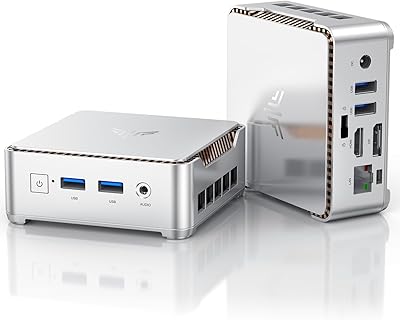
KAMRUI Essenx E2 N150 16GB Mini PC
FIREBAT AM02 Mini PC (AMD Ryzen 6600H, 16GB/512GB)