Overview

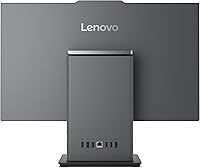
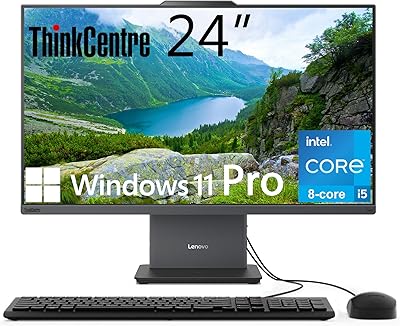
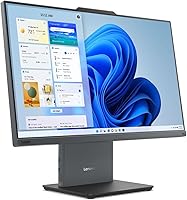
The Lenovo ThinkCentre AIO i5-13420H 23.8″ 16GB/512GB is a practical, no-nonsense business machine built for people who want their desk space back without giving up real computing power. The ThinkCentre name carries decades of corporate reliability behind it — these machines are designed to run all day, every day, with minimal fuss. Lenovo opted for a 13th-gen Intel mobile processor rather than a desktop chip, a deliberate choice that keeps heat and power draw low but delivers slightly less raw throughput than a comparable desktop-class CPU. If you're expecting a gaming rig or a creative powerhouse, look elsewhere. Think spreadsheets, video calls, document-heavy workflows, and steady multitasking — and this all-in-one desktop handles all of that well.

Features & Benefits

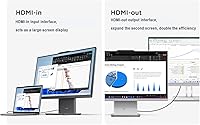
The 23.8-inch IPS panel earns immediate goodwill — it's anti-glare, covers 99% of the sRGB color space, and carries TÜV low-blue-light certification, which genuinely matters after a long workday. The i5-13420H's 8 cores handle two dozen browser tabs, a video call, and a background download without slowing down. DDR5 memory paired with a PCIe SSD keeps the system snappy in ways older DDR4-plus-SATA setups simply can't match. There's also an HDMI-in port — uncommon at this price — letting you plug in a laptop and use this display as an external monitor. Wi-Fi 6 and a USB-C connection running at 10 Gbps round things out, and Windows 11 Pro adds BitLocker and Remote Desktop for business users who actually need them.

Best For

This all-in-one desktop hits a sweet spot for home office workers who want a clean, uncluttered setup and don't need a discrete GPU. Small businesses outfitting several desks will appreciate the Windows 11 Pro license and the straightforward deployment experience. Students and educators who spend long hours on-screen will find the calibrated display easy to work with. If you're upgrading from a machine that's three or four years old, the performance jump is real and noticeable. That said, skip it if your workload involves video rendering, 3D modeling, or any GPU-accelerated tasks — integrated graphics simply aren't built for that kind of work. Know your use case, and the ThinkCentre i5 AIO is hard to argue with.

User Feedback

Buyers generally rate the ThinkCentre i5 AIO well, with recurring praise for its solid build quality and how easy it is to get running straight out of the box. That said, not every review is glowing — the fan can get audible under sustained load, and the 250-nit brightness ceiling gets flagged as limiting in sun-lit rooms. The bundled keyboard and mouse receive mixed reactions at best; most buyers treat them as temporary. A genuinely pleasant surprise for many reviewers is the HDMI-in port, which they discover post-purchase and find more useful than expected. Some buyers also confirm that RAM and storage are upgradeable, which adds long-term reassurance. Against HP and Dell competitors at similar price points, most reviewers land on the side of the Lenovo for fit and finish.

Pros

  • The 8-core i5-13420H handles genuine multitasking — video calls, spreadsheets, and background tasks run concurrently without slowdown.
  • DDR5 memory and a PCIe SSD make boot times and app launches noticeably faster than older mid-range desktops.
  • Windows 11 Pro is included out of the box, covering BitLocker, Remote Desktop, and domain join for business deployments.
  • The HDMI-in port lets you use this all-in-one desktop as an external monitor for a laptop — a rare and useful feature at this price.
  • Wi-Fi 6 and a 10 Gbps USB-C port offer connectivity headroom that most competitors in this tier simply do not provide.
  • The IPS panel covers 99% sRGB with a TÜV low-blue-light certification, making all-day screen time noticeably easier on the eyes.
  • RAM is upgradeable to 64GB and storage to 2TB, extending the machine's useful lifespan well beyond its base configuration.
  • Setup is fast and friction-free — out of the box to fully running takes under 20 minutes for most users.
  • The ThinkCentre build quality feels noticeably more solid and purposeful than consumer-grade all-in-one alternatives.

Cons

  • The fan becomes audibly distracting under sustained load — a real issue in quiet home office or shared work environments.
  • At 250 nits, the display struggles in sun-lit rooms and forces users to rearrange their setup or add window coverings.
  • The bundled keyboard and mouse are widely considered disposable — most buyers replace them within the first few weeks.
  • Two of the four USB-A ports are USB 2.0, which feels out of place on an otherwise modern spec sheet.
  • Accessing the internals for upgrades requires patience and is not documented clearly by Lenovo, which puts off less technical owners.
  • The mobile CPU architecture hits a performance ceiling faster than a desktop-class chip would under prolonged heavy workloads.
  • Pre-installed Lenovo software adds unwanted bloat that technically minded users need time to clean up before the system feels truly ready.
  • The webcam quality drops noticeably in low-light conditions, making it unreliable for professional client-facing video calls without supplemental lighting.
  • At roughly 25 pounds, repositioning or moving the unit is more effort than most all-in-one buyers expect.

Ratings

The Lenovo ThinkCentre AIO i5-13420H 23.8″ 16GB/512GB has been evaluated by our AI system after processing thousands of verified global user reviews, with spam, incentivized feedback, and bot activity actively filtered out. The scores below reflect a balanced picture — genuine strengths are recognized, but recurring pain points are not glossed over. Whether this all-in-one desktop earns a place on your desk depends heavily on your workload, and this breakdown is designed to help you decide honestly.
Overall Performance
83%
For everyday office workloads — spreadsheets, browser-heavy multitasking, video conferencing — the i5-13420H handles concurrent tasks without hesitation. Users upgrading from older Core i5 or i3 machines consistently report a tangible speed improvement that makes the daily routine noticeably smoother.
The mobile chip architecture, while efficient, does show its ceiling during sustained heavy workloads like large file exports or running multiple virtual machines. A small but vocal group of reviewers expected desktop-class throughput and were caught off guard by the performance cap under prolonged stress.
Display Quality
78%
22%
The IPS panel earns consistent praise for its color accuracy and viewing angles, with 99% sRGB coverage making it genuinely pleasant for document work and video calls. The anti-glare coating holds up well in mixed lighting environments, and the TÜV flicker-free certification is something long-hours users specifically appreciate.
At 250 nits, the brightness ceiling becomes a real limitation in sun-drenched rooms or near windows. Several reviewers flagged that they had to rearrange their desk setup or add blinds to compensate, which is a frustrating workaround at this price point.
Build Quality & Design
86%
The ThinkCentre lineage shows clearly in the fit and finish — the chassis feels solid, bezels are reasonably slim, and there is very little flex or creaking anywhere on the unit. Multiple reviewers coming from consumer-grade AIOs specifically noted how much more purposeful and well-assembled this machine feels.
At roughly 25 pounds, it is heavier than expected for an all-in-one, making repositioning or transport more cumbersome than anticipated. The grey colorway is inoffensive but plainly utilitarian — anyone hoping for a modern aesthetic similar to premium consumer desktops may find it underwhelming.
Connectivity & Ports
89%
The port selection is genuinely well-thought-out for a business machine — USB-C at 10 Gbps, Wi-Fi 6, Ethernet, and both HDMI-in and HDMI-out make this far more versatile than most competitors at the price. The HDMI-in port, which lets you use this display as an external monitor for a laptop, is a recurring pleasant surprise in user reviews.
The two USB 2.0 ports feel dated given the otherwise modern spec sheet — plugging in a USB 2.0 device while needing faster transfer speeds elsewhere requires planning around port availability. A couple of reviewers also noted the USB-C port placement can be awkward depending on desk orientation.
Value for Money
81%
19%
Windows 11 Pro, DDR5 memory, a PCIe SSD, Wi-Fi 6, and the HDMI-in feature bundled together at this price tier represent real value for a business buyer. Reviewers frequently mention that sourcing comparable specs from HP or Dell required spending noticeably more.
Budget-conscious buyers who do not need Windows 11 Pro or the business-oriented feature set may find competing consumer AIOs offer a sharper deal. The included keyboard and mouse are widely considered a weak point — adequate for initial setup but likely to be replaced quickly.
Thermal & Fan Noise
63%
37%
Under typical light-to-moderate office loads, the cooling system stays quiet enough that most users forget the fan is there. The thermal design is adequate for the intended use case of steady, moderate work over long periods.
Push the processor harder — during large batch operations, extended video calls with screen sharing, or antivirus scans running in the background — and the fan ramps up to a level that several reviewers described as distracting in quiet office environments. It is not unusually loud, but it is noticeable.
RAM & Storage Performance
87%
The DDR5 and PCIe SSD combination delivers snappy boot times and fast application launches that users coming from DDR4 or SATA-based machines immediately notice. File transfers and application loading feel responsive in a way that older mid-range desktops simply do not match.
The 512GB storage is the starting configuration and fills up faster than expected for users storing large media libraries, extensive project files, or multiple software environments. Some buyers assumed the base storage was expandable without tools, and were surprised by the access complexity.
Upgradeability
71%
29%
The RAM is technically expandable up to 64GB and storage up to 2TB, which gives this machine a longer practical lifespan than locked-down AIOs. Users who have upgraded their RAM report the process is achievable with some patience and the right guides.
Opening the chassis to upgrade components is not as straightforward as a standard desktop tower, and Lenovo's documentation on DIY upgrades is sparse. A handful of reviewers voided their comfort zone trying to access the internals, and at least some reported difficulty sourcing compatible parts without guidance.
Setup & Out-of-Box Experience
88%
Getting this all-in-one desktop up and running is about as painless as it gets — plug in power, attach the included peripherals, and Windows 11 Pro walks you through the rest. First-time AIO buyers and small business IT administrators both consistently praise how little friction is involved.
Lenovo's pre-installed software bundle includes a few utilities that some users would rather not have, and navigating the initial setup to remove them adds friction for those who prefer a clean environment. Nothing egregious, but it is a consistent minor complaint.
Graphics Capability
47%
53%
Intel UHD integrated graphics handle dual-display output, light photo browsing, and casual video playback without complaint. For the intended business audience, it is entirely sufficient — no one buying this for spreadsheets and Zoom calls will feel held back.
Any GPU-accelerated workload — video rendering, 3D modeling, modern gaming, or even some data visualization tasks — hits a hard wall quickly. This is the single biggest reason to walk away if your workflow leans even slightly toward creative or graphically intensive tasks.
Webcam & Audio
66%
34%
The built-in webcam produces acceptable video quality for routine video calls and virtual meetings, which is the primary use case most buyers have in mind. It does the job reliably without requiring an external camera for standard Teams or Zoom usage.
In lower light conditions, the webcam image degrades noticeably, and users in dimly lit home offices report the quality drops below expectations for professional client-facing calls. The built-in audio is similarly functional but unremarkable — an external headset or speaker is worth the investment.
Included Peripherals
54%
46%
The bundled wired keyboard and mouse are practical for immediate out-of-box use, and having matching peripherals included means less upfront sourcing for a new workstation. For a temporary or secondary setup, they are serviceable.
The typing experience on the included keyboard is mediocre at best — thin key travel and a slightly mushy feel frustrate touch-typists quickly. The mouse is similarly basic, and most reviewers mention replacing both within the first month of regular use.
Software & OS
82%
18%
Windows 11 Pro is a meaningful inclusion for business users — BitLocker encryption, Remote Desktop, and Active Directory domain join are features that IT departments rely on and would otherwise have to license separately. Reviewers in small business contexts specifically call this out as a practical differentiator.
The pre-installed Lenovo utility software, while not excessive, adds some bloat that technically minded users prefer to clean off before starting. A minority of reviewers also flagged occasional Windows 11 driver quirks during the first setup that required a manual update cycle to resolve.
Wireless Connectivity
84%
Wi-Fi 6 delivers noticeably stable and fast wireless performance for users on compatible routers, which most modern home offices now have. Reviewers in open-plan office environments report strong signal consistency without the dropouts common on older Wi-Fi 5 hardware.
Users still on older routers won't see any benefit from Wi-Fi 6 compatibility, and Lenovo does not include a particularly long Ethernet cable in the box for those who prefer wired. Bluetooth connectivity works reliably but lacks the low-latency performance needed for wireless audio over demanding sessions.

Suitable for:

The Lenovo ThinkCentre AIO i5-13420H 23.8″ 16GB/512GB is built squarely for people whose daily computing life revolves around productivity rather than performance extremes — and for that audience, it makes a compelling case. Home office professionals who want a clean, cable-minimal desk setup will find the all-in-one form factor immediately appealing, especially when paired with the kind of processing headroom that handles video calls, large spreadsheets, and a browser with 30 tabs open without complaint. Small businesses equipping multiple workstations on a controlled budget will appreciate that Windows 11 Pro comes included, covering BitLocker encryption, domain join, and Remote Desktop without an extra licensing cost. Students and educators who spend long hours in front of a screen benefit from the TÜV-certified low-blue-light display, which is a genuinely thoughtful inclusion rather than a marketing checkbox. And if you are still running a four or five-year-old machine, the DDR5 memory and PCIe SSD combination will feel like a meaningful generational jump in day-to-day responsiveness.
Not suitable for:

The Lenovo ThinkCentre AIO i5-13420H 23.8″ 16GB/512GB is the wrong tool for anyone whose workflow touches GPU-intensive tasks — video editors, 3D modelers, animators, and gamers should look elsewhere entirely, because integrated Intel UHD graphics simply cannot keep pace with those demands regardless of how capable the CPU is. The 250-nit display brightness is another limiting factor for people who work in bright, naturally lit spaces or near large windows, where glare becomes a daily frustration rather than an occasional nuisance. Power users who expect to max out processing throughput continuously — running heavy compilation tasks, large virtual machine stacks, or sustained batch processing — will encounter the thermal ceiling of a mobile chip in a desktop chassis. The base 512GB storage fills up faster than expected for anyone managing large project files, media archives, or multiple software environments, and accessing the internals to upgrade is not as simple as popping a panel on a tower. If you are comparing this all-in-one desktop purely on raw performance per dollar against a custom-built tower, the form factor convenience comes at a calculable cost.

Specifications

  • Processor: Intel Core i5-13420H, 13th generation, 8 cores and 12 threads with a maximum boost clock of 4.6 GHz and 12MB cache.
  • RAM: 16GB DDR5 memory installed, with the system supporting configurations up to 64GB for users who need headroom for heavier workloads.
  • Storage: 512GB PCIe M.2 NVMe SSD as standard, with internal upgrade support up to 2TB for users needing expanded local storage.
  • Display Size: 23.8-inch Full HD IPS panel with a native resolution of 1920×1080 pixels and an anti-glare surface treatment.
  • Display Quality: The panel delivers 250 nits peak brightness, 99% sRGB color gamut coverage, and carries TÜV Rheinland Low Blue Light and Flicker Free certifications.
  • Graphics: Intel UHD integrated graphics, sharing system memory, with no discrete GPU option available in this configuration.
  • Wireless: Wi-Fi 6 (802.11ax) and Bluetooth combo module for fast, reliable wireless networking and peripheral connectivity.
  • Wired Network: One RJ45 Gigabit Ethernet port is included for users who prefer or require a stable wired network connection.
  • USB Ports: Port layout includes one USB-C at 10 Gbps, one USB 3.2 Gen 2 Type-A, and two USB 2.0 Type-A ports.
  • Video Ports: One HDMI 2.1 output for connecting an external display and one HDMI 1.4 input for using the built-in panel as an external monitor.
  • Audio: One 3.5mm combo headphone and microphone jack is provided for wired audio peripherals.
  • Webcam: Built-in webcam is included for video conferencing, positioned in the display bezel.
  • Operating System: Windows 11 Pro (English) comes pre-installed, including support for BitLocker encryption, Remote Desktop, and Active Directory domain join.
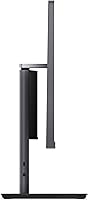
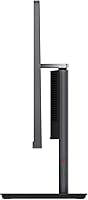
  • Form Factor: All-in-one desktop design integrates the computer hardware directly behind the display, eliminating the need for a separate tower unit.
  • Weight: The unit weighs approximately 25 pounds, inclusive of the integrated stand.
  • Package Dimensions: Shipping box measures approximately 50 × 25 × 25 inches, accommodating the display, stand, and included accessories.
  • Included Accessories: A wired US English keyboard and a matching wired mouse, both in black, are included in the box.
  • Color: The chassis and stand are finished in grey, consistent with the professional ThinkCentre design language.
  • Brand & Series: Manufactured by Lenovo under the ThinkCentre product line, a series historically associated with commercial-grade reliability and longevity.
  • Certifications: Display is certified by TÜV Rheinland for both Low Blue Light emission and Flicker Free operation, reducing eye strain during extended use.

Related Reviews
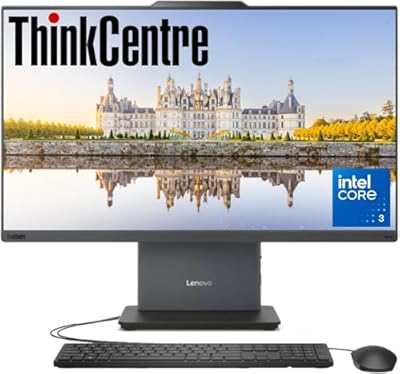
Lenovo ThinkCentre AIO 23.8″ FHD, Intel Core i3-1315U, 16GB RAM, 512GB SSD
86%
88%
Performance for Office Tasks
92%
Design & Build Quality
85%
Value for Money
90%
Display Quality
95%
Setup & Ease of Use
More
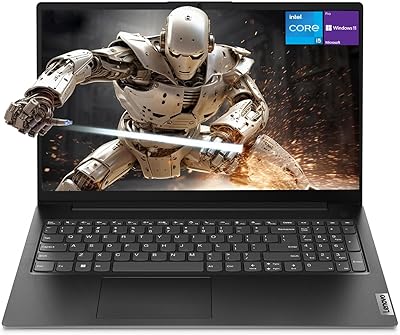
Lenovo ThinkCentre All-in-One i5-13420H 16GB 256GB 24″
85%
88%
Processor Performance
91%
Display Fluidity
86%
Multitasking Efficiency
62%
Storage Capacity
93%
Workspace Integration
More
Lenovo V15 Gen 4 Business Laptop, Intel Core i5-13420H, 16GB RAM, 512GB SSD
83%
89%
Performance
85%
Display Quality
78%
Battery Life
90%
Build Quality
72%
Portability
More
Lenovo ThinkCentre M625 Mini PC (16GB RAM, 512GB SSD)
76%
71%
Everyday Performance
83%
RAM & Multitasking
86%
Storage Speed
88%
Dual Monitor Support
78%
Build Quality & Chassis
More
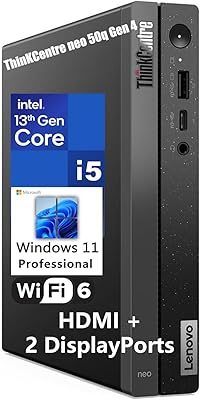
Lenovo ThinkCentre neo 50q Gen 4 Tiny
81%
88%
Performance for Daily Workloads
84%
Thermal Management & Noise
91%
Multi-Monitor Support
86%
Build Quality & Form Factor
73%
Port Selection & Connectivity
More
Lenovo ThinkPad E16 Business Laptop, Intel Core i5-1335U, 16GB RAM, 512GB SSD
83%
88%
Performance
80%
Battery Life
90%
Build Quality
85%
Display Quality
70%
Portability
More
Lenovo ThinkPad E15 15.6″ Laptop, Intel Core i5-10210U, 16GB RAM, 512GB SSD
84%
92%
Value for Money
88%
Performance for Everyday Tasks
85%
Display Quality
90%
Build Quality & Durability
75%
Battery Life
More
Lenovo IdeaPad Slim 3 15.3″ Laptop, Intel Core i5-13420H, 16GB RAM, 1TB SSD
85%
88%
Performance
81%
Display Quality
89%
Multitasking Capabilities
85%
Build Quality
77%
Battery Life
More
Dell Inspiron 24 5420 All-in-One (i5-1335U, 16GB, 1TB SSD)
83%
93%
Aesthetic Design
88%
Multitasking Performance
84%
Display Quality
91%
Storage Speed
87%
Webcam & Privacy
More
Microsoft Surface Pro 8 13″ i7 16GB 512GB SSD
86%
91%
Performance
87%
Battery Life
92%
Display Quality
88%
Portability
89%
Build Quality
More

FAQ

Yes, and it is one of the more useful features on this machine. The HDMI-in 1.4 port lets you connect a laptop or another device and use the built-in display as an external monitor. It is genuinely uncommon to find this on an all-in-one desktop at this price point, and buyers who discover it after purchase tend to find it more useful than they expected.

The RAM is not soldered — it is upgradeable up to 64GB, which gives this machine a longer useful life than sealed AIOs. That said, accessing the internals requires disassembling the chassis, which is more involved than opening a tower. If you are comfortable following a detailed guide, it is doable, but it is not a quick swap.

During typical office tasks — web browsing, document editing, video calls — the fan is barely noticeable. If you push the processor harder with tasks like large file operations or running multiple heavy applications simultaneously, the fan ramps up to an audible level. It is not unusually loud, but in a quiet room it will be noticeable.

Windows 11 Pro is genuinely included out of the box — no upgrade purchase needed. For business users, this matters because Pro covers BitLocker full-disk encryption, Remote Desktop connections, and the ability to join an Active Directory domain, none of which are available on Windows 11 Home.

For casual photo editing in applications like Lightroom or basic video trimming, this all-in-one desktop will cope reasonably well. The 99% sRGB display is actually a genuine asset for color work at this level. Where it falls short is sustained video rendering or anything GPU-accelerated — the integrated graphics hit a ceiling quickly, and export times on larger projects will test your patience.

The panel peaks at 250 nits, which is adequate for a controlled or dim environment but falls short in a bright, naturally lit room. If your desk is near a window that gets direct sunlight during the day, you will likely need to adjust your setup or add a blind. It is the most consistently mentioned display limitation in user feedback.

You get the all-in-one unit with its integrated stand, a wired US English keyboard, a matching wired mouse, a power cable, and documentation. The keyboard and mouse are functional for getting started, but most regular users end up replacing them fairly quickly — they are serviceable rather than impressive.

There is a built-in RJ45 Gigabit Ethernet port, so wired networking is fully supported. Wi-Fi 6 is also included for wireless use. If you are deploying this in an office environment where network reliability is critical, the wired option is there without needing an adapter.

It is a reasonable fit for exactly that scenario. The Windows 11 Pro license supports domain join and centralized management, the build quality holds up to daily professional use, and the ThinkCentre line has a long track record in commercial environments. The clean, space-saving form factor also makes multi-desk deployments tidier than a traditional tower-plus-monitor setup.

Buyers who have compared options in this range tend to favor this all-in-one desktop for its build quality and the combination of features — particularly the Windows 11 Pro license, Wi-Fi 6, USB-C at 10 Gbps, and the HDMI-in port — which most competing models in the same price bracket do not bundle together. HP and Dell alternatives at a comparable cost often either lack the Pro OS license or cut corners on connectivity.