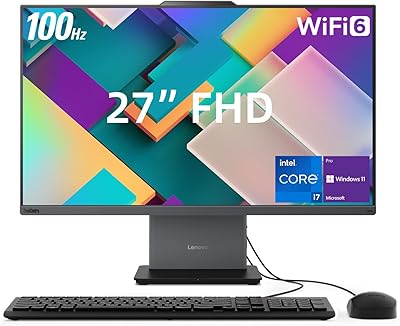
Lenovo ThinkCentre 23.8″ All-in-One Desktop Computer




Overview
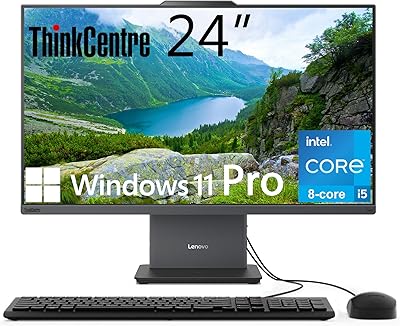
The Lenovo ThinkCentre 23.8″ All-in-One Desktop Computer is Lenovo's answer to one persistent office frustration: too many cables, not enough desk. The ThinkCentre name carries real weight in business computing — it's a line historically associated with enterprise-grade build quality, predictable driver support, and a longer useful lifespan than most consumer machines. At the heart of this all-in-one desktop sits Intel's Core i3-1315U, a 6-core hybrid processor that shouldn't be confused with older, weaker i3 chips — it handles everyday office tasks capably, though it has a clear performance ceiling. The 23.8-inch IPS panel looks crisp, but at 250 nits brightness, direct sunlight will wash it out. Against similarly priced competitors, it punches well on build and value.
Features & Benefits
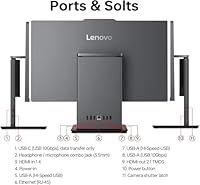
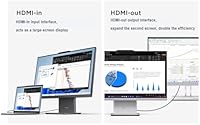
The 23.8-inch IPS screen holds up well for daily work — the anti-glare coating genuinely reduces reflections, and the borderless frame keeps things looking tidy. Paired with HARMAN speakers that are actually decent for built-in audio, it's a solid setup for content consumption too. The port layout deserves special attention: three USB-A ports, USB-C, gigabit Ethernet, and an HDMI-in port that lets you connect a laptop or console and use this all-in-one desktop as a secondary monitor — a genuinely rare feature at this price. Memory and storage are both user-upgradeable, which is a meaningful longevity advantage over sealed designs. The included Windows 11 Pro adds real value through BitLocker encryption, Remote Desktop, and domain support. Worth noting: the USB-C port handles data only, not device charging.
Best For
This ThinkCentre AIO is well-suited to people who want a tidy, capable workspace without the hassle of assembling a separate tower and monitor. Remote and hybrid workers will appreciate the IR webcam with its physical privacy latch, the dual microphones, and a design that looks professional on video calls. Small businesses deploying several identical workstations will find the ThinkCentre's manageability features and Windows 11 Pro licensing genuinely useful. That said, be realistic about what the i3 chip can handle — if your workflow involves video rendering, heavy multitasking, or any serious graphics work, this machine will frustrate you. It's built for documents, spreadsheets, browser-based tools, and video calls, not creative or compute-heavy workloads. The upgradeable RAM and SSD are a meaningful advantage over sealed AIOs if you're thinking long-term.
User Feedback
Buyers consistently point to three things they love about the Lenovo ThinkCentre: easy setup, a quiet fan profile, and a chassis that feels noticeably sturdier than most consumer AIOs. On the critical side, screen brightness comes up repeatedly — users in bright or naturally lit rooms find 250 nits limiting. The stand's tilt range is also a common gripe; at just -5° to +15°, ergonomic adjustment options are slim. One important heads-up: the product listing inconsistently references both DDR4 and DDR5 RAM, so it's worth confirming the exact spec with the seller before purchasing. Business deployers tend to rate it more favorably than home users expecting a general-purpose machine. Long-term reliability feedback is largely positive, with few reports of early hardware failures — a reassuring sign given ThinkCentre's track record.
Pros
- ThinkCentre build quality is noticeably sturdier than typical consumer AIOs at this price.
- Windows 11 Pro inclusion adds real business value — BitLocker, Remote Desktop, and domain support come standard.
- The HDMI-in port lets you use this all-in-one desktop as an external monitor for a laptop or console.
- 16GB DDR5 RAM is a genuinely competitive spec at this market tier.
- Both RAM and SSD are user-upgradeable, giving this machine a longer practical lifespan than sealed alternatives.
- Wi-Fi 6 and Bluetooth keep the wireless setup modern and capable for current peripherals.
- The IR webcam with a physical privacy latch is a thoughtful, practical feature for remote workers.
- Setup is remarkably straightforward — one power cable, and you're essentially ready to work.
- Quiet fan operation keeps it unobtrusive in shared or open-plan workspaces.
- The anti-glare IPS display handles indoor reflections well for everyday office use.
Cons
- At 250 nits, the display washes out noticeably in bright rooms or near sunny windows.
- The i3-1315U has a clear performance ceiling — heavy multitasking or demanding apps will bog it down.
- The stand offers only a narrow tilt range with no height adjustment, limiting ergonomic flexibility.
- The USB-C port is data-only — no power delivery, which frustrates users expecting to charge devices from it.
- The product listing contains conflicting RAM specs — DDR4 in some sections, DDR5 in others — verify before purchasing.
- Integrated graphics rule out any meaningful gaming or GPU-accelerated creative work.
- At 20 pounds, repositioning this all-in-one desktop around your space takes more effort than expected.
- No optical drive appears to be included despite some listing data referencing DVD-RW — confirm before buying.
- Business deployers expecting a discrete graphics option for specialized software will need to look at a higher tier.
Ratings
Our scores for the Lenovo ThinkCentre 23.8″ All-in-One Desktop Computer are generated by AI after analyzing thousands of verified buyer reviews from global markets, with spam, bot-generated, and incentivized feedback actively filtered out. The ratings reflect a balanced picture of how this all-in-one desktop actually performs across real daily use cases — from home office setups to small business deployments — with both genuine strengths and recurring pain points weighted transparently. Whether you are evaluating it as a primary workstation or a shared office machine, the scorecards below give you an honest, data-driven starting point for your decision.
Build Quality
Display Quality
Performance
Value for Money
RAM & Storage
Setup & Ease of Use
Port Selection
Webcam & Microphone
Audio Quality
Connectivity
Software & OS
Upgradeability
Ergonomics & Stand
Thermal & Noise
Long-term Reliability
Suitable for:
The Lenovo ThinkCentre 23.8″ All-in-One Desktop Computer is a strong fit for anyone who wants the reliability of a business-grade machine without the desk sprawl of a traditional tower setup. Remote and hybrid workers will find particular value here — the IR webcam with a physical privacy latch, dual microphones, and HARMAN speakers make video conferencing genuinely comfortable, while the clean, cable-light design suits a home office that doubles as a living space. Small business owners deploying several standardized workstations will appreciate the Windows 11 Pro license, which brings BitLocker encryption, Remote Desktop access, and domain management out of the box — features that cost extra or require workarounds on Home editions. Home office users whose daily tasks revolve around documents, spreadsheets, email, and browser-based tools will find the i3-1315U and 16GB of RAM more than adequate for those workloads. Buyers thinking long-term will also value the fact that both the RAM and SSD are user-upgradeable, extending practical usefulness well beyond what sealed AIOs can offer at a comparable price.
Not suitable for:
If your work regularly involves video editing, 3D rendering, heavy photo processing, or running multiple demanding applications simultaneously, the Lenovo ThinkCentre 23.8″ All-in-One Desktop Computer will hit a performance ceiling faster than you'd like. The Intel Core i3-1315U is a capable chip for office workloads, but it's not built for sustained compute-intensive tasks, and the integrated Intel UHD graphics mean any work that benefits from a discrete GPU — creative software, serious gaming, CAD tools — simply isn't a good match. The 23.8-inch panel at 250 nits also becomes a liability if your workspace gets significant natural light; the brightness cap is real and noticeable near windows. Gamers should look elsewhere entirely — there's no discrete GPU option, and the display isn't designed for high refresh-rate gaming. Finally, buyers who need a highly adjustable ergonomic setup should know the stand offers only a -5° to +15° tilt range, with no height adjustment, which may be limiting for taller users or those with specific posture requirements.
Specifications
- Display Size: The IPS panel measures 23.8″ diagonally with a 1920x1080 full HD resolution, an anti-glare coating, and a borderless frame design.
- Brightness: The display is rated at 250 nits, adequate for controlled indoor office lighting but potentially limiting in bright or sun-facing rooms.
- Processor: The system is powered by the Intel Core i3-1315U, a 6-core hybrid chip running at up to 4.5GHz with a 10MB cache, designed for everyday productivity workloads.
- RAM: Ships with 16GB of RAM expandable up to 64GB — note that the product listing inconsistently references both DDR4 and DDR5, so buyers should verify the actual type before purchasing.
- Storage: Includes a 512GB PCIe M.2 SSD with fast read and write speeds, and the slot supports upgrades up to 2TB for users who need more space over time.
- Graphics: Uses Intel UHD integrated graphics, which is capable for office applications, web browsing, and video conferencing but is not suitable for GPU-accelerated or gaming workloads.
- Wireless: Supports Wi-Fi 6 for faster, more reliable wireless networking and Bluetooth for connecting keyboards, mice, headsets, and other peripherals without additional dongles.
- Ports: Includes one USB-C at 10Gbps (data transfer only, no power delivery), three USB-A ports, one HDMI-out 2.1, one HDMI-in 1.4, one RJ-45 Ethernet port, and a 3.5mm headphone and microphone combo jack.
- Webcam: Features a built-in IR privacy camera with a physical privacy latch on the stand and dual microphones, supporting Windows Hello facial recognition for passwordless login.
- Audio: Equipped with HARMAN-tuned dual stereo speakers integrated into the chassis, offering notably better audio quality than the generic speakers found on many competing AIOs.
- Operating System: Ships with Windows 11 Pro pre-installed, which includes BitLocker drive encryption, Remote Desktop, and enterprise domain management capabilities not available in the Home edition.
- Stand Tilt: The integrated stand supports a tilt range of -5° to +15° only, with no height adjustment or swivel functionality included.
- Dimensions: The unit measures 16.97 x 7.56 x 21.25 inches (L x W x H), fitting comfortably on a standard office or home desk.
- Weight: The complete unit weighs approximately 20 pounds, which is in line with similarly sized all-in-one desktops at this screen size.
- Upgradeability: Both the RAM slot and M.2 SSD bay are user-accessible, allowing future upgrades without voiding the design integrity — a meaningful advantage over fully sealed AIO machines.
- Ethernet: The RJ-45 port provides a wired gigabit network connection alongside Wi-Fi 6, giving IT administrators and power users a reliable fallback for high-bandwidth or low-latency needs.
- Color: Available in a professional matte grey finish suited to business and home office environments.
- Form Factor: All-in-one desktop design integrates the display, computer hardware, speakers, and webcam into a single chassis powered by one cable, eliminating the need for a separate tower.
Related Reviews
Lenovo A100 23.8″ AIO (Intel i3-N305, 32GB, 1TB)
Lenovo ThinkCentre AIO (Intel U300, 32GB RAM, 1TB SSD)
Dell ec24250 23.8-inch All-in-One Desktop
Dell Inspiron 24 5430 All-in-One (Core 5-120U, 8GB, 512GB)
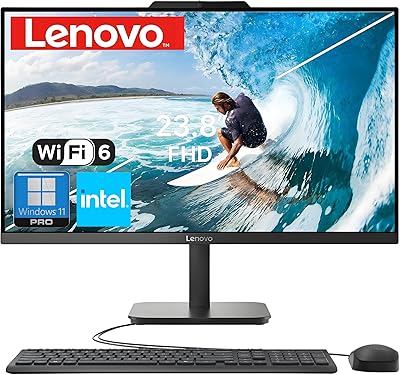
Lenovo V100 24-inch All-in-One Desktop
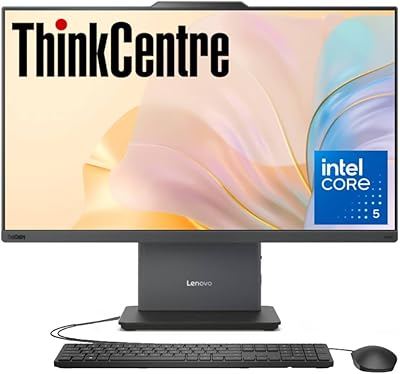
Lenovo ThinkCentre AIO i5-13420H 23.8″ 16GB/512GB
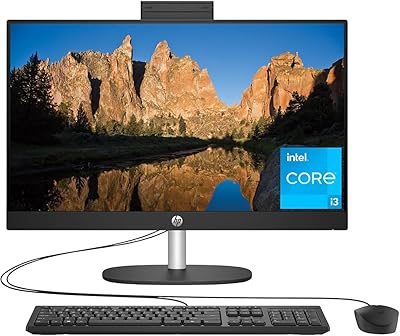
HP 23.8″ All-in-One Desktop 24-cr0030
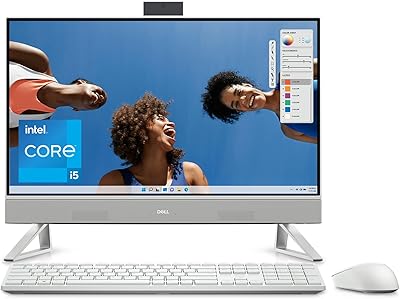
Dell Inspiron 24 5420 All-in-One (i5-1335U, 16GB, 1TB SSD)
Lenovo ThinkCentre All-in-One i5-13420H 16GB 256GB 24″