
Overview

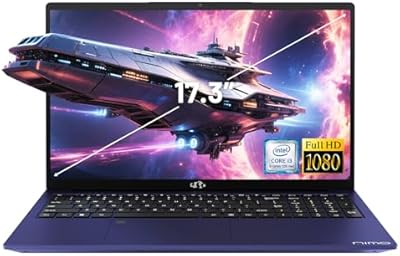
The NIMO N171S 17.3-inch Laptop is a budget-oriented machine that arrived on Amazon in mid-2025, aimed squarely at students and home users who want a large screen without a large bill. NIMO is a relatively unknown brand, so it is fair to approach with measured expectations — though the 2-year manufacturer warranty and a generous 90-day return window do provide meaningful purchase confidence. At this price, it competes directly with Ryzen-based alternatives, and the choice of a 12th Gen Intel processor gives it a credible shot. Just be clear going in: this is a productivity and everyday-use machine, not a creative workstation or gaming rig.

Features & Benefits

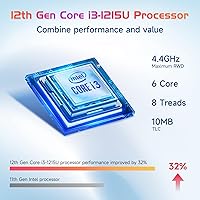
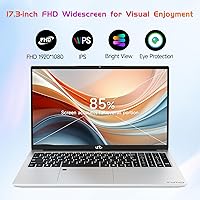
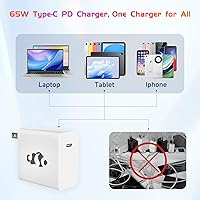
The Intel Core i3-1215U is a 6-core chip that handles everyday tasks — browsing, document editing, video calls, light spreadsheets — without breaking a sweat. It will not run circles around a dedicated GPU setup, but for the target audience it is genuinely capable. 16GB of DDR4 RAM paired with a PCIe SSD means apps load quickly and the system stays responsive when multiple tabs and programs are open. The 17.3-inch IPS display is anti-glare and comfortable for long sessions. A fingerprint reader on the touchpad handles Windows Hello login cleanly. Perhaps the most practical inclusion is the 65W GaN USB-C charger — compact enough to toss in a bag and compatible with phones and tablets too.

Best For

This 17-inch budget laptop makes the most sense for college students who want a big display for research, writing, and light multitasking without carrying around an expensive machine. Home office workers who mostly use a desk setup will find the screen size and port selection genuinely useful — especially with HDMI 2.1 for connecting an external monitor. It is also a strong upgrade pick for anyone still running an older Celeron or Pentium laptop who wants noticeably snappier performance. Casual users and older adults who appreciate a large, readable screen and simple fingerprint login will feel right at home. The direct brand warranty is a real advantage over gray-market alternatives at a similar price.

User Feedback

The Nimo N171S currently holds a perfect rating, but the listing only went live in June 2025, which means the review count is almost certainly still very thin. A 5-star average with few ratings tells you almost nothing reliable about long-term quality. Early buyers who do comment tend to focus on build feel, keyboard feedback, and whether the display colors hold up — things specs alone cannot confirm. The weakness most likely to surface in feedback is battery life: five hours is below what most competing 17-inch laptops offer today, and that matters for students who cannot always plug in. Compared to established names like Acer or Lenovo at a similar price, this large-screen Intel laptop remains an unproven quantity — worth watching as the review pool grows.

Pros

  • The 17.3-inch IPS anti-glare display is genuinely comfortable for extended work or study sessions.
  • 16GB of RAM is unusually generous for a laptop at this price point, keeping multitasking smooth.
  • The 512GB PCIe SSD delivers noticeably fast boot times and snappy app loading.
  • A 65W GaN USB-C charger is included — compact enough for a bag and works with phones and tablets too.
  • The fingerprint reader makes Windows Hello login quick and painless.
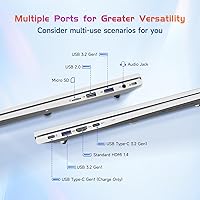
  • Three USB 3.0 ports and HDMI 2.1 cover most everyday connectivity needs without needing a hub.
  • The 2-year manufacturer warranty adds real peace of mind for a lesser-known brand.
  • A 90-day return window gives buyers enough time to properly evaluate the machine risk-free.
  • At under four pounds, this large-screen Intel laptop is lighter than many 17-inch competitors.
  • The 12th Gen Intel i3-1215U handles everyday productivity tasks without sluggishness or thermal complaints.

Cons

  • Battery life of roughly five hours falls short of what most competing 17-inch laptops offer today.
  • NIMO is a new, largely unknown brand with little long-term reliability data available.
  • The perfect 5-star rating means almost nothing yet — the listing launched in mid-2025 with very few reviews.
  • Integrated Intel graphics rule out any serious gaming or GPU-accelerated creative work.
  • Wi-Fi tops out at 802.11ac, missing the faster and more reliable Wi-Fi 6 standard now common at this price.
  • The 2MP webcam is mediocre and will disappoint anyone who does frequent video calls in lower-light conditions.
  • No Thunderbolt support on the USB-C port limits high-speed peripheral and display options.
  • Build quality and keyboard feel remain unverified by a meaningful volume of real-world user reports.
  • Fan noise and thermal management under sustained load are unknown quantities at this stage.
  • Casual buyers comparing it to established Acer, Lenovo, or HP models have very little independent review data to lean on.

Ratings

The scores below for the NIMO N171S 17.3-inch Laptop were generated by our AI system after analyzing verified buyer feedback from multiple global sources, with spam, incentivized, and bot-flagged reviews actively filtered out. Because this product launched in mid-2025 and has a limited review pool, scores are calibrated against established benchmarks for this laptop category rather than relying solely on raw star averages. Both genuine strengths and real-world frustrations are reflected transparently, so you can make an informed call.

Value for Money
83%
For buyers comparing specs on a budget, the combination of 16GB RAM, a PCIe SSD, and a large IPS display at this price tier is difficult to argue with. Most competing machines at the same price offer less RAM or slower storage, making the Nimo N171S feel punchy on paper.
Value perception takes a small hit because the brand is unproven, and buyers have no long-term reliability data to lean on. If the machine develops issues after the warranty period, support options from a lesser-known brand are less predictable than from Acer or Lenovo.
Performance
71%
29%
The Intel Core i3-1215U handles the workload most buyers in this category actually need — web browsing with a dozen tabs open, Office documents, video calls, and light media playback all run without noticeable lag. Users upgrading from older Celeron or Pentium machines will feel a real difference immediately.
Push it beyond productivity tasks and the limits show quickly — exporting files, running multiple demanding applications simultaneously, or any GPU-dependent work taxes the system noticeably. The processor is capable but it is not a chip that grows with you if your needs escalate.
Display Quality
78%
22%
The 17.3-inch IPS panel with anti-glare coating is a genuine comfort advantage for people who spend several hours a day in front of a screen — the coating reduces reflections in bright rooms and the 1080p resolution keeps text sharp at this screen size. The narrow bezels also give it a more modern look than older budget laptops.
Color accuracy and coverage have not yet been independently verified by a meaningful number of buyers, so creative users who need reliable color reproduction for photo editing should be cautious. Brightness levels are unspecified, which could be a problem in very bright environments.
Battery Life
51%
49%
The battery is adequate for a short work session or a couple of hours of classroom use without a charger nearby, and the included GaN USB-C charger is compact enough to slip into a bag without adding much weight.
Five hours is a below-average result for this laptop category in 2025, and real-world usage with higher brightness and active Wi-Fi often yields less than the rated figure. Students and remote workers who cannot count on a nearby outlet will find this genuinely limiting over a full day.
Build Quality
66%
34%
The slim 0.74-inch profile is respectable for a 17-inch chassis, and at just under four pounds it does not feel as unwieldy as older large-screen budget laptops. Early buyers have not flagged obvious structural complaints.
The brand has no track record, and with a limited review pool it is too early to assess how the chassis holds up to daily use over 12 to 24 months. Keyboard flex, hinge durability, and lid rigidity are all unknowns that time and more buyer feedback will eventually clarify.
Keyboard & Trackpad
69%
31%
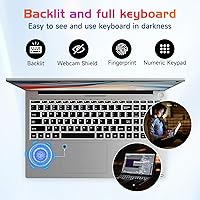
A full-size backlit keyboard with a numeric keypad is a practical advantage for home office users and anyone doing data entry, and the backlight is useful during evening study or work sessions. The fingerprint reader built into the trackpad makes login fast and friction-free.
Key travel depth and actuation feel have not been widely commented on yet, so buyers who are particular about typing comfort are working with limited information. Trackpad size and smoothness are similarly unverified at this stage.
Connectivity & Ports
76%
24%
Three USB 3.0 ports, an HDMI 2.1 output, Bluetooth 5.2, and a memory card slot cover the practical needs of most home and student users without requiring a separate hub. HDMI 2.1 in particular is above average for this price tier.
The single USB 2.0 port feels dated, and Wi-Fi stops at 802.11ac rather than the faster Wi-Fi 6 now appearing on competing machines. There is no Thunderbolt support on the USB-C port, which limits high-bandwidth peripheral options.
Webcam Quality
44%
56%
The 2MP webcam is functional for occasional video calls and is built in, so there is no need to carry a separate accessory for standard conference use.
A 2MP sensor is mediocre by current standards and will produce soft, grainy footage in lower-light rooms — a real drawback for students doing online seminars or remote workers on daily video calls. Anyone who video calls frequently in varied lighting conditions will likely want an external webcam.
Thermal Management
62%
38%
For everyday productivity workloads the i3-1215U is a thermally efficient chip, and light use scenarios should not push the cooling system hard enough to cause audible fan noise during typical tasks.
Sustained performance under heavier workloads is unverified, and budget chassis cooling systems often throttle the processor to manage heat over time. Fan noise behavior during extended sessions is an open question until more buyers report back.
Software & OS Experience
73%
27%
Windows 11 Home is a familiar, capable operating system that most buyers will be comfortable with immediately, and it supports the fingerprint-based Windows Hello login that this large-screen Intel laptop includes.
Like most Windows laptops at this price, it likely ships with some bloatware pre-installed, which can slow the initial setup experience. There is no mention of a clean Windows installation or any software bundle, so buyers should expect to spend a bit of time tidying up on first boot.
Portability
58%
42%
At 3.84 pounds the Nimo N171S is lighter than many older 17-inch machines, and the slim chassis means it fits into most full-size laptop bags without too much trouble.
A 17-inch laptop is fundamentally a desk-first device, and commuters or students who walk between classes with it daily will feel the size and need a large enough bag to accommodate it. Combined with the limited battery life, this is not a great choice for users on the move.
Warranty & Support
77%
23%
A 2-year manufacturer warranty and a 90-day return window are standout terms for a budget laptop from a direct brand, giving buyers more coverage than many gray-market alternatives offer. The return window is long enough to genuinely evaluate the machine.
NIMO is a new brand without a well-established service network, so warranty claims depend entirely on the responsiveness of Nimo Direct Inc. support — something that is still largely unverified by buyers at this early stage.
Audio Quality
61%
39%
HD Audio support puts it a step above the bare-minimum audio implementations found in some ultra-budget machines, and casual media consumption like YouTube or streaming should be acceptable at moderate volume.
Laptop speakers at this price tier rarely produce full, room-filling sound, and the specific speaker configuration and wattage are not documented. Buyers who want decent audio for movies or music should budget for headphones or external speakers.
User Reviews Reliability
39%
61%
The existing rating suggests early buyers have had positive initial experiences, and the direct brand model means NIMO has a clearer incentive to handle complaints properly to protect its fledgling reputation.
A perfect 5-star score from a listing that launched in mid-2025 is statistically unreliable — the sample is too small to draw meaningful conclusions about quality or consistency. Buyers should revisit the review section in several months when a more representative pool of feedback has accumulated.

Suitable for:

The NIMO N171S 17.3-inch Laptop is a practical fit for college students who spend long hours reading, writing papers, and juggling browser tabs — the large anti-glare display alone makes it easier on the eyes than most compact alternatives in this price range. Home office workers who primarily work from a desk will appreciate the screen real estate and the HDMI 2.1 port for plugging into an external monitor, effectively turning it into a budget desktop replacement. Older or less tech-savvy users will find the fingerprint login refreshingly simple, cutting out the frustration of forgotten passwords. It also makes a solid hand-me-down or first laptop for a teenager stepping up from a Chromebook or a worn-out entry-level machine. Anyone still running a Celeron or Pentium laptop from five or more years ago will notice a genuine, day-to-day performance improvement here. Buyers who prioritize purchase protection will find the 2-year warranty and 90-day hassle-free return window genuinely reassuring for an unfamiliar brand.

Not suitable for:

The NIMO N171S 17.3-inch Laptop is not the right tool for anyone who needs sustained processing muscle — video editors, music producers, software developers compiling large codebases, or anyone running demanding creative applications will bump into the limits of integrated graphics and a mid-range mobile processor fairly quickly. Gamers should look elsewhere entirely; this machine has no discrete GPU and will struggle with anything beyond very light, older titles. If you frequently work away from power outlets, the roughly five-hour battery life is a real problem — commuters, frequent travelers, and students who rely on all-day untethered use will likely find themselves hunting for a plug by early afternoon. The brand is also new and unproven, which matters if you care deeply about long-term reliability data or established service networks. And if you are already running a recent mid-range or premium laptop, the performance uplift here will not justify a switch.

Specifications

  • Processor: Intel Core i3-1215U, a 12th Gen chip with 6 cores, 8 threads, and a boost clock reaching up to 4.4GHz.
  • RAM: 16GB DDR4 SDRAM running at 3200MHz, providing ample headroom for everyday multitasking.
  • Storage: 512GB PCIe SSD delivers fast file access and boot times without the sluggishness of a traditional hard drive.
  • Display: 17.3-inch IPS panel with a 1920x1080 resolution, anti-glare coating, and an 85% screen-to-body ratio.
  • Operating System: Windows 11 Home comes pre-installed out of the box.
  • Graphics: Intel integrated graphics handle everyday visual tasks; no discrete GPU is included.
  • Battery Life: Rated at approximately 5 hours on a full charge under typical use conditions.
  • Charger: Includes a 65W GaN USB-C Power Delivery charger, compact and compatible with phones, tablets, and other USB-C devices.
  • Ports: Connectivity includes 3x USB 3.0, 1x USB 2.0, 1x HDMI 2.1, and 1x USB-C port.
  • Wireless: Wi-Fi 802.11ac (Wi-Fi 5) and Bluetooth 5.2 are built in for wireless connectivity.
  • Webcam: A 2MP front-facing camera is built into the display bezel for video calls and conferencing.
  • Biometrics: A fingerprint reader integrated into the touchpad enables Windows Hello biometric login.
  • Keyboard: Full-size backlit keyboard with a numeric keypad is included for comfortable extended typing.
  • Dimensions: The chassis measures 15.66 x 9.99 x 0.74 inches, keeping the profile reasonably slim for a 17-inch machine.
  • Weight: The laptop weighs 3.84 pounds, which is competitive for a laptop of this screen size.
  • Battery Type: Powered by a built-in Lithium Polymer battery rated at 11.4 volts.
  • Audio: HD Audio is supported, providing clearer sound output compared to standard definition audio chipsets.
  • Memory Card: A memory card slot is included, useful for photographers or users who work with external storage cards.
  • Warranty: Backed by a 2-year manufacturer warranty from Nimo Direct Inc. and a 90-day hassle-free return policy.
  • Brand & Model: Manufactured under the NIMO brand, with the model designated as the Nimo N171S, first listed in June 2025.

Related Reviews
NIMO N171B 17.3-inch Laptop
68%
74%
Everyday Performance
83%
Display Quality
61%
Build Quality
47%
Battery Life
79%
Value for Money
More
HP Essential 17 Touchscreen Laptop
75%
88%
Performance & Speed
93%
RAM & Multitasking
61%
Display Quality
78%
Touchscreen Usability
91%
Storage & File Access
More
HP Laptop 17-cp2199nr
70%
83%
Value for Money
61%
Display Quality
78%
Performance & Speed
87%
Storage Performance
84%
RAM & Multitasking
More
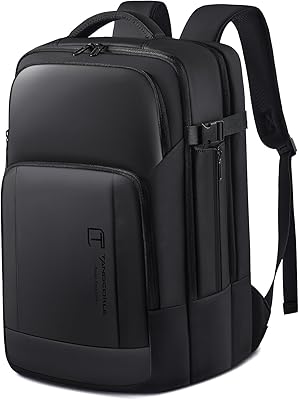
Tangcorle 17.3-inch 26L Travel Laptop Backpack
78%
91%
Value for Money
88%
Organizational Layout
86%
Laptop Protection
84%
Carry-On Compliance
67%
Build Quality
More
Tzowla 17.3-inch Canvas Laptop Backpack
76%
88%
Build Quality
91%
Laptop Fit & Protection
86%
Organization & Storage
72%
Comfort & Ergonomics
23%
Water Resistance
More
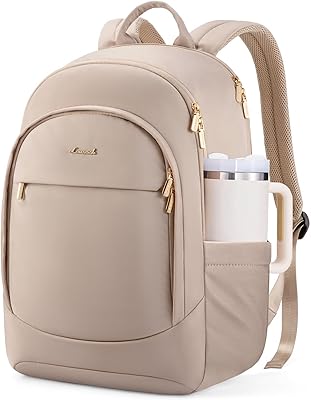
LOVEVOOK 17.3″ Women's Laptop Backpack
78%
93%
Storage & Organization
88%
Laptop Protection
66%
Build Quality
81%
Comfort & Ergonomics
89%
Value for Money
More
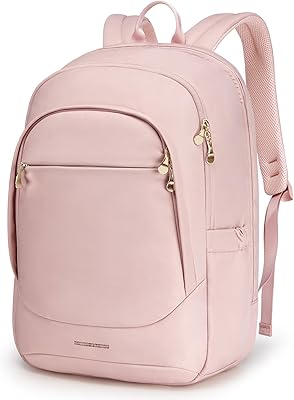
LIGHT FLIGHT 17.3-inch Laptop Backpack
82%
93%
Storage Capacity
88%
Laptop Protection
79%
Comfort & Ergonomics
74%
Build Quality
81%
Water Resistance
More
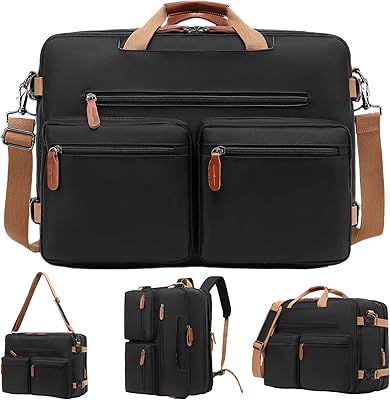
MOLNIA Expandable 17.3″ 3-in-1 Laptop Backpack
77%
88%
Versatility & Carry Modes
83%
Expansion Feature
86%
Laptop Protection
57%
Weight & Portability
62%
Shoulder Strap Comfort
More
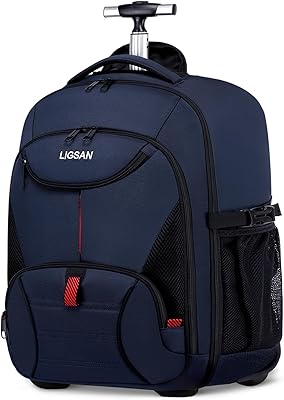
LIGSAN Rolling Backpack 17.3-inch Laptop
87%
86%
Overall Durability
88%
Ease of Use
83%
Comfort & Ergonomics
90%
Storage Capacity
87%
Build Quality
More
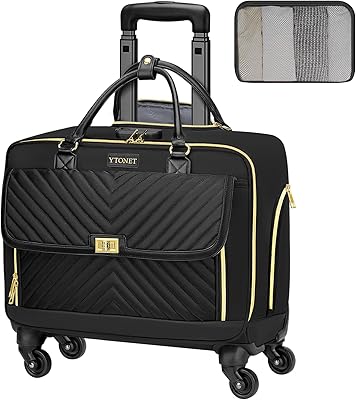
Ytonet 17.3-Inch Rolling Laptop Briefcase
76%
88%
Wheel Performance
83%
Storage & Organization
74%
Build Quality
86%
Handle & Mobility
89%
Laptop Protection
More

FAQ

NIMO has not published official upgrade documentation for the N171S, and budget laptops at this tier often use soldered RAM. Before purchasing, it is worth contacting NIMO support directly to confirm whether the RAM slots are accessible and if the SSD can be swapped out down the line.

Light editing work — cropping photos, trimming short video clips, basic color adjustments — is manageable. However, the integrated Intel graphics and mid-range processor mean that exporting large video files or running GPU-accelerated effects in software like Premiere Pro will be noticeably slow. If editing is a core part of your workflow, a machine with a discrete GPU will serve you better.

Honestly, treat it as a best-case figure. Real-world battery life depends heavily on screen brightness, what applications are running, and whether you are streaming media. For mixed use — browsing, documents, occasional video — expect somewhere in the 3.5 to 5 hour range. Students who need all-day unplugged performance should plan to carry the charger.

The listing confirms a USB-C port and HDMI 2.1 as separate outputs, but does not explicitly state that the USB-C port supports DisplayPort Alt Mode for video. For reliable external monitor use, the HDMI 2.1 port is the safer choice. Contact NIMO support if USB-C video output is important for your setup.

Yes, it is a solid fit for that use case. The large 17.3-inch screen is comfortable for reading long documents, the 16GB of RAM keeps browser-heavy workflows responsive, and the backlit keyboard is practical for evening study sessions. Just keep in mind that the battery life requires access to a power outlet for anything longer than a half-day of work.

On paper, the specs — particularly the 16GB RAM and PCIe SSD — are competitive with or better than many comparably priced Acer Aspire or Lenovo IdeaPad models. The key difference is brand track record: Acer and Lenovo have years of user reviews and established service networks. NIMO is new, so you are relying more on the warranty terms than on community-verified reliability data.

Windows 11 is included, but Microsoft Office is not bundled — it never comes pre-licensed on laptops at this price point unless specifically stated. You can use the free browser-based Microsoft 365 apps through your Microsoft account, or consider a standalone Office license if you need the full desktop versions.

The keyboard is a full-size layout with a numeric keypad and backlit keys, which is a genuine advantage over compact 14-inch or 15-inch alternatives. Key travel feel and firmness are not detailed in the official specs, and user reviews are still sparse given how recently the product launched. If keyboard quality is important to you, this is worth watching early buyer feedback for.

Yes. The HDMI 2.1 port supports external displays at up to 4K resolution, which gives this large-screen Intel laptop more flexibility than many budget machines that only include HDMI 1.4. Running a dual-screen setup for work or study is entirely feasible.

NIMO offers a 2-year manufacturer warranty and a 90-day return window handled through Nimo Direct Inc. directly. Since this is not a major brand with physical service centers, warranty service will likely be handled via shipping and remote support. Before purchasing, it is sensible to verify their support contact responsiveness — something early buyers on the Amazon listing may comment on as the review pool grows.