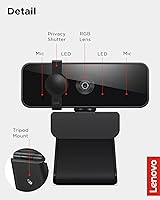
Overview
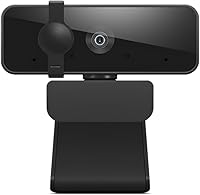
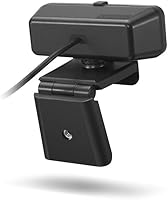
The Lenovo Essential FHD Webcam is a solid entry from a trusted PC brand, targeting everyday video calls and occasional streaming rather than professional production. What stands out immediately is the 95-degree wide-angle lens, which gives it noticeably more room than most budget competitors that stick to narrower fields. Setup is genuinely painless: plug the USB cable in and you are live within seconds on any Windows or Mac machine. The built-in privacy shutter is a small but appreciated touch, and the 360-degree rotating clip means you are not locked into one awkward mounting position on your monitor or desk.
Features & Benefits
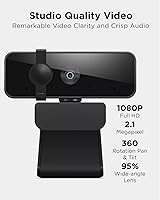
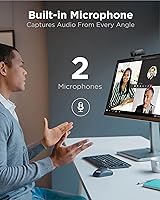
At 1080p and 30fps, this Lenovo webcam delivers video that looks clean and clear under decent lighting — not cinema-quality, but well above what a built-in laptop camera typically produces. The 1.8-meter cable is genuinely useful, giving you flexibility to position it away from your monitor without hunting for an extension. The dual microphones pick up voice adequately for calls, though anyone expecting rich audio should still budget for a dedicated mic. Tilt controls and full rotation make framing yourself a quick, tool-free adjustment. It works out of the box with Zoom, Teams, Google Meet, and most streaming platforms — no driver installation required whatsoever.
Best For
This budget webcam makes the most sense for remote workers and students still relying on a built-in laptop camera who want a meaningful upgrade without spending a lot. It also suits first-time webcam buyers who want a familiar brand name behind the purchase — Lenovo's reputation in the PC space carries some weight at this tier. Home office users with compact desks will appreciate the small footprint and flexible mounting. That said, if you stream regularly or work in a dim room, the fixed focus and modest aperture will show their limits. Well-lit setups are where the Essential FHD cam genuinely performs at its best.
User Feedback
Buyers consistently praise how easy the Essential FHD cam is to get running — many mention being on a call within a minute of opening the box. Image quality earns positive remarks from users comparing it to built-in cameras, though people upgrading from mid-range or premium options notice the fixed focus more quickly, especially in backlit situations. The privacy shutter draws repeated appreciation as a practical detail. On the downside, some users report the clip mechanism feeling less sturdy over extended daily use, and the microphones, while functional, draw fair criticism for picking up room echo. Overall sentiment leans positive for the price tier, but expectations clearly matter.
Pros
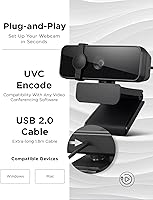
- Zero setup required — plug it in and you are on a call within seconds on any Windows or Mac device.
- The 95-degree wide-angle lens captures noticeably more of the room than most competing cameras at this price tier.
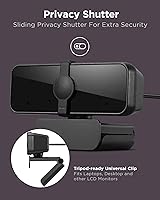
- A physical privacy shutter gives genuine peace of mind, not just a software toggle that can be bypassed.
- The nearly 6-foot cable is long enough to handle most desk configurations without needing an extension.
- At 4.6 oz with a foldable design, this Lenovo webcam is easy to toss in a bag for hybrid work days.
- 360-degree rotation and tilt control let you dial in your framing quickly without any tools.
- Tripod compatibility adds mounting flexibility for users who want to position it off the monitor entirely.
- Video quality is a clear, visible step up from the average built-in laptop camera under good lighting.
- Works reliably with Zoom, Teams, Google Meet, and OBS without any driver or software conflicts.
- Lenovo brand backing offers more purchase confidence than typical no-name budget alternatives.
Cons
- Low-light and backlit performance is weak — evening calls or window-facing setups expose the fixed-focus limits fast.
- The built-in microphones pick up room echo and ambient noise noticeably in anything but a quiet environment.
- The clip mechanism loses grip tension over weeks of daily repositioning, causing mid-call tilt drift.
- No companion software means zero control over exposure, white balance, or brightness beyond what your conferencing app offers.
- The non-detachable cable means a single point of damage requires replacing the entire unit.
- Barrel distortion at the wide-angle edges can look unflattering in tight, close-up solo framing.
- The stiff cable resists clean routing around monitor arms or desk clamps, making tidy cable management harder than it should be.
- Warranty support experiences reported by buyers are inconsistent, which is a concern for a product with known clip durability issues.
Ratings
The Lenovo Essential FHD Webcam has been evaluated by our AI rating system after analyzing thousands of verified global buyer reviews, with spam, bot-generated feedback, and incentivized posts actively filtered out. The scores below reflect honest, real-world usage patterns from remote workers, students, and home office setups — strengths and frustrations alike are represented without sugarcoating.
Video Quality
Ease of Setup
Audio Performance
Build Quality
Field of View
Mounting Flexibility
Privacy Shutter
Cable Length & Management
Software Compatibility
Value for Money
Low-Light Performance
Portability
Brand Trust & Warranty
Suitable for:
The Lenovo Essential FHD Webcam is a practical fit for remote workers and students who are still relying on a built-in laptop camera and want a meaningful, low-effort upgrade without a steep learning curve. If you spend most of your day on Zoom or Teams calls in a reasonably lit room, this camera will make you look noticeably more professional without requiring any setup beyond plugging in a USB cable. It also works well for first-time webcam buyers who want the reassurance of a recognizable brand rather than rolling the dice on an unknown manufacturer. Home office users with compact desks will appreciate how little space it occupies and how the long cable reduces the usual cable-routing headaches. Occasional streamers or hobbyist content creators who are just starting out and do not yet need autofocus or advanced optics will find it a perfectly serviceable starting point before committing to a more capable setup.
Not suitable for:
The Lenovo Essential FHD Webcam will frustrate buyers who work in dim environments or near windows, because the fixed focus and modest aperture simply cannot compensate for tricky lighting the way mid-range or premium webcams can. If you are already using a webcam with autofocus, optical zoom, or built-in light correction, stepping to this camera will feel like a downgrade rather than a lateral move. Content creators who care about production quality — YouTubers, streamers building an audience, or anyone recording video for professional purposes — will hit the ceiling of what this budget webcam can deliver fairly quickly. The built-in microphones are adequate for casual calls but are not a substitute for even a basic dedicated microphone, so audio-conscious buyers should factor in that additional cost. Anyone who needs reliable low-light performance, sharp background separation, or fine-grained exposure controls via companion software should look at a higher-tier option instead.
Specifications
- Resolution: Captures video at 1920x1080 pixels (Full HD 1080p) using MJPG compression for smooth, clear output.
- Frame Rate: Records and streams at 30 frames per second, which is standard for fluid video call performance.
- Field of View: Features a 95-degree wide-angle lens, providing a broader frame than most entry-level webcams in its class.
- Aperture: Fixed aperture of f/3.5, which performs adequately in well-lit conditions but limits low-light capability.
- Focus Type: Fixed focus lens with no autofocus mechanism, meaning optimal sharpness depends on consistent distance from the camera.
- Microphones: Equipped with two built-in microphones designed to capture stereo audio without requiring a separate external mic.
- Interface: Connects via USB 2.0, compatible with any standard USB-A port on Windows or Mac computers.
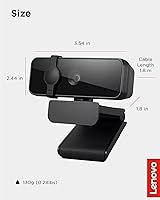
- Cable Length: Includes a permanently attached 1.8m (5.9 ft) USB cable, providing generous reach for varied desk configurations.
- Dimensions: Measures 1.81 x 3.54 x 2.44 inches, making it compact enough for tight desk setups or travel use.
- Weight: Weighs 4.6 oz (approximately 130g), light enough to carry daily in a laptop bag without adding noticeable bulk.
- Mounting: Ships with a flexible clip mount that supports 360-degree rotation and tilt adjustment, plus a standard tripod thread for off-monitor placement.
- Privacy Shutter: Includes a built-in physical privacy shutter that manually blocks the lens when the camera is not in use.
- OS Compatibility: Works out of the box with Windows and macOS with no driver installation required for standard plug-and-play operation.
- Software Support: Compatible with major conferencing and streaming platforms including Zoom, Microsoft Teams, Google Meet, and OBS Studio.
- Video Format: Outputs video in AVI format with MJPG compression at the default resolution and frame rate settings.
- Audio Format: Records and transmits audio in PCM format via the integrated dual-microphone array.
- Tripod Support: Includes a standard tripod mounting thread, allowing the camera to be used independently of a monitor or flat surface.
- Power Source: Draws power entirely through the USB connection — no external power adapter or batteries are required for operation.
Related Reviews
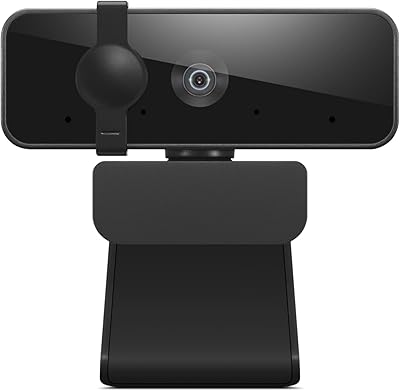
Lenovo 300 FHD Webcam
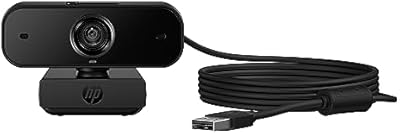
HP 430 FHD Webcam
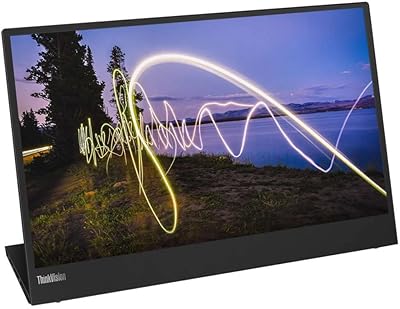
Lenovo ThinkVision M15 15″ FHD Mobile Monitor
Lenovo Go USB-C Wireless Mouse
Cyber Acoustics WC-2000 1080p Webcam
Lenovo L15 15.6-inch Portable Monitor
Lenovo D22e-20 21.5-inch FHD Monitor
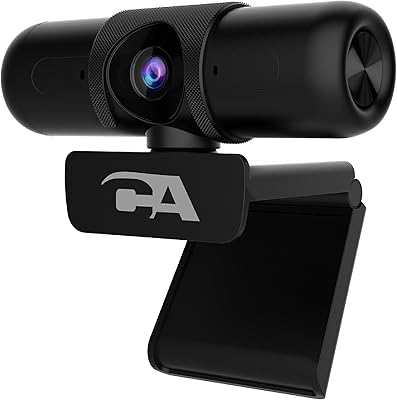
Cyber Acoustics WC-3000 USB Webcam
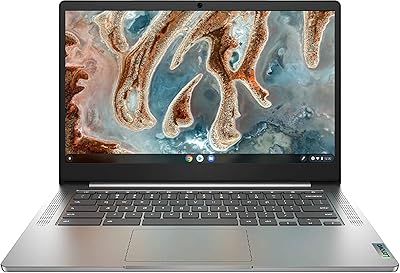
Lenovo Chromebook 3 14″ FHD Touchscreen, MediaTek MT8183, 4GB RAM, 64GB eMMC