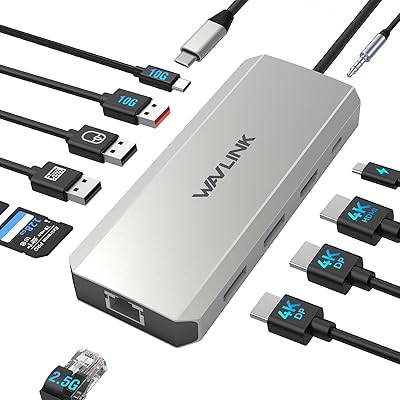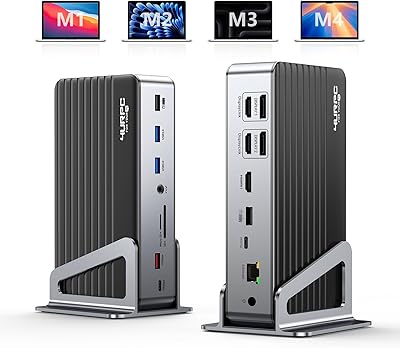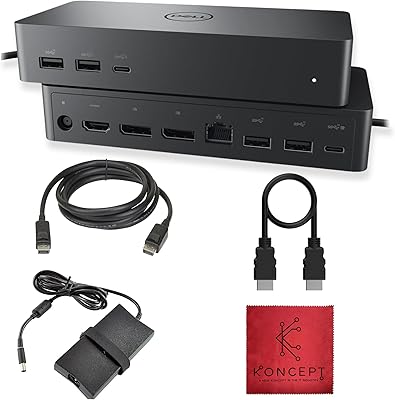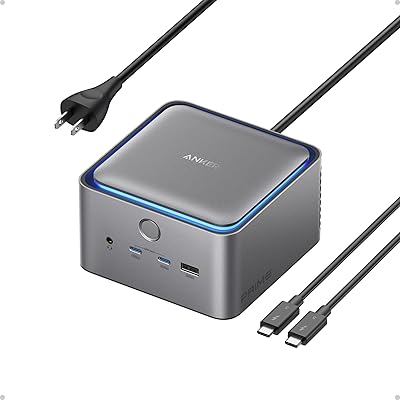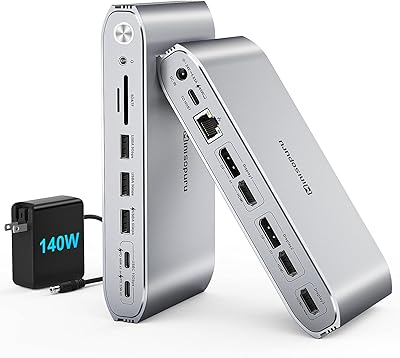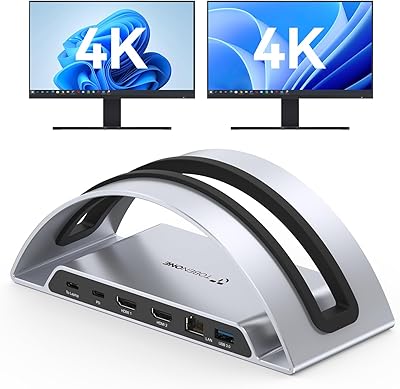

Overview

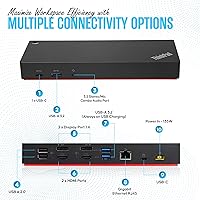
The Lenovo 40AF0135US Docking Station is a versatile, high-performance accessory designed to enhance the functionality of USB-C and Thunderbolt laptops. With this multi-port docking station, users can easily expand their laptop's capabilities, providing access to 13 ports for a wide range of devices. It supports dual 4K displays or a single 5K monitor, making it a great choice for professionals who need multiple screens for their workflow. The combination of USB-C, USB-A, DisplayPort, HDMI, and Gigabit Ethernet ensures seamless connectivity for a variety of peripherals, from external drives to printers and beyond.

Features & Benefits

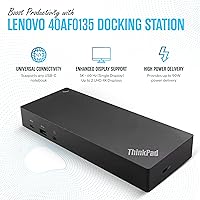
One of the standout features of this docking station is its dual 4K display support, allowing users to run two 4K monitors simultaneously, or connect a single 5K monitor for superior visual quality. It also offers a robust array of 13 connectivity options, including two USB-C ports, three USB-A ports, and a Gigabit Ethernet port for fast, stable network connections. The 135W power delivery ensures that your laptop remains charged while powering up to multiple devices at once, reducing the need for additional power adapters and simplifying your workspace.

Best For

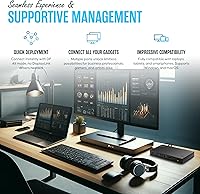
The Lenovo 40AF0135US Docking Station is ideal for professionals who require a reliable, high-speed connection for multi-display setups and efficient multitasking. It's particularly well-suited for remote workers or those in office environments where stability and performance are essential. Users with USB-C or Thunderbolt 3 laptops, especially Lenovo models, will find this docking station a seamless fit, offering both compatibility and enhanced productivity. Whether you're managing multiple monitors or need to connect several peripherals, this device provides the necessary power and ports for optimal performance.

User Feedback

User reviews for the Lenovo 40AF0135US Docking Station are generally positive, with many appreciating its seamless dual 4K monitor support and robust build quality. Customers also commend its versatility, especially the range of connectivity options and fast data transfer speeds. However, some users have experienced compatibility issues with non-Lenovo devices, which can affect performance in certain setups. Overall, though, the docking station delivers solid performance and is a reliable choice for those looking to expand their laptop's connectivity without sacrificing speed or stability.

Pros

  • The device supports dual 4K monitor setups or a single 5K display, enhancing productivity for users with high-resolution needs.
  • It offers 13 connectivity options, providing flexibility for multiple peripherals and external devices.
  • With 135W power delivery, it can charge laptops while powering other connected devices simultaneously.
  • The Gigabit Ethernet port ensures stable, high-speed network connections for smooth online work or streaming.
  • Its solid build quality is appreciated by users who need a durable docking station for daily use.
  • Ideal for professionals needing a reliable docking station with extensive display support and fast data transfer speeds.

Cons

  • Some users report compatibility issues with non-Lenovo devices, limiting its full functionality for all laptop brands.
  • The docking station may be bulky for users seeking a more portable solution for frequent travel.
  • A few reviewers mentioned that the USB-A ports could be more widely spaced for easier use with larger connectors.
  • The price point may be higher than other options for users who don't need the full range of features it offers.
  • Limited HDMI support (only one port) might be insufficient for setups requiring more HDMI connections.
  • Not everyone is satisfied with the device's performance when using with a mix of Thunderbolt and USB-C laptops.

Ratings

The Lenovo 40AF0135US Docking Station has garnered a range of feedback from verified users across multiple platforms and languages. After carefully analyzing high-quality reviews worldwide, the scores reflect both the strengths and potential areas for improvement, filtered for authenticity and relevance. This device excels in connectivity and performance, though there are occasional mentions of compatibility issues with non-Lenovo devices. The following ratings provide insights into its key features and user experience.

Performance
88%
Many users find that this docking station provides solid and consistent performance, especially with dual 4K monitors. The seamless multi-display support is praised, and data transfer speeds meet the demands of professionals working with large files or high-resolution content.
Some users note occasional connectivity hiccups when using multiple devices, particularly when switching between different setups. A few have mentioned that, while performance is generally strong, the device can occasionally struggle with sustained heavy loads.
Connectivity Options
94%
The 13 ports available on this device allow for a highly flexible setup, catering to a range of devices and peripherals. Users especially value the dual 4K monitor support and the variety of USB-C and USB-A ports for connecting external drives, keyboards, and other devices.
While most find the port selection sufficient, a few users express disappointment at the lack of more USB-A ports, especially for those relying heavily on older peripherals. Some also point out that the single HDMI port can limit multi-display setups for those needing more than two screens.
Ease of Setup
85%
Many users appreciate the plug-and-play ease of setup. Most find that connecting this docking station to their laptop requires minimal effort, especially with USB-C or Thunderbolt devices. It’s a straightforward solution for professionals needing to quickly connect to multiple displays and peripherals.
A few users found the initial configuration a bit tricky, especially with non-Lenovo laptops. Compatibility issues with older operating systems or specific laptop models may require additional steps, leading to a slightly more complex setup process for some users.
Dual Display Support
92%
The dual 4K monitor support is one of the standout features. Users who rely on multi-display setups for enhanced productivity are particularly impressed with the smooth performance and crystal-clear resolution. Many note that the device effectively handles high-resolution tasks like video editing and gaming.
While most users enjoy dual display functionality, there are reports from some that non-Lenovo devices may not fully support dual 4K output. A few users also mention that the 5K display option doesn't always perform as expected when using certain configurations.
Power Delivery (135W)
91%
The 135W power delivery is a key selling point for this docking station, with users noting that it can charge laptops while simultaneously powering other devices. This feature is especially valued by those who use their laptop for extended work sessions or travel without needing an additional charger.
A few users have reported that the power delivery isn’t always as fast as expected, particularly when charging high-power laptops. Additionally, some complain that the power cable could be longer to accommodate more flexible positioning in larger setups.
Build Quality
90%
The build quality of this docking station is often praised for its durability and solid construction. Many users report that it feels sturdy and well-made, able to withstand daily use without showing signs of wear. The compact design also helps it fit well into professional workspaces.
While generally durable, some users mention that the device can get warm during extended use, particularly when handling multiple high-resolution monitors. A few also feel the device could be slightly lighter, though its weight helps give it a more premium feel.
Compatibility with Non-Lenovo Devices
72%
28%
For users with Lenovo devices, compatibility is seamless. The device integrates well with both USB-C and Thunderbolt laptops, ensuring a hassle-free experience for Lenovo laptop owners who need a reliable docking station.
However, several users with non-Lenovo laptops report that there are occasional compatibility issues, particularly with power delivery and monitor support. Some feel that the docking station does not perform as optimally with non-Lenovo systems, which may limit its overall appeal.
Design and Portability
80%
20%
The design is sleek and modern, making it an ideal addition to any desk setup. Its compact size makes it easy to store or transport, making it a great option for users who need a portable solution for remote work or travel.
While the compact design is an advantage for portability, some users find that the limited size of the docking station could make it harder to connect all cables neatly. A few also wish it were lighter for even easier transport.
Long-Term Durability
84%
Users who have had the docking station for a while report that it continues to perform well, with no significant wear or issues. The sturdy construction and high-quality materials contribute to its long-term durability, even with daily use.
Despite its good build quality, some users warn that heavy usage with multiple monitors and power-hungry devices may cause the unit to heat up, which could potentially affect long-term durability if not used in well-ventilated areas.
Value for Money
92%
For those who need a reliable docking station with multiple ports and high-resolution display support, this device offers excellent value. Users report that the performance and features provided justify the price, especially when compared to other similarly priced models in the market.
While most consider it a good investment, some users feel that the price could be a bit high, especially if they don’t use all the features like dual 4K monitor support. A few mention that there are cheaper options with fewer features but still adequate for basic docking needs.
Ethernet Performance
89%
The Gigabit Ethernet port is highly rated by users who require stable, fast internet connections for work or gaming. Many report no issues with network performance, making it a reliable feature for users in need of high-speed internet connectivity.
While most users have a positive experience, a few report that the Ethernet connection can occasionally drop or experience slower speeds when multiple devices are connected. Some mention this as a minor issue, but it may be a concern for users with specific networking needs.
Customer Support
78%
22%
Some users have mentioned that the customer support for this device is responsive and helpful, particularly when dealing with installation issues or troubleshooting. A few positive experiences have noted that support is easy to reach and resolves issues fairly quickly.
On the other hand, several users express frustration with the response time and lack of in-depth solutions from customer support. A few feel that the help provided is generic and does not always address specific, product-related issues effectively.

Suitable for:

The Lenovo 40AF0135US Docking Station is ideal for professionals who need high-speed data transfer and multi-display setups. Users with USB-C or Thunderbolt laptops, especially those working with high-resolution content or needing enhanced productivity, will find this device invaluable. For example, digital designers or video editors who rely on dual 4K monitors will appreciate the seamless visual support. Remote workers and office setups can also benefit from the 13 versatile ports, including Gigabit Ethernet for stable network connections, making this docking station a reliable choice for connecting multiple peripherals and maintaining a smooth workflow.

Not suitable for:

This docking station may not be the best choice for users with non-Lenovo laptops, as some reviews mention compatibility issues, particularly with power delivery and multi-display configurations. For users relying on setups with more than two screens, the limited HDMI and USB-A ports may also be a concern. Additionally, those on tight budgets may find that the price point does not justify the features if they don't need advanced display support or high power delivery. Furthermore, users looking for a more lightweight and compact docking station for frequent travel may find the weight and size of this model to be a bit bulky.

Specifications

  • Ports: The docking station features 13 ports, providing a wide range of connectivity options.
  • USB-C Ports: Equipped with 2 USB-C ports for high-speed data transfer and charging.
  • USB-A Ports: Includes 3 USB-A ports for connecting legacy devices and peripherals.
  • DisplayPorts: Features 2 DisplayPorts for connecting external monitors in high resolutions.
  • HDMI Port: Has 1 HDMI port for connecting additional monitors or displays.
  • Ethernet Port: Includes a Gigabit Ethernet port for stable, high-speed wired network connections.
  • Audio Jack: Offers a combo audio jack for headphones or microphone connections.
  • Power Delivery: Supports 135W power delivery to charge compatible laptops and power connected devices simultaneously.
  • Display Support: Supports dual 4K displays or a single 5K display for enhanced productivity.
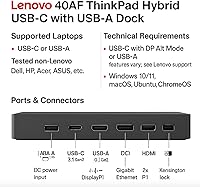
  • Compatibility: Compatible with USB-C and Thunderbolt 3 laptops, including various models from Lenovo and other brands.
  • Dimensions: The docking station measures 8.27″L x 3.15″W x 1.18″H, making it compact for desk setups.
  • Weight: Weighs 1.1 lbs, providing a balance between portability and stability.
  • Kensington Lock Slot: Includes a Kensington lock slot for securing the docking station to a desk or workstation.
  • Data Transfer Speed: Supports fast data transfer speeds through USB-C and USB-A ports for efficient workflow.
  • Thunderbolt 3 Support: Fully supports Thunderbolt 3 devices for high-speed performance and quick peripheral connection.
  • Build Quality: Designed with a durable and solid build to withstand regular use in office and professional environments.
  • Software Requirements: Typically plug-and-play with most devices, but some specific features may require additional drivers or software.
  • Power Source: Powered via a dedicated power adapter to ensure reliable performance, especially with high-power devices.
  • Monitor Resolution: Supports up to dual 4K resolution on two monitors or a single 5K resolution for improved visual clarity.

FAQ

The Lenovo 40AF0135US Docking Station is known for its versatile design, offering support for dual 4K monitors or a single 5K display, making it ideal for professionals who need high-resolution displays for productivity. With 13 ports, including USB-C, USB-A, DisplayPort, HDMI, and Gigabit Ethernet, it ensures excellent connectivity for a wide range of devices.

The Lenovo 40AF0135US Docking Station is designed to work with USB-C and Thunderbolt 3 laptops, including those from Lenovo and other brands. However, some users have noted that compatibility may vary slightly with non-Lenovo devices, particularly for certain display outputs or power delivery features.

Yes, this device supports dual 4K monitors, allowing you to set up a dual-display workstation with ease. This feature is particularly useful for professionals who need extra screen real estate for tasks like video editing, design, or multitasking.

The Lenovo 40AF0135US Docking Station delivers 135W of power, which is enough to charge most USB-C and Thunderbolt laptops while simultaneously powering other connected devices. This is especially useful for reducing cable clutter and charging everything through a single connection.

Yes, the docking station comes with a Gigabit Ethernet port, providing reliable, high-speed internet connectivity. This is especially beneficial for remote workers or users who need a stable, fast connection for streaming, gaming, or large file transfers.

Setting up this device is straightforward: simply connect it to your laptop via USB-C or Thunderbolt, and you'll be able to use all the connected peripherals and displays. No special software or drivers are typically required for basic functionality, but some specific features may need additional software for optimal performance.

At 1.1 lbs, this docking station is relatively light for its capabilities but is not necessarily designed for frequent travel. Its solid build is meant for desk setups rather than portability, so it may not be the best option for users who need a travel-friendly docking station.

The docking station offers 13 ports in total, including two USB-C, three USB-A, two DisplayPorts, one HDMI, a Gigabit Ethernet port, and a combo audio jack. This makes it compatible with a wide range of devices such as external hard drives, monitors, printers, and more.

While the Lenovo 40AF0135US Docking Station is optimized for Lenovo laptops, it also works well with other USB-C and Thunderbolt 3-compatible laptops, including MacBooks. However, some users have noted occasional compatibility issues with non-Lenovo devices, particularly in terms of power delivery or display support.

Some users have reported occasional compatibility issues with non-Lenovo devices, especially with power delivery or dual-display functionality. Additionally, the single HDMI port might not be enough for users who require multiple HDMI connections, and the device's size may not be ideal for portable setups.