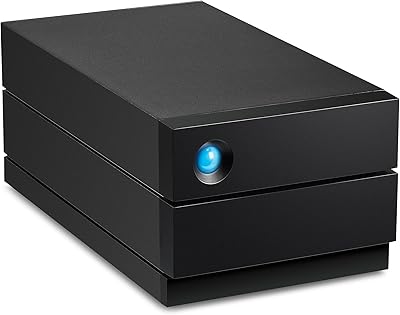
LaCie d2 Professional 16TB External Hard Drive
Overview
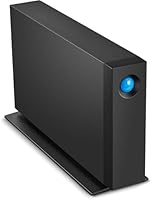
The LaCie d2 Professional 16TB External Hard Drive sits in a crowded market but occupies a distinct position — this is a desktop drive built for people who actually push storage hard. Under the LaCie badge lives Seagate engineering, which means the internals draw from enterprise storage lineage rather than budget components. The aluminum enclosure makes that clear the moment you pick it up; it feels substantial, not like something you'd hide behind a monitor. Since its 2020 launch, the LaCie d2 Pro has held a top-50 rank in external hard drives, a sign that it keeps earning its place despite steady competition.
Features & Benefits
The interface here is USB 3.1 Gen 2 Type-C, and that matters in practice. At up to 260MB/s, this high-capacity external drive can handle a 4K footage import or a large Lightroom catalog move without making you watch a progress bar for twenty minutes. Inside sits a 7200 RPM BarraCuda Pro disk — the same class used in workstations and server environments — which contributes to consistent sustained speeds rather than the burst-then-slow behavior common in cheaper alternatives. The aluminum body noticeably dampens noise during operation. Cross-platform compatibility means no reformatting out of the box, and the five-year warranty with Rescue Data Recovery Services is a genuinely rare inclusion at this tier.
Best For
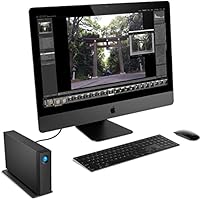
This desktop drive is a natural fit for video editors and photographers who need bulk storage close at hand — not buried in a NAS enclosure requiring network configuration. If you are working from a thin MacBook or a compact PC with limited internal capacity, 16TB of fast, desk-side storage addresses the problem directly and without fuss. Home studio setups and small creative agencies will also find it practical as a shared archive drive. It is worth noting this is a mechanical drive, not an SSD, so it is best suited for archiving and sequential access rather than running applications. Those chasing pure random-read performance should look elsewhere, but for bulk storage workflows, few drives at this capacity match it.
User Feedback
Across more than 1,500 ratings, the LaCie d2 Pro holds a 4.0-star average — solid, though not without caveats. Buyers consistently praise the quiet operation and the reassurance that the five-year coverage with data recovery provides; for many, that warranty alone tips the purchase decision. On the critical side, a notable minority of reviewers report unit failures within a few years, which is a reminder that mechanical drives — regardless of brand — carry inherent risk over long time horizons. A few users also flag the power brick as bulkier than expected and the included cable as shorter than ideal. On balance, satisfaction skews positive, especially among those who factored the recovery services into their expectations from the start.
Pros
- Sustained read speeds up to 260MB/s handle large file transfers without frustrating slowdowns.
- 16TB of capacity covers years of creative project storage without constant drive-juggling.
- The 7200 RPM BarraCuda Pro internals are enterprise-class, not repurposed consumer hardware.
- Aluminum construction keeps operational noise noticeably lower than plastic-bodied alternatives.
- Works out of the box on both Mac and PC — no reformatting required.
- Five-year warranty with Rescue Data Recovery Services is rare and genuinely valuable coverage.
- USB 3.1 Gen 2 Type-C keeps this desktop drive compatible with modern laptop and desktop setups.
- Solid build quality gives it a premium, professional feel that matches a serious workstation.
Cons
- Mechanical drives carry inherent failure risk over time — no brand eliminates this entirely.
- A minority of verified buyers report unit failures within a few years of regular use.
- The included USB-C cable is shorter than many users would prefer for flexible desk setups.
- The power brick is bulkier than expected and adds cable clutter to an already busy workspace.
- No portability whatsoever — the AC power requirement means it stays on the desk.
- Single-disk design offers no redundancy; one failure means relying entirely on the recovery service.
- Random-access performance typical of 7200 RPM mechanical drives lags far behind SSD alternatives.
- Premium pricing is hard to justify for users who only need occasional or light-duty storage.
- The one-month Adobe Creative Cloud bundle is a thin sweetener, not a meaningful long-term value add.
Ratings
The LaCie d2 Professional 16TB External Hard Drive was evaluated by our AI system after analyzing thousands of verified global buyer reviews, with spam, incentivized, and bot-generated feedback actively filtered out before scoring. The result is a balanced scorecard that honestly reflects where this desktop drive earns its premium reputation — and where real-world ownership reveals legitimate frustrations. Both the strengths and the trade-offs are represented transparently across every category below.
Transfer Speed
Build Quality
Reliability
Noise & Vibration
Value for Money
Compatibility
Setup Experience
Cable & Accessory Quality
Thermal Management
Warranty & Support
Physical Design
Long-term Durability
Software Bundle
Suitable for:
The LaCie d2 Professional 16TB External Hard Drive is purpose-built for creative professionals who have hit a wall with internal storage — particularly those working from thin laptops or compact all-in-ones where expansion simply is not an option. Video editors dealing with large 4K project libraries, photographers managing years of high-resolution RAW archives, and audio producers accumulating session files will all find 16TB of fast desk-side storage genuinely useful rather than aspirationally oversized. The USB-C Gen 2 connection keeps transfer speeds high enough that moving or accessing large files does not become a workflow bottleneck. Studios and home offices already running USB-C setups will appreciate the plug-and-play compatibility across Mac and PC without any reformatting ritual. For buyers who have lost data before and want real protection, the five-year warranty backed by professional data recovery services adds a layer of confidence that most drives at any price simply do not offer.
Not suitable for:
The LaCie d2 Professional 16TB External Hard Drive is not the right tool for every storage problem, and it is worth being clear about where it falls short. Because it uses a mechanical spinning disk rather than solid-state storage, it is a poor choice for anyone who needs fast random-access performance — running virtual machines, booting operating systems, or using it as a primary scratch disk for intensive video rendering will expose its mechanical limitations. Buyers on a tight budget should also look elsewhere; the price reflects enterprise-grade internals and a premium warranty, and those benefits are wasted on casual users who just need occasional backup storage. It is a desktop-only drive — the power brick requirement means portability is essentially off the table, so travelers or anyone who needs storage on the move will find it impractical. Finally, users who need redundancy built in should consider a dual-drive or RAID enclosure instead, since this is a single-disk device with no fault tolerance beyond the included recovery service.
Specifications
- Storage Capacity: Provides 16TB of raw mechanical disk storage, suitable for large creative archives and bulk media libraries.
- Drive Type: Uses a 3.5-inch BarraCuda Pro mechanical hard disk spinning at 7200 RPM for sustained sequential read and write performance.
- Interface: Connects via USB 3.1 Gen 2 Type-C, offering backward compatibility with USB 3.0 and USB 2.0 hosts through appropriate adapters.
- Max Read Speed: Rated for read speeds up to 260MB/s under optimal conditions, enabling practical transfer of large video and photo files.
- Enclosure Material: The outer chassis is constructed from aluminum, which helps dissipate heat and dampen operational vibration compared to plastic alternatives.
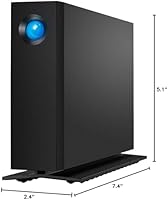
- Dimensions: Measures 7.4 x 2.4 x 5.1 inches (L x W x H), designed for stationary desktop placement rather than portable use.
- Weight: Weighs 3.08 pounds, reflecting the aluminum build and full-size 3.5-inch internal drive mechanism.
- Platform Support: Compatible with both macOS and Windows out of the box, with no reformatting required for basic file storage and transfer tasks.
- Power Source: Requires an AC power adapter (included); the drive does not draw power from the USB connection and must remain plugged into a wall outlet.
- Warranty: Covered by a five-year limited warranty that includes access to Rescue Data Recovery Services for professional data retrieval in the event of drive failure.
- Included Bundle: Ships with a one-month membership to Adobe Creative Cloud All Apps Plan, redeemable by new or eligible returning subscribers.
- Color: Available in black with a brushed aluminum finish that gives it a clean, professional appearance on a workstation desk.
- Brand & Maker: Sold under the LaCie brand and manufactured by Seagate, which supplies the enterprise-class internal drive mechanism.
- Model Number: The official model identifier is STHA16000800, corresponding to the 16TB variant in the d2 Professional series.
- Form Factor: Classified as a 3.5-inch desktop external drive, intended for fixed desk setups rather than travel or mobile workflows.
Related Reviews
LaCie d2 Professional 4TB External Hard Drive
LaCie d2 Professional 10TB External Hard Drive
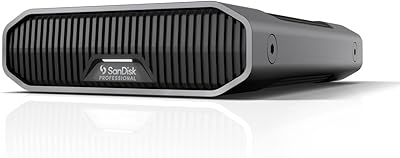
SanDisk Professional G-Drive 6TB

SanDisk Professional 8TB G-Drive External Hard Drive
SanDisk Professional G-Drive 22TB External Desktop Hard Drive
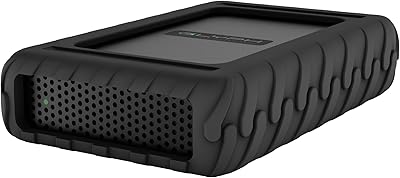
Glyph BlackBox Pro 16TB External Hard Drive
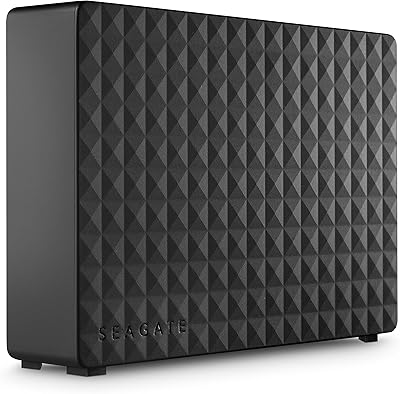
Seagate Expansion Desktop 16TB External Hard Drive
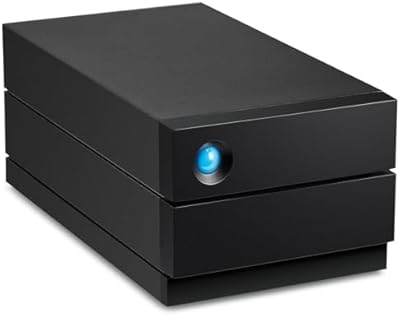
LaCie 2big RAID 8TB External Hard Drive
WD My Book 16TB External Hard Drive