Overview

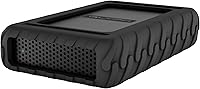
The Glyph BlackBox Pro 16TB External Hard Drive sits firmly in the professional storage market, built for creatives who need serious, reliable capacity on their desk rather than in their pocket. Glyph is not a household name, but among video editors, audio engineers, and photographers, the brand carries real credibility — earned through consistent build quality and honest performance claims. This desktop hard drive uses a USB-C 3.1 Gen 2 interface, a welcome choice for modern Mac and PC workstations. One thing worth stating upfront: this is a mechanical hard drive, not flash storage. That shapes everything about how and where it performs best.
Features & Benefits

At 16TB, the BlackBox Pro offers enough room to store hundreds of hours of footage or tens of thousands of RAW image files without constantly juggling drives. The 7200 RPM spin speed is genuinely meaningful here — it pulls ahead of slower 5400 RPM desktop drives in sustained reads, making large file transfers feel noticeably more fluid. Glyph rates it at up to 260MB/s, which in practice means moving a hefty project folder takes a couple of minutes rather than most of the afternoon. The enclosure is passively cooled aluminum, so there is no fan hum in a quiet studio. Worth noting: this 3.5-inch unit requires an AC adapter, not bus power.

Best For

This desktop hard drive makes the most sense for professionals who work with large, sequential files day in and day out. Video editors archiving finished projects, photographers corralling multi-terabyte shoot libraries, and audio engineers backing up sessions will find it a natural fit. It is also a strong pick for Mac-centric workflows, where plug-and-play compatibility tends to be straightforward. That said, it is a stationary drive — it needs a power outlet and weighs over four pounds. Anyone looking for something portable should look elsewhere. But for a permanent desk setup where quiet, high-capacity storage is the priority, this Glyph drive is hard to argue against.

User Feedback

With around 200 ratings and a 4.3-star average, the BlackBox Pro earns its score through a pattern of consistent long-term reliability rather than flashy first impressions. Buyers in video production and photography are the most vocal supporters, citing dependable performance across extended backup sessions and a build quality that feels more considered than budget alternatives. Criticism tends to cluster around two areas: the price-per-terabyte can sting compared to generic desktop drives, and a handful of Windows users have noted minor setup friction out of the box. Long-term owners occasionally mention Glyph's customer support as a reason to pay the premium — which, for a drive storing irreplaceable work files, is worth factoring in.

Pros

  • 16TB of capacity is enough to store years of professional creative work on a single drive.
  • The 7200 RPM spin speed delivers noticeably faster sequential transfers than slower budget alternatives.
  • Passive aluminum cooling keeps the enclosure quiet — a real advantage in recording studios or editing suites.
  • USB-C 3.1 Gen 2 connectivity works natively with most modern Mac and PC workstations.
  • Build quality is consistently praised by long-term owners across video and photography workflows.
  • Backward-compatible USB design means it works with older ports using standard adapters.
  • The LED activity indicator provides instant visual feedback without requiring software.
  • Glyph's customer support reputation adds meaningful reassurance when storing irreplaceable project files.
  • Ranked in the top 100 external hard drives on Amazon with over 200 ratings, reflecting sustained buyer confidence.

Cons

  • Requires an AC power adapter — not usable on the go or anywhere without a power outlet.
  • Price per terabyte is higher than comparable-capacity drives from generic desktop brands.
  • Mechanical HDD speeds are not suitable for real-time editing of high-bitrate footage directly from the drive.
  • Some Windows users report needing to reformat the drive before it is fully functional out of the box.
  • At over four pounds, relocating or repositioning this Glyph drive on a desk is more cumbersome than lighter alternatives.
  • No hardware encryption or built-in backup software included, so data protection depends entirely on the user.
  • The Amazon product listing contains conflicting form-factor information, which can create confusion before purchasing.
  • A single drive with no redundancy means one point of failure for any files stored exclusively here.

Ratings

The scores below reflect an AI-driven analysis of verified global buyer reviews for the Glyph BlackBox Pro 16TB External Hard Drive, with spam, bot-generated, and incentivized feedback actively filtered out before scoring. Each category is assessed against real-world usage patterns reported by creative professionals, photographers, and everyday power users alike. Both the genuine strengths and the recurring frustrations are weighted honestly — nothing has been softened to protect the product's image.

Storage Capacity
94%
For professionals drowning in footage or RAW files, 16TB on a single drive is a genuine relief — editors and photographers consistently describe it as the first drive where they stopped worrying about running out of space mid-project. The sheer room to keep multiple active jobs alongside long-term archives is one of the most frequently cited reasons buyers chose this over smaller alternatives.
A small segment of buyers found that even 16TB filled faster than expected once they factored in 4K RAW video or uncompressed audio sessions, leading some to wish higher-capacity options in the same form factor were available. Capacity satisfaction is high overall, but it is not quite infinite for the heaviest users.
Transfer Speed
78%
22%
The 7200 RPM spin speed gives this desktop hard drive a real-world edge over slower 5400 RPM alternatives — users moving large project folders or backing up full shoot cards generally report noticeably quicker completion times. For sequential tasks like offloading multi-gigabyte video files or copying photo libraries, the throughput holds up well.
Buyers who expected SSD-like responsiveness were disappointed — random access tasks, like loading many small files simultaneously, feel sluggish compared to flash storage. A handful of video editors noted that editing high-bitrate footage directly from the BlackBox Pro introduced occasional lag, which is a mechanical HDD limitation rather than a Glyph-specific flaw.
Build Quality
91%
The aluminum enclosure consistently earns praise from buyers who have owned cheaper plastic-shell drives — it feels solid in hand, runs warm rather than hot under sustained loads, and shows no signs of flex or rattling even after months of daily desk use. Several long-term owners specifically cite the enclosure quality as the reason they trust it with irreplaceable professional work.
A few users noted that the black aluminum finish shows fingerprints and dust more visibly than they expected, requiring occasional wiping to keep it looking tidy on a desk. No structural complaints emerged at scale, but the cosmetic upkeep is a minor and recurring observation.
Noise Level
88%
The passively cooled design means there is no fan noise at all, which recording studio users and voiceover artists in particular flagged as a meaningful advantage over drives with active cooling. Ambient drive noise during heavy reads is minimal — most users described it as barely audible unless the room is completely silent.
Some buyers noted a brief, noticeable spin-up sound when the drive wakes from idle, which can be startling in very quiet environments. During sustained heavy writes a faint mechanical hum is present — not disruptive, but not completely silent either.
Mac Compatibility
93%
Mac users consistently describe the setup experience as effortless — plug it in, it mounts, and it works immediately without any software installation or driver hunting. This plug-and-play reliability was a recurring positive among photographers and video editors running macOS-based workflows who just need things to work without friction.
There is very little to fault here specifically for Mac users, though a small number reported the drive not auto-mounting after waking from sleep on older macOS versions, requiring a replug. This was isolated rather than widespread.
Windows Compatibility
63%
37%
Once reformatted, the BlackBox Pro performs reliably on Windows systems with no ongoing compatibility issues reported. Users who went through the reformatting process describe stable, consistent operation afterward across Windows 10 and Windows 11 machines.
The drive ships formatted for macOS, which means Windows users cannot use it immediately without reformatting — a step that erases all content and requires navigating Disk Management, which tripped up less technical buyers. This out-of-the-box friction is the most consistent Windows-specific complaint in buyer feedback.
Value for Money
67%
33%
Professionals who factor in brand reliability, build quality, and after-sale support generally feel the premium over generic alternatives is justified — especially when the drive is storing client deliverables or years of irreplaceable photography. The longer-than-average warranty and Glyph's customer service reputation add perceived value that raw price-per-terabyte comparisons do not capture.
Budget-minded buyers comparing cost per terabyte against mainstream brands like Seagate or WD find the Glyph pricing hard to rationalize on that metric alone. If all you need is bulk storage without brand accountability or build quality premiums, this Glyph drive will feel expensive for what mechanically sits inside the enclosure.
Setup Experience
74%
26%
For Mac users the setup is genuinely frictionless — the drive arrives formatted and ready, and most buyers had it mounted and transferring files within a minute of unboxing. The inclusion of necessary cables and power adapter means no additional purchases are required to get started.
Windows users face an extra reformatting step that was not clearly communicated in packaging or product listings, leading to confusion and frustration for buyers who were not aware in advance. A clearer heads-up from the manufacturer at point of purchase would prevent most of these complaints.
Long-Term Reliability
86%
Multi-year owners are among the most vocal supporters in buyer feedback — several report running the BlackBox Pro continuously in professional environments for two or more years without any drive failure or performance degradation. This sustained reliability track record is a key differentiator from budget alternatives that have more mixed long-term reports.
A small percentage of buyers reported early failures within the first year, and while these cases appear to be outliers rather than a trend, they are worth noting for buyers using the drive as their sole copy of critical data. No storage device is immune to failure, and redundancy remains essential regardless of brand.
Thermal Management
84%
The aluminum body does a solid job of drawing heat away from the drive internals during sustained workloads — buyers running long overnight backups or multi-hour archiving sessions report the enclosure getting warm but never alarmingly hot. Passive cooling also keeps the drive completely silent, which matters in professional recording and mixing environments.
In warmer ambient environments or enclosed desk setups with limited airflow, some users noted the enclosure ran hotter than expected during prolonged heavy use. Positioning the drive where air can circulate around it is advisable, as trapped heat over long periods can theoretically affect drive longevity.
Portability
31%
69%
The compact rectangular profile fits neatly on most desks without consuming excessive space, and the clean black aesthetic means it blends into professional setups without looking out of place next to monitors and workstations.
At over four pounds and requiring an AC power adapter, this is firmly a stationary desktop device — it is not designed for travel, on-location shoots, or any scenario where you need to move your storage between sites regularly. Buyers who misread the listing and expected a portable drive were uniformly disappointed.
Customer Support
82%
18%
Glyph's support team is regularly mentioned by name in positive reviews, which is relatively uncommon for storage brands — buyers describe responsive communication and helpful troubleshooting when issues arose, reinforcing the brand's reputation among professional users who cannot afford downtime. The three-year warranty adds a safety net that generic brands rarely match.
A small number of buyers reported slower-than-expected response times during high-volume periods, and warranty claim logistics drew occasional criticism for being more involved than expected. Support quality appears consistent but not infallible.
Cable & Accessory Inclusion
77%
23%
The package includes both the USB-C cable and the AC power adapter, meaning buyers can get started without sourcing additional accessories — a basic expectation that not all manufacturers in this category meet. The included cable length is functional for most standard desk configurations.
Some buyers noted the included USB-C cable felt short for certain desk layouts, and a USB-C to USB-A adapter was absent for users whose systems lack a USB-C port directly — requiring an extra purchase that felt like an oversight at this price point.
LED Activity Indicator
71%
29%
The LED provides a quick, reliable visual cue that the drive is actively reading or writing — a small but genuinely useful feature when you are waiting to safely disconnect the drive after a large transfer. Users in rack or multi-drive setups found it helpful for identifying which unit is actively in use.
A few buyers found the LED brightness slightly too intense in darkened editing suites or late-night work sessions, with no option to dim or disable it. It is a minor complaint but came up consistently enough across feedback to note.

Suitable for:

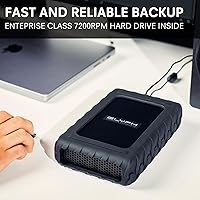
The Glyph BlackBox Pro 16TB External Hard Drive was built with a clear audience in mind: creative professionals who generate large volumes of data and need a dependable, high-capacity drive parked on their desk. Video editors working with 4K or multi-cam footage will appreciate having enough room to keep several projects on a single drive without constant archiving juggling. Photographers shooting in RAW — especially those managing ongoing client libraries spanning years of work — will find the capacity genuinely practical rather than just impressive on paper. The BlackBox Pro also fits well in studio and home office environments where silence matters, since the passively cooled enclosure produces no fan noise during operation. Mac users in particular tend to report a smooth out-of-the-box experience, and the USB-C 3.1 Gen 2 connection means it pairs naturally with most modern laptops and desktops without adapters.
Not suitable for:

The Glyph BlackBox Pro 16TB External Hard Drive is not the right tool for every storage situation, and being honest about that matters. Because this is a mechanical hard drive rather than solid-state storage, it cannot match the random read and write speeds that demanding applications — like editing directly from the drive or running virtual machines — actually require. It also needs a wall outlet to function, which rules it out entirely for anyone who needs a drive they can toss in a bag and use on location or while traveling. Budget-conscious buyers comparing raw cost per terabyte will find cheaper mechanical alternatives from mainstream brands; the premium here is for Glyph's build quality and brand accountability, not raw value. Windows users should also be aware that a small but consistent portion of buyers have noted minor compatibility friction on initial setup, which may require additional formatting steps.
Specifications

  • Storage Capacity: This desktop hard drive provides 16TB of formatted storage capacity for large media libraries and professional archives.
  • Drive Type: Uses a traditional mechanical hard disk drive (HDD) with spinning platters, optimized for high-capacity sequential read and write workloads.
  • Rotational Speed: The internal drive spins at 7200 RPM, placing it in the faster tier of desktop mechanical drives and improving sustained transfer performance.
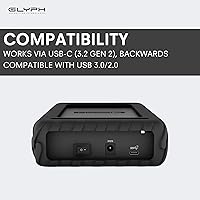
  • Interface: Connects via USB-C with USB 3.1 Gen 2 protocol, supporting theoretical transfer rates up to 260MB/s read and write.
  • Backward Compatibility: The USB interface is backward compatible with USB 3.0 and USB 2.0 ports, though speeds will be limited by the slower standard when used this way.
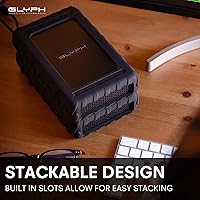
  • Form Factor: Houses a full 3.5-inch desktop hard drive inside an external aluminum enclosure measuring 9.9 x 2.6 x 1.2 inches.
  • Weight: The unit weighs 4.44 pounds, consistent with a desktop-class 3.5-inch hard drive and enclosure combination.
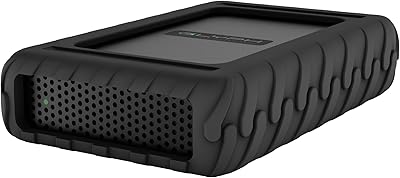
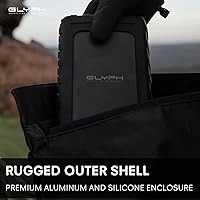
  • Enclosure Material: The outer shell is a black aluminum enclosure that dissipates heat passively without requiring an internal cooling fan.
  • Power Source: Requires an AC power adapter for operation; this is not a bus-powered device and cannot run on USB power alone.
  • Cooling System: Passive thermal management through the aluminum enclosure eliminates fan noise entirely, making it suitable for quiet studio environments.
  • Activity Indicator: An integrated LED light provides visual confirmation of drive activity, making it easy to tell when data is actively being read or written.
  • Compatible Devices: Works with Mac computers, Windows PCs, laptops, desktops, cameras, and gaming consoles that support USB-C or USB-A connections.
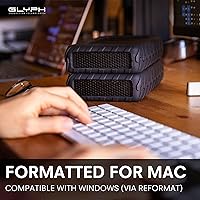
  • OS Compatibility: Compatible with macOS out of the box; Windows users will typically need to reformat the drive before use since it ships formatted for Mac.
  • Model Number: The official model identifier for this 16TB configuration is BBPR16000ENT, assigned by Glyph Production Technologies.
  • Manufacturer: Designed and sold by Glyph Production Technologies, a brand with an established track record in professional media storage.
  • Dimensions: Physical footprint measures 9.9 inches long by 2.6 inches wide by 1.2 inches tall, requiring a modest but permanent space on a desk or shelf.
  • Best Sellers Rank: Holds a top-100 position in the External Hard Drives category on Amazon, based on sustained sales and buyer engagement over time.
  • Average Rating: Carries a 4.3 out of 5 star average across approximately 200 customer ratings at the time of evaluation.

Related Reviews

Glyph BlackBox Pro 12TB External Hard Drive
86%
91%
Performance
89%
Value for Money
94%
Storage Capacity
90%
Data Transfer Speed
85%
Build Quality
More
Glyph BlackBox Pro 8TB
79%
92%
Build Quality
89%
Reliability & Uptime
74%
Transfer Speed
94%
Warranty & Support
61%
Value for Money
More
Glyph BlackBox Pro 20TB External Hard Drive
86%
88%
Performance & Speed
91%
Build Quality & Durability
94%
Quiet Operation
76%
Ease of Setup
95%
Capacity & Storage Flexibility
More
OWC Mercury Elite Pro 16TB External Hard Drive Enclosure
83%
89%
Performance & Speed
75%
Value for Money
91%
Build Quality & Durability
65%
Noise Levels
88%
Ease of Setup
More
Seagate Expansion Desktop 16TB External Hard Drive
85%
94%
Capacity
92%
Ease of Use
90%
Setup/Installation
87%
Performance Speed
83%
Build Quality
More
ADATA HD710 Pro 5TB External Hard Drive
81%
93%
Build Quality
91%
Waterproof Protection
88%
Shock & Drop Resistance
89%
Storage Capacity
58%
Transfer Speed
More
WD My Book 16TB External Hard Drive
76%
96%
Storage Capacity
82%
Value for Money
91%
Setup & Ease of Use
84%
Build Quality
67%
Transfer Speed
More
OWC Mercury Elite Pro 2TB Hard Drive Enclosure
74%
83%
Build Quality
71%
Transfer Speed
88%
Ease of Setup
58%
Drive Reliability
63%
Value for Money
More
Western Digital WD Red Pro 16TB NAS Hard Drive
81%
88%
Long-Term Reliability
91%
RAID Performance
86%
Multi-User Throughput
67%
Value for Money
61%
Heat Management
More
OWC Mercury Elite Pro 12TB External Hard Drive Enclosure
85%
88%
Performance
91%
Build Quality & Durability
93%
Ease of Setup
89%
Compatibility with Multiple Devices
68%
Noise Levels
More

FAQ

Yes, the BlackBox Pro ships pre-formatted for macOS, so Mac users can plug it in and start using it almost immediately. Just connect the USB-C cable, wait for it to mount on the desktop, and you are ready to go.

Windows users will need to reformat the drive before it functions properly, since it arrives formatted in a Mac-native file system. The process takes only a few minutes using Windows Disk Management, but it will erase any content on the drive, so do it before transferring files.

No — this is a 3.5-inch desktop drive and it requires an AC power adapter to operate. Unlike smaller portable drives that draw power directly from the USB cable, this unit needs its own dedicated power source. It is not suitable for travel or on-location use without access to an outlet.

The Glyph BlackBox Pro 16TB External Hard Drive can handle editing lower-bitrate footage reasonably well, but for demanding 4K or RAW video workflows, you will get better results using it as an archive or project storage drive rather than your primary scratch disk. Mechanical drives, regardless of speed, have latency limitations that solid-state storage does not. For straightforward HD editing or media organization, it performs well.
It is notably quiet. The aluminum enclosure handles heat passively, which means there is no cooling fan to generate noise. You will hear slight mechanical sounds when the drive spins up or accesses data heavily, but in a typical studio or home office setting it is unlikely to be disruptive.

Like all hard drives, the formatted capacity will be slightly less than the advertised 16TB due to how storage manufacturers and operating systems calculate gigabytes differently. In practice, expect to see roughly 14.5 to 15TB of usable space once formatted, which is still an enormous amount of working storage.

Glyph typically includes a USB-C cable and the necessary AC power adapter with the BlackBox Pro. That said, it is worth confirming the box contents upon arrival, as cable inclusion can vary by region or retail channel.

Yes, the drive is backward compatible with USB-A ports using a USB-C to USB-A adapter or cable. Keep in mind that the connection speed will be capped by the older port standard, so you will not get the full performance the drive is capable of — but it will still work fine for transferring files.

The BlackBox Pro does not include built-in hardware encryption or bundled backup software. You would need to use third-party tools or your operating system's native options — such as Time Machine on Mac or File History on Windows — to set up automated backups or encrypt sensitive data.

Glyph typically covers their drives with a three-year limited warranty, which is notably longer than what many generic drive brands offer. Their customer support has a positive reputation among professional users, which is one of the practical reasons buyers in media and production tend to trust the brand with irreplaceable work files.

Where to Buy