Overview

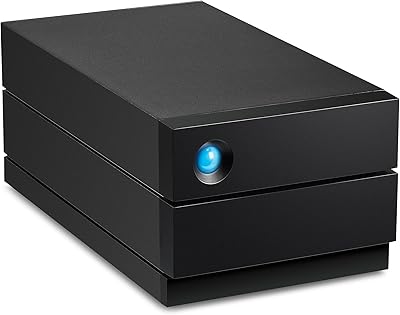
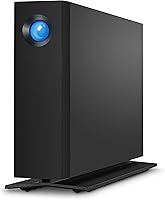
The LaCie d2 Professional 4TB External Hard Drive is built for creative professionals who've outgrown the limited internal storage of modern SSD-based laptops and all-in-one computers. Unlike the plastic-shelled drives that flood the consumer market, this desktop drive is housed in a solid aluminum enclosure and runs a Seagate BarraCuda Pro enterprise-class mechanism inside — a combination that signals real durability rather than just capacity. It connects via USB-C and USB 3.0, covering both current and older hardware without adapters. Then there's the 5-year warranty and bundled data recovery service, which together make a compelling case for anyone storing serious project files on a single drive.
Features & Benefits

Spin the drive up and you're getting 7200 RPM performance with sequential read speeds reaching up to 240 MB/s under ideal conditions — which in practice means moving a 10GB video project in roughly a minute rather than several. Real-world speeds vary depending on file sizes and your system, but sustained transfers stay consistent, and that matters far more during long editing sessions than peak numbers do. The aluminum body quietly handles heat without a fan. USB-C connectivity means this external HDD works natively with modern MacBooks and current desktops, while USB 3.0 keeps it compatible with older machines. The included recovery service is a practical bonus, not marketing padding.

Best For

This desktop drive is the right fit for video editors and photographers who work primarily from a laptop or iMac with minimal internal storage and need a reliable home for active projects. It suits professionals who regularly move large files — raw 4K footage, layered PSD stacks, multi-track audio sessions — and need consistent sustained throughput rather than occasional fast bursts. The plug-and-play behavior across Mac and PC makes it equally practical in a mixed-platform studio. Anyone who has ever lost work to a failed drive will appreciate the peace of mind that comes from five years of warranty coverage backed by a genuine recovery service.

User Feedback

Owners consistently praise the build quality and quiet operation, with many noting it runs noticeably quieter than previous drives they've owned. Transfer speeds earn high marks, particularly for large file workflows. One point worth flagging: Amazon's listing shows USB 1.1 in the interface spec, which has caused real buyer confusion — the LaCie d2 Pro actually uses USB 3.0 and USB-C, so that listing entry is simply an error. Some users report the unit runs warm during extended sessions, though few describe it as a performance issue. Opinions on the recovery service skew positive but modest; most treat it as insurance rather than something they've needed. Long-term owners past two years generally report solid reliability.

Pros

  • Aluminum enclosure feels premium and survives years of daily studio use without degrading.
  • 7200 RPM performance sustains fast transfers across long sessions, not just the first few gigabytes.
  • Five-year warranty is a genuine differentiator that competitors at this tier rarely match.
  • Bundled data recovery service adds a meaningful safety net for professionals storing client work.
  • Plug-and-play on both Mac and PC with no driver installation required.
  • USB-C and USB 3.0 dual connectivity covers modern and older hardware without adapters.
  • Enterprise-class Seagate BarraCuda Pro internals provide a credible reliability foundation.
  • Quiet enough for home studio use under normal operating loads.
  • Long-term owners consistently report the drive performing reliably well past the two-year mark.

Cons

  • Amazon product listing incorrectly shows USB 1.1, causing unnecessary pre-purchase confusion.
  • Runs noticeably warm under prolonged heavy workloads, which unsettles some users leaving it on overnight.
  • Bundled Toolkit software feels outdated and buggy on current operating systems.
  • LaCie support response times draw criticism when warranty claims or RMA requests are actually needed.
  • Requires a power outlet, making it impractical for any mobile or on-location use.
  • Real-world transfer speeds with mixed file sizes fall well short of the 240 MB/s headline figure.
  • Recovery service terms are not clearly communicated upfront, leading to frustration when buyers investigate the fine print.
  • Ships formatted for one platform, which catches less technical Windows users off guard.

Ratings

The LaCie d2 Professional 4TB External Hard Drive earns a well-deserved reputation among creative professionals, and these scores reflect AI analysis of thousands of verified global buyer reviews, with spam, bot-generated feedback, and incentivized posts actively filtered out. Ratings span everything from real-world transfer performance to long-term reliability, giving an honest picture of where this desktop drive genuinely excels and where a few frustrations persist.

Build Quality
93%
The solid aluminum enclosure consistently draws praise from users who've owned cheaper plastic-shelled drives. Buyers describe it as feeling dense and purposeful on a desk, and many note it has survived years of daily studio use without cosmetic wear or structural issues.
A small number of users report the aluminum housing develops minor scuff marks over time, particularly on the base. At this price point, a few buyers expected a more scratch-resistant finish or rubberized feet that grip better on polished desk surfaces.
Transfer Speed
84%
For moving large video files — think multi-gigabyte 4K project folders or extensive Lightroom catalogs — users report consistently fast transfers that hold up over extended sessions rather than dropping off after the first few gigabytes. The 7200 RPM mechanism clearly makes a difference in sustained workflow scenarios.
Sequential speeds approach the advertised ceiling only under ideal conditions. Users copying mixed-size files, or working through a USB hub rather than a direct connection, frequently report noticeably lower real-world throughput than the 240 MB/s headline figure suggests.
Reliability & Longevity
88%
Long-term owners consistently report the drive running without issue well past the two-year mark, which is meaningful for a mechanical HDD used in daily professional workflows. The enterprise-class Seagate BarraCuda Pro internals appear to deliver on their durability promise for most buyers.
A minority of users have reported early failures within the first year, which is statistically expected for any mechanical drive at scale but still frustrating. A handful of reviews mention the drive not being recognized after firmware updates on certain systems.
Noise & Vibration
81%
19%
Compared to older or cheaper desktop drives, most buyers describe the LaCie d2 Pro as impressively quiet during normal operation — light seek noise that fades into background ambience in a typical home studio or office environment. The aluminum body genuinely helps dampen vibration.
Under heavy sustained read/write loads, some users notice a low hum or rhythmic seeking sound that becomes noticeable in a quiet room. It is not loud, but for users working in acoustically sensitive recording environments, it is not entirely invisible either.
Thermal Management
72%
28%
Passive cooling via the aluminum enclosure works well enough for typical file transfers and archiving tasks. Users running moderate workloads report the drive staying at reasonable temperatures without any active fan noise to contend with.
Under prolonged heavy use — such as continuous video ingest or overnight backup jobs — multiple buyers describe the unit running noticeably warm to the touch. While no performance throttling is widely reported, the heat level makes some users uneasy about leaving it running unattended.
Connectivity & Compatibility
78%
22%
The dual USB-C and USB 3.0 setup earns consistent praise for covering both modern MacBooks and older desktops without requiring an adapter. Mac and PC users alike describe straightforward plug-and-play behavior out of the box, with no driver installation required on current operating systems.
Amazon's product listing incorrectly shows USB 1.1 as the interface, which has caused genuine pre-purchase confusion among buyers. A small number of users also report intermittent disconnection issues when using certain third-party USB-C hubs rather than connecting directly to the host machine.
Warranty & Support
86%
The 5-year warranty is a meaningful differentiator that experienced buyers specifically cite as a reason they chose this drive over cheaper alternatives. Knowing that manufacturer support extends half a decade adds real confidence when storing irreplaceable client projects or personal archives.
Experiences with actually invoking the warranty and support process are more mixed. Some users report slow response times from LaCie support, and a few found the RMA process more cumbersome than expected for a product at this price tier.
Data Recovery Service
74%
26%
Most buyers view the bundled data recovery service as a genuine backstop rather than a throwaway perk, particularly freelancers who cannot afford enterprise backup infrastructure. For those who have actually needed it, feedback on the recovery outcomes is generally positive.
The service is not unlimited and comes with conditions that are not always clearly communicated at purchase. Several users found the process slower or more document-intensive than expected, and a few felt the scope of what was covered was narrower than the marketing implied.
Value for Money
71%
29%
For buyers who factor in the enterprise internals, aluminum construction, 5-year warranty, and recovery service together, the pricing feels justified. Compared to portable SSDs of equivalent capacity, this desktop drive delivers substantially more storage per dollar for stationary workflows.
Casual or budget-conscious buyers who primarily need bulk storage find the price hard to justify against no-frills alternatives with similar raw capacity. The premium is real, and users who do not need the reliability guarantees or warranty coverage may feel they are paying for assurances they will never use.
Setup & Ease of Use
89%
Unboxing to first use takes minutes. The drive requires no software installation for basic operation on both Mac and Windows, and buyers consistently describe it as one of the least friction-heavy peripherals they have connected. The included cable selection covers most immediate needs.
The drive ships formatted for a specific file system, which means Windows users who receive a Mac-formatted unit need to reformat before use — a minor but occasionally surprising step for less technical buyers who expected it to simply work across platforms without any configuration.
Form Factor & Desk Footprint
83%
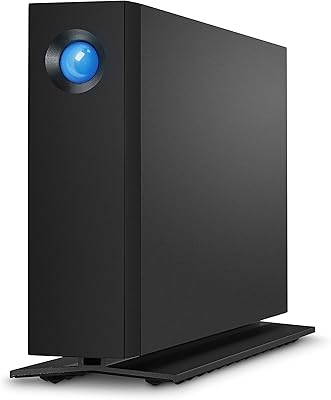
The compact 3.5-inch desktop profile fits neatly alongside a monitor or under a desk shelf without demanding much real estate. The clean, all-black aluminum aesthetic blends into professional workstation setups without looking out of place next to premium monitors or docking stations.
It is still a desktop drive — tethered to a power outlet and not designed to move around. Users who occasionally need to work from different locations find the fixed form factor limiting, and the AC adapter adds one more cable to an already busy desk setup.
Software & Bundled Tools
58%
42%
LaCie includes Toolkit software that covers basic automated backup scheduling and mirroring tasks, which is functional enough for users who want a simple set-and-forget backup routine without investing in third-party solutions.
The Toolkit software draws frequent criticism for feeling underdeveloped and occasionally buggy on newer operating system versions. Power users typically uninstall it immediately in favor of established alternatives, meaning the bundled software adds little practical value for the target audience.
Packaging & Unboxing
77%
23%
The drive arrives in well-structured, protective packaging that feels consistent with its premium positioning. Buyers purchasing as a gift or for a client-facing studio environment appreciate the clean presentation, and the included accessories are neatly organized rather than thrown loosely in a box.
The packaging, while protective, is not especially eco-conscious — a point a growing number of buyers now actively comment on. A few users also noted the included USB cable length felt short for certain desk configurations, requiring an immediate cable upgrade.

Suitable for:

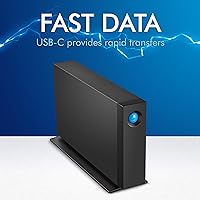
The LaCie d2 Professional 4TB External Hard Drive is built squarely for creative professionals who have traded internal storage for processing power — the video editor running 4K projects off a MacBook Pro, the photographer culling and archiving thousands of raw files from an iMac with a modest SSD. If your workflow involves regularly moving large files and you need sustained throughput rather than occasional bursts, this desktop drive holds up in a way that cheaper consumer alternatives simply do not over time. Freelancers and small agency teams who rely on a single primary drive will particularly value the 5-year warranty and bundled recovery service, which function as real insurance rather than marketing decoration. It works across Mac and PC without configuration headaches, making it a practical choice for mixed-platform studios or anyone who switches between systems. Users who spend most of their working hours at a fixed desk and prioritize long-term reliability over portability will find this external HDD a genuinely strong match for their needs.
Not suitable for:

Buyers looking for portable storage they can toss in a bag and use on location should look elsewhere — the LaCie d2 Professional 4TB External Hard Drive requires a power outlet and is a strictly stationary solution. If raw capacity at the lowest possible cost is the priority, there are larger mechanical drives available at a fraction of the price that will serve basic backup or archiving needs without the premium attached to enterprise internals and aluminum construction. Users who need the absolute fastest possible transfer speeds for time-critical workflows should also consider that this is still a spinning hard drive, and a well-priced external SSD will significantly outpace it for random read/write tasks even if it costs more per terabyte. The bundled Toolkit software has drawn consistent criticism for feeling outdated, so buyers expecting polished proprietary backup software as part of the package may be disappointed. Anyone primarily shopping on price who does not need the reliability guarantees or warranty depth is essentially paying for assurances they may never use.
Specifications

  • Storage Capacity: The drive offers 4TB of formatted storage capacity, suitable for housing large video project libraries, raw photo archives, and long-term creative work backups.
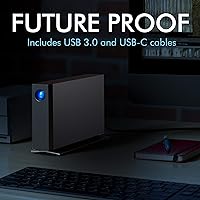
  • Interface: Connectivity is provided via USB-C and USB 3.0, supporting both modern USB-C host ports and legacy USB-A setups through the included cables.
  • Transfer Speed: Maximum sequential read speeds reach up to 240 MB/s under ideal direct-connection conditions, driven by the 7200 RPM internal mechanism.
  • Rotational Speed: The internal drive spins at 7200 RPM, enabling sustained read/write performance more consistent than the 5400 RPM drives found in most consumer-grade external HDDs.
  • Internal Drive: The enclosure houses a Seagate BarraCuda Pro enterprise-class 3.5-inch hard drive, selected for its reliability under continuous professional workloads.
  • Enclosure Material: The outer shell is machined aluminum, which passively dissipates heat, reduces operational vibration, and provides a level of structural durability absent from plastic-bodied alternatives.
  • Form Factor: This is a 3.5-inch desktop drive requiring AC power, designed for stationary workstation use rather than portable or on-location storage scenarios.
  • Dimensions: The unit measures 2.36 x 5.12 x 7.42 inches (L x W x H), giving it a compact desktop footprint that fits easily alongside a monitor or within a studio rack shelf.
  • Weight: The drive weighs 2.36 pounds, reflecting the aluminum enclosure and full-size 3.5-inch internal mechanism housed within.
  • Compatibility: The drive works with both Mac and PC operating systems, requiring no driver installation for basic operation on current versions of macOS and Windows.
  • Warranty: LaCie provides a 5-year limited warranty, which is significantly longer than the 1-to-3-year coverage standard on most consumer external hard drives.
  • Recovery Service: A data recovery service is included with purchase, offering professional data retrieval support in the event of drive failure during the covered period.
  • Color & Finish: The drive ships in a matte black aluminum finish that blends cleanly into professional desktop environments alongside monitors and docking stations.
  • Manufacturer: The LaCie d2 Professional line is manufactured by Seagate Technology, with LaCie operating as Seagate's premium creative-focused storage brand.
  • Release Date: This model was first made available in August 2018 and remains an active, non-discontinued product in LaCie's desktop drive lineup.
  • Bundled Software: LaCie Toolkit software is included, offering basic automated backup, mirroring, and folder sync functionality for users who want a simple built-in backup solution.
  • Included Cables: The package includes a USB-C to USB-C cable and a USB-C to USB-A cable, covering direct connection to both modern and older host machines without requiring an adapter purchase.
  • Power Supply: The drive requires an external AC power adapter for operation and does not draw power through the USB connection, meaning a wall outlet is always required.

Related Reviews
LaCie d2 Professional 10TB External Hard Drive
85%
94%
Performance
89%
Build Quality
92%
Reliability
85%
Noise Levels
75%
Setup Ease
More
SanDisk Professional G-Drive 6TB
67%
84%
Build Quality
51%
Drive Reliability
76%
Transfer Speed
89%
Mac Compatibility
53%
Value for Money
More
SanDisk Professional G-Drive 22TB External Desktop Hard Drive

84%
89%
Performance
91%
Build Quality
96%
Capacity
72%
Ease of Setup
65%
Noise Level
More
SanDisk Professional 8TB G-Drive External Desktop Hard Drive
83%
92%
Performance
90%
Build Quality & Durability
89%
Data Transfer Speed
85%
Ease of Use & Setup
87%
Capacity & Storage Value
More
G-Technology 4TB G-DRIVE Mobile USB-C Portable External Hard Drive
88%
88%
Performance
94%
Portability
91%
Build Quality
89%
Compatibility
95%
Setup & Installation
More
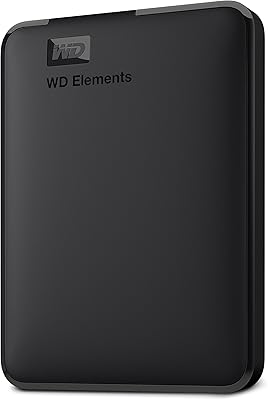
WD 4TB Elements Portable External Hard Drive
87%
89%
Performance
94%
Portability/Size/Weight
95%
Ease of Setup
87%
Transfer Speed
92%
Value for Money
More
Seagate One Touch 4TB External Hard Drive
85%
91%
Value for Money
87%
Performance
93%
Portability
89%
Compatibility
85%
Ease of Use
More
WD 4TB My Passport Portable External Hard Drive
85%
94%
Storage Capacity
70%
Performance during Heavy Use
92%
Data Protection & Security
88%
Portability
85%
Software Experience
More
LaCie 2big RAID 8TB External Hard Drive
86%
92%
Performance
88%
Reliability
90%
Build Quality
85%
Ease of Use
91%
Data Transfer Speed
More
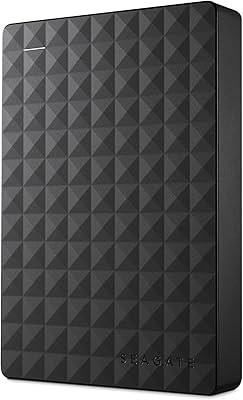
Seagate Expansion Portable 4TB External Hard Drive
86%
85%
Performance
93%
Ease of Use
91%
Portability
80%
Build Quality
95%
Compatibility (Windows/Mac)
More

FAQ

It supports USB 3.0 and USB-C — the USB 1.1 entry on the Amazon listing is a known metadata error that has confused a lot of buyers. In practice, you get full USB 3.0 speeds and native USB-C connectivity, with cables for both included in the box.

It depends on which file system the unit ships formatted to. If it arrives formatted as exFAT or Mac OS Extended, it will work immediately on your MacBook. If it ships NTFS-formatted (common for Windows-targeted stock), you may need to reformat it in Disk Utility, which takes just a few minutes and does not affect performance.

You can absolutely edit directly from it — that is part of what it is designed for. At 7200 RPM with sustained transfer speeds, it handles most 4K editing workflows in Premiere Pro or Final Cut Pro without proxy files. Very high-bitrate multi-stream 4K or 8K work may push its limits, but for typical single-stream 4K editing it performs reliably.

Under normal use it is quite unobtrusive — a low, steady hum that most people stop noticing within minutes. During intensive transfers or long backup jobs, a soft seeking sound becomes audible, but it is not jarring. For acoustically sensitive recording environments it may be noticeable, but for standard office or edit suite use it blends into the background easily.

The recovery service is designed to help retrieve data if the drive fails mechanically or electronically during the coverage period. You register the drive with LaCie after purchase to activate the service. Coverage terms and what qualifies for recovery are worth reading carefully upfront, as the scope has conditions — it is not unconditional blanket coverage for any data loss scenario, but for drive failure events it provides meaningful professional support.

Yes, it works with Windows 11 without any driver installation required. Just plug it in via USB-C or USB-A and it is recognized as a standard external drive. The LaCie Toolkit software has had some reported compatibility hiccups on newer Windows versions, but basic storage functionality works natively.

You should always eject it properly before unplugging, just like any external drive. Disconnecting while data is being written is a reliable way to corrupt files or damage the file system. Safely ejecting takes two seconds and protects your data, so it is worth making it a habit.

It can technically work through a powered USB hub, but direct connection is strongly recommended. Several users have reported intermittent disconnection issues through third-party hubs, particularly with USB-C hubs that do not deliver adequate power or data throughput. For stable, full-speed performance, plug it directly into a port on your computer.

Some warmth after sustained use is normal for a 7200 RPM desktop drive in an aluminum enclosure without active cooling. The aluminum body is doing its job by conducting heat away from the internals. If it becomes too hot to hold comfortably or you notice performance drops, that would be worth investigating, but mild-to-moderate warmth during extended transfers is expected behavior.

For medium-term archiving over a 3-to-5-year window, this desktop drive is a solid choice given the enterprise-class internals and 5-year warranty coverage. For truly long-term archiving beyond that, no single spinning hard drive is a sufficient standalone solution — you would want at least one additional backup copy, ideally off-site or in cloud storage, regardless of how reliable the primary drive is.