Overview

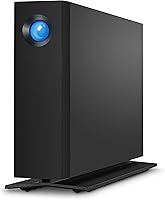
The LaCie d2 Professional 10TB External Hard Drive is built squarely for creative professionals who have traded internal storage for thin, SSD-based laptops or compact all-in-ones. The aluminum enclosure is not just aesthetic — it passively dissipates heat and keeps vibration noticeably low during long work sessions. Inside, you get a Seagate BarraCuda Pro mechanism, which sets this desktop drive apart from the generic white-label drives that populate the budget end of the market. Backing all of this is a 5-year warranty with a data recovery service — a genuine rarity at this price point. Just go in clear-eyed: this is a mechanical hard drive, and speed has a physical ceiling regardless of what the interface supports.
Features & Benefits

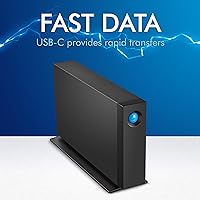
The d2 Professional connects via USB-C and USB 3.0, covering everything from the latest MacBooks to older desktop towers without needing adapters. It also supports Thunderbolt 3, which opens up daisy-chaining in more complex studio setups. At 7200 RPM, the internal BarraCuda Pro mechanism can hit sequential reads of up to 240 MB/s — solid numbers for a spinning disk, though real-world transfers on mixed workloads will land lower. The aluminum body handles heat passively, so there is no fan noise to contend with. The bundled rescue service deserves a specific mention: it is not a vague extended warranty but a professional data recovery option, which matters when you are storing irreplaceable project files.

Best For

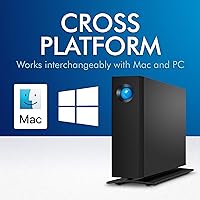
This LaCie unit makes the most sense for video editors and photographers running storage-limited machines — think a MacBook Pro or iMac with a fast but small internal SSD. If your workflow involves regularly moving or archiving large raw video files or high-resolution photo libraries, 10TB of local nearline storage is genuinely useful without the latency penalties of cloud-based solutions. It works across Mac and PC out of the box, which helps in hybrid studio environments. Less ideal for users who need SSD-level responsiveness or who work primarily from portable setups. If you want a set-and-forget desktop workhorse with long-term coverage baked in, the d2 Professional fits that role well.

User Feedback

With over 1,500 ratings and a 4-star average, the d2 Professional has earned a broadly positive reputation among buyers. The most consistent praise centers on quiet, reliable operation over extended periods — many long-term owners describe it as a drive they plug in and forget about for years. On the other side, a meaningful number of users have reported unit failures after extended use, which is worth noting even if the 5-year warranty and rescue service soften the blow considerably. A smaller group found the out-of-box formatting guidance thin. No drive is immune to failure rates, but at this price point buyers reasonably expect above-average build longevity, and most — though not all — report getting exactly that.

Pros

  • Seagate BarraCuda Pro internals offer enterprise-grade reliability not found in most consumer desktop drives.
  • The 5-year warranty is longer than the industry standard, offering real long-term ownership confidence.
  • A bundled professional data recovery service is a meaningful safeguard for irreplaceable project files.
  • 7200 RPM speeds allow sequential reads up to 240 MB/s — strong performance for a mechanical HDD.
  • USB-C and USB 3.0 dual connectivity covers both modern and legacy computers without adapters.
  • Thunderbolt 3 support enables daisy-chaining, keeping desk cable clutter manageable in studio setups.
  • The aluminum enclosure passively handles heat without a fan, keeping operation noticeably quiet.
  • Works across Mac and PC out of the box, making it practical for mixed-platform environments.
  • Long-term owners consistently describe the d2 Professional as a dependable daily workhorse over multiple years.

Cons

  • Real-world transfer speeds on mixed workloads will fall well short of the 240 MB/s sequential ceiling.
  • No SSD option in this line means buyers who need flash-level responsiveness must look elsewhere.
  • The desktop form factor requires a dedicated power source, making it entirely unsuitable for portable use.
  • Some buyers have reported unit failures after extended use, which is concerning at this price tier.
  • Out-of-box formatting and setup documentation has been flagged as thin by a subset of users.
  • The premium pricing is hard to justify for buyers who only need occasional or light-duty backup storage.
  • At 10TB minimum in this product line, buyers with modest storage needs are forced to overpay for unused capacity.
  • Mechanical drives carry an inherent vulnerability to physical shock that SSDs at a similar price do not.

Ratings

Our AI scoring for the LaCie d2 Professional 10TB External Hard Drive was built by analyzing thousands of verified global buyer reviews, with spam, bot-generated, and incentivized feedback actively filtered out before any scoring was applied. The result is an honest breakdown that reflects both what this desktop drive genuinely does well and the real frustrations that a subset of owners have encountered. Strengths and shortcomings are weighted equally — nothing here is glossed over.
Build Quality
88%
The aluminum enclosure consistently earns praise from buyers who have owned cheaper plastic drives and immediately noticed the difference. It feels substantial on the desk, and long-term owners report no warping, port loosening, or structural degradation even after years of daily use.
A handful of users noted that the enclosure picks up fine scratches fairly easily, and a small number reported that the base feet lost grip over time on smooth desk surfaces. These are cosmetic and minor concerns, but worth noting for the detail-oriented buyer.
Reliability & Longevity
78%
22%
The BarraCuda Pro internals are rated for 24/7 workloads, and the majority of long-term owners — those who have run the d2 Professional daily for two or more years — describe it as a dependable workhorse that simply keeps going. That enterprise pedigree is not marketing; it shows up in the ownership data.
A meaningful minority of buyers have reported unit failures, some occurring within the first two years. For a drive at this price point, that is a concern that cannot be waved away — even with a 5-year warranty in place, data loss during a failure is a real disruption to a professional workflow.
Transfer Speed
74%
26%
At 7200 RPM, the d2 Professional performs at the top end of what a spinning disk can deliver, and users editing compressed video formats directly off the drive report a smooth enough experience for most day-to-day creative tasks. Bulk file transfers of large archives feel noticeably quicker than entry-level desktop drives.
The 240 MB/s figure is a sequential ceiling, not a guaranteed baseline, and real-world mixed workloads — particularly random reads and writes — land considerably lower. Users who expected SSD-adjacent performance based on the price tag were consistently disappointed, and this gap is the most common source of negative reviews.
Value for Money
69%
31%
When buyers factor in the enterprise-class internals, the aluminum build, the 5-year warranty, and the bundled data recovery service, many conclude the premium is justifiable — especially compared to bare drives without any of those inclusions. For professional users, the total package holds up under scrutiny.
For buyers who do not need all those extras, the price is hard to rationalize. Several reviewers noted that comparable raw capacity is available for significantly less money elsewhere, and if you strip out the warranty and recovery service, the core drive performance does not alone explain the cost delta.
Noise & Vibration
86%
The fanless aluminum chassis keeps things noticeably quiet, and the BarraCuda Pro mechanism runs with less vibration than many competing 7200 RPM drives. Users who keep their workstation in the same room where they record audio or work in quiet environments specifically call this out as a genuine plus.
At 7200 RPM, there is still an audible operational hum that some users in very quiet environments found noticeable. A small number reported a faint clicking or ticking sound that developed over time, which in some cases preceded a failure.
Connectivity
91%
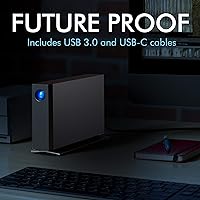
USB-C with backward USB 3.0 compatibility via an included adapter is a practical setup that works across virtually every desktop and laptop made in the last decade. Thunderbolt 3 support for daisy-chaining is a genuine benefit for studio users who need to keep port usage efficient on a modern Mac.
There is no USB-A cable included in the box — only a USB-C to USB-C cable — so users with older machines need to supply their own USB-A to USB-C cable or use the adapter. A minor inconvenience, but a few buyers flagged it as an annoying omission at this price.
Thermal Management
87%
Passive cooling through the aluminum body works well in practice — the drive stays warm to the touch under sustained load but never hot, and there are no reports of thermal throttling affecting performance during long transfers. No fan means no fan noise and no fan failure risk.
In warmer ambient environments or enclosed desk setups with limited airflow, some users reported the chassis running hotter than expected. This is unlikely to cause problems under normal conditions, but users in warm climates or cramped workspaces should factor it into their setup planning.
Warranty & Support
93%
A 5-year warranty is genuinely rare in the external drive market, and the inclusion of a professional data recovery service puts the d2 Professional in a different category from almost every competitor at this tier. Buyers who have actually needed to use the warranty report that the process worked as described.
Some users found that the warranty and rescue service terms were not clearly explained in the box documentation, leading to confusion about what exactly is covered and how to initiate a claim. The service is valuable, but it requires navigating LaCie support, which a subset of buyers found slower than expected.
Setup & Documentation
58%
42%
For Mac users, setup is essentially plug-and-play — the drive shows up formatted and ready to use without any configuration. Most creative professionals who are comfortable with their operating system will be up and running in under a minute.
Windows users need to reformat the drive before it works, and the included documentation does not make this clear or walk through the steps. A notable subset of less technical buyers were confused by this, and several negative reviews stem directly from this formatting gap rather than any hardware issue.
Design & Aesthetics
84%
The brushed aluminum look is understated and professional — it sits comfortably on a high-end creative workstation without looking out of place. Buyers who care about the visual cohesion of their workspace generally appreciate the clean, no-frill industrial design.
The drive only comes in one color and one capacity configuration at each tier, so there is no aesthetic or size customization available. A few buyers also noted that the LaCie branding on the face is more prominent than they expected for a product marketed on understated professional credentials.
Compatibility
89%
Works across Mac and Windows without issue once formatted appropriately, and Thunderbolt 3 compatibility broadens its usefulness significantly for Mac-centric studio workflows. Most major operating systems recognize it immediately without any driver installation.
Older computers that lack USB-C or Thunderbolt 3 ports will get a reduced experience and may need an adapter not included in the box. Compatibility with some NAS or direct-attached storage configurations is also limited by its desktop USB-only design.
Packaging & Unboxing
77%
23%
The drive arrives well-protected in a solid box, and buyers consistently report that the unit arrived without damage even when shipped through standard logistics. The overall presentation feels consistent with the premium price bracket.
The cable selection in the box is minimal — just a USB-C to USB-C cable — and the printed documentation is thin. For a drive at this price, a more complete accessory kit and better-written setup guide would not be unreasonable expectations.

Suitable for:

The LaCie d2 Professional 10TB External Hard Drive is purpose-built for creative professionals who have embraced thin, SSD-equipped laptops or compact desktops and find themselves constantly running out of local storage. Video editors working with 4K or higher footage, photographers managing large RAW libraries, and motion designers archiving heavy project files will find 10TB of fast, always-available local storage genuinely practical. It suits anyone who needs bulk nearline storage close at hand — not synced to a cloud with unpredictable latency, but right there on the desk ready to transfer at spinning-disk speeds. The Thunderbolt 3 support also makes this desktop drive a sensible fit for more elaborate studio setups where multiple peripherals need to chain from a single port. If long-term reliability and peace of mind matter to you, the 5-year warranty with a professional data recovery option is a real safety net that most competing drives simply do not offer.
Not suitable for:

The LaCie d2 Professional 10TB External Hard Drive is not the right call for anyone who needs SSD-level read and write performance — no matter how good a spinning disk gets, it cannot match flash storage for random access speed or snappy application loading. Users who work primarily on the move, connecting a single portable drive to a laptop in different locations, will find the desktop form factor impractical and the reliance on external power inconvenient. The price point sits well above budget alternatives, so buyers who just need a simple backup drive and are not running professional workloads may find the premium hard to justify. Those working in environments with frequent power interruptions or rough handling should also think carefully, since mechanical drives are inherently more vulnerable to physical shock than SSDs. Finally, if your storage need is modest — a few terabytes at most — there are more cost-effective options that do not require paying for capacity you will never use.
Specifications

  • Storage Capacity: The drive provides 10TB of raw storage capacity, with formatted available space slightly less depending on operating system.
  • Drive Type: Uses a 3.5-inch mechanical hard disk drive (HDD) with no solid-state components.
  • Internal Mechanism: Powered by a Seagate BarraCuda Pro enterprise-class hard drive designed for continuous, high-demand workloads.
  • Rotational Speed: Spins at 7200 RPM, which is the upper end of the performance range for desktop mechanical drives.
  • Max Transfer Speed: Sequential read speeds reach up to 240 MB/s under ideal conditions; real-world mixed workloads will vary.
  • Interface: Connects via USB-C (USB 3.1 Gen 1) and includes a USB-A adapter for backward compatibility with USB 3.0 ports.
  • Thunderbolt 3: Compatible with Thunderbolt 3 hosts, enabling daisy-chaining with other Thunderbolt peripherals in professional setups.
  • Enclosure Material: The outer chassis is machined aluminum, which aids in passive thermal dissipation and structural rigidity.
  • Dimensions: Measures 7.42″ x 2.36″ x 5.12″ (length x width x height), suited for permanent desk placement rather than portability.
  • Compatible Platforms: Works with both macOS and Windows PCs; may require reformatting depending on the desired file system.
  • Power Source: Requires an external AC power adapter; it does not draw power from the USB connection alone.
  • Warranty Period: Covered by a 5-year limited warranty, which is significantly longer than the 2- to 3-year standard on most consumer drives.
  • Data Recovery: Includes LaCie Rescue data recovery service, providing professional-grade file recovery assistance in the event of drive failure.
  • Cooling Method: Relies entirely on passive cooling through the aluminum body; there is no internal fan.
  • Noise Level: The fanless aluminum design and enterprise-class internals contribute to low operational noise and reduced vibration.
  • Manufacturer: Designed by LaCie, a storage brand owned and operated by Seagate Technology.
  • Model Number: Official model identifier is STHA10000800, useful for warranty registration and support inquiries.
  • Form Factor: Desktop form factor intended for stationary use; not designed for travel or portable operation.

Related Reviews
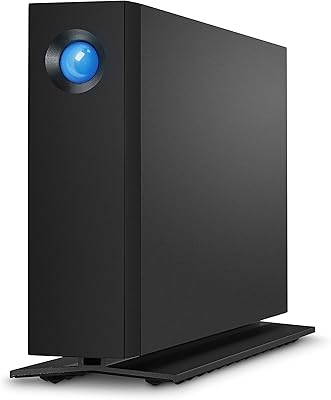
LaCie d2 Professional 4TB External Hard Drive
80%
93%
Build Quality
84%
Transfer Speed
88%
Reliability & Longevity
81%
Noise & Vibration
72%
Thermal Management
More
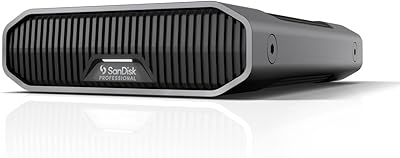
SanDisk Professional G-Drive 6TB
67%
84%
Build Quality
51%
Drive Reliability
76%
Transfer Speed
89%
Mac Compatibility
53%
Value for Money
More
SanDisk Professional G-Drive 22TB External Desktop Hard Drive

84%
89%
Performance
91%
Build Quality
96%
Capacity
72%
Ease of Setup
65%
Noise Level
More
SanDisk Professional 8TB G-Drive External Hard Drive
68%
83%
Transfer Speed
88%
Build Quality
58%
Reliability
91%
Mac Compatibility
41%
Windows Compatibility
More
Seagate Expansion 10TB External Hard Drive
82%
95%
Capacity & Storage
90%
Transfer Speed
92%
Ease of Setup
85%
Build Quality
78%
Reliability
More
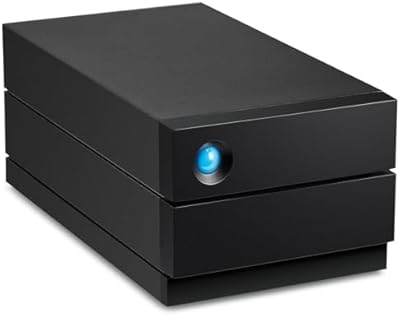
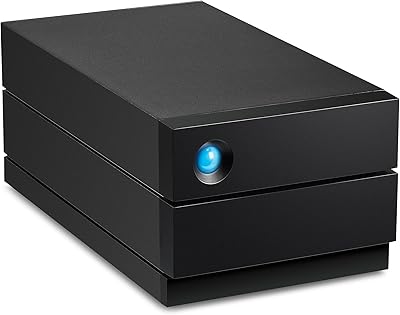
LaCie 2big RAID 8TB External Hard Drive
86%
92%
Performance
88%
Reliability
90%
Build Quality
85%
Ease of Use
91%
Data Transfer Speed
More
LaCie 2big RAID 36TB External Hard Drive
87%
93%
Performance
90%
Reliability
88%
Ease of Setup
95%
Capacity
92%
Data Redundancy
More
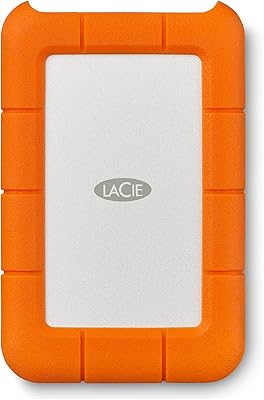
LaCie Rugged 2TB Portable Hard Drive
75%
93%
Build Quality
91%
Portability
58%
Transfer Speed
87%
Storage Capacity
76%
Value for Money
More
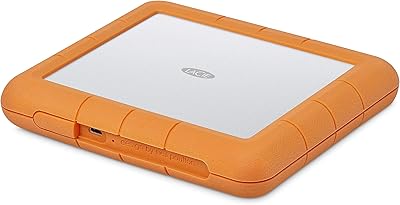
LaCie Rugged RAID Shuttle 8TB Hard Drive
74%
91%
Build Quality
88%
Data Redundancy
52%
Thermal Management
61%
Value for Money
67%
Ease of Setup
More
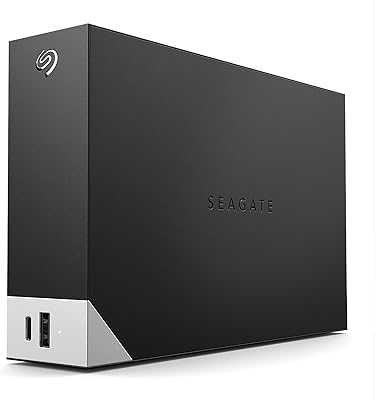
Seagate One Touch Hub 10TB External Hard Drive
75%
91%
Storage Capacity
83%
USB Hub Functionality
88%
Ease of Setup
72%
Transfer Speed
58%
Noise Level
More

FAQ

It ships pre-formatted for macOS (HFS+), so Mac users can plug it in and start using it right away. Windows users will need to reformat it to exFAT or NTFS before it works properly. Reformatting erases all data on the drive, so do that before transferring anything over.

Yes, the d2 Professional is Thunderbolt 3 compatible, so it will connect directly to any Thunderbolt 3 port. Keep in mind the drive itself is a mechanical HDD, so you will not see the full bandwidth that Thunderbolt 3 is capable of — the drive's own speed is the limiting factor, not the port.

The bundled rescue service through LaCie covers professional data recovery in the event of hardware failure — meaning if the drive fails and you cannot access your files, you can send it in for recovery assistance. It is not unlimited and has its own terms, so it is worth reading the service agreement after purchase. That said, for professional users storing irreplaceable work, it is a meaningful safety net compared to drives that offer nothing similar.

Not particularly. The aluminum enclosure handles heat passively and there is no cooling fan, which removes one of the main noise sources in desktop drives. The BarraCuda Pro mechanism does produce some operational hum at 7200 RPM, but most users describe it as quiet enough to sit comfortably on a desk in a working environment.

Out of the box it is formatted for Mac, but after reformatting to exFAT it will work with both systems interchangeably. exFAT is readable and writable by both macOS and Windows without any additional software, making it the practical choice if you swap between machines.

Yes, if you are connecting via Thunderbolt 3, you can daisy-chain other Thunderbolt-compatible peripherals off the port on the back of the drive. This is useful in studio setups where you need to connect multiple devices to a laptop with limited ports.

The main differences are the enterprise-grade BarraCuda Pro internals, the 5-year warranty, and the included data recovery service — none of which you typically get with a budget drive. Budget drives often use slower or less reliable mechanisms and come with 2-year warranties at best. If you are storing work you cannot afford to lose, the extra cost buys you meaningful insurance, not just a fancier enclosure.

No hard drive is immune to failure over time — mechanical drives all have a finite lifespan. Some users have reported failures after extended use, which is worth acknowledging honestly. The 5-year warranty and rescue service are there precisely for that scenario. As with any drive storing critical data, keeping a backup copy elsewhere is still the smart move regardless of how reliable the primary drive is.

No special software is required to use the drive for basic storage. LaCie does include optional software utilities, but the drive will function as a standard external volume without them. If you want to use it for Time Machine backups on a Mac, you can configure that directly through macOS System Preferences.

It can handle direct editing of compressed video formats reasonably well, given its 7200 RPM speed and sequential read performance. However, for editing high-bitrate RAW or uncompressed footage directly off the drive, an SSD would be a more reliable choice. Most professionals use the d2 Professional as nearline storage — keeping active projects on a faster internal or external SSD and archiving or staging assets from this desktop drive.

Where to Buy