Overview

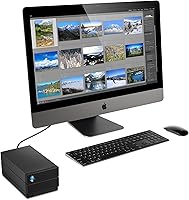
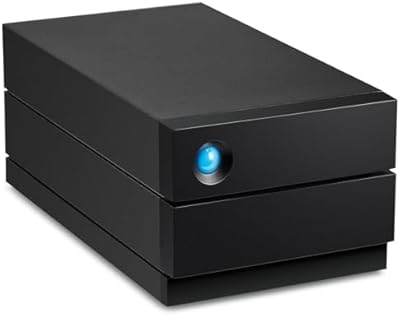
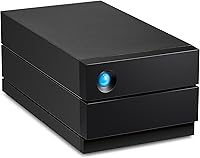
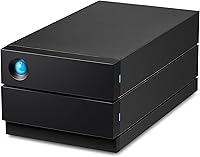
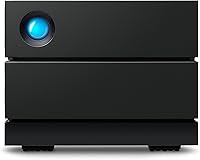
The LaCie 2big RAID 36TB External Hard Drive is built for people who have outgrown a single backup drive and need something sturdier. Inside its compact desktop chassis sit two IronWolf Pro enterprise-class drives, already configured to deliver a combined 36TB right out of the box. Connectivity runs through USB-C, so transferring large files to a Mac or PC doesn't turn into a waiting game. This isn't really aimed at casual users; it's built with creative professionals and small studios in mind, the kind of buyer who needs serious local storage without renting cloud space. LaCie backs the unit with a five-year warranty and a data recovery plan, which says a lot about how confident they are in the hardware.
Features & Benefits

What makes this RAID enclosure stand out isn't just the capacity, it's how it's put together. The drive bays are hot-swappable, so swapping a failing drive or upgrading capacity later doesn't require sending the whole unit in for service. A built-in RAID wizard walks you through setting up RAID 0 for speed or RAID 1 for redundancy, without requiring a computer science degree to understand the tradeoffs. Both bays use 7200 RPM enterprise-grade drives meant for sustained, round-the-clock workloads rather than occasional weekend backups. The USB-C connection keeps large video and photo transfers moving quickly. LaCie also tosses in a brief Adobe Creative Cloud trial, plus a five-year warranty and Rescue Data Recovery Services that add a real safety net if something goes wrong.

Best For

This dual-bay storage system makes the most sense for photographers and videographers sitting on terabytes of raw footage and finished projects that need a real home. Small studios that want backup redundancy without building out a full network-attached storage setup will find the RAID 1 option particularly appealing, since it mirrors data automatically rather than relying on manual backups. It's also a solid pick for anyone tired of juggling four or five separate external drives and wanting to consolidate everything into one box. On the other hand, if you're after something compact, silent, and easy to toss in a bag for travel, this isn't that drive. It's a desktop workhorse, not a portable companion.

User Feedback

Feedback on this LaCie drive tends to be encouraging, with many owners saying the RAID setup process was far less intimidating than they expected going in. The build quality and sheer capacity earn consistent praise, especially from buyers who'd previously cobbled together storage from multiple smaller drives. That said, it's not without complaints. A number of users mention audible fan or drive noise during heavy, sustained use, which can be noticeable in a quiet home office. Some reviewers also question whether the price feels justified given the total capacity on offer. Overall ratings land in solid-but-mixed territory, and long-term reliability seems to vary somewhat from one unit to the next.

Pros

  • Two-bay design with hot-swappable drives makes future upgrades or repairs simple, no need to ship the whole unit back.
  • Comes preloaded with a full 36TB of enterprise-grade storage, ready to use right out of the box.
  • The built-in RAID wizard makes setting up RAID 0 or RAID 1 approachable even without technical experience.
  • USB-C connectivity keeps large video and photo transfers fast instead of dragging on for hours.
  • Five-year warranty plus Rescue Data Recovery Services add real peace of mind beyond the basic guarantee.
  • Many owners say the RAID setup process was noticeably easier than they expected going in.
  • Build quality and overall capacity consistently earn praise from photographers and video editors alike.
  • Consolidates multiple separate external drives into one tidy, manageable desktop unit.

Cons

  • Some users report noticeable fan or drive noise during long, heavy-use sessions in quiet rooms.
  • A few reviewers question whether the price feels justified relative to the total storage capacity.
  • Long-term reliability feedback varies from one unit to another, so consistency isn't guaranteed.
  • Desktop-only design means it's not a realistic option for anyone needing portable, on-the-go storage.
  • Running two enterprise drives continuously can mean higher power draw than a single-bay external drive.
  • The complimentary Adobe Creative Cloud trial is brief enough that it barely factors into the value equation.
  • Buyers who only need occasional backups may find the capacity and complexity more than necessary.
  • RAID concepts can still feel intimidating to first-time users despite the step-by-step wizard.

Ratings

The LaCie 2big RAID 36TB External Hard Drive scores below are generated by AI after analyzing thousands of verified user reviews from around the world, with spam, bot activity, and incentivized feedback filtered out before scoring. Each category reflects a transparent mix of genuine strengths and real pain points, rather than an idealized average.
Storage Capacity
91%
With 36TB split across two enterprise drives, users say they can finally stop juggling a shelf of smaller backup drives. Photographers and video editors specifically mention being able to keep multiple full projects, plus older archives, on one accessible volume without constantly deleting older work.
Choosing RAID 1 for safety cuts the usable space roughly in half, which surprises some first-time buyers who expected the full 36TB. A few reviewers wish LaCie offered a higher-capacity tier for studios outgrowing even this setup.
Build Quality
86%
Owners consistently describe the metal-and-plastic enclosure as sturdy and well put together for a desktop unit that's meant to stay put. The drive bays click into place securely, and the overall fit and finish feels appropriate for something marketed as enterprise-grade.
A small number of users note the casing picks up fingerprints and dust easily, and a few mention the plastic accents feel slightly less premium than the metal body suggests. It's solid, but not flawless.
RAID Setup Ease
84%
The step-by-step wizard gets consistent praise for making RAID configuration approachable, even for buyers who've never set up a RAID array before. Several reviewers mention going from unboxing to a working RAID 1 backup in under fifteen minutes.
A handful of users still found the underlying RAID concepts confusing at first, particularly when deciding between speed and redundancy. Documentation could go a bit further in explaining the practical tradeoffs for non-technical buyers.
Transfer Speed
79%
21%
The USB-C connection moves large video and photo files noticeably faster than older USB 3.0 drives, which matters when you're shuttling raw 4K footage during a deadline crunch. Editors note it keeps up well during sustained, large-batch transfers.
Speeds are ultimately capped by the mechanical drives inside, so this isn't a substitute for SSD-level performance on smaller, frequent file transfers. A few users expected snappier responsiveness given the USB-C label.
Noise Level
56%
44%
Some users appreciate that the fan noise is consistent rather than intermittent, making it easier to mentally tune out during long editing sessions. It's also quieter than older RAID enclosures some reviewers previously owned.
Multiple reviewers specifically call out audible fan and drive noise during heavy, sustained use, especially noticeable in quiet home offices. For anyone sensitive to background hum, this is one of the more frequently repeated complaints.
Long-Term Reliability
70%
30%
Many owners report smooth, trouble-free operation well beyond the first year, with the enterprise-class drives holding up under daily professional workloads. The five-year warranty also gives buyers added confidence in the drives' expected lifespan.
Feedback isn't entirely consistent, with a portion of reviewers experiencing earlier-than-expected drive issues, since mechanical drives generally do fail eventually. Long-term performance still seems to vary noticeably from one unit to the next.
Value for Money
66%
34%
Buyers comparing it to building a similar setup themselves, or to a NAS box plus separate drives, generally feel the bundled warranty and recovery services justify the price. The convenience of an all-in-one solution adds real value for busy studios.
Several reviewers mention the cost per terabyte runs higher than simpler single-bay external drives, and the price stings more if RAID 1 cuts usable capacity in half. It's not a budget pick by any measure.
Warranty & Support
88%
The five-year warranty paired with Rescue Data Recovery Services stands out as a genuine differentiator compared to typical one or two-year coverage on competing drives. Reviewers who've actually needed support describe the process as relatively smooth.
A few users note that data recovery services, while included, still come with limitations and aren't an instant guarantee of getting everything back. Coverage details could be communicated more clearly upfront.
Mac/PC Compatibility
90%
Cross-platform support means creative teams mixing Mac and Windows machines don't need separate drives for each system. Reviewers in mixed-OS studios specifically call out how convenient it is to plug into either machine without extra software.
Switching between exFAT and platform-specific file systems can require a quick reformat, and a few users found this initial step less intuitive than expected. It's a minor speed bump rather than a real barrier.
Upgradability
87%
Hot-swappable bays let users replace or upgrade a single drive without sending the whole enclosure in for service, which reviewers consistently mention as a major time-saver. It also future-proofs the investment as drive capacities improve.
Replacement drives still need to match enterprise-class specifications to maintain reliability, so it's not as simple as grabbing any spare drive lying around. A few users wish compatible replacement options were spelled out more clearly.
Data Redundancy
83%
Users who've experienced a drive failure firsthand describe RAID 1 mirroring as the feature that actually saved their data, calling it worth the capacity tradeoff. It offers genuine peace of mind for client work and irreplaceable personal archives.
Mirroring isn't a substitute for offsite or cloud backup, and a few reviewers learned this the hard way after a separate, unrelated incident. RAID 1 protects against drive failure, not theft, fire, or accidental deletion.
Software Bundle
46%
54%
A handful of users appreciate having one month of Adobe Creative Cloud to test before committing to a subscription elsewhere. It's a nice, if minor, bonus for buyers who hadn't already signed up.
Most reviewers see the trial as forgettable, since a single month barely scratches the surface of a real creative workflow. It does little to influence the actual purchase decision either way.
Portability
38%
62%
For users who genuinely just need a stationary desktop drive, the larger footprint isn't an issue, and a few even prefer the added heft as a sign of solid internals. It's not designed to move, and that's fine for its intended setup.
Anyone hoping to travel with their storage will find this far too bulky and heavy compared to dedicated portable drives. Reviewers looking for something grab-and-go consistently rate this aspect as a letdown.

Suitable for:

The LaCie 2big RAID 36TB External Hard Drive makes the most sense for working photographers and videographers who generate large volumes of raw footage and need somewhere reliable to keep it close at hand. Freelancers and small creative studios that currently juggle several standalone external drives will appreciate consolidating everything into one enclosure with built-in redundancy. Anyone who wants RAID-level protection but doesn't have the time, budget, or technical patience to set up a full network-attached storage system will find the included wizard genuinely useful. It also suits buyers who run long editing sessions or backup jobs, since the enterprise-class drives are built for sustained, round-the-clock use rather than occasional weekend tasks. If you've been burned by a single drive failure before and want a mirrored backup option without complexity, this is a sensible upgrade.
Not suitable for:

The LaCie 2big RAID 36TB External Hard Drive isn't a great match for anyone who needs something compact, quiet, or easy to toss in a bag while traveling between locations. Its desktop form factor and audible fan noise during heavy use make it a poor fit for shared workspaces or quiet home offices where background hum is distracting. Casual users who just need to back up a laptop occasionally are likely paying for far more capacity and redundancy than they'll ever use. Buyers on a tight budget should also think twice, since the cost per terabyte runs higher than simpler single-drive external storage. Anyone uncomfortable managing RAID concepts, even with the guided wizard, may find the setup more involved than a plug-and-play drive.
Specifications

  • Total Capacity: The enclosure ships with two drives pre-configured for a combined 36TB of storage.
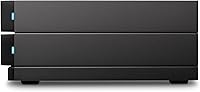
  • Enclosure Type: It is a two-bay desktop RAID enclosure designed to sit on a desk rather than travel in a bag.
  • Drive Series: Both drives are IronWolf Pro enterprise-class hard disks built for continuous operation.
  • Rotational Speed: Each drive spins at 7200 RPM for consistent read and write performance.
  • Interface: Data transfers run through a single USB-C port on the back of the unit.
  • RAID Modes: A built-in wizard supports configuring the drives in RAID 0 for speed or RAID 1 for mirrored redundancy.
  • Drive Bays: The two drive bays are hot-swappable, so a drive can be removed and replaced without sending in the whole unit.
  • Disk Form Factor: Internally it uses standard 3.5-inch mechanical hard disks rather than smaller laptop-style drives.
  • Warranty: LaCie covers the unit with a five-year limited warranty from the date of purchase.
  • Data Recovery: Rescue Data Recovery Services are included as part of the overall warranty coverage.
  • Software Bundle: A one-month trial of the Adobe Creative Cloud All Apps plan is included with purchase.
  • OS Support: The drive works with both Mac and Windows PC systems.
  • Weight: The unit weighs 6.17 pounds, reflecting its dual mechanical hard disk drives.
  • Dimensions: Overall dimensions measure 8.54 by 4.65 by 3.67 inches.

Related Reviews

LaCie 2big RAID 8TB External Hard Drive
86%
92%
Performance
88%
Reliability
90%
Build Quality
85%
Ease of Use
91%
Data Transfer Speed
More
LaCie Rugged RAID Shuttle 8TB Hard Drive
74%
91%
Build Quality
88%
Data Redundancy
52%
Thermal Management
61%
Value for Money
67%
Ease of Setup
More
WD My Book Duo 36TB Desktop RAID Drive
73%
88%
Storage Capacity Value
83%
Setup & Ease of Use
72%
RAID Functionality
67%
Transfer Performance
76%
Build Quality
More
LaCie d2 Professional 10TB External Hard Drive
81%
88%
Build Quality
78%
Reliability & Longevity
74%
Transfer Speed
69%
Value for Money
86%
Noise & Vibration
More
LaCie d2 Professional 4TB External Hard Drive
80%
93%
Build Quality
84%
Transfer Speed
88%
Reliability & Longevity
81%
Noise & Vibration
72%
Thermal Management
More
LaCie Rugged 2TB Portable Hard Drive
75%
93%
Build Quality
91%
Portability
58%
Transfer Speed
87%
Storage Capacity
76%
Value for Money
More
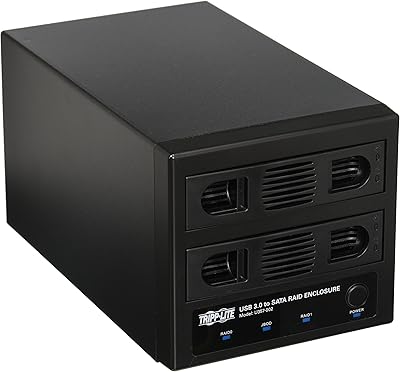
Tripp Lite U357-002 USB 3.0 Dual Bay External SATA Hard Drive RAID Enclosure
84%
88%
Performance & Speed
91%
Ease of Setup
84%
Cooling Efficiency
89%
RAID Functionality
83%
Build Quality
More
Seagate Game Drive for PlayStation 2TB
79%
94%
Ease of Setup
91%
Storage Capacity
93%
PS4 Compatibility
72%
PS5 Compatibility
74%
Transfer Speed
More
SanDisk Professional G-Drive 6TB
67%
84%
Build Quality
51%
Drive Reliability
76%
Transfer Speed
89%
Mac Compatibility
53%
Value for Money
More
SanDisk Professional G-Drive 22TB External Desktop Hard Drive
84%
89%
Performance
91%
Build Quality
96%
Capacity
72%
Ease of Setup
65%
Noise Level
More

FAQ

The LaCie 2big RAID 36TB External Hard Drive ships with two drives that combine for 36TB total, but how much you can actually use depends on which RAID mode you choose. If you set it up in RAID 0, you get close to the full 36TB but no redundancy. If you choose RAID 1 instead, the drives mirror each other, so your usable capacity drops to roughly half in exchange for built-in backup protection.
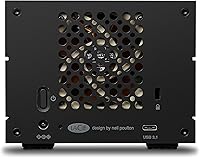
RAID 0 combines both drives to maximize speed and total capacity, but if one drive fails, you lose everything on both. RAID 1 mirrors your data across both drives, so if one fails, your files are still safe on the other. For most people storing important client work or personal archives, RAID 1 is the safer choice, even though it sacrifices some capacity.

Yes, this dual-bay storage system works with both Mac and PC systems out of the box. You may need to reformat the drive depending on which file system you plan to use most, especially if you're switching between the two platforms.

You can swap drives yourself, since the bays are hot-swappable by design. That means you can pull a failing drive and replace it without shipping the entire enclosure back to LaCie. Just make sure you're using compatible enterprise-class drives if you ever upgrade or replace one.

It's running two full-size 7200 RPM mechanical hard drives instead of a quiet solid-state drive, so some fan and drive noise is normal, especially under heavy workloads. Several owners have mentioned this, and it's worth factoring in if you plan to keep it in a quiet room.

No special software is required. This RAID enclosure includes a built-in setup wizard that walks you through choosing RAID 0 or RAID 1 step by step, so you don't need prior RAID experience to get it running.

You're covered by LaCie's five-year limited warranty, and the included Rescue Data Recovery Services are there specifically to help retrieve data if something goes wrong. It's one of the more reassuring parts of the package for anyone nervous about hardware failure.

Not really, it's just a one-month trial, so think of it as a small bonus rather than a real selling point. The drive's storage, RAID protection, and warranty are the parts that matter most for the purchase decision.

Not particularly. It's built as a stationary desktop unit, so it's bulkier and less convenient than a small portable drive. If you need something to carry between locations regularly, a lighter single-bay external drive would serve you better.

Based on owner feedback, longevity seems to vary somewhat from unit to unit, which is fairly normal for mechanical hard drives. Using RAID 1 for mirrored backup and keeping an eye on drive health over time will help protect you against the eventual failure that any mechanical drive will face.