
Overview

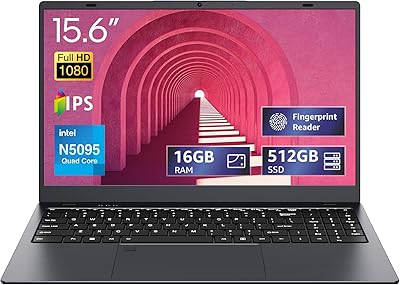
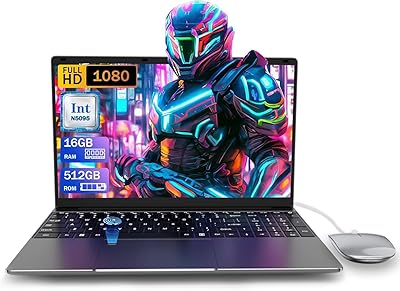
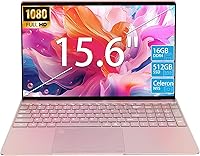
The KurieTim T152A-N95 16GB 512GB 15.6″ Laptop is an intriguing entry from a brand most buyers won't recognize, aimed squarely at students and everyday users who need a capable machine without stretching their budget. Under the hood, you get an Intel N95 processor paired with 16GB of DDR4 RAM and a 512GB PCIe SSD — specs that honestly punch above what this price range typically delivers. What stands out most is the pre-loaded Windows 11 Pro; that's not a given at this tier and adds real value for anyone needing professional OS features. At 2.86 lbs, it travels light. Just keep in mind that this brand only launched on Amazon in late 2024, so long-term reliability is still unproven.

Features & Benefits

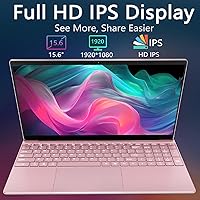
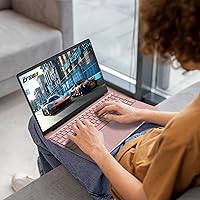
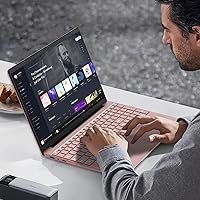
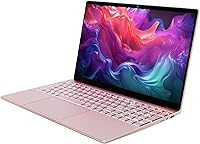
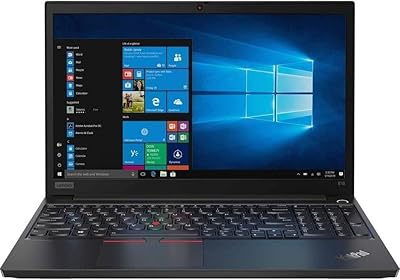
The 15.6-inch IPS panel on this budget laptop delivers a crisp FHD image with respectably thin bezels, and the 180-degree hinge lets you lay it flat for sharing or collaborative work — a small but genuinely useful touch. The backlit keyboard is comfortable for extended typing, and the fingerprint reader makes login quick; both are features you don't always see at this price point. Connectivity is well-rounded: dual-band Wi-Fi 5, Bluetooth 5.0, two USB 3.0 ports, a MicroSD slot expandable to 2TB, and a Mini HDMI output capable of driving up to three external displays. The battery clocks in at 8000mAh, but expect around 3–4 hours of realistic screen time rather than the stated five.

Best For

This 15.6-inch Windows laptop makes the most sense for students juggling coursework, light research, and video calls on a tight budget. Remote workers who spend their days in email, documents, and browser tabs will find the N95 and 16GB of RAM more than adequate for the job. It's also a solid pick for anyone who needs Windows 11 Pro features but isn't willing to pay the premium that comes with mainstream brands. If you want a lightweight travel companion or a dependable backup machine, this KurieTim machine fits that role well too. Heavy creative work, gaming, or anything requiring sustained processing power, though, are firmly outside what it can handle.

User Feedback

Buyers generally speak well of the screen brightness and clarity relative to the asking price, calling it surprisingly capable for everyday use. That's where the consensus starts to diverge, though. The 0.3MP webcam draws consistent criticism — it's below par even by budget standards, and if video calls are a regular part of your day, that's a real limitation worth noting. Battery life is another sticking point; real-world use tends to land closer to three hours than the advertised five. Build quality reactions are split — the plastic frame is serviceable, but it doesn't feel particularly solid. And as a brand with almost no track record, concerns about after-sales support and warranty coverage appear frequently in buyer feedback.

Pros

  • 16GB of DDR4 RAM is unusually generous at this price tier, keeping multitasking genuinely smooth.
  • The 512GB PCIe SSD delivers fast boot times and responsive app launches throughout the day.
  • Windows 11 Pro comes pre-installed, a meaningful edge over rivals that ship with Home edition.
  • The FHD IPS display offers clear, vivid visuals that genuinely exceed expectations for the category.
  • At 2.86 lbs and under an inch thick, this budget laptop is easy to carry anywhere.
  • Backlit keyboard and fingerprint reader are convenient everyday touches rarely found at this price.
  • The MicroSD slot supports up to 2TB of expansion storage, giving flexible and affordable room to grow.
  • The 180-degree lay-flat hinge is a practical feature for collaborative viewing or sharing the screen.
  • Dual-band Wi-Fi 5 and Bluetooth 5.0 provide solid, modern wireless connectivity out of the box.

Cons

  • The 0.3MP webcam produces visibly poor image quality, a real problem for anyone on frequent video calls.
  • Real-world battery life consistently falls short of the advertised five-hour figure by a notable margin.
  • KurieTim is a brand-new label with almost no public track record or long-term reliability data.
  • After-sales support and warranty handling are difficult to assess given the brand’s very short history.
  • The plastic chassis gets the job done but feels uninspiring, and long-term durability remains an open question.
  • Only a Mini HDMI port is included; a full-size port would be far more practical for most users.
  • There is no USB-C port, which limits compatibility with modern docks, accessories, and charging solutions.
  • The integrated graphics ceiling rules out any GPU-dependent software, including light creative tools and casual gaming.

Ratings

Our AI-generated scores for the KurieTim T152A-N95 16GB 512GB 15.6″ Laptop are derived from analyzing verified global buyer reviews, with spam, bot activity, and incentivized feedback actively filtered out to ensure the ratings reflect genuine ownership experiences. Each category score is calibrated to surface both the strengths that make this budget laptop compelling and the real pain points that affect everyday satisfaction. Nothing is glossed over here — the numbers reflect exactly what real users praise and what frustrates them.

Value for Money
83%
Buyers consistently note that the spec sheet — 16GB RAM, a PCIe SSD, and Windows 11 Pro — is difficult to match at this price from established brands. For students or light remote workers on a tight budget, the hardware-to-cost ratio feels genuinely honest rather than artificially inflated.
A handful of users feel the value equation weakens when factoring in the cost of a decent USB webcam and potential out-of-pocket warranty expenses given the brand’s limited support infrastructure. The lack of USB-C also means some buyers need to add a hub or adapter at extra cost.
Processing Performance
71%
29%
For the everyday tasks this machine is built around — browser sessions with a dozen tabs open, spreadsheets, cloud apps, and video streaming — the N95 and 16GB of RAM keep things moving without the sluggishness that plagues lower-RAM budget rivals. Boot times are genuinely fast thanks to the PCIe SSD.
Users who stray outside light productivity quickly hit a ceiling: video editing, larger compilation tasks, or running multiple demanding applications simultaneously causes noticeable slowdowns. This is not a machine for creative professionals, and buyers who misread the word “gaming” in the title tend to leave disappointed.
Display Quality
79%
21%
The IPS panel earns consistent praise for its brightness, color accuracy, and wide viewing angles, which feel noticeably better than the TN or low-quality IPS screens found on competing budget laptops. Students watching lectures or working from a library report that the screen holds up well even in varying ambient light conditions.
While competitive at this tier, color-critical creative work reveals the panel’s limitations in coverage and calibration accuracy. Some users also note moderate reflectivity under direct overhead lighting, which can require repositioning in brighter environments.
Battery Life
51%
49%
The 8000mAh cell is physically large for a machine in this category, and under light loads like note-taking or offline document work with brightness turned down, users can stretch it to a reasonable half-day of use. The charger is compact and travels easily.
Real-world runtime with Wi-Fi active and screen brightness at a comfortable level consistently falls in the 3 to 3.5 hour range, well short of the advertised 5 hours. For students with back-to-back classes, this KurieTim machine will likely need a mid-day charge, which undermines its portability appeal on longer days.
Build Quality
57%
43%
The chassis is slim and lightweight, and for casual daily carry it holds up fine. Users who treat it carefully in a padded laptop sleeve or backpack generally report no structural issues after several months of normal use.
The all-plastic construction draws frequent criticism for feeling hollow and flex-prone, particularly around the keyboard deck and lid. Buyers coming from even a mid-range Lenovo or HP report the difference in rigidity immediately, and long-term durability under heavier daily handling remains an open question given the limited ownership history.
Webcam Quality
29%
71%
It technically functions for quick, low-stakes check-ins where image quality is not a priority, and it works immediately without any driver setup. For asynchronous tasks like a brief snapshot or a rare one-on-one call, it covers the bare minimum.
The 0.3MP sensor is genuinely poor by any current standard — worse than smartphones from nearly a decade ago. Users attending regular online lectures, conducting job interviews, or presenting in professional video meetings consistently report that colleagues notice the grainy, low-detail output. A USB webcam is effectively a required accessory for anyone with frequent video call needs.
Keyboard & Touchpad
76%
24%
The backlit keyboard receives solid praise for key travel, spacing, and overall typing comfort during extended writing sessions. Students drafting essays or professionals working through long documents report that it compares favorably to keyboards on more expensive machines in the same size category.
The touchpad, while described as glass-like, draws some criticism for inconsistent palm rejection and occasional jitteriness during multi-finger gestures. A few users noted the keyboard backlighting brightness levels are limited compared to premium rivals.
Portability
84%
At 2.86 lbs and just over half an inch thick, this 15.6-inch Windows laptop sits at a genuinely competitive weight for its screen size. Commuters and students carrying it between classes in a backpack alongside textbooks report barely noticing the added bulk throughout the day.
While the weight is impressive, the battery limitations mean the charger usually tags along on longer outings, partially offsetting the portability advantage. There is also no Kensington lock slot, which some users flag as a minor security concern in shared workspaces.
Connectivity & Ports
68%
32%
The combination of two USB 3.0 ports, a MicroSD slot, Mini HDMI output, and a 3.5mm audio jack covers the basics well. The MicroSD’s 2TB capacity ceiling is a genuinely useful long-term storage expansion path, and the dual-band Wi-Fi 5 connection is stable under normal home and office conditions.
The complete absence of USB-C is increasingly hard to overlook in 2025, especially for users who have standardized on USB-C accessories, external storage, or power banks. The Mini HDMI port, rather than full-size HDMI, also requires an adapter cable that most buyers do not already own.
Operating System & Software
86%
Shipping with Windows 11 Pro rather than Home is a meaningful differentiator at this price tier. Users who need BitLocker encryption for sensitive files, Remote Desktop access for work infrastructure, or advanced domain-joining capabilities get all of that without paying a separate OS upgrade fee.
Like most Windows 11 machines, the initial setup involves clearing out pre-installed trial apps and adjusting privacy settings, which some less technical users find annoying. There are also occasional reports of the OS feeling slightly resource-constrained during major updates running in the background.
Wireless Performance
77%
23%
Dual-band Wi-Fi 5 and Bluetooth 5.0 deliver reliable everyday connectivity. Users report strong and stable connections to home routers, with the 5GHz band holding well during video calls, large file uploads, and streaming without noticeable dropout.
Wi-Fi 6 is absent, which is a minor but real gap as router hardware upgrades continue. A small number of users in congested wireless environments reported occasional signal instability, though this appears more situational than systemic.
Thermal Management
64%
36%
For light workloads like document editing, video streaming, or routine browsing, the built-in cooling fan keeps temperatures comfortable and largely inaudible. The slim chassis does a reasonable job of dissipating heat under normal conditions.
Under sustained loads — long video calls, background updates running alongside active use, or extended browser-heavy sessions — the fan audibly ramps up and the underside of the chassis becomes noticeably warm. Prolonged use on a lap during heavier tasks can feel uncomfortable.
Brand Trust & Support
41%
59%
The hardware specifications themselves are honest and verifiable, and early buyers report the product generally arrived as described with no obvious quality control failures out of the box. Some buyers appreciated the included universal charger as a small but welcome touch.
KurieTim has almost no public track record, no established customer support reputation, and limited post-purchase documentation. Buyers with warranty claims are effectively navigating unknown territory, and the absence of user communities, forums, or long-term ownership testimonials makes it difficult to assess what support actually looks like in practice.

Suitable for:

The KurieTim T152A-N95 16GB 512GB 15.6″ Laptop is a genuinely practical choice for students who need a responsive daily driver for coursework, research, and light multitasking without a steep investment. The combination of 16GB RAM and a PCIe SSD means browser-heavy sessions, cloud-based apps, and document editing all feel snappy rather than sluggish — a real advantage over similarly priced machines running slower storage. Remote workers whose day stays within email, spreadsheets, and the occasional video call will find the performance ceiling comfortably above their needs. Buyers who specifically require Windows 11 Pro — for BitLocker, remote desktop access, or professional IT environments — get genuine value here, since most competing budget models ship with Home edition. This KurieTim machine also makes a compelling secondary laptop or travel backup, where its 2.86 lb weight and slim profile carry real practical appeal.

Not suitable for:

Despite the word “gaming” appearing in the product title, the KurieTim T152A-N95 16GB 512GB 15.6″ Laptop is not equipped for any meaningful gaming or GPU-intensive workload — the integrated Intel UHD graphics simply aren’t built for it, and buyers expecting otherwise will be disappointed. Video and photo editors, 3D modelers, or anyone running demanding creative software should look elsewhere. This 15.6-inch Windows laptop is also a tough sell for people who rely heavily on video calls; the 0.3MP webcam is genuinely poor quality, even by modest standards, and a USB webcam would be an added expense to budget for. Battery-sensitive users who need all-day unplugged performance should be cautious, as real-world runtime tends to land well under the rated five hours. Finally, shoppers who prioritize brand reliability, established warranty support, or a proven service network may reasonably hesitate given how new KurieTim is to the market.

Specifications

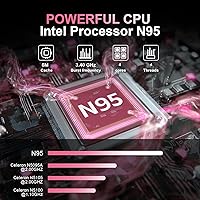
  • Processor: Powered by an Intel N95 chip with 4 cores and 4 threads, scaling between 1.7GHz and a 3.4GHz boost clock for everyday multitasking workloads.
  • RAM: Fitted with 16GB of DDR4 SDRAM, providing comfortable headroom for browser-heavy sessions, cloud-based applications, and light multitasking.
  • Storage: Equipped with a 512GB PCIe SSD that delivers meaningfully faster read and write speeds compared to the eMMC or SATA drives common at this price tier.
  • Display: Features a 15.6″ IPS panel with a full HD 1920×1080 resolution, offering wide viewing angles and consistent color rendering across the screen.
  • Graphics: Uses integrated Intel UHD graphics with 16 execution units running at up to 1.20GHz, adequate for video playback, light photo work, and standard productivity software.
  • Battery: Houses an 8000mAh (61.6Wh) lithium-ion battery with a manufacturer-rated runtime of approximately 5 hours under typical usage conditions.
  • Operating System: Ships with Windows 11 Pro pre-installed, which includes BitLocker drive encryption, Remote Desktop, and enhanced group policy management not available in the Home edition.
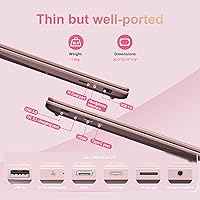
  • Weight: Weighs 2.86 lbs, placing it on the lighter end of the 15.6″ laptop category and making it practical to carry in a backpack or travel bag.
  • Dimensions: Measures 12.64 × 8.19 × 0.55 inches, resulting in a slim and compact footprint that fits comfortably in standard laptop sleeves and bags.
  • Webcam: Equipped with a 0.3MP (300K pixel) front-facing camera that produces basic image quality, suitable only for occasional or low-demand video calls.
  • Wireless: Supports dual-band Wi-Fi 5 (802.11ac/n/g) and Bluetooth 5.0 for stable wireless networking and reliable peripheral pairing.
  • Ports: Includes two USB 3.0 ports, one Mini HDMI output, one MicroSD card slot supporting cards up to 2TB, and a 3.5mm combo audio jack.
  • Keyboard: Full-size keyboard with adjustable backlighting that enables comfortable typing in dim environments such as libraries, dorm rooms, or evening workspaces.
  • Security: Integrates a built-in fingerprint reader compatible with Windows Hello, allowing fast and password-free login directly from the lock screen.
  • Hinge: A 180-degree lay-flat hinge lets the display open completely horizontal, useful for collaborative viewing or presenting content across a shared surface.
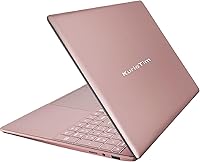
  • Build and Color: Constructed from plastic in a Rose Gold finish, prioritizing light weight and visual appeal over the premium rigidity found in aluminum-chassis competitors.

Related Reviews

HP 2020 15 15.6″ HD Touchscreen Laptop, Intel Core i5-1035G1, 16GB RAM, 512GB SSD
82%
89%
Performance
75%
Display Quality
90%
Portability
80%
Battery Life
85%
Build Quality
More
UOWAMOU BTC501 15.6″ Laptop 512GB
71%
88%
Value for Money
67%
Performance & Speed
79%
Display Quality
91%
RAM & Storage
58%
Wi-Fi & Connectivity
More
SAINTDISE ANL5-N5095 15.6-inch Laptop
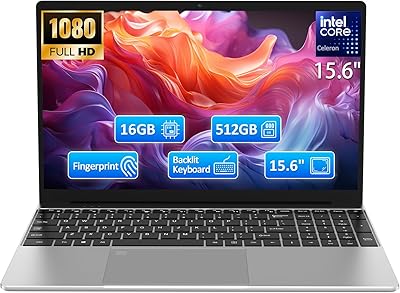
62%
78%
Value for Money
54%
Performance
73%
Display Quality
41%
Battery Life
83%
Portability
More
Molegar T152A 15.6″ Laptop
71%
88%
Value for Money
67%
Everyday Performance
74%
Display Quality
54%
Battery Life
81%
Keyboard & Typing Experience
More
Acer Aspire 3 A315-24PT-R0UX 15.6″ Laptop 16GB 512GB SSD
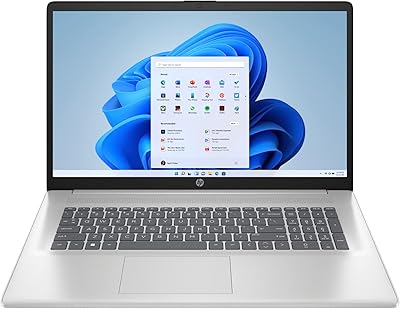
86%
91%
Performance
87%
Battery Life
88%
Display Quality
93%
Portability
82%
Build Quality
More
HP Pavilion 15.6″ Laptop, AMD Ryzen 5 5500U, 16GB RAM, 512GB SSD
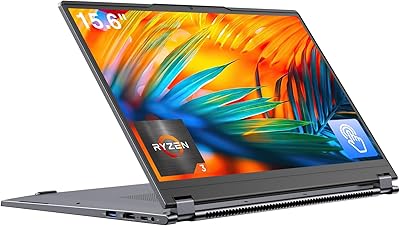
83%
87%
Overall Performance
91%
Display Quality
89%
Multitasking Efficiency
78%
Battery Life
85%
Build Quality
More
BiTECOOL NikoBook 15.6″ Laptop
67%
78%
Value for Money
74%
Display Quality
47%
Processing Performance
83%
RAM & Multitasking
81%
Storage & Speed
More
EYY Yoga 3200U 15.6″ 2-in-1 Laptop (16GB/512GB)
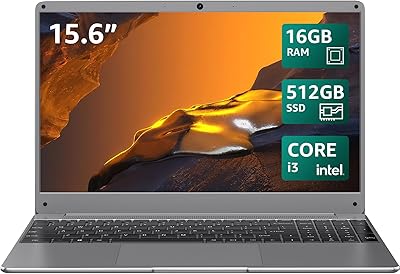
64%
78%
Value for Money
62%
Performance
83%
RAM & Multitasking
74%
Storage Speed
71%
Display Quality
More
HP 15.6″ Touchscreen Core i3 16GB Laptop
75%
81%
Everyday Performance
58%
Display Quality
83%
Touchscreen Responsiveness
86%
RAM & Storage
54%
Battery Life
More
Lenovo IdeaPad 3 Laptop, 15.6″, Intel Core i3-1115G4, 16GB RAM, 512GB SSD
83%
84%
Performance
91%
Value for Money
85%
Display Quality
76%
Battery Life
80%
Build Quality
More

FAQ

Not in any meaningful sense. The Intel N95 and its integrated UHD graphics are built for productivity and everyday computing, not gaming. Very old or extremely lightweight titles might technically run, but anything requiring a dedicated GPU or modern rendering pipeline will either struggle badly or refuse to launch. The word 'gaming' in the product title is a marketing label, not an accurate hardware description.

The spec sheet quotes around 5 hours, but real-world use tells a different story. With Wi-Fi active, screen brightness set to a comfortable level, and a handful of browser tabs or apps open, most users land closer to 3 to 4 hours. It handles a morning of class or a focused half-day work session, but you will want the charger handy for anything longer.

This is not confirmed in available product documentation. Budget laptops at this tier frequently use soldered RAM, which cannot be replaced or expanded. The SSD may be swappable, but it is safest to treat the 16GB RAM as a fixed ceiling for the life of the device. If you eventually need more storage, the MicroSD slot supports cards up to 2TB as an affordable workaround.

No separate Office license is included. The machine ships with Windows 11 Pro and the standard apps bundled with it, along with browser-based access to a limited Microsoft 365 experience. For full Office functionality you would need a Microsoft 365 subscription or a standalone license. Free alternatives like LibreOffice or Google Docs run without any issues on this hardware.

It is notably poor, even measured against other budget laptops. The footage comes out grainy and low in detail, noticeably worse than a mid-range smartphone camera from several years ago. For a quick occasional check-in it just about passes, but anyone attending regular online classes or work video calls would benefit from a plug-in USB webcam to avoid looking like a pixelated thumbnail on everyone else's screen.

Yes, using the Mini HDMI port. The laptop technically supports up to three external displays, though you will need a Mini HDMI to standard HDMI cable or adapter since a regular full-size HDMI cable will not fit directly. There is no USB-C or DisplayPort output, so that Mini HDMI connection is your only option for external display output.

No, there is no USB-C port of any kind on this machine. Power delivery uses a DC 3.5mm barrel connector, and the two data ports are standard USB 3.0. This is a meaningful limitation if you use USB-C docks, modern peripherals, or were hoping to top up the battery with a USB-C power bank while on the go.

It is a reasonable concern and worth factoring into your decision. The KurieTim T152A-N95 16GB 512GB 15.6″ Laptop only appeared on Amazon in late 2024, so there is very limited long-term reliability data and no established brand history to lean on. The specifications themselves are legitimate and competitive, but the unknown factor is after-sales support — how promptly and professionally warranty claims are handled is something the market is still discovering. If brand reliability and peace of mind rank highly for you, a budget model from a more established manufacturer may be the safer pick.

It matters more than most buyers initially realize. Windows 11 Pro adds BitLocker disk encryption, Remote Desktop access, and advanced group policy controls that the Home edition simply does not include. For everyday student or personal use the practical difference is small, but for anyone connecting to a corporate or institutional network, managing sensitive files, or working in an IT-controlled environment, Pro is the right version to have. Getting it pre-installed without an additional license fee is a genuine value-add at this price tier.

For most students it covers the essentials well. Writing papers, researching online, streaming recorded lectures, joining video calls, and working in cloud-based apps all run without complaint. The 16GB of RAM means you can have multiple tabs and applications open without things grinding to a halt. The two areas to plan around are battery life, which may not last a full day of classes without access to an outlet, and the webcam, which is below par if online attendance or presentations are a regular part of your schedule.