Overview

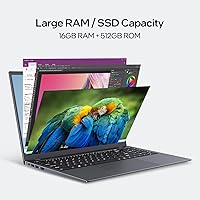
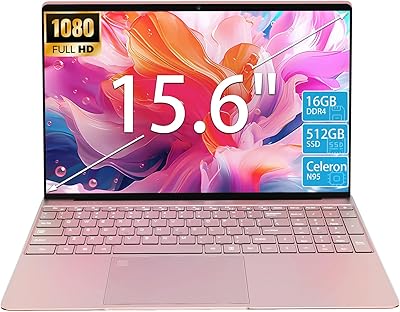
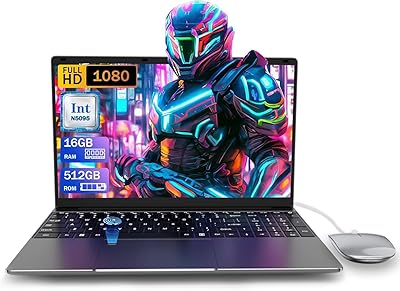
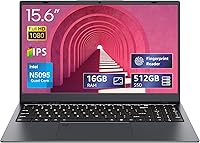
The UOWAMOU BTC501 15.6″ Laptop 512GB enters a crowded budget market with a few genuine surprises up its sleeve. Powered by an Intel Celeron N5095 quad-core processor, it handles everyday tasks — browsing, email, video calls — without breaking a sweat, though anyone expecting it to muscle through video editing or heavy multitasking will be disappointed. What truly stands out is the 16GB of LPDDR4 RAM, which is rare territory at this price. Storage is a solid 512GB SSD, so boot times are snappy and file access feels responsive. At 4.73 lbs, it's portable enough for a bag but not featherweight. One notable omission: no Ethernet port, so wired-network users should factor that in before buying.
Features & Benefits

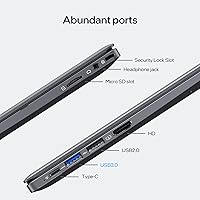
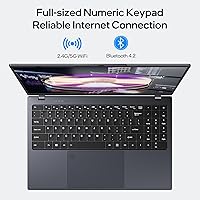
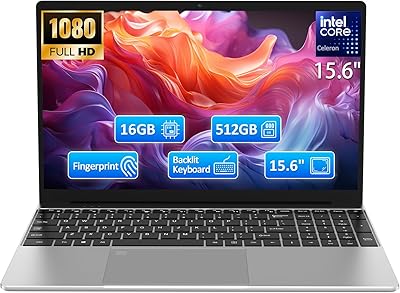
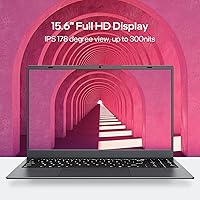
The 15.6-inch Full HD IPS display is one of this budget laptop's stronger selling points — colors hold up reasonably well and viewing angles don't collapse the moment you tilt the screen. Dual-band Wi-Fi covering both 2.4 and 5GHz is a genuine upgrade over the single-band radios on cheaper machines, though the brand itself flags occasional connection issues and recommends contacting support if problems arise — worth knowing upfront. The backlit keyboard activates via FN+Space and makes low-light typing comfortable. Perhaps most surprising is the built-in fingerprint reader, a security feature rarely seen at this price tier. The port lineup covers the essentials: USB 3.0, USB 2.0, HDMI, headphone jack, and a Micro SD slot.

Best For

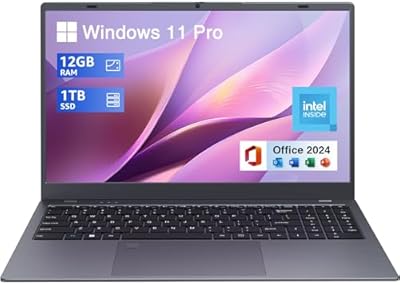
This UOWAMOU machine is a strong fit for anyone who needs a capable, no-fuss laptop without a serious financial commitment. Students handling essays, video lectures, or cloud-based coursework will find it more than adequate. It suits remote workers who prioritize something light to carry over raw processing power. Seniors or first-time laptop owners will appreciate the straightforward Windows 11 Pro experience and the absence of the bloatware that plagues many entry-level devices. It also works well as a secondary household laptop — the kind that lives on the kitchen counter for quick browsing or light spreadsheets. Just don't expect it to run demanding creative software or handle anything processor-intensive.

User Feedback

Overall buyer sentiment lands at a respectable 4.2 out of 5, and the pattern across reviews is fairly consistent. Most owners are pleasantly surprised by the value — particularly the display quality and the generous RAM for the price. The backlit keyboard and fingerprint reader get called out repeatedly as unexpected extras. On the flip side, a number of buyers report Wi-Fi stability issues, which tracks with the brand's own acknowledgment buried in the product listing — keep that in mind if your home network is already temperamental. Build quality draws mixed reactions; the chassis feels adequately solid to most, but nobody is mistaking it for a premium device. Battery life remains genuinely unclear — real-world reports vary widely and the listing offers little concrete guidance.

Pros

  • 16GB of RAM at this price tier is genuinely rare and makes everyday multitasking noticeably smoother than competing budget laptops.
  • The 512GB SSD means fast boot times and snappy file access right out of the box.
  • A Full HD IPS display with decent viewing angles is a meaningful upgrade over the washed-out panels on many budget rivals.
  • Windows 11 Pro is included legitimately — not a stripped Home edition or an activation-pending install.
  • The built-in fingerprint reader is an unexpected and practical security bonus at this price point.
  • Dual-band Wi-Fi covering both 2.4 and 5GHz offers better connectivity flexibility than single-band budget alternatives.
  • The backlit keyboard makes low-light typing comfortable and is a feature many pricier budget laptops still skip.
  • Type-C charging is a modern convenience that reduces cable dependency for buyers already in the USB-C ecosystem.
  • At 4.73 lbs with a standard form factor, the BTC501 travels reasonably well for daily commutes and campus use.
  • The overall hardware-to-cost ratio impresses most buyers who do their homework before purchasing.

Cons

  • Wi-Fi instability is a documented recurring issue — the brand itself quietly acknowledges it in the product listing.
  • The Celeron N5095 processor will noticeably struggle once workloads move beyond basic everyday tasks.
  • No Ethernet port means wired network fallback is not an option when Wi-Fi acts up.
  • Battery life endurance is unpredictable and poorly documented — real-world results vary far too widely to rely on.
  • Only two USB ports total means peripheral users will likely need a hub for any practical desk setup.
  • The plastic chassis flexes under moderate pressure and does not inspire confidence for long-term heavy daily use.
  • UOWAMOU is a relatively unknown brand with limited third-party repair support and an unclear warranty track record.
  • The webcam and integrated speakers perform below average even by budget laptop standards.
  • System updates can temporarily slow the machine to a noticeable crawl given the hardware constraints.
  • Screen glare in bright environments is a genuine usability issue that the display brightness cannot fully overcome.

Ratings

The UOWAMOU BTC501 15.6″ Laptop 512GB scores below are generated by AI after analyzing verified buyer reviews from multiple global markets, with spam, bot-generated, and incentivized feedback actively filtered out. This budget laptop punches above its weight in some areas while showing predictable limitations in others — and the scores reflect both honestly. Whether you are considering it as a student workhorse or a light home machine, the breakdown below gives you a clear-eyed picture of what real owners actually experience day to day.
Value for Money
88%
Most buyers walk away feeling they got considerably more than they paid for, particularly when they notice the 16GB RAM and SSD combo sitting at a price point where most rivals ship with 8GB and slower storage. For students and budget-conscious remote workers, that hardware-to-cost ratio is a genuine win.
A few buyers who compared it closely against refurbished mid-range laptops felt the overall build and performance did not quite justify choosing new over used. The value equation is strong but not unbeatable once you factor in the brand's limited reputation and after-sales support track record.
Performance & Speed
67%
33%
For the tasks this machine is actually designed for — web browsing, video calls, cloud-based documents, and light spreadsheets — the N5095 processor keeps things moving without noticeable lag. Paired with 16GB of RAM, it handles a reasonable number of browser tabs open simultaneously better than many similarly priced machines.
Push it toward anything processor-intensive — large Excel files, software compilation, even some older games — and it starts to struggle noticeably. The Celeron N5095 has real architectural limitations, and buyers who did not research the chip beforehand sometimes report frustration when the machine slows under modest workloads.
Display Quality
79%
21%
The 15.6-inch Full HD IPS panel earns consistent praise for its color reproduction and viewing angles, especially from buyers coming from older TN-panel budget laptops. Watching videos, attending online classes, or working on documents for extended periods feels comfortable without the eye strain some cheap displays cause.
In brighter environments, screen glare becomes a real issue and the peak brightness is not high enough to fully compensate. A handful of reviewers also noted the panel looks slightly washed out compared to more premium IPS displays, which matters if you are doing any photo work.
RAM & Storage
91%
Sixteen gigabytes of LPDDR4 RAM is genuinely unusual territory for a laptop at this price, and buyers notice it immediately — multitasking feels more fluid than expected and the machine rarely hits memory pressure during everyday use. The 512GB SSD makes boot times fast and file transfers snappy compared to HDD-based competitors.
The storage is not expandable in any obvious way, and buyers who work with large media libraries or offline video collections may find 512GB fills up faster than anticipated. There is no indication of the SSD's exact read/write speeds, so sustained transfer performance remains somewhat unclear from user reports.
Wi-Fi & Connectivity
58%
42%
Dual-band support covering both 2.4 and 5GHz bands is a genuine step up from single-band budget alternatives, and many users in well-configured home networks report stable, reliable connections. The presence of Bluetooth 4.2 also covers wireless peripherals without issue for most buyers.
Wi-Fi instability is the single most recurring complaint across reviews, and notably the brand itself acknowledges connectivity issues directly in the product listing — a rare and telling admission. Several buyers report dropped connections or difficulty maintaining a stable 5GHz signal, which is a meaningful concern for anyone who depends on reliable wireless for work or streaming.
Build Quality & Design
63%
37%
The chassis holds together reasonably well for daily carry and light desk use, and most buyers describe it as sturdy enough for its intended role as a student or home laptop. The gray finish looks clean and understated without drawing attention.
The plastic construction flexes noticeably when you grip the lid or apply pressure to the keyboard deck, which is a common budget laptop trade-off but still disappoints buyers who handle the machine expecting more rigidity. Some reviewers mention the hinge feels slightly loose after a few months of regular use.
Keyboard & Typing Experience
74%
26%
The backlit keyboard is one of the more appreciated surprises for buyers discovering it post-purchase, particularly students who work late at night or in dimly lit spaces. Key travel is adequate for everyday typing, and the layout covers all standard keys without awkward compressions.
The FN+Space toggle for the backlight is not immediately obvious and catches some users off guard at first. Key feedback is on the softer side, which feels fine for casual typing but may frustrate anyone who prefers a more tactile response during longer writing sessions.
Battery Life
54%
46%
Under genuinely light use — a document open, occasional browsing, screen brightness kept modest — some buyers report getting through a decent chunk of a workday on a single charge. For casual home users who stay near an outlet most of the time, this is tolerable.
Battery life is where the vagueness in the product listing becomes a real problem — the brand avoids any specific hour claim, and real-world reports vary wildly, ranging from four hours to over seven depending on usage. Anyone planning to use this away from power for extended stretches should treat battery endurance as an unknown variable and plan accordingly.
Portability
72%
28%
At 4.73 lbs with a standard 15.6-inch footprint, this budget laptop is manageable for daily commutes between home and a classroom or coffee shop. It fits into most standard laptop backpacks without drama and does not feel burdensome during short carries.
It is not ultrabook-class portability — buyers used to thin-and-light machines in the 3-pound range will notice the difference immediately. The 2.3-inch thickness also makes it feel noticeably chunkier than modern slim laptops, which matters if bag space or weight is a genuine concern.
Security Features
82%
18%
A working fingerprint reader at this price point is genuinely uncommon, and buyers who discover it are consistently impressed. It handles Windows Hello login reliably for most users and removes the friction of typing a password every time the machine wakes from sleep.
The fingerprint reader occasionally requires a re-registration of prints after system updates, which a small number of buyers find mildly irritating. There are no other notable hardware security features beyond what Windows 11 Pro provides through software.
Port Selection
61%
39%
The essentials are covered — a USB 3.0 port for faster transfers, a standard HDMI output for external displays, a headphone jack, and a Micro SD slot for card readers and camera users. The Type-C charging port adds a modern touch and reduces cable clutter for buyers who already own USB-C chargers.
The absence of an RJ45 Ethernet port is the most frustrating gap in the lineup, particularly for buyers in environments with unreliable Wi-Fi who would otherwise plug in directly. With only two USB ports total, anyone using a mouse, USB drive, and external device simultaneously will need a hub.
Display Size & Ergonomics
76%
24%
The 15.6-inch screen real estate hits a practical sweet spot for productivity — spreadsheets, split-window work, and video streaming all feel comfortably spacious without the machine becoming desk-only awkward to move around. Text and interface elements at native 1080p are crisp and well-sized for most users.
The larger footprint means this is not the best choice for users who primarily want a lap-friendly or ultra-compact machine. The thick screen bezels, while functional, look noticeably dated compared to more modern budget laptops that have adopted slimmer border designs.
Software & OS Experience
78%
22%
Shipping with genuine Windows 11 Pro — rather than Home or an activation-pending version — is a meaningful plus that buyers with professional or school requirements appreciate. The out-of-box setup is reportedly clean with minimal pre-installed junk software cluttering the system.
Windows 11 Pro on an N5095 chip means the OS itself occasionally feels heavier than the hardware wants to carry, especially during system updates which can temporarily slow the machine to a crawl. A small number of buyers report driver issues shortly after setup that required manual troubleshooting.
Webcam & Audio
51%
49%
The built-in webcam covers the baseline need for video calls on platforms like Zoom or Google Meet, which is the primary use case for most buyers in this category. It gets the job done for casual meetings and online classes in decent lighting conditions.
Image quality drops noticeably in anything other than well-lit environments, and the integrated speakers are thin and tinny with very limited bass response. Buyers who plan to use this machine for regular video conferencing or media consumption without headphones will likely find both the audio and camera underwhelming fairly quickly.

Suitable for:

The UOWAMOU BTC501 15.6″ Laptop 512GB is a genuinely sensible pick for anyone whose computing needs revolve around the everyday essentials — browsing, email, video calls, cloud-based documents, and light streaming. Students working through coursework on Google Docs, Microsoft 365, or similar platforms will find it handles those workloads without complaint, and the 16GB of RAM means opening a reasonable number of tabs and apps simultaneously does not grind things to a halt. Remote workers on a tight budget who mostly live inside a browser or basic productivity software will get solid daily mileage from the BTC501 without feeling like they compromised too heavily. Seniors and first-time laptop buyers will appreciate the clean Windows 11 Pro experience and the lack of overwhelming setup complexity. It also makes a strong case as a secondary household machine — the kind that sits in the living room for quick browsing or gets packed into a bag for a library session — where it performs its role reliably without representing a painful financial commitment if it gets bumped or worn down over time.
Not suitable for:

Anyone who regularly pushes a laptop beyond basic tasks should look elsewhere before committing to this UOWAMOU machine. The Intel Celeron N5095 processor has real architectural ceilings — video editing, software development, running local AI tools, or even sustained multitasking across several demanding applications will expose those limits quickly and leave users frustrated. Creative professionals working with photo editing software, audio production, or any graphics-intensive application will find the integrated Intel UHD graphics and underpowered CPU a constant bottleneck. Buyers who depend on a stable, wired internet connection will hit an immediate wall since there is no Ethernet port on board, making it a poor fit for office environments or locations with unreliable Wi-Fi. The battery life situation is genuinely unclear based on available evidence — real-world endurance reports vary too widely to trust for anyone who needs predictable all-day unplugged performance. And if brand reputation, long-term build durability, or responsive manufacturer support matter to you, the relative obscurity of UOWAMOU as a brand is a legitimate concern worth weighing seriously.

Specifications

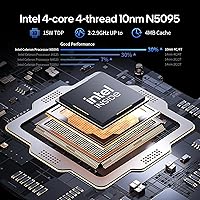
  • Processor: Intel Celeron N5095 quad-core CPU clocked at up to 2.9GHz burst, built on a 10nm architecture suited for light everyday computing tasks.
  • RAM: 16GB LPDDR4 system memory provides fluid multitasking performance well above the typical 8GB found in competing budget laptops at this price tier.
  • Storage: 512GB solid-state drive delivers faster boot times and file access speeds compared to traditional spinning hard drives common in entry-level machines.
  • Display: 15.6″ Full HD IPS panel with a native resolution of 1920x1080 pixels offers decent color accuracy and wider viewing angles than standard TN displays.
  • Operating System: Ships with a genuine licensed copy of Windows 11 Pro, which includes additional security and management features beyond the standard Home edition.
  • Graphics: Intel UHD integrated graphics handles everyday visual tasks, video playback, and light image viewing but is not designed for gaming or GPU-intensive workloads.
  • Wi-Fi: Dual-band 802.11ac wireless supports both 2.4GHz and 5GHz networks, offering improved speed and congestion management over single-band budget alternatives.
  • Bluetooth: Bluetooth 4.2 enables wireless connection to peripherals including headphones, mice, and keyboards without requiring additional USB dongles.
  • Ports: Connectivity includes one USB 3.0, one USB 2.0, a standard HDMI output, a 3.5mm headphone jack, and a Micro SD card reader slot.
  • Charging: Powers via a Type-C port at 12V/3A, allowing use of modern USB-C chargers; note that data transfer capability via this port is not officially confirmed.
  • Keyboard: Full-size backlit keyboard with illumination toggled through the FN+Space key combination, supporting low-light typing comfort.
  • Security: Built-in fingerprint reader supports Windows Hello biometric login, an uncommon feature for a laptop in this price category.
  • Webcam: Integrated front-facing camera supports standard video calling applications including Zoom, Google Meet, and Microsoft Teams under adequate lighting.
  • Battery: Built-in lithium polymer rechargeable battery is included; actual runtime varies significantly by usage and has not been officially specified in hours by the manufacturer.
  • Weight: Total unit weight is 4.73 lbs (approximately 2.15 kg), making it portable for daily transport without reaching ultrabook-class lightness.
  • Dimensions: Physical footprint measures 15.9 x 13.5 x 2.3 inches, reflecting a standard 15.6″ laptop chassis with a moderately thick profile.
  • Color: Available in a neutral gray finish that resists visible smudging and suits both personal and professional environments without drawing attention.
  • Memory Type: System RAM uses the LPDDR4 low-power specification, which balances performance with reduced energy consumption compared to standard DDR4 modules.

Related Reviews

HP 2020 15 15.6″ HD Touchscreen Laptop, Intel Core i5-1035G1, 16GB RAM, 512GB SSD
82%
89%
Performance
75%
Display Quality
90%
Portability
80%
Battery Life
85%
Build Quality
More
KurieTim N95 15.6″ Laptop, 16GB RAM, 512GB SSD
82%
85%
Performance
80%
Battery Life
92%
Value for Money
78%
Build Quality
87%
Display Quality
More
SAINTDISE ANL5-N5095 Laptop 15.6-inch, 16GB RAM, 512GB SSD
82%
89%
Value for Money
85%
Performance for Everyday Tasks
67%
Battery Life
91%
Display Quality
87%
Fingerprint Reader Convenience
More
Molegar 2025 15.6″ Laptop, 16GB RAM, 512GB SSD, Intel N5095
80%
86%
Performance
78%
Battery Life
92%
Portability
81%
Display Quality
89%
Value for Money
More
Acer Aspire 3 A315-24PT-R0UX 15.6″ Laptop 16GB 512GB SSD
86%
91%
Performance
87%
Battery Life
88%
Display Quality
93%
Portability
82%
Build Quality
More
UOWAMOU BTC512 15.6″ Laptop
68%
83%
Value for Money
71%
Performance & Speed
88%
Storage & Memory
74%
Display Quality
61%
Build Quality & Design
More
ASUS Vivobook Go 15 E1504FA
72%
88%
Value for Money
83%
Build Quality
74%
Performance
61%
Display Quality
69%
Battery Life
More
HP Pavilion 15.6″ Laptop, AMD Ryzen 5 5500U, 16GB RAM, 512GB SSD
83%
87%
Overall Performance
91%
Display Quality
89%
Multitasking Efficiency
78%
Battery Life
85%
Build Quality
More
BiTECOOL NikoBook 15.6″ Laptop, Intel Core i3-5005U, 16GB RAM, 512GB SSD
82%
85%
Performance
80%
Battery Life
88%
Display Quality
82%
Build Quality
90%
Portability
More
Lenovo IdeaPad 15.6-inch Laptop, 12GB RAM, 512GB SSD, Intel Celeron N4500
82%
92%
Value for Money
89%
Battery Life
75%
Display Quality
85%
Performance for Basic Tasks
88%
Portability
More

FAQ

For the majority of college tasks — writing papers, attending video lectures, using cloud-based apps like Google Docs or Microsoft 365, and light research browsing — the BTC501 handles things adequately. The 16GB of RAM helps keep multiple tabs open without slowdowns. Just do not expect it to run any specialized engineering, design, or data science software smoothly.

It is a real issue worth knowing about upfront. A meaningful number of buyers have reported dropped connections or difficulty holding a stable 5GHz signal, and the brand itself acknowledges Wi-Fi issues in its own product listing — which is unusual and telling. Most users on well-configured home networks report no problems, but if your Wi-Fi environment is already temperamental, this machine adds risk. A USB Wi-Fi adapter can serve as a workaround if needed.

Press FN and the Space Bar simultaneously to toggle the keyboard backlight on or off. It does not turn on automatically, so new owners sometimes assume it is missing until they discover the shortcut.

This is not officially confirmed as upgradeable, and budget laptops in this class often use soldered or sealed components that prevent easy user upgrades. Treat the 16GB RAM and 512GB SSD as fixed unless you can verify the specific internals through a teardown or manufacturer confirmation before buying.

Honestly, this is one of the harder questions to answer confidently because the manufacturer does not publish a specific hour rating, and real buyer reports vary widely — anywhere from around four hours to over seven depending on what you are doing and screen brightness. If you need reliable all-day unplugged performance, treat battery life as an unknown and plan to stay near an outlet when possible.

No, it ships with Windows 11 Pro but does not include a licensed copy of Microsoft Office. You will need to purchase an Office subscription separately or use free alternatives like Google Docs or the web version of Office through a Microsoft account.

Yes, the standard HDMI port handles external display connections without any adapters required. It works with most monitors and TVs that have an HDMI input, which covers the vast majority of modern displays.

Most buyers report it works well for Windows Hello login and appreciably speeds up the sign-in process. A small number of users mention that fingerprint profiles occasionally need re-registering after major Windows updates, which is a minor nuisance but not a significant reliability concern.

Not directly — the machine has no built-in Ethernet port, which is one of its more notable hardware omissions. Your best workaround is a USB to Ethernet adapter, which plugs into the USB 3.0 port and gives you a wired connection. They are inexpensive and widely available.

It is a fair question and genuinely worth thinking through. The BTC501 offers new hardware with a warranty and a strong RAM-to-price ratio, but a refurbished mid-range laptop from a major brand — a previous-generation ThinkPad or Dell Latitude, for example — might give you a better processor, sturdier build, and more reliable brand support for a similar outlay. If brand reliability and long-term durability matter more to you than buying new, the refurbished route deserves serious consideration.