Overview

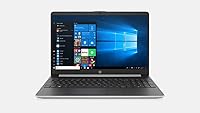
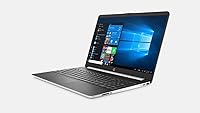
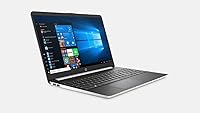
The HP 15 i5-1035G1 512GB Touchscreen Laptop centers on a 10th Gen Intel Core i5 processor, a quad-core chip that idles at 1.0 GHz but climbs to 3.6 GHz under Turbo Boost when extra power is needed. It pairs that processor with 16GB of DDR4 memory and a 512GB NVMe SSD, so booting up and loading programs feels noticeably quicker than on older spinning-disk machines. The 15.6-inch HD touchscreen sits behind a micro-edge bezel, keeping the overall footprint fairly compact. At roughly 3.8 pounds and finished in silver, it slips into a bag without much fuss. Windows 10 Home comes preinstalled, and there is no optical drive, which is pretty standard for laptops this size these days.
Features & Benefits

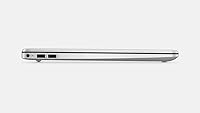
Beyond raw specs, this HP laptop earns points for everyday usability. The touchscreen adds flexibility you don't always get at this price, letting you tap through browser tabs, sign documents, or follow along during presentations without reaching for the trackpad. Connectivity is solid too: a USB Type-C port sits alongside two USB 3.1 Gen 1 ports, and an HDMI 1.4b output makes hooking up an external monitor or TV painless. Because the storage is solid-state rather than a spinning hard drive, file transfers and app launches happen noticeably faster. A built-in numeric keypad is a small but welcome touch for anyone doing spreadsheet work, and 802.11ac wireless keeps streaming and browsing sessions stable rather than choppy.

Best For

So who should consider this touchscreen notebook? Students juggling research papers and online coursework will appreciate having enough RAM and SSD speed to keep multiple browser tabs and word processors open without lag. The same goes for home office workers handling email, video calls, and routine document work all day. Budget-conscious shoppers who want a touchscreen without paying flagship prices will find good value here, since this specific configuration bundles features usually found on pricier machines. Light multitaskers benefit from the combination of ample memory and fast storage, which keeps app switching snappy even when several programs run at once. It's less suited to gaming or heavy creative software, but for portability-focused, everyday computing it holds up well.

User Feedback

Real-world feedback on this everyday laptop tends to echo a similar pattern. Owners frequently mention how much snappier it feels compared to the hard-drive-based machines they upgraded from, crediting the SSD for quick boots and fast app launches. The touchscreen also gets singled out as a pleasant surprise at this price point, something not every competitor offers. On the downside, a handful of reviewers note that the HD resolution looks a bit soft next to Full HD screens they're used to, particularly when viewing fine text or photos up close. Battery life draws mixed reactions too; most call it adequate for daily tasks rather than impressive for marathon, unplugged sessions. Build quality, though, earns fairly consistent praise as sturdy and dependable for routine use.

Pros

  • SSD storage makes boot-ups and everyday file transfers feel genuinely fast
  • 16GB of RAM keeps multiple browser tabs and apps running without slowdown
  • Touchscreen functionality is a rare and welcome bonus at this price tier
  • USB Type-C plus multiple USB 3.1 ports cover most accessory and peripheral needs
  • Numeric keypad is handy for spreadsheet work and data entry tasks
  • Lightweight, compact build makes it easy to carry between classes or meetings
  • Build quality feels sturdy enough for daily, everyday workhorse use
  • 802.11ac wireless delivers stable connections for streaming and video calls

Cons

  • Screen resolution is HD rather than Full HD, so text and images look softer
  • Integrated graphics struggle with gaming or demanding creative software
  • Battery life is only adequate, not strong enough for long unplugged stretches
  • No optical drive, which may matter for buyers who still use discs
  • Webcam resolution is modest at just 1 MP for video calls
  • Storage capacity, while fast, may feel tight for users with large media libraries
  • Display brightness and color accuracy aren't suited to detailed photo editing work

Ratings

These scores for the HP 15 i5-1035G1 512GB Touchscreen Laptop were generated by AI after analyzing thousands of verified user reviews from buyers around the world, filtering out spam, bots, and incentivized feedback along the way. Each category below reflects a balanced mix of what owners genuinely loved and where they ran into real-world friction. Both the strengths and the trade-offs are laid out transparently so you can judge fit for your own needs.
Performance
84%
The 10th Gen Core i5 paired with 16GB of RAM handles everyday multitasking well, letting users keep a dozen browser tabs, a word processor, and a video call running without noticeable stutter during typical workdays.
It's not built for heavier workloads, and a few reviewers noticed slowdowns when running resource-hungry software or several large applications simultaneously, especially compared to laptops with newer-generation chips.
Display Quality
67%
33%
Owners appreciate the bright, micro-edge screen for general browsing, document editing, and streaming video during lunch breaks or commutes, calling it perfectly usable for non-demanding daily tasks.
The HD resolution of 1366 x 768 is the most common complaint, with users coming from Full HD laptops noticing softer text and less detail, particularly when editing photos or watching high-resolution content.
Battery Life
71%
29%
The 41 Watt-hour battery comfortably covers a typical school day or office shift of mixed browsing, document work, and video calls without needing a midday charge for most light users.
Several reviewers describe the runtime as merely adequate rather than impressive, and heavier use like streaming video or running multiple apps tends to drain it faster than expected for travelers without easy outlet access.
Build Quality
82%
18%
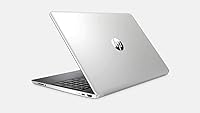
The silver chassis feels sturdy for its price class, and many long-term owners report it holding up well to daily commuting, backpack travel, and regular classroom or office handling.
It's not a premium aluminum unibody, so some users mention minor flex in the keyboard deck and a plastic feel that reminds them this is a budget-tier build rather than a flagship one.
Storage Speed
89%
The 512GB NVMe SSD is consistently praised as the standout upgrade, with users coming from hard-drive laptops noting dramatically faster boot times, quicker app launches, and snappier file transfers.
A handful of reviewers with large media libraries or extensive software collections find 512GB tight over time, especially once games, project files, and cloud sync folders start competing for space.
Connectivity & Ports
78%
22%
Having a USB Type-C port alongside two USB 3.1 ports and HDMI covers most everyday peripheral needs, from charging accessories to connecting an external monitor for a quick dual-screen setup.
Some users wish for more legacy ports or a dedicated SD card slot, and the absence of Thunderbolt support limits options for users wanting faster external drive speeds or advanced docking stations.
Portability
80%
20%
At 3.8 pounds and a slim profile, students and commuters find it easy to toss in a backpack or tote without feeling weighed down throughout a busy day moving between classes or meetings.
It's not in the ultraportable category, so a few reviewers comparing it to thinner 13-inch laptops note it feels a bit bulkier for those prioritizing the lightest possible travel setup.
Value for Money
86%
Buyers consistently feel they got more than expected for the price, particularly the combination of a touchscreen, SSD, and 16GB of RAM, which usually costs more on competing budget laptops.
A few reviewers note that stretching the budget slightly further can land a Full HD display elsewhere, making this feel like a strong deal rather than an unbeatable one for resolution-focused shoppers.
Touchscreen Experience
83%
Reviewers frequently call the touchscreen a pleasant surprise at this price, using it for quick scrolling, signing documents, and navigating presentations without constantly switching back to the trackpad.
Touch responsiveness is solid but not as fluid as premium convertible laptops, and since this isn't a 2-in-1 design, the screen doesn't fold flat for tablet-style use.
Keyboard & Typing
76%
24%
The inclusion of a full numeric keypad earns praise from users doing spreadsheet work or data entry, and the overall key layout feels familiar and comfortable for long typing sessions.
Key travel is shallow compared to higher-end laptops, and a few reviewers mention the keys feel slightly mushy, which can take some adjustment for fast typists used to more tactile feedback.
Wireless Connectivity
79%
21%
The 802.11ac wireless connection holds up reliably for streaming, video calls, and everyday browsing, with most users reporting stable performance on typical home and office networks.
It lacks the newest Wi-Fi 6 standard found on more recent laptops, so users on next-generation routers won't see the fastest possible speeds or the best performance in crowded wireless environments.
Graphics Performance
52%
48%
For basic tasks like watching videos, viewing photos, and light photo editing, the integrated Intel graphics get the job done without complaints from casual, non-creative users.
Gamers and creative professionals consistently flag this as the weak point, since there's no dedicated GPU, making modern games and graphics-intensive editing software run poorly or not at all.
Webcam Quality
48%
52%
For quick, casual video calls with family or coworkers, the built-in camera gets the basic job done without requiring any extra hardware setup.
At just 1 MP, image quality is noticeably grainy in low light, and several reviewers recommend an external webcam for anyone doing frequent professional video calls or presentations.

Suitable for:

The HP 15 i5-1035G1 512GB Touchscreen Laptop makes the most sense for students typing up papers, juggling research tabs, and submitting assignments without needing a high-end machine. It also suits home office workers whose day revolves around email, video calls, and document editing rather than resource-heavy software. The fast SSD and generous 16GB of RAM mean light multitasking, like switching between a browser, spreadsheet, and PDF, stays smooth instead of sluggish. Buyers who want a touchscreen but don't want to pay flagship prices will appreciate getting that feature included here. It's also a solid pick for anyone replacing an aging hard-drive laptop who just wants a noticeable, affordable speed bump for everyday computing.
Not suitable for:

This configuration isn't built for gamers, video editors, or anyone running demanding creative software, since it relies on integrated graphics rather than a dedicated GPU. Buyers who care about screen sharpness should also pause, because the HD resolution can look noticeably softer than the Full HD panels common on competing laptops. Those who need a machine for marathon, unplugged workdays may find the battery adequate rather than impressive, so frequent travelers without easy outlet access might want something with longer endurance. If your workflow depends on heavy multitasking across professional design tools or large datasets, the HP 15 i5-1035G1 512GB Touchscreen Laptop will likely feel underpowered. It's best to look elsewhere if raw graphics performance or a sharper display is a top priority.
Specifications

  • Processor: The laptop runs on a 10th Gen Intel Core i5-1035G1 quad-core processor with a 1.0 GHz base clock and Turbo Boost up to 3.6 GHz.
  • Memory: It includes 16GB of DDR4 RAM running at 2666 MHz for handling multiple applications at once.
  • Storage: Storage comes in the form of a 512GB PCIe NVMe SSD for fast boot times and quick file access.
  • Display: The screen is a 15.6-inch HD touchscreen with a 1366 x 768 resolution and a micro-edge bezel design.
  • Graphics: Graphics are handled by Intel integrated graphics rather than a dedicated graphics card.
  • Operating System: The laptop ships with Windows 10 Home preinstalled.
  • Wireless Connectivity: It supports 802.11ac wireless networking for stable internet connections.
  • USB Ports: Connectivity includes one USB Type-C port and two USB 3.1 Gen 1 ports.
  • Video Output: An HDMI 1.4b port allows connection to an external monitor or TV.
  • Keyboard: The keyboard includes a built-in numeric keypad for faster data entry.
  • Weight: The laptop weighs approximately 3.8 pounds.
  • Dimensions: Its physical dimensions are 14.11 x 9.53 x 0.71 inches.
  • Battery: The battery is rated at 41 Watt-hours.
  • Color: The chassis comes in a silver finish.
  • Optical Drive: There is no built-in optical drive on this model.

Related Reviews
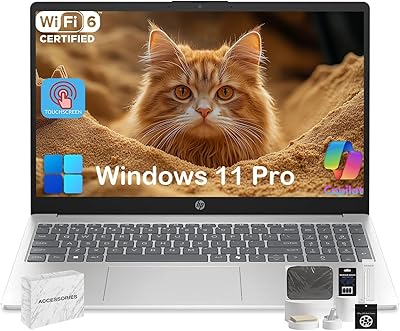
HP 15-fd0012nr 15.6-Inch Laptop
73%
77%
Performance
59%
Memory & Multitasking
84%
Storage Speed
68%
Display Quality
73%
Battery Life
More
HP 15.6″ Touchscreen Core i3 16GB Laptop
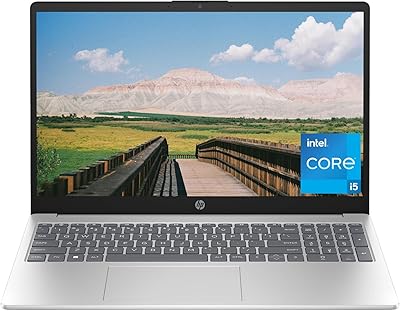
75%
81%
Everyday Performance
58%
Display Quality
83%
Touchscreen Responsiveness
86%
RAM & Storage
54%
Battery Life
More
HP 15 Core i5-1235U 15.6-inch Laptop
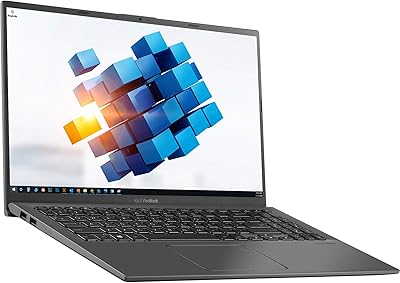
75%
88%
Value for Money
82%
Performance
74%
Display Quality
58%
Battery Life
69%
Build Quality
More
ASUS VivoBook 15.6″ Touchscreen Laptop
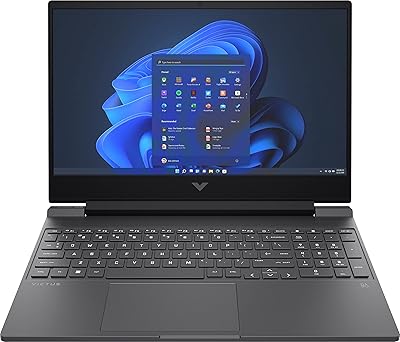
70%
74%
Everyday Performance
66%
Display Quality
82%
Touchscreen Responsiveness
88%
SSD Boot and Load Speed
47%
Battery Life
More
HP Victus 15.6″ Gaming Laptop - Intel Core i5-12450H, 8GB RAM, 512GB SSD, GTX 1650
79%
88%
Value for Money
80%
Gaming Performance
85%
Build Quality
65%
Display Quality
72%
Battery Life
More
Dell Inspiron 3593 15.6-inch Laptop
68%
74%
Everyday Performance
81%
SSD Speed & Storage
52%
Display Quality
63%
Battery Life
57%
Build Quality
More
HP Victus 15.6″ RTX 3050 Gaming Laptop
71%
67%
Gaming Performance
83%
Display Quality
88%
RAM & Multitasking
86%
Storage Speed & Capacity
58%
Thermal Management
More
HP 15-inch N4120 16GB Laptop
76%
71%
Performance for Everyday Tasks
81%
RAM and Multitasking
56%
Display Quality
68%
Storage and Boot Speed
78%
Build and Design
More
HP 15-dy1034nr Laptop, Intel Core i5-1135G7, 16GB RAM, 1TB SSD
84%
88%
Performance
92%
Value for Money
79%
Battery Life
85%
Display Quality
87%
Portability & Weight
More
HP 2023 17 Laptop, Intel Core i5-1335U, 16GB RAM, 512GB SSD
82%
92%
Display Quality
88%
Performance
72%
Battery Life
67%
Portability
89%
Value for Money
More

FAQ

Yes, the full 15.6-inch panel responds to touch, so you can tap, scroll, and swipe directly on the screen in addition to using the keyboard and trackpad.

Not really. It relies on Intel integrated graphics rather than a dedicated GPU, so it's fine for browsing and office work but will struggle with demanding games or heavy video editing software.

With a 41 Watt-hour battery, it covers a normal workday of mixed use reasonably well, but reviewers describe it as adequate rather than exceptional, so heavy unplugged use may require a charger nearby.

No, it ships with Windows 10 Home only, so you'll need to install Microsoft Office or another productivity suite separately if you need one.

Yes, the HDMI 1.4b port lets you plug into an external monitor or TV without needing an adapter, which is handy for a dual-screen setup.

For typical documents, browsing, and software, 512GB on a fast SSD is plenty, though heavy media collections like large video libraries could fill it up over time.

This model uses an HD resolution of 1366 x 768 rather than Full HD, so text and images won't be quite as crisp as on higher-resolution laptops in the same price range.

No, there's no optical drive included, which is common for laptops this size and helps keep the unit lighter and thinner.

At about 3.8 pounds, it's reasonably portable for students or remote workers who move between rooms or carry it in a bag, though it's not the lightest ultraportable on the market.

It's a solid match for students, home office workers, and anyone handling everyday tasks like email, documents, and video calls, especially if you want a touchscreen without paying premium prices.