
Overview

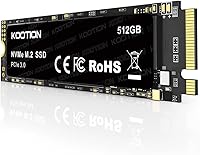
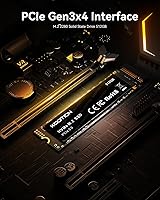
The KOOTION 512GB PCIe 3.0 NVMe M.2 SSD arrived in late 2023 as a straightforward answer to a very common question: what is the most practical way to ditch a slow mechanical hard drive without overspending? It targets the M.2 2280 slot found in most mid-generation laptops and desktops, using a PCIe 3.0 x4 interface that still covers the vast majority of systems people are upgrading today. PCIe 4.0 is increasingly common in newer machines, but plenty of hardware simply does not need it. Early buyers have responded well, with a 4.6-star average across an admittedly early and modest review pool. For the price tier, that is a solid first impression.

Features & Benefits

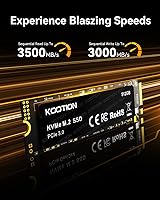
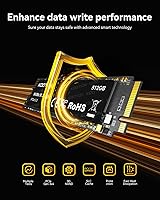
On paper, this budget M.2 SSD looks genuinely competitive for its class. Sequential reads are rated up to 3,500MB/s and writes up to 3,000MB/s — figures that put it in line with other PCIe 3.0 drives and far ahead of any spinning disk. The drive uses 3D NAND TLC flash, which is the standard at this price point, but it is worth understanding: under sustained heavy writes, speeds can throttle once the cache fills. For typical daily use — booting an OS, launching apps, moving files — you will not hit that ceiling. The drive also runs cool and quiet, and KOOTION includes a basic installation kit in the box, a practical inclusion for anyone tackling their first upgrade.

Best For

This NVMe drive makes the most sense for a specific kind of buyer. If you are pulling a sluggish old HDD out of a laptop that takes two minutes to reach the desktop, swapping in this M.2 SSD will feel like a genuine transformation. Students running productivity apps, home office workers on video calls, and casual gamers who do not need peak load times will find it more than capable. It also slots in nicely as secondary storage in a desktop with a spare M.2 slot. Where it falls short is under professional-grade workloads — continuous 4K video rendering or heavy database work will expose the TLC NAND limits, and those users would be better served by a drive built for higher endurance.

User Feedback

The reception has been largely positive, though the review pool is still modest — around 67 ratings as of early 2024, which makes it early to draw firm conclusions. The most consistent praise centers on how noticeably faster everyday computing feels after the swap, and several buyers specifically mentioned how straightforward the setup was. On the critical side, a handful of technically-minded reviewers have raised questions about whether throughput holds up during longer write sessions. No widespread reliability concerns have surfaced yet, but the drive is relatively new. KOOTION advertises lifetime technology support, though buyers should verify the actual warranty terms directly, since that phrase can mean very different things depending on the manufacturer.

Pros

  • Dramatically faster boot times and app launches compared to any mechanical hard drive.
  • PCIe 3.0 x4 interface covers the vast majority of laptops and desktops still in active use.
  • Rated speeds of up to 3,500MB/s read make everyday file transfers feel genuinely quick.
  • Runs cool and quiet in normal operation, with no moving parts to wear down over time.
  • Installation kit included in the box lowers the barrier for first-time upgraders.
  • Compact M.2 2280 form factor adds negligible weight, ideal for laptop installs.
  • Shock-resistant design makes this NVMe drive a more durable choice than a traditional HDD.
  • Strong early user ratings suggest solid out-of-box reliability for standard workloads.
  • 512GB capacity hits a practical sweet spot for an OS drive or everyday secondary storage.

Cons

  • TLC NAND write speeds can throttle under sustained heavy loads once the cache is exhausted.
  • The review pool is still small, so long-term reliability data remains limited.
  • Warranty terms are not clearly defined; the lifetime support claim lacks specifics buyers can rely on.
  • Not compatible with systems that only support SATA M.2 slots — verify your interface before buying.
  • Peak advertised speeds may not reflect real-world sustained performance during demanding tasks.
  • No PCIe 4.0 support means this budget M.2 SSD will bottleneck on newer-platform builds.
  • KOOTION is a lesser-known brand with less established after-sales infrastructure than major competitors.
  • No heat spreader or thermal pad included, which could matter in tightly enclosed laptop chassis.

Ratings

The KOOTION 512GB PCIe 3.0 NVMe M.2 SSD has been evaluated by our AI rating system after analyzing verified global buyer reviews, actively filtering out incentivized, bot-generated, and duplicate feedback to surface what real users actually experience. Scores reflect both the genuine strengths that make this budget M.2 SSD a compelling first-time upgrade and the honest trade-offs that more demanding buyers should weigh carefully.

Value for Money
88%
For buyers coming from a mechanical hard drive, the performance-per-dollar ratio here is difficult to argue with at this price tier. Users consistently describe feeling like they got far more than they paid for, especially when comparing boot times before and after the swap.
Buyers who compare this NVMe drive against slightly pricier alternatives from established brands like Samsung or WD may find the value equation less clear-cut, particularly when factoring in long-term endurance and documented warranty coverage.
Read & Write Speed
79%
21%
Peak sequential read performance in everyday tasks — launching Windows, opening large applications, loading game levels — feels genuinely quick and is a noticeable step up from any SATA SSD or HDD. Users running standard workloads rarely run into a performance wall.
A subset of technically-minded buyers have noted that sustained write speeds under heavy continuous load do not hold the advertised peak figures, which is an inherent characteristic of TLC NAND cache behavior rather than a defect, but worth setting expectations around.
Compatibility
83%
The M.2 2280 PCIe NVMe form factor covers an enormous range of laptops and desktops from the past several years, and most buyers report the drive being recognized immediately without any driver installation or BIOS changes needed.
Compatibility issues arise specifically in older machines with SATA-only M.2 slots, and some buyers have discovered this incompatibility only after purchase. The product listing could do more to make this distinction prominent for less experienced buyers.
Installation Ease
91%
First-time upgraders repeatedly single out the straightforward physical installation as a highlight, with the included kit removing one of the usual friction points. The single-screw M.2 mounting process takes most users under ten minutes from box to boot.
The installation kit covers the hardware side well, but buyers who need to clone an existing drive or set up a fresh OS are left to figure that out independently, and the included documentation does not cover those steps.
Thermal Performance
84%
Under typical daily use conditions — web browsing, document editing, streaming, light multitasking — the drive stays cool and does not cause noticeable warmth in laptop chassis. Multiple reviewers mention this as a pleasant surprise for a drive at this price point.
There is no thermal pad or heatspreader included, which may be a minor concern in very compact or poorly ventilated laptop enclosures during extended high-throughput sessions. Users with thermally constrained builds should keep this in mind.
Build & Durability
72%
28%
The solid-state design inherently eliminates the mechanical failure risks of spinning disks, and the drive handles the occasional bump or jostle that a laptop endures during everyday commuting or travel without any reported data integrity issues.
KOOTION is a relatively new brand without the long-term durability track record of more established manufacturers, and the review pool is still too small to draw firm conclusions about multi-year reliability under real-world conditions.
Warranty & Support
58%
42%
KOOTION advertises lifetime technology support, and several buyers report responsive customer service when reaching out with setup questions, which is reassuring for first-time upgraders who may need basic guidance after purchase.
The actual warranty terms — what is covered, for how long, and what the replacement process looks like — are not clearly communicated in the product listing, and this ambiguity is a recurring frustration for buyers who prioritize purchase protection.
Sequential Write Endurance
63%
37%
For users writing files at moderate frequency — saving documents, downloading games, importing photos — the TLC NAND holds up well and delivers consistent results without any perceptible slowdowns during typical sessions.
Under sustained large-scale write workloads, such as repeatedly transferring very large video files or running constant backup operations, the drive's write cache saturates and throughput drops noticeably, which is a known limitation of TLC flash at this tier.
Boot & Load Times
89%
This is arguably where the KOOTION SSD makes its biggest impression on everyday users. Machines that previously took two to three minutes to reach the desktop regularly boot in under fifteen seconds, and application launch times are dramatically improved.
The improvement is most dramatic for users coming from mechanical drives; buyers upgrading from an existing SATA SSD will notice a smaller real-world jump in boot and load times than the raw specification numbers might suggest.
Capacity Adequacy
77%
23%
At 512GB, there is comfortably enough room for a full Windows or Linux installation, a suite of productivity applications, a handful of installed games, and a reasonable personal file library without constantly managing storage.
Power users who keep large game libraries, raw video footage, or extensive media collections locally will likely find 512GB constraining within a year or two, and may wish they had opted for a 1TB drive from the outset.
PCIe 3.0 Relevance
74%
26%
For the enormous installed base of PCIe 3.0 systems still in daily use, this budget M.2 SSD hits the right technical ceiling and delivers everything those platforms can actually utilize, making it a well-matched choice for mid-generation hardware.
Buyers on newer PCIe 4.0 or 5.0 platforms are leaving bandwidth on the table with this drive, and the absence of a PCIe 4.0 option from KOOTION means future-conscious buyers may prefer a brand with a broader product ladder.
Packaging & Unboxing
71%
29%
The drive arrives securely packaged and the included installation accessories are a thoughtful touch that most bare drives at this price level omit, giving buyers everything they need for the physical install in a single box.
The packaging and documentation are minimal beyond the basics, with no printed setup guide or QR code to a quick-start resource, which could leave true novices with unanswered questions at a critical moment in the install process.
Brand Reputation
61%
39%
KOOTION has carved out a recognizable presence in the budget storage segment, and the early user satisfaction scores for this drive suggest the brand is delivering a consistent product experience at the entry-level price point.
Compared to Samsung, WD, or Crucial, KOOTION has a significantly shorter public track record and fewer independent long-term reliability studies, which gives cautious buyers fewer data points to lean on when making a confidence-based purchase decision.

Suitable for:

The KOOTION 512GB PCIe 3.0 NVMe M.2 SSD is a strong fit for anyone whose main goal is escaping the frustration of a slow mechanical hard drive without committing to a large budget. Students running a handful of browser tabs, productivity apps, and video calls will notice a dramatic difference in how quickly their system responds day to day. Home office workers who simply need faster boot times and snappier file access — not extreme throughput — will get exactly that. It also works well as a secondary drive in a desktop with a spare M.2 2280 slot, giving extra storage headroom without breaking the bank. Light gamers on older platforms, where PCIe 4.0 support was never an option anyway, will find this NVMe drive slots in cleanly and performs well within its class.

Not suitable for:

Buyers with demanding, sustained workloads should look elsewhere before committing to the KOOTION 512GB PCIe 3.0 NVMe M.2 SSD. TLC NAND flash, while perfectly adequate for everyday tasks, has real-world write endurance limitations that become apparent during prolonged heavy writes — think continuous 4K video editing, large database operations, or intensive content creation pipelines. Once the drive's write cache is saturated, speeds will throttle, and that is simply the nature of this flash type at this price tier. Users building a high-performance rig around a PCIe 4.0 or 5.0 platform will also be leaving speed on the table, since this budget M.2 SSD caps out at PCIe 3.0 bandwidth. Anyone prioritizing long-term endurance backed by a transparent, clearly documented warranty should verify KOOTION's actual warranty terms carefully, as the advertised lifetime support claim does not specify coverage details upfront.

Specifications

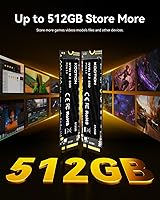
  • Storage Capacity: This drive offers 512GB of usable NVMe storage, suitable for an operating system, applications, and a reasonable media library.
  • Interface: It connects via an NVMe PCIe 3.0 x4 interface, which is the standard found in most laptops and desktops manufactured between 2017 and 2022.
  • Form Factor: The drive uses the M.2 2280 form factor, meaning it is 22mm wide and 80mm long — the most common M.2 size in consumer hardware.
  • Sequential Read: Advertised peak sequential read speed reaches up to 3,500MB/s under optimal, burst-load conditions.
  • Sequential Write: Advertised peak sequential write speed reaches up to 3,000MB/s, though sustained write performance may be lower under prolonged heavy workloads.
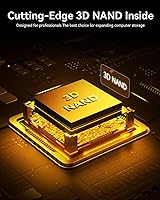
  • Flash Memory: The drive uses 3D NAND TLC (Triple-Level Cell) flash, rated as A+ grade by KOOTION, which is standard for value-tier NVMe drives.
  • Weight: At just 0.21 oz (approximately 6g), this NVMe drive adds virtually no measurable weight to a laptop or desktop build.
  • Dimensions: Physical dimensions measure 0.87″ x 3.15″ x 0.08″ (length x width x thickness), consistent with the M.2 2280 standard.
  • Installation Type: This is an internal drive installed directly into an M.2 slot on a compatible motherboard or laptop mainboard.
  • Compatibility: The drive is compatible with laptops and desktops that feature an M.2 slot supporting the NVMe PCIe protocol; it is not compatible with SATA-only M.2 slots.
  • Shock Resistance: The absence of moving parts gives this drive inherent shock resistance compared to traditional mechanical hard drives, reducing risk of data loss from physical impact.
  • Heat Output: Under typical everyday workloads, the drive operates at low temperatures, which contributes to long-term component stability in normal use environments.
  • In-Box Contents: Each unit ships with the drive itself and a basic installation kit to assist with the physical mounting process.
  • Technical Support: KOOTION advertises lifetime technology support, though buyers should contact the manufacturer directly to clarify the specific scope and duration of warranty coverage.
  • Release Date: The drive became available in September 2023, making it a relatively recent entry in the budget PCIe 3.0 NVMe segment.

Related Reviews
Gigastone GT6330 500GB PCIe 3.0 NVMe SSD
78%
88%
Read Speed Performance
74%
Write Speed Performance
86%
Thermal Management
91%
Installation Ease
83%
Value for Money
More
RAOYI 512GB PCIe Gen4 M.2 NVMe SSD
77%
83%
Sequential Read Speed
81%
Sequential Write Speed
79%
Real-World Performance
91%
Value for Money
88%
Installation & Setup
More
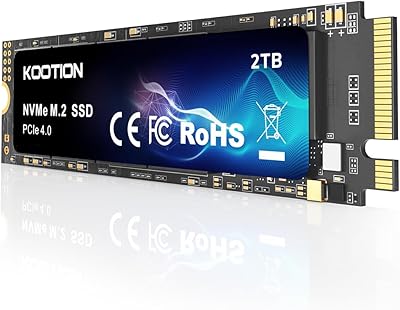
KOOTION 2TB PCIe 4.0 NVMe M.2 SSD
77%
83%
Sequential Read Speed
79%
Sequential Write Speed
88%
Value for Money
91%
Installation Experience
67%
Thermal Performance
More
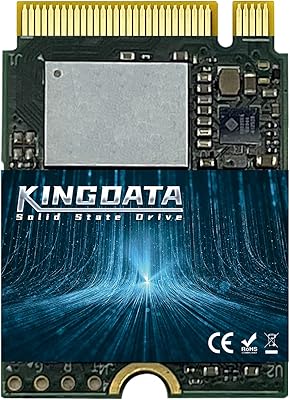
KINGDATA M.2 2230 NVMe PCIe 4.0 512GB SSD
89%
95%
Read Speed
92%
Write Speed
89%
Installation Ease
87%
Durability
86%
Temperature Management
More
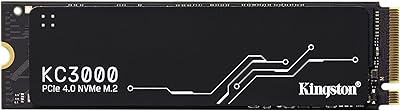
Kingston KC3000 512GB NVMe M.2 SSD
80%
91%
Sequential Read Speed
83%
Sequential Write Speed
78%
Thermal Management
94%
Installation Experience
86%
Value for Money
More
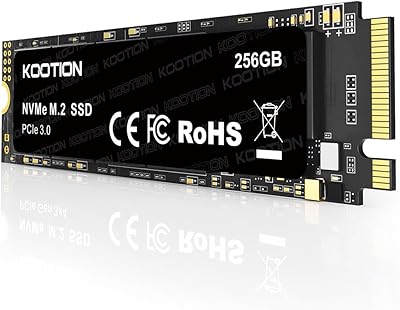
KOOTION 256GB NVMe M.2 Internal SSD
77%
88%
Value for Money
82%
Sequential Performance
71%
Real-World Speed
93%
Installation Ease
86%
Compatibility
More
TEAMGROUP MP33 512GB NVMe SSD
76%
93%
Value for Money
81%
Read Speed Performance
58%
Sustained Write Performance
94%
Installation Ease
88%
Compatibility
More
SABRENT Rocket NVMe 2242 512GB SSD
81%
96%
Form Factor Compatibility
83%
Sequential Read Performance
61%
Sustained Write Performance
91%
Power Efficiency
88%
Value for Money
More
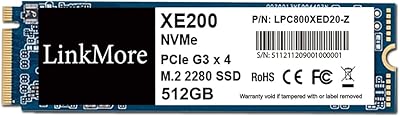
LinkMore XE200 512GB NVMe M.2 SSD
77%
91%
Value for Money
86%
Read Performance
72%
Write Performance
93%
Installation Ease
77%
Build Quality
More
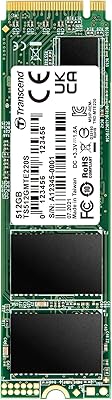
Transcend TS512GMTE220S 512GB M.2 NVMe PCIe Gen3x4 SSD
88%
91%
Performance
95%
Read Speed
88%
Write Speed
72%
Thermal Management
89%
Build Quality
More

FAQ

It depends on what type of M.2 slot your laptop has. This NVMe drive requires an M.2 slot that supports the PCIe NVMe protocol. Some older or budget laptops only have M.2 slots wired for SATA, which is a different protocol and will not work with this drive. Check your laptop's manual or manufacturer specs page to confirm NVMe compatibility before buying.

For most everyday users, yes. Windows 11 itself takes up roughly 20 to 30GB after installation, leaving you well over 400GB for apps, documents, and some media. If you store large video libraries or have a heavy game collection, you might eventually feel the pinch, but for a typical home or student setup it is a reasonable amount of space.

NVMe drives over PCIe are significantly faster than SATA SSDs in terms of peak throughput — often three to five times faster on sequential reads. In practice, for tasks like booting Windows or launching apps, the difference is real but may not always feel dramatic. Where NVMe pulls ahead more noticeably is in large file transfers and loading asset-heavy applications.

Absolutely. As long as your desktop or laptop has a second M.2 slot available, this budget M.2 SSD works perfectly well as additional storage for games, projects, or media. You would just format it as a secondary volume in your operating system after installation.

It is simpler than most people expect. The drive slots into the M.2 connector at a slight angle, lies flat, and is secured with a single small screw — KOOTION includes the installation kit for this. The trickier part for first-timers is usually cloning an existing drive or doing a fresh OS installation afterward, but there are plenty of free tools and tutorials available online for both processes.

Under normal everyday use — browsing, documents, light media — heat is unlikely to be a problem. This NVMe drive runs relatively cool for its class. That said, if you have a very slim ultrabook with poor airflow and you are doing sustained heavy writes for extended periods, you may want to check whether your laptop chassis provides adequate thermal clearance, since this drive does not ship with a thermal pad or heatspreader.

For most everyday computing tasks, PCIe 3.0 speeds are still more than sufficient and you are unlikely to notice a real-world bottleneck. If your system's motherboard only supports PCIe 3.0 anyway, there is no point paying extra for a PCIe 4.0 drive — it would simply run at the lower speed. Only users on a PCIe 4.0 or newer platform who are doing genuinely throughput-intensive work should prioritize a faster-generation drive.

TLC stands for Triple-Level Cell, which is the flash memory type used in this budget M.2 SSD. It stores three bits of data per cell, which makes it more cost-effective to produce but slightly less durable under continuous heavy writes compared to higher-end MLC or SLC NAND. For typical home and student workloads, TLC is perfectly adequate. It only becomes a concern in scenarios involving constant, sustained large-scale writes — think professional video production pipelines or server-level database operations.

This is worth clarifying directly with KOOTION before purchasing. The phrase lifetime support can mean anything from a full product replacement warranty to simple email-based technical guidance. Based on publicly available information, KOOTION positions this as ongoing customer assistance, but the specific warranty duration and replacement policy are not clearly documented in the product listing. Reaching out to KOOTION's customer service team before buying is a smart move if warranty coverage is important to you.

The easiest way is to check your motherboard or laptop model number and look up its specifications on the manufacturer's website. You are looking for an M.2 slot listed as supporting PCIe NVMe. On a desktop, you can also physically inspect the motherboard — M.2 slots are narrow horizontal connectors, usually located near the CPU. If your system only has SATA ports and no M.2 connector, this drive will not be compatible.