Overview

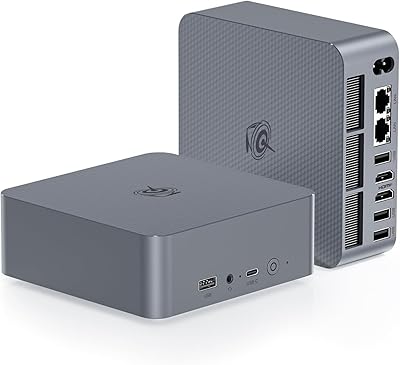
The KOOSMILE KT-M9 i9-12900HK 32GB Mini PC is a serious attempt to pack genuine desktop-class processing power into a chassis you can hide behind a monitor. Launched in late 2024, it targets business users and remote workers who need real CPU headroom without the bulk of a tower. One detail sets it apart immediately: a built-in lid display that shows live system stats — something you rarely see at this price tier. Buyers should calibrate expectations around the GPU, though. Intel Iris Xe handles productivity tasks comfortably, but this compact desktop was built for spreadsheets and video calls, not rendering farms or gaming sessions.
Features & Benefits

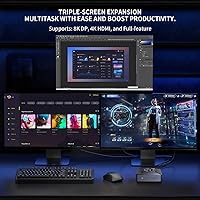
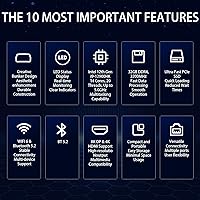
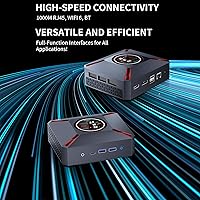
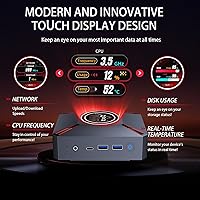
The KT-M9's most talked-about feature isn't the CPU — it's the small status screen built into the top of the unit. It displays CPU temperature, clock speed, memory load, and network activity in real time, so you actually know what your machine is doing without opening Task Manager. Under the hood, the 12th-gen i9 with 20 threads handles the kind of parallel workloads — think dozens of open browser tabs, Teams calls alongside Excel, or compiling code — that would choke a lesser chip. The triple-display output (HDMI, DisplayPort, and USB-C) is genuinely practical for multi-monitor office builds, and WiFi 6 connectivity keeps wireless transfers fast and stable.

Best For

This mini PC is well-matched for professionals who spend their day across multiple applications — accountants running pivot tables, developers juggling terminals and documentation, or project managers keeping half a dozen communication tools open simultaneously. The triple-monitor capability makes it especially practical for anyone who relies on screen real estate to stay organized. It's also a strong pick for people upgrading from an old tower who want to reclaim desk space without stepping down in performance. One niche that will genuinely appreciate it: power users who like seeing live hardware metrics at a glance rather than digging through system utilities every time things slow down.

User Feedback

Buyers generally respond well to the KT-M9, with the lid status monitor drawing consistent praise as a practical, not gimmicky, touch. The out-of-box Windows 11 Pro experience is reportedly smooth for most users. Where feedback turns mixed is around thermals during sustained peak workloads — the fan does spin up audibly, and a small number of users report throttling under prolonged heavy loads. The HDMI boot-order requirement (the display must be connected before power-on) catches some buyers off guard, especially those who use adapters or KVM switches. Long-term reliability is harder to assess given the brand's short track record, but early impressions are largely positive for the price.

Pros

  • The built-in lid status display shows live CPU, memory, and network data without opening a single app.
  • Fourteen cores handle heavy multitasking — parallel workloads that would stall lesser machines run without hesitation.
  • 32GB of RAM means even memory-hungry workflows rarely cause slowdowns or app crashes.
  • Triple-display output via HDMI, DisplayPort, and USB-C gives multi-monitor users real flexibility.
  • WiFi 6 support provides noticeably faster and more stable wireless connections compared to older standards.
  • The 1TB NVMe SSD keeps boot times short and large file operations quick.
  • Windows 11 Pro comes pre-installed and is reported to set up cleanly out of the box.
  • The compact chassis — under 5.5 inches wide — frees up significant desk space compared to any tower.
  • Copper heat pipe cooling holds temperatures in check during typical office workloads.
  • Comes with both an HDMI and DisplayPort cable included, which saves an immediate accessory purchase.

Cons

  • Intel Iris Xe graphics is a hard ceiling — GPU-intensive tasks like 3D rendering or gaming are not viable on this machine.
  • The HDMI-first boot requirement is a real usability quirk that catches users with adapters or KVM switches off guard.
  • Fan noise increases noticeably under sustained peak CPU load, which may bother users in quiet environments.
  • Some buyers report thermal throttling during prolonged heavy workloads, which can affect sustained performance.
  • KOOSMILE is a newer brand with a limited long-term reliability track record compared to more established competitors.
  • Warranty support is handled via email only, which may be slower or less reassuring than phone-based support options.
  • PCIe 3.0 on the SSD is a step behind newer PCIe 4.0 drives, though the real-world difference is modest for most users.
  • No external GPU support or discrete graphics upgrade path exists on this platform.
  • The manufacturer advises against installing third-party drivers, which limits customization for advanced users.
  • As a newer market entrant, third-party repair options and spare parts availability are not yet well established.

Ratings

The scores below reflect AI-driven analysis of verified global buyer reviews for the KOOSMILE KT-M9 i9-12900HK 32GB Mini PC, with spam, bot-generated, and incentivized feedback actively filtered out before scoring. Each category is rated on the strength of real user experiences — not manufacturer claims — so both the standout strengths and the genuine frustrations are represented without sugar-coating.

CPU Performance
88%
Users running demanding office workloads — think large Excel models, multi-tab research sessions, and simultaneous video calls — consistently report that the 14-core i9 handles everything without visible hesitation. The processing headroom impresses buyers who previously owned mid-range mini PCs and expected similar limitations.
A subset of users note that sustained all-core loads, like prolonged compilation tasks or extended video encoding, can trigger thermal throttling that slightly reduces peak throughput over time. The performance ceiling is real, even if most office users never hit it.
Multitasking Capability
86%
Having 32GB of RAM in a chassis this small is something buyers genuinely appreciate in day-to-day use — switching between a browser with dozens of tabs, a video call, and a local database application feels responsive in a way that 16GB machines simply cannot match. Power users working across three monitors find the experience particularly smooth.
A small number of buyers report occasional micro-stutters when all three displays are active and CPU utilization is simultaneously high, suggesting the integrated GPU and CPU share resources in ways that become visible under combined loads. This is more of an architecture limitation than a defect.
Built-in Status Display
91%
This is the feature buyers talk about most positively, and with good reason — being able to glance at CPU temperature, clock speed, RAM load, and network activity without switching windows genuinely improves workflow awareness. IT professionals and developers especially appreciate having it visible during remote sessions or long build processes.
A few users wish the display were software-configurable to show additional metrics or custom readouts, and the small screen size means it is less readable from across a room. It is also purely informational — there is no touch or interaction capability.
Thermal Management
69%
31%
For the majority of office workloads — document editing, video conferencing, web browsing, and coding — the copper heat pipe cooling keeps temperatures stable and the fan stays in the background. Users running typical business applications rarely have reason to complain about heat.
Under sustained peak CPU load, the fan becomes noticeably audible and some buyers report temperature-related throttling that reduces performance consistency. Users who expected silent operation during heavy encoding or large data processing were the most vocal critics in this area.
Display & Connectivity
83%
Triple-display support across HDMI, DisplayPort, and USB-C is a meaningful differentiator for professional users, and buyers setting up three-monitor workstations report that the configuration works reliably once everything is connected correctly. The port variety is genuinely broad for a unit this compact.
The HDMI boot-order requirement — where the machine needs a display connected to the HDMI port before powering on — draws consistent complaints, particularly from users with KVM switches, HDMI adapters, or display setups that do not default to a direct connection. It is a recurring setup frustration that trips up new buyers.
Storage Performance
79%
21%
The 1TB NVMe SSD delivers fast boot times and snappy application launches that buyers notice immediately when coming from older SATA-based systems. File transfers and large application installs complete quickly enough that most users have no complaints day to day.
The PCIe 3.0 interface is a generation behind the fastest current drives, and buyers who frequently move very large files or work with high-bitrate video assets may notice the throughput ceiling. It is not a dealbreaker, but buyers who spec-compare will see that newer competitors offer PCIe 4.0 at similar price points.
Wireless Performance
84%
WiFi 6 support translates into real-world benefits for home office users with congested networks — lower latency during video calls and more stable throughput when multiple devices are competing for bandwidth. Bluetooth 5.2 pairs peripherals quickly and maintains stable connections across typical desk distances.
A small number of users in environments with particularly congested 5GHz bands or thick walls report the wireless range is adequate but not exceptional. Those in larger homes or offices with the router in a different room occasionally note signal inconsistency.
GPU & Graphics Output
58%
42%
Intel Iris Xe handles productivity graphics tasks — driving multiple 4K displays, rendering charts and dashboards, and handling light media playback — without issue. For the target audience of office and business users, integrated graphics covers everything needed.
Buyers who purchased this mini PC expecting any form of gaming or GPU-accelerated creative workloads were consistently disappointed. 3D rendering, video encoding acceleration, and machine learning inference are effectively off the table, and some users felt the i9 branding created unrealistic expectations about the overall performance profile.
Setup & Out-of-Box Experience
77%
23%
Windows 11 Pro arrives pre-installed and activated, and most buyers describe the initial setup as clean and straightforward with no unexpected driver conflicts on first boot. The included accessory kit — HDMI cable, DisplayPort cable, and USB hub — means buyers can get up and running without an immediate trip to buy extras.
The HDMI boot-order requirement catches a noticeable portion of buyers completely off guard during first setup, and the manufacturer advisory against installing third-party drivers adds friction for users who want to customize their configuration. Neither is a dealbreaker, but both require reading the manual carefully.
Build Quality & Design
74%
26%
The chassis feels solid and purposeful for its size, and the built-in lid display adds a premium touch that distinguishes it visually from generic mini PC boxes. Buyers frequently mention that it looks professional enough to sit on a desk without hiding it away.
A handful of buyers feel the plastic construction does not quite match the premium pricing tier, and some note that the vent areas accumulate dust faster than expected. Long-term build durability is an open question given the brand's short track record.
Noise Level
66%
34%
During light to moderate workloads, the fan operates quietly enough that users working in typical office or home environments rarely notice it. Podcast listeners and video call participants report it does not bleed into their audio at normal load levels.
When the CPU is pushed hard for extended periods, fan noise ramps up to a level that users in quiet spaces — home recording setups, shared offices, late-night work sessions — find distracting. It is not loud by absolute standards, but it is audible enough to be mentioned repeatedly in critical reviews.
Value for Money
76%
24%
Buyers who use this compact desktop as a daily productivity machine generally feel the performance-per-dollar ratio is strong, particularly given the triple-display support, WiFi 6, and the unique lid monitor — features not commonly bundled together at this price level.
Users who hit the thermal or GPU limitations feel the i9 label sets expectations the platform cannot fully honor under sustained load, which makes the value calculation feel less favorable. Brand skepticism around KOOSMILE's longevity also causes some buyers to wonder whether the long-term investment is as sound as it appears.
Software & Driver Stability
72%
28%
The majority of buyers report stable day-to-day operation with no unexpected crashes or driver conflicts under normal usage. Windows 11 Pro behaves as expected on this hardware for standard productivity applications.
The manufacturer explicitly discourages third-party driver installation, which limits advanced users who want to fine-tune hardware behavior or install specialized peripherals. A small number of buyers report occasional display driver hiccups when switching between connected monitors.
Brand & After-Sales Support
61%
39%
The one-year warranty provides a baseline of protection, and buyers who have contacted KOOSMILE support describe the email team as responsive to straightforward questions about setup and configuration. The brand appears genuinely invested in resolving issues during the warranty window.
Email-only support with no phone or live chat option is a limitation that frustrates buyers dealing with time-sensitive hardware issues. As a newer entrant to the market, KOOSMILE does not yet have the established service reputation or parts availability ecosystem that more mature brands offer, which introduces some long-term uncertainty.

Suitable for:

The KOOSMILE KT-M9 i9-12900HK 32GB Mini PC is built for professionals who spend long days inside productivity software and need a desktop that keeps up without consuming half the desk. Remote workers, financial analysts, developers, and content managers will get the most out of it — specifically anyone whose daily workload involves juggling multiple heavy applications at once, like running a database query while attending a video call while keeping a browser with thirty tabs open. The triple-display output makes it a natural fit for anyone who depends on screen real estate to stay organized, and the built-in lid monitor is a genuine perk for users who like to keep an eye on system health without stopping their workflow. It also suits home office users upgrading from an older tower who want modern performance in a fraction of the physical footprint. If your work lives inside Windows productivity tools and you want a compact machine that does not flinch under sustained load, this mini PC is a well-considered option.
Not suitable for:

The KOOSMILE KT-M9 i9-12900HK 32GB Mini PC is not the right choice for anyone whose work or entertainment leans heavily on GPU performance. Intel Iris Xe integrated graphics handles spreadsheets, browser-based tools, and even light video playback without issue, but it has a hard ceiling — 3D rendering, video encoding at scale, machine learning workloads, and any serious gaming will expose that limit quickly. Buyers who frequently switch display setups or rely on KVM switches or HDMI adapters may also find the boot-order requirement frustrating; the system needs a display connected to the HDMI port before powering on, and deviating from that can cause headaches. KOOSMILE is also a relatively young brand, so buyers who prioritize long-term proven reliability and a robust service network may prefer an established name in the mini PC space. Finally, anyone who needs discrete graphics or a dedicated GPU slot should look elsewhere entirely — there is no upgrade path for graphics on this platform.
Specifications

  • Processor: Powered by the Intel Core i9-12900HK, a 12th-generation chip with 14 cores, 20 threads, and a boost clock up to 5.0GHz — the same CPU found in high-end laptops.
  • Cache: Includes 24MB of Intel Smart Cache, which helps the processor handle repeated tasks and large data sets more efficiently.
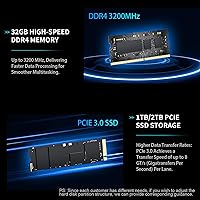
  • RAM: Ships with 32GB of DDR4 memory across two SODIMM slots, running in dual-channel configuration for improved bandwidth.
  • Storage: Equipped with a 1TB NVMe SSD in M.2 2280 format using a PCIe 3.0 interface, offering fast read and write speeds for everyday productivity workloads.
  • Graphics: Uses Intel Iris Xe integrated graphics, suitable for 4K display output and productivity tasks but not designed for discrete GPU workloads or gaming.
  • Display Output: Supports up to three simultaneous displays via HDMI 2.1 (4K at 60Hz), DisplayPort 1.4a (8K at 60Hz), and a full-function USB-C port.
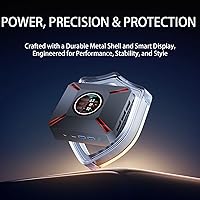
  • Status Display: Features a built-in 2.1-inch screen on the top of the unit that shows real-time CPU frequency, temperature, RAM usage, and network throughput.
  • Wireless: Includes WiFi 6 (802.11ax) for dual-band 2.4GHz and 5GHz connectivity, along with Bluetooth 5.2 for peripheral pairing.
  • Wired Network: One RJ45 Ethernet port is included for stable wired LAN connections.
  • USB Ports: Provides two USB 3.0 ports, two USB 2.0 ports, and one full-function USB-C port for a total of five USB connections.
  • Audio: Includes one 3.5mm combo headphone and microphone jack with HD Audio support.
  • Operating System: Comes with Windows 11 Pro pre-installed and activated, ready to use out of the box without an additional license purchase.
  • Cooling: Uses a copper heat pipe paired with an active fan and a multi-vent chassis design to manage thermals during sustained workloads.
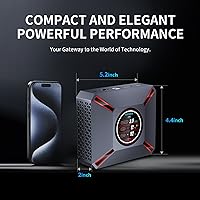
  • Dimensions: Measures 5.16 inches long by 4.41 inches wide by 2.09 inches tall, making it small enough to mount behind a monitor or sit unobtrusively on a desk.
  • Weight: Weighs 2.57 pounds, light enough to reposition or travel with without much effort.
  • In the Box: Package includes the mini PC unit, one HDMI cable, one DisplayPort cable, a power adapter, a USB hub, a VESA metal bracket, and a user manual.
  • Warranty: Covered by a one-year manufacturer warranty, with support handled through KOOSMILE's customer service team via email.
  • Model Number: Listed under the model identifier KT-M9 and sold by the brand KOOSMILE, first available in November 2024.

Related Reviews
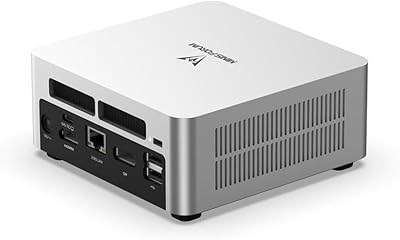
MINISFORUM UN1290 (32GB/512GB)
77%
89%
CPU Performance
63%
Thermal Management
91%
Multi-Monitor Support
86%
RAM & Expandability
84%
Storage Performance
More
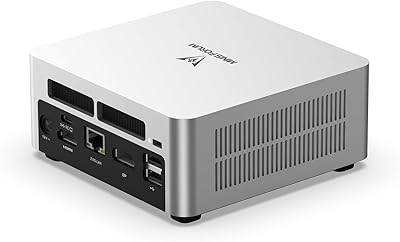
MINISFORUM UN1290 Mini PC Core i9-12900HK 32GB RAM 1TB SSD
88%
93%
Performance
88%
Build Quality
89%
Ease of Setup
91%
Multitasking Efficiency
67%
Cooling & Thermals
More
GMKtec NucBox K10 Mini PC (Intel Core i9-13900HK, 32GB DDR5, 1TB SSD)
79%
88%
CPU Performance
67%
Thermal Management & Cooling
82%
RAM Speed & Capacity
91%
Storage Performance
89%
Multi-Monitor Support
More
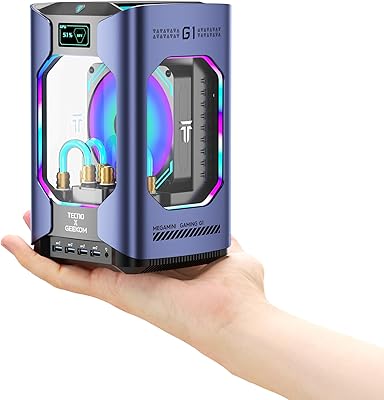
GEEKOM MEGAMINI G1 Mini PC (i9-13900HK, RTX 4060, 32GB DDR5, 2TB SSD)
80%
88%
Thermal Management
83%
Gaming Performance
91%
CPU Responsiveness
86%
Build Quality & Design
89%
Connectivity & Port Selection
More
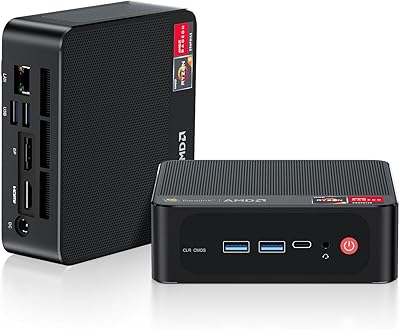
Beelink SER5 Pro (Ryzen 7 5825U, 16GB/500GB)
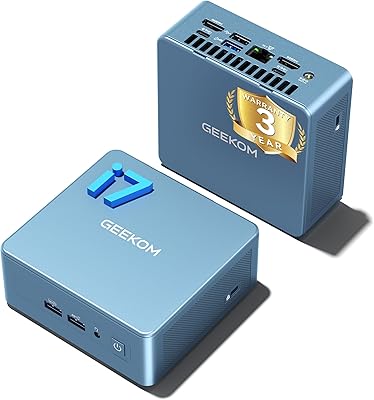
80%
88%
Everyday Performance
67%
Thermal Management
91%
Multi-Monitor Support
83%
Build Quality & Design
86%
Connectivity & Port Selection
More
DreamQuest Mini PC N95 32GB RAM 1TB SSD
85%
87%
Performance
80%
Build Quality
94%
Compact Design
88%
4K Support & Display
91%
Quiet Operation
More
GEEKOM Mini IT12 (i7-1280P, 32GB/1TB)
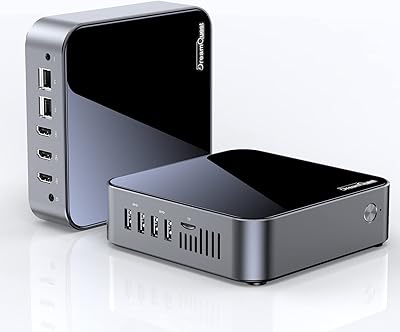
84%
91%
Out-of-Box Experience
88%
CPU Performance
86%
Memory & Storage Speed
71%
Thermal Management & Fan Noise
93%
Display & Connectivity
More
MeLE Overclock 4C Mini PC, 32GB RAM, 512GB Storage
89%
89%
Performance
91%
Build Quality
96%
Portability
90%
Display Support
88%
Connectivity
More
MINISFORUM UM773 Lite Mini PC, 32GB RAM, 1TB SSD
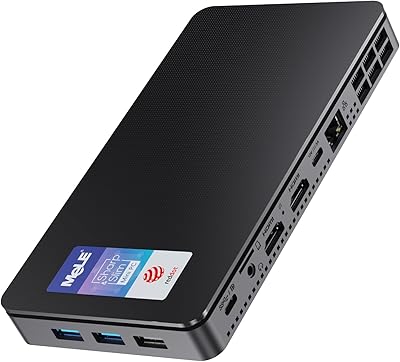
83%
88%
Performance
85%
Cooling System
92%
Value for Money
83%
Build Quality
89%
Connectivity Options
More
Beelink SER9 Pro (32GB/1TB)
84%
93%
Processing Performance
91%
Multitasking & Responsiveness
84%
Build Quality & Design
67%
Thermal Management & Fan Noise
72%
Graphics & Display Output
More

FAQ

Yes, the KT-M9 supports up to three simultaneous displays using the HDMI, DisplayPort, and USB-C ports together. Just make sure each monitor supports the corresponding input, and note that the HDMI display should be connected before you power the unit on.

Yes, and this is worth knowing upfront. The machine expects a display plugged directly into the HDMI port before boot. If nothing is connected, or if you use an adapter instead of a direct HDMI cable, the system may not behave as expected. Users with KVM switches or multi-adapter setups have reported issues because of this.

It displays live system stats — CPU clock speed, processor temperature, RAM usage, and network upload and download activity. It updates in real time, so you can actually tell at a glance if your machine is under load without opening Task Manager. It is small but genuinely useful once you are used to having it.

Not really. The integrated Intel Iris Xe graphics can handle light casual titles and older games, but it does not have the horsepower for modern AAA games or anything GPU-intensive. This machine was designed for productivity, and that is where it performs well. If gaming is a priority, you should look at a unit with a discrete GPU.

The RAM uses two standard DDR4 SODIMM slots, which means upgrading is physically possible if you want more than 32GB down the road. The storage uses an M.2 2280 NVMe slot, so swapping to a larger or faster drive is also an option. That said, opening the unit will likely void your warranty, so factor that in.

During typical office work it is quiet — you may not notice it at all. Push the CPU hard for an extended period, like a large file compression job or extended video export, and the fan does ramp up audibly. It is not disruptive in most environments, but if you work in a very quiet room or record audio nearby, it is worth being aware of.

Yes. Windows 11 Pro comes pre-installed and activated, so you are ready to log in and start working right away. Most users report the initial setup process is straightforward without any unusual driver issues.

Yes, there is a built-in RJ45 Ethernet port on the unit. If you prefer a wired connection for stability — especially useful in a business or home office environment — you can plug straight into your router or switch without any adapter.

Support is handled via email, and the warranty period is one year from purchase. The brand is relatively new, so the support infrastructure is not as extensive as some established names in the mini PC space. For most straightforward hardware issues, email support has generally been responsive based on available buyer reports, but turnaround times can vary.

For most professional productivity tasks — document editing, spreadsheets, video conferencing, web research, coding, and light media work — yes, this compact desktop holds its own against a mid-range tower. The 14-core i9 and 32GB of RAM give it real headroom for parallel workloads. Where a tower still wins is in expandability and GPU options, but purely for CPU-driven office work, the KT-M9 is a credible replacement.