Overview

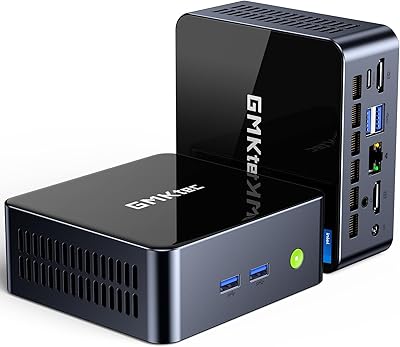
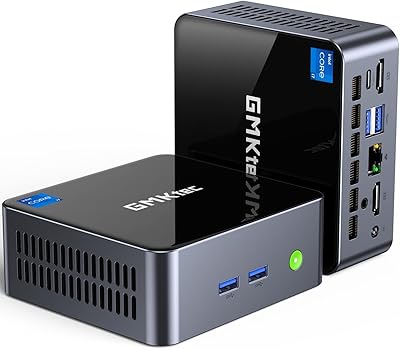
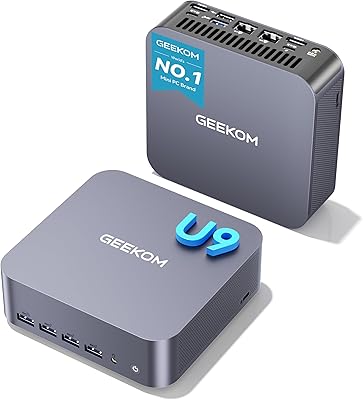
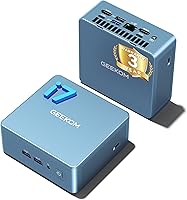
The GEEKOM Mini IT12 (i7-1280P, 32GB/1TB) is a compact desktop that punches well above what its small footprint suggests. At just 4.6 x 4.4 x 1.9 inches, it disappears behind a monitor or sits quietly on a desk without demanding attention. Inside, Intel's 12th Gen i7-1280P brings 14 cores and 20 threads to everyday tasks, and the 32GB of dual-channel RAM paired with a fast PCIe 4.0 SSD means it arrives genuinely ready to work — no upgrades needed on day one. Windows 11 Pro comes pre-installed, and a 3-year warranty with US-based support backs the whole package, which is not something most competitors in this space can honestly claim.
Features & Benefits

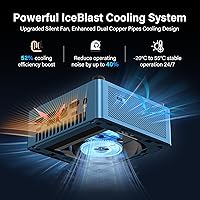
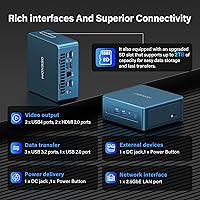
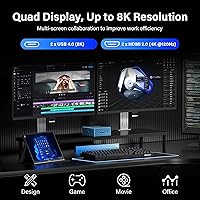
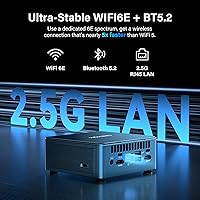
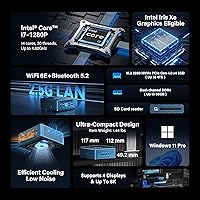
The connectivity options are where this mini PC really distinguishes itself. Dual USB4 ports running at 40Gbps can drive up to four displays simultaneously — including 8K output — without any dedicated GPU, which matters enormously for multi-monitor productivity work. Networking is handled by 2.5Gb Ethernet and WiFi 6E, a pairing that makes lag on video calls or large file transfers feel like someone else's problem. The IceBlast all-copper cooling module keeps thermals in check under sustained load, and while the machine draws up to 90W at peak, that is a fraction of what a comparable tower consumes. RAM can be pushed to 96GB and storage extended to 4TB down the line, which adds real longevity.

Best For

The GEEKOM IT12 finds its natural home on the desk of a remote worker or home-office user who needs real computing capability without a tower occupying half the room. It fits equally well in small business or education environments where IT teams value long warranty coverage and proper Windows 11 Pro licensing. Anyone running three or four monitors for trading, data analysis, or light video editing will appreciate the native quad-display support. That said, keep expectations grounded on gaming — integrated graphics handle casual titles fine, but this compact desktop was not engineered for GPU-heavy workloads. For everything short of that, it covers a genuinely wide range of daily demands without complaint.

User Feedback

Owners consistently note how painless the initial setup is — plug in, power on, and it is productive within minutes. The build quality earns frequent praise too, with the metal chassis feeling more substantial than this price tier might lead you to expect. Where opinions diverge is around fan behavior under prolonged load; some buyers find the cooling impressively quiet, while others report the fan ramps up noticeably during extended rendering or compilation tasks, which somewhat undercuts the quiet-desktop promise. A handful of users flag light software bloat out of the box, though nothing unusually intrusive. The warranty and support experience draws largely positive feedback, with responsive US-based assistance cited as a genuine differentiator for business-minded buyers.

Pros

  • Drives up to four monitors natively without any discrete GPU or docking station.
  • Three-year warranty with US-based support is genuinely rare and valuable at this market tier.
  • Arrives ready to use — activated Windows 11 Pro, pre-loaded drivers, no setup surprises.
  • 2.5Gb Ethernet and WiFi 6E make network bottlenecks essentially a non-issue for most users.
  • The metal chassis feels more premium than the price tier typically delivers.
  • RAM can be expanded to 96GB, giving the GEEKOM IT12 a longer useful lifespan than most compact competitors.
  • PCIe 4.0 NVMe storage delivers fast application launches and file operations that are noticeable in daily use.
  • At under 90W peak draw, it runs a full workday for a fraction of the electricity cost of a tower.
  • Compact enough to mount behind a monitor or tuck into a server rack with the included VESA bracket support.
  • Bluetooth 5.2 and a well-rounded port selection reduce peripheral management friction significantly.

Cons

  • Fan noise under sustained heavy workloads contradicts the near-silent marketing claim.
  • Only one USB-A 3.2 port and one USB-A 2.0 port — power users will still need a hub.
  • Pre-installed software requires a cleanup pass before the system feels fully clean.
  • BIOS interface is functional but dated, with limited advanced tuning options for enthusiasts.
  • The blue chassis color has no neutral alternative, which bothers buyers with minimal or monochrome desk setups.
  • Thermal throttling under extended multi-threaded loads prevents the CPU from sustaining its peak performance figures.
  • WiFi driver instability after some Windows updates has been reported by a subset of users.
  • Bottom rubber feet can shift on smooth surfaces when cable tension creates lateral pull.
  • The power brick is bulkier than the chassis size leads buyers to expect.
  • International buyers get notably less robust warranty support compared to US-based customers.

Ratings

The GEEKOM Mini IT12 (i7-1280P, 32GB/1TB) has been put through its paces by a wide range of buyers — remote workers, IT administrators, educators, and media enthusiasts — and the scores below reflect what those real owners actually experienced day to day. Our AI has analyzed verified global reviews, actively filtering out incentivized, bot-generated, and unverified feedback, so both the strengths and the friction points are represented honestly. Where this compact desktop impresses, the scores show it; where it falls short of its own marketing claims, that shows up too.
Out-of-Box Experience
91%
Most buyers report being up and running within ten to fifteen minutes of opening the box. Windows 11 Pro comes fully activated, drivers are pre-loaded, and the included accessories cover the basics without forcing an immediate accessories run. For small business deployments, that kind of friction-free start genuinely saves time.
A handful of users noted pre-installed software they did not ask for, requiring a cleanup pass before the system felt fully their own. Nothing crippling, but for buyers expecting a completely clean Windows environment it can be a mild annoyance on first boot.
CPU Performance
88%
The i7-1280P handles everyday productivity workloads — large spreadsheets, browser-heavy multitasking, video conferencing across multiple apps — without hesitation. The hybrid core architecture keeps background tasks from dragging down foreground performance, which users running communication tools alongside heavier applications notice almost immediately.
Under sustained multi-threaded loads like long compilation runs or batch video exports, thermal throttling can nudge performance down from its peak. It is not dramatic, but users pushing the chip hard for extended periods will see benchmark numbers that do not fully reflect the headline clock speed.
Memory & Storage Speed
86%
The PCIe 4.0 NVMe drive delivers noticeably fast application launches and file transfers that owners coming from SATA-based systems find immediately impactful. Paired with 32GB of dual-channel DDR4, the system handles memory-hungry workflows like large Lightroom catalogs or multiple virtual machines without visible slowdown.
The DDR4 3200MHz spec, while solid, is not cutting-edge by current standards, and a few technically minded buyers have noted the platform does not support DDR5. For most use cases this is irrelevant, but it is worth acknowledging for buyers comparing against newer-architecture mini PCs.
Thermal Management & Fan Noise
71%
29%
At idle and during light workloads — web browsing, document editing, video calls — the GEEKOM IT12 runs impressively quietly. The all-copper cooling module genuinely keeps surface temperatures in check during these everyday scenarios, and buyers using it as a living-room media PC or quiet home-office machine report very few complaints.
Under sustained heavy loads, the fan audibly ramps up and stays elevated, which contrasts with the near-silent performance marketed. Users running the machine hard for hours at a time — developers compiling large codebases, for example — find the fan noise more intrusive than the spec sheet implies. This is the single most recurring complaint across owner reviews.
Display & Connectivity
93%
Driving three or four monitors from a device this small, without a discrete GPU, is genuinely impressive and the feature that most consistently surprises new owners. USB4 at 40Gbps handles 8K output cleanly, and having two HDMI 2.0 ports alongside the USB4 ports means most multi-monitor setups require zero adapters.
HDMI 2.0 caps 4K output at 120Hz rather than the higher refresh rates some users want for productivity on premium monitors. Buyers expecting DisplayPort-native connections will need adapters, and the dual HDMI ceiling may frustrate users who have already invested in high-refresh-rate displays.
Networking Performance
89%
The 2.5Gb Ethernet port is a standout feature for users on capable home or office networks, delivering noticeably faster local file transfers and more stable low-latency connections for video conferencing. WiFi 6E performs reliably across the board, and owners in crowded wireless environments report fewer dropped connections than with previous-generation adapters.
Realizing the full benefit of 2.5Gb Ethernet requires a compatible router or switch, which not every buyer already has. A small number of users reported occasional WiFi driver instability after Windows updates, requiring a manual driver refresh — a minor but real inconvenience.
Build Quality & Design
84%
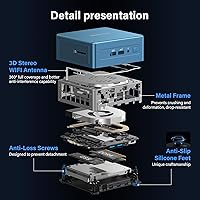
The metal frame feels more considered than typical plastic mini PC enclosures, and owners frequently comment that it looks and feels like a more expensive piece of hardware. Its stackable design is a small but appreciated detail for deployments where multiple units share a workspace, keeping cable runs tidy.
The blue color, while distinctive, does not suit every desk setup, and the chassis is not available in neutral alternatives at the time of this review. Some buyers also note that the bottom rubber feet are not the most secure on smooth surfaces, especially when cables create lateral pull.
Upgradeability
82%
18%
The ability to expand RAM to 96GB and swap in a larger NVMe drive is a genuine advantage over sealed competitors. Owners who have performed upgrades describe the internals as accessible once the base is removed, with standard slot configurations that accept widely available components.
Opening the unit voids concerns for warranty-cautious buyers, and the upgrade process requires a moderate comfort level with hardware. A small number of users reported difficulty reseating the base panel cleanly after RAM upgrades, which can be frustrating if you are not experienced with compact form-factor builds.
Value for Money
83%
Across owner reviews, the consensus is that the combination of a capable processor, generous base RAM, fast storage, Windows 11 Pro licensing, and a three-year warranty represents genuinely strong value for what you receive. Buyers migrating from aging NUC hardware or entry-level towers consistently describe feeling they got more than they paid for.
The market for this type of hardware is competitive, and buyers who do not need the full RAM or storage configuration may feel the base pricing is slightly ahead of alternatives offering similar CPU performance in a leaner spec. The value equation is strongest when the full feature set is actually needed.
Warranty & Support
87%
Three years of warranty coverage backed by US-based technical support is unusual at this price tier and is a genuine reason many business and education buyers choose this unit specifically. Owners who contacted support describe responsive, knowledgeable assistance that resolved issues without the runaround common with budget-oriented brands.
A minority of buyers reported slower-than-expected initial response times during peak periods, particularly around product launch windows. International buyers outside the US also note that the support quality advantage is less pronounced for them, with regional coverage being less robust than the US-focused offering.
Port Selection
86%
The combination of USB4, USB-A 3.2, USB-A 2.0, dual HDMI, a 3.5mm audio jack, and an SD card slot covers the daily needs of most users without reaching for a hub. Buyers who previously ran a port-starved mini PC find this selection a meaningful quality-of-life improvement in their daily setup.
There is only one USB 2.0 port and one USB 3.2 port on the USB-A side, which can feel limiting for users with several peripherals. Power users who rely on multiple USB-A connections simultaneously will likely still want a small hub, which partially undermines the dongle-free promise.
Power Efficiency
88%
Running at a maximum of 90W under full load, and considerably less during typical use, this compact desktop draws dramatically less power than a comparable tower system. Home-office users running it continuously report it having a negligible impact on their electricity bills compared to previous desktop setups.
The 90W figure represents the ceiling, and the included power brick is bulkier than some buyers expect given the machine's small footprint. A few users also wished for more granular power management settings accessible without diving into the BIOS.
Software & BIOS Experience
68%
32%
The BIOS is functional and exposes enough configuration options for most users — boot order, fan curves, and basic performance settings are all accessible. Windows 11 Pro arrives legitimately activated, which is not a given with some competing mini PC brands, and that alone removes a layer of setup headaches.
The BIOS interface feels dated compared to the polished firmware found on mainstream desktop motherboards, and advanced tuning options are limited. Pre-installed software, while not excessive, includes a few unnecessary utilities that technically cautious users prefer to audit and remove before treating the machine as fully trusted.
Noise Levels at Idle
86%
For users whose primary workload stays within everyday productivity tasks — documents, calls, browser work, light media — the machine runs quietly enough to disappear into the background. Buyers using it in quiet office environments or shared living spaces specifically praise this characteristic during normal daily use.
The idle-quiet reputation erodes quickly under any sustained workload, and buyers who assumed quiet operation would extend to heavier tasks have been disappointed. The gap between idle behavior and loaded behavior is wider than many competing units in this category.

Suitable for:

The GEEKOM Mini IT12 (i7-1280P, 32GB/1TB) is an excellent fit for remote workers and home-office professionals who need genuine desktop performance without surrendering desk space to a tower. If you routinely run three or four monitors simultaneously — for trading dashboards, data analysis, video editing timelines, or just a sprawling productivity setup — the native quad-display support via USB4 and HDMI removes a real logistical headache. Small business owners and IT managers deploying multiple units will appreciate the three-year warranty and legitimate Windows 11 Pro licensing, both of which reduce long-term support overhead considerably. Educators and school administrators evaluating volume purchases will find the combination of reliable performance, manageable form factor, and proper warranty coverage hard to match at this tier. Users still running aging Intel NUC hardware who want a supported, modern replacement with meaningfully better connectivity will find this compact desktop a natural upgrade path.
Not suitable for:

The GEEKOM Mini IT12 (i7-1280P, 32GB/1TB) is not the right choice for anyone whose workloads lean heavily on GPU performance — dedicated graphics are absent here, and integrated graphics will struggle with 3D rendering, GPU-accelerated machine learning tasks, or anything beyond casual gaming. Buyers expecting library-silent operation around the clock should also temper expectations; the fan stays quiet during light use but audibly spins up under sustained loads, which can be distracting in genuinely noise-sensitive environments. If you need deep BIOS customization or a polished firmware experience comparable to mainstream desktop motherboards, this mini PC will likely disappoint. Buyers on the tightest budgets who only need basic browsing and document work may also find the spec level exceeds their actual needs, making simpler, cheaper alternatives a more sensible fit. Finally, users who want a sealed, zero-maintenance appliance and are uncomfortable opening small-form-factor hardware should know that realizing the full upgrade potential requires a willingness to crack the case.
Specifications

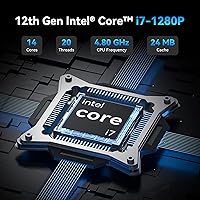
  • Processor: Intel Core i7-1280P with 14 cores (6 performance, 8 efficient) and 20 threads, boosting up to 4.8GHz with 24MB cache.
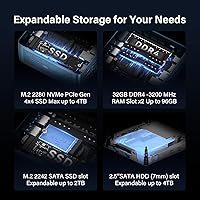
  • RAM: 32GB DDR4 dual-channel at 3200MHz, expandable to a maximum of 96GB via two accessible SO-DIMM slots.
  • Storage: 1TB NVMe SSD using a PCIe 4.0 x4 interface in M.2 2280 format, expandable to 4TB with an additional SATA slot available.
  • Operating System: Windows 11 Pro comes pre-installed and fully activated, requiring no additional licensing purchase for business or professional use.
  • Display Output: Supports quad-screen output via two USB4 ports (up to 8K) and two HDMI 2.0 ports (up to 4K at 120Hz).
  • USB4 Ports: Two USB4 ports operating at 40Gbps each, supporting DisplayPort 1.4, data transfer, and power delivery over a single cable.
  • Networking: 2.5Gb Ethernet port combined with WiFi 6E (802.11ax, tri-band) and Bluetooth 5.2 for comprehensive wired and wireless connectivity.
  • Additional Ports: Port array includes one USB-A 3.2 Gen 2, one USB-A 2.0, one 3.5mm audio combo jack, and one full-size SD card slot.
  • Dimensions: Chassis measures 4.6 x 4.4 x 1.9 inches, making it compact enough to mount behind most monitors using a VESA bracket.
  • Weight: Complete unit weighs 3.3 pounds, excluding the power adapter, which adds additional bulk to the overall carry weight.
  • Power Consumption: Maximum power draw is 90W under full CPU load, with typical daily-use consumption considerably lower during mixed workloads.
  • Cooling System: IceBlast all-copper active cooling module with a single fan, engineered for reduced noise and improved heat dissipation over prior generations.
  • Chassis Material: PC+ABS composite metal frame with a stackable flat-top design and non-slip rubber feet for stable placement on desk surfaces.
  • Graphics: Intel Iris Xe integrated graphics, supporting hardware-accelerated video decode and light creative workloads but without a discrete GPU.
  • Warranty: Three-year limited warranty backed by US-based technical support, covering hardware defects and providing dedicated troubleshooting assistance.
  • Certifications: Carries CE, FCC, CB, and CC certifications, confirming compliance with safety and electromagnetic compatibility standards across major markets.
  • Memory Speed: Dual-channel DDR4 at 3200MHz delivers approximately 20% faster throughput compared to standard 2666MHz single-channel configurations.
  • SSD Interface: PCIe 4.0 NVMe protocol provides roughly 40% greater data transfer efficiency compared to the previous PCIe 3.0 generation standard.

Related Reviews
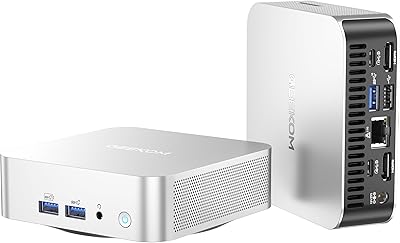
GEEKOM A6 Mini PC 32GB/1TB
83%
88%
CPU Performance
67%
Thermal Management
91%
Build Quality
86%
RAM & Memory Performance
89%
Storage Speed
More
GMKtec M3 Ultra Mini PC with Intel Core i7-12700H, 32GB RAM, 1TB SSD
86%
88%
Overall Performance
91%
Multitasking & Processing Power
78%
Graphics Performance
84%
Build Quality & Design
93%
Ease of Setup
More
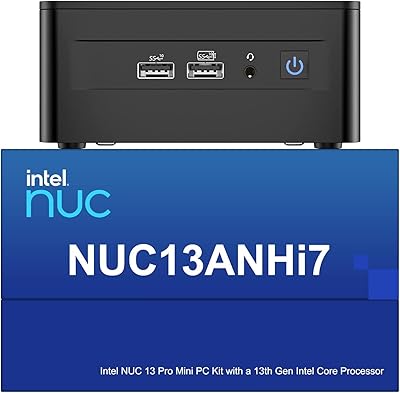
Intel NUC 13 Pro Mini PC, Core i7-1360P, 32GB RAM, 1TB SSD
86%
92%
Performance
89%
Value for Money
94%
Compact Size
88%
Multitasking Capabilities
78%
Setup/Installation
More
GMKtec Nucbox M2 Pro S (i7-1185G7, 32GB/1TB)
77%
78%
Processing Performance
61%
Thermal Management
88%
Memory & Storage
84%
Multi-Monitor Support
86%
Connectivity & Networking
More
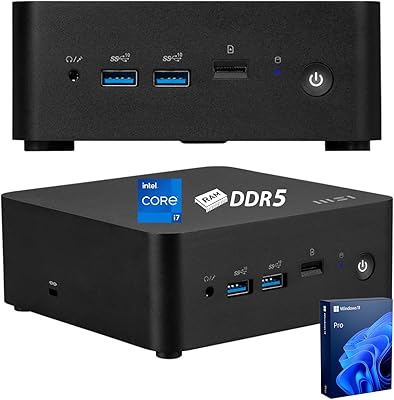
MSI Cubi NUC Business Mini Desktop, 13th Gen Intel Core i7-1365U, 32GB RAM, 1TB SSD
88%
91%
Performance
88%
Build Quality
93%
Connectivity
90%
Multitasking Capability
85%
Display Support
More
Beelink SER5 Pro (Ryzen 7 5825U, 16GB/500GB)
80%
88%
Everyday Performance
67%
Thermal Management
91%
Multi-Monitor Support
83%
Build Quality & Design
86%
Connectivity & Port Selection
More
DreamQuest Mini PC N95 32GB RAM 1TB SSD
85%
87%
Performance
80%
Build Quality
94%
Compact Design
88%
4K Support & Display
91%
Quiet Operation
More
MINISFORUM MS-A1 Mini Workstation, 32GB RAM, 1TB SSD
87%
90%
Performance
93%
Multitasking Ability
85%
Build Quality
88%
Cooling Efficiency
91%
Display Support
More
MINISFORUM UM773 Lite Mini PC, 32GB RAM, 1TB SSD
83%
88%
Performance
85%
Cooling System
92%
Value for Money
83%
Build Quality
89%
Connectivity Options
More
GEEKOM GT1 Mega AI Mini PC, 32GB RAM, 2TB SSD
87%
93%
Performance
88%
Graphics Quality
85%
Build Quality
91%
Multitasking Efficiency
84%
Cooling System Efficiency
More

FAQ

Yes, it does. You get two USB4 ports and two HDMI 2.0 ports, and all four can drive separate displays simultaneously. The USB4 ports handle up to 8K output, while the HDMI ports max out at 4K at 120Hz. Most users running a four-monitor productivity setup find this works without any adapters at all.

The RAM is not soldered — it uses standard SO-DIMM slots, so upgrading is entirely possible. The unit ships with 32GB across two slots, and the platform supports up to 96GB if you swap in higher-capacity modules. Just be aware that opening the case may affect your warranty standing, so factor that in before diving in.

At idle and during everyday tasks like browsing, video calls, or document work, the fan is barely noticeable. Under sustained heavy loads — extended video exports, large compilations, that kind of thing — it does spin up and becomes audible. It is not disruptive for most environments, but if you need near-silence during intensive work, manage expectations accordingly.

Windows 11 Pro comes fully pre-installed and activated out of the box. You do not need to purchase a separate license or enter any product key. For business buyers, this is worth factoring into the overall cost comparison since a retail Windows 11 Pro license alone carries a meaningful price.

Casually, yes — the integrated Intel Iris Xe graphics handle older titles and less demanding games reasonably well. For anything GPU-intensive like modern AAA games or VR, the answer is no. There is no discrete GPU and no way to add one internally, so if gaming is a primary use case, this compact desktop is genuinely not the right tool.

The warranty covers hardware defects and includes access to US-based technical support for setup questions, hardware troubleshooting, and general assistance. Based on widespread owner feedback, the support team is considered responsive and genuinely helpful compared to what you typically encounter with budget mini PC brands. For business or education deployments where downtime matters, this is one of the stronger reasons to choose this unit.

For most users, the built-in ports cover daily needs well. You get USB4, two USB-A ports, dual HDMI, an SD card slot, and audio — all without a hub. Heavy users with several USB-A peripherals may still want a small hub since there are only two USB-A ports total, but the average home office or business setup should manage fine without one.

It is a natural evolution for NUC users looking for a supported, modern replacement. The connectivity is meaningfully improved — USB4, 2.5Gb Ethernet, and WiFi 6E were not standard on older NUC generations — and the three-year warranty gives it a support story that Intel's NUC program ultimately could not sustain. Performance is also a step up, particularly in multi-threaded workloads.

The PCIe 4.0 NVMe drive that ships with the unit is genuinely fast — fast enough that most users will not feel the need to replace it. Application launches are snappy, large file transfers are quick, and the 1TB capacity is sufficient for most productivity workloads. Users who work with large media libraries or run multiple virtual machines simultaneously might eventually want more space, but there is no urgency to upgrade on day one.

The hardware runs Linux without major issues — several users have reported successfully installing Ubuntu and other distributions alongside or instead of Windows. BIOS options are accessible enough to configure boot order and disable Secure Boot where needed. That said, driver support for WiFi 6E and a few other components may require some extra configuration depending on the distribution and kernel version you choose.