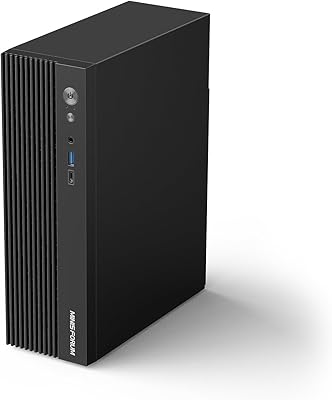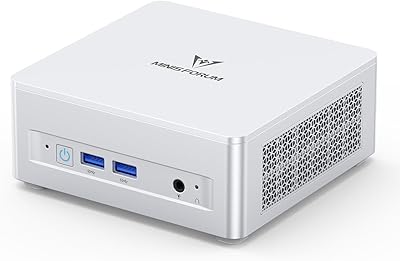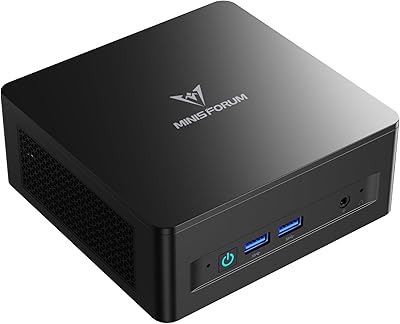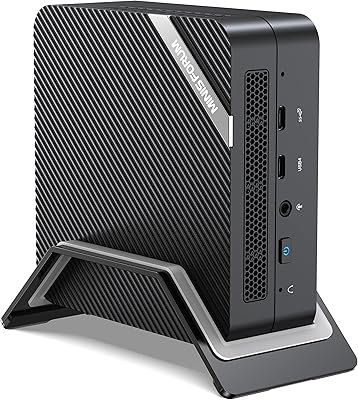

Overview

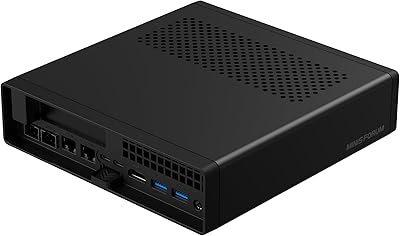
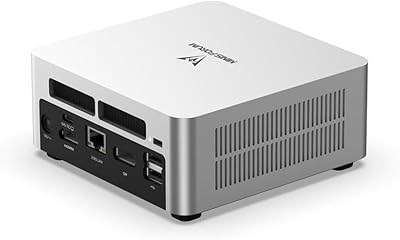
The MINISFORUM UN1290 Mini PC is one of those rare machines that makes you stop and reconsider what a desktop computer actually needs to look like. Fitting a 14-core, 20-thread Intel Core i9-12900HK into a chassis smaller than a paperback book — weighing just over a pound — is genuinely impressive engineering. MINISFORUM has built a reputation for iterating quickly on hardware, and the UN1290 reflects that ambition clearly. That said, this compact desktop is not chasing dedicated gamers or macOS loyalists. It targets power users who need serious CPU headroom without the bulk of a traditional tower, and who are willing to pay a mid-to-upper-tier price to get it.

Features & Benefits

The i9-12900HK is an H-series mobile chip — the kind typically found in premium laptops — so it handles sustained multi-threaded work like video encoding, large spreadsheet models, and multi-window coding sessions with real composure. Running three displays simultaneously via HDMI, DisplayPort, and USB-C is a legitimately practical setup for anyone juggling multiple workflows. The UN1290 ships with 32GB of DDR4 and a PCIe 4.0 SSD, plus an open 2.5-inch SATA bay for bulk storage expansion. The 2.5G LAN and Wi-Fi 6E combination stands out at this form factor. One honest caveat: cooling a 45W chip in such a small enclosure means the fan becomes audible under sustained load.

Best For

This mini PC hits its stride in a handful of specific scenarios. Knowledge workers who want a triple-monitor setup without a full tower under the desk will find it a natural fit. Home lab enthusiasts can leverage the 2.5G LAN to run software routers or network isolation experiments that typical consumer gear cannot support. If your workday involves Lightroom, light video exports, or switching between browser tabs and a couple of IDEs simultaneously, this compact desktop keeps up without complaint. It also works well as an HTPC, handling 4K output cleanly. Frequent travelers who need a capable machine they can slip into a bag will appreciate the sub-600g weight.

User Feedback

Buyers consistently highlight how fast this mini PC boots and how responsive it feels day-to-day — the generous RAM and fast SSD clearly play a role. The 2.5G LAN reliability earns specific praise from networking-focused users who report it holds up well in real NAS and router configurations. On the downside, fan noise under load is the most recurring complaint; the cooler ramps up noticeably during CPU-intensive stretches, which can be disruptive in quiet spaces. A handful of buyers noted minor BIOS quirks and initial driver friction on Windows, though most resolved these without significant difficulty. Against Intel NUC alternatives, the consensus leans favorable on value, though unit-to-unit build consistency occasionally draws criticism.

Pros

  • A 14-core, 20-thread i9-12900HK delivers desktop-class CPU performance in a 5x5x2-inch box.
  • Triple simultaneous 4K display output is rare at this form factor and works reliably in practice.
  • Ships with 32GB DDR4 and a 1TB PCIe 4.0 SSD — no immediate upgrades needed for most users.
  • The 2.5G LAN port is a standout feature that home lab users and NAS builders genuinely appreciate.
  • Wi-Fi 6E and Bluetooth 5.2 keep wireless connectivity current and future-ready.
  • An open 2.5-inch SATA bay makes it easy to add bulk storage without replacing anything.
  • Boot times and everyday responsiveness consistently draw praise from real-world buyers.
  • At around 570g, the UN1290 is light enough to slip into a laptop bag for travel or site work.
  • RAM is user-upgradeable up to 64GB via two standard SODIMM slots, giving the machine long-term headroom.
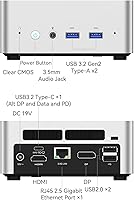
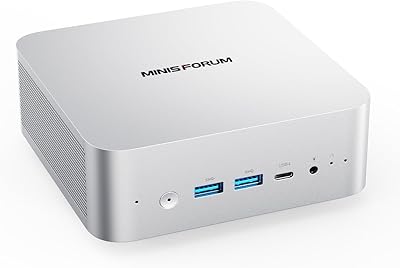
  • Port variety covers most desk setups without requiring a hub — USB 3.2, USB-C, audio jack, and DMIC included.

Cons

  • Fan noise becomes clearly audible under sustained CPU load, which can be disruptive in quiet environments.
  • Thermal throttling is a real concern during extended heavy workloads — this is a physics problem, not a firmware fix.
  • No Thunderbolt support limits compatibility with high-bandwidth docks and certain professional peripherals.
  • Intel Iris Xe graphics cap out quickly; any GPU-intensive task beyond 4K video playback will hit a wall.
  • Some buyers report inconsistent build quality between units, with minor fit-and-finish variations.
  • Initial Windows driver setup and BIOS configuration can trip up less experienced users out of the box.
  • Only two USB 2.0 ports sit alongside the faster ones — older peripherals may compete for limited bandwidth.
  • No discrete GPU upgrade path exists; buyers are locked into integrated graphics for the lifetime of the machine.
  • MINISFORUM after-sales support and warranty service can be slower and less polished than established brands.
  • The included power adapter is bulky relative to the tiny machine itself, which slightly undermines portability.

Ratings

The scores below reflect our AI-driven analysis of verified global user reviews for the MINISFORUM UN1290 Mini PC, with spam, bot activity, and incentivized feedback actively filtered out before any scoring was applied. Each category captures the full range of buyer sentiment — from genuine enthusiasm to recurring frustrations — so you get an honest picture of where this compact desktop excels and where it falls short.

CPU Performance
91%
Users consistently report that the i9-12900HK handles demanding multi-threaded work — large Excel models, Lightroom catalogs, multi-container development environments — with headroom to spare. The performance-per-cubic-inch ratio genuinely surprises buyers who expected compromise.
Sustained workloads that pin all cores for extended periods do lead to clock speed reductions as the thermal system reaches its limits, so users running overnight batch jobs or continuous encoding pipelines will notice throughput dip compared to early bursts.
Thermal Management
63%
37%
For everyday productivity — browsing, video calls, document work, even moderate code compilation — the cooling system keeps the chip running comfortably without obvious throttling, and the chassis itself stays cool to the touch under light loads.
The single fan and compact heatsink genuinely struggle when the i9-12900HK is pushed hard for more than 20 to 30 minutes. Reviewers who do video encoding or run virtualization stacks report measurable clock-speed drops, and the fan audibly ramps up in a way that cannot be tuned out in a quiet office.
Fan Noise
58%
42%
At idle and during casual use, the fan is quiet enough that most users in a home office setting forget it is there. The noise profile is a consistent mid-pitched hum rather than a coil-whine or erratic surge, which some buyers find easier to tolerate.
Under load, the fan becomes a persistent presence that multiple reviewers describe as noticeably louder than expected for a premium-priced machine. Users who work in shared spaces or record audio nearby find it genuinely disruptive during longer compute sessions.
Multi-Monitor Support
88%
The combination of HDMI 2.0, DisplayPort 1.4, and USB-C Alt Mode gives this mini PC one of the most practical triple-4K configurations available at its size and price. Buyers running three-monitor productivity rigs consistently report rock-solid display stability with no signal dropouts.
The USB-C port requires a monitor that explicitly supports DisplayPort Alt Mode — a detail that catches some buyers off guard when their USB-C display does not respond as expected. Setup requires a bit of cable and adapter research upfront.
Networking
93%
The 2.5G LAN port is one of the most-praised features among technically savvy buyers, who report clean compatibility with OpenWRT, pfSense, and NAS environments. Wi-Fi 6E performance is also rated highly, with strong signal stability across large homes and offices.
Users on standard gigabit home setups will not notice any practical benefit from the 2.5G port unless they upgrade their switch, which is an additional cost. A small number of buyers reported needing to manually configure network drivers on Linux before the 2.5G adapter was recognized correctly.
RAM & Storage
87%
Shipping with 32GB of dual-channel DDR4 and a PCIe 4.0 SSD means most buyers can unbox and work without any immediate upgrade costs. The open SATA bay is a bonus that home lab users and media collectors particularly appreciate.
The included DDR4 runs at 3200MHz, which is adequate but not the fastest available for this processor generation. A few buyers also noted that the SATA bay, while present, requires careful cable routing inside the chassis and is not the most accessible slot for frequent drive swapping.
GPU & Graphics
54%
46%
Intel Iris Xe handles 4K video playback, light photo editing, and hardware-accelerated media decoding without complaint. For users who just need smooth desktop rendering and HDR video, it performs reliably across all three outputs simultaneously.
Any buyer expecting gaming capability beyond older or low-demand titles will be disappointed — this is integrated graphics, full stop. GPU-accelerated creative tools like DaVinci Resolve or Stable Diffusion are effectively off the table at usable performance levels.
Build Quality
74%
26%
The aluminum-finished chassis feels solid and purposeful in hand, and the overall assembly quality is a clear step above budget-tier mini PCs. Most buyers describe it as premium-looking enough to sit on a desk or mount behind a monitor without looking out of place.
There is notable unit-to-unit variance in build consistency, with some buyers reporting slightly misaligned panels, loose port tolerances, or minor rattles. For a machine at this price point, quality control feels like it has not fully caught up with the hardware ambition.
Port Selection
79%
21%
The mix of USB 3.2 Gen2 Type-A, USB-C, and audio jack covers the needs of most desk setups without requiring a hub. Having both a headphone jack and a DMIC port adds practical flexibility for video conferencing and audio capture.
The two USB 2.0 ports are a bottleneck for users with multiple legacy peripherals, and the absence of a Thunderbolt port is a genuine limitation for professionals relying on high-bandwidth docks or eGPU enclosures. Power users will likely still need a hub.
Setup & Out-of-Box Experience
66%
34%
Buyers with prior experience building or configuring PCs find the hardware setup fast — the SATA bay comes with a cable, and the BIOS is reasonably accessible for tweaking power limits and boot order. The physical installation takes minutes.
The absence of a pre-installed OS means less technical buyers face an immediate driver and Windows installation hurdle. Several reviewers noted BIOS quirks that required firmware updates before the system behaved as expected, and MINISFORUM's documentation could be more thorough.
Value for Money
82%
18%
Compared to Intel NUC alternatives with equivalent CPU specs, the UN1290 typically comes in at a more competitive price while offering more networking hardware and storage flexibility. Buyers who understand what they are getting consistently rate it as strong value for a capable i9 mini desktop.
Against Chinese-brand competitors like Beelink at lower price points, the value case gets murkier, particularly if the buyer does not need the 2.5G LAN or triple-display output. Some reviewers also feel the premium should come with better after-sales support than MINISFORUM currently delivers.
Portability
84%
At 570g and roughly the footprint of a large smartphone lying flat, the UN1290 slips into a laptop bag with ease. Users who travel between offices or take their desktop setup on the road praise how little space and weight it adds to their kit.
The bundled power adapter is noticeably bulky relative to the tiny unit itself, which chips away at the portability advantage. Users who want to travel light would benefit from a compact third-party 19V adapter, adding yet another accessory to manage.
Software & Driver Support
67%
33%
Windows 11 runs cleanly once drivers are installed, and MINISFORUM does provide a dedicated driver package on their support site that covers most hardware components. Linux compatibility is reasonably good for mainstream distributions, which home lab users appreciate.
Driver setup requires hunting across MINISFORUM's website rather than a single guided installer, and the process can be confusing for first-time builders. BIOS updates have also introduced occasional regressions that required rolling back, which several buyers flagged in longer-term reviews.
After-Sales Support
61%
39%
MINISFORUM has an active community forum and responds to product-specific technical queries reasonably well compared to smaller no-name brands. For common issues, community-sourced fixes are often available quickly.
Warranty service response times are frequently cited as slow, and buyers outside Asia report difficulty getting timely RMA resolutions. For a machine in this price tier, the after-sales experience lags meaningfully behind what established brands like Intel or ASUS deliver.

Suitable for:

The MINISFORUM UN1290 Mini PC is best matched to users who need genuine CPU muscle but have no interest in managing a full-size tower. Remote professionals running three monitors simultaneously — juggling video calls, spreadsheets, and a browser with 30 open tabs — will find this compact desktop holds up in ways that typical mini PCs simply cannot. Home lab enthusiasts who want to experiment with software-defined networking, run OpenWRT, or push traffic through a 2.5G connection will appreciate the networking hardware baked right in. Light creative professionals — photographers processing RAW files in Lightroom, developers spinning up multiple containerized environments — get a machine that punches well above its physical size. It also works naturally as a space-saving HTPC, capable of driving up to three 4K displays from a device that can be mounted behind a monitor or tucked into a travel bag.

Not suitable for:

Anyone expecting serious gaming performance should look elsewhere — the Intel Iris Xe integrated graphics handles casual titles and media playback fine, but it is not built for modern AAA games or GPU-accelerated creative workloads like 3D rendering or machine learning inference. Users who run sustained, CPU-heavy tasks for hours on end — think long video encoding queues or overnight batch processing — should be aware that the compact chassis constrains cooling, and the fan will become a constant presence in a quiet room under those conditions. macOS users have no path here whatsoever, and buyers who rely heavily on Thunderbolt peripherals will find the UN1290 does not offer a native Thunderbolt port, only USB-C with DisplayPort alt mode. If your workflow demands a discrete GPU now or in the future, this machine offers no upgrade path for that — what you see at purchase is what you get on the graphics side.

Specifications

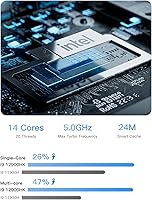
  • Processor: Intel Core i9-12900HK with 14 cores (6 Performance + 8 Efficiency) and 20 threads, boosting up to 5.0GHz with a 24MB cache.
  • Graphics: Intel Iris Xe integrated graphics running at up to 1.45GHz, supporting hardware-accelerated 4K video decode but not discrete-class GPU workloads.
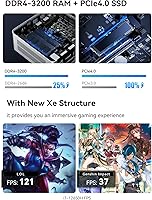
  • RAM: 32GB DDR4 dual-channel at 3200MHz across two SODIMM slots, with a maximum supported capacity of 64GB.
  • Primary Storage: 1TB M.2 2280 PCIe 4.0 SSD offering high sequential read and write throughput for fast boot times and application loading.
  • Storage Expansion: One internal 2.5-inch SATA bay (SATA 3.0 at 6.0Gb/s) accommodates a secondary HDD or SSD of up to 2TB; a SATA cable is included in the box.
  • Display Output: Three simultaneous video outputs are supported: one HDMI 2.0, one DisplayPort 1.4, and one USB-C with DisplayPort Alt Mode, all capable of 4K UHD (3840x2160) resolution.
  • Wired Network: One 2.5 Gigabit Ethernet RJ45 port delivers up to 2.5Gbps throughput, compatible with standard gigabit switches and full 2.5G infrastructure.
  • Wireless: Wi-Fi 6E (802.11ax, tri-band) and Bluetooth 5.2 are provided via an M.2 2230 wireless module.
  • USB Ports: Port selection includes 2x USB 3.2 Gen2 Type-A, 1x USB 3.2 Gen2 Type-C (with DP Alt Mode and Power Delivery), and 2x USB 2.0 Type-A.
  • Audio: A 3.5mm combination headphone/microphone jack and a built-in digital microphone (DMIC) port are included for audio input and output.
  • Dimensions: The chassis measures approximately 5 x 5 x 2 inches (127 x 127 x 51mm), making it small enough to mount behind a monitor with a standard VESA adapter.
  • Weight: The unit weighs approximately 570g (1.26 lbs), light enough to carry in a laptop bag without meaningful added bulk.
  • Power: The system runs on DC 19V input and ships with a US power adapter included in the package.
  • Operating System: Ships without a pre-installed operating system; Windows 11 or a supported Linux distribution must be installed by the user.
  • Package Contents: The box includes the UN1290 unit, one HDMI cable, one US power adapter, one SATA cable for the 2.5-inch bay, and a user manual.
  • Form Factor: Classified as a Mini PC or Micro Desktop; supports VESA mounting for behind-monitor or wall-mount installation.
  • Max Resolution: Each of the three display outputs supports up to 3840x2160 (4K UHD) at 60Hz when connected to a compatible monitor.
  • CPU TDP: The i9-12900HK has a base TDP of 45W, which the compact active-cooling system manages under typical loads with noticeable fan activity under sustained stress.

Related Reviews
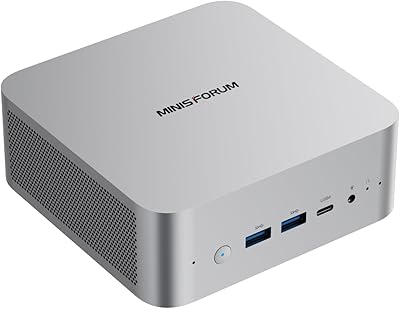
MINISFORUM UN1290 (32GB/512GB)
77%
89%
CPU Performance
63%
Thermal Management
91%
Multi-Monitor Support
86%
RAM & Expandability
84%
Storage Performance
More
MINISFORUM 790S7 Mini ITX PC
73%
93%
CPU Performance
78%
GPU Expandability
84%
Build Quality
76%
Value for Money
67%
Thermal Management
More
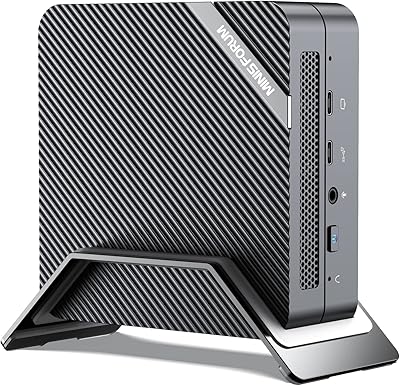
MINISFORUM UM870 Slim Mini PC (Barebone)
80%
88%
CPU Performance
74%
Integrated Graphics
91%
Build Quality & Design
93%
Connectivity & I/O
89%
Multi-Monitor Support
More
MINISFORUM X1-255 Barebone Mini PC
78%
83%
Performance
78%
Build Quality
71%
Value for Money
91%
Connectivity
69%
Thermal Management
More
MINISFORUM UM560 XT Mini PC
86%
91%
Performance
88%
Build Quality
84%
Connectivity
92%
Portability
60%
Cooling/Heat Management
More
MINISFORUM M1 Pro 125H Mini PC Barebone
79%
88%
Processing Performance
67%
GPU & Graphics Capability
91%
Build Quality & Chassis
93%
Connectivity & I/O
71%
OCuLink eGPU Support
More
MINISFORUM DeskMini UM690L Slim Mini PC
79%
91%
Processing Performance
88%
Multi-Monitor Support
58%
RAM Adequacy & Upgradeability
89%
Storage Speed & Expansion
73%
Integrated Graphics (Radeon 680M)
More
MINISFORUM UM773 Lite Mini PC
78%
91%
Processing Performance
74%
RAM & Memory
88%
Storage Speed & Capacity
77%
Graphics & Display Output
93%
Connectivity & Ports
More
MINISFORUM 790S7 Mini ITX PC AMD Ryzen 9 7940HX
81%
88%
Overall Performance
65%
Thermals and Cooling
80%
Graphics Flexibility
90%
Build Quality
92%
Value for Money
More
MINISFORUM MS-A2 Ryzen 9 9955HX Barebone
81%
93%
CPU Performance
91%
Expansion & Upgradability
94%
Networking Capability
89%
Storage Flexibility
78%
Thermal Management
More

FAQ

No, the MINISFORUM UN1290 Mini PC ships without an operating system. You will need to install Windows 11 or a compatible Linux distribution yourself. MINISFORUM provides driver downloads on their support site, but budget some setup time, especially for first-time builders.

Yes, and it works genuinely well for productivity use. The three outputs — HDMI, DisplayPort, and USB-C — can each drive a 4K display simultaneously. Just make sure your USB-C monitor supports DisplayPort Alt Mode, as not all do.

At idle or during light tasks like browsing and document work, the fan is barely noticeable. Under sustained CPU load — encoding video, compiling code, or running large data jobs — it ramps up to a clearly audible level. In a quiet room, it can be distracting for prolonged sessions.

Yes. The UN1290 has two SODIMM slots, both accessible after removing the bottom panel. You can upgrade to a maximum of 64GB using standard DDR4 SO-DIMMs. Just make sure to buy a matched pair to maintain dual-channel performance.

Casual and older titles — think indie games, classic strategy games, or anything from a few years back at lower settings — will run fine. Modern AAA titles are a different story; the Intel Iris Xe integrated graphics simply does not have the headroom for demanding 3D rendering. If gaming is a priority, you need a machine with discrete graphics.

Yes, it is fully backward compatible with standard 1G networking equipment. You will just be limited to gigabit speeds unless your switch or router also supports 2.5G. Users who do have 2.5G-capable infrastructure report strong, stable throughput that makes a real difference for NAS transfers and local network work.

Yes, there is an internal 2.5-inch SATA bay that accepts standard 2.5-inch drives up to 2TB. A SATA data cable is already included in the box, so you just need the drive itself. The primary M.2 slot is also accessible if you want to swap or upgrade the included 1TB SSD.

The i9-12900HK gives this compact desktop a meaningful CPU performance edge over most Beelink units at comparable prices, which tend to use lower-tier processors. Against Intel NUC, the UN1290 trades some brand reliability and ecosystem polish for more raw compute and better networking hardware. Most buyers who have used both report the value leans toward the UN1290, though NUC units have historically had stronger warranty support.

No. The USB-C port supports DisplayPort Alt Mode, data transfer, and Power Delivery, but it is not a Thunderbolt port. If you rely on Thunderbolt docks, eGPUs, or high-bandwidth Thunderbolt peripherals, this machine will not be compatible with those use cases.

The chassis dimensions make it compatible with standard VESA mounts, though a VESA bracket is not included in the box — you would need to source one separately. At just over a pound, the weight is not an issue for most monitor arms or wall mounts that include a mini PC bracket slot.