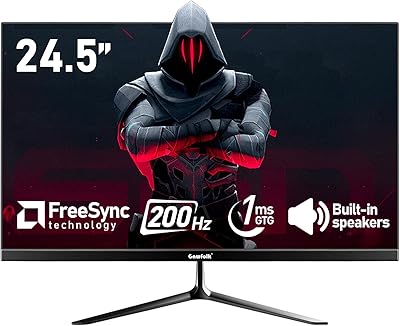
INNOCN 25G2S 24.5″ QHD Gaming Monitor

Overview
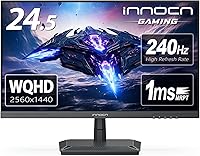
The INNOCN 25G2S 24.5″ QHD Gaming Monitor arrived in early 2025 targeting a crowded but price-conscious segment where buyers want 1440p and high refresh rates without spending flagship money. At 24.5 inches, the panel hits a sweet spot for pixel density — large enough for immersive gaming, tight enough that QHD resolution looks genuinely sharp rather than stretched. INNOCN isn't a household name in the West, but the brand has been quietly building a reputation for capable displays at aggressive prices. Expect solid performance for both competitive gaming and everyday desk work, though build quality and software polish reflect the price tier rather than premium alternatives.
Features & Benefits
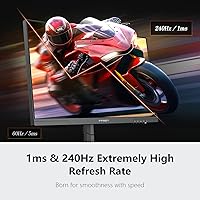
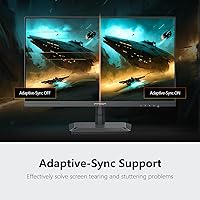
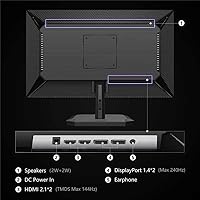
Running at 240Hz via DisplayPort 1.4, this 1440p gaming monitor delivers noticeably smoother motion than any 1080p screen at the same refresh rate — the clarity jump in fast-paced games is immediately apparent. The advertised 1ms rating refers to MPRT, a motion-blur reduction method, not actual pixel transition speed (GtG); it reduces ghosting effectively but is worth understanding before purchase. The HDMI 2.1 port is a genuine differentiator at this price, letting PS5 and Xbox Series X owners connect without bandwidth compromise. Color coverage at 99% sRGB is solid for streaming and casual photo work. Slim three-sided bezels and VESA 100x100mm support round out an impressively complete feature set.
Best For
This mid-range IPS display makes the most sense for PC gamers upgrading from 1080p who want sharper visuals without paying premium-tier prices. It's also a strong pick for PS5 or Xbox Series X owners who specifically need HDMI 2.1 — that feature alone significantly narrows the competition at this price point. Work-from-home users who split time between productivity tasks and evening gaming will appreciate the color accuracy and eye-care features working together. Multi-monitor builders benefit from the near-frameless design. Where it falls short is ergonomics: the stand only tilts, with no height adjustment or pivot, which will frustrate anyone upgrading from a fully articulating setup.
User Feedback
Buyers consistently praise 1440p sharpness at 24.5 inches as an immediate upgrade over 1080p, and most agree the 240Hz smoothness justifies the cost of entry. On the critical side, the OSD menu draws regular complaints — functional, but genuinely awkward to navigate. Backlight uniformity varies across units, and a handful of buyers have flagged dead pixels on arrival, suggesting some panel lottery risk worth knowing about. The built-in speaker gets used in a pinch but rarely earns enthusiasm. Long-term reliability is still an open question given INNOCN's limited track record, though the brand's support team is generally described as responsive and reasonable when problems do come up.
Pros
- 1440p at 24.5 inches delivers genuinely sharp visuals — a clear, immediate upgrade from any 1080p panel.
- 240Hz refresh rate makes fast-paced games noticeably smoother, especially in competitive shooters.
- HDMI 2.1 support is rare at this price and a real advantage for PS5 and Xbox Series X owners.
- G-Sync and FreeSync compatibility means tear-free gaming across both major GPU ecosystems.
- Narrow three-sided bezels make the INNOCN 25G2S a natural fit for clean dual-monitor arrangements.
- 99% sRGB color coverage handles everyday productivity, streaming, and casual photo viewing comfortably.
- VESA 100x100mm compatibility lets buyers swap the basic stand for a monitor arm without hassle.
- Flicker-free backlight and blue light reduction make long work-from-home sessions noticeably less tiring.
- The feature set — resolution, refresh rate, HDMI 2.1, adaptive sync — is hard to match at this price tier.
- Metal stand base adds stability that feels more solid than typical all-plastic budget monitor hardware.
Cons
- Stand adjustability is limited to tilt only — no height raise, swivel, or pivot whatsoever.
- The OSD menu is genuinely awkward to navigate and draws consistent complaints from buyers.
- MPRT-based 1ms rating dims the panel noticeably when active, leading many users to simply turn it off.
- Backlight uniformity varies across units, with some buyers reporting visible glow or bleed in dark scenes.
- Dead-on-arrival pixels have been reported often enough to represent a real, if minority, quality control risk.
- The built-in speaker produces thin, weak audio — essentially unusable for anything beyond emergency muting.
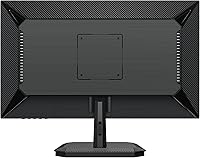
- Rear panel and stand neck feel hollow and lightweight, undermining confidence in long-term durability.
- Only one HDMI port means multi-console users will need a switch or constant cable swapping.
- No USB hub on the display limits desk convenience for users who route peripherals through their monitor.
- One-year warranty with a lesser-known brand leaves long-term reliability an open and legitimate concern.
Ratings
The INNOCN 25G2S 24.5″ QHD Gaming Monitor scores below were generated by AI after analyzing verified global user reviews, with spam, bot activity, and incentivized feedback actively filtered out. The result is an honest picture of where this 1440p 240Hz display genuinely delivers and where it falls short. Both the highlights that make buyers recommend it and the friction points that give others pause are reflected transparently in every category.
Image Sharpness & Clarity
Refresh Rate & Motion Smoothness
Response Time & Input Lag
Color Accuracy & Gamut
Connectivity & Port Selection
Stand & Ergonomics
Build Quality & Materials
OSD & Menu Navigation
Bezel Design & Aesthetics
Eye Care & Long-Session Comfort
Console Gaming Compatibility
Value for Money
Built-in Speaker
Quality Control & Reliability
Suitable for:
The INNOCN 25G2S 24.5″ QHD Gaming Monitor is a strong fit for PC gamers who are tired of 1080p but not ready to spend flagship prices on a display upgrade — the jump to 1440p at 240Hz is immediately noticeable, and the price keeps the overall build budget intact for the GPU doing the heavy lifting. Console gamers with a PS5 or Xbox Series X will also find real value here, since HDMI 2.1 at this price point is genuinely uncommon and allows full-bandwidth connections without compromise. Work-from-home users who pull double duty — spreadsheets by day, gaming by night — will appreciate that 99% sRGB coverage keeps productivity tasks looking natural without forcing a separate display purchase. People building dual-monitor setups benefit from the narrow three-sided bezels, which keep the visual gap between screens minimal. If you are upgrading from a 60Hz or 144Hz 1080p monitor for the first time, this mid-range IPS display will feel like a meaningful step forward across nearly every dimension of daily use.
Not suitable for:
The INNOCN 25G2S 24.5″ QHD Gaming Monitor is not the right call for anyone who relies on precise ergonomics — the stand only tilts, with no height adjustment or pivot, and users coming from a fully articulating monitor will find that limitation frustrating within the first week. Professional creatives who need verified color accuracy for print work, photo retouching, or video grading should look elsewhere, as the 99% sRGB panel is solid for general use but not calibrated to the standard that serious color work demands. Buyers who prioritize long-term brand reliability and easy warranty claims may feel uneasy with a lesser-known manufacturer and a one-year coverage window, especially without a robust local service network. Anyone hoping to use the built-in speaker as a primary audio source will be disappointed — it functions in emergencies but is not a substitute for even a modest desktop speaker. Finally, if your GPU cannot consistently push high frame rates at 1440p, much of the 240Hz advantage goes unused, making a 165Hz alternative potentially more practical for your specific setup.
Specifications
- Screen Size: 24.5-inch diagonal IPS panel with a matte anti-glare surface coating.
- Resolution: 2560x1440 pixels (QHD), delivering approximately 117 pixels per inch at this screen size.
- Panel Type: IPS (In-Plane Switching) technology providing wide viewing angles and consistent color across the panel.
- Refresh Rate: Up to 240Hz via DisplayPort 1.4; lower refresh rates of 120Hz, 144Hz, 165Hz, and 180Hz are also supported.
- Response Time: 1ms MPRT (Moving Picture Response Time), a motion-blur reduction method distinct from GtG pixel transition speed.
- Color Gamut: 99% sRGB color space coverage for broad, vibrant color reproduction suited to gaming and general content consumption.
- Connectivity: One HDMI 2.1 port and one DisplayPort 1.4 port for connecting PCs, gaming laptops, and modern consoles.
- Adaptive Sync: Compatible with AMD FreeSync and NVIDIA G-Sync for tear-free, low-latency gameplay across both GPU platforms.
- Aspect Ratio: Standard 16:9 widescreen aspect ratio.
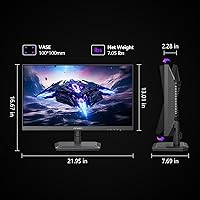
- VESA Mount: 100x100mm VESA pattern allows the monitor to be mounted on compatible third-party arms or wall brackets.
- Stand Adjustment: Tilt adjustment only; the stand does not support height, swivel, or pivot changes.
- Eye Care: Flicker-free backlight and a software-based blue light reduction mode are included to reduce eye strain during extended sessions.
- Built-in Speaker: An integrated speaker is included for basic audio output without requiring external speakers.
- Dimensions: The monitor measures 21.9 inches wide, 16.67 inches tall, and 7.6 inches deep with the stand attached.
- Weight: 8.98 lbs (approximately 4.07 kg) with the stand; 7.03 lbs without the stand for wall-mount installations.
- Warranty: INNOCN provides a 1-year product quality warranty with 24/7 customer support coverage.
- Manufacturer: Made by Guangxi Century Innovation Display Electronics Co., Ltd, operating under the INNOCN brand.
- Model Number: Official model designation is 25G2S, released to market in January 2025.
Related Reviews
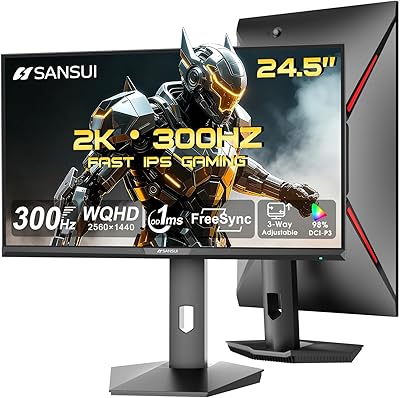
SANSUI ES-G25F6Q Pro 24.5-inch QHD Gaming Monitor

CRUA CR245ZB 24.5″ Gaming Monitor

KOORUI G2511E 24.5-Inch 320Hz Gaming Monitor
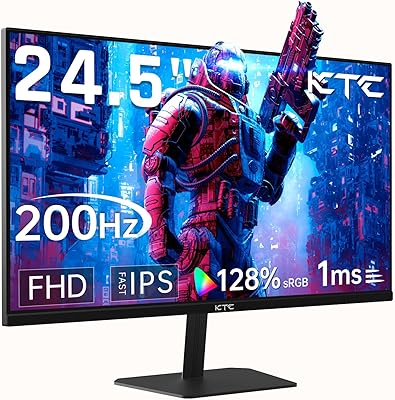
KTC 24.5″ Gaming Monitor 180Hz FHD
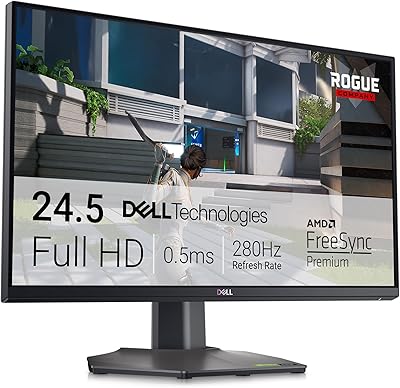
Dell G2524H 24.5-inch Gaming Monitor
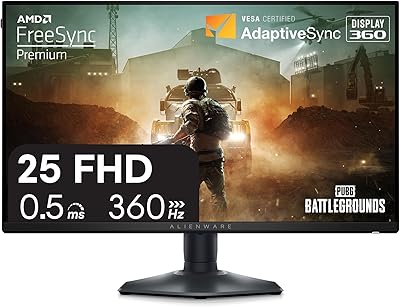
Alienware 25 Gaming Monitor AW2523HF 24.5″
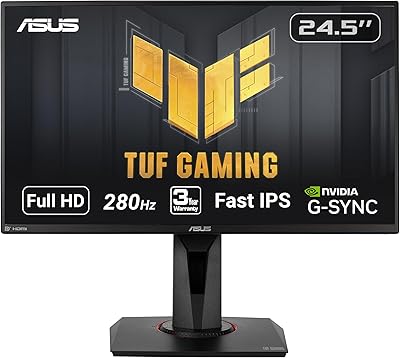
ASUS TUF Gaming VG259QM 24.5″ Gaming Monitor
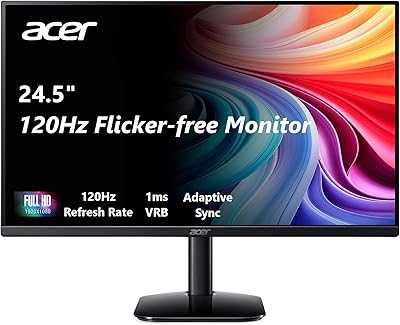
Acer KB252Q G0bi 24.5″ IPS Monitor

Gawfolk GF245A 24.5-Inch Curved Gaming Monitor