
Overview

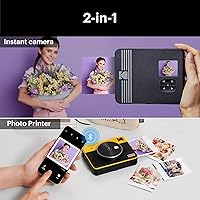
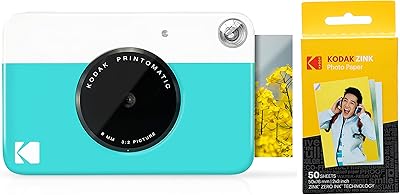
The Kodak Mini Shot 3 Retro Instant Camera sits in an interesting niche — part point-and-shoot, part pocket printer — built for people who want something physical to hold at the end of a night out. Unlike traditional Instax cameras that lock you into rectangular film, this instant camera produces square 3×3-inch prints that feel a little more current and versatile. You can shoot with the built-in lens or pull photos from your phone over Bluetooth and print those instead. It relies on dye-sublimation technology rather than the zink method, which makes a real difference in color richness. Just go in knowing this is a fun-first device, not a serious photography tool.

Features & Benefits

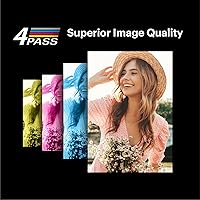
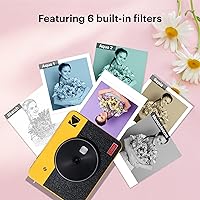
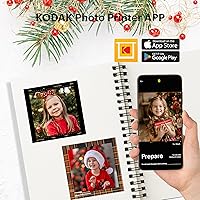
The 4PASS printing process is what sets this hybrid shooter apart from cheaper instant alternatives. Instead of one-step zink paper, it lays down cyan, magenta, yellow, and a protective laminate coat in four passes — the result is a print that resists fingerprints, handles light moisture, and holds color well over time. Bluetooth pairing opens things up beyond the built-in lens; you can browse your phone gallery and push a favorite shot straight to paper via the Kodak Photo Printer app, which also lets you add frames and filters before committing to ink. The rechargeable battery removes the need for AAs entirely, a genuine convenience mid-event. A 1/2000-second shutter handles casual motion without obvious blur.

Best For

This instant camera shines as a gift for teens and young adults who want more than a camera roll — they want something to stick on a wall or tuck into a journal. It also travels well; instead of carrying a separate portable printer on a trip, you get both in one compact body. Scrapbookers and bullet journal enthusiasts especially appreciate the square bordered format, which leaves a white margin perfect for writing a date or short caption. Party hosts have found it works as a shared activity, not just a passive gadget. If your recipient already shoots film seriously, this is not their camera — but for casual, memory-making occasions, it fits naturally.

User Feedback

Across thousands of reviews, the Kodak Mini Shot 3 earns consistent praise for print color accuracy — buyers switching from zink-based cameras often note a noticeable improvement in warmth and depth. The retro styling gets mentioned as a bonus almost as frequently as the actual output quality. On the less flattering side, a recurring concern is the ongoing cost of replacement paper packs; individual prints are not steep, but they add up, especially if you skip the bundle option. The companion app works well for most people, though a portion of users report Bluetooth pairing hiccups on initial setup. A handful of buyers also feel the plastic construction does not quite reflect the price they paid.

Pros

  • Dye-sublimation prints resist fingerprints and light moisture far better than zink-based alternatives.
  • The ability to print directly from a smartphone gallery makes this instant camera far more flexible than film-only competitors.
  • Bordered and borderless print options give creative users genuine choice depending on how they plan to display or journal their photos.
  • The rechargeable built-in battery removes the need for disposable AAs, a real convenience during all-day events.
  • Print colors are consistently praised for warmth and accuracy compared to competing instant formats.
  • The retro design earns compliments on its own, making it one of the more gift-ready options in this category.
  • A maximum shutter speed of 1/2000 seconds handles casual motion without obvious blur in decent light.
  • The Kodak app adds editing tools — frames, filters, touch-ups — so you are not stuck printing exactly what the lens captured.
  • Included paper and ink cartridge means recipients can start printing immediately without a separate purchase.
  • Laminated prints hold up well over time, resisting the edge curling and fading common in cheaper instant formats.

Cons

  • Replacement paper packs add a recurring cost that accumulates quickly, especially during parties or travel.
  • Bluetooth pairing can require multiple attempts, particularly on certain Android devices, which kills momentum at events.
  • The plastic casing feels lightweight in a way that does not quite match the asking price.
  • Camera lens sharpness drops off noticeably indoors and in low light, limiting the quality of printed shots taken in those conditions.
  • The included paper pack contains relatively few sheets, which enthusiastic first-session users will exhaust quickly.
  • Back-to-back printing causes the unit to warm up and slow down, creating a bottleneck during high-volume sessions.
  • The app interface, while functional, offers limited precision for users who want meaningful color or crop adjustments before printing.
  • Reconnecting via Bluetooth after the camera idles or powers off is inconsistent and sometimes requires restarting the app.
  • The output print size of 3×3 inches, while charming, may feel small to buyers accustomed to standard photo dimensions.
  • Heavy Bluetooth printing drains the battery faster than expected, which can catch users off guard during longer events.

Ratings

The scores below were generated by our AI engine after analyzing thousands of verified global reviews for the Kodak Mini Shot 3 Retro Instant Camera, with spam, bot activity, and incentivized feedback actively filtered out before any scoring took place. The result is an honest snapshot of where this hybrid shooter genuinely excels and where real buyers have run into friction. Both the high points and the recurring frustrations are reflected transparently across each category.

Print Quality
84%
Users consistently note that prints come out warmer and more vibrant than what they experienced with zink-based competitors. The laminated finish holds up well in wallets and scrapbooks, resisting the smudging and fading that plagued older instant formats.
At very close range or in low light, prints can show some color banding or slight softness in shadow areas. A few buyers noted that colors, while rich, occasionally skew slightly warmer than the original scene on screen.
Ease of Use
81%
19%
Most buyers report being up and shooting within minutes of unboxing, with no manual or tutorial needed for basic shooting. The straightforward button layout and automatic exposure make it genuinely approachable for younger users and first-time instant camera owners.
Switching between camera mode and Bluetooth print mode is not always intuitive, and a handful of users needed a few tries to understand the workflow. The menu navigation on the small screen can feel cramped when adjusting settings quickly at an event.
App Experience
67%
33%
The Kodak Photo Printer app adds real value by letting users apply frames, filters, and basic touch-ups before printing, which saves wasted paper on shots that need tweaking. Android and iPhone users alike generally find the interface clean and functional once connected.
Bluetooth pairing is the most cited friction point in the app experience — a meaningful portion of users report needing multiple attempts or a device restart before the camera is recognized. The app has also received occasional reviews mentioning lag between selecting a photo and confirming the print job.
Value for Money
63%
37%
As a two-in-one device replacing both an instant camera and a portable Bluetooth printer, the upfront cost is defensible when compared to buying both separately. For gift-givers looking for something that feels premium and thoughtful, the packaging and presentation add to the perceived value.
The ongoing cost of replacement paper packs is where many buyers feel the pinch — per-print expenses accumulate quickly during parties or trips, especially when printing from the phone gallery liberally. Without a bundle purchase, the per-photo cost undercuts what initially seemed like reasonable pricing.
Build Quality
61%
39%
The retro styling is genuinely well received, with the color finish and compact silhouette earning repeated compliments in reviews. It fits comfortably in a large jacket pocket or a small bag, making it practical to bring to events without feeling like a burden.
Several buyers mention that the plastic casing feels lightweight in a way that reads as cheap rather than compact, particularly given the price point. Corner edges and the paper output slot have been flagged by some users as feeling fragile under regular handling.
Camera Lens Performance
59%
41%
For casual group shots, birthday parties, or outdoor festival snaps, the built-in lens delivers results that are perfectly acceptable and fun to print. Shots taken in good daylight hold enough detail to be recognizable and enjoyable as physical mementos.
This is not a lens that will satisfy anyone expecting sharpness or detail in the final print — at the pixel level, images lack the crispness of even a mid-range smartphone camera. Low-light performance drops off noticeably, producing prints that can look murky or underexposed indoors without flash.
Bluetooth Connectivity
64%
36%
When the connection holds, printing from a smartphone gallery feels genuinely useful and adds a layer of flexibility that purely film-based instant cameras simply cannot offer. Most users on iOS report a smoother pairing experience than those on Android.
Reconnection after the camera idles or powers off is inconsistently reported — some users reconnect instantly while others cycle through the app multiple times. A small but vocal group of reviewers never achieved a stable connection with specific Android models.
Battery Life
76%
24%
The built-in rechargeable battery removes the frustration of hunting for AA batteries mid-event, which is a practical upgrade over many competing instant cameras. Users report being able to shoot and print through a full party or afternoon outing on a single charge comfortably.
Heavy Bluetooth printing sessions drain the battery faster than camera-only use, which some buyers discovered the hard way at longer events. Charge time is not particularly fast, so forgetting to top it up the night before an outing is a real risk.
Print Speed
78%
22%
Prints emerge in roughly 40 to 60 seconds, which feels satisfying rather than tedious in a group setting — fast enough to keep energy up, slow enough to build a little anticipation. The 4PASS process does not feel sluggish compared to other dye-sublimation alternatives in this price range.
Back-to-back printing does cause the unit to warm up, and some users note a slight slowdown after several consecutive prints. For high-volume events where you want prints flowing quickly, the pace may test the patience of a queue of waiting guests.
Photo Customization Options
73%
27%
The ability to choose between bordered and borderless prints is a small but meaningful touch — bordered prints give journalers and scrapbookers a writable margin that adds a personal layer to each photo. App-based filters and frames are more varied than many buyers expected from a hardware-first brand.
Advanced editing is still limited compared to dedicated photo apps; the filter range feels adequate rather than exciting after a few uses. Users who want precise color grading or significant cropping before printing will find the tools fall short of their expectations.
Portability
82%
18%
At just over 400 grams, this hybrid shooter is light enough to carry in a tote bag all day without noticing it, which matters when you are already carrying a phone, wallet, and everything else to an event. The compact footprint means it does not dominate the bag.
It is still physically larger than a dedicated Bluetooth mini printer, so users who primarily want phone printing may find it slightly bulkier than necessary for that specific use case. The paper cartridge adds a little extra thickness compared to slimmer instant camera bodies on the market.
Print Durability
88%
The laminate layer applied during the 4PASS process is one of the standout features buyers mention when comparing prints side by side with zink output — photos resist scratching, humidity, and everyday handling remarkably well. Prints tossed loose into a bag or kept in a wallet hold up far better than many expect.
While the laminate is effective, the print surface can still pick up fine surface scratches from sharp objects like keys if stored carelessly. A handful of buyers in humid climates noted minor edge curling over extended periods, though this appears uncommon.
Compatibility
77%
23%
Supporting both iOS and Android out of the box means this instant camera covers the vast majority of potential users without requiring a specific ecosystem. Connecting to an iPad for larger-screen photo selection before printing is a minor but genuinely useful workflow.
Older Android versions have triggered the most compatibility complaints, with certain devices simply not cooperating reliably with the app. Apple users have a notably smoother reported experience overall, which creates a slight disparity depending on which device a buyer happens to own.
Unboxing & First Impression
83%
The retro styling and packaging translate well as a gift — recipients consistently describe the out-of-box moment positively in reviews, noting that it looks and feels more considered than generic electronics. Included paper and ink cartridge mean buyers can print immediately without a separate order.
The included paper pack contains a limited number of sheets, which runs out quickly during an enthusiastic first session. New users sometimes mistake the initial print alignment sheet for a wasted photo, causing minor early confusion before they understand the process.

Suitable for:

The Kodak Mini Shot 3 Retro Instant Camera is a natural fit for anyone who wants the immediacy of a printed photo without committing to a purely film-based shooting experience. Teenagers and young adults who already live on their phone cameras will appreciate being able to pull a favorite shot from their gallery and have it printed as a physical keepsake within seconds. It also works well as a gift for social occasions — birthdays, graduation parties, family reunions — where handing someone a real print to take home carries far more weight than another shared album link. Travelers who want instant physical souvenirs but hate the idea of carrying both a camera and a separate portable printer will find the two-in-one format genuinely practical. Scrapbookers and bullet journal enthusiasts benefit specifically from the bordered print option, which leaves a writable margin ideal for captions, dates, or short notes. If the goal is shared fun and tangible memories rather than technically impressive photography, this hybrid shooter delivers.

Not suitable for:

Buyers expecting the Kodak Mini Shot 3 Retro Instant Camera to function as a serious photography tool will likely walk away disappointed. The built-in lens is consumer-grade in the truest sense — it handles bright outdoor gatherings acceptably but struggles with indoor detail and low-light scenes, producing prints that are fun rather than technically sharp. Anyone who already owns a capable smartphone and a dedicated Bluetooth printer may find the combined form factor redundant rather than convenient, especially since standalone mini printers can be smaller and lighter. The per-print cost, while not extreme, is a genuine ongoing expense that budget-conscious buyers should calculate before committing, particularly if they plan to print frequently. Users heavily invested in the Android ecosystem should also be aware that app connectivity has been more inconsistent on Android than on iOS, which can interrupt the experience at inopportune moments. If photographic precision or long-term running costs are primary concerns, a different approach to instant printing is worth considering.

Specifications

  • Print Size: Each photo prints at 3×3 inches, producing a square format that differs from the rectangular output of most Instax-style cameras.
  • Print Technology: The camera uses 4PASS dye-sublimation, applying cyan, magenta, yellow, and a protective laminate layer in four sequential passes over each print.
  • Print Types: Users can select between bordered prints, which include a white margin for writing, and borderless prints that use the full 3×3″ surface area.
  • Connectivity: Bluetooth pairing is supported for both iOS and Android devices, enabling wireless printing directly from a smartphone or tablet gallery.
  • Companion App: The Kodak Photo Printer app is required for Bluetooth printing and provides access to filters, frames, beauty tools, and layout adjustments before printing.
  • Compatible Devices: This instant camera is compatible with Apple iPhone, iPad, and Android smartphones running current and recent operating system versions.
  • Shutter Speed: The maximum shutter speed is 1/2000 seconds, which provides adequate motion handling for casual shooting in well-lit environments.
  • Item Weight: The unit weighs approximately 400 grams (14.1 ounces), keeping it light enough for all-day carry in a bag or large jacket pocket.
  • Battery Type: Power comes from a built-in rechargeable lithium-ion battery, eliminating the need for disposable AA or AAA cells.
  • In the Box: Each unit ships with one photo paper pack and an ink cartridge included, so printing is possible immediately after unboxing without a separate purchase.
  • Print Durability: Prints are laminated during the 4PASS process, making them resistant to fingerprints, light moisture, and everyday surface contact.
  • Print Longevity: Kodak claims prints produced by this camera are designed to last over 100 years under normal storage conditions.
  • Film Format: The camera uses Kodak-branded instant color photo paper cartridges rather than traditional chemical film, with replacement packs sold separately.
  • ASIN: The official Amazon product identifier for this model is B084MKQV4N, corresponding to model number C300RW.
  • Manufacturer: This camera is manufactured by Prinics Co., Ltd and sold under the Kodak brand under license.
  • First Available: The product was first listed for sale in March 2020 and remains an active, non-discontinued model as of the latest available data.
  • BSR Ranking: This hybrid shooter holds a Best Sellers Rank of approximately #27 in the Instant Digital Cameras category on Amazon.
  • Battery Requirement: One lithium-ion battery is required and is included built into the unit; no separate battery purchase is necessary for initial use.

Related Reviews
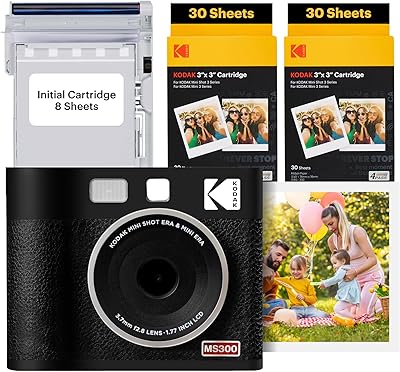
Kodak Mini Shot 3 ERA Instant Camera and Photo Printer
87%
85%
Print Quality
90%
Ease of Use
93%
Portability
88%
Print Durability
78%
Battery Life
More
KODAK Mini Shot 4 ERA Instant Camera
72%
88%
Print Quality
92%
Print Size & Format
86%
Print Durability
43%
Portability & Form Factor
67%
Bluetooth Connectivity
More
Kodak Mini 3 Retro Portable Photo Printer
77%
88%
Print Quality
62%
Value for Money
71%
App Experience
93%
Portability & Size
84%
Build Quality & Design
More
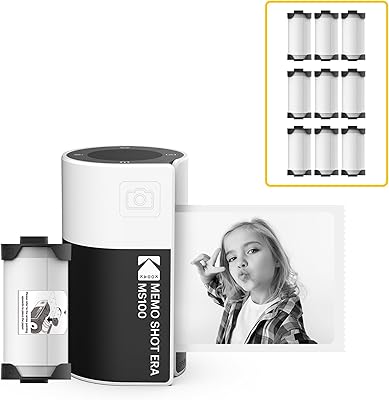
KODAK Memo Shot ERA Instant Camera Printer
77%
88%
Ease of Use
74%
Print Quality
61%
Monochrome Output Transparency
71%
Build Quality & Durability
83%
Paper Roll & Cartridge System
More
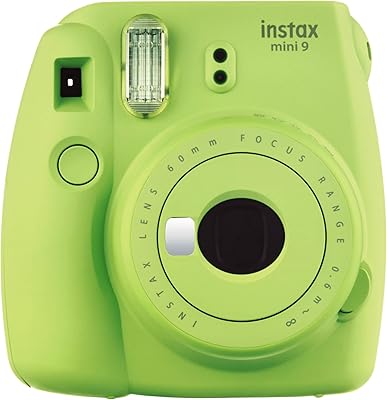
Fujifilm Instax Mini 9
75%
93%
Ease of Use
67%
Image Quality
74%
Build Quality
61%
Value for Money
71%
Selfie & Portrait Performance
More
Kodak Smile Classic Digital Instant Camera
69%
63%
Print Quality
71%
Bluetooth Connectivity
58%
Value for Money
67%
Build Quality & Design
84%
Print Size
More
Fujifilm Instax Mini 40 Instant Camera
78%
93%
Design & Aesthetics
91%
Ease of Use
71%
Auto Exposure Performance
74%
Print Quality
78%
Build Quality & Durability
More
Fujifilm Instax Mini 12
78%
94%
Ease of Use
83%
Photo Quality in Good Light
61%
Low-Light Performance
81%
Selfie & Close-Up Capability
78%
Build Quality & Design
More
Fujifilm Instax Mini 11 Instant Camera
77%
93%
Ease of Use
74%
Build Quality
67%
Print Quality
71%
Value for Money
78%
Selfie Mode
More
Fujifilm Instax Mini EVO
81%
88%
Image Quality
91%
Creative Effects & Versatility
83%
Smartphone Integration
86%
Build Quality & Design
71%
Value for Money
More

FAQ

Yes, absolutely. Once you pair the camera to your phone via Bluetooth and open the Kodak Photo Printer app, you can browse your iPhone gallery and send any photo directly to the printer. You never have to use the built-in lens if you prefer shooting with your phone.

Most users report getting through a full social event or party session on one charge, which typically translates to somewhere in the range of 20 to 30 prints depending on how much Bluetooth usage is involved. Heavy wireless printing drains the battery faster than camera-only shooting, so it is worth charging the night before a big day.

It officially supports both iOS and Android. That said, real-world user feedback suggests the Bluetooth pairing experience tends to be smoother on iPhones. Android users occasionally need to restart the app or re-pair the device, so if you are on Android, just be prepared for a potential extra step or two during setup.

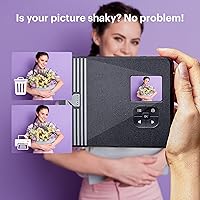
No, and this is one of the genuine advantages over traditional film cameras. After taking a shot with the built-in lens, you can preview it on the screen and choose to print it or discard it. You only consume a sheet of paper when you confirm the print.

Replacement paper packs are sold separately in various sizes, with 20-sheet and 50-sheet options typically available. The per-print cost is noticeably lower when buying larger multipacks or bundles, so stocking up rather than buying individual small packs is the smarter long-term move financially.

They are water-resistant rather than fully waterproof, but the laminate coat applied during the printing process does a solid job protecting against light splashes, humidity, and repeated handling. For scrapbook use, they hold up very well — much better than zink-based prints, which tend to smudge and curl under similar conditions.

The ink is integrated into the paper cartridge itself — there is no separate ink refill to manage. When you purchase replacement paper packs, you are getting both the paper and the dye layers together, which simplifies the whole process considerably.

No, the camera pairs with one device at a time via Bluetooth. If you want to switch who is printing, the current user needs to disconnect first and then the next person pairs their phone. At a party this can slow things down slightly, but most groups manage it by nominating one person to handle print requests.

They are very similar in overall dimensions. This hybrid shooter produces 3×3-inch prints, which are slightly smaller than the full Instax Square format, but the difference is subtle enough that most people use them interchangeably in albums and frames designed for square instant photos.

This is the most commonly reported technical frustration with this camera. Start by making sure location permissions are enabled for the app, as Android requires location access for Bluetooth scanning on many versions. Closing and fully restarting the app, then toggling Bluetooth off and on, resolves the issue for most users. If problems persist, checking for an app update or clearing the app cache has also worked for several users in community forums.

Where to Buy