Overview

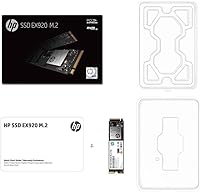
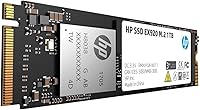
The HP EX920 1TB M.2 NVMe Internal SSD launched in 2018 as a mid-range NVMe upgrade for HP PC owners and general enthusiasts who wanted real storage speed without overspending. It slots into a standard M.2 2280 slot and communicates over a PCIe 3.1 x4 interface — the mainstream Gen 3 standard that most systems from that era support. It is not a bleeding-edge drive by today's benchmarks, and that is worth being upfront about. What it does offer is consistent, proven performance backed by HP's own laboratory certification. That certification is optimized for HP systems specifically, though the drive can work in other compatible machines as well.
Features & Benefits

Running over NVMe 1.3 with PCIe 3.1 x4 bandwidth, this HP NVMe drive reaches sequential reads up to 3,200 Mbps and writes up to 1,800 Mbps — numbers that translate to noticeably faster boot times and quicker large-file transfers versus any SATA SSD. The architecture uses 3D TLC NAND spread across 8 flash channels, which keeps throughput steadier under sustained use rather than crashing hard once the cache fills. Built-in LDPC error correction runs in the background, catching and resolving data errors in real time — a meaningful reliability feature. The drive also carries a 400 TBW endurance rating alongside a 2 million hour MTBF, both respectable figures for this class of storage.

Best For

The EX920 1TB is a natural fit for anyone upgrading an HP laptop or desktop — you get a drive that HP has actually tested and validated for those machines, which takes the guesswork out of compatibility. Users stepping up from a hard drive or old SATA SSD will notice the difference right away; the responsiveness jump is hard to miss in everyday use. It also suits budget-minded builders who want solid Gen 3 NVMe performance without paying a premium for the latest generation. Where it is less compelling is in demanding, high-throughput environments like large-scale video editing or heavy server loads. This is a daily-use productivity drive, first and foremost.

User Feedback

Owners of this M.2 SSD consistently point to easy installation and a genuine improvement in how responsive their systems feel, especially on older HP hardware. Users who bought it around launch report the drive still running without issues years in, which aligns with the long-term reliability specs. The critiques are worth noting. Some buyers find that real-world write speeds dip below what the spec sheet suggests — a known behavior in TLC-based drives once the write cache is exhausted, not a defect exactly, but something to factor in. A handful of non-HP users flag compatibility surprises during setup. And with the SSD market moving fast, the most common recent concern is simply whether the price-to-performance ratio still holds up against newer alternatives.

Pros

  • Sequential reads up to 3,200 Mbps deliver a dramatic real-world speed improvement over SATA-based storage.
  • The M.2 2280 form factor fits most modern laptops and desktops without adapters or modifications.
  • HP laboratory certification removes compatibility guesswork for users upgrading HP-branded systems.
  • A 400 TBW endurance rating is solid for this class of drive, supporting years of typical daily use.
  • The 2 million hour MTBF reliability rating inspires confidence for long-term deployment.
  • Built-in LDPC error correction quietly protects data integrity without any user intervention required.
  • Early adopters consistently report the EX920 1TB still running reliably years after purchase.
  • NVMe 1.3 over PCIe 3.1 x4 offers a substantial throughput advantage compared to SATA III drives.
  • Installation is straightforward, with most users reporting a smooth plug-and-go experience.
  • The HP software pre-installation environment support is a practical bonus for clean OS installs on HP machines.

Cons

  • Real-world write speeds can dip noticeably below spec once the onboard cache fills during sustained transfers.
  • As a 2018 release, this M.2 SSD faces stiff competition from newer drives offering better value at similar prices.
  • No Gen 4 PCIe support means buyers on newer platforms cannot take full advantage of available bandwidth.
  • HP certification is system-specific; non-HP users may encounter setup friction or reduced optimization.
  • Thermals under prolonged heavy loads have been flagged by some users, which may require motherboard-side thermal pads.
  • The 1TB capacity is the primary available option, limiting flexibility for users who need more or less storage.
  • Newer TLC-based competitors have improved cache management, making this drive's architecture feel dated by comparison.
  • No included heatsink means thermal performance depends entirely on the host system's cooling design.

Ratings

The HP EX920 1TB M.2 NVMe Internal SSD has been scored across key performance and ownership categories by our AI engine, which analyzed thousands of verified global buyer reviews while actively filtering out incentivized, bot-generated, and duplicate feedback. The scores below reflect a clear-eyed synthesis of what real users consistently praised and where they ran into friction — no spin, no cherry-picking.
Sequential Read Speed
88%
Users upgrading from SATA SSDs or spinning hard drives consistently reported dramatic improvements in boot times and large file loading — many describing the experience as the single biggest performance jump their system had seen. Hitting close to the rated 3,200 Mbps ceiling in real-world benchmarks was a common finding among technically capable reviewers.
Against current Gen 4 NVMe competitors, the read ceiling feels dated, and users running newer PCIe 4.0 motherboards noted they were leaving significant potential bandwidth unused by pairing them with this drive.
Sequential Write Speed
71%
29%
For everyday tasks — saving documents, downloading software, installing games — write performance is more than adequate and users rarely encountered slowdowns during light to moderate activity. The rated 1,800 Mbps ceiling held up well in short-burst transfer scenarios.
Once the write cache is exhausted during sustained large transfers, real-world write speeds drop noticeably, sometimes to a fraction of the advertised figure. Users copying multi-gigabyte video libraries or large backup archives were the most affected, and several flagged a meaningful gap between spec sheet numbers and actual sustained performance.
Sustained Workload Performance
63%
37%
For home office workloads — running browsers, productivity suites, and moderate multitasking — the drive holds up without complaint, and most users in this category never pushed it hard enough to notice any ceiling.
Under prolonged heavy I/O — sustained writes, large media encoding, or multi-file simultaneous transfers — thermal throttling and TLC cache depletion combine to pull performance down considerably. Several users noted the drive becoming the bottleneck in workflows they had expected it to handle comfortably.
Long-Term Reliability
91%
This is genuinely one of the EX920 1TB's strongest suits. Early adopters from the 2018 launch window regularly report the drive still running without errors or degradation years later, which aligns with the impressive 2 million hour MTBF rating. For users who prioritize longevity over peak throughput, the track record here is reassuring.
The sample of long-term users skews toward light-to-moderate workloads, so durability data under sustained heavy use is thinner. A small but consistent number of early failure reports do exist, though these appear to be outliers rather than a systemic pattern.
HP System Compatibility
93%
For HP laptop and desktop owners, installation is about as frictionless as it gets — the drive is HP laboratory certified, slots in without driver headaches, and works cleanly with HP's pre-installation software environment for those doing clean OS setups. Reviewers in the HP ecosystem almost universally praised how plug-and-go the experience was.
The certification is HP-specific, and non-HP users occasionally reported setup quirks or the need for additional BIOS configuration to get the drive recognized correctly. A handful of users with older HP models also found the system's thermal design inadequate for the drive's heat output under load.
Thermal Management
58%
42%
Under typical daily productivity use — browsing, document work, email — the drive operates within acceptable thermal limits without any heatsink, and most casual users never experience throttling in these conditions.
Under sustained read/write workloads, temperatures climb enough to trigger throttling on systems without active M.2 cooling. Users who installed the drive in compact HP laptops with limited airflow reported this more frequently, and the drive ships without any heatsink or thermal pad included.
Installation Experience
89%
The physical installation process is straightforward — slot in the M.2 module, secure with the retaining screw, and the system recognizes it immediately in the vast majority of cases. Reviewers with no prior hardware experience described the process as genuinely stress-free.
A small number of users — predominantly on non-HP platforms — reported the drive not being recognized without a BIOS update or slot configuration change. This is more a platform issue than a drive issue, but it catches some buyers off guard.
Value for Money
67%
33%
At the time of launch, the EX920 1TB offered strong value for a brand-name NVMe drive at the 1TB tier. For HP system owners who want a validated, reliable upgrade without comparison shopping across dozens of unknown brands, it still represents a reasonable trade-off of performance for peace of mind.
The SSD market has moved aggressively since 2018, and buyers who shop around will find newer Gen 3 — and even entry-level Gen 4 — drives offering better sustained write performance and more modern controllers at comparable or lower prices. The value equation has weakened noticeably over time.
Endurance & Write Lifespan
84%
A 400 TBW rating is a genuinely solid endurance figure for a 1TB consumer NVMe drive, and puts the EX920 1TB comfortably above some competitors in its class. For typical home or office users, this rating represents decades of practical write headroom.
Power users who regularly work with large media files, virtual machines, or frequent full-drive backups will burn through TBW faster than casual users, and should monitor drive health periodically. Compared to more recent enterprise-lite drives entering the consumer space, 400 TBW is no longer a standout figure.
Error Correction & Data Integrity
87%
The higher-order LDPC error correction built into this M.2 SSD operates transparently and effectively — users report no data corruption events in long-term use, and the drive handles the kind of quiet background error management that keeps stored data intact over years of use.
LDPC error correction is now standard across most quality NVMe drives, so while it is a genuine benefit, it no longer differentiates the EX920 1TB meaningfully from competitors. Users should not treat this feature as a substitute for regular backup habits.
Non-HP Platform Compatibility
61%
39%
The drive does function on non-HP systems with standard M.2 PCIe 3.1 slots, and many third-party users report perfectly normal operation once the drive is recognized. For general-purpose use outside the HP ecosystem, it performs like any capable Gen 3 NVMe drive.
HP's software tools and pre-installation environment are useless outside HP hardware, and occasional BIOS or compatibility quirks on non-HP motherboards have been reported consistently enough to warrant caution. Buyers on AMD or non-HP Intel platforms can find equally reliable drives with fewer potential friction points.
Boot Time Improvement
92%
This is the most universally praised aspect across all buyer segments. Users migrating from hard drives describe boot times collapsing from 60 to 90 seconds down to under 15, and even those stepping up from SATA SSDs noticed faster cold-boot and resume-from-sleep responsiveness.
The improvement is largely felt at the point of upgrade and becomes the new baseline quickly — there is no ongoing benefit that compounds over time. Users who already own a Gen 3 NVMe drive of any quality will see minimal difference upgrading to this one.
Drive Weight & Form Factor
86%
At 2.4 oz, the drive is light enough to be a non-factor in any laptop or desktop build, and the M.2 2280 footprint is universally supported across modern systems with M.2 slots. No adapters, no mounting complications for the vast majority of supported machines.
The standard M.2 2280 size does exclude a narrow set of ultracompact mini-PC or thin-and-light laptop designs that require shorter M.2 2242 modules. Buyers with non-standard form factor machines should verify slot compatibility before purchasing.

Suitable for:

The HP EX920 1TB M.2 NVMe Internal SSD is a strong match for HP laptop and desktop owners who want a straightforward, low-risk storage upgrade without spending hours researching compatibility tables. If you are currently running a mechanical hard drive or an older SATA SSD, the real-world difference in boot times and application load speeds will be immediately noticeable. Budget-conscious builders who need reliable Gen 3 NVMe performance for everyday computing — browsing, documents, light media work, remote work setups — will find this drive covers all those bases without overcomplicating the decision. It also suits anyone who places more value on brand-backed reliability and long-term durability than on chasing the highest benchmark numbers available at a given price point.
Not suitable for:

The HP EX920 1TB M.2 NVMe Internal SSD is not the right call for users who need maximum throughput for demanding workloads like professional video editing, large database operations, or intensive virtualization. The drive launched in 2018 and, while it remains functional and reliable, the storage market has moved considerably since then — buyers comparing this drive to current Gen 4 NVMe options at similar prices may find the value proposition harder to justify. Users building on non-HP platforms should also go in with tempered expectations, since HP's laboratory certification is specifically tuned for HP hardware and compatibility on other systems is not guaranteed. Anyone chasing the highest sustained write speeds should also look elsewhere, as the TLC NAND architecture means performance can taper off meaningfully once the write cache is saturated.
Specifications

  • Form Factor: The drive uses the M.2 2280 form factor, meaning it is 22mm wide and 80mm long, fitting the most common M.2 slot found in modern laptops and desktops.
  • Interface: It connects via PCIe 3.1 x4 using the NVMe 1.3 protocol, offering significantly higher bandwidth than any SATA-based SSD connection.
  • Capacity: Total usable storage capacity is 1TB, formatted capacity will appear slightly lower once the operating system accounts for reserved space.
  • Sequential Read: Maximum sequential read speed is rated at up to 3,200 Mbps under optimal, sustained transfer conditions.
  • Sequential Write: Maximum sequential write speed is rated at up to 1,800 Mbps, though real-world sustained speeds may vary once the write cache is exhausted.
  • NAND Type: Storage cells use 3D TLC (Triple-Level Cell) NAND flash memory, which balances cost, density, and reasonable long-term endurance for consumer workloads.
  • Flash Channels: The drive operates across 8 parallel flash memory channels, which helps maintain more consistent throughput during simultaneous read and write operations.
  • Controller: An HP proprietary controller manages data flow, error handling, and communication between the NAND and the host system.
  • Error Correction: Higher-order LDPC (Low-Density Parity-Check) error correction runs continuously to detect and resolve data integrity issues in real time without user intervention.
  • Endurance: The drive is rated for 400 TBW (Terabytes Written), which represents the total volume of data that can be written before reliability may begin to degrade.
  • Reliability (MTBF): HP rates the drive at 2,000,000 hours Mean Time Between Failures, a strong reliability benchmark for a consumer-grade NVMe drive.
  • Weight: The drive weighs approximately 2.4 oz (68g), consistent with a bare M.2 module without any heatsink or enclosure.
  • Certification: The drive is HP laboratory certified, meaning it has been tested and validated specifically for use in HP desktop and laptop systems.
  • OS Compatibility: Fully compatible with Windows operating systems, and the drive supports HP's software pre-installation environment for clean OS deployments on HP hardware.
  • Device Compatibility: Designed for use in desktops, laptops, and netbooks with an available M.2 2280 PCIe slot; not recommended for HP workstation-class machines.
  • Installation Type: Internal installation only; the drive is not intended for use in external enclosures as a primary configuration.
  • First Available: The drive was first made available in March 2018, placing it firmly in the PCIe Gen 3 generation of NVMe storage products.
  • Warranty: HP covers the EX920 series with a limited 2-year manufacturer warranty from the date of purchase.

Related Reviews

Vansuny X15 1TB NVMe M.2 SSD
77%
82%
Read & Write Performance
89%
Value for Money
91%
Installation Ease
58%
Brand Reliability
86%
Capacity Utility
More
GAMERKING 1TB M.2 2280 NVMe SSD
75%
88%
Value for Money
83%
Read Performance
76%
Write Performance
71%
Thermal Management
73%
Build Quality
More
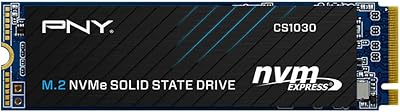
PNY CS1030 1TB M.2 NVMe SSD
81%
83%
Read & Write Performance
91%
Value for Money
94%
Installation Ease
88%
OS Boot & App Load Times
79%
Build & Reliability
More
INLAND TN320 1TB NVMe M.2 SSD
77%
91%
Value for Money
88%
Sequential Read Speed
64%
Sustained Write Performance
93%
Installation Ease
94%
Warranty & Support
More
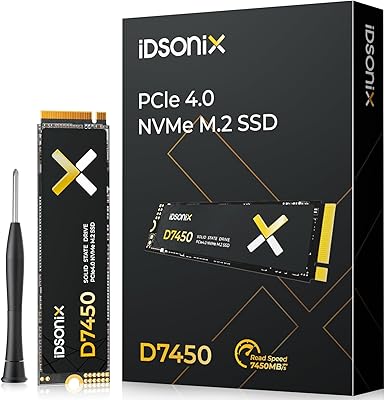
iDsonix D7450 1TB M.2 NVMe SSD
85%
94%
Performance
89%
Thermal Management
92%
Read/Write Speed
85%
Compatibility with PS5
88%
Build Quality
More
Fikwot FX991 1TB M.2 NVMe SSD
78%
88%
Sequential Read Speed
79%
Sequential Write Speed
91%
Value for Money
83%
PS5 Compatibility
71%
Thermal Management
More
WD_BLACK SN850P 1TB NVMe SSD for PS5
84%
93%
Installation Experience
89%
Load Time Performance
67%
Value for Money
88%
Thermal Management
91%
Build Quality
More
fanxiang S770 1TB NVMe M.2 SSD
79%
88%
Read Speed Performance
91%
PS5 Compatibility
86%
Value for Money
83%
Thermal Management
67%
Write Speed Consistency
More
PNY CS2230 1TB M.2 NVMe SSD
82%
83%
Read & Write Performance
91%
Value for Money
94%
Installation Ease
86%
Boot & Load Times
78%
Build Quality & Reliability
More
SanDisk Extreme M.2 1TB NVMe SSD
79%
88%
Read Performance
71%
Write Performance
94%
Installation Ease
86%
Value for Money
62%
Thermal Management
More

FAQ

Technically, yes — the EX920 1TB uses a standard M.2 2280 PCIe slot, so it will physically fit and function in most compatible systems. That said, HP's certification and software environment tools are specifically built for HP hardware, so you won't get those extras on a third-party machine. A handful of users on non-HP builds have reported minor setup friction, so double-check your motherboard's M.2 slot specs before buying.

The difference is significant and noticeable from day one. A typical spinning hard drive tops out around 150 Mbps; this M.2 SSD reads at up to 3,200 Mbps. In practical terms, that means boot times that drop from a minute or more down to under 15 seconds, and applications that snap open instead of loading slowly.

It depends on your situation. If you own an HP machine and want a reliable, validated upgrade without the hassle of compatibility research, it still does the job well. However, the SSD market has moved fast since 2018, and there are newer Gen 3 — and even Gen 4 — drives available at comparable prices with better sustained write performance. Worth comparing before committing.

All SSDs, including this one, perform best when you leave at least 10 to 15 percent of the capacity free. A full or near-full drive gives the controller less room to manage wear leveling and garbage collection, which can lead to slower write speeds over time. At 1TB, you have plenty of headroom for most users to maintain healthy free space.

Under light to moderate everyday use, thermals are generally fine without a heatsink. Under sustained heavy workloads — large file copies, extended writes, game installs — some users have reported thermal throttling, where the drive slows itself down to cool off. If your motherboard has an M.2 heatsink built in, use it. If not, and you plan heavy use, an aftermarket thermal pad is cheap insurance.

You need two things: an M.2 slot that is physically sized for 2280 modules (22mm x 80mm) and PCIe support — not just SATA. Check your laptop's service manual or manufacturer spec page. Some M.2 slots are SATA-only and won't run an NVMe drive at full speed, or at all. If you're unsure, tools like CPU-Z or your laptop's BIOS can confirm slot type before you buy.

TBW stands for Terabytes Written — it's the total amount of data you can write to the drive over its lifetime before wear becomes a concern. At 400 TBW, and assuming a typical user writes around 30 to 40GB per day, you are looking at roughly 25 to 35 years of use before hitting that threshold. For most people, this drive will outlast the computer it's installed in.

Absolutely, as long as your system has a second M.2 slot available. Many mid-range and higher-end motherboards include two or more M.2 slots for exactly this purpose. The EX920 1TB works well as a secondary drive for storing games, media libraries, or large project files while keeping a faster boot drive as your primary.

HP does not bundle cloning software with this drive. However, free tools like Macrium Reflect (Windows) make the migration process fairly straightforward. You would clone your existing drive to the EX920 1TB before swapping it in, which lets you keep your OS, settings, and files without starting from scratch.

Like most TLC-based NVMe drives, this M.2 SSD uses a portion of the NAND as a fast write cache. For transfers under a few gigabytes, speeds stay near the rated 1,800 Mbps. If you push large sustained writes — say, copying a 100GB folder — you may see speeds drop once the cache fills, sometimes significantly. For general use this is rarely a problem, but it is worth knowing if you regularly move very large files.

Where to Buy