Overview

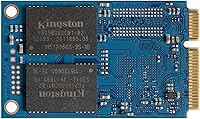
The Kingston KC600 512GB mSATA Internal SSD targets a specific and often overlooked market: machines built around the mSATA slot rather than the now-dominant M.2 connector — these are not the same interface, and that distinction matters. mSATA is an older standard found in ultrabooks from the early-to-mid 2010s, embedded industrial hardware, and certain small form factor desktops. The KC600 sits in Kingston's mid-range lineup, offering SATA III speeds that top out around 550 MB/s read — respectable for the interface, though well short of what NVMe drives deliver. If your machine has an mSATA slot, this drive is one of the better-supported options out there, and hardware encryption at this price tier is a genuinely useful bonus.
Features & Benefits

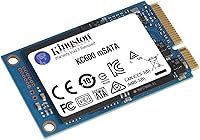
The KC600 uses 3D TLC NAND, which stacks memory cells vertically to improve both density and endurance compared to older planar NAND designs. In real-world use, sequential reads reach up to 550 MB/s with writes close behind at 520 MB/s — essentially the ceiling of what the mSATA interface allows. For business users or anyone handling sensitive data, XTS-AES 256-bit encryption is processed entirely in hardware, so there is no CPU overhead to worry about. Kingston's compact drive weighs barely a quarter of an ounce and draws power directly from the slot, making it well suited for fanless or portable builds where efficiency counts. The five-year warranty adds meaningful long-term confidence.

Best For

This mSATA SSD makes the most sense in a few specific scenarios. The clearest use case is refreshing an older laptop or ultrabook — particularly models from roughly 2012 to 2015 that shipped with a slow spinning hard drive or an undersized factory SSD in an mSATA slot. It is also a practical pick for industrial and embedded systems where compact dimensions and dependable NAND matter more than peak throughput. IT teams upgrading aging business machines will appreciate the built-in encryption, which can satisfy basic compliance requirements without extra software. Small form factor desktop builds with mSATA support round out the core audience for Kingston's compact drive.

User Feedback

With over 1,600 ratings averaging 4.6 out of 5, buyer sentiment skews strongly positive. The most repeated praise is around easy installation — most users report the drive being recognized immediately with no driver hassle. Long-term durability also earns consistent mentions, with many reviewers noting trouble-free operation well past the one-year mark. On the critical side, a small number of buyers flagged compatibility issues with certain older motherboards or embedded boards that did not detect the drive out of the box, so checking your system specs beforehand is worth the few minutes it takes. Consistent performance over time, rather than flashy benchmarks, seems to be what keeps buyers satisfied.

Pros

  • Transforms aging mSATA-equipped laptops with dramatically faster boot and load times.
  • Hardware-level AES-256 encryption adds real data protection with zero performance cost.
  • Installs in minutes — recognized immediately by most systems without driver setup.
  • Reliable 3D TLC NAND offers better long-term endurance than older planar designs.
  • Kingston's five-year warranty provides strong post-purchase confidence for the category.
  • Tiny footprint and near-zero weight make the KC600 ideal for embedded and fanless builds.
  • Bus-powered operation reduces overall system power draw compared to 2.5-inch alternatives.
  • Strong long-term reliability reported consistently by buyers after one or more years of use.
  • One of the few well-supported mSATA options from a globally trusted storage brand.

Cons

  • SATA III interface hard-caps throughput — NVMe alternatives are dramatically faster if your slot supports it.
  • Compatibility issues surface occasionally on certain older embedded boards and pre-2013 laptops.
  • No installation screws or mounting hardware included, which catches some first-time upgraders off guard.
  • Kingston SSD Manager software feels dated and has reported reliability issues on some Windows setups.
  • Published power consumption specs are absent, complicating precise industrial power-budget planning.
  • Thermal throttling has been observed in sealed, poorly ventilated enclosures under sustained write loads.
  • Per-gigabyte cost is higher than comparable M.2 SATA drives due to the niche mSATA market.
  • Warranty claims have occasionally required more documentation back-and-forth than buyers expected.

Ratings

Our AI rating system analyzed thousands of verified global purchases of the Kingston KC600 512GB mSATA Internal SSD, actively filtering out incentivized reviews, bot patterns, and outlier feedback to surface what real buyers consistently experience. The scores below reflect both the genuine strengths that keep this drive highly rated and the friction points that occasionally trip up certain users. Nothing here is sugarcoated — the KC600 earns its reputation in specific contexts, and this breakdown makes clear exactly where it delivers and where it falls short.

Read/Write Performance
83%
For machines limited to the mSATA interface, sequential reads close to 550 MB/s represent a dramatic jump over aging HDDs or first-generation SSDs. Buyers upgrading early 2010s ultrabooks consistently report noticeably faster boot times and snappier application launches in everyday use.
The SATA III ceiling is a hard constraint — this drive will never compete with NVMe speeds, and users who benchmark expecting modern figures are regularly disappointed. Random 4K performance, which matters more for real-world multitasking than sequential specs suggest, is only adequate rather than impressive.
Compatibility
78%
22%
The KC600 is recognized immediately by the vast majority of laptops and desktops with a genuine mSATA slot, covering popular business ultrabooks and embedded boards alike. Most users describe a plug-and-go experience with no firmware or driver intervention needed.
A recurring minority of buyers report detection failures on certain older embedded motherboards and a handful of pre-2013 laptop models. This is not a deal-breaker, but it is frequent enough to warrant checking your system's specific mSATA controller before purchasing.
Ease of Installation
91%
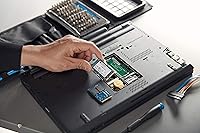
Across hundreds of reviews, installation is one of the most uniformly praised aspects. The drive slots in with a single screw, and operating systems typically recognize it without any additional setup steps, making it approachable even for users who have never swapped internal storage before.
The mSATA format itself — not the KC600 specifically — can cause confusion during installation for buyers who accidentally ordered it expecting an M.2 drive. A small number of users also noted that the retention screw on certain older chassis did not align cleanly with the drive.
Build Quality & Durability
88%
Kingston's compact drive feels solid for its weight class, and long-term reliability reports are consistently positive. A meaningful number of reviewers specifically mention trouble-free operation after one, two, or even three years of continuous use in laptops and industrial environments.
The drive has no onboard heatsink or thermal padding, and a few users running it in poorly ventilated embedded systems noted thermal throttling during sustained write loads. For typical laptop use this is rarely an issue, but high-duty-cycle industrial deployments should account for it.
Hardware Encryption
86%
XTS-AES 256-bit hardware encryption is a meaningful differentiator at this price tier, and IT professionals deploying these drives across aging business fleets appreciate not having to rely on software-based solutions. The encryption operates transparently with no measurable performance penalty in daily use.
Accessing and configuring the encryption features requires compatible security software or a TCG Opal-compliant management tool, which adds a setup step that casual home users may find confusing or unnecessary. Documentation pointing to specific compatible tools could be clearer.
Value for Money
79%
21%
For the niche it serves, the KC600 offers a fair balance of capacity, reliability, and features. Buyers who genuinely need mSATA have limited alternatives from reputable brands, and Kingston's five-year warranty meaningfully improves the long-term cost proposition.
Compared to M.2 SATA or NVMe drives at similar price points, the per-gigabyte value looks less competitive in isolation. Users who discover their system supports mSATA only after purchasing may feel constrained by the narrower market options rather than the KC600 specifically.
NAND Longevity & Endurance
84%
The 3D TLC NAND architecture provides better write endurance than older planar TLC designs, which matters for buyers planning extended deployment in embedded or industrial settings. Most long-term reviewers report no degradation in sustained read speeds even after heavy use cycles.
TLC NAND is still a step below MLC in terms of raw endurance, and write-intensive workloads — like continuous logging applications or frequent large file transfers — will wear the drive faster than light desktop use. Buyers with high-write use cases may want to verify the rated TBW figure before committing.
Form Factor & Physical Fit
93%
At roughly 2 x 1.18 inches and barely a quarter of an ounce, Kingston's compact drive fits into extremely space-constrained builds without issue. Industrial and embedded users in particular highlight how its dimensions allowed integration into chassis where a 2.5-inch drive was simply not an option.
The mSATA form factor's very compactness makes it easy to mishandle during installation in tight spaces. A few users working in narrow ultrabook chassis noted that the drive is small enough to be fiddly when trying to align it for the retaining screw.
Power Efficiency
87%
Bus-powered and drawing minimal wattage, the KC600 is a genuine asset in battery-operated laptops and fanless embedded systems. Several reviewers noted a modest but noticeable improvement in battery runtime after replacing a spinning hard drive with this mSATA SSD.
Exact power consumption figures are not published by Kingston, making it difficult for engineers designing tight power budgets in industrial systems to plan with precision. For consumer laptop use this omission rarely matters, but it is a gap for professional deployment scenarios.
Software & Tooling Support
67%
33%
Kingston provides SSD Manager software that covers basic health monitoring, firmware updates, and secure erase functionality. For most buyers, this covers the essential bases without requiring third-party tools.
The software feels dated compared to what competing brands offer, and a segment of reviewers found it unreliable on certain Windows configurations. Advanced users managing fleets of drives often default to third-party utilities rather than Kingston's own tooling.
Thermal Management
71%
29%
In typical laptop and light desktop use, the KC600 runs cool without any active cooling, which is exactly what most buyers need from a drive designed for compact spaces. No widespread reports of heat-related failures in standard usage conditions.
Under sustained sequential writes — large file copies, imaging operations — temperatures climb more than some users expect for a SATA drive. Users in fanless or sealed industrial enclosures have occasionally reported throttling, making airflow planning important in those deployments.
Packaging & Out-of-Box Experience
74%
26%
The drive arrives in minimal, no-nonsense packaging that protects it adequately during shipping. Most buyers appreciate that Kingston does not inflate the price by bundling unnecessary accessories for a straightforward internal drive.
No installation screws or adapter are included, which is standard for the category but still catches some first-time buyers off guard — particularly those upgrading chassis that are missing the original mSATA retention hardware. A brief printed quick-start guide would also help less experienced users.
Brand Reliability & Support
89%
Kingston's decades-long track record in flash storage gives buyers meaningful confidence, and the five-year warranty is one of the stronger guarantees in the mSATA market. Customer support response quality in verified feedback is generally described as prompt and resolution-focused.
A small number of buyers reported that warranty claim processing required more back-and-forth documentation than expected. This is an occasional frustration rather than a systemic issue, but worth knowing for IT teams managing large-scale deployments.

Suitable for:

The Kingston KC600 512GB mSATA Internal SSD is the right call for anyone working with hardware that predates the M.2 era — think ultrabooks and thin-and-light laptops from roughly 2011 to 2015 that shipped with a slow spinning hard drive or a cramped 32GB mSATA cache drive. IT administrators refreshing fleets of aging business machines will find the built-in XTS-AES 256-bit hardware encryption genuinely useful, especially where basic compliance requirements exist and deploying software encryption at scale is impractical. Engineers and developers building embedded or industrial systems also benefit here, since the compact footprint and bus-powered operation make the KC600 a clean fit for space-constrained, fanless, or low-power designs. If your goal is simply to breathe new life into an old machine — faster boots, snappier application load times, more storage headroom — this mSATA SSD delivers that transformation reliably and without unnecessary complexity.
Not suitable for:

Anyone building or upgrading a modern system should stop here and reconsider — the Kingston KC600 512GB mSATA Internal SSD is the wrong tool if your board has an M.2 slot, which is a completely different connector that is not physically or electrically compatible with mSATA. Performance enthusiasts chasing benchmark numbers will also be disappointed; the SATA III interface caps real-world throughput well below what even entry-level NVMe drives achieve, so this is not a drive for content creators, video editors, or anyone whose workflow depends on fast large-file transfers. Buyers planning write-intensive workloads — continuous logging, database writes, or frequent large backups — should scrutinize the drive's rated TBW endurance carefully, as 3D TLC NAND has a defined ceiling that MLC-based alternatives exceed. If your system supports M.2 NVMe and budget is not a hard constraint, the KC600 is simply not the most sensible choice available to you.
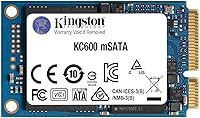
Specifications

  • Capacity: The drive provides 512GB of usable storage, suitable for operating systems, applications, and moderate media libraries.
  • Interface: Connects via SATA III at 6Gb/s, which is the standard interface for mSATA slots found in legacy laptops and embedded systems.
  • Form Factor: Uses the mSATA form factor, a compact connector standard distinct from M.2, designed for space-constrained and older system designs.
  • NAND Type: Built on 3D TLC NAND flash memory, which stacks cells vertically to improve density and endurance over older planar NAND generations.
  • Sequential Read: Achieves sequential read speeds of up to 550 MB/s under optimal conditions on a SATA III-capable host controller.
  • Sequential Write: Delivers sequential write speeds of up to 520 MB/s, representing the practical performance ceiling of the SATA III interface.
  • Encryption: Supports XTS-AES 256-bit hardware encryption, processed entirely on the drive controller without imposing CPU overhead on the host system.
  • Dimensions: Measures 2 x 1.18 x 1.18 inches, conforming to the standard mSATA card size for direct compatibility with qualified mSATA slots.
  • Weight: Weighs just 0.246 ounces, making it one of the lightest internal storage options available for portable and embedded applications.
  • Power Source: Draws power entirely from the mSATA bus connection, requiring no separate power cable or external supply.
  • Warranty: Covered by Kingston's five-year limited warranty, which includes support for both consumer and commercial deployment scenarios.
  • Compatible Devices: Designed for use in laptops, small form factor desktops, and embedded or industrial systems equipped with a genuine mSATA slot.
  • Installation Type: Installed internally via a direct mSATA slot connection, secured with a single retaining screw on compatible chassis.
  • Model Number: The official Kingston model identifier for this specific variant is SKC600MS/512G, which distinguishes it from the standard 2.5-inch KC600 line.
  • Brand & Series: Manufactured by Kingston Digital, Inc. as part of the KC600 SSD family, which spans multiple capacities and form factors.
  • Encryption Standard: Complies with the TCG Opal 2.0 security specification, enabling compatibility with enterprise-grade security management software for encryption administration.
  • Shock Resistance: As a solid-state drive with no moving parts, the KC600 is inherently more resistant to physical shock and vibration than traditional mechanical hard drives.
  • OS Compatibility: Compatible with Windows, Linux, and other operating systems that support standard SATA storage devices, requiring no proprietary drivers for basic operation.

Related Reviews
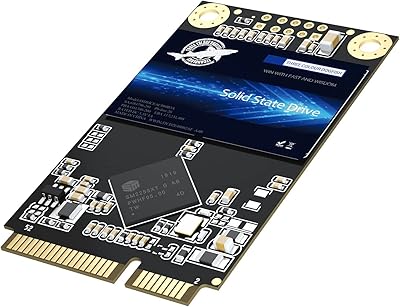
Dogfish mSATA 512GB Internal SSD
73%
83%
Value for Money
76%
Read/Write Speed
61%
Compatibility
88%
Installation Ease
69%
Reliability & Endurance
More
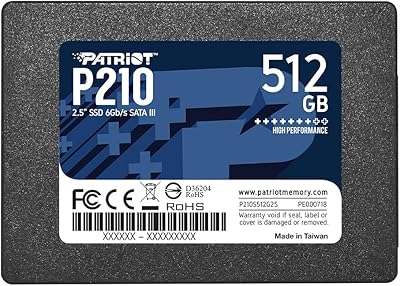
Patriot P210 512GB Internal SSD
85%
90%
Value for Money
88%
Performance for Everyday Tasks
80%
Speed Consistency
85%
Gaming Performance
93%
Ease of Installation
More
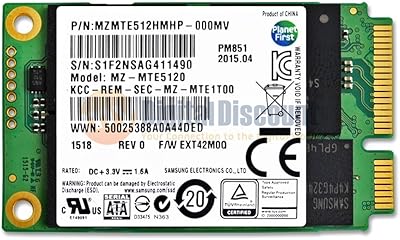
Samsung PM851 512GB mSATA SSD
71%
83%
Read Performance
67%
Write Performance
79%
Reliability
88%
Form Factor & Fit
61%
Value for Money
More
Patriot Memory P320 512GB M.2 NVMe SSD
82%
93%
Value for Money
84%
Read Performance
71%
Write Performance
96%
Installation Ease
88%
Compatibility
More
Kingston KC600 2TB SATA3 2.5″ SSD
87%
91%
Performance
88%
Ease of Installation
93%
Data Security (Encryption)
90%
Reliability
85%
Capacity for Large Files
More
Kingston KC600 1TB SATA3 2.5″ SSD
85%
88%
Performance
91%
Speed and Responsiveness
85%
Ease of Installation
87%
Durability and Build Quality
89%
Data Security
More
Emtec X200 Power Plus 512GB mSATA Portable SSD
86%
88%
Performance
90%
Build Quality
85%
Transfer Speed
92%
Portability
87%
Durability
More
Kingston A400 240GB SATA 3 2.5″ Internal SSD
84%
89%
Performance (Read/Write Speed)
92%
Value for Money
86%
Durability (Shock Resistance)
91%
Ease of Installation
83%
Compatibility
More
Kingston 512GB KC3000 PCIe 4.0 NVMe M.2 SSD
88%
94%
Performance
88%
Ease of Installation
91%
Durability
85%
Thermal Management
93%
Gaming Performance
More
SanDisk SSD PLUS 240GB Internal SSD
87%
88%
Performance
92%
Speed Improvement vs HDD
90%
Durability / Shock Resistance
87%
Value for Money
94%
Ease of Installation
More

FAQ

No, mSATA and M.2 are different connectors and are not physically interchangeable. mSATA uses an older, smaller connector that looks similar to a mini PCIe card, while M.2 slots use a longer, notched edge connector. If your manual specifies M.2, this drive will not fit. Double-check your laptop's service manual or motherboard documentation before ordering.

The most reliable way is to look up the service manual or hardware maintenance guide for your specific laptop model — most manufacturers publish these online. You can also search your model number alongside the term mSATA to find community-confirmed results. Laptops from major business lines produced between 2011 and 2015 are the most likely candidates. If you only see an M.2 slot, this drive is not the right fit.

The drive's XTS-AES 256-bit encryption is hardware-based, but to actually activate and manage it you will need software that supports the TCG Opal 2.0 specification — examples include Symantec Drive Encryption, WinMagic SecureDoc, or BitLocker on Windows in eDrive mode. Without compatible management software, the encryption layer sits dormant and the drive operates as a standard unencrypted SSD. Kingston also provides its own SSD Manager utility for basic drive health monitoring.

Yes, almost certainly — especially if you are replacing a mechanical hard drive or an old first-generation SSD. Boot times, application launch speeds, and general system responsiveness all improve significantly when switching to a SATA SSD. That said, the SATA III interface has a performance ceiling that NVMe drives exceed by a wide margin, so do not expect cutting-edge benchmark numbers. For everyday tasks on a refreshed older machine, the difference feels substantial.

No, the drive ships without mounting screws or accessories. This is standard for internal SSD products, as most systems already have the necessary hardware in place from the original drive. If your laptop or embedded board is missing the retention screw, check with the device manufacturer for the correct part, or look for a compatible M2 x 3mm screw at a hardware store.

For light to moderate workloads, thermal performance is generally not an issue. However, sustained sequential write operations in a sealed, poorly ventilated enclosure can cause temperatures to climb, potentially leading to throttling. If your application involves continuous or high-frequency writes — such as data logging or frequent image writes — it is worth planning for passive airflow or monitoring drive temperature through S.M.A.R.T. data. For typical read-heavy industrial deployments, heat is rarely a problem.

Yes, and that is generally the easiest way to migrate. You will need a USB-to-mSATA adapter to connect the KC600 externally while cloning from your current drive, then swap it in afterward. Free tools like Macrium Reflect or Clonezilla work well for this. Just confirm the source drive partition sizes fit within 512GB before starting.

Based on consistent buyer feedback and the nature of 3D TLC NAND, you can reasonably expect five or more years of reliable service under typical consumer or light business use. Many reviewers specifically mention trouble-free operation after two or three years. Write-intensive workloads will reduce that lifespan, so if your use case involves constant large writes, check the drive's rated TBW figure to gauge longevity against your expected workload.

First, confirm the drive is fully seated and the retaining screw is secure, since a slightly loose connection is a common cause. Then check your BIOS or UEFI settings to make sure the mSATA slot is enabled — some systems disable it by default when an M.2 slot is present. If the drive still does not appear, verify that the KC600 is on the compatibility list for your specific motherboard or embedded platform. A small number of older boards are known to have detection issues with newer NAND generations.

Kingston offers the KC600 mSATA line in multiple capacities, including 128GB, 256GB, and 1TB options in addition to this 512GB variant. The model numbers follow the same SKC600MS naming scheme with a different capacity suffix. If 512GB feels tight or oversized for your use case, the other sizes are worth comparing — just confirm mSATA slot support remains the same across all of them, which it does.