Overview

The Samsung PM851 512GB mSATA SSD is an OEM-focused enterprise drive originally built for business laptops and embedded system deployments, not the consumer retail shelf. Samsung's PM851 series occupies an interesting middle ground — engineered to meet the cost and reliability demands of large-scale business procurement, carrying real engineering credentials without the glossy packaging. At 512GB, the capacity hits a practical sweet spot for OS installs, productivity workloads, and moderate media storage. The SATA III interface won't break any modern speed records, but it comfortably outpaces any spinning hard drive it replaces. One critical thing buyers should understand upfront: sourcing an OEM-classified drive means warranty coverage and documentation are not guaranteed the way they are with retail-boxed alternatives.
Features & Benefits

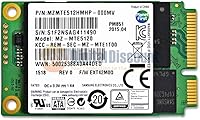
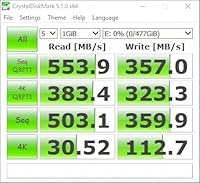
The PM851 512GB uses Samsung TLC NAND manufactured in-house, which keeps costs down compared to MLC-based drives but does come with a real caveat: sustained write workloads can cause speeds to dip once the drive's write cache fills. For typical laptop use — booting, app loading, file transfers — that limitation rarely surfaces. The SATA III interface supports sequential reads around 540 MB/s and writes near 340 MB/s, which is more than sufficient for everyday tasks. The mSATA 50mm form factor is notably compact, making it a natural fit for ultrabooks and mini-PC builds where internal space is tight. Weighing under half an ounce, it adds virtually nothing to a system's overall weight, and its low power draw helps preserve battery life in mobile setups.

Best For

This mSATA drive is a strong candidate for IT professionals and system builders working with older business ultrabooks or laptops that have a dedicated mSATA slot — and that compatibility check is non-negotiable before purchasing. If your machine uses an M.2 slot, this drive simply will not fit. For those whose hardware qualifies, it also works well in compact NAS builds and embedded projects. Users upgrading from a spinning hard drive will notice an immediate performance jump in boot times and application responsiveness. That said, this Samsung OEM SSD is not suited for workloads demanding NVMe or PCIe speeds — it is a capable, dependable SATA drive, and buyers should set expectations accordingly rather than comparing it against current-generation hardware.

User Feedback

Across 65 ratings, the PM851 512GB holds a 4.1-star average — respectable, though a handful of reviewers have raised concerns worth knowing about. On the positive side, most buyers report reliable everyday performance, fast boot times, and confidence in Samsung's underlying build quality. Negative feedback tends to cluster around two things: the absence of retail packaging and ambiguity around warranty support, both inherent to sourcing an OEM part through secondary channels. A smaller number of buyers also flagged compatibility issues — specifically discovering too late that their laptop lacked an mSATA slot entirely. Long-term failure reports are not a dominant theme, but the warranty uncertainty is a recurring, legitimate concern that every prospective buyer should factor into their decision.

Pros

  • Samsung's in-house TLC NAND delivers dependable read performance for everyday laptop workloads.
  • At 512GB, the PM851 512GB offers a practical storage tier for OS installs and everyday productivity use.
  • SATA III speeds around 540 MB/s sequential read represent a massive upgrade over any spinning hard drive.
  • The compact mSATA 50mm form factor fits neatly into ultrabooks and mini-PC builds without any adapter hassle.
  • Weighing under half an ounce, this mSATA drive adds virtually no bulk or weight to mobile systems.
  • Low power consumption helps extend battery life in laptops where every watt-hour counts.
  • OEM-grade Samsung validation means the drive has passed rigorous business-class reliability testing.
  • A 4.1-star average across real buyer ratings reflects consistent, if not unanimous, satisfaction.
  • Boot times and application load speeds improve noticeably compared to mechanical hard drives.

Cons

  • No retail packaging means buyers receive a bare OEM drive with no accessories or documentation included.
  • Warranty coverage is ambiguous and often non-existent when sourced through secondary market channels.
  • TLC NAND write speeds can throttle noticeably during sustained, heavy write operations.
  • mSATA slots are rare in systems built after 2015, making compatibility research an absolute prerequisite.
  • The drive launched in early 2014, meaning it lacks the firmware maturity and feature set of newer SSD generations.
  • No included cloning software or mounting hardware, which may add unexpected cost for some buyers.
  • OEM origin makes it harder to verify drive authenticity or previous usage history when purchased secondhand.
  • Limited user rating pool of 65 reviews reduces confidence in the statistical reliability of the average score.

Ratings

Our AI rating engine analyzed verified global buyer reviews for the Samsung PM851 512GB mSATA SSD, actively filtering out incentivized submissions and bot-generated feedback to surface what real users consistently experience. The scores below reflect an honest synthesis of both the strengths that earned this drive its loyal following and the friction points that have frustrated a meaningful share of buyers. Nothing has been smoothed over — the ratings reflect the full picture.

Read Performance
83%
Users upgrading from spinning hard drives report a dramatic difference in day-to-day speed — boot times that once stretched past a minute now land well under 20 seconds. Application launches and file browsing feel genuinely responsive, and sequential read performance around 540 MB/s holds up reliably for typical laptop workloads.
While read speeds are strong for a SATA drive, buyers coming from NVMe systems will notice the ceiling immediately — this mSATA drive simply cannot compete with PCIe-based alternatives in raw throughput benchmarks, which can be jarring if expectations are not set correctly beforehand.
Write Performance
67%
33%
For light to moderate write tasks — saving documents, installing apps, copying moderate-sized files — the PM851 512GB performs without hesitation and handles typical office workloads cleanly. Most everyday users will never push it hard enough to encounter its limitations.
TLC NAND's inherent weakness shows up clearly under sustained write loads: once the drive's write cache is saturated, speeds can drop noticeably. Users who regularly move large batches of files or run write-heavy workflows have flagged this throttling behavior as a real-world frustration.
Reliability
79%
21%
Samsung's internal NAND fabrication and OEM-grade validation process give this drive a credible reliability foundation. The majority of long-term buyers report stable operation over multi-year periods, with no widespread reports of sudden failures or data loss under normal usage conditions.
Because these drives are sourced through OEM and secondary market channels, verifying prior usage history is essentially impossible — buyers have no way of knowing how many write cycles a unit has already accumulated before purchase, which introduces a layer of uncertainty that does not exist with retail-boxed alternatives.
Form Factor & Fit
88%
The compact mSATA 50mm footprint is genuinely well-suited to the slim chassis of older ultrabooks and mini-PC builds where space is at a premium. At under half an ounce, it contributes nothing measurable to system weight, and installation into a compatible slot takes only a few minutes without specialized tools.
The mSATA form factor is also this drive's biggest practical limitation — if your device does not have a dedicated mSATA slot, it simply will not work, and there is no adapter that makes it compatible with M.2 or standard 2.5-inch bays in any practical sense.
Value for Money
61%
39%
For buyers with confirmed mSATA hardware who need a trusted brand name and a full 512GB of capacity, the price point can feel reasonable given Samsung's reputation. It is a cost-effective way to breathe new life into an older laptop rather than replacing it outright.
Priced at its current tier, this Samsung OEM SSD faces stiff competition from newer SATA consumer drives that offer retail warranties, better sustained write endurance, and fresher firmware — all for comparable or lower prices. The lack of warranty documentation makes the value proposition harder to defend for cautious buyers.
Compatibility Clarity
44%
56%
Buyers who do their homework — checking their laptop's service manual or manufacturer specs page before purchasing — report a smooth and predictable installation experience with no compatibility surprises once the mSATA slot is confirmed.
A notable share of negative reviews stem directly from buyers who confused mSATA with M.2 and received an incompatible drive. The product listing does not do enough to flag this distinction, and the burden of compatibility research falls entirely on the buyer, which has led to avoidable returns and frustration.
OEM Sourcing Transparency
41%
59%
For experienced IT buyers and system builders who regularly source OEM hardware, the bare-drive format is entirely expected and poses no concern — they know what they are purchasing and factor in the lack of packaging accordingly.
For the broader consumer audience, the OEM sourcing model creates real friction around warranty claims, return processes, and drive authenticity verification. Several buyers have reported difficulty confirming whether their unit was genuinely new or a refurbished pull from a decommissioned system.
Boot Time Improvement
86%
This is one of the most consistently praised outcomes in buyer reviews — users migrating from a mechanical hard drive describe the boot time reduction as the single most impactful change they noticed, with some reporting times dropping from over 90 seconds to under 12 seconds on Windows systems.
Boot performance does vary depending on the host system's age, the operating system configuration, and whether the drive is paired with a slow processor or limited RAM — a few buyers expressed disappointment when the overall system still felt sluggish despite the SSD upgrade, attributing the issue to other hardware bottlenecks.
Power Efficiency
81%
19%
The drive's low idle and active power draw is well-suited to battery-powered laptops, and several buyers noted a modest but real improvement in battery runtime after replacing their old hard drive — particularly on thin ultrabooks where the mechanical drive was a known power drain.
Power savings are real but incremental, and buyers expecting a dramatic battery life transformation will likely be underwhelmed. The gains depend heavily on how power-hungry the rest of the system is, and in older laptops with aging battery cells, the SSD upgrade alone cannot compensate for capacity degradation.
Installation Experience
77%
23%
Users with basic technical confidence find the physical installation process fast and straightforward — the drive slots directly into the mSATA connector, seats securely without tools beyond a small screwdriver, and is recognized immediately by the BIOS on compatible systems.
The drive ships with no instructions, no mounting hardware, and no software — buyers are expected to handle OS installation or data migration entirely on their own. First-time upgraders have flagged this lack of guidance as a barrier, particularly when attempting a full OS clone from an existing drive.
Build Quality
82%
18%
The physical construction of this mSATA drive feels solid and appropriately dense for an OEM enterprise unit. Samsung's manufacturing standards are evident in the board quality and component placement, and there are no reports of physical defects or fragile connectors in the buyer feedback pool.
Without retail packaging, the drive arrives without protective padding in some cases, and a handful of buyers have reported receiving units with minor cosmetic scuffs or handling marks — nothing that affects function, but it does raise questions about storage and handling conditions prior to shipping.
Long-Term Durability
72%
28%
The majority of buyers who report using the PM851 512GB over extended periods describe stable, issue-free operation across two to four years of regular laptop use. Samsung's enterprise-oriented validation process appears to translate into real-world longevity for typical workloads.
TLC NAND has a lower write endurance ceiling than MLC or SLC alternatives, and for users running write-intensive workloads over years — such as frequent large backups or continuous database writes — the drive's endurance reserves may be consumed faster than expected, particularly given the uncertainty around prior usage cycles.
Software & Ecosystem Support
38%
62%
Samsung's broader SSD ecosystem, including the Samsung Magician software utility, is technically compatible with PM851 series drives and can provide health monitoring, firmware update checks, and performance benchmarking for buyers who seek it out proactively.
Samsung Magician support for OEM PM851 drives is inconsistent — some users report the drive is not recognized by the software at all, leaving them without access to drive health data or official firmware updates. This gap is a meaningful downside for buyers who want ongoing drive management tools.
Noise & Vibration
94%
As a solid-state drive with no moving parts, this Samsung OEM SSD is completely silent in operation and generates no perceptible vibration, which is a notable improvement for users coming from loud or vibration-prone mechanical hard drives in thin laptop chassis.
While silence is expected from any SSD, a small number of buyers noted that their specific system chassis produced new resonance sounds after installation — an uncommon issue unrelated to the drive itself but worth noting for builds with unusual mounting configurations.

Suitable for:

The Samsung PM851 512GB mSATA SSD is purpose-built for a specific kind of buyer, and for the right person, it genuinely delivers. IT professionals refreshing a fleet of older business ultrabooks or ThinkPads with mSATA slots will find the 512GB capacity and Samsung's OEM validation credentials a compelling combination for the price tier. System builders working on compact projects — mini-PCs, embedded controllers, or small-footprint NAS units — benefit from the drive's minimal weight and low power draw, both of which matter in tight, thermally constrained enclosures. Users still running a spinning hard drive in an older laptop will experience a dramatic and immediate improvement in boot times and general responsiveness after swapping in this mSATA drive. Buyers who are comfortable sourcing OEM hardware and understand the trade-offs involved — primarily around warranty documentation — will find this Samsung OEM SSD to be a reliable, no-nonsense performer backed by a brand with a strong track record in enterprise storage.
Not suitable for:

The Samsung PM851 512GB mSATA SSD is simply not the right fit for a wide swath of modern buyers, and it is worth being direct about that. Anyone building or upgrading a system from roughly the last five to six years will almost certainly have an M.2 slot rather than a dedicated mSATA connector — these are physically different interfaces that are not interchangeable, so confirming your motherboard or laptop specifications before purchasing is non-negotiable. Users who prioritize NVMe or PCIe-based performance for tasks like video editing, large database work, or fast game load times will find SATA III speeds noticeably limiting by today's standards. TLC NAND also means sustained write performance can drop under heavy, continuous workloads, making this mSATA drive a poor match for write-intensive server applications. Finally, buyers who require clear warranty coverage, retail packaging, or straightforward return policies should look toward consumer-boxed drives instead, since the OEM sourcing chain for the PM851 512GB often leaves those protections murky at best.
Specifications

  • Brand: Manufactured by Samsung, a globally recognized leader in NAND flash storage and enterprise-grade SSD development.
  • Model Number: The exact OEM model identifier for this drive is MZMTE512HMHP-00000, part of the PM851 series.
  • Capacity: This drive offers 512GB of usable flash storage, suitable for operating system installs and everyday productivity workloads.
  • Form Factor: Built to the mSATA 50mm standard, this is a compact internal drive designed for systems with a dedicated mSATA slot.
  • Interface: Uses a SATA III 6Gbps interface, the standard connection type for SATA-based internal SSDs in compatible laptops and mini-PCs.
  • NAND Type: Employs Samsung-fabricated TLC (Triple-Level Cell) NAND flash, balancing storage density and cost for business-tier deployments.
  • Sequential Read: Rated for sequential read speeds of approximately 540 MB/s under optimal, light-load conditions.
  • Sequential Write: Rated for sequential write speeds of approximately 340 MB/s, though sustained heavy writes may cause speed reduction due to TLC cache behavior.
  • Weight: The drive weighs just 0.352 oz (approximately 10g), adding negligible mass to any laptop or embedded system build.
  • Dimensions: Physical dimensions measure 7.5 x 3.7 x 0.6 inches, consistent with the standard mSATA 50mm card specification.
  • Power Draw: Designed with a low-power consumption profile, making it appropriate for battery-operated laptops where energy efficiency matters.
  • Compatible Devices: Primarily compatible with laptops, ultrabooks, and mini-PCs that include a dedicated mSATA expansion slot — not M.2 slots.
  • Installation Type: Installed internally as a primary or secondary drive; no external enclosure or adapter is required for mSATA-equipped systems.
  • OEM Status: This is an OEM-classified drive, meaning it is sourced through business supply chains and does not include retail packaging or consumer warranty documentation.
  • Launch Date: The PM851 series was first made available in January 2014, positioning it as a mature but legacy-era SATA SSD platform.
  • Hardware Platform: Validated for use in PC and laptop environments running standard desktop or mobile operating systems on x86 hardware.
  • Amazon Rating: Holds a 4.1 out of 5 star average based on 65 buyer ratings on Amazon as of the time of review.
  • BSR Rank: Ranked #3,052 in the Amazon Internal Solid State Drives category, reflecting steady but niche demand among compatible system builders.

Related Reviews
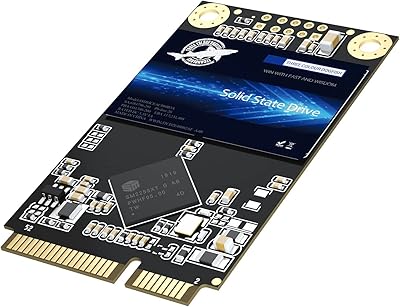
Dogfish mSATA 512GB Internal SSD
73%
83%
Value for Money
76%
Read/Write Speed
61%
Compatibility
88%
Installation Ease
69%
Reliability & Endurance
More
Samsung 850 PRO 512GB Internal SSD
80%
93%
Real-World Read Performance
88%
Sustained Write Throughput
96%
Long-Term Durability
57%
Value for Money
91%
Reliability & Failure Rate
More
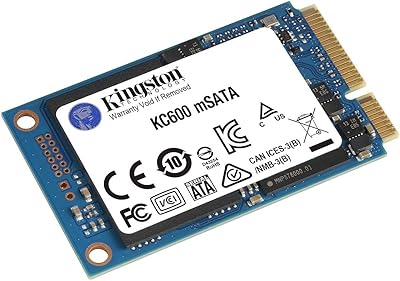
Kingston KC600 512GB mSATA Internal SSD
82%
83%
Read/Write Performance
78%
Compatibility
91%
Ease of Installation
88%
Build Quality & Durability
86%
Hardware Encryption
More
Samsung 860 Pro 512GB SSD
89%
94%
Performance
92%
Reliability
86%
Value for Money
95%
Ease of Installation
91%
Data Security
More
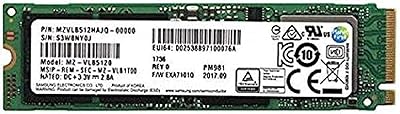
Samsung PM981 512GB NVMe SSD
87%
91%
Performance (Speed)
88%
Value for Money
84%
Installation/Setup
90%
Reliability/Durability
92%
Gaming Performance
More
Samsung PM9C1A 512GB M.2 2230 NVMe SSD
87%
94%
Performance
92%
Speed
89%
Value for Money
88%
Ease of Installation
90%
Compatibility
More
Emtec X200 Power Plus 512GB mSATA Portable SSD
86%
88%
Performance
90%
Build Quality
85%
Transfer Speed
92%
Portability
87%
Durability
More
Samsung PM991a 512GB M.2 2230 NVMe SSD
84%
88%
Read Performance
79%
Write Performance
96%
Form Factor Fit
93%
Installation Ease
71%
Thermal Management
More
Samsung Galaxy Book Odyssey Intel Laptop 15.6″, i7, 8GB RAM, 512GB SSD
84%
89%
Performance
91%
Battery Life
87%
Gaming Experience
85%
Display Quality
72%
Portability/Weight
More
Samsung Galaxy Book4 Pro 14″ Laptop, Intel Core i7, 512GB SSD, 16GB RAM
87%
89%
Performance
94%
Display Quality
93%
Portability
87%
Battery Life
88%
Build Quality
More

FAQ

No, it does not. mSATA and M.2 are physically different connectors and are not interchangeable. Before purchasing, open your laptop's service manual or check the manufacturer's specifications page to confirm you have an actual mSATA slot, not an M.2 slot. Confusing the two is one of the most common buyer mistakes with drives like this.

Because this is an OEM drive sold outside of a retail channel, warranty coverage is not guaranteed and varies significantly depending on the reseller. Samsung's standard consumer warranty does not typically extend to OEM units sourced secondhand. If warranty protection matters to you, a retail-boxed consumer SSD from Samsung's 870 EVO line would be a more appropriate choice.

Substantially faster for everyday tasks. Boot times that used to take 60 to 90 seconds on a spinning drive typically drop to under 15 seconds with this mSATA drive installed. Application launches, file copies, and general system responsiveness all improve noticeably. The practical, day-to-day difference is one of the most consistently praised aspects by buyers who made the switch.

Yes, absolutely, and that is actually one of its strongest use cases. As long as your system's BIOS recognizes the mSATA slot as a bootable device — which most compatible laptops do — you can install your operating system directly onto the PM851 512GB and use it as your primary drive.

It can work in those contexts, provided the NAS enclosure or embedded board has a physical mSATA connector. Many compact NAS units and single-board systems designed around 2013 to 2016 do include mSATA support. Just verify the slot type in your specific hardware documentation before purchasing.

For most users, no. TLC NAND is less durable than MLC on a pure write-endurance basis, but the real-world impact for light to moderate workloads — web browsing, office apps, media storage — is minimal over a typical 3 to 5 year usage period. Where TLC can disappoint is in sustained heavy write scenarios, such as continuous large file transfers, where speeds may dip after the drive's write cache fills.

No. As an OEM unit, this Samsung OEM SSD ships as a bare drive only. You will not receive mounting hardware, screws, a SATA cable, or any software utilities. If you need to migrate data from an existing drive, you will need to source cloning software separately — tools like Macrium Reflect Free are a popular option.

The most reliable method is to look up your laptop's exact model number on the manufacturer's support page or download the hardware maintenance manual, which will list all internal expansion slots. A quick search for your model number plus the term mSATA will often surface community forum answers from users who have already confirmed compatibility.

That depends entirely on your hardware situation. If you have an older laptop or system with a functioning mSATA slot that is still running a mechanical hard drive, this mSATA drive represents a cost-effective way to squeeze more useful life out of that machine. For anyone building a new system today, modern M.2 NVMe drives offer far superior performance and should be the default choice.

Based on available buyer feedback, early or premature failures are not a dominant theme in the reviews. Most buyers report reliable operation consistent with Samsung's build quality. That said, because these are OEM units often sourced through secondary channels, there is inherent uncertainty about prior usage history, which is worth factoring into your expectations before buying.