Kingston IronKey Vault Privacy 80 7.6TB SSD
Overview
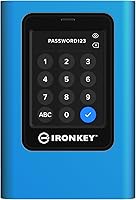
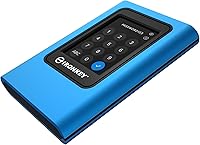
The Kingston IronKey Vault Privacy 80 7.6TB SSD is not trying to compete with consumer backup drives — it belongs in an entirely different category. Built for professionals who carry data that cannot afford to fall into the wrong hands, it pairs massive storage capacity with FIPS 197 certification, a standard that carries real weight for government contractors, compliance officers, and enterprise IT teams. The standout physical feature is a touch-screen PIN interface that sets it apart from virtually every other encrypted drive available. The price reflects security-first engineering rather than raw storage value. If you simply need a large drive for photos or video projects, this is not your tool.
Features & Benefits
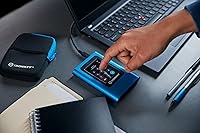
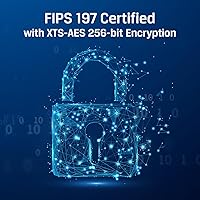
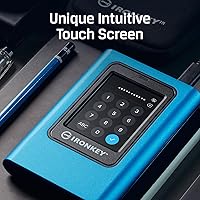
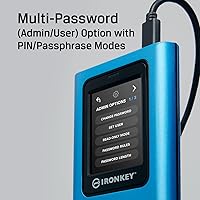
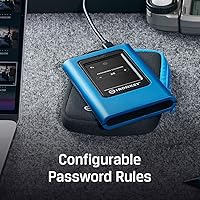
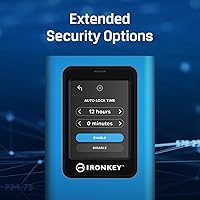
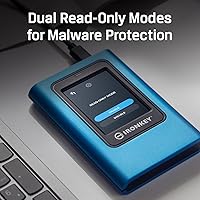
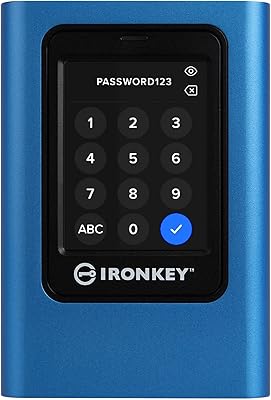
The encryption on the IronKey VP80ES is handled entirely in hardware using XTS-AES 256-bit technology, meaning no software installation is needed and the host system never touches the encryption keys. In practice, that means someone who grabs the drive from a locked workstation gets nothing useful. The touch-screen PIN entry removes keyboard-based keylogger risks — a subtle but meaningful advantage in high-security settings. Organizations benefit from separate Admin and User password tiers, letting IT recover access without wiping the drive. Configurable password rules and dual read-only modes round out a feature set built for institutional use, not casual convenience. USB 3.1 speeds are solid, though real-world throughput on an encrypted drive naturally varies by workload.
Best For
This encrypted SSD has a clear, well-defined audience. IT administrators and security officers managing portable storage across teams will appreciate the Admin and User password structure and the policy enforcement tools it enables. Lawyers, healthcare providers, and financial advisors who physically transport sensitive client files face strict data protection obligations — this drive is built with those obligations in mind. Government contractors requiring FIPS 197 compliance will find it checks the right boxes. Journalists and field researchers in environments where equipment could be seized have strong reasons to want hardware-level encryption with no software dependency. For anyone outside these scenarios, the cost and complexity simply will not make practical sense.
User Feedback
Early buyers of this secure external drive have responded well overall, with the touch-screen interface and build quality drawing the most consistent praise. The 4.1 out of 5 rating comes from a relatively small review pool, so treat it as an encouraging early signal rather than a settled consensus. On the critical side, a handful of users found initial setup and password configuration less intuitive than expected — understandable for a device aimed at IT teams, but a potential friction point for individuals working without that background. A few buyers also noted discrepancies in the listed physical dimensions, making it worth cross-checking Kingston's official spec sheet before purchasing. Premium pricing draws comment, but most buyers with a genuine security requirement seem to consider it justified.
Pros
- FIPS 197 certified hardware encryption provides verifiable, compliance-ready data protection out of the box.
- The touch-screen PIN interface removes keyboard dependency and meaningfully reduces keylogger exposure.
- At 7.68TB, this encrypted SSD offers rare high capacity for secure portable storage in one device.
- Admin and User password tiers give IT teams real control over access policies without risking data loss.
- Dual read-only modes actively block malware from writing to the drive in untrusted environments.
- No software installation required — encryption runs entirely in hardware, keeping the host system clean.
- Configurable password complexity rules align with corporate and government security standards.
- Compatible with desktops, laptops, Macs, and smartphones via USB 3.1, making it versatile across workflows.
- Early buyers consistently praise the build quality as solid and appropriate for professional use.
- Kingston is an established, trusted brand in secure storage with a track record in enterprise environments.
Cons
- The price point is significantly higher than comparable-capacity external SSDs that lack security certification.
- Initial password and Admin setup has a real learning curve for buyers without an IT background.
- Physical dimensions listed on Amazon appear inconsistent with Kingston's own documentation — verify before purchasing.
- The review pool is still small, so long-term reliability data is limited compared to more mature products.
- USB 3.1 throughput with hardware encryption overhead will not satisfy users who need maximum transfer speeds.
- The drive's weight and form factor may feel bulkier than ultra-portable SSDs buyers are accustomed to.
- No cloud backup or remote wipe capability — physical security is the only protection if the drive is lost.
- Non-IT individuals may find the multi-mode password system unnecessarily complex for personal use scenarios.
Ratings
The scores below reflect our AI-driven analysis of verified buyer reviews for the Kingston IronKey Vault Privacy 80 7.6TB SSD, gathered from multiple global retail platforms and filtered to remove incentivized, duplicate, and bot-generated submissions. Both the strengths that make this secure external drive genuinely compelling and the friction points that give real buyers pause are represented transparently. The result is an honest, balanced picture of how this drive performs for the professionals who actually use it.
Hardware Encryption
Touch-Screen PIN Interface
Build Quality
Security Feature Depth
Value for Money
Setup & Onboarding
Transfer Speed
Compatibility
Malware Protection
Admin Recovery Options
Documentation & Support
Physical Dimensions Accuracy
Auto-Lock Behavior
Suitable for:
The Kingston IronKey Vault Privacy 80 7.6TB SSD was built for a specific kind of buyer, and that buyer will recognize themselves immediately. IT administrators and security officers who manage portable storage across teams of employees will find the Admin and User password structure genuinely useful — it allows organizations to enforce access policies without risking permanent data loss if an employee forgets their credentials. Legal firms, healthcare providers, and financial advisors who physically transport large volumes of sensitive client data will appreciate that the drive's encryption is handled entirely in hardware, with no reliance on third-party software that could become a compliance liability. Government contractors who must demonstrate FIPS 197 compliance have very few portable SSD options at this capacity, making this drive one of the more practical choices available. Journalists, documentary filmmakers, and field researchers who operate in regions where equipment seizure is a real risk will also find hardware-level encryption with a keypad-based PIN far more reassuring than software encryption alone. Essentially, if your data has legal, regulatory, or personal safety implications attached to it, this secure external drive was designed with you in mind.
Not suitable for:
The Kingston IronKey Vault Privacy 80 7.6TB SSD is a poor fit for the vast majority of everyday buyers, and there is no shame in acknowledging that. Home users who want a reliable large drive for media libraries, Time Machine backups, or gaming storage will find the cost far exceeds what the use-case demands — there are significantly faster and cheaper external SSDs available for those purposes. Content creators who prioritize raw transfer speeds for video editing workflows should also look elsewhere; while USB 3.1 is workable, the overhead of hardware encryption means this drive will not match the throughput of unencrypted NVMe alternatives. Small business owners who are not subject to data compliance regulations and simply want shared storage for a team will find the multi-password setup adds unnecessary complexity for their situation. Non-technical individual buyers should also weigh the initial setup learning curve honestly — configuring Admin and User roles, passphrase modes, and read-only settings is not difficult for an IT professional, but it can be genuinely confusing for someone without that background. If security certification and policy-grade data protection are not actual requirements for your work, the investment is hard to justify.
Specifications
- Storage Capacity: The drive offers 7,680GB (7.68TB) of usable encrypted storage, making it one of the highest-capacity secure portable SSDs available in this form factor.
- Encryption Standard: Data is protected using XTS-AES 256-bit hardware encryption, which operates independently of the host system and requires no software installation.
- Security Certification: The drive carries FIPS 197 certification, a U.S. federal standard that validates the correctness of the AES cryptographic implementation used.
- Interface: Connectivity is handled via USB 3.1, providing a balance of broad compatibility and transfer speeds appropriate for large encrypted file operations.
- Form Factor: The IronKey VP80ES is a 2.5-inch external SSD designed for portable use across desktops, laptops, Macs, and compatible smartphones.
- PIN Entry: Access is granted through an integrated touch-screen keypad, eliminating the need for a connected keyboard and reducing exposure to keylogger-based attacks.
- Password Modes: The drive supports both Admin and User password accounts, allowing organizations to manage access policies and perform credential recovery without data loss.
- Read-Only Modes: Two independent read-only modes are available — one configurable by the Admin and one by the User — to prevent unauthorized or malware-driven writes to the drive.
- Password Rules: Administrators can configure password complexity requirements, including minimum length and character type rules, to align with organizational security standards.
- Compatible Devices: The drive is compatible with desktop computers, laptops, Mac systems, and smartphones that support USB connectivity.
- Weight: The device weighs approximately 10.2 ounces, which is heavier than typical slim consumer SSDs due to its ruggedized, security-focused enclosure.
- Color: The enclosure is finished in a blue and black color scheme consistent across the IronKey Vault Privacy product line.
- Brand: Manufactured by Kingston Digital, Inc., a division of Kingston Technology with an established track record in enterprise and secure storage solutions.
- Model Number: The official model identifier is IKVP80ES/7680G, which specifies both the product line and the 7,680GB storage variant.
- Availability Date: This product became available in March 2024, positioning it as a relatively recent release with a still-developing long-term reliability record.
- Amazon Ranking: The drive holds a rank of approximately #99 in the External Solid State Drives category on Amazon, reflecting solid early traction in a niche market segment.
Related Reviews
Kingston IronKey Vault Privacy 80 960GB SSD
Kingston IronKey Vault Privacy 80 1.92TB External SSD
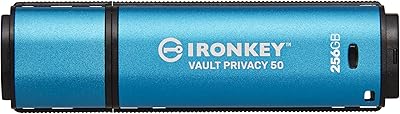
Kingston IronKey Vault Privacy 50 256GB Drive
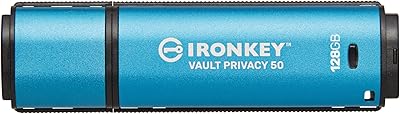
Kingston IronKey Vault Privacy 50 128GB Drive
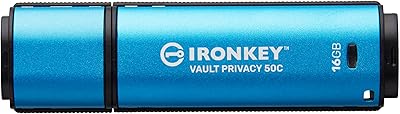
Kingston IronKey Vault Privacy 50C 16GB Drive
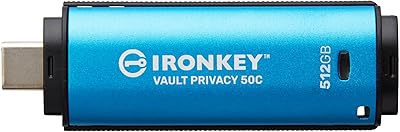
Kingston IronKey Vault Privacy 50 USB-C 512GB Encrypted Flash Drive
Kingston A400 480GB 2.5″ Internal SSD
Kingston XS1000 2TB SSD
Kingston Q500 960GB Internal SSD