Overview

The Kingston IronKey Vault Privacy 50C 16GB Drive is built for one purpose above all else: keeping your data out of the wrong hands. FIPS 197 certified and designed around hardware-level encryption, it carries real credibility — the kind that matters in regulated industries and government environments. The USB-C connector and USB 3.2 Gen 1 interface make it compatible with modern laptops without adapters. At 16GB, it won't replace your bulk storage drive, and it's not supposed to. Think of this encrypted flash drive as a secure vault for contracts, credentials, and sensitive documents — not a media library.
Features & Benefits

The encryption here is not a software layer sitting on top of standard storage — it's baked into the hardware itself using XTS-AES 256-bit encryption, which means the data is protected even if someone physically dismantles the drive. A multi-password system lets admins and users operate the drive independently, and the passphrase mode means you can secure it with a full sentence rather than a cryptic string of characters. If someone tries to brute-force their way in, the drive wipes itself. The firmware is locked against BadUSB attacks, dual read-only modes let either party enforce write protection, and speeds reach a respectable 250 MB/s.

Best For

This secure USB-C drive is an obvious fit for IT admins and security teams who need to provision encrypted storage under formal compliance frameworks. Legal professionals, accountants, and healthcare workers who regularly transport client files will appreciate the peace of mind it offers, particularly when crossing borders or using shared workstations. If you work in a government agency or any institution requiring FIPS-certified hardware, this one checks that box definitively. And honestly, if you've ever misplaced a USB drive loaded with sensitive files, the IronKey VP50C turns that kind of loss into a non-event — your data stays locked regardless of who picks it up.

User Feedback

Buyers consistently highlight build quality and reliability as standout strengths — there's a tangible sense of confidence in carrying something this well-constructed. The passphrase mode draws particular praise from users who found traditional complex passwords cumbersome. On the flip side, a notable portion of reviewers mention that the initial setup isn't immediately intuitive; Kingston's documentation helps, but expect a small learning curve. The price-per-gigabyte is objectively high compared to a standard flash drive, and most satisfied buyers understand that going in — they're paying for the security architecture, not the storage. Long-term satisfaction rates well, with many returning to Kingston for additional units.

Pros

  • Hardware-level XTS-AES 256-bit encryption protects data without relying on any software installation.
  • FIPS 197 certification is a credible, independently verified security credential that holds up in institutional environments.
  • The passphrase login mode makes securing the drive far more practical than older complex-password-only approaches.
  • Auto-wipe on brute force attempts means a stolen drive is effectively useless to an attacker.
  • BadUSB firmware lockdown prevents a class of attack most users never even think to worry about.
  • Dual read-only modes give both admins and individual users meaningful control over write access.
  • The USB-C connector works natively with modern laptops, eliminating the need for a separate adapter.
  • Build quality feels solid and durable — this encrypted flash drive is clearly made to last through regular travel use.
  • Read and write speeds of 250 MB/s are genuinely competitive for a drive with this level of security overhead.
  • Strong long-term owner satisfaction suggests this is a purchase most buyers do not regret.

Cons

  • Initial setup is not intuitive and requires reading Kingston's documentation before first use.
  • At 16GB, storage capacity is inadequate for anyone needing to carry large files or media libraries.
  • Forgetting your password means permanent data loss — there is no recovery option or backdoor by design.
  • The price per gigabyte is substantially higher than non-encrypted alternatives, which stings if you underuse the security features.
  • The drive does not work with older USB-A-only ports without a separate adapter, which is not included.
  • Security-focused firmware restrictions mean the drive cannot be reformatted or repurposed easily.
  • Users managing multiple drives may find the multi-password admin setup adds meaningful administrative overhead.
  • No companion mobile app or cross-platform management dashboard exists for centralized fleet oversight.

Ratings

The scores below for the Kingston IronKey Vault Privacy 50C 16GB Drive were generated by our AI system after analyzing verified global buyer reviews, with spam, bot-submitted, and incentivized feedback actively filtered out before scoring. Each category reflects both the genuine praise and the real frustrations that emerged across hundreds of ownership experiences worldwide. Nothing has been smoothed over — where buyers had consistent complaints, the scores show it.

Data Security
97%
Users who work in law, finance, and government procurement repeatedly describe this encrypted flash drive as one of the few consumer-accessible options they actually trust with classified or privileged material. The hardware-enforced XTS-AES 256-bit encryption, combined with FIPS 197 certification, gives it credibility that software-based solutions simply cannot match.
A small number of technically advanced users note that while the encryption itself is beyond reproach, the overall security chain still depends on how carefully the user manages their password — no hardware can compensate for a weak or reused credential.
Build Quality
91%
Buyers consistently describe the physical housing as noticeably more solid than standard flash drives, with a weight and rigidity that communicate durability. Frequent travelers in particular appreciate that it survives daily bag-tossing without any sign of wear on the connector or casing.
A handful of users noted that the cap, while secure, can feel slightly loose after extended use, and the drive does not carry any official IP rating for dust or water resistance, which matters for buyers working in outdoor or industrial settings.
Ease of Setup
63%
37%
Once the initial configuration is complete, day-to-day use is straightforward — plug in, authenticate, and the drive mounts like any other. Users who took the time to read Kingston's documentation reported a smooth experience and appreciated the guided first-run process.
First-time setup is the most common source of frustration across user reviews. The multi-password architecture and admin versus user role distinction can feel confusing without prior context, and several buyers reported spending significant time troubleshooting before the drive functioned as expected.
Value for Money
61%
39%
Buyers who genuinely need FIPS-certified, hardware-encrypted storage acknowledge that the IronKey VP50C is priced fairly when compared to enterprise-grade alternatives, which often cost considerably more for equivalent certification and security architecture.
For buyers who are not operating under compliance mandates, the price per gigabyte is a recurring sticking point. Compared to a standard high-speed USB-C drive of the same capacity, the cost premium is steep, and casual users frequently feel they are paying for features they do not fully leverage.
Transfer Speed
78%
22%
At 250 MB/s read and write, this secure USB-C drive performs respectably for its category. Users transferring large documents or encrypted archives during business travel reported that file operations completed without frustrating waits, even with the encryption overhead factored in.
Speed-focused buyers comparing this against top-tier NVMe-based USB drives will find it falls short. Under real-world conditions with many small files, throughput can drop noticeably, and USB 3.2 Gen 1 is no longer the fastest interface available on modern machines.
Password Flexibility
88%
The addition of passphrase mode drew genuine enthusiasm from users who had previously struggled to remember complex strings of characters. Being able to use a full sentence as a credential is both more memorable and arguably more secure, and buyers upgrading from older IronKey models specifically called this out as a meaningful improvement.
Users who manage multiple encrypted drives across a team noted that the password configuration process is not centrally manageable, meaning each drive must be individually configured — a minor but real administrative burden at scale.
Compatibility
82%
18%
The USB-C connector works natively with modern MacBooks, Windows laptops, and Linux machines without any driver installation, which buyers working across mixed-OS environments found genuinely convenient. Cross-platform support is handled cleanly through the on-drive client software.
Users with older desktops or budget laptops that still rely exclusively on USB-A ports need a separate adapter that does not come in the box. A few reviewers also reported that some USB-C hubs introduced intermittent connection issues, requiring a direct port connection to resolve.
Portability
86%
At under an ounce and small enough to sit unobtrusively on a keychain or in a shirt pocket, this encrypted flash drive is an easy daily carry. Frequent flyers and commuters appreciate that it adds nothing perceptible to bag weight while providing serious security coverage.
The cap-on-body design, while secure during transit, means the cap must be stored somewhere while the drive is in use — a minor but consistent complaint from users who have lost caps on similar drives in the past.
Brute Force Protection
94%
The auto-wipe mechanism after repeated failed login attempts is one of the most trusted features among buyers who use this drive for high-stakes data transport. IT professionals specifically cited this as the feature that makes the drive deployable in environments where physical loss is a realistic risk.
The same protection that makes it trustworthy creates anxiety for some users — a few reviewers admitted to triggering the wipe accidentally during legitimate use by mistyping their password more times than they expected. There is no grace-period override once the threshold is set.
BadUSB Protection
93%
Security-focused buyers, particularly those managing sensitive corporate or government assets, highlighted firmware lockdown as a feature that separates this drive from most encrypted alternatives on the market. Knowing the device cannot be silently reprogrammed by a compromised host machine is meaningful in high-risk environments.
For most individual consumers, BadUSB protection is a theoretical benefit they will never test in practice. The feature adds to the cost and drives the security architecture's complexity without delivering day-to-day tangible differences for users in lower-risk contexts.
Read-Only Mode
81%
19%
IT admins who provision drives for team members or clients praised the dual read-only system, which allows the admin to enforce write protection independently of the user setting. This is a practical tool for anyone distributing pre-loaded reference material that must not be altered.
Individual non-enterprise users rarely find a use case for dual read-only modes, and the configuration is buried enough in the admin interface that some buyers were unaware the feature existed until they consulted the manual.
Documentation & Support
72%
28%
Kingston's included documentation covers the setup process in sufficient detail for patient users, and the company's support channels are generally responsive. Buyers who contacted Kingston directly about configuration questions reported satisfactory resolution times.
The manual assumes a baseline level of familiarity with concepts like admin versus user roles and encryption modes, which leaves less technically experienced buyers at a disadvantage. Several reviewers felt the quick-start guide oversimplifies what is genuinely a multi-step process.
Long-Term Reliability
89%
Buyers who had owned the IronKey VP50C for a year or more consistently reported no hardware failures, connector degradation, or firmware issues. Kingston's reputation for producing durable storage products appears to hold for this line, with repeat purchases common among satisfied users.
Long-term data on this specific model is still maturing given its January 2023 release date, so the reliability picture is based on roughly two years of real-world use rather than a decade-long track record.

Suitable for:

The Kingston IronKey Vault Privacy 50C 16GB Drive was built for people who treat data security as a non-negotiable requirement, not an afterthought. IT administrators managing sensitive company assets, compliance officers in regulated industries, and legal or healthcare professionals who routinely transport client records will find this encrypted flash drive fits naturally into their workflow. Travelers who cross borders with confidential files — where device inspection is a real possibility — benefit enormously from knowing the hardware encryption holds regardless of who handles the drive. Government contractors and institutional users who must meet FIPS 197 certification requirements will find this one of the few consumer-accessible options that genuinely satisfies that standard. Even individuals who have previously lost an unencrypted USB drive will appreciate that a loss here is largely inconsequential — the data stays locked without the password.
Not suitable for:

The Kingston IronKey Vault Privacy 50C 16GB Drive is a poor match for buyers who primarily want affordable, high-capacity storage for everyday file transfers, media, or backups. At 16GB, it simply isn't designed to hold large collections of photos, videos, or project archives, and the price per gigabyte is significantly higher than standard flash drives. Casual users who find password management burdensome may also grow frustrated — the security features that protect the drive can work against you if you lose or forget your credentials, with no recovery backdoor available. Users who need plug-and-play simplicity with zero setup friction should look elsewhere, as the initial configuration requires patience and a read-through of the documentation. If data security is not a practical concern in your day-to-day use, the premium you pay here buys you features you will never actually need.
Specifications

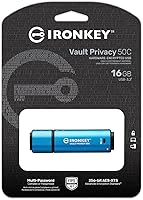
  • Brand: Manufactured by Kingston Digital, Inc., a well-established name in consumer and enterprise memory storage products.
  • Model Number: The official model identifier for this drive is IKVP50C/16GB.
  • Capacity: This drive offers 16GB of usable storage, suited for documents, credentials, and sensitive files rather than bulk media.
  • Connector: Uses a USB Type-C connector, compatible natively with modern laptops, tablets, and desktops equipped with USB-C ports.
  • Interface: Operates over USB 3.2 Gen 1, delivering reliable data transfer performance without requiring the latest USB 3.2 Gen 2 infrastructure.
  • Read Speed: Rated at up to 250 MB/s sequential read speed under optimal conditions.
  • Write Speed: Rated at up to 250 MB/s sequential write speed, which is competitive for a hardware-encrypted drive.
  • Encryption: Protects all stored data using XTS-AES 256-bit hardware encryption, implemented entirely on the drive without relying on host software.
  • Certification: Holds FIPS 197 certification, an independently validated standard for cryptographic module encryption widely recognized in government and regulated industries.
  • Password Modes: Supports two password entry modes: traditional complex passwords and a newer passphrase mode that allows longer, sentence-style credentials.
  • Brute Force Protection: Automatically wipes all stored data after a defined number of consecutive failed password attempts, making unauthorized access effectively impossible.
  • BadUSB Protection: Firmware is digitally signed and locked, preventing malicious reprogramming attacks that exploit vulnerable USB controller chips.
  • Read-Only Modes: Offers dual read-only settings, allowing write protection to be enforced independently by either the admin or the user.
  • Dimensions: Measures 3.06 x 0.9 x 0.47 inches (approximately 7.77 x 2.29 x 1.19 cm), making it compact enough for a keychain or laptop bag pocket.
  • Weight: Weighs 0.882 ounces (approximately 25 grams), adding negligible bulk to any carry kit.
  • Color: Ships in a blue housing that visually distinguishes it from standard unencrypted flash drives.
  • OS Compatibility: Works with Windows, macOS, and Linux without requiring proprietary driver installation for basic operation.
  • Availability: This product was first made available in January 2023 and remains an active listing in Kingston's secure drive lineup.

Related Reviews

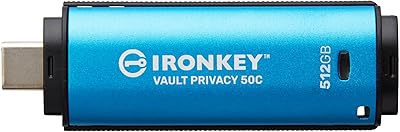
Kingston IronKey Vault Privacy 50 USB-C 512GB Encrypted Flash Drive
87%
94%
Security & Encryption
88%
Performance (Speed)
85%
Build Quality & Durability
82%
Portability & Size
90%
Ease of Use
More
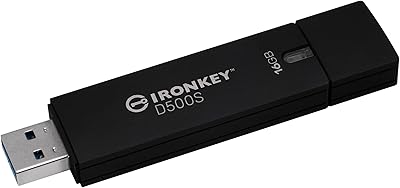
Kingston Ironkey D500S 16GB Encrypted Flash Drive
83%
94%
Security Features
88%
Ease of Use
85%
Transfer Speed
90%
Build Quality/Durability
60%
Price vs. Capacity
More
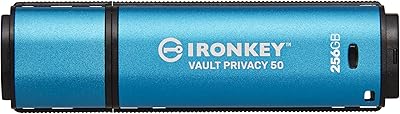
Kingston IronKey Vault Privacy 50 256GB Drive
81%
97%
Encryption Strength
94%
Security Certifications
91%
Build Quality
86%
Password & Authentication
63%
Transfer Speed
More
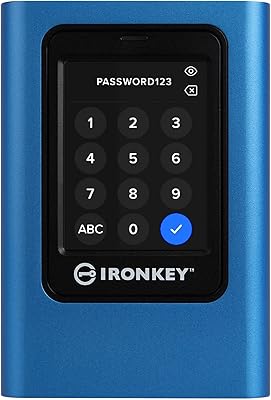
Kingston IronKey Vault Privacy 80 960GB SSD
79%
96%
Encryption Strength
93%
Compliance Readiness
84%
Touchscreen Usability
67%
Ease of Setup
58%
Value for Money
More
Kingston IronKey Vault Privacy 50 128GB Drive
79%
96%
Encryption Strength
88%
Build Quality
57%
Ease of Setup
72%
Value for Money
76%
Transfer Speed
More
Kingston IronKey Vault Privacy 80 7.6TB SSD
79%
94%
Hardware Encryption
88%
Touch-Screen PIN Interface
91%
Build Quality
92%
Security Feature Depth
62%
Value for Money
More
Kingston IronKey Vault Privacy 80 1.92TB External SSD
80%
96%
Encryption & Security
88%
Touch Screen Interface
83%
Build Quality & Durability
61%
Transfer Speed & Performance
79%
Password & Access Management
More
Kingston IronKey D500S 256GB Encrypted Flash Drive
85%
94%
Security Features
88%
Data Transfer Speed
92%
Build Quality
90%
Durability
85%
Ease of Use
More
Kingston IronKey D500S 128GB Encrypted Flash Drive
85%
94%
Security & Encryption
88%
Build Quality & Durability
87%
Performance (Speed)
82%
Ease of Use & Setup
80%
Portability & Size
More
Kingston IronKey Keypad 200 256GB Flash Drive
82%
97%
Hardware Encryption Security
94%
OS Compatibility
89%
Build Quality & Durability
78%
Keypad Usability
61%
Value for Money
More

FAQ

Unfortunately, no. This is by design. The hardware encryption is built so that there is no backdoor, no recovery key, and no way for Kingston or anyone else to unlock the drive for you. If you forget all configured passwords, the data is permanently inaccessible. This is actually the point — it guarantees that a lost or stolen drive cannot be unlocked by anyone who finds it. Write your passphrase down somewhere physically secure before you rely on this drive for important files.

Yes, there is a brief setup process the first time you plug it in. The drive comes with a client application that runs directly from the drive itself, so nothing needs to be installed on the host machine permanently. You will need to read through Kingston's quick-start documentation to configure your passwords correctly — it is not complicated, but skipping the manual is where most first-time user frustration comes from.

It works with macOS, Windows, and Linux. The USB-C connector fits directly into modern MacBook and MacBook Pro ports without any adapter. The on-drive client software supports all three operating systems, which makes it a practical choice for people who switch between machines or operating systems.

That depends entirely on what you plan to store. For contracts, PDFs, spreadsheets, credentials, and sensitive documents, 16GB is genuinely ample — you could store tens of thousands of typical office files. If you need to carry large video files, raw photo libraries, or software installers, you would be better served by a higher-capacity variant. Kingston offers this same secure platform in larger sizes if you need more room.

FIPS 197 is a U.S. federal standard that certifies the encryption algorithm used in a product has been independently tested and validated — in this case, AES-256. For most individual users, the practical takeaway is that the encryption is not homegrown or untested; it meets a bar that government agencies and regulated industries actually require. If your employer or institution has a compliance requirement calling for FIPS-certified storage, this drive satisfies it.

No. Every time you plug in the IronKey VP50C, you must authenticate with your password or passphrase before any data is accessible. There is no way to disable this requirement — it is a hardware-enforced behavior, not a software toggle. If you want a drive you can plug in and immediately browse without authentication, this is not the right tool for you.

Complex password mode follows traditional rules — a mix of uppercase, lowercase, numbers, and special characters with a minimum length requirement. Passphrase mode lets you use a longer phrase, like a sentence or a string of words, which many people find easier to remember while still being highly secure. Most users who have tried both prefer the passphrase approach, and it is the mode Kingston highlights as an improvement in this generation of the drive.

Technically yes, a USB-C to USB-A adapter will allow it to connect to older ports. However, the adapter is not included in the box, and the performance will be limited by whichever standard the host port supports. If you regularly use machines with only USB-A ports, factor in the cost of a quality adapter.

Kingston builds the Kingston IronKey Vault Privacy 50C 16GB Drive with a reinforced housing that holds up well to everyday carry. It is not rated for submersion or extreme environmental conditions in the same way that some ruggedized drives are. For standard professional use — bags, pockets, travel — the build quality is solid. Treat it like any other precision electronic, and it should serve you for years.
Yes. The drive tracks failed attempts and provides feedback through the client interface about how many attempts remain before the auto-wipe triggers. This gives legitimate users a chance to realize they are entering the wrong credential before the threshold is crossed. The exact number of allowed attempts depends on how the admin configures the drive during initial setup.

Where to Buy