Overview

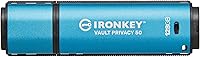
The Kingston IronKey Vault Privacy 50 128GB Drive is built for one purpose: keeping sensitive data out of the wrong hands. Unlike the average encrypted USB that relies on software running on the host machine, this hardware-encrypted USB handles all encryption internally — meaning your data stays protected even if the drive falls into hostile hands. It carries FIPS 197 certification, which isn't just marketing language; it reflects a verified, standardized implementation that compliance-focused organizations actually require. The price sits firmly in premium territory, and that's intentional. You're paying for genuine, audited security rather than a commodity drive with a password screen bolted on. The 128GB capacity hits a practical sweet spot for most professional workloads.
Features & Benefits

The encryption here is XTS-AES 256-bit, handled entirely on the drive's controller — not by software on your computer. That distinction matters because software-based encryption can be bypassed if someone gains access to your machine. The IronKey VP50 also gives you real flexibility with passwords: you can set a complex alphanumeric credential or opt for a longer passphrase, which many users find easier to recall without sacrificing strength. Digitally signed firmware blocks BadUSB attacks by preventing any unauthorized code from overwriting the drive's operating logic. Two independent read-only modes let you lock down writes against accidents or external threats, and a brute-force lockout wipes the drive after too many failed password attempts. Transfer speeds hit around 250 MB/s read and 180 MB/s write — more than adequate for real-world use.

Best For

This encrypted flash drive is purpose-built for professionals who carry data that cannot afford to be compromised. Healthcare and legal professionals working with regulated client information will appreciate the compliance-grade certification. IT teams at organizations that must satisfy HIPAA, GDPR, or similar frameworks can deploy the IronKey VP50 knowing it meets documented encryption standards rather than relying on promises. Remote workers and contractors ferrying company files across unsecured networks get meaningful peace of mind. Government and defense users who need FIPS-verified hardware have a clear fit here. It also makes sense for any organization looking to standardize a fleet of secure drives instead of managing patchwork software encryption policies across different endpoints.

User Feedback

Buyers consistently highlight the solid build quality and the reassurance that comes from real certification — this isn't a drive that just claims to be secure. The multi-password system earns frequent praise for its flexibility. On the flip side, the initial setup process trips up non-technical users more often than it should; the on-device interface has a learning curve, and there's no traditional companion software to guide you through. Transfer speeds draw mixed reactions — experienced users note they're perfectly adequate for practical work, though the IronKey VP50 doesn't top speed benchmarks against rivals like the Apricorn Aegis or the IronKey S1000. For most buyers in the target audience, security takes priority over raw speed, and on that measure, satisfaction remains high.

Pros

  • Hardware-based XTS-AES 256-bit encryption protects your data independently of whatever computer you plug it into.
  • FIPS 197 certification is independently verified, giving compliance officers a defensible, documented standard to reference.
  • The passphrase password mode makes strong credentials far more practical to remember without weakening overall security.
  • Dual read-only modes — both hardware and software — protect against accidental overwrites and certain classes of malware.
  • Brute-force lockout with auto-erase ensures the drive becomes useless to anyone who steals it and starts guessing passwords.
  • BadUSB attack protection via signed firmware prevents malicious code from hijacking the drive at the hardware level.
  • Read speeds up to 250 MB/s are genuinely practical for everyday professional file transfers without noticeable delays.
  • No software installation required on the host machine, which simplifies deployment across locked-down corporate systems.
  • The compact, durable build holds up well to the physical demands of daily carry in a bag or jacket pocket.

Cons

  • The initial setup process is noticeably complex and can frustrate non-technical users without dedicated IT guidance.
  • There is no companion desktop software to walk first-time users through configuration or help troubleshoot setup errors.
  • The price is significantly higher than most software-encrypted USB alternatives, which is a tough sell for budget-conscious small teams.
  • Transfer speeds fall short of the fastest competing encrypted drives in head-to-head benchmark comparisons.
  • Only USB Type-A connectivity is included, requiring an adapter for modern laptops equipped exclusively with USB-C ports.
  • If all configured passwords are forgotten and the drive wipes itself, there is absolutely no data recovery path.
  • The 128GB capacity may feel limiting for users archiving large media libraries or extensive project file collections.
  • On-device interface navigation can feel unintuitive compared to drives that pair with a polished dedicated management application.

Ratings

Our AI-driven scoring system analyzed verified buyer reviews for the Kingston IronKey Vault Privacy 50 128GB Drive sourced from global markets, actively filtering out incentivized submissions, duplicate accounts, and bot-generated feedback to ensure every score reflects authentic user experience. The results capture both the areas where this encrypted flash drive clearly justifies its premium positioning and the friction points that real buyers run into repeatedly. Strengths and shortcomings are weighted proportionally, so the scores below give you an honest baseline before you decide.
Encryption Strength
96%
Hardware-based XTS-AES 256-bit encryption means the cryptographic process never touches the host computer, which is exactly what compliance teams need when auditors start asking questions. Professionals carrying patient records or legal contracts report genuine confidence knowing their data stays locked even if the drive is physically seized or handed over at a border crossing.
The encryption is rock-solid, but FIPS 197 covers the cryptographic algorithm itself rather than the broader hardware security module — users who specifically need FIPS 140-2 Level 3 validation, such as certain government procurement teams, will find this drive falls short of that stricter standard.
Build Quality
88%
The housing feels genuinely solid — not flimsy plastic, but a well-constructed casing that holds up to being tossed in a laptop bag daily without developing cracks or connector wobble. IT managers who have deployed dozens of these report very low return rates due to physical defects, which matters when equipping a whole team.
A few buyers mention the protective cap feels slightly loose after extended daily use, which is a minor but recurring complaint. There is also no built-in lanyard attachment on the drive body itself, so users who want keychain carry must rely on the cap loop, which some find awkward over time.
Ease of Setup
57%
43%
Once the initial password configuration is complete, day-to-day use is fairly intuitive — plug in, authenticate, access your files. Users with IT backgrounds or prior experience with encrypted storage get through setup quickly and appreciate that everything is managed on-device without needing to install anything on the host machine.
The first-time setup is where this drive earns its most consistent criticism — non-technical users frequently describe feeling confused by the multi-step initialization, password role assignments, and the on-device interface with no guiding companion software. Several buyers mention handing the drive to their IT department to configure because the process felt overwhelming.
Value for Money
72%
28%
For professionals who genuinely need certified hardware encryption and cannot afford a data breach — healthcare IT teams, legal firms, financial advisors — the price is straightforward to justify because a single compliance violation costs far more. The FIPS 197 certification adds real institutional credibility that software alternatives simply cannot match.
Casual users and small-business owners without specific compliance requirements consistently flag the price as hard to swallow when comparable raw storage capacity is available for a fraction of the cost on a standard drive. The value proposition is strong for the right buyer but genuinely steep for anyone outside the security-first professional audience.
Transfer Speed
76%
24%
For day-to-day professional transfers — moving presentation decks, encrypted spreadsheets, or client documents — real-world read speeds feel responsive and avoid the sluggishness that plagues some older encrypted drives. Users handling files under a few gigabytes in size rarely report any speed-related frustration in practice.
Buyers who regularly move large datasets, raw video footage, or bulk backups note that the IronKey VP50 does not lead its class in speed benchmarks, and competing drives can edge it out in sustained write performance. If raw throughput is your primary metric, faster encrypted options exist at a comparable price point.
Password Management
83%
The dual-role Admin and User password architecture is a genuine operational advantage for IT teams managing access across multiple employees. The passphrase mode earns specific praise from security-conscious users who find a long memorable phrase easier to work with than a complex traditional password without sacrificing any protection.
Some users find the password entry process on the on-device interface slower than expected, particularly when typing long passphrases character by character under time pressure. A handful of buyers also report that modifying password modes after initial configuration is less straightforward than they anticipated without documentation in hand.
Write Protection
91%
The dual read-only system — one toggle enforced in hardware, one in software — is something forensic professionals and government contractors specifically seek out when choosing a drive. Being able to physically lock writes before plugging into an unfamiliar machine gives users a layer of control that software-only protection simply cannot replicate.
A small number of users find the software write-protect toggle somewhat buried within the on-device menu, making it easy to overlook during a fast session. First-time buyers occasionally report accidentally leaving write protection disabled when they fully intended to enable it, usually before they have learned the interface well.
Cross-Platform Use
86%
Being able to use this encrypted flash drive interchangeably on a Windows workstation at the office, a MacBook at home, and a Linux terminal in a secure facility without any software reconfiguration is a genuine daily convenience. IT teams deploying across mixed operating system environments consistently report no meaningful compatibility headaches.
The USB Type-A connector is the one consistent friction point — users with modern laptops equipped only with USB-C ports need a separate adapter, and a handful of buyers note that transfer reliability can vary slightly depending on the quality of the adapter used in the chain.
Portability & Design
82%
18%
At under three-quarters of an ounce and roughly the footprint of a standard thumb drive, the IronKey VP50 disappears into a laptop bag or shirt pocket without being noticed. Healthcare workers and attorneys who carry it between multiple client sites daily appreciate that it never adds physical bulk to an already full bag.
The blue color and utilitarian styling rarely bothers professional users, but the removable cap draws consistent grumbles — it is easy to lose during a rushed workday, and there is no physical tether connecting it to the body of the drive, which frustrates frequent travelers especially.
BadUSB Protection
93%
Digitally signed firmware prevents any third party from loading malicious code onto the drive's controller — a subtle but important protection for users who regularly plug into shared computers, conference room displays, or untrusted docking stations. Security teams that have previously dealt with infected USB devices specifically cite this when recommending the drive to their organizations.
BadUSB protection operates invisibly during normal use, making it genuinely difficult for non-technical buyers to understand or appreciate what they are paying for in practice. A portion of reviewers outside dedicated security roles question whether this level of protection is relevant to their workflows, suggesting the feature is often undervalued by buyers who do not need it daily.
Brute-Force Defense
94%
The auto-erase mechanism is one of the features security professionals cite most when recommending this hardware-encrypted USB over software alternatives. Knowing that a stolen drive becomes permanently inaccessible after a fixed number of failed attempts eliminates a significant layer of anxiety for anyone transporting sensitive regulated data outside a secure facility.
The same mechanism that makes the drive so secure creates its most significant operational risk — forgetting your credentials on a fully loaded drive means losing everything, with no appeal or recovery path. A handful of negative reviews come specifically from users new to hardware-encrypted storage who triggered the auto-erase accidentally and were not prepared for the consequences.
Enterprise Deployment
79%
21%
Organizations building out hardware-encrypted USB fleets find the Admin and User password architecture genuinely practical — IT can initialize and manage drives without depending on individual employees to self-configure security. The FIPS 197 certification also satisfies most enterprise procurement security questionnaires without requiring supplementary documentation.
At scale, per-unit cost adds up quickly, and enterprises deploying large numbers of drives note there is no centralized management console or fleet dashboard — each drive must be initialized and managed individually. Organizations accustomed to software-based endpoint encryption with centralized policy enforcement may find this a meaningful operational limitation at volume.
Data Recovery
34%
66%
The deliberate absence of a recovery backdoor is, paradoxically, a security strength that compliance-focused buyers actively seek. Regulated industries that must demonstrate there is no possible unauthorized recovery path — forensic firms or classified document handlers, for example — actively value the unrecoverability as a design feature rather than a drawback.
For everyone outside that narrow use case, the complete absence of data recovery represents a real operational risk — one unexpected lockout and years of archived work are permanently unrecoverable. This is the single most common driver of one-star reviews across verified purchase feedback, almost always from buyers who did not fully understand the consequence before purchasing.

Suitable for:

The Kingston IronKey Vault Privacy 50 128GB Drive is the right choice for anyone whose job comes with a legal or contractual obligation to protect the data they carry. Healthcare providers, attorneys, financial advisors, and HR professionals who routinely move sensitive files between offices, client sites, or remote locations will find the FIPS 197 certification directly relevant to their compliance requirements. IT administrators tasked with deploying secure storage across a workforce will appreciate having a hardware-enforced solution that does not depend on individual employees managing software licenses or remembering to encrypt files manually. Government contractors and defense personnel required to use FIPS-certified media can deploy this encrypted flash drive with confidence that the certification is genuine and independently verified. Remote workers and consultants handling confidential company data on laptops outside secured office networks also fit squarely in the intended audience. For organizations, standardizing on this hardware-encrypted USB across teams eliminates the inconsistency and risk of relying on a patchwork of software encryption tools with varying levels of enforcement.

Not suitable for:

The Kingston IronKey Vault Privacy 50 128GB Drive is not the right fit for buyers who primarily need fast, high-volume file transfers and treat encryption as a secondary concern. If your workflow involves moving large video files, design assets, or database backups where raw throughput is critical, there are faster encrypted drives available at comparable price points. Casual users wanting basic protection for personal photos or everyday documents will likely find the cost hard to justify — a standard password-protected drive or cloud storage with two-factor authentication covers personal security needs at a fraction of the price. The setup process and on-device password management interface carry a real learning curve, making this a poor match for non-technical users who expect plug-and-play simplicity out of the box. Anyone who needs wireless connectivity, capacities beyond 256GB, or native USB-C support without an adapter will find this hardware-encrypted USB too restrictive for their hardware setup.

Specifications

  • Capacity: The drive stores up to 128GB of data, suitable for documents, encrypted databases, client records, and professional file archives.
  • Encryption: XTS-AES 256-bit hardware encryption is processed entirely on the drive's own dedicated controller, fully independent of the host computer.
  • Certification: Carries FIPS 197 certification, confirming compliance with the U.S. federal standard for validated cryptographic module implementation.
  • Interface: Connects via USB 3.2 Gen 1 Type-A, compatible with standard USB-A ports across Windows, macOS, Linux, and Chrome OS systems.
  • Read Speed: Sequential read speeds reach up to 250 MB/s under optimal conditions, enabling fast file retrieval for professional workloads.
  • Write Speed: Sequential write speeds reach up to 180 MB/s, supporting efficient data transfers for most day-to-day professional use cases.
  • Password Modes: Supports both a Complex alphanumeric password mode and a Passphrase mode, offering flexibility in how users authenticate access.
  • Write Protection: Two independent read-only modes — one hardware-enforced and one software-enforced — prevent unauthorized or accidental writes to stored data.
  • Brute-Force Lock: After a configurable number of consecutive failed password attempts, the drive performs an automatic cryptographic erase and resets to factory state.
  • BadUSB Defense: Digitally signed firmware blocks any unauthorized code from overwriting the drive's operating logic, guarding against BadUSB-class attacks.
  • Multi-Password: Supports separate Admin and User password roles, allowing IT administrators to manage access and recovery without knowing individual user credentials.
  • Dimensions: The drive measures 3.06 x 0.90 x 0.47 inches, compact enough for daily carry in a pocket, bag, or on a lanyard.
  • Weight: Weighs 0.705 ounces, light enough to attach to a keychain or slip into a laptop bag without adding noticeable bulk.
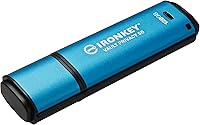
  • Color: Finished in blue with Kingston's standard IronKey series housing, consistent across the Vault Privacy 50 product line.
  • Model Number: The official model identifier is IKVP50/128GB, useful for verifying compatibility with enterprise procurement and inventory systems.

Related Reviews
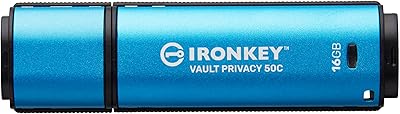
Kingston IronKey Vault Privacy 50C 16GB Drive
83%
97%
Data Security
91%
Build Quality
63%
Ease of Setup
61%
Value for Money
78%
Transfer Speed
More
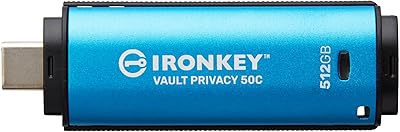
Kingston IronKey Vault Privacy 50 USB-C 512GB Encrypted Flash Drive
87%
94%
Security & Encryption
88%
Performance (Speed)
85%
Build Quality & Durability
82%
Portability & Size
90%
Ease of Use
More
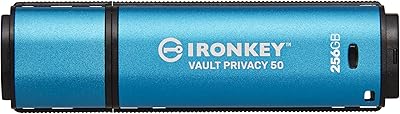
Kingston IronKey Vault Privacy 50 256GB Drive
81%
97%
Encryption Strength
94%
Security Certifications
91%
Build Quality
86%
Password & Authentication
63%
Transfer Speed
More
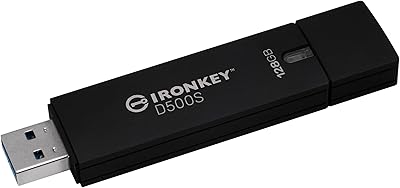
Kingston IronKey D500S 128GB Encrypted Flash Drive
85%
94%
Security & Encryption
88%
Build Quality & Durability
87%
Performance (Speed)
82%
Ease of Use & Setup
80%
Portability & Size
More
Kingston IronKey Vault Privacy 80 960GB SSD
79%
96%
Encryption Strength
93%
Compliance Readiness
84%
Touchscreen Usability
67%
Ease of Setup
58%
Value for Money
More
Kingston IronKey Vault Privacy 80 7.6TB SSD
79%
94%
Hardware Encryption
88%
Touch-Screen PIN Interface
91%
Build Quality
92%
Security Feature Depth
62%
Value for Money
More
Kingston IronKey Vault Privacy 80 1.92TB External SSD
80%
96%
Encryption & Security
88%
Touch Screen Interface
83%
Build Quality & Durability
61%
Transfer Speed & Performance
79%
Password & Access Management
More
Kingston IronKey Locker+ 50 32GB USB Drive
82%
94%
Encryption & Security
88%
Build Quality
76%
Ease of Setup
89%
Cloud Backup Feature
86%
Password Flexibility
More
Kingston IronKey D500S 256GB Encrypted Flash Drive
85%
94%
Security Features
88%
Data Transfer Speed
92%
Build Quality
90%
Durability
85%
Ease of Use
More
Kingston Ironkey D500S 16GB Encrypted Flash Drive
83%
94%
Security Features
88%
Ease of Use
85%
Transfer Speed
90%
Build Quality/Durability
60%
Price vs. Capacity
More

FAQ

The IronKey VP50 is fully cross-platform and works with Windows, macOS, Linux, and Chrome OS — any operating system that supports USB mass storage devices. Because the encryption runs on the drive's own hardware controller, there is no platform-specific software required on the host machine.

Unfortunately, no — there is no password recovery option on this hardware-encrypted USB. If the wrong password is entered too many times, the drive triggers an automatic erase and wipes all stored data permanently. Kingston designed it this way deliberately, since any recovery backdoor would compromise the entire security model. The practical takeaway is to store your credentials somewhere secure and separate from the drive itself.

No installation is needed on the host computer. The drive handles everything through its own on-device interface, which also makes it straightforward to use on corporate machines where installing third-party software is restricted or prohibited by IT policy.

With software encryption, the encryption and decryption work happens on your computer's CPU, meaning cryptographic keys can potentially be exposed to malware or memory-scraping attacks running on that machine. This encrypted flash drive processes everything inside its own isolated controller, keeping the keys completely separate from the host system at all times — a meaningfully stronger security boundary.

Yes. The drive supports distinct Admin and User password roles, so an IT administrator can configure and manage the drive without sharing credentials with the end user. There is also a one-time recovery password option, which is practical for enterprise deployments where users periodically lock themselves out.

Read-only mode prevents anything from writing to the drive — including ransomware, malicious scripts, or rogue applications running on an untrusted or shared computer. The hardware read-only switch is especially useful when you need to access files on a public machine while ensuring nothing on that machine can alter or infect what is stored on the drive.

Kingston does not advertise a waterproofing rating or certified drop resistance for this model. The housing is solid and holds up well to standard daily carry wear, but it is not marketed as ruggedized or submersible. If you need a drive rated for water immersion or extreme physical stress, you would need to look at dedicated ruggedized options.

Yes, it does. The drive monitors consecutive failed password attempts and locks itself once a configured threshold is reached. At that point it performs a cryptographic erase, making all stored data permanently and irreversibly unrecoverable — not just deleted, but cryptographically destroyed. The threshold for lockout can be adjusted by an Admin, which gives organizations control over how aggressively the drive responds to sustained access attempts.

The VP50 sits between the two in overall security tier and price. It offers genuine FIPS 197-certified encryption and a strong feature set, but it does not reach the higher FIPS 140-2 Level 3 standard of the S1000. The Apricorn Aegis series uses a physical keypad for PIN entry rather than on-screen password input, which some users prefer in air-gapped environments. For most compliance-driven professional scenarios, the IronKey VP50 strikes a practical balance between certified security and everyday usability.

For most professional workloads — carrying documents, spreadsheets, presentations, client records, or encrypted exports — 128GB is more than sufficient. If you routinely handle large raw video files, engineering datasets, or very deep file archives, Kingston does offer the Vault Privacy 50 series in larger capacities. Since the storage cannot be expanded after purchase, it is worth thinking through your heaviest anticipated use case before deciding on a size.

Where to Buy