
Overview

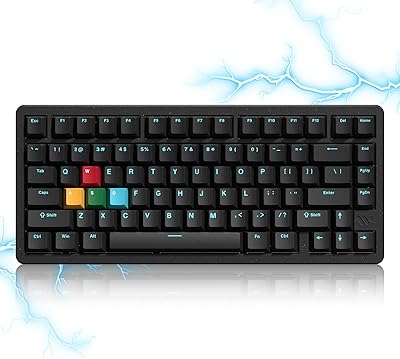
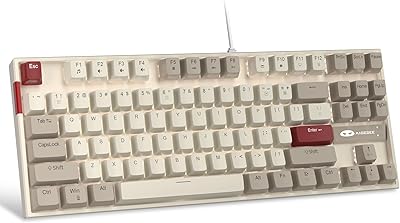
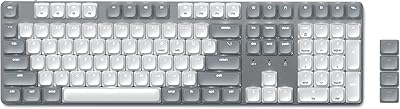
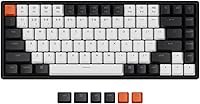
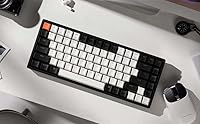
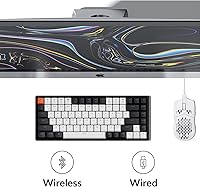
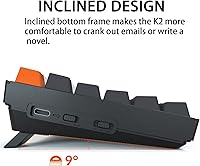
The Keychron K2 V2 75% Mechanical Keyboard sits in a sweet spot that Keychron has clearly thought hard about — compact enough to free up desk space, but complete enough that you won't spend your first week hunting for missing keys. The aluminum frame gives it a solidity that punches above its price tier; pick it up and it doesn't feel like a plastic budget board. With Bluetooth 5.1 multi-device pairing and USB-C wired mode, dual connectivity is built in from day one. Add a hot-swappable PCB to the mix and you have a polished daily-driver that welcomes customization without demanding it.

Features & Benefits

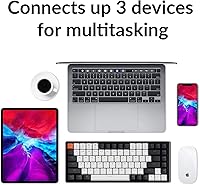
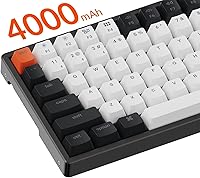
The 75% layout is the real practical argument for this board. Compared to a 65%, you keep the full function row — which matters constantly if you use Mac shortcuts, adjust screen brightness, or skip tracks without thinking about it. The Gateron G Pro Red switches are smooth linear keys: no tactile bump, light actuation, and surprisingly quiet for a mechanical. Bluetooth 5.1 pairs across three devices and switching between them is fast enough to become habit. The 4000mAh battery is genuinely large for a board this size — real-world use tracks closely with the 72-hour claim, which is rare at this tier.

Best For

This compact mechanical keyboard makes the most sense for a few specific types of buyers. If you work from home and split time between a Mac and a Windows machine — or toss an iPad into the mix — the three-device Bluetooth pairing alone justifies the purchase. Mac users benefit particularly because the keyboard ships with native macOS keycaps and proper function key labeling straight out of the box. Switch hobbyists curious about swaps but without a soldering iron will appreciate the hot-swap sockets. Casual gamers who also type for hours a day will find the 75% form factor handles both without feeling like a compromise.

User Feedback

Owners of the K2 V2 consistently highlight the build quality — the aluminum frame reads as premium in person, and Bluetooth stability across Apple devices draws repeated praise. Typing feel divides people predictably: Red switch fans love the smooth, effortless keystrokes, while those who prefer tactile feedback often swap to Browns early on. Two criticisms surface regularly. There is no native software for remapping or deep RGB customization without third-party tools, which matters if you are cross-shopping QMK-based boards. And while the K2 V2 handles casual gaming fine, a handful of users report Bluetooth latency under competitive conditions — wired mode is the smarter call there.

Pros

  • Aluminum frame feels noticeably premium and resists flex during heavy typing sessions.
  • Three-device Bluetooth pairing works reliably across Apple and Windows hardware.
  • Hot-swappable sockets let you change switches in minutes with no soldering required.
  • Ships with both Mac and Windows keycap sets, so neither platform feels like an afterthought.
  • 4000mAh battery consistently delivers close to the advertised 72-hour typing runtime.
  • The 75% layout keeps the function row and arrow keys that most compact boards drop.
  • Gateron G Pro Red switches are smooth and light, making long typing sessions genuinely comfortable.
  • Per-key RGB backlighting is bright and even, with a keycap font that stays legible at any brightness.
  • USB-C wired mode enables N-key rollover for users who want zero-compromise input registration.

Cons

  • No native software for remapping keys or customizing RGB lighting without third-party tools.
  • Bluetooth latency is noticeable enough to be a real drawback in fast-paced competitive gaming.
  • Linear Red switches will disappoint buyers who prefer tactile or clicky feedback from the start.
  • The board ships without a carrying case, which feels like an oversight given its wireless design.
  • No USB passthrough or dedicated media knob, which some competing boards at this price point include.
  • Wireless mode drops to 6KRO rollover, a limitation worth knowing if you use complex multi-key shortcuts.
  • The keycap legends, while clean, are not shine-through optimized, so RGB impact is modest compared to dedicated gaming boards.
  • Heavier than most wireless keyboards at 2.64 pounds, which matters if portability is a priority.

Ratings

Our AI rating engine analyzed thousands of verified global user reviews for the Keychron K2 V2 75% Mechanical Keyboard, actively filtering out incentivized, bot-generated, and duplicate feedback to surface what real buyers consistently experience. The scores below reflect both the genuine strengths that keep this board at the top of its category and the honest pain points that come up repeatedly across long-term owners. Nothing has been softened — if users ran into a real limitation, it shows in the numbers.

Build Quality
91%
The aluminum frame is the first thing users mention when unpacking the K2 V2 — it feels noticeably more solid than competing boards at this price tier. Long-term owners report no flex, no creaking, and no signs of wear on the frame even after daily use for a year or more.
The plastic bottom case is a step down from the aluminum top and draws occasional criticism from buyers who wanted a fully metal construction. A few users also noted that the stock feet can slide on smooth desks without a mat underneath.
Typing Experience
84%
Users who prefer linear switches describe the Gateron G Pro Reds as smooth and consistent, making long writing sessions noticeably less fatiguing than typical membrane keyboards. The 75% layout keeps every key within easy reach, which experienced typists say improves accuracy over time.
Buyers coming from tactile or clicky switches often find the linear Red feel underwhelming at first — several describe it as too light or lacking feedback during touch-typing. The stock stabilizers on larger keys like the spacebar occasionally draw comments about minor wobble or inconsistency.
Wireless Connectivity
86%
The three-device Bluetooth 5.1 pairing is widely praised as reliable and quick to reconnect, especially among users who switch daily between a MacBook, an iPad, and a Windows desktop. Apple device compatibility in particular draws consistent positive feedback — pairing is rarely a source of frustration.
Some users report a brief lag when waking the keyboard from sleep mode over Bluetooth, which requires a keypress to reconnect. A small number of Windows users have noted occasional pairing inconsistencies, though this appears to be a driver or OS-side issue rather than a hardware fault.
Battery Life
89%
The 4000mAh battery is one of the largest in this category, and real-world user reports track closely with the advertised 72-hour typing estimate. Most owners charge the K2 V2 once a week or less, which makes it genuinely cable-free for desk use the majority of the time.
Battery life drops noticeably with RGB lighting enabled at higher brightness, with some users reporting closer to 20 to 30 hours under those conditions. There is no battery percentage indicator on the board itself, so users rely on subtle LED cues that can be easy to miss before an unexpected shutdown.
Hot-Swap Feature
88%
The hot-swap PCB is consistently highlighted as one of the best features for its price tier, giving newcomers to the mechanical keyboard hobby a risk-free way to experiment with different switch types. Users appreciate that both 3-pin and 5-pin switches are supported, which keeps aftermarket options wide open.
A small number of users have reported that switch sockets can feel slightly loose after multiple swaps, which can affect switch stability over time. The board also does not ship with a switch puller in all regional variants, which is a minor but frustrating omission for first-time swappers.
Mac Compatibility
92%
Out-of-the-box macOS support is one of the most praised aspects of the K2 V2 — the keyboard ships with Mac keycaps installed and all function keys properly labeled for Apple shortcuts. iPad users also report smooth pairing with no extra configuration needed.
A few Mac power users note that Mission Control and Launchpad keys are not as intuitive to access compared to a native Apple keyboard, requiring a short adjustment period. The physical Mac/Windows toggle switch, while useful, is tucked on the side in a way that some users find easy to accidentally nudge.
Software & Customization
51%
49%
The built-in RGB lighting effects can be cycled and adjusted directly on the keyboard without any software, which keeps the out-of-box experience clean and dependency-free. Users who just want a plug-and-play board without app bloat generally appreciate this approach.
The absence of native remapping software is a consistent and significant complaint, especially from users cross-shopping with QMK or VIA-compatible boards. There is no way to reassign keys, create macros, or fine-tune per-key RGB without reaching for third-party tools, which is a real limitation for power users.
Gaming Performance
67%
33%
For casual and single-player gaming the K2 V2 holds up well — the linear switches register keystrokes cleanly and the 75% layout keeps gaming-critical keys grouped naturally. Users who play strategy games, RPGs, or slower-paced titles rarely report any issues.
Bluetooth latency is a recurring concern in fast-paced competitive gaming, with users noting it as unsuitable for titles where input timing is critical. The 6KRO limitation in wireless mode also becomes relevant in games that require holding many simultaneous keys, though wired mode resolves both issues.
Value for Money
82%
18%
Most buyers feel the aluminum frame, hot-swap PCB, and multi-device Bluetooth together justify the mid-range price without much argument. Compared to other wireless mechanical keyboards at a similar price, the K2 V2 consistently offers more features rather than fewer.
Users who ultimately wanted deeper programmability or a fully premium all-aluminum chassis sometimes feel the price is harder to justify in hindsight. A handful of buyers also note that Keychron's own newer boards have outpaced the K2 V2 in features, making the value proposition slightly less sharp than it was at launch.
RGB Backlighting
78%
22%
The per-key RGB is bright, even across the board, and the keycap legends stay readable at all brightness levels — something that cheaper boards with thicker or lower-quality keycaps can't always claim. Users who work in dim environments specifically call out the lighting as genuinely useful rather than just decorative.
The doubleshot ABS keycaps are not shine-through optimized, so the RGB effect is less vivid compared to dedicated gaming keyboards with translucent legends. Customizing lighting profiles beyond the built-in presets requires workarounds, which limits the feature's appeal for users who expected full software control.
Keycap Quality
73%
27%
The legends are clean and well-aligned out of the box, and the doubleshot printing means they won't fade with normal daily use. Including both Mac and Windows keycap sets in the box is a detail that buyers regularly mention as a thoughtful addition.
The stock ABS keycaps develop a slight shine in high-contact areas after several months of heavy use, which is a common material trade-off but still noted by long-term owners. Users interested in aftermarket keycaps should verify 75% layout compatibility before buying, as some sets don't cover the non-standard key sizes.
Portability
69%
31%
The 75% footprint is genuinely compact and easy to move between rooms or pack for a trip, and the wireless mode means one less cable to manage. Users who commute or hot-desk appreciate not having to carry a full-size board.
At 2.64 pounds, the K2 V2 is heavier than most wireless keyboards due to the aluminum frame, which makes it less ideal for frequent bag travel. The lack of an included carrying case is a consistent complaint from users who expected one given the wireless-first positioning of the board.
Noise Level
74%
26%
The linear Red switches are considerably quieter than clicky alternatives and produce a relatively muted sound profile during normal typing. Users in shared home offices or open-plan environments generally find the noise level socially acceptable without any additional modifications.
The stock stabilizers on the spacebar and larger keys introduce some rattle that stands out against the otherwise smooth switch sound. Buyers sensitive to keyboard noise who want near-silent operation will likely need to lubricate or replace the stabilizers — an extra step that shouldn't be necessary at this price point.
Setup & Ease of Use
87%
Initial setup is straightforward — Bluetooth pairing takes under a minute and the physical Mac/Windows mode switch means no software configuration is needed to get started on either platform. Users consistently describe the out-of-box experience as clean and frustration-free.
The manual for switching between Bluetooth channels and toggling between Mac and Windows modes is not always intuitive without reading the documentation, and the key combination shortcuts are not printed on the board. First-time mechanical keyboard buyers occasionally find the learning curve for RGB controls and device switching mildly confusing.

Suitable for:

The Keychron K2 V2 75% Mechanical Keyboard is a strong match for anyone who wants a genuinely well-built board without diving into the deep end of the custom keyboard hobby. It's particularly well-suited to Mac users who are tired of membrane keyboards but don't want to spend time remapping keys or hunting for macOS-compatible layouts — the K2 V2 ships ready to use on Apple devices out of the box. Work-from-home professionals who juggle a laptop, desktop, and tablet will get real mileage from the three-device Bluetooth pairing, which makes switching between setups a quick keypress rather than a cable swap. If you've been curious about swapping switches but don't own a soldering iron, the hot-swappable PCB is a low-risk way to experiment. And if your desk is already crowded, the 75% footprint reclaims meaningful space while keeping the function row and arrow keys that most compact layouts sacrifice.

Not suitable for:

The Keychron K2 V2 75% Mechanical Keyboard is not the right call if deep software customization is a priority — there is no native remapping software included, and users cross-shopping with QMK or VIA-compatible boards will notice that gap quickly. Competitive gamers should also think carefully: while the board handles casual gaming without issue, Bluetooth introduces enough latency that serious online play in fast-paced titles is better served by a dedicated wired gaming keyboard. If you specifically prefer a tactile or clicky typing experience and have no interest in swapping switches yourself, the pre-installed linear Reds may feel underwhelming straight out of the box. Budget-focused buyers may also find the price harder to justify if they don't plan to use the wireless functionality or don't need the aluminum build. Finally, anyone wanting a fully programmable board with per-key macro support and onboard memory for complex profiles should look elsewhere.

Specifications

  • Layout: 75% compact layout with 84 keys, retaining the function row, arrow cluster, and essential shortcut keys.
  • Frame Material: CNC aluminum top frame with a plastic base, giving the board a solid, premium feel without excessive weight.
  • Switch Type: Gateron G Pro Red linear switches, pre-installed and hot-swappable, with a light 45g actuation force and smooth keystroke travel.
  • Switch Lifespan: Each Gateron G Pro Red switch is rated for up to 50 million keystrokes under normal use.
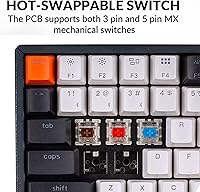
  • Hot-Swap: The PCB supports hot-swappable 3-pin and 5-pin switches, so switches can be replaced without soldering tools.
  • Connectivity: Connects via Bluetooth 5.1 (up to 3 paired devices simultaneously) or USB-C wired connection.
  • Bluetooth Chip: Uses a Broadcom Bluetooth chipset, chosen for broad device compatibility and reliable wireless pairing stability.
  • Battery: Equipped with a 4000mAh lithium-ion battery, delivering up to 72 hours of continuous typing or approximately 7 days of normal use.
  • Charging: Charges via USB Type-C connector; the same port also supports wired mode for direct PC or Mac connectivity.
  • Backlighting: Per-key RGB LED backlighting with multiple lighting modes and adjustable brightness levels.
  • Key Rollover: Supports N-key rollover (NKRO) in wired mode and 6-key rollover (6KRO) in Bluetooth wireless mode.
  • OS Compatibility: Natively compatible with macOS and Windows; both Mac and Windows keycap sets are included in the box.
  • Version: This is the Version 2 revision of the K2, which introduced the aluminum frame and hot-swap PCB over the original model.
  • Weight: The board weighs 2.64 pounds (approximately 1.2 kg), reflecting the solid aluminum frame construction.
  • Keycap Material: Doubleshot ABS keycaps with a standard key profile, compatible with most aftermarket keycap sets.
  • Cable: Detachable USB-C to USB-A cable is included in the packaging for wired mode use.

Related Reviews
Keychron V1 75% Mechanical Keyboard
82%
83%
Build Quality
81%
Typing Feel
74%
Switch Performance
93%
Customization & Firmware
91%
Hot-Swap Functionality
More
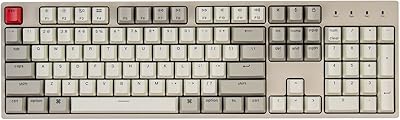
Womier SK75 Hall Effect Gaming Keyboard
79%
88%
Build Quality
91%
Switch Performance
89%
Rapid Trigger Accuracy
83%
Wireless Reliability
76%
Battery Life
More
Keychron K8
Keychron K8
80%
91%
Typing Feel & Switch Quality
88%
Noise Level
86%
Multi-Device Connectivity
67%
Build Quality & Materials
72%
Battery Life
More
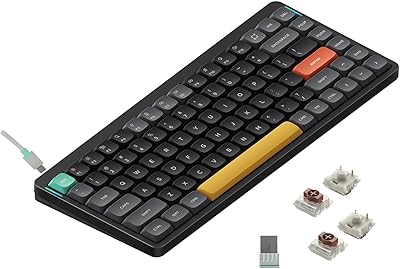
Keychron C2 Full-Size Hot-Swap Mechanical Keyboard
75%
83%
Build Quality
81%
Switch Feel & Performance
88%
Hot-Swap Functionality
79%
Mac Compatibility
62%
Keycap Quality
More
Keychron K4 Bluetooth Wireless Mechanical Keyboard
86%
91%
Build Quality
88%
Battery Life
85%
Typing Experience
90%
Connectivity & Versatility
82%
RGB Backlighting
More
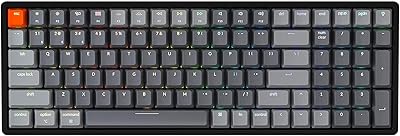
NuPhy Air75 V2 Wireless Mechanical Keyboard
85%
91%
Typing Feel
88%
Wireless Reliability
93%
Battery Life
87%
Build Quality
84%
Multi-Device Switching
More
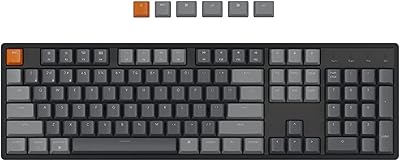
Keychron K10 Full-Size Mechanical Keyboard
78%
91%
Build Quality
87%
Typing Experience
83%
Wireless Connectivity
88%
Battery Life
84%
Value for Money
More
MageGee MK-Star 75% Mechanical Keyboard
79%
91%
Value for Money
88%
Switch Feel & Performance
83%
Build Quality
84%
Typing Experience
86%
Gaming Performance
More
Merdia Triple Mode 100-Key Wireless Mechanical Keyboard
74%
88%
Value for Money
84%
Wireless Connectivity
81%
Typing Experience
83%
Hot-Swap Functionality
67%
Build Quality
More
Satechi SM3 Full-Size Mechanical Keyboard

79%
91%
Build Quality
88%
Typing Experience
86%
Multi-Device Connectivity
89%
Mac Compatibility
83%
Battery Life
More

FAQ

It works out of the box with macOS. The keyboard ships with Mac keycaps already installed and includes a dedicated Mac layout mode. Just switch to Mac mode using the physical toggle on the side and pair it over Bluetooth or plug in the USB-C cable — no driver installation needed.

Yes. The Bluetooth 5.1 connection supports three paired devices simultaneously, and you can switch between them with a quick key combination. So keeping your Mac, Windows machine, and iPad all paired at once is completely practical for a multi-device desk setup.

Not at all. The hot-swappable PCB means you just pull out an existing switch with a switch puller tool (often sold separately or bundled with aftermarket switches) and press the new one in. No heat gun, no solder, no technical skills required. It takes a few seconds per switch once you get the hang of it.

They're on the quieter side for mechanical switches, but they're not silent. The linear action removes the audible tactile click, so the main sound comes from the key bottoming out on the plate. In a quiet office, they're noticeable but generally considered acceptable. If you need truly near-silent operation, you'd want to swap in silent linear switches after purchase.

The Keychron K2 V2 75% Mechanical Keyboard does not include its own software for remapping or advanced RGB customization. You can cycle through built-in lighting effects directly on the keyboard using key combinations, but for full remapping you would need to use a third-party tool like Karabiner-Elements on Mac or similar software on Windows. This is worth knowing upfront if deep programmability is important to you.

Most users report stable and consistent Bluetooth connectivity, especially with Apple devices. The Broadcom chipset is known for broad compatibility. Occasional reconnection hiccups can happen after long idle periods, but persistent dropout issues are not a common complaint among long-term owners.

For casual gaming it holds up fine. If you're playing something relaxed — RPGs, strategy titles, single-player games — you probably won't notice any lag. For fast-paced competitive play where milliseconds matter, wired mode is the smarter choice since wireless input introduces some latency that dedicated gaming keyboards avoid.

Yes, the K2 V2 functions normally while plugged in via USB-C, so you can use it in wired mode while the battery charges. Full charge time varies but typically takes around 4 hours from empty. Given the large battery capacity, most users find they only need to charge it once a week or less.

Most standard keycap sets will fit, but the 75% layout has a few keys — particularly in the right column and function row — that use non-standard sizes. Before buying an aftermarket set, check that it includes compatibility for 75% layouts specifically, as some budget sets only cover full-size or TKL boards.

The V2 is a meaningful improvement over the original. The biggest changes are the aluminum frame (the first version had a plastic top), the upgraded hot-swappable PCB, and the improved Gateron G Pro switches. If you're deciding between the two on the used market, the V2 is the one worth getting.

Where to Buy