Overview
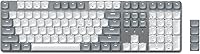
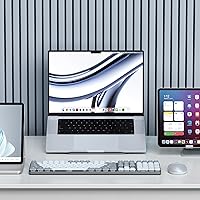
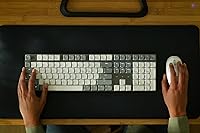
The Satechi SM3 Full-Size Mechanical Keyboard arrived in late 2024 as Satechi's most ambitious keyboard yet, targeting Mac users who refuse to sacrifice a numeric keypad for the sake of a minimal desk. Sitting in mid-premium territory, it competes directly with Keychron's K5 and the Logitech MX Keys — both well-established names in that space. What sets the SM3 apart visually is its aluminum construction in a light gray and white finish that looks right at home next to any Apple hardware. Three connectivity modes — dual Bluetooth 5.0, a 2.4GHz dongle, and wired USB-C — round out a confident, well-considered package.
Features & Benefits
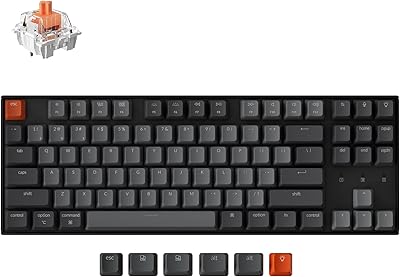
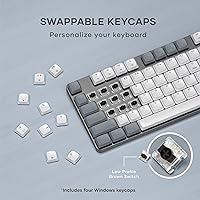
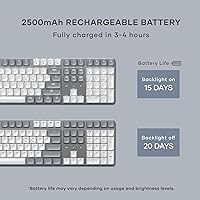
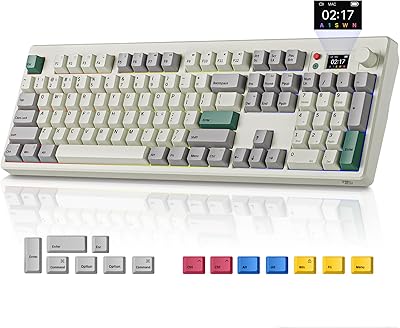
The SM3's low-profile brown switches deserve more attention than they usually get. They offer genuine tactile feedback — a satisfying bump on each keystroke — without the sharp clack that drives office neighbors crazy. The full 108-key layout means the numeric keypad is right there when you need it, which is something most Mac-optimized keyboards quietly drop. Switching between up to four connected devices is handled via simple shortcut combos, no fumbling through menus required. The 2500mAh battery handles extended wireless sessions, and the USB-C port doubles as both charging input and wired connection. Keycaps pop off easily, and the box includes alternates for Windows users.
Best For
This full-size Mac keyboard is a natural fit for anyone who spends serious time in spreadsheets, accounting software, or any number-heavy workflow — the kind of person who gave up on Mac keyboards years ago because none of them came with a numpad. Hybrid workers who bounce between a MacBook, an iPad, and a Windows PC daily will appreciate how quickly it hops between devices. The quiet tactile switches also make it a solid pick for open-plan offices where a loud clicky board would earn you enemies fast. If aesthetics matter — and for Mac users, they usually do — the light gray colorway pairs naturally with Apple's current hardware lineup.
User Feedback
Buyers tend to praise the build quality most consistently — the aluminum frame feels solid in a category full of plasticky options. The typing experience also gets high marks, with many noting that the low-profile switches hit a sweet spot between responsiveness and office-friendliness. On the critical side, the white-only backlight is a sticking point for anyone who expected RGB, and the backlight controls have a small learning curve that a few users found frustrating. Mac function key mapping works correctly out of the box for most people, though a handful reported needing minor adjustments. Battery life in real use appears strong, with most reporting several weeks on a single charge in wireless mode.
Pros
- Aluminum construction feels premium and sturdy compared to most plastic competitors in the same price bracket.
- Low-profile brown switches hit a practical middle ground — tactile enough to type accurately, quiet enough for shared spaces.
- A full numeric keypad on a Mac-optimized keyboard is genuinely rare and worth the desk footprint for number-heavy workflows.
- Connecting to four devices and switching between them is fast and reliable, handled entirely via keyboard shortcuts.
- USB-C handles both charging and wired mode from a single port, keeping cable management clean.
- The 2500mAh battery delivers several weeks of real wireless use for most users before needing a charge.
- Mac function key mapping works correctly out of the box — no remapping software required for most users.
- The 2.4GHz dongle stores neatly on the keyboard underside, so it is always with the board when you travel.
- Keycaps are removable and easy to clean, with Windows and Alt alternates included for cross-platform users.
- A two-year warranty adds meaningful peace of mind for a mid-premium purchase.
Cons
- White-only backlighting is a firm dealbreaker for anyone who expected RGB or even basic color options.
- No companion software means zero support for custom macros, remapping, or per-key programming.
- The backlight pattern controls require memorizing shortcut combinations that are not intuitive at first.
- At just over 16 inches wide, the full-size footprint is too large for compact or minimalist desk setups.
- Brown switches, while pleasant for typing, offer no satisfying clicky feedback for users who prefer tactile audio cues.
- Some users report a minor learning curve getting Bluetooth pairing to work reliably across all four device slots initially.
- The light gray colorway, while Apple-friendly, may show smudges and oils more visibly than darker keyboards over time.
- No hot-swap switch support limits long-term customization for enthusiasts who like to experiment with different switch types.
Ratings
The Satechi SM3 Full-Size Mechanical Keyboard scores below are generated by AI after analyzing thousands of verified global user reviews, with spam, bot activity, and incentivized feedback actively filtered out. The results reflect both the genuine strengths buyers celebrate and the recurring frustrations they flag — nothing is glossed over. Whether the SM3 earns a spot on your desk depends heavily on how its trade-offs line up with your actual workflow, and these scores are designed to make that call easier.
Build Quality
Typing Experience
Multi-Device Connectivity
Mac Compatibility
Battery Life
Backlight & Lighting
Value for Money
Noise Level
Wireless Stability
Keycap Quality
Portability
Setup & Ease of Use
Aesthetic Design
Software & Customization
Suitable for:
The Satechi SM3 Full-Size Mechanical Keyboard is built squarely for Mac-first professionals who have long struggled to find a full-size keyboard that fits both their workflow and their desk aesthetic. If you work in finance, accounting, data entry, or any role where a numeric keypad saves real time, the SM3 fills a gap that most Mac-compatible keyboards simply ignore. Hybrid workers who regularly switch between a MacBook, an iPad, and a Windows machine will find the multi-device switching genuinely useful in daily practice — not just a spec-sheet feature. The low-profile brown switches make it a comfortable pick for open-plan offices or shared spaces where noise matters. And if you care about your desk looking cohesive, the aluminum build in light gray and white integrates naturally with current Apple hardware without looking forced.
Not suitable for:
The Satechi SM3 Full-Size Mechanical Keyboard is a harder sell for buyers who expect customization depth from their keyboard experience. There is no RGB lighting — only white LEDs — so if color backlight zones or per-key illumination are on your checklist, this board will disappoint regardless of how well it types. Dedicated gamers will also want to look elsewhere; the brown switches and office-oriented feature set are not designed around fast-paced gaming demands. Users who prefer a compact or tenkeyless layout for ergonomic reasons will find the full 108-key footprint too large for certain desk configurations. Those deeply invested in custom firmware, programmable macros, or open-source keyboard software should note that the SM3 offers no companion software at all — what you see is what you get.
Specifications
- Switch Type: The keyboard uses low-profile brown mechanical switches, which provide tactile bump feedback without the sharp clicking noise of blue switches.
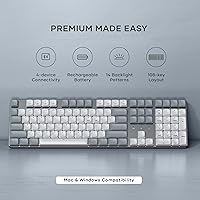
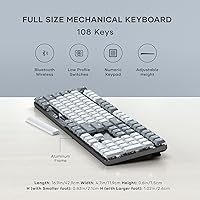
- Key Count: The full-size layout includes 108 keys, covering the standard alphanumeric area, function row, navigation cluster, and a complete numeric keypad.
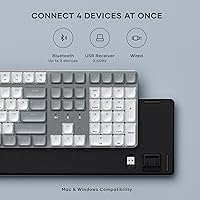
- Connectivity: Three connection modes are supported: dual-channel Bluetooth 5.0, a 2.4GHz USB receiver, and a direct wired USB-C connection.
- Multi-Device: Up to four devices can be paired simultaneously, with instant switching handled via dedicated keyboard shortcuts.
- Battery: A built-in 2500mAh rechargeable lithium battery powers wireless operation and is charged via the USB-C port.
- Charging Port: The USB-C port serves dual purpose, functioning as both the charging input and the wired connection interface.
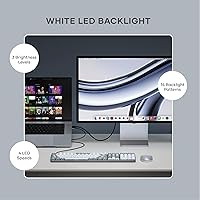
- Backlight: White LED backlighting offers 14 distinct lighting patterns, three brightness levels, and four animation speed settings, all controlled by on-board shortcuts.
- Material: The keyboard body is constructed from aluminum, giving it a rigid, premium feel that resists flex during heavy typing sessions.
- Dimensions: The keyboard measures 16.89″ in length, 4.69″ in width, and 0.6″ in height, making it a slim but full-footprint board.
- Weight: The SM3 weighs 1.43 pounds, which is light enough to move between workspaces without difficulty.
- Compatibility: The keyboard is compatible with macOS, Windows, iPadOS, ChromeOS, and Android devices that support standard HID Bluetooth or USB input.
- USB Receiver: The included 2.4GHz USB receiver stores in a compartment on the underside of the keyboard when not in use.
- Keycap Design: Keycaps are removable for cleaning or customization, and the package includes two Windows keycaps and two Alt keycaps for cross-platform use.
- Included Accessories: In the box you will find a USB-C to USB-C cable measuring 1.2m, a 2.4GHz USB receiver, replacement keycaps, and a user manual.
- Color: The keyboard is offered in a Light Gray and White colorway designed to complement Apple's current hardware aesthetic.
- Warranty: Satechi covers the SM3 with a two-year limited warranty against defects in materials and workmanship under normal use conditions.
- Release Date: The keyboard was first made available in October 2024 and quickly reached a top-100 ranking in the Amazon Computer Keyboards category.
- Manufacturer: The SM3 is designed and sold by Satechi, a brand specializing in Mac-compatible accessories and peripherals.
Related Reviews
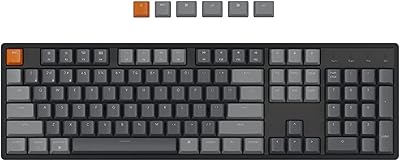
Keychron K10 Full-Size Mechanical Keyboard
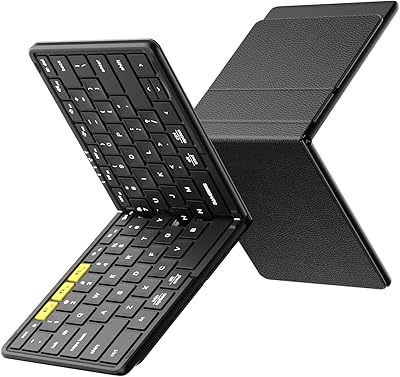
Samsers KF08S Foldable Bluetooth Keyboard
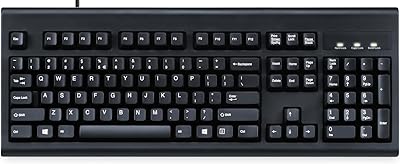
Perixx Periboard-106 Ergonomic Full-Size Keyboard
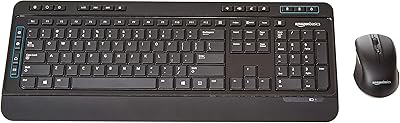
Amazon Basics Wireless Keyboard and Mouse Combo
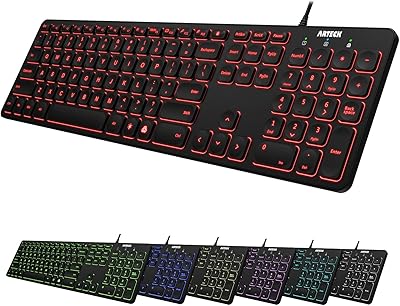
Arteck HA305-3B USB Wired Backlit Keyboard

Merdia Triple Mode 100-Key Wireless Mechanical Keyboard

Logitech MX Mechanical
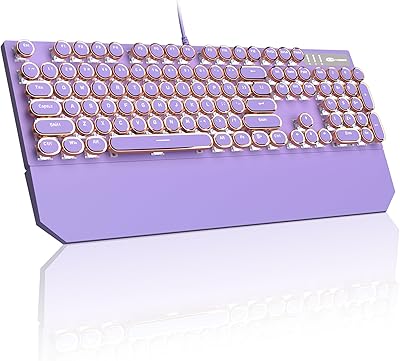
MageGee Typewriter Mechanical Keyboard
BOYI K104Pro Retro Mechanical Keyboard