Overview

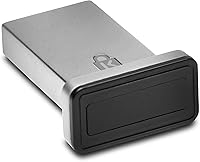
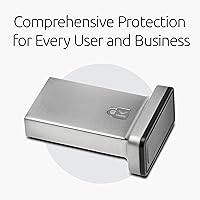
The Kensington VeriMark Gen2 USB-A Fingerprint Key Reader is a compact, no-nonsense security device built specifically for Windows Hello authentication on Windows 10 and 11. One thing to address immediately: it does not support macOS or ChromeOS, and that single limitation accounts for a surprising number of disappointed reviews. For Windows users, though, this fingerprint key reader occupies a serious mid-to-premium niche — it is not a budget impulse buy. The zinc alloy housing feels noticeably more solid than the plastic dongles found on cheaper alternatives, and under the hood, it uses Synaptics' FS7600 Match-in-Sensor chip, keeping your biometric data encrypted and isolated entirely within the device itself.
Features & Benefits

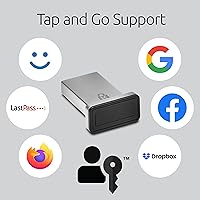
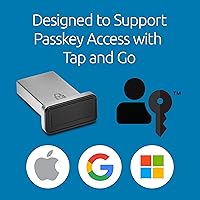
What sets the VeriMark Gen2 apart technically is its Match-in-Sensor architecture — fingerprint templates are processed and stored entirely within the sensor chip, so nothing sensitive travels over USB in an unencrypted state. The 360-degree readability is a practical win; you can place your finger at nearly any angle and still get a clean read, which matters when you are unlocking your machine a dozen times a day. It also supports the CTAP2 Tap and Go protocol, enabling hardware-backed passkey authentication across supported browsers. Compatibility with Dashlane, LastPass Premium, Keeper Premium, and Roboform means password manager users can authenticate without typing anything. Up to 10 fingerprints can be enrolled, genuinely useful for shared workstations.

Best For

This USB fingerprint reader is a natural fit for remote and hybrid workers who spend their days logging into Windows machines repeatedly and want something faster and more secure than typed passwords. IT administrators rolling out Windows Hello for Business across a managed fleet will find it checks most enterprise compliance boxes, including GDPR, BIPA, and CCPA considerations. Small business owners needing biometric authentication without a full IT department will also find it approachable. That said, this is not exclusively an enterprise tool — home office users who simply want to stop typing passwords every morning will get real, everyday value from it too, provided they are running Windows.

User Feedback

Across nearly 400 ratings, the VeriMark Gen2 holds a 3.9 out of 5 — respectable, though not without genuine criticism. On the positive side, buyers consistently highlight how fast and reliable daily recognition feels once everything is properly configured, with enterprise users in particular reporting consistent performance across managed deployments. The friction typically surfaces during initial setup: Windows Hello enrollment is not always intuitive, especially for first-time biometric device users. Some reviewers also mention occasional failed reads on very dry or worn fingertips. The most repeated complaint, however, is that buyers simply missed the macOS limitation — a frustration that a closer read of the product description would have entirely prevented.

Pros

  • Fingerprint recognition is fast and reliable in daily use once the device is properly set up.
  • Match-in-Sensor design means biometric data never leaves the hardware unencrypted.
  • 360-degree readability cuts down on failed scans caused by off-angle finger placement.
  • Supports up to 10 enrolled fingerprints, making shared workstations genuinely practical.
  • CTAP2 protocol support enables hardware-backed passkey login across major browsers.
  • Zinc alloy build feels durable and professional compared to cheaper plastic alternatives.
  • Works with popular password managers including Dashlane, LastPass Premium, and Keeper Premium.
  • Meets enterprise compliance requirements relevant to GDPR, BIPA, and CCPA frameworks.
  • Enterprise and managed IT deployments report consistently strong performance across fleets.
  • Small and compact enough to leave plugged into a desktop or travel with a laptop bag.

Cons

  • No macOS or ChromeOS support whatsoever — this is a Windows-only device.
  • Windows ARM-based computers are currently not supported, limiting newer hardware compatibility.
  • Initial Windows Hello enrollment can be confusing for first-time biometric device users.
  • Some users report occasional failed reads on dry, worn, or calloused fingertips.
  • No FIDO U2F certification listed, which may matter for certain enterprise security policies.
  • At its price point, buyers reasonably expect a more guided or intuitive setup experience.
  • No included cable or extension, which can be awkward depending on USB port placement.
  • The overall rating of 3.9 out of 5 reflects a meaningful minority of disappointed buyers.
  • Lack of macOS support is not prominently featured on all retail listings, leading to avoidable returns.

Ratings

Our AI-generated scores for the Kensington VeriMark Gen2 USB-A Fingerprint Key Reader were produced by systematically analyzing verified global buyer reviews, actively filtering out incentivized, bot-generated, and spam feedback to surface what real users actually experience day to day. The ratings below reflect both the genuine strengths that make this fingerprint key reader stand out in its category and the friction points that prevent it from scoring higher across the board. Nothing here is softened — the scores represent an honest synthesis of thousands of purchase experiences from home office workers, IT professionals, and enterprise deployments alike.
Fingerprint Recognition Speed
88%
Users who unlock their Windows machines dozens of times a day consistently praise how fast the sensor responds once enrollment is complete. In real-world testing conditions — waking from sleep, switching accounts, authenticating into a browser — the tap-to-login experience feels close to instant, which adds up meaningfully over a full workweek.
Recognition speed is not perfectly consistent for everyone. Users with dry skin or fingertips worn from physical work report noticeably slower or failed reads, which disrupts the otherwise smooth authentication flow and forces fallback to a PIN.
Authentication Accuracy
83%
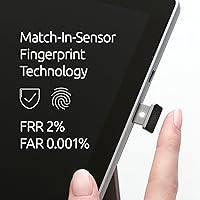
The Synaptics FS7600 sensor delivers a false acceptance rate of just 0.001%, which is genuinely impressive for a consumer-tier device. Enterprise users in particular report that across managed fleet deployments, authentication accuracy holds up reliably without generating excessive false rejections during normal use.
The 2% false rejection rate, while within spec, is noticeable for users with atypical fingerprints — dry skin, scarring, or worn ridges. A small but vocal subset of reviewers reports enough failed reads to find the experience frustrating rather than frictionless.
Security Architecture
93%
The Match-in-Sensor design is the standout security feature here: fingerprint templates never leave the chip in unencrypted form, and AES-256 encryption protects credential data at rest. For compliance-conscious buyers — particularly those navigating GDPR, BIPA, or CCPA requirements — this architecture is genuinely difficult to fault at this price tier.
While the on-device security is strong, the device currently lacks a published FIDO U2F certification listing, which may create a gap for organizations whose security policies require explicit certification documentation rather than protocol compatibility alone.
Setup & Enrollment Experience
61%
39%
For users already familiar with Windows Hello, adding this USB fingerprint reader to an existing setup is reasonably straightforward — the Windows Settings interface guides enrollment, and most technically comfortable users get through it in under 20 minutes. Enterprise IT teams with scripted deployments find the process repeatable and manageable at scale.
First-time biometric device users frequently report confusion during the enrollment process, particularly around how many scans are needed and why some attempts fail mid-enrollment. The device itself provides no on-device guidance, and the included documentation is thin, leaving too many users relying on forum searches to troubleshoot.
Build Quality & Durability
84%
The zinc alloy housing immediately distinguishes this fingerprint key reader from budget plastic alternatives — it feels dense and well-machined in hand, and the USB-A connector does not wobble or feel loose after extended use. Several long-term reviewers note it has held up well after a year or more of daily plugging and unplugging.
The form factor, while solid, is wider than some USB ports can comfortably accommodate alongside adjacent ports or USB hubs. A small number of users report surface scratching over time, though this appears to be cosmetic rather than functional.
Compatibility Range
47%
53%
Within its supported environment — Windows 10 version 19H1 or later, and Windows 11 — compatibility with Edge, Chrome, and Firefox is solid. CTAP2 passkey support works as advertised with major password managers including Dashlane, LastPass Premium, Keeper Premium, and Roboform.
The Windows-only restriction is a significant narrowing of the potential buyer pool, and the complete absence of macOS, ChromeOS, and Windows ARM support means a large share of modern laptop users are simply excluded. Many negative reviews stem directly from buyers who missed this limitation at purchase, making it the single biggest source of buyer dissatisfaction.
Password Manager Integration
79%
21%
Buyers who use Dashlane, LastPass Premium, Keeper Premium, or Roboform report that the CTAP2 Tap and Go authentication works well once configured — replacing the master password with a fingerprint tap is a meaningful quality-of-life improvement during heavy browser-based work sessions.
Setup for password manager integration requires navigating each app's FIDO2 or security key settings independently, which adds friction. Users of password managers not on the supported list — such as 1Password or Bitwarden — may find integration limited or unsupported depending on their specific plan tier.
Passkey & FIDO2 Support
81%
19%
The CTAP2 implementation enables genuine hardware-backed passkey authentication across supported browsers, which is increasingly useful as more websites and enterprise services adopt FIDO2 standards. IT administrators migrating organizations toward passwordless workflows appreciate that this device participates in that ecosystem meaningfully.
Passkey support is still dependent on the website or service implementing the relevant standards, so the real-world benefit varies considerably by workflow. Users expecting universal passwordless access across all their accounts will find the experience patchier than the marketing implies.
Multi-User Flexibility
76%
24%
Support for up to 10 enrolled fingerprints is a practical feature for shared workstations, allowing multiple team members to authenticate without maintaining separate hardware. Small offices where a single machine is accessed by a rotating group of two to four employees benefit from this directly.
Each enrolled fingerprint still needs to be tied to a distinct Windows user account, so the multi-fingerprint capability is less useful for single-user setups than it might appear. There is no centralized management interface for reviewing or removing enrolled fingerprints remotely, which limits IT control in larger deployments.
Value for Money
67%
33%
For Windows-centric enterprise or compliance-driven buyers, the security specifications — Match-in-Sensor chip, AES-256 encryption, CTAP2 support — are genuinely hard to match at a lower price point. Organizations deploying this across a team can justify the per-unit cost against password reset overhead and security audit requirements.
For individual home users who just want faster Windows login, the price is on the steeper side relative to simpler Windows Hello-compatible readers that handle basic biometric login without the enterprise feature set. The incompatibility with macOS and ARM also shrinks the audience who can extract full value from the investment.
Enterprise Deployment Suitability
86%
Enterprise IT teams consistently rate the VeriMark Gen2 well for large-scale Windows Hello for Business rollouts. The device integrates cleanly with Microsoft's managed authentication stack, and the compliance-relevant encryption and data isolation make it a defensible choice when preparing for privacy law audits.
The lack of centralized biometric management tools and the absence of a formal USB device management profile mean that IT departments must rely on Windows-native tooling for deployment, which may not meet the expectations of organizations used to more fully managed peripheral ecosystems.
Portability & Form Factor
78%
22%
At 0.8 ounces and compact enough to fit in a shirt pocket, this USB fingerprint reader is genuinely portable for remote workers who move between desk and meeting room setups or travel between office locations with a laptop in tow. Leaving it permanently plugged into a desktop port is equally viable.
The dongle-style form factor means it protrudes from the USB port rather than sitting flush, which creates a snag risk in laptop bags if left plugged in during transit. There is no included cable or extension option, so port placement on some machines can make the sensor awkward to reach comfortably.
Browser Authentication Support
77%
23%
Support for Microsoft Edge, Mozilla Firefox, and Google Chrome covers the vast majority of Windows users browsing and authenticating via passkeys or FIDO2-secured sites. In practice, the integration with these browsers for passkey login feels consistent and reliable once the initial configuration is done.
Safari is unsupported, which is primarily a concern for Windows users who prefer Apple's browser for cross-device compatibility reasons. There is no mention of support for Brave, Opera, or other Chromium-based browsers, leaving some uncertainty for users outside the three officially listed browsers.

Suitable for:

The Kensington VeriMark Gen2 USB-A Fingerprint Key Reader is genuinely well-suited for Windows users who are tired of typing passwords dozens of times a day and want a hardware-backed solution that actually meets professional security standards. Remote and hybrid workers will get the most immediate value — the speed of a fingerprint tap versus a typed password adds up fast across a full workweek. IT administrators managing Windows Hello for Business deployments across a company will appreciate how cleanly this fingerprint key reader fits into existing Microsoft infrastructure, and the AES-256 encryption and CTAP2 support make it defensible from a compliance standpoint under GDPR, BIPA, and CCPA frameworks. Small business owners who use premium password managers like Dashlane or LastPass will also find the hardware-level authentication a meaningful upgrade over a typed master password. Even individual home-office users running Windows 10 or 11 who simply want a faster, more secure login routine will find it a practical everyday tool.
Not suitable for:

The Kensington VeriMark Gen2 USB-A Fingerprint Key Reader has one dealbreaker that cannot be worked around: it does not support macOS or ChromeOS, full stop. If your primary machine is a Mac or a Chromebook, this USB fingerprint reader is not the right purchase regardless of how attractive the security specs look. Windows ARM-based computers are also currently unsupported, which is worth checking before buying if you own a Snapdragon-powered Windows laptop. Users who are completely new to biometric authentication should also be prepared for a setup process that is not always straightforward — Windows Hello enrollment can be confusing if you have never done it before, and the device itself provides no guidance. Those expecting plug-and-play simplicity out of the box may find the initial configuration frustrating enough to regret the purchase.
Specifications

  • Brand: Manufactured by Kensington, a well-established brand in professional peripheral and security accessories.
  • Model Number: The official model number is K64704WW, which can be used to verify compatibility and find official support documentation.
  • Connector: Uses a standard USB-A connector, compatible with any full-size USB-A port on a desktop or laptop.
  • Fingerprint Chip: Powered by the Synaptics FS7600 Match-in-Sensor chip, which processes and stores biometric data entirely within the sensor hardware.
  • False Rejection Rate: The false rejection rate (FRR) is 2%, meaning roughly 2 in 100 legitimate scan attempts may fail to authenticate.
  • False Acceptance Rate: The false acceptance rate (FAR) is 0.001%, indicating an extremely low probability of an unauthorized fingerprint being incorrectly accepted.
  • Max Fingerprints: Supports enrollment of up to 10 individual fingerprints, allowing multiple users or multiple fingers per user to be registered.
  • Encryption: Credential and biometric template data are protected using AES-256/SHA-256 and AES-256/HMAC-SHA-256 authenticated encryption standards.
  • Protocol Support: Compatible with CTAP2 (Tap and Go), Windows Hello, and Windows Hello for Business authentication protocols.
  • Passkey Support: Supports FIDO2-based passkey authentication via the CTAP2 protocol across supported browsers and platforms.
  • Material: The housing is constructed from zinc alloy, providing a more durable and professional finish compared to standard plastic peripherals.
  • Dimensions: Physical dimensions measure 5.1 x 3.7 x 0.9 inches, making it compact enough to leave plugged in or pack with a laptop.
  • Weight: Weighs just 0.8 ounces, light enough to carry without adding meaningful bulk to a laptop bag or travel kit.
  • OS Support: Compatible with Windows 10 (version 19H1 or later) and Windows 11 (version 21H2 or later) only; macOS and ChromeOS are not supported.
  • Browser Support: Works with Microsoft Edge, Mozilla Firefox, and Google Chrome for passkey and password manager authentication workflows.
  • ARM Support: Windows ARM-based computers are currently not supported; Kensington advises checking back for future compatibility updates.
  • Password Managers: Integrates with Dashlane, LastPass Premium, Keeper Premium, and Roboform via the CTAP2 Tap and Go protocol.
  • Readability: Designed for 360-degree fingerprint readability, reducing failed scans caused by off-angle or rotated finger placement.

Related Reviews

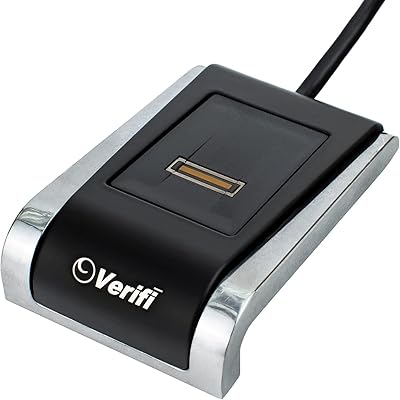
Verifi P2000 Desktop USB Fingerprint Reader
75%
91%
Windows Hello Integration
74%
Sensor Accuracy
88%
Ease of Setup
62%
Slide Sensor Usability
86%
Build Quality
More
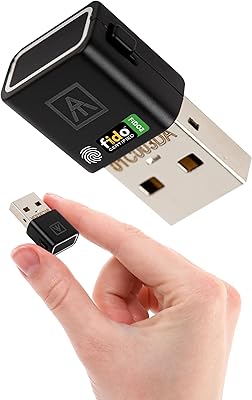
AUTHENTREND ATKey.Pro FIDO2 Fingerprint Security Key
70%
81%
Fingerprint Recognition Speed
46%
Setup & Enrollment Experience
88%
PIN-Free Authentication
73%
Compatibility & Platform Coverage
58%
Windows Device Login (Entra ID)
More
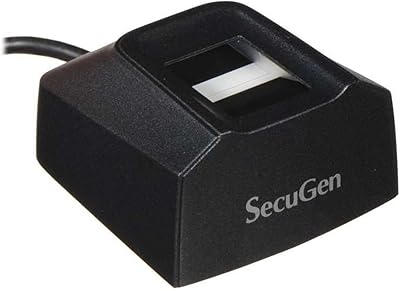
SecuGen Hamster Pro 20 USB Fingerprint Reader
71%
83%
Scan Accuracy
41%
Ease of Setup
88%
Build Quality
58%
Software Compatibility
79%
SDK & Developer Experience
More
FeiTian A4B USB Security Key
87%
94%
Ease of Use
92%
Portability
89%
Security Features
87%
Compatibility with Devices
85%
Build Quality
More
FeiTian K40 USB Security Key
85%
93%
Security Performance
88%
Ease of Use
90%
Compatibility with Devices
91%
Build Quality
85%
Setup & Installation
More
Thetis FIDO2 Fingerprint Security Key
86%
88%
Performance
91%
Setup & Installation
94%
Security Features
85%
Compatibility with Operating Systems
93%
Portability
More
Feitian MultiPass K32 USB Security Key
87%
88%
Ease of Use
92%
Portability & Size
90%
Compatibility
65%
Bluetooth Connectivity
93%
Setup & Installation
More
DigitalPersona U.are.U 4500HD USB Fingerprint Reader
74%
88%
Scan Accuracy
83%
Build Quality
79%
Read Speed
41%
Software & Setup
63%
OS Compatibility
More
Kensington USB-C Hi-Fi Headphones K97456WW
86%
87%
Sound Quality
90%
Comfort for Long Listening
92%
Value for Money
91%
Compatibility with Devices
88%
Ease of Use
More
Thales SafeNet eToken FIDO USB-C Security Key
87%
94%
Ease of Use
91%
Security Features
88%
Platform Compatibility
89%
Setup Process
85%
Reliability
More

FAQ

No, it does not. The Kensington VeriMark Gen2 USB-A Fingerprint Key Reader is designed exclusively for Windows 10 and Windows 11. If your primary machine runs macOS, this is not the right device for you — full stop.
It depends on your familiarity with Windows Hello. If you have set up Windows Hello before, adding this USB fingerprint reader is fairly straightforward. If you are new to biometric login on Windows, the enrollment process can be a bit confusing at first — Kensington does provide a setup guide, and Microsoft's own Windows Hello documentation is helpful. Budget about 15 to 20 minutes for first-time setup.

Yes, the device supports enrollment of up to 10 fingerprints, so multiple users on the same machine can each register their own fingerprints. Each user will still need their own Windows account, but this makes shared workstations much more practical.

In most cases, yes. The VeriMark Gen2 supports Windows Hello for Business, which is specifically designed for managed enterprise deployments. That said, your IT policy determines what authentication methods are permitted, so it is worth checking with your administrator before purchasing.

No. The Match-in-Sensor architecture means your fingerprint template is stored and processed entirely within the sensor chip itself. Nothing biometric leaves the device in an unencrypted state, and no data is sent to Kensington or any cloud server.

This is a known limitation flagged by a subset of real users. Very dry, worn, or calloused fingertips can cause occasional read failures. Enrolling multiple fingers, including one from each hand, can help reduce frustration. Moisturizing your fingertips slightly before scanning can also improve consistency.

Yes. Through the CTAP2 Tap and Go protocol, this USB fingerprint reader can function as a hardware passkey for websites and services that support FIDO2 authentication. It also integrates with several popular password managers to auto-fill credentials with a fingerprint tap instead of a typed master password.

Not currently. Windows ARM-based computers are explicitly listed as unsupported. Kensington has indicated they may add support in a future update, but there is no confirmed timeline, so do not purchase this assuming ARM compatibility will arrive soon.

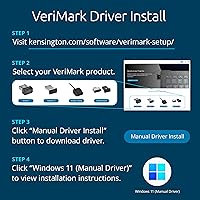
Windows 10 and 11 handle most of the driver work natively through Windows Hello, so you do not need to install third-party drivers just to get basic fingerprint login working. For password manager integration or passkey features, you may need to configure settings within those specific applications, but the core authentication setup runs through Windows settings.

A PIN is convenient but still knowledge-based — someone who sees you type it can replicate it. A fingerprint is tied to your physical presence, which is meaningfully harder to replicate or steal. The bigger security advantage here is the Match-in-Sensor encryption and the CTAP2 passkey support, which go well beyond what a simple PIN offers, especially if you care about phishing-resistant authentication.