Overview

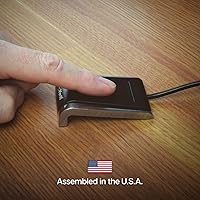
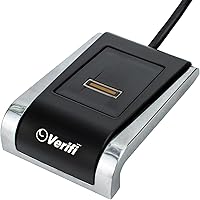
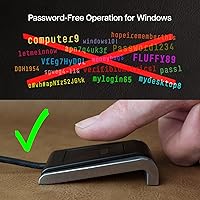
The Verifi P2000 Desktop USB Fingerprint Reader has been around since 2011 — longer than most people realize — and it remains one of the more practical answers to a question a lot of Windows users are finally asking: why are we still typing passwords? This fingerprint reader is squarely aimed at Windows 10 and 11 desktop users who want biometric login without paying enterprise prices. It uses a slide-type capacitive sensor housed in a compact aluminum body, and it pairs natively with Windows Hello and newer Passkey-based login flows. Worth noting upfront: this is a Windows-only device. Mac users and Linux tinkerers should look elsewhere.
Features & Benefits

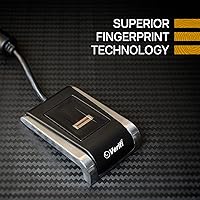
The P2000 connects via USB 2.0 and shows up in Windows as a recognized Hello-compatible device almost immediately — no hunting for drivers, no separate power brick. The slide-type sensor uses 3D capacitive technology to capture a high-resolution fingerprint image, which the system maps to your Windows login credentials. Beyond basic PC login, it also ties into Office 365, Windows Hello for Business, and a growing number of sites that support Passkey authentication — though browser and website support for Passkeys still varies, so temper expectations there. The solid aluminum shell feels notably more substantial than the plastic readers crowding this category.

Best For

Desktop PC users are the obvious target here — if your laptop already has a built-in fingerprint sensor, this biometric device does not add much. But for anyone running a tower or mini-PC on Windows 10 or 11, it fills a real gap. Home office workers who bounce between accounts or need quicker, more secure logins will get the most practical value. It also makes sense for small businesses rolling out Windows Hello for Business across a desk fleet, and for individuals looking to ditch reused passwords in favor of something tied to their actual body. Most major password managers play nicely with it too.

User Feedback

Across nearly 500 reviews, the P2000 holds a 3.8 out of 5 — respectable, though not without its caveats. Most buyers are happy with how fast enrollment goes and how reliably the device handles daily logins under normal conditions. The recurring sticking point is the slide-style sensor: people accustomed to touch-and-hold sensors found on modern laptops will find the swipe motion takes real adjustment. Fingertip condition matters more than you would expect — very dry or slightly damp fingers can trip it up. A handful of users have also hit driver issues after major Windows updates. Not a dealbreaker for most, but worth knowing before you commit.

Pros

  • Sets up in minutes on Windows 10 and 11 with no manual driver hunting required.
  • Windows Hello certification means login recognition is fast and natively integrated.
  • The aluminum housing feels noticeably more solid and premium than plastic alternatives in this price range.
  • Ambidextrous design works equally well regardless of which hand you prefer.
  • Compatible with major password managers, adding flexibility beyond just Windows login.
  • Supports Passkey authentication on compatible websites, reducing reliance on typed passwords over time.
  • Lightweight at 3.6 ounces and compact enough to sit unobtrusively on any desk.
  • Works with Office 365 and other Microsoft services without extra configuration.
  • A long track record on the market since 2011 signals a mature, stable product rather than an unproven newcomer.
  • Ranked in the top 60 in its Amazon category, reflecting consistent buyer demand.

Cons

  • The slide-style sensor requires a deliberate swipe motion that takes real practice to perform consistently.
  • Very dry or slightly damp fingertips can cause misreads, which disrupts quick-login workflows.
  • Some buyers report driver or recognition issues surfacing after major Windows update installations.
  • Passkey support is dependent on browser and website compatibility, so real-world use is more limited than advertised.
  • Strictly Windows-only — zero support for macOS, Linux, or any mobile platform.
  • Occupies a USB port permanently, which matters on machines with limited connectivity.
  • The swipe mechanic feels dated compared to the touch-and-hold sensors now standard on most modern laptops.
  • No bundled software or companion app to manage enrolled fingerprints or review access logs.
  • At its price point, some buyers expect touch sensor technology rather than a slide-based design.
  • A 3.8 out of 5 average rating across hundreds of reviews suggests a meaningful minority of buyers encountered friction.

Ratings

Our AI-generated scores for the Verifi P2000 Desktop USB Fingerprint Reader were produced by systematically analyzing verified global buyer reviews, with spam, bot-submitted, and incentivized feedback actively filtered out before scoring. The ratings reflect a balanced picture — where this biometric device genuinely delivers, and where real users have run into friction. Both strengths and recurring pain points are represented transparently across every category below.
Windows Hello Integration
91%
The majority of buyers found Windows Hello setup to be fast and frictionless right out of the box — plug it in, open Windows Hello settings, enroll a finger, and you are logging in within minutes. For home office workers and small business teams, this tight native integration is the core reason to buy the P2000 over a generic reader.
A subset of users found that after major Windows feature updates, their enrolled fingerprints stopped being recognized correctly and required full re-enrollment. It is not a widespread failure, but it is disruptive enough when it happens that it pulls this category short of a near-perfect score.
Sensor Accuracy
74%
26%
Under normal conditions — dry office environment, typical fingertip condition — the 3D capacitive slide sensor reads accurately and consistently after the initial enrollment period. Users who took the time to enroll multiple fingers reported noticeably fewer failed reads during their daily login routines.
Fingertip condition is a real variable here. People with very dry skin, those who work in cold climates, or anyone whose hands get damp during the workday reported an uptick in misreads and failed swipes. The sensor is more sensitive to surface condition than touch-type alternatives, which is a tangible daily frustration for affected users.
Ease of Setup
88%
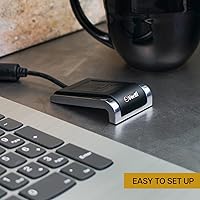
For a security-focused peripheral, setup is refreshingly simple. No driver disc, no account creation, no manufacturer software to install — Windows handles the entire process natively. Most buyers described the experience as being ready to use in under five minutes, which is a genuine advantage over more complex enterprise biometric tools.
A handful of users on older or non-standard Windows 11 configurations reported that the device was not immediately recognized, requiring a manual Windows Update before it appeared correctly. Edge cases aside, this is not a common barrier, but it is worth noting for users running leaner or customized Windows installs.
Slide Sensor Usability
62%
38%
Once the swipe technique clicks — and for most users it does after a few days of regular use — the slide sensor becomes a reliable and reasonably fast input method. Users who enrolled during the learning phase and committed to consistent swipe technique tend to report far fewer issues long-term.
This is the category that divides buyers most sharply. Anyone accustomed to the tap-and-hold sensors found on modern laptops and smartphones will find the swipe motion noticeably less intuitive at first. Swipe angle, speed, and finger placement all affect read success, and the margin for error is tighter than most people expect.
Build Quality
86%
The solid aluminum body gives the P2000 a density and sturdiness that immediately sets it apart from the plastic-shelled readers clustered at lower price points. It sits firmly on a desk without shifting during use, and the finish has held up well for buyers who have used it daily over extended periods.
The USB cable is fixed rather than detachable, which means any damage to the cable renders the whole unit unusable. A few buyers also noted minor finish wear around the sensor aperture over time, though this appears to be cosmetic rather than functional.
Passkey Support
67%
33%
The P2000 does support Passkey authentication through Windows Hello, and for users already on modern browsers like Chrome or Edge visiting Passkey-enabled sites, it adds a genuinely useful layer of passwordless login that extends beyond just Windows itself.
Passkey support across the web is still inconsistent, and this fingerprint reader cannot change that reality. Buyers who purchased specifically for broad Passkey use found the real-world scope more limited than the marketing implies, since compatibility depends entirely on the website and browser — not the device.
Password Manager Compatibility
79%
21%
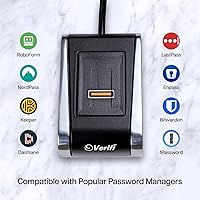
For users running popular password managers that support Windows Hello biometric unlock, this biometric device slots in cleanly as the authentication method. It removes the need to type a master password every time, which speeds up the daily workflow noticeably for people who rely on password vaults throughout the day.
Compatibility is contingent on the password manager having implemented Windows Hello support, and not all of them have done so fully or consistently across versions. Users on niche or older password management platforms may find the integration absent or unreliable.
Driver Stability
63%
37%
For the majority of users who install the device and leave Windows relatively undisturbed, driver behavior is stable and the device operates quietly in the background without requiring attention. Long-term users who avoid feature-level Windows updates mid-cycle tend to report very few driver-related incidents.
Major Windows update cycles have been a recurring source of breakage for a meaningful minority of buyers — fingerprint recognition stops working, or the device is temporarily unrecognized until a patch or re-enrollment resolves it. For users in managed IT environments where updates are tightly controlled, this is less of a concern, but for everyday consumers it is an unpredictable annoyance.
Value for Money
72%
28%
For desktop PC users who genuinely have no biometric login option otherwise, the P2000 fills a real gap at a price that does not require enterprise budget approval. The aluminum build and Windows Hello certification justify the asking price better than the cheaper plastic alternatives that offer a noticeably weaker experience.
At its price point, some buyers feel that a touch-type sensor should be standard rather than the older slide mechanism. When comparable or newer touch-based readers are available at similar prices, the value equation becomes harder to argue, particularly for buyers who find the swipe sensor frustrating.
Recognition Speed
77%
23%
When the swipe is executed correctly and fingertip condition is normal, login happens quickly enough that the biometric step does not feel like a bottleneck compared to typing a PIN. Users who hit their stride with the swipe technique reported a noticeably faster daily login routine compared to password entry.
Failed swipes break the speed advantage immediately — a misread means re-swiping, and if fingertip condition is off, that can mean multiple attempts. On bad days, some users reported that typing a PIN would have been faster, which undermines the core value proposition of the device.
Compatibility Range
55%
45%
Within the Windows 10 and 11 ecosystem, the P2000 covers the bases that most desktop users actually need: Windows login, Office 365, Hello for Business, and Passkey-supporting sites. For users who live entirely within that Microsoft environment, compatibility feels comprehensive.
Step outside Windows and this device offers nothing. No macOS, no Linux, no Android, no Chrome OS. For users who work across multiple operating systems or who were hoping for a versatile cross-platform tool, the exclusivity is a hard stop that the product page does not always make obvious enough upfront.
Form Factor & Desk Presence
83%
At 2.75″ long and 3.6 ounces, the P2000 occupies almost no desk real estate and the black-and-silver aluminum aesthetic blends into most desktop setups without looking out of place. Users with minimal desk space appreciated that it stays put without a dedicated stand or mount.
Because the USB cable is attached and fixed in length, cable management can be slightly awkward depending on where the nearest USB port sits relative to the desired reader position. A few users wished for a longer cable or a detachable option for more flexible desk placement.
Enterprise & Business Readiness
81%
19%
The Windows Hello for Business certification and Azure AD compatibility make this a credible option for small and mid-sized businesses that want to standardize biometric login across a fleet of Windows desktops without investing in enterprise-grade hardware. IT teams appreciated the consistent, policy-manageable behavior through standard Windows provisioning.
Larger enterprise environments may find the slide sensor's occasional inconsistency and post-update re-enrollment requirement incompatible with high-uptime expectations. Support and warranty terms are also less robust than dedicated enterprise biometric vendors, which matters when deploying at scale.
Long-Term Reliability
75%
25%
The P2000 has been in continuous production and sale since 2011, and buyers who have owned it for multiple years generally report no hardware degradation. The aluminum construction appears to handle daily wear without the sensor performance declining noticeably over time.
The fixed USB cable is the most cited long-term vulnerability — if it frays or fails, the unit cannot be repaired by swapping a cable. A small number of longer-term users also noted that the sensor occasionally becomes less consistent over years of heavy use, though this appears to be the exception rather than the rule.

Suitable for:

The Verifi P2000 Desktop USB Fingerprint Reader is a strong fit for anyone running a Windows 10 or 11 desktop PC who wants to ditch password typing without spending heavily on enterprise-grade hardware. Desktop users are the core audience here — if your tower, mini-PC, or all-in-one lacks a built-in biometric option, this fingerprint reader fills that gap in a practical, no-fuss way. Home office workers and remote employees who log in and out frequently will notice the time savings immediately, especially those already using Microsoft services like Office 365 or Azure AD where Windows Hello for Business integration is a real operational benefit. Small business owners standardizing secure logins across a handful of employee desks will also find the plug-and-play setup refreshingly straightforward to roll out at scale. Security-minded individuals who want to move away from reused or weak passwords toward biometric authentication will find this biometric device a well-priced, durable entry point into that habit.
Not suitable for:

The Verifi P2000 Desktop USB Fingerprint Reader is firmly a Windows-only device, so Mac users, Linux users, and anyone hoping for cross-platform flexibility should stop here and look elsewhere. If you already own a modern laptop with a built-in touch fingerprint sensor, this device adds little practical value and occupies a USB port for no clear gain. Buyers who have only ever used touch-and-hold sensors — the type found on most current laptops and phones — may find the slide-style mechanism frustrating at first, and some will never fully warm up to it. People who work in environments where fingertip condition varies significantly, such as those doing physical labor or working in very dry climates, may find read consistency unreliable enough to be annoying in daily use. Anyone expecting Passkey support to work universally across all browsers and websites will be disappointed — that functionality still depends heavily on the platform, browser, and individual site support, which remains uneven.
Specifications

  • Sensor Type: Uses a slide-style capacitive sensor based on 3D touch capacitance technology for high-definition fingerprint imaging.
  • Interface: Connects via USB 2.0, drawing power directly from the host machine with no external power supply required.
  • Housing Material: The outer shell is constructed from solid aluminum, giving the unit a durable, premium feel compared to plastic alternatives.
  • Dimensions: Measures 2.75″ in length, 1.75″ in width, and 0.75″ in depth, making it compact enough to sit unobtrusively on any desk.
  • Weight: Weighs 3.6 ounces, keeping the unit light and easy to reposition without strain on the USB connection.
  • Color: Available in a black and silver finish that suits most desktop and workstation environments.
  • OS Compatibility: Officially compatible with Windows 10 and Windows 11 only; macOS and Linux are not supported.
  • Certifications: Holds Windows Hello and Windows Hello for Business certifications, confirming native integration with Microsoft biometric authentication frameworks.
  • Passkey Support: Supports Passkey-based passwordless authentication on websites and services where Passkey login is enabled by the platform and browser.
  • Password Managers: Works alongside major third-party password management applications that leverage Windows Hello as their biometric authentication layer.
  • Microsoft Services: Compatible with Microsoft Office 365 and other Windows Hello-enabled Microsoft services, including Azure AD environments.
  • Hand Orientation: Designed to be ambidextrous, functioning equally well for both left-handed and right-handed users.
  • Manufacturer: Made by Zvetco Biometrics, the company behind the Verifi Smart.Safe. product line.
  • Model Number: Officially designated as the P2000, distinguishing it from the larger-sensor P5100 model in the Verifi lineup.
  • Market Rank: Holds a Best Sellers Rank of number 57 in the Security and Surveillance Biometrics category on Amazon.
  • First Available: Originally launched in October 2011, giving the product over a decade of market presence and driver maturity on Windows.
  • UPC: Identified by UPC code 854268001008 for retail and inventory tracking purposes.
  • Unit Count: Sold as a single unit per package with no additional accessories or replacement parts included in the box.

Related Reviews

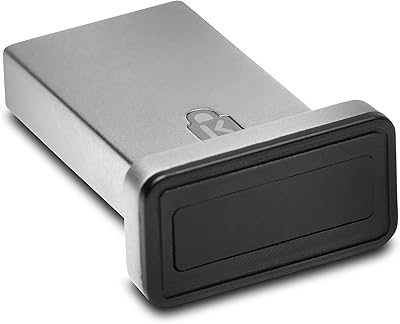
Kensington VeriMark Gen2 USB-A Fingerprint Key Reader
77%
88%
Fingerprint Recognition Speed
83%
Authentication Accuracy
93%
Security Architecture
61%
Setup & Enrollment Experience
84%
Build Quality & Durability
More
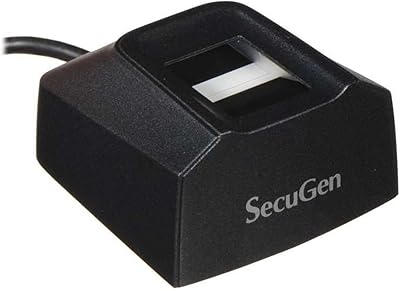
SecuGen Hamster Pro 20 USB Fingerprint Reader
71%
83%
Scan Accuracy
41%
Ease of Setup
88%
Build Quality
58%
Software Compatibility
79%
SDK & Developer Experience
More
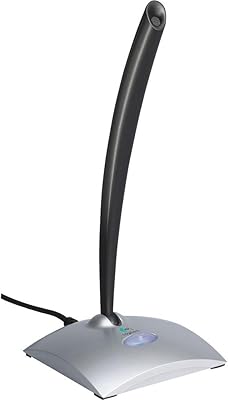
Logitech USB Desktop Gooseneck Microphone
73%
93%
Ease of Setup
79%
Voice Clarity
71%
Noise Isolation
68%
Build Quality
82%
Gooseneck Flexibility
More
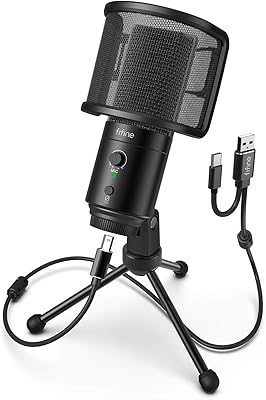
FIFINE K683A
FIFINE K683A
80%
83%
Audio Clarity
67%
Background Noise Rejection
84%
Build Quality
93%
Ease of Setup
88%
On-Body Controls
More
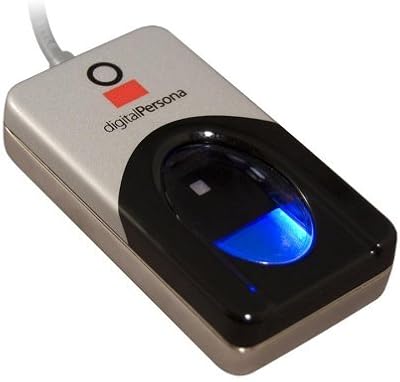
DigitalPersona U.are.U 4500HD USB Fingerprint Reader
74%
88%
Scan Accuracy
83%
Build Quality
79%
Read Speed
41%
Software & Setup
63%
OS Compatibility
More
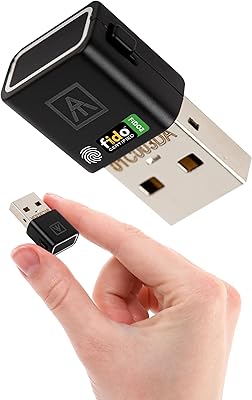
AUTHENTREND ATKey.Pro FIDO2 Fingerprint Security Key
70%
81%
Fingerprint Recognition Speed
46%
Setup & Enrollment Experience
88%
PIN-Free Authentication
73%
Compatibility & Platform Coverage
58%
Windows Device Login (Entra ID)
More
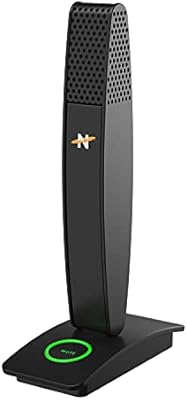
Neat Microphones Skyline USB Desktop Condenser Microphone
89%
94%
Audio Quality
91%
Ease of Use
89%
Build Quality
90%
Mute Button Functionality
92%
Value for Money
More
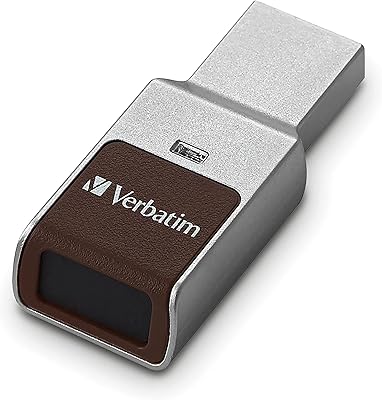
Verbatim 64GB Fingerprint Secure USB 3.0 Flash Drive
85%
74%
Fingerprint Authentication Accuracy
88%
Data Transfer Speed
85%
Build Quality and Durability
91%
Ease of Use
92%
Encryption and Security Features
More
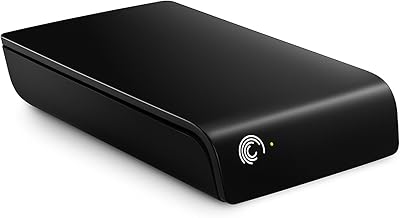
Seagate Expansion 2TB External Hard Drive
73%
94%
Ease of Setup
88%
Storage Capacity
47%
Transfer Speed
73%
Build Quality
71%
Reliability & Longevity
More
WD My Book Essential 1TB USB 2.0 Desktop External Hard Drive
84%
89%
Value for Money
91%
Ease of Use
87%
Backup Functionality
88%
Data Security
65%
USB Speed
More

FAQ

In most cases, no. The Verifi P2000 Desktop USB Fingerprint Reader is designed to work as a plug-and-play device on Windows 10 and 11. Windows recognizes it automatically and walks you through fingerprint enrollment via the built-in Windows Hello settings. You do not need to download anything separately to get started.
No, this fingerprint reader is a Windows-exclusive device. There are no official drivers or support for macOS or any Linux distribution. If you are not on Windows 10 or 11, this is not the right device for you.

The P2000 relies on Windows Hello to manage fingerprint enrollment, so the number of stored fingerprints is governed by your Windows settings rather than the device itself. Windows Hello typically allows you to enroll multiple fingers, which is handy if you want to register both a primary and a backup fingerprint.

There is a learning curve, especially if you are coming from the tap-and-hold sensors found on most modern laptops. With a slide sensor, you need to swipe your finger across the reader at a fairly consistent speed and angle. It takes a few days of practice before it starts feeling natural. Most users get comfortable with it, but if you find tap sensors more intuitive, that preference is worth factoring into your decision.

It can. Very dry fingertips are a known weak point for capacitive slide sensors, and the P2000 is no exception. Some users in dry climates or those with naturally dry skin report occasional misreads. Keeping your fingertip slightly moisturized, or trying different fingers, usually helps. If this is a consistent issue for you, it is worth knowing before purchasing.

Yes, this biometric device carries official Windows Hello for Business certification, which means it is designed to integrate with enterprise setups including Azure Active Directory. Small businesses and IT teams deploying biometric login across multiple Windows desks should find the setup process consistent with standard Windows Hello for Business provisioning procedures.

You can, but with some caveats. The P2000 supports Passkey authentication through Windows Hello, which means it works on websites and services that have implemented Passkey login and where your browser supports the standard. As of now, Passkey support across the web is still rolling out, so not every site will offer this option. Think of it as a growing capability rather than a universal one.

Most likely yes, as long as your password manager supports Windows Hello as a biometric unlock method. Products like LastPass, Bitwarden, and others in that space allow Windows Hello authentication, which this fingerprint reader plugs into. Check your specific password manager's documentation to confirm Windows Hello biometric support.

A small but notable number of users have reported that recognition stopped working correctly or required re-enrollment after significant Windows updates. It does not happen to everyone, but it is common enough to mention. If it does occur, the usual fix is to delete your existing fingerprint data in Windows Hello settings and re-enroll your fingerprints from scratch, which typically resolves the issue.

The solid aluminum housing gives it a distinctly more robust feel than the plastic-bodied readers in this category. For a device that sits on a desk and gets touched dozens of times per day, that material choice matters. Users have generally reported no hardware failures related to normal daily use, and the product has maintained active availability since its original release over a decade ago, which speaks to a reasonably durable design.

Where to Buy