Overview

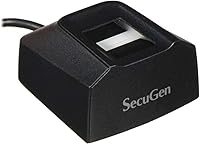
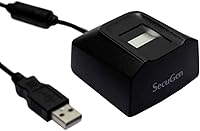
The SecuGen Hamster Pro 20 USB Fingerprint Reader is a professional-grade biometric scanner from one of the more established names in fingerprint authentication hardware. It plugs into a desktop or laptop via USB and adds hardware-level fingerprint verification to Windows and Linux environments. That said, this fingerprint reader is not a consumer gadget you unbox and forget about — it is built for developers, IT administrators, and businesses that need a dependable sensor they can integrate with their own software stack. The 500 DPI optical sensor and compact housing are the standout physical traits, but the real value only surfaces when paired with the right application layer.
Features & Benefits

At the heart of the Hamster Pro 20 is an optical sensor that actively adjusts its scanning parameters to accommodate dry, worn, or otherwise difficult fingerprints — a practical advantage in shared-workstation environments where finger conditions vary widely. Automatic finger detection removes the need for a user to manually trigger a scan, keeping workflows smooth inside compatible applications. The device also includes latent print and flat 2-D image rejection, which adds a basic but useful layer of spoof resistance, though it is not a certified liveness-detection system. The housing resists scratches, impacts, vibration, and electrostatic shock, making it viable for industrial or field use. It runs entirely off USB bus power and supports third-party biometric algorithms, fitting into a wide range of custom software environments.

Best For

This USB biometric scanner is most at home in the hands of developers building authentication or identity-verification workflows, particularly those working with the SecuGen SDK or a compatible third-party biometric library. IT teams rolling out time-attendance or access-control systems will also find it well-suited, as will organizations in healthcare, finance, or physical security that need hardware-grade fingerprint verification they can trust over time. Existing SecuGen users upgrading from an older Hamster model will feel immediately comfortable with the form factor and software ecosystem. Anywhere durability is a real requirement — shared terminals, field kiosks, high-traffic workstations — this fingerprint reader holds up in ways that cheaper consumer-grade alternatives simply do not.

User Feedback

With a 3.7-star average across 225 ratings, the Hamster Pro 20 splits buyers fairly cleanly along one axis: preparation. Developers and IT professionals who arrive with a defined software integration plan consistently praise the scan accuracy and build quality, and several note that SecuGen's SDK documentation is genuinely useful. The friction shows up for buyers who expected a consumer-friendly experience — driver setup can be frustrating on certain OS versions, and Windows Hello compatibility is not plug-and-play, requiring extra configuration steps that are not immediately obvious. A recurring theme in positive reviews is the rugged construction; people running it on shared workstations report it holding up well after extended use. The hardware earns respect even from reviewers who struggled with the software side.

Pros

  • The 500 DPI optical sensor reliably captures fingerprints even from dry, worn, or aged fingers.
  • Self-adjusting scanning reduces failed reads in real-world, multi-user environments.
  • The rugged housing holds up well under daily use on shared workstations and in field deployments.
  • Bus-powered over USB — no wall adapter, no extra cable clutter.
  • Compatible with third-party biometric algorithms, giving developers real integration flexibility.
  • Automatic finger detection keeps workflows smooth inside supported applications.
  • Basic latent print and 2-D image rejection provides a practical layer of spoof resistance.
  • SecuGen SDK documentation is well-regarded among developers, easing the integration process.
  • Compact form factor makes it easy to deploy across multiple workstations or carry between locations.
  • The Hamster Pro 20 supports most major operating systems, covering a wide range of deployment scenarios.

Cons

  • Windows Hello integration is not plug-and-play and requires non-obvious additional configuration.
  • Full functionality is gated behind SecuGen-compatible software — out-of-the-box utility is very limited.
  • Driver setup can be frustrating on certain OS versions, with limited troubleshooting guidance available.
  • Not suitable for buyers who need a simple consumer fingerprint login device without technical setup.
  • Spoof resistance is a basic feature, not a certified liveness-detection solution — important for high-security contexts.
  • The price may feel steep for users who ultimately cannot leverage the SDK-dependent advanced features.
  • No wireless connectivity — USB cable only, which can limit placement flexibility at some workstations.
  • Community support outside of SecuGen's own channels is relatively thin compared to more mainstream devices.

Ratings

The SecuGen Hamster Pro 20 USB Fingerprint Reader has been scored by our AI after analyzing verified global buyer reviews, with spam, bot-generated, and incentivized feedback actively filtered out. These ratings reflect the real-world experiences of developers, IT administrators, and business deployers — both the strengths that earned loyalty and the friction points that frustrated buyers. Every score is intentionally transparent, meaning weak areas are called out just as clearly as the genuine highlights.
Scan Accuracy
83%
Developers and IT teams consistently report that the 500 DPI optical sensor captures clean, reliable reads — even from fingers that are dry, calloused, or aged. In attendance-system deployments where dozens of employees scan in daily, false rejection rates were notably low compared to cheaper alternatives.
A handful of users noted occasional misreads in very low-humidity environments or with fingers that were extremely worn from manual labor. Performance is also dependent on the software layer — raw hardware accuracy alone does not tell the full story without a well-configured matching algorithm.
Ease of Setup
41%
59%
For buyers who arrive with developer experience and a defined software integration plan, the initial setup is manageable — SecuGen's SDK documentation is reasonably thorough, and the hardware is recognized by most operating systems once the correct drivers are installed.
This is the single biggest source of frustration in user reviews. Windows Hello integration is not automatic and requires non-obvious configuration steps that many buyers did not anticipate. Driver installation on certain Linux distributions and older Windows versions added hours of troubleshooting for non-developer buyers.
Build Quality
88%
The rugged housing is one of the most consistently praised aspects across all buyer segments. Users running the device on shared workstations or in light industrial environments report that it takes daily knocks without any degradation in scan performance or physical appearance.
A small number of buyers noted that the USB cable attached to the unit feels slightly thinner than expected given the device's overall solid construction. There were isolated reports of cable fraying near the connector after extended use in environments where the cable is frequently repositioned.
Software Compatibility
58%
42%
Within the SecuGen ecosystem, compatibility is solid — the SDK supports multiple programming languages and integrates well with third-party biometric matching algorithms. Businesses that had already standardized on SecuGen tools found this device dropped into their workflow with minimal friction.
Outside the SecuGen SDK, compatibility becomes a real challenge. Plug-and-play support for common consumer applications is essentially absent, and Windows Hello integration requires additional middleware that is not included or clearly documented in the box. Buyers expecting broad out-of-the-box software support will be let down.
SDK & Developer Experience
79%
21%
Developers building custom biometric workflows rate the SDK documentation favorably, noting that code samples and API references are clearer than those provided with competing hardware at a similar price point. Integration into attendance and access-control applications tends to go smoothly for those with prior API experience.
The SDK ecosystem, while functional, shows its age in places — some developers noted that community resources and third-party tutorials are sparse compared to more mainstream hardware platforms. Support response times for SDK-related questions were described as inconsistent by a portion of professional buyers.
Durability Over Time
84%
Long-term buyers — particularly those running the device in time-attendance kiosks or multi-shift factory environments — report that the sensor continues to perform accurately after years of heavy use. The electrostatic shock resistance appears to be a genuine engineering consideration rather than a marketing claim.
Some buyers who used the device in outdoor or semi-outdoor settings noticed that prolonged exposure to dust accumulation on the sensor required more frequent cleaning to maintain read quality. The sensor window, while durable, is not rated as fully sealed against fine particulate ingress.
Portability
76%
24%
At 4.2 ounces and roughly the size of a deck of cards, the Hamster Pro 20 is easy to pack and carry between sites. IT professionals who deploy it across multiple locations appreciate that bus power via USB means one less cable to manage.
The fixed USB cable, while convenient in a dedicated workstation setup, was flagged as a minor annoyance by users who preferred detachable cables for easier transport and storage. The cable length may also be limiting in some desk configurations where the USB port is positioned awkwardly.
Spoof Resistance
67%
33%
The inclusion of latent print and 2-D image rejection provides a practical baseline level of protection against casual spoofing attempts. For typical business deployments — employee attendance, office access control — this level of anti-spoof coverage is generally adequate.
This is not a certified liveness-detection solution, and buyers implementing it for higher-security applications should be aware of that limitation. It will not satisfy compliance requirements that specifically mandate ISO or FIDO-certified anti-spoofing hardware, which is an important distinction for regulated-industry buyers.
OS Support
66%
34%
Windows support across modern versions is generally functional once the correct driver package is installed, and SecuGen does provide Linux drivers that work reliably on mainstream distributions like Ubuntu for buyers who need cross-platform deployment.
macOS support is limited and inconsistent — buyers who needed it on Mac environments reported significant friction and, in some cases, were unable to achieve stable operation. Support for less common Linux distributions was also described as hit-or-miss, requiring manual driver compilation in some cases.
Value for Money
62%
38%
For a developer or IT team that will fully leverage the SDK and deploy it in a professional environment, the price is reasonable given the sensor quality and build durability. Buyers upgrading from cheaper scanners that failed early found the longevity alone justified the cost difference.
For buyers who did not anticipate the software requirements and ended up with a scanner they could not easily use, the value perception dropped sharply. Several reviewers specifically noted that the price feels difficult to justify if you are not in a position to take full advantage of the SDK-dependent feature set.
Power & Connectivity
81%
19%
Bus-powered USB operation is genuinely convenient in multi-workstation deployments — there are no power adapters to source, no extra outlets to locate, and the device is ready the moment it is connected. This simplicity was appreciated across every buyer segment.
USB-only connectivity means this device has no place in wireless or Bluetooth-dependent setups. A few buyers working in environments with limited USB port availability noted that using a hub introduced occasional connection instability, though this was not a widespread complaint.
Finger Detection Speed
74%
26%
Automatic finger detection within SecuGen-built applications keeps the scanning experience feeling responsive, particularly in attendance-system contexts where users need to scan and move on quickly. There is no noticeable lag between finger placement and capture initiation in well-configured deployments.
Automatic finger detection is not an always-on hardware feature — it is software-dependent, so buyers using the scanner outside a SecuGen-compatible application lose this convenience entirely. In those scenarios, the scanning interaction requires more deliberate user action.
Documentation & Support
61%
39%
SecuGen provides SDK documentation that developers generally find usable, and the company has been in the biometric hardware space long enough that some legacy community knowledge exists online. For standard integration use cases, the documentation covers the fundamentals.
Customer support responsiveness was a recurring complaint among buyers who hit technical roadblocks post-purchase. The retail packaging and included materials offer very little guidance for first-time setup, and there is no quick-start guide aimed at non-developer business buyers who still need to configure the device themselves.

Suitable for:

The SecuGen Hamster Pro 20 USB Fingerprint Reader is a strong fit for any buyer who comes prepared with a software plan. Developers integrating biometric authentication into custom applications will get the most out of it, particularly those working with the SecuGen SDK or a compatible third-party biometric library — the hardware is reliable and the SDK documentation is well-regarded. IT administrators deploying time-attendance, physical access control, or identity-verification systems across desktops and laptops will also find this a dependable choice. Organizations in regulated industries like healthcare, finance, or corporate security that need a hardware-grade fingerprint sensor built to last under daily, multi-user conditions should consider it seriously. Existing SecuGen users upgrading from an older Hamster model will slot it right into their existing workflow with minimal friction.

Not suitable for:

If you are a home user hoping to add Windows Hello fingerprint login to your personal PC with no technical setup involved, the SecuGen Hamster Pro 20 USB Fingerprint Reader is likely to disappoint. Windows Hello integration is not straightforward — it requires additional configuration steps that many buyers have found unintuitive or poorly documented. This is not a device you unbox, plug in, and start using in five minutes; meaningful functionality depends on compatible software or the SecuGen SDK, which assumes a certain level of technical comfort. Buyers primarily motivated by cost savings should also think carefully — at this price point, the value proposition is built around durability and developer flexibility, not a rich out-of-the-box consumer experience. If your use case does not involve software development or a managed IT deployment, a consumer-focused fingerprint solution is almost certainly a better match.

Specifications

  • Brand: Manufactured by SecuGen, a company specializing in optical fingerprint recognition technology for professional and enterprise applications.
  • Model Number: The official model designation is HU20-A, commercially known as the Hamster Pro 20.
  • Sensor Type: Uses an optical fingerprint sensor, which captures a digital image of the finger surface using reflected light.
  • Resolution: The sensor operates at 500 DPI, providing sufficient detail for accurate fingerprint matching in professional deployments.
  • Dimensions: The unit measures 2.3 x 2.12 x 1.24 inches, making it compact enough for tight desk setups or portable field kits.
  • Weight: Weighs 4.2 ounces, light enough for portable use while still feeling solid and well-built in hand.
  • Connectivity: Connects to host devices via USB cable; no wireless or Bluetooth connectivity is available.
  • Power Source: Fully bus-powered at 5V through the USB connection, requiring no external power adapter or separate power supply.
  • OS Compatibility: Compatible with most major operating systems, including Windows and Linux; specific driver availability may vary by OS version.
  • Device Support: Designed for use with desktop computers and laptops; not intended for mobile or embedded single-board computer platforms without additional integration work.
  • Auto Detection: Automatic finger detection is supported when the device is used within applications built on the SecuGen SDK or compatible software frameworks.
  • Adaptive Scanning: Self-adjusting scanning technology compensates for dry, worn, or aged fingerprints, though this feature is active only within SecuGen-compatible applications.
  • Spoof Resistance: Includes latent print rejection and 2-D image rejection to reduce the risk of spoofing via leftover prints or flat photograph-based attacks.
  • Build Durability: The housing is rated to resist scratches, physical impact, vibration, and electrostatic shock, making it suitable for industrial or high-traffic environments.
  • Algorithm Support: Compatible with third-party biometric matching algorithms, allowing integration beyond the SecuGen native SDK into broader software ecosystems.
  • Color: Available in black only.
  • Discontinued: This product is not discontinued and remains in active production as of the latest available information.
  • Best Sellers Rank: Ranked number 104 in the Security and Surveillance Biometrics category on Amazon, reflecting consistent demand within its professional niche.

Related Reviews
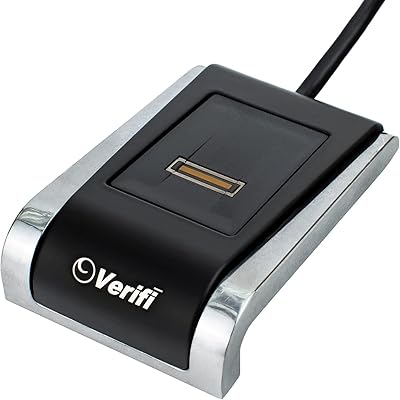
Verifi P2000 Desktop USB Fingerprint Reader
75%
91%
Windows Hello Integration
74%
Sensor Accuracy
88%
Ease of Setup
62%
Slide Sensor Usability
86%
Build Quality
More
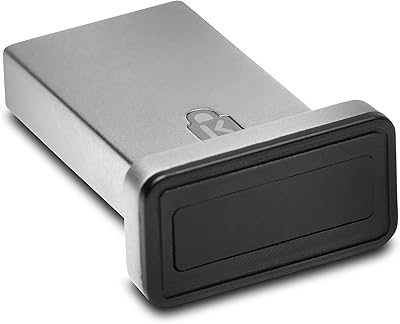
AUTHENTREND ATKey.Pro FIDO2 Fingerprint Security Key
70%
81%
Fingerprint Recognition Speed
46%
Setup & Enrollment Experience
88%
PIN-Free Authentication
73%
Compatibility & Platform Coverage
58%
Windows Device Login (Entra ID)
More
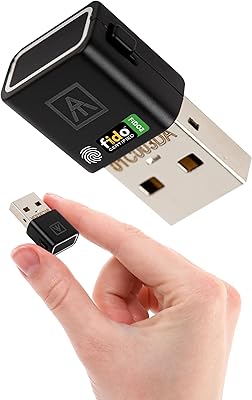
Kensington VeriMark Gen2 USB-A Fingerprint Key Reader
77%
88%
Fingerprint Recognition Speed
83%
Authentication Accuracy
93%
Security Architecture
61%
Setup & Enrollment Experience
84%
Build Quality & Durability
More
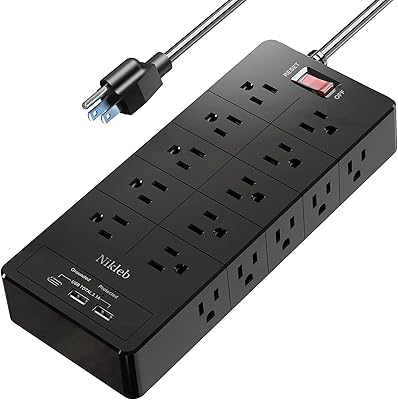
Nikleb Power Strip 23 in 1 with 20 Outlets, 2 USB, 1 USB-C, 6ft Extension Cord

86%
94%
Surge Protection Effectiveness
89%
Usability and Convenience
92%
Build Quality and Durability
87%
Value for Money
93%
Port Availability (Outlets + USB)
More
StarTech USB-C / USB-A Hybrid Docking Station for MacBook Pro/Air & Windows - Triple 4K 60Hz HDMI/DP, 85W Power Delivery
83%
94%
Multi-Display Performance
89%
Charging Efficiency
80%
Compatibility with OS
91%
Data Transfer Speed
88%
Ethernet Stability
More
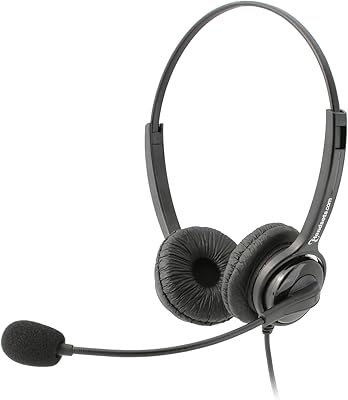
Executive Pro Overture USB Headset
86%
88%
Sound Quality
92%
Noise-Canceling Effectiveness
85%
Comfort for Long Use
76%
Microphone Flexibility
90%
Build Quality and Durability
More
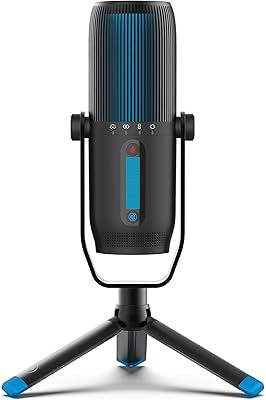
JLab Talk Pro USB Microphone
88%
94%
Sound Quality
91%
Ease of Use
88%
Build Quality
87%
Polar Pattern Versatility
93%
Setup and Installation
More
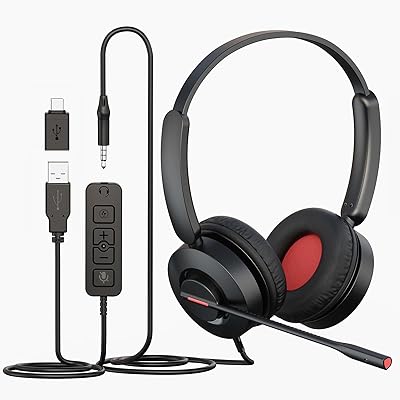
MAIRDI 816 Pro USB Headset
87%
88%
Sound Quality
91%
Comfort for Long Use
85%
Noise Cancellation
80%
Microphone Clarity
92%
Ease of Setup
More
Samson G-Track Pro
Samson G-Track Pro
83%
96%
Build Durability
92%
Vocal Clarity
88%
Instrument Integration
94%
Ease of Setup
85%
Polar Pattern Versatility
More
JOUNIVO JV605 Pro
JOUNIVO JV605 Pro
80%
96%
Ease of Setup
83%
Voice Clarity
71%
Noise Reduction
93%
Mute Button & LED Indicator
88%
Volume Knob
More

FAQ

Not exactly. The Hamster Pro 20 is not a plug-and-play Windows Hello device. Getting it to work with Windows Hello requires additional driver configuration and, in some cases, third-party middleware. If your only goal is Windows Hello login on a personal PC, you will likely find the setup process more involved than expected.

Yes, for full functionality you will need compatible software or the SecuGen SDK. The hardware will be recognized by the OS once drivers are installed, but features like automatic finger detection and self-adjusting scanning only activate within applications built to use SecuGen's API. Think of the hardware as a capable sensor that needs the right software layer to unlock its potential.

SecuGen does provide Linux support, and the Hamster Pro 20 is listed as compatible with most major operating systems. That said, driver availability and stability can vary depending on your specific Linux distribution and kernel version, so it is worth checking SecuGen's developer documentation for your target environment before purchasing.

Yes, and this is actually where the SecuGen Hamster Pro 20 USB Fingerprint Reader shines. It supports third-party biometric algorithms and integrates with the SecuGen SDK, which is well-documented and developer-friendly. If you are building a custom authentication or identity-verification workflow, this hardware is well-suited for that kind of integration work.

Very durable, by most accounts. The housing is built to resist scratches, impacts, vibration, and electrostatic shock. Buyers who have deployed it on shared terminals or in industrial settings consistently report that it holds up well over extended use, which is one of the most frequently praised aspects in user reviews.

The sensor includes self-adjusting scanning technology specifically designed to handle difficult fingerprint conditions like dry, worn, or aged prints. Keep in mind that this adaptive feature is active when the device is used within a SecuGen-compatible application — it is not purely a hardware-level function operating independently of software.

The device includes both latent print rejection and 2-D image rejection, which means it is designed to dismiss fingerprints left on the sensor surface and flat photographic images. That said, this is not a certified liveness-detection system, and it should not be treated as one for high-security applications that require formal anti-spoofing compliance.

No. It runs entirely off USB bus power at 5V, so the USB cable is all you need. There is no wall adapter or separate power brick required, which keeps the desk setup clean and makes it easy to move between machines.

The mixed reviews come down almost entirely to expectations at purchase. Buyers who come in with a software integration plan — developers, IT admins, businesses deploying attendance systems — tend to rate it highly for scan reliability and build quality. Buyers who expected a simple consumer fingerprint login device and ran into driver or software setup friction tend to leave lower ratings. The hardware itself is not the problem in most negative reviews.

A soft, dry lint-free cloth is the safest option for routine cleaning of the sensor window. Avoid abrasive materials, alcohol-based cleaners in excess, or anything that could leave residue on the optical surface. The housing is built to withstand everyday wear, but keeping the sensor glass clean will help maintain consistent scan quality over time.

Where to Buy