Kensington MY630 EQ Vertical Wireless Mouse


Overview
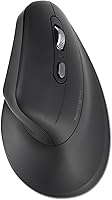
The Kensington MY630 EQ Vertical Wireless Mouse is built for one specific kind of person: someone who spends hours at a desk and has started to notice it in their wrist or forearm. Vertical mice orient your hand in a more natural, upright position — less like gripping a flat slab, more like a relaxed handshake. This is solidly a mid-range productivity tool, which sets reasonable expectations for build quality and finish. It won't wow you aesthetically, but it's not trying to. Worth flagging early: triple-device connectivity is included out of the box. The plastic housing also contains a minimum of 57% post-consumer recycled content — a modest but real sustainability effort, though it excludes the cable and circuit board.
Features & Benefits
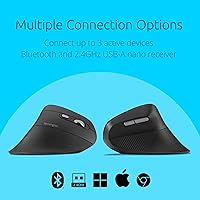
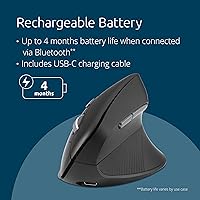
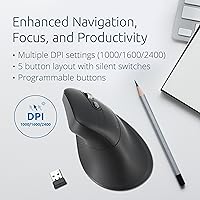
The vertical orientation keeps your forearm in a natural handshake position, which reduces the inward rotation — called pronation — that flat mice force on your arm all day. Connectivity is genuinely flexible: the MY630 EQ pairs to two devices via Bluetooth LE and a third via the included 2.4GHz USB-A dongle, which tucks into built-in storage when not in use. One thing many buyers miss: Bluetooth mode stretches to around four months of battery life, but switching to the dongle cuts that down to roughly one month. The silent switches are noticeably quieter than standard clicks, though not completely noiseless. A physical DPI button lets you cycle between 1000, 1600, and 2400 sensitivity levels without touching any software.
Best For
This vertical mouse is a strong fit for right-handed desk workers who clock long hours in front of a screen — it is not ambidextrous, so left-handed users should look elsewhere before spending a cent. Multi-device users will appreciate being able to switch between a laptop, desktop, or tablet without re-pairing anything each time. The quieter switches make it a considerate choice for open-plan offices, shared workspaces, or anyone who sits on calls with a mic nearby. Windows and macOS users get the most out of the KensingtonWorks software for button customization. ChromeOS users get basic plug-and-play functionality, but button remapping is not available on that platform.
User Feedback
With a 4.1-star average across over 2,200 ratings, Kensington's ergonomic mouse holds a solid position in a crowded category. Forearm comfort comes up repeatedly in positive reviews — people switching from standard flat mice often notice a difference in tension fairly quickly. The multi-device switching also gets consistent praise for working reliably without fuss. On the downside, first-time vertical mouse users mention a real adjustment period; tracking can feel slightly off for the first few days. Some reviewers flag the scroll wheel as feeling a little loose relative to the rest of the build, and a handful report that KensingtonWorks software behaves inconsistently, particularly after system updates.
Pros
- The vertical design keeps your forearm in a more natural position, noticeably reducing the pronation that flat mice cause over long sessions.
- Three-device connectivity — two Bluetooth LE slots plus a 2.4GHz dongle — is genuinely useful for anyone juggling multiple machines.
- Up to four months of battery life on Bluetooth means you rarely think about charging.
- Silent switches are a real courtesy in shared or quiet workspaces without sacrificing tactile feedback entirely.
- The built-in dongle storage means you will not lose the 2.4GHz receiver when switching to Bluetooth.
- An on-device DPI button lets you adjust cursor sensitivity instantly without opening any software.
- USB-C charging keeps things modern and means you likely already have a compatible cable.
- KensingtonWorks software unlocks five programmable buttons for Windows and macOS users who want a tailored workflow.
- At just under four ounces, this vertical mouse feels light enough for extended use without wrist pressure.
- A minimum of 57% post-consumer recycled plastic in the housing is a meaningful materials choice, even if it excludes some components.
Cons
- First-time vertical mouse users should expect an adjustment period of several days before tracking feels fully natural.
- The scroll wheel has been described by multiple reviewers as feeling cheap or loose relative to the rest of the build.
- Dongle mode drains the battery roughly four times faster than Bluetooth, which undercuts the convenience of wireless charging.
- KensingtonWorks software has reported inconsistency issues for some users, particularly after operating system updates.
- ChromeOS users get no access to button customization, making the software a Windows and macOS exclusive feature.
- Windows ARM-based computers are currently unsupported by KensingtonWorks, which is a real gap as that platform grows.
- The asymmetric shell is right-hand only, which immediately eliminates the mouse as an option for left-handed buyers.
- Users with smaller hands may find the vertical form factor uncomfortable rather than ergonomically beneficial.
- There is no dedicated charging dock or stand, so the mouse just sits flat on a cable while charging.
Ratings
The scores below reflect an AI-driven analysis of verified global buyer reviews for the Kensington MY630 EQ Vertical Wireless Mouse, with spam, bot-generated feedback, and incentivized reviews actively filtered out to protect accuracy. Synthesized from thousands of real-world experiences across office workers, multi-device users, and ergonomic mouse newcomers, these ratings transparently capture both what this vertical mouse genuinely does well and where it falls short.
Ergonomic Comfort
Multi-Device Connectivity
Battery Life
Silent Switch Performance
Build Quality
Software & Customization
DPI & Cursor Precision
Setup & Ease of Use
Portability & Travel
Value for Money
Charging Experience
Compatibility Range
Sustainability & Materials
Suitable for:
The Kensington MY630 EQ Vertical Wireless Mouse is a practical choice for right-handed office workers who spend the bulk of their day at a desk and have started to feel strain or fatigue in their forearm or wrist — not as a medical fix, but as a more comfortable alternative to a traditional flat mouse. People who regularly work across multiple machines will find real value in the three-device connectivity setup, which lets you hop between a laptop, desktop, and tablet without fumbling with re-pairing. It also suits anyone working in a shared, quiet environment — think open-plan offices, co-working spaces, or library desks — where noticeably softer click sounds actually matter. Windows and macOS users who like to customize their workflow will get additional mileage out of the KensingtonWorks software, turning five programmable buttons into shortcuts that actually save time.
Not suitable for:
Left-handed users should stop here — the Kensington MY630 EQ Vertical Wireless Mouse uses an asymmetric vertical shell designed exclusively for right-handed grip, and there is no left-handed version in this line. Gamers or anyone needing a high-precision sensor with polling rates above the basics should look elsewhere; this is a productivity peripheral built for comfort and convenience, not speed or accuracy under pressure. If you plan to use the 2.4GHz dongle as your primary connection method, be aware the battery drains roughly four times faster than it does over Bluetooth, which could mean monthly charging cycles instead of quarterly ones. ChromeOS users will find the mouse functional but limited, since button customization through KensingtonWorks is locked to Windows and macOS only. Users with very small hands have flagged fit issues in reviews, so anyone on the smaller end of the hand-size spectrum may find the vertical form factor awkward rather than comfortable.
Specifications
- Design: Ergonomic vertical form factor positions the hand in a natural upright orientation, designed exclusively for right-handed users.
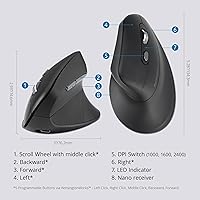
- Dimensions: The mouse measures 5.28 x 2.99 inches in footprint and weighs 3.84 oz, making it a lightweight option for all-day desk use.
- Connectivity: Supports two simultaneous Bluetooth LE device pairings plus one 2.4GHz USB-A dongle connection for a total of three active device slots.
- Dongle Storage: The 2.4GHz USB-A receiver stores inside the mouse body when not in use, reducing the risk of losing it during travel.
- Battery: Houses a 500mAh built-in rechargeable battery that charges via a USB-C cable included in the box.
- Battery Life: Delivers up to approximately four months of use via Bluetooth LE, or roughly one month when operating through the 2.4GHz dongle.
- Sensor: Uses an optical movement detection sensor suited to everyday productivity tasks on standard desk surfaces.
- DPI Settings: Offers three selectable sensitivity levels — 1000, 1600, and 2400 DPI — switchable via a dedicated physical button on the mouse body.
- Buttons: Equipped with five buttons: left-click, right-click, forward, back, and a scroll wheel that doubles as a middle-click button.
- Switch Type: Silent switches are used throughout, producing noticeably reduced click noise compared to standard mechanical switches, though not completely soundless.
- OS Compatibility: Compatible with Windows, macOS, and ChromeOS out of the box; note that Windows ARM-based systems are currently unsupported by the companion software.
- Software: KensingtonWorks software is available free of charge for Windows and macOS, enabling full button remapping across all five programmable inputs.
- Color: Available in Black only.
- Recycled Content: The plastic housing incorporates a minimum of 57% post-consumer recycled content, certified to the SCS Recycled Content Standard V8-0; the PCB, battery, and charging cable are excluded from this figure.
- Platform Support: Works across Mac and PC hardware platforms with plug-and-play functionality; full software customization is limited to Windows and macOS environments.
Related Reviews
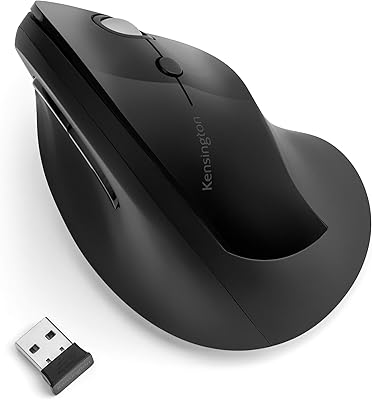
Kensington Pro Fit Ergo Vertical Wireless Mouse
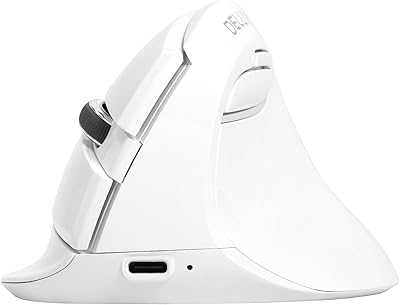
DeLUX M618mini Wireless Vertical Ergonomic Mouse
Kensington TB450 Wireless Trackball Mouse
seenda Ergonomic Vertical Wireless Mouse
Acer OMR241 Ergonomic Vertical Mouse
Lekvey XC-05 Vertical Wireless Mouse
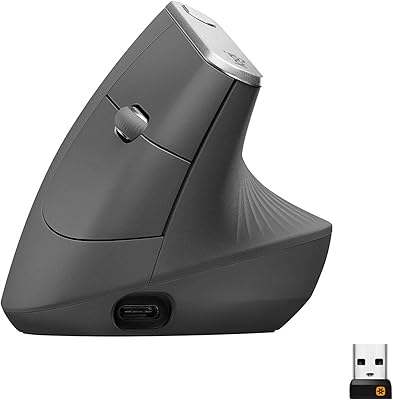
Logitech MX Vertical
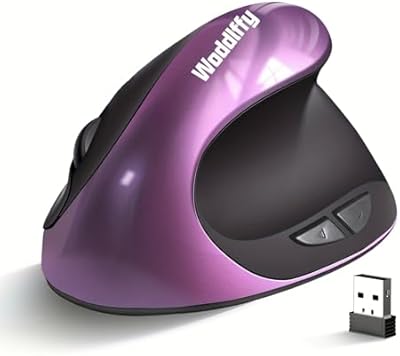
Woddlffy RAAVEE Ergonomic Vertical Wireless Mouse
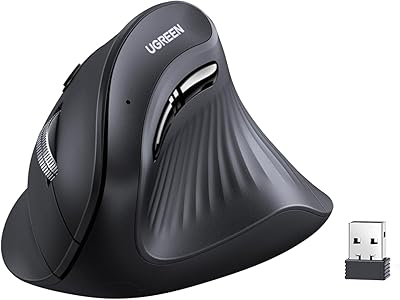
UGREEN Vertical Wireless Ergonomic Mouse