Overview

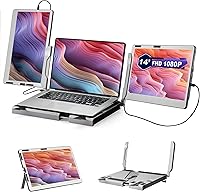
The JoyReal F2 14″ Triple Laptop Monitor Extender is a dual-screen workstation attachment that plugs into your laptop and gives you three displays total — without buying a single desktop monitor. JoyReal is a brand from Shenzhen Baijiayoupu Technology, and this laptop screen extender sits in the upper-mid range of the portable monitor market, where it competes with options like Mobile Pixels Trio and Duex Max. Since its late 2023 release, it has maintained a 4.0-star average, which signals solid overall satisfaction alongside a few genuine friction points. One thing to set straight upfront: at nearly 10 pounds, this is a desk-bound workstation, not something you'll casually toss in a backpack.
Features & Benefits

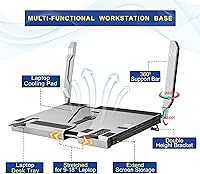
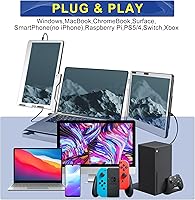
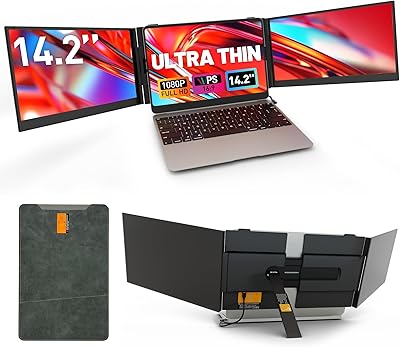
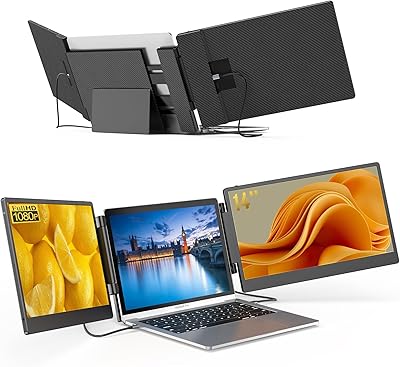
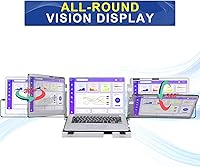
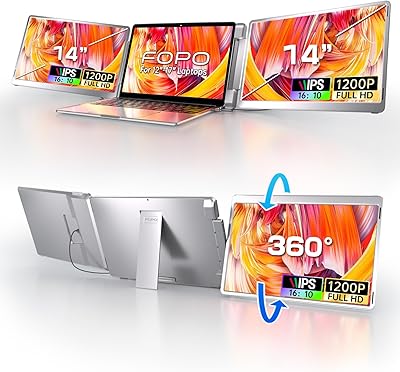
Each of the two 14-inch 1080P panels detaches independently, so you can run just one extended display or go full three-screen when your desk space allows. Both screens rotate a full 360 degrees, horizontally and vertically, which is genuinely useful when you need to flip a panel toward someone sitting across from you. Setup is pure plug-and-play — Type-C and Mini HDMI, no drivers, works across Mac, Windows, Android, ChromeOS, and Linux. The aluminum alloy base expands to hold laptops from 7 to 18 inches, passively cools the machine sitting on top, and stores both monitors inside when folded. Two stand height modes handle basic ergonomic adjustment.

Best For

This portable dual-screen setup makes the most sense for home-office workers and hybrid professionals who want proper multi-screen productivity without committing to permanent desktop monitors. If you rotate between locations — an office, a co-working space, a client's conference room — there's real appeal in arriving with a consistent three-display workflow rather than adapting to whatever screen is available. Developers referencing documentation while coding, analysts comparing spreadsheets across panels, and video editors monitoring timelines simultaneously will all find genuine utility here. It also works well for Switch or PS5 gaming sessions where a wider visual footprint matters. Just don't expect to carry it daily in a shoulder bag.

User Feedback

Buyers who've lived with the F2 triple monitor workstation tend to land in two camps. The aluminum build quality gets consistent praise — the chassis feels sturdy and the plug-and-play setup genuinely takes minutes rather than an afternoon of driver hunting. Where opinions split is the weight: nearly 10 pounds is real, and commuters who hoped for something bag-friendly have been openly frustrated. Glossy panels look punchy with vibrant colors, but in sun-lit rooms or near windows, screen glare becomes a genuine nuisance. A smaller group also flags that older laptops lacking full DisplayPort Alt Mode over USB-C can't reliably drive both screens simultaneously — worth checking your laptop's spec sheet before buying.

Pros

  • Plug-and-play setup works across Mac, Windows, Android, ChromeOS, and Linux without installing a single driver.
  • The aluminum alloy chassis feels genuinely solid — no flex, no wobble, and a premium build for the price tier.
  • Both 14-inch panels detach independently, giving you flexible single or dual extended display configurations as needed.
  • Full 360-degree screen rotation lets you share your display with someone across the table instantly.
  • The expandable base accommodates laptops from 7 to 18 inches and passively cools the machine resting on top.
  • An internal storage compartment keeps both monitors protected and organized when the workstation is folded.
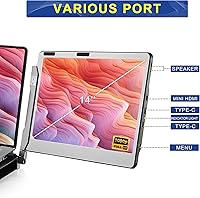
  • Four Type-C ports and two Mini HDMI connections support a wide range of devices, including gaming consoles.
  • 1080P FHD resolution on each panel handles document work, coding, and media playback with clarity.
  • Two adjustable stand height modes provide basic ergonomic positioning for extended desk sessions.

Cons

  • At nearly 10 pounds, this is not a realistic daily bag-carry option for commuters or frequent travelers.
  • Glossy panel surfaces reflect glare noticeably in bright rooms or near windows, which can disrupt extended work sessions.
  • Older laptops lacking full DisplayPort Alt Mode over USB-C may fail to drive both screens simultaneously.
  • 250-nit brightness is modest and can feel washed out in well-lit or outdoor environments.
  • The workstation form factor demands a proper flat desk — it is impractical on a couch, bed, or airplane tray table.
  • Mini HDMI cables are easy to misplace and far less common in most travel bags than standard connections.
  • No single-cable operation means managing at least two cables whenever both screens are active.
  • No touchscreen capability, which may disappoint users accustomed to touchscreen laptops or hybrid tablets.

Ratings

Our scores for the JoyReal F2 14″ Triple Laptop Monitor Extender were generated by AI after analyzing verified global buyer reviews, with spam, bot activity, and incentivized feedback actively filtered out. The result is an honest, data-backed picture that weighs both the genuine strengths this portable dual-screen setup delivers and the real friction points that affect day-to-day satisfaction. Nothing here is sanitized — the scores reflect what actual users experienced across a wide range of working environments and laptop configurations.

Build Quality
88%
The aluminum alloy frame and base consistently earn praise from buyers who have handled a lot of plastic-bodied portable monitors and expected something cheaper at this price. Users report no flex in the hinge system, a satisfying solidity when folding and unfolding the workstation, and a chassis that holds its shape after months of desk use.
A handful of buyers noted that the carbon fiber texture on the surface scuffs more visibly than expected after regular handling, and a few units reportedly arrived with minor cosmetic marks. These appear to be isolated quality-control issues rather than a systemic flaw, but they're worth inspecting on delivery.
Display Quality
78%
22%
At 1080P on 14-inch panels, text is crisp enough for long coding or document-review sessions, and the glossy surface produces noticeably richer, more saturated colors than comparable matte-screen portable monitors at a similar price. Users editing photos or watching reference video alongside their primary display found the color output genuinely pleasing in controlled light.
The 250-nit brightness ceiling is a real limitation that shows up in mixed lighting conditions — not just outdoors, but in offices with overhead fluorescents angled toward the screen. Some users also noted that color accuracy is acceptable rather than exceptional, meaning professional color-critical work on these panels is a stretch.
Portability
49%
51%
Users who drive to a single fixed location — a home office, a shared workspace, or a client site they visit weekly — report that the workstation relocates without much drama. The folded unit is self-contained, the monitors store inside the base, and setup at the destination takes just a couple of minutes.
At nearly 10 pounds, this is not a commuter-friendly product, and buyers who misread the marketing and expected a lightweight everyday carry have been among the most vocal critics. Public transit users, frequent flyers, and anyone walking more than a few blocks to their desk will find the weight genuinely tiring over time.
Setup & Compatibility
85%
Plug-and-play performance across Mac, Windows, ChromeOS, Android, and Linux is one of this unit's clearest strengths, with the vast majority of buyers reporting both screens recognized within seconds of plugging in. Users who regularly switch between a personal Mac and a work Windows laptop were particularly relieved to avoid driver juggling.
The caveat that trips up a meaningful minority is USB-C bandwidth — laptops with USB-C ports that don't support full DisplayPort Alt Mode simply cannot drive both panels simultaneously, and this incompatibility is not always obvious from a laptop's marketing materials. Older business laptops and some budget machines fall into this category.
Value for Money
73%
27%
Buyers who fully utilize the triple-display configuration and the workstation base generally feel the price is justified relative to buying two separate portable monitors and a stand independently. The integrated storage, cooling function, and flexible detach-and-use capability add genuine functional value that cheaper clip-on alternatives don't match.
For users who end up running only one extended screen — due to USB-C compatibility limits or simply not needing three displays — the price proposition weakens considerably compared to lighter, cheaper single portable monitor options. The weight penalty compounds the value question for anyone who needed something truly mobile.
Glare & Reflectivity
54%
46%
In dim or well-controlled lighting environments, the glossy surface genuinely enhances the visual experience, giving the display a depth and vibrancy that matte panels in this price range rarely achieve. Home-office users with blackout curtains or windowless rooms are largely unaffected by reflections.
In any environment with significant ambient light — a home office with afternoon sun, a co-working space with skylights, or a corporate conference room with overhead lighting — the glossy panels become a reflective surface that competes with the displayed content. This is the single most consistently mentioned frustration among dissatisfied buyers.
Screen Flexibility
86%
The 360-degree rotation on both panels is a feature buyers use more than they initially expected. Being able to flip a screen toward a colleague for a presentation, switch one panel to portrait mode for reading long documents, or reconfigure the layout entirely without tools makes the workstation feel actively adaptable rather than rigidly fixed.
The rotation mechanism, while smooth on most units, has drawn occasional feedback about loosening over extended daily use, with screens reportedly not holding their angle as firmly after several months. It's not a widespread complaint, but worth monitoring if you rely heavily on specific angled positions.
Connectivity Options
83%
Having four Type-C ports and two Mini HDMI connections on a single workstation unit means users can run the dual displays while still connecting peripherals without reaching for a separate hub. The console gaming use case — particularly Switch and PS5 via Mini HDMI — has been a pleasant surprise for buyers who discovered the option after purchase.
Mini HDMI is an uncommon cable format that most users don't already own, and replacements are not universally stocked in physical stores. A few buyers also noted that the Type-C ports do not all deliver equal power delivery, so the port selection matters more than the quantity suggests.
Ergonomics & Adjustability
74%
26%
Two stand height modes give users a meaningful choice between a lower flat-desk configuration and a raised position that reduces neck strain during long sessions. The expandable base comfortably holds everything from small 11-inch laptops up to large 17-inch machines without needing adapters or adjustments beyond width.
With only two fixed height positions, users looking for granular tilt or elevation control will find the adjustment range limited compared to dedicated monitor arms or more ergonomically focused workstations. There is no vertical height adjustment for the screens themselves beyond what the base preset allows.
Screen Brightness
61%
39%
For indoor desk work in a typically lit room, 250 nits is functional — most productivity tasks like writing, coding, and spreadsheet work are perfectly readable at this brightness level without eye strain in controlled conditions.
Compared to modern laptop screens that commonly output 400 to 500 nits, the side panels can look noticeably dimmer when placed adjacent to the host laptop display, creating an inconsistent visual experience across the three-screen setup. Outdoor or high-brightness indoor use is effectively off the table.
Cooling Performance
71%
29%
The aluminum alloy base provides passive thermal benefit that goes beyond marketing language — users with thermally challenged laptops report the underside runs measurably cooler when resting on the metal surface versus a fabric desk mat or closed laptop bag. It won't replace a dedicated cooling pad with fans, but it adds genuine value.
The cooling effect is passive and therefore modest — laptops under heavy GPU or CPU load will still thermal-throttle if they're already running hot. Users expecting a significant performance uplift from the cooling function may be disappointed, as the benefit is most apparent during moderate workloads rather than intensive sessions.
Storage & Organization
82%
18%
The internal storage compartment for both detached monitors is a practical detail that competing clip-on designs simply don't offer — when the day is done, the panels slot into the base cleanly, eliminating the scramble for cases or sleeves. Users who move the workstation between rooms at home or pack it for weekly office days appreciate not needing extra accessories.
The built-in storage compartment is sized precisely for the included panels and doesn't accommodate accessory cables or adapters inside the same space, so users still need a separate pouch for the Mini HDMI cables and any adapters. The optional three-fold carrying case is sold separately through JoyReal's own channels, which adds to the overall cost.
Multi-OS Compatibility
87%
Cross-platform support is broad and well-executed — users who tested this laptop screen extender across a MacBook, a Windows work machine, and a Linux development environment in the same week reported consistent, driver-free detection on all three without any configuration changes. This makes it particularly well-suited to IT professionals and developers working in heterogeneous environments.
Android and ChromeOS compatibility, while advertised, is more dependent on the specific device's USB-C implementation than the extender itself, and results are less predictable on tablets and smartphones. Users planning to use this primarily with mobile Android devices should verify their device's DisplayPort Alt Mode support beforehand.

Suitable for:

The JoyReal F2 14″ Triple Laptop Monitor Extender is purpose-built for home-office workers and hybrid professionals who need a genuine multi-screen setup at a desk but aren't ready to commit to permanent desktop monitors. Developers who keep documentation open alongside active code windows, analysts comparing datasets across panels, and content creators working with reference files next to an editing timeline will find the added real estate directly useful. Professionals who regularly present work to colleagues in the same room also benefit from the full 360-degree screen rotation, which lets you flip a panel toward someone sitting across the table without rearranging anything. If you prefer a clean, integrated workstation form factor over juggling multiple separate monitors, this portable dual-screen setup handles that well. It also works as a solid gaming expansion station for Switch or PS5 users who want a wider visual footprint without elaborate cable management.
Not suitable for:

Daily commuters and frequent travelers should think carefully before buying, because the F2 triple monitor workstation weighs close to 10 pounds — a figure that sounds manageable until you're actually carrying it from a parking lot to a conference room. This is a desk-first product, and treating it as a bag-carry solution is setting yourself up for frustration. Buyers with older or budget laptops should also verify that their USB-C port supports full DisplayPort Alt Mode before purchasing, since without it, running both screens simultaneously may simply not work. People who work primarily in bright or sunlit environments will find the glossy panels a recurring annoyance — the screen surface that makes colors pop in controlled light becomes a mirror in a window-facing room. If ultraportability is your primary concern, lighter clip-on alternatives weigh a fraction of the JoyReal F2 14″ Triple Laptop Monitor Extender and are worth comparing before committing to this price point.
Specifications

  • Screen Size: Each of the two included panels measures 14 inches diagonally, expanding your laptop into a full three-display workspace.
  • Resolution: Both screens run at 1920x1080 FHD, producing sharp output for documents, coding environments, and video content at typical desk viewing distances.
  • Refresh Rate: Each panel operates at 60Hz, which is adequate for everyday productivity tasks, video playback, and casual gaming.
  • Brightness: Panel brightness is rated at 250 nits, comfortable for indoor desk use but likely insufficient in sunlit or brightly lit environments.
  • Screen Surface: Both displays use a glossy coating that enhances color saturation and contrast, though this surface reflects ambient light in bright rooms.
  • Aspect Ratio: Each panel uses a 16:9 widescreen aspect ratio, matching the standard format of most laptop displays and streaming content.
  • Connectivity: The unit provides four Type-C ports and two Mini HDMI ports, supporting a wide range of host devices and external peripherals.
  • Total USB Ports: Four USB ports are integrated into the workstation, enabling peripheral connections alongside the active display outputs.
  • Base Width Range: The expandable aluminum base adjusts from 11.8 inches to 15.7 inches, fitting laptops with screen sizes ranging from 7 to 18 inches.
  • Total Weight: The fully assembled workstation weighs 9.97 pounds, positioning it as a desk-first solution rather than a practical everyday carry item.
  • Dimensions: When folded, the unit measures 15.33 x 9.76 x 1.1 inches, keeping its footprint manageable on a standard work surface.
  • Frame Material: The frame and base use aluminum alloy construction with a carbon fiber texture finish, contributing to structural rigidity and passive heat dissipation.
  • Screen Rotation: Both panels rotate a full 360 degrees in horizontal and vertical directions, enabling landscape, portrait, and presentation-facing orientations.
  • Setup Method: Connection is plug-and-play via Type-C or Mini HDMI with no software or driver installation required on any supported platform.
  • Compatible OS: The workstation is compatible with Windows, macOS, Android, ChromeOS, and Linux operating systems out of the box.
  • Detachable Screens: Each monitor detaches from the base and includes its own independent stand, allowing use as a standalone portable display away from the workstation.
  • Internal Storage: The folded workstation base includes a built-in compartment designed to hold both detached monitor panels securely during storage or transport.
  • Cooling Function: The aluminum alloy base functions as a passive cooling surface, helping draw heat away from the bottom of the laptop resting on top during extended sessions.

Related Reviews
FOPO 14″ Triple Monitor Laptop Screen Extender S7
85%
89%
Performance & Functionality
92%
Ease of Setup
91%
Portability & Design
88%
Display Quality
74%
Compatibility with Laptops
More
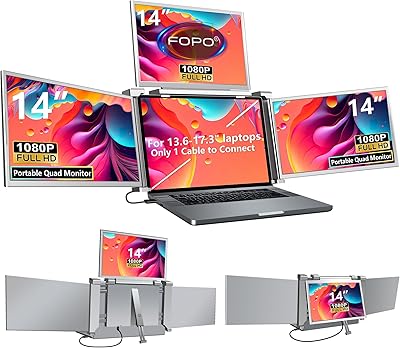
FOPO S680 14″ Quad Monitor Extender
71%
84%
Setup & Ease of Use
76%
Display Quality
61%
Portability
68%
Mac Compatibility
73%
Build Quality
More
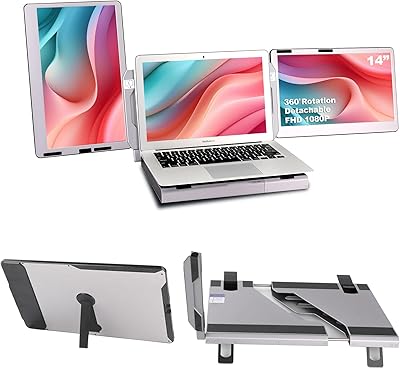
Alecewey F2 14-inch Laptop Screen Extender
85%
85%
Portability
90%
Display Quality
88%
Ease of Use
92%
Setup Time
63%
Weight
More
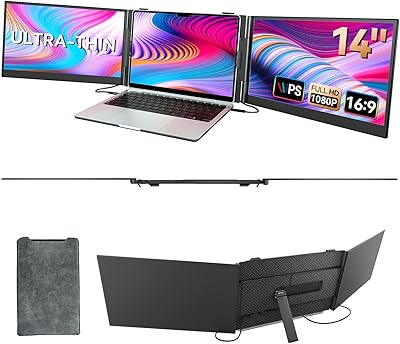
Sitrunda S8Ultra 14.2″ Triple Laptop Screen Extender
74%
82%
Single-Cable Convenience
54%
Setup & Installation
84%
Multi-Tasking Performance
73%
Display Quality
77%
Portability
More
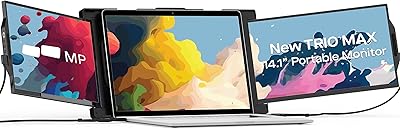
BOSII S8 Pro 14-inch Portable Triple Monitor
76%
92%
Ease of Setup
89%
Portability & Weight
81%
Screen Clarity
67%
Build Quality
61%
Brightness & Visibility
More
Mobile Pixels Trio Max 14.1″ Portable Monitor
73%
83%
Build Quality & Durability
81%
Screen Quality
57%
Brightness & Visibility
61%
Portability & Weight
87%
Setup & Ease of Use
More
CIDETTY S2 14-Inch Portable Laptop Monitor
76%
83%
Display Quality
91%
Portability & Form Factor
88%
Ease of Setup
71%
Compatibility Range
76%
Build Quality
More
BreezyLife 14″ Triple Portable Monitor Extender
74%
91%
Ease of Setup
74%
Display Quality
62%
Portability
71%
Build Quality
67%
Compatibility Range
More
domyfan F1 14″ Portable Monitor
72%
83%
Display Clarity
71%
Portability
88%
Stand Design
79%
Setup & Compatibility
52%
Screen Glare
More
ZUMWALT S3 14″ Triple Portable Monitor
70%
88%
Ease of Setup
74%
Display Quality
71%
Build Quality & Durability
66%
Portability & Weight
82%
Screen Flexibility & Ergonomics
More

FAQ

Yes, it should work out of the box on most modern MacBooks. The setup is plug-and-play, so macOS detects the displays automatically over Type-C without requiring any driver installation. Just confirm your MacBook's USB-C port supports DisplayPort Alt Mode, which all recent Apple Silicon and Intel MacBook models do.

Absolutely. Both panels detach independently, so you can run a single extended display for a simpler dual-screen setup and add the second panel only when you need the full three-screen arrangement. Each screen also has its own stand and works completely separately from the base unit if you want to use it on its own.

Not directly. This laptop screen extender relies on Type-C with DisplayPort Alt Mode or Mini HDMI for display output, so standard USB-A ports won't drive the screens. You'd need an active adapter or dock that outputs a supported video signal, and results can vary by adapter quality. If your laptop only has USB-A, a different portable monitor solution is likely a safer fit.

Honestly, the nearly 10-pound total weight makes this uncomfortable for daily commuting. It's better described as a workstation you relocate occasionally rather than something you carry in a backpack every morning. If you're mostly desk-bound with the odd off-site day, it makes sense. For daily bag-carry situations, something lighter is worth a look.

They can be. Glossy panels produce richer, more vivid colors than matte alternatives, but in brightly lit environments they reflect ambient light noticeably. If your desk faces a window, you'll see reflections at certain times of day. Positioning the screens so they face away from direct light sources helps significantly and is often enough to make the glare manageable.

Yes. Both panels rotate a full 360 degrees in both horizontal and vertical axes, so switching to portrait mode is straightforward mechanically. You'll then adjust the display rotation in your operating system's display settings to match, which takes under a minute on any supported platform.

You can, using the Mini HDMI ports. Users have reported this working with both Switch and PS5, and the 60Hz, 1080P panels are well-suited to most console gaming. The stand and base still function normally in this scenario, giving you a tidy multi-screen console setup on a desk without elaborate cable management.

The base includes a built-in internal compartment specifically designed to hold both detached panels when the unit is folded. Everything closes into one self-contained package. JoyReal also offers a three-fold protective carrying case through their official channels if you want to transport the screens separately from the base.

It should actually help slightly. The aluminum alloy base acts as a passive heat sink, drawing some warmth away from the laptop's underside. It is not an active fan-based cooler, so you won't see dramatic temperature drops, but a metal surface dissipates heat more effectively than a solid desk or padded surface, which is a genuine small benefit during extended sessions.

If your USB-C port only handles data and charging, you won't be able to drive both screens simultaneously over that connection. A common workaround is using the Mini HDMI port for one screen and a DisplayPort Alt Mode-capable USB-C port for the other, if your laptop has both. It's strongly worth checking your laptop's USB-C specification in the manufacturer's documentation before purchasing to avoid compatibility surprises.