Overview
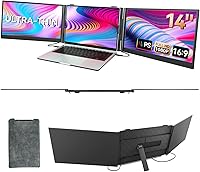
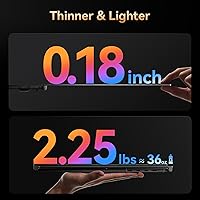
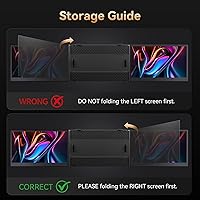
The BOSII S8 Pro 14-inch Portable Triple Monitor sits in an interesting corner of the mobile productivity market — it is not a standalone display, but a clip-on dual-panel attachment that folds onto your laptop and instantly gives you two extra screens. BOSII is not a household name, but the S8 Pro clearly targets road warriors who find a single screen genuinely limiting while working away from a fixed desk. At 2.27 lb with panels only 4.5mm thick, this triple-screen extender is considerably easier to slip into a bag than carrying two separate portable monitors. Just know going in: it attaches to your existing laptop rather than replacing anything.
Features & Benefits
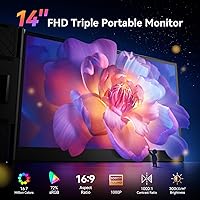
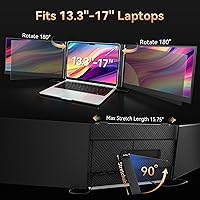
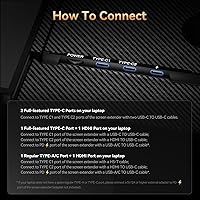
Each 14-inch IPS panel runs at full 1080p with a matte finish, which genuinely helps cut glare in typical office or cafe lighting. The panels hinge through a full 180-degree rotation, letting you angle them inward for a tighter setup or push them wider depending on your space. Connectivity is handled right out of the box — two USB-C cables, a USB-A to C option, an HDMI adapter, and an H5-T cable are all included, no drivers needed. Drag-and-drop works across all three screens, which sounds like a small thing until you are moving files between windows mid-meeting. Compatibility extends across macOS M-series chips, Windows, Linux, Chrome OS, and Nintendo Switch.
Best For
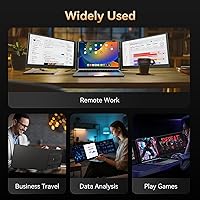
This portable monitor attachment makes the most practical sense for remote workers bouncing between hotel desks and co-working spaces where a full external monitor is not an option. Developers who want code, terminal, and documentation visible side by side will appreciate the screen real estate. Students juggling research tabs, lecture videos, and notes simultaneously get genuine value here too. Business travelers presenting slides on one panel while keeping email open on another will find the setup intuitive. That said, if your work requires color-accurate editing — photo retouching, color grading — the 300 nits brightness and absent color gamut certification are meaningful limitations worth weighing carefully before committing.
User Feedback
Most buyers highlight the same strength first: the S8 Pro is ready to use in under a minute with no software installation involved. That plug-and-play experience earns consistent praise, especially from users who braced for a complicated setup. The recurring criticism centers on the hinge sturdiness — a handful of reviewers mention panel wobble during transit or on uneven surfaces. Brightness is another honest limitation; indoors it works well enough, but near a sunny window, 300 nits starts feeling thin. Compatibility with certain USB-C hubs and older laptop ports has also caught some users off guard. BOSII's customer support response draws mixed but mostly positive feedback, which matters for a brand without a long track record.
Pros
- Plug-and-play setup with no drivers needed means you are up and running in under a minute.
- The dual 14-inch IPS panels deliver sharp, clear 1080p visuals that hold up well in typical indoor lighting.
- At just over 2 pounds for the whole attachment, the S8 Pro is noticeably lighter than carrying two separate portable monitors.
- A full 5-piece cable kit is included in the box, covering USB-C, USB-A, and HDMI connections.
- Cross-screen drag-and-drop works reliably, making file and window management feel natural across three displays.
- Compatibility spans macOS M1, M2, and M3 chips, Windows, Linux, Chrome OS, and Nintendo Switch.
- The 180-degree hinge rotation lets you adjust panel angles to suit cramped or open workspaces.
- Matte panel surfaces reduce glare effectively in office and cafe environments.
- BOSII offers 24/7 customer support, which provides at least a baseline safety net for a newer brand.
- Extend and mirror mode options give you flexibility depending on the task at hand.
Cons
- Hinge sturdiness has drawn repeated complaints, with panel wobble reported on uneven surfaces or during frequent travel.
- At 300 nits, screen brightness falls short in sunlit rooms or near bright windows.
- No color gamut certification is listed, which is a real gap for design or photo-editing use cases.
- Some users with older laptops or USB-C hubs have encountered compatibility issues that are not always easy to resolve.
- BOSII lacks the long-term brand reputation of established monitor makers, which makes durability harder to predict.
- The price point sits firmly in mid-to-premium territory, and some buyers question the value versus buying two individual portable monitors.
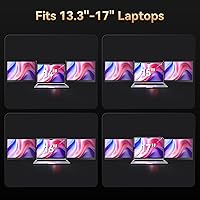
- The attachment design is only compatible with laptops sized between 13 and 17 inches, excluding smaller or larger machines.
- Panel wobble during transit means you need a well-padded bag and careful packing to avoid damage on the road.
Ratings
Our AI rating system analyzed verified global buyer reviews for the BOSII S8 Pro 14-inch Portable Triple Monitor, actively filtering out incentivized, bot-generated, and spam submissions to surface what real users actually experience day to day. The scores below reflect a balanced synthesis of genuine praise and recurring frustrations — nothing is inflated, and the pain points are called out as clearly as the strengths. Whether this triple-screen extender earns a place in your bag depends heavily on how well your workflow and work environment match what it was actually designed to do.
Ease of Setup
Portability & Weight
Screen Clarity
Build Quality
Brightness & Visibility
Compatibility
Hinge Flexibility
Cable Management
Color Accuracy
Value for Money
Display Modes
Laptop Fit & Attachment
Customer Support
Cross-Screen Productivity
Suitable for:
The BOSII S8 Pro 14-inch Portable Triple Monitor is genuinely well-matched to professionals whose work demands multiple windows open at once but who cannot lug a full desktop setup around. Remote workers who split their days between hotel rooms, airport lounges, and co-working spaces will find the clip-on design practical rather than fussy — plug in, open up, and get to work. Developers and data analysts who need code on one panel, a terminal on another, and documentation or a dashboard on their main screen will feel the productivity difference quickly. Students managing simultaneous research, lecture recordings, and note-taking also fall squarely in the sweet spot. Business travelers who regularly present to clients while needing quick access to their own notes or email will appreciate being able to run two separate screens without hunting for a conference room monitor. For MacBook M-series users in particular, the out-of-the-box compatibility with no driver installation makes setup genuinely low-friction.
Not suitable for:
The BOSII S8 Pro 14-inch Portable Triple Monitor is a harder sell for anyone whose workflow depends on color accuracy. At 300 nits with no listed color gamut certification, it is not the right tool for photo editing, professional color grading, or any design work where true-to-life color reproduction matters. Users who work frequently near bright windows or outdoors will also find the brightness threshold noticeably limiting — this is an indoors-first solution. If your laptop is older or relies on a USB-C hub rather than native Thunderbolt or USB-C ports, you may run into compatibility headaches that require troubleshooting. Buyers who prefer established brands with proven long-term track records may also feel some hesitation, since BOSII is a newer name without years of public durability data behind it. Finally, anyone expecting a rigid, wobble-free triple panel experience in a busy or cramped space — like a crowded train — should temper their expectations around hinge stability.
Specifications
- Screen Size: Each of the two extension panels measures 14 inches diagonally, matching common mid-size laptop displays for a visually balanced triple-screen setup.
- Resolution: Both IPS panels run at 1920x1080 Full HD resolution, delivering clear, sharp text and images suitable for document work, coding, and general media.
- Panel Type: IPS (In-Plane Switching) technology is used across both panels, offering wider viewing angles and more consistent color reproduction than TN alternatives.
- Screen Surface: Both panels feature a matte anti-glare coating that reduces reflections in typical indoor environments such as offices, cafes, and hotel rooms.
- Brightness: Peak brightness is rated at 300 nits, which performs adequately in controlled indoor lighting but may feel insufficient near bright windows or in outdoor settings.
- Contrast Ratio: The panels carry a 1000:1 contrast ratio, a standard figure for IPS monitors at this tier, providing reasonable depth between dark and light content.
- Panel Thickness: Each display panel is just 4.5mm thin, contributing to the slim overall profile that allows the unit to pack flat into a laptop bag.
- Total Weight: The complete attachment unit weighs 2.27 lb (approximately 1.03 kg), which is notably lighter than carrying two separate portable monitors.
- Dimensions: The unit measures 13.58 x 8.15 x 0.81 inches when closed, making it compact enough to fit alongside a 13-inch to 17-inch laptop in most standard sleeves.
- Rotation Range: The hinges support 0 to 180 degrees of rotation, letting users angle each panel independently to match their workspace configuration.
- Display Modes: The S8 Pro supports both Extend and Mirror display modes, switchable depending on whether you need extra desktop space or want to duplicate your primary screen.
- Connectivity: The unit provides three ports in total: two USB-C ports and one USB-A port, with HDMI input also supported via the included adapter cable.
- Included Cables: A five-piece cable kit ships in the box, comprising two USB-C to USB-C (full function), one USB-A to C, one HDMI to C, and one H5-T cable.
- Driver Requirement: No driver installation is required; the attachment is recognized automatically by compatible operating systems upon connection.
- OS Compatibility: The unit is compatible with macOS (including M1, M2, and M3 chips), Windows, Android, Linux, Chrome OS, and Nintendo Switch.
- Laptop Compatibility: The clamp and attachment mechanism is designed to fit laptops with screen sizes ranging from 13 inches to 17 inches.
- Aspect Ratio: Both panels use a standard 16:9 widescreen aspect ratio, consistent with the majority of laptop displays for an uninterrupted visual line.
- Model Number: The official model designation for this unit is the S8 Pro, as assigned by the manufacturer BOSII.
- Customer Support: BOSII states that a dedicated support team is available around the clock to assist with compatibility verification and general troubleshooting inquiries.
- Release Date: This product was first made available for purchase in June 2025, making it a relatively recent entry in the portable monitor extender category.
Related Reviews

Dell P1424H 14-inch Portable Monitor

Lrtzcbi 14-inch Portable Touchscreen Monitor
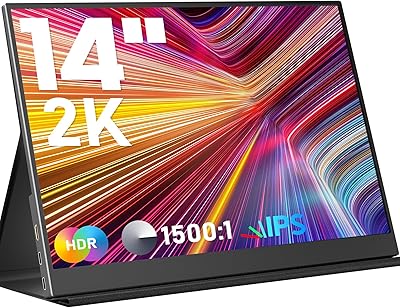
KEEPTIME P142 14-inch Portable Monitor
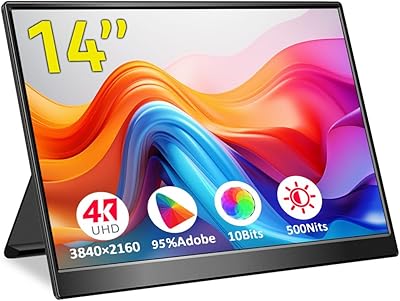
Magedok 14-Inch 4K Portable Monitor
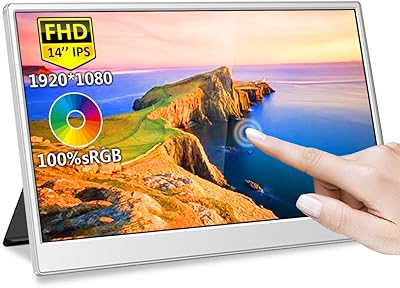
Magedok MG140-FT02 14-Inch Portable Touchscreen Monitor
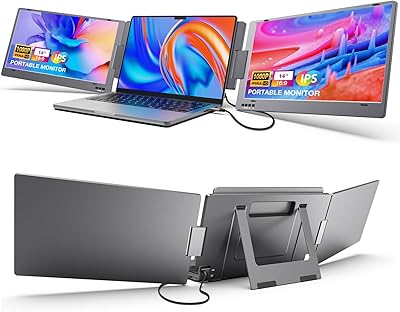
KYY X90A 14-inch Laptop Screen Extender
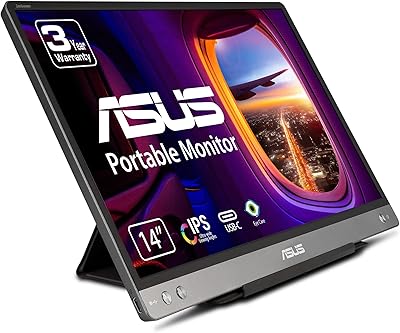
ASUS ZenScreen MB14AC 14-inch Portable Monitor
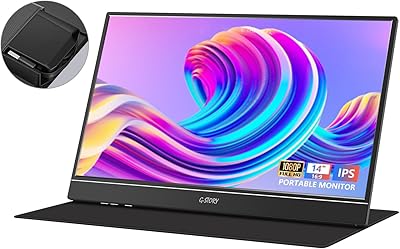
G-STORY GS140H0 14-inch Portable Monitor
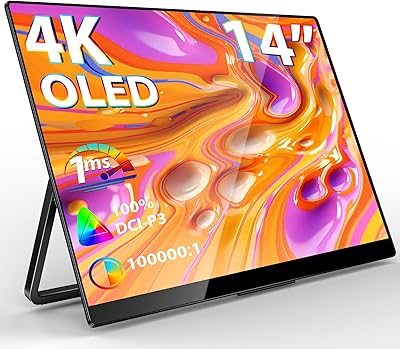
InnoView 14-inch OLED Portable Monitor 4K UHD