
Overview

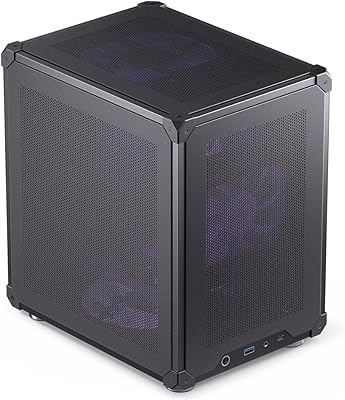
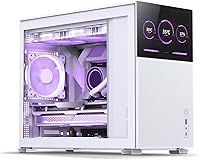
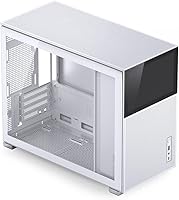
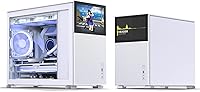
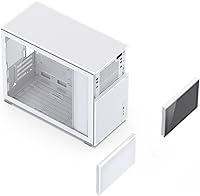
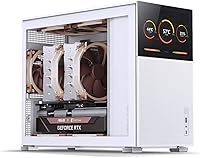
The Jonsbo D31 Mesh SC Micro-ATX PC Case arrived in late 2022 as one of the more interesting entries in the compact mid-tower segment — a metal-chassis build that pairs mesh panel ventilation with a built-in LCD screen for real-time system stats. At 205 x 363 x 452mm, it is not ultracompact, but it is notably space-efficient given what it accommodates. Full-size ATX power supplies, flagship-length GPUs, and 360mm AIO radiators all fit — a rare combination at this size. The white finish looks clean on a desk, and the overall construction feels solid for the price tier. It is a case that genuinely tries to punch above its weight class without demanding a full tower footprint.

Features & Benefits

The most talked-about feature is the integrated LCD display, which shows CPU temps, GPU load, and other stats right on the front panel. There is a catch, though: it requires AIDA64, which you will need to buy separately — a real cost worth factoring in before purchase. Beyond the screen, the D31 Mesh SC handles hardware generously — GPUs up to 400mm long fit without issue, putting an RTX 4090 squarely within reach. Cooling options are equally strong, with 360mm AIO support on both the top and bottom mounts, plus 168mm air cooler clearance that covers virtually every tower cooler on the market. Tool-free panel removal makes the build process noticeably less frustrating than average.

Best For

This mATX mesh case is genuinely well-suited to builders who refuse to compromise hardware choices just to fit a smaller form factor. If you want a 360mm liquid cooler, a top-tier GPU, and a standard ATX power supply all in one build — and you want that build to stay relatively desk-friendly — this Jonsbo case covers it. It also appeals to anyone who likes live system monitoring baked into the chassis rather than added on separately. One honest note: the screen setup requires patience and a separate software purchase, so it is a better fit for people comfortable with a bit of configuration. If clean airflow matters most, a screen-free alternative might serve you just as well.

User Feedback

Across nearly 230 ratings, the D31 Mesh SC holds a 4.6-star average — strong, but the reviews reveal a nuanced picture. Buyers are consistently impressed by build quality and aesthetics for the price, and airflow gets particular praise, especially once aftermarket fans are swapped in. The integrated screen draws excitement but also generates the most complaints: the separate AIDA64 purchase catches many buyers off guard. Cable management is the other recurring frustration — the interior is tight, and routing cables neatly takes more effort than the tool-free exterior might suggest. A smaller number of users report that longer ATX power supplies near the 220mm limit can be a snug fit. Overall, very well received with a few known friction points.

Pros

  • Fits GPUs up to 400mm long, making it one of the few compact cases that can genuinely house flagship-tier graphics cards.
  • Supports 360mm AIO radiators on both the top and bottom mounts, giving builders serious cooling flexibility.
  • The built-in LCD display shows live system stats without needing a separate monitor or gadget on your desk.
  • Solid metal construction feels premium and holds up well — buyers regularly comment that it looks more expensive than it is.
  • Tool-free panel removal makes swapping components or doing maintenance noticeably faster and less annoying.
  • Works with both ATX and SFX power supplies, which is useful if you are upgrading from an existing build or planning future changes.
  • Air cooler clearance of 168mm means most popular tower coolers on the market will fit without any guesswork.
  • Airflow performance is consistently praised, especially after upgrading to quality aftermarket fans.
  • At its price point, the feature set — screen, mesh panels, broad hardware compatibility — is genuinely hard to match in the mATX segment.

Cons

  • The LCD screen requires purchasing AIDA64 separately, which adds cost and a non-trivial software setup process.
  • Cable management inside the chassis is tight, and builders with beefy power setups may struggle to keep things tidy.
  • ATX power supplies near the 220mm length limit can be a tight or awkward fit, so measuring beforehand is essential.
  • The case is not truly ultracompact — at over 450mm tall, it is more space-efficient than full towers but not a small-form-factor build.
  • Front I/O is limited to two USB 2.0 ports and one USB 3.0 port, which feels sparse for a modern performance-oriented build.
  • No fans are included in the box, so achieving the advertised airflow potential means budgeting for additional fan purchases.
  • The AIDA64 screen compatibility can require troubleshooting for some hardware configurations, based on user reports.
  • White finish, while clean-looking, tends to show dust and smudges more visibly than darker alternatives.

Ratings

The Jonsbo D31 Mesh SC Micro-ATX PC Case earns a strong overall reception based on AI-analyzed ratings drawn from verified global buyers, with spam, bot activity, and incentivized reviews actively filtered out before scoring. Across categories ranging from build quality to cable management, both the genuine strengths and the real frustrations are reflected honestly in the scores below — nothing has been smoothed over to make the product look better than it is.

Build Quality
88%
Buyers repeatedly note that the metal chassis feels noticeably more solid than what you typically find at this price point. Panels align well, edges are clean, and the overall construction gives the impression of a case that was engineered with some care rather than rushed to market.
A small number of users flagged minor fit inconsistencies with specific panel clips or screw points. Nothing structurally concerning, but the tolerances are not quite at the level of premium boutique case brands costing significantly more.
Airflow Performance
91%
The mesh front and side panels deliver genuinely strong passive airflow, and once aftermarket fans are installed in the top and bottom mounts, thermal performance in demanding builds is consistently impressive. Builders running high-TDP GPUs and CPUs report stable temperatures even under sustained load.
No fans ship in the box, so out-of-the-shelf airflow is essentially zero until you populate the mounts yourself. The upfront fan investment is an extra cost that catches some buyers off guard, especially first-time builders who assumed fans were included.
Hardware Compatibility
93%
The range of hardware this case accommodates is one of its clearest strengths — 400mm GPU clearance, 360mm AIO support on both top and bottom, and dual PSU form factor acceptance make it one of the most flexible mATX cases in its tier. Builders with high-end component lists rarely hit a wall here.
ATX power supplies near the 220mm length limit can be an awkward fit, and a handful of users report needing to force or carefully maneuver them into position. It is not a dealbreaker, but it is worth measuring your PSU before committing to the purchase.
Integrated Display
74%
26%
The built-in LCD panel is a genuine differentiator in the mATX segment — seeing live CPU and GPU stats on the case itself saves desk space and removes the need for a separate monitoring gadget. Enthusiasts who invest the time to set it up properly tend to love the end result.
The screen requires AIDA64, which must be purchased separately and configured manually — a friction point that consistently generates complaints from buyers who expected plug-and-play functionality. Compatibility hiccups with certain hardware configurations add further frustration for a subset of users.
Cable Management
61%
39%
The tool-free panel design makes getting inside the case fast and relatively painless, and experienced builders who plan their cable routes carefully can achieve a clean-looking interior. The space behind the motherboard tray is workable if you use a modular PSU and take your time.
For most users, especially those with thick cables or non-modular power supplies, the interior routing space is genuinely tight. Real-world reviews mention this consistently enough that it should be treated as a known limitation rather than an edge case — expect to spend extra time here.
Cooling Flexibility
89%
Dual 360mm AIO mounting positions — top and bottom — give builders unusual flexibility for a case of this footprint. The 168mm air cooler height clearance means popular tower coolers also fit without issue, so you are not locked into one cooling strategy.
Bottom-mounted radiators combined with long GPUs can create tight spatial conflicts that require careful planning before committing to a layout. The flexibility is real, but it demands more pre-build homework than a more spacious full-tower case would.
Aesthetics
86%
The white finish and mesh panel combination looks clean and modern, and the integrated screen adds a visual focal point that makes the build feel more custom. On a desk where the case is visible, it consistently draws compliments from people who see it in person.
White surfaces show dust and fingerprint smudges more visibly than darker finishes, which means more frequent cleaning if the case is in a high-traffic or open-shelf environment. The aesthetic is also relatively conservative — there are no RGB accents or bold design flourishes built in.
Value for Money
83%
When you price out the feature set — integrated display, broad hardware compatibility, solid metal build, and extensive cooling support — the cost-per-feature ratio is strong relative to comparable mATX cases. Most buyers feel the price is justified once the build is complete.
The hidden cost of AIDA64 software and the absence of included fans mean the real total spend is higher than the case price alone suggests. For buyers on a tight build budget, those extras add up in a way that is easy to overlook when comparing shelf prices.
Ease of Building
78%
22%
Tool-free panel removal and thoughtful component mounting points make the initial stages of a build feel smooth, and the case layout is logical enough that most builders can work through it without consulting a manual repeatedly. First-time builders generally find it approachable.
The tight cable management situation and the spatial complexity of fitting a large GPU alongside a long PSU and a 360mm radiator means the back half of the build process requires patience. It is not a frustrating case to build in, but it is not effortless either.
Front I/O
57%
43%
The placement of the front ports is practical and easy to reach, and for users who keep most peripherals plugged in permanently, the limited port count is rarely a daily obstacle. The USB 3.0 port handles fast file transfers without issue.
Two USB 2.0 ports and a single USB 3.0 port is a notably sparse I/O configuration for a case targeting performance builders in 2024. The absence of a USB-C front port is a real omission that competing cases at similar prices often include.
Noise Levels
67%
33%
With low-RPM aftermarket fans installed, the mesh panels allow enough airflow that fans do not need to spin hard to cool the system effectively, which keeps noise at a manageable level during light-to-moderate workloads.
The open mesh design provides virtually no acoustic dampening, so any fan noise travels freely out of the case. Under sustained load with fans running at higher speeds, the D31 Mesh SC is noticeably louder than cases with solid or dampened panels.
Dust Filtration
63%
37%
Mesh panels do allow some passive filtering effect, and bottom-mounted filtration helps reduce dust accumulation around the PSU area over time. Builders in cleaner environments report manageable dust build-up with regular maintenance intervals.
The open mesh design, while great for airflow, is inherently poor at keeping fine dust out compared to cases with dedicated foam or magnetic filter layers. Expect more frequent interior cleaning if the case is placed in a dusty room or on the floor.
Documentation & Setup
59%
41%
The physical assembly instructions are clear enough for experienced builders, and the case layout is intuitive for anyone who has built a PC before. Jonsbo customer support has been noted as responsive to screen compatibility issues.
The LCD screen setup documentation is thin, and the requirement to buy, install, and configure AIDA64 is not made sufficiently clear in the product materials. New builders especially tend to hit a wall here and rely on community forums rather than official guidance.

Suitable for:

The Jonsbo D31 Mesh SC Micro-ATX PC Case is a strong fit for PC builders who want a high-performance build without the bulk of a full-size tower. If you are planning a system around a flagship GPU — something long and power-hungry like an RTX 4090 — and you still want 360mm liquid cooling and a standard ATX power supply in the same chassis, this case covers that combination in a footprint that works on a real desk. It suits enthusiasts who appreciate having live CPU and GPU stats displayed directly on the case, and who do not mind spending a bit of extra time on software setup to get that feature running. Home office and gaming room builds benefit particularly well here, where aesthetics and space efficiency matter alongside raw thermal performance. Builders who prefer mesh enclosures for their natural airflow advantages will also feel right at home with this one.

Not suitable for:

The Jonsbo D31 Mesh SC Micro-ATX PC Case is not the right pick for everyone, and a few specific scenarios should give buyers pause. If you were counting on the built-in screen as a ready-to-go feature out of the box, be aware that it requires AIDA64 software, which is sold separately — skipping that research beforehand is one of the most common sources of buyer disappointment. Cable management inside the chassis is genuinely tight, so if you are building with a lot of high-wattage components and thick cables, expect to spend real time routing everything neatly, or be prepared for a messier interior than you might like. Users with ATX power supplies on the longer end — approaching 220mm — should double-check compatibility before buying, as the fit can be uncomfortably snug. Finally, if you have no interest in the LCD screen and just want straightforward, no-fuss airflow, there are similarly priced mATX mesh cases without the added setup complexity that may suit you better.

Specifications

  • Form Factor: Supports Micro-ATX and Mini-ITX motherboards, making it compatible with a wide range of modern mid-range and high-end platform builds.
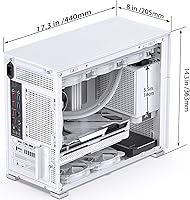
  • Dimensions: The case measures 205 x 363 x 452mm (W x D x H), a footprint that is notably space-efficient given the hardware it accommodates.
  • Weight: Ships at approximately 17.36 pounds, reflecting the all-metal chassis construction rather than a lightweight plastic build.
  • Material: The chassis is constructed from metal throughout, contributing to its solid feel and better long-term structural rigidity compared to plastic alternatives.
  • GPU Clearance: Accommodates graphics cards between 330mm and 400mm in length, covering virtually all current high-end GPUs including full-size flagship models.
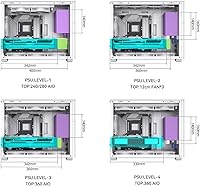
  • PSU Support: Accepts both ATX and SFX power supplies ranging from 100mm to 220mm in length, mounted at the bottom of the chassis.
  • AIO Radiator Support: Supports 360mm and 280mm AIO radiators on the top mount, and 360mm and 240mm radiators on the bottom mount.
  • Air Cooler Height: Maximum air cooler height clearance is 168mm, which covers the majority of popular tower coolers available on the market.
  • Fan Mounting: Fan positions include top (3x 120mm or 2x 140mm), bottom (3x 120mm or 2x 140mm), rear (1x 120mm), and front (1x 120mm).
  • Included Fans: No fans are included in the box; all fan slots must be populated with separately purchased fans to achieve optimal airflow.
  • Built-in Display: Features an integrated LCD panel on the front for displaying real-time system statistics such as CPU and GPU temperatures and load.
  • Display Software: The LCD screen requires AIDA64 monitoring software to function, which is sold separately and must be purchased and configured by the user.
  • Front I/O: Front panel connectivity includes two USB 2.0 ports and one USB 3.0 port, along with a standard audio/microphone combo jack.
  • Drive Bays: The case supports standard 2.5-inch and 3.5-inch drive mounting to accommodate SSDs and HDDs within the internal layout.
  • Panel Design: Both front and side panels use a mesh construction to promote passive and active airflow throughout the chassis interior.
  • Tool-Free Access: Panel removal and several internal component mounting points are designed to be tool-free, reducing the hardware needed during a build or upgrade.
  • Color: Available in White; the finish is a clean matte-style coat applied to the metal exterior panels and structural frame.
  • Brand: Manufactured by Dongguan Sibo Sitong Industrial Co., LTD and sold under the Jonsbo brand, a Chinese case maker with a growing global presence.

Related Reviews
Jonsbo Z20 Micro-ATX Mini Tower Case
80%
93%
Build Quality & Materials
91%
Portability & Carrying Handle
78%
Internal Layout & Compatibility
89%
GPU Clearance & Large Component Support
87%
Cooling Support & Thermal Flexibility
More
Jonsbo D41 Mesh SC ATX Mid-Tower Case
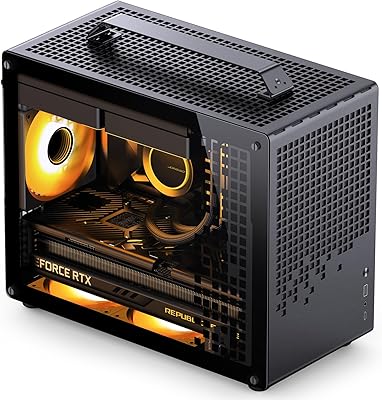
79%
88%
Build Quality & Materials
83%
Integrated LCD Display
86%
Airflow & Thermal Performance
91%
GPU Compatibility & Clearance
89%
AIO & Liquid Cooling Support
More
AsiaHorse Pegasus MATX Mid-Tower PC Case
77%
93%
Aesthetics & Visual Design
81%
Build Quality & Materials
89%
Interior Space & Layout
74%
Cooling Potential
67%
AIO Radiator Compatibility
More
ASUS A21 Micro ATX Mid Tower Case
80%
91%
Value for Money
88%
Cable Management
86%
BTF Compatibility
93%
Component Clearance
89%
Ease of Assembly
More
darkFlash DB330M Micro-ATX PC Case
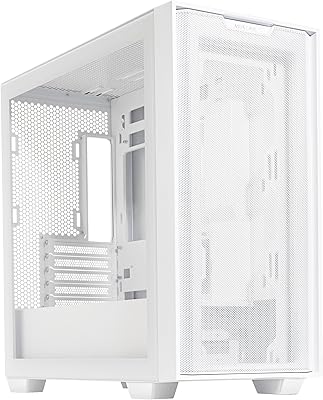
71%
88%
Aesthetics & Design
67%
Build Quality
83%
Value for Money
72%
Airflow & Cooling
54%
Cable Management
More
Montech X5M Micro ATX PC Case
74%
86%
Value for Money
81%
Airflow Performance
88%
Fan Inclusion & Setup
91%
GPU Compatibility
43%
Front I/O
More
Jonsbo C6 Mini MATX Mesh PC Case
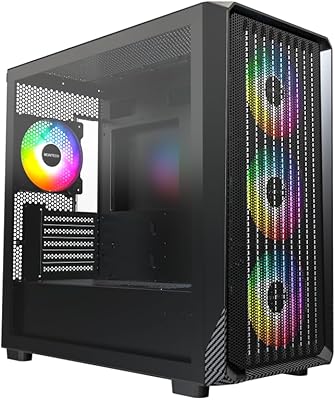
84%
91%
Airflow Performance
95%
Ease of Assembly
87%
Build Quality
88%
Cooling System Customization
65%
Cable Management
More
Jonsbo TK-1 Micro-ATX PC Case
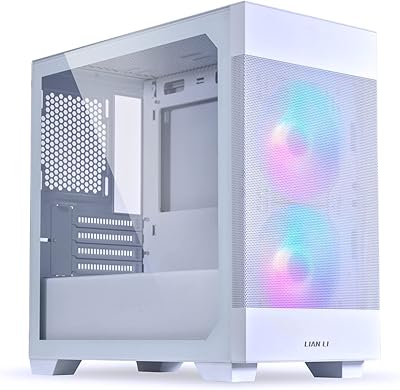
76%
91%
Build Quality
93%
Aesthetic Design
74%
Thermal Performance
72%
Hardware Compatibility
86%
Value for Money
More
Lian Li LANCOOL 205M Mesh Mid-Tower Case
83%
93%
Airflow Performance
81%
Build Quality & Materials
91%
Ease of Assembly
88%
Cable Management
84%
Included Fans & Lighting
More
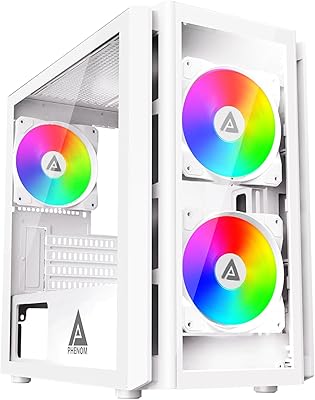
Apevia PHENOM-WH Phenom Micro ATX Gaming PC Case
84%
87%
Cooling Performance
92%
Build Quality
94%
Design & Aesthetics
88%
Ease of Cable Management
65%
Fan Support Options
More

FAQ

It does not work automatically out of the box. The screen requires AIDA64, a system monitoring application that you will need to purchase separately. Once installed and configured, it displays real-time stats like CPU temperature and GPU load directly on the panel. Budget for the software cost and a bit of setup time before your first boot.

Yes, it will. The D31 Mesh SC supports GPUs up to 400mm in length, and most RTX 4090 models fall within that range. That said, always double-check the exact length of your specific card model before buying, since a few factory-overclocked variants can push close to or past that limit.

You can use either. The case accepts ATX and SFX power supplies ranging from 100mm to 220mm in length. If you are using a longer ATX unit, measure it first — PSUs near the 220mm ceiling have been reported as a tight fit by some builders, so it is worth confirming before you commit.

You have a lot of options here. The top and bottom each support three 120mm fans or two 140mm fans, the rear takes one 120mm, and there is a front slot for one 120mm as well. In total, you can fit up to eight 120mm fans if you fill every position — though most builders populate the top and bottom for the best airflow results.

Absolutely, and it is one of the stronger selling points of this chassis. A 360mm radiator fits on the top mount and also on the bottom, which gives you some flexibility depending on your build layout. Just plan your component arrangement in advance, since a bottom-mounted 360mm rad alongside a long GPU can get cozy.

Honest answer: it takes patience. The interior is not cramped by any means, but with a high-end build — especially one with a large GPU, multiple drives, and a fully modular PSU — the routing space behind the motherboard tray gets tight. Using a modular or semi-modular PSU and sleeved cables will make a noticeable difference.

It supports both. Mini-ITX boards mount without issue, giving you flexibility if you want a smaller motherboard with a bigger case for the cooling and GPU headroom. Micro-ATX is the maximum supported size.

It leans toward airflow. The mesh panels on the front and side are great for moving air, but they do not dampen sound the way solid or glass panels can. If noise levels are a top priority, pairing this case with low-RPM fans and a quieter cooler will help, but do not expect the same acoustic isolation you would get from a sound-dampened enclosure.

No fans are included. The case ships without any fans pre-installed, so you will need to budget for those separately. Given the number of mounting positions available, most builders end up purchasing at least three to six fans to get solid airflow through the chassis.

The maximum clearance for an air cooler is 168mm, which covers a large portion of the popular tower cooler market — including most Noctua, be quiet!, and Deepcool models. If you are eyeing a particularly tall cooler, just verify its height in the spec sheet before buying to avoid a last-minute conflict.

Where to Buy