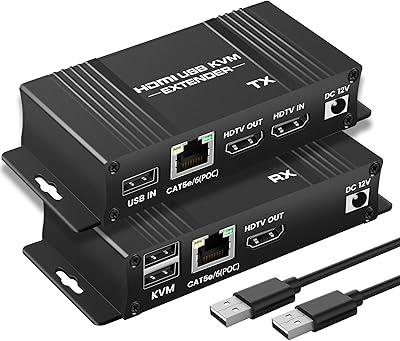
J-Tech Digital JTECH-KVE2 KVM HDMI Extender
Overview
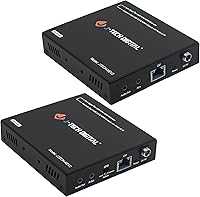
The J-Tech Digital JTECH-KVE2 KVM HDMI Extender solves a real problem that comes up constantly in offices, server rooms, and media installations: you need your display and input devices far from the actual computer. By running signals over ordinary Cat6 ethernet cable, this KVM extender can push 4K video and keyboard/mouse control up to 328 feet away — a distance that rules out almost every passive HDMI cable on the market. J-Tech Digital is a smaller, specialized AV brand with US-based customer support, which puts it in a different category than the generic no-name units flooding the lower end. Mid-range in price, it targets buyers who want reliable signal extension without enterprise-level costs.
Features & Benefits
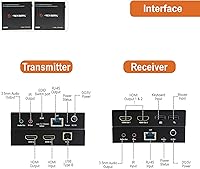
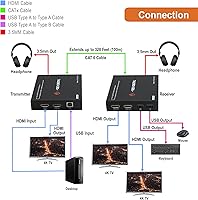
The most important thing to understand about the J-Tech extender unit before buying is what the USB side actually does. Those two USB ports on the receiver handle keyboard and mouse only — no storage drives, no webcams, no USB audio adapters. That said, for the use cases this device targets, that limitation rarely matters. On the video side, 4K at 30Hz works well for static content, document work, and presentations — just don't expect smooth playback of fast-moving video. Dual HDMI outputs on the receiver let you run two monitors at the remote end, while a local loop output on the transmitter keeps a display running at the source simultaneously. Audio extraction via 3.5mm jacks on both ends adds routing flexibility.
Best For
This HDMI-over-Cat6 solution fits a fairly specific buyer profile. IT managers routing a workstation signal across a warehouse floor, AV installers setting up digital signage installations where the PC needs to stay in a locked rack, or home theater enthusiasts who want a PC tucked away while the display sits across the room — these are the people who will get the most out of it. If you only need keyboard and mouse control at the remote end, the USB constraint stops being a drawback and just becomes the spec. Buyers who value US-based warranty support over the cheapest possible option will also find this a more trustworthy choice than anonymous alternatives.
User Feedback
Across 169 reviews, this KVM extender holds a 4.0-star average — solid, but the mix behind that number tells a more nuanced story. Buyers who praise it consistently highlight reliable signal quality at shorter runs and stress-free setup straight out of the box. Where things get rougher is at the distance limit: a handful of users report inconsistent performance when pushing close to 328 feet, and cable quality matters more than you might expect. The USB-keyboard-mouse-only restriction also trips up buyers who didn't read carefully. Support gets decent marks for responsiveness. With fewer than 200 reviews, this is a useful trend, not a definitive verdict — longer cable runs in particular introduce more variability.
Pros
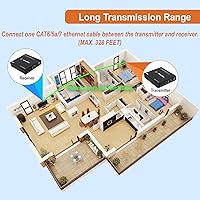
- Extends 4K video and keyboard/mouse control up to 328 feet over ordinary Cat6 cable.
- Plug-and-play setup requires no driver installation — most users report being up and running in minutes.
- Dual HDMI outputs on the receiver allow two monitors at the remote end simultaneously.
- A local loop HDMI port on the transmitter keeps a source-side display active at the same time.
- 3.5mm audio extraction on both units gives flexibility for third-party audio routing without adapters.
- Lightweight and compact at just one pound, making installation and mounting straightforward.
- US-based lifetime technical support is a genuine differentiator over no-name alternatives.
- One-year manufacturer replacement warranty adds meaningful peace of mind for professional deployments.
- Holds a 4.0-star average across nearly 170 reviews, with consistent praise for signal quality at moderate distances.
- Works with widely available Cat6, Cat6a, or Cat7 cable — no proprietary or expensive cabling required.
Cons
- USB ports on the receiver are limited strictly to keyboard and mouse — no storage, webcams, or USB audio devices.
- 4K is capped at 30Hz, making it unsuitable for smooth video playback or any fast-moving visual content.
- Some buyers report signal inconsistency when cable runs approach the 328-foot maximum.
- Performance appears sensitive to cable quality — cheaper Cat6 runs can introduce reliability issues.
- The USB limitation is not prominently communicated in marketing, leading to frustration for unprepared buyers.
- No USB 3.0 support, which limits transfer speeds even for the peripheral types it does accept.
- Lifetime support is US business-hours only, Monday through Friday, which may not suit international buyers or urgent overnight situations.
- At this price tier, some competing units offer broader USB device compatibility worth comparing before committing.
Ratings
The scores below reflect our AI-driven analysis of verified global buyer reviews for the J-Tech Digital JTECH-KVE2 KVM HDMI Extender, with spam, bot-generated, and incentivized submissions actively filtered out before scoring. Each category is weighted against real-world usage patterns reported by IT professionals, AV installers, and home office users alike. Both the genuine strengths and the recurring frustrations are transparently reflected — no category has been inflated to flatter the product.
Signal Quality
Ease of Setup
USB Functionality
Video Resolution
Build Quality
Cable Compatibility
Multi-Display Support
Audio Extraction
Latency Performance
Value for Money
Long-Distance Reliability
Warranty & Support
Packaging & Documentation
Compatibility
Suitable for:
The J-Tech Digital JTECH-KVE2 KVM HDMI Extender is built for anyone who needs to physically separate a computer from its display and input devices over a serious distance. IT administrators managing workstations in large open-plan offices or warehouse environments will find this KVM extender especially practical, since it lets them keep the actual PC locked in a server room while staff work at a remote desk with a full keyboard, mouse, and monitor setup. Digital signage installers also benefit greatly here — the source PC can sit in a secured back-of-house location while the display runs up front, all without running proprietary cabling. Home theater enthusiasts who want a media PC hidden in a cabinet or closet while displaying on a large TV across the room are another natural fit. If your run is under 200 feet and your USB needs are limited to a keyboard and mouse, this HDMI-over-Cat6 solution is hard to argue with at its price point.
Not suitable for:
The J-Tech Digital JTECH-KVE2 KVM HDMI Extender is a poor choice for anyone expecting full USB functionality at the remote end. The two USB ports on the receiver are strictly limited to keyboard and mouse — plug in a USB drive, webcam, audio interface, or any other peripheral and you will get nothing. Gamers should also look elsewhere: 4K at 30Hz simply does not hold up for fast-moving content, and there is no high-refresh-rate support to speak of. If your cable run is pushing close to the advertised 328-foot maximum, real-world user reports suggest the reliability picture gets murkier, particularly with lower-grade Cat6 cable. Buyers on a tight budget who are tempted to cut corners on cabling should know that cable quality appears to have a meaningful impact on performance consistency. And anyone who needs to extend USB audio, touch displays, or storage devices remotely should look for a true full-USB KVM extender instead.
Specifications
- Video Resolution: Supports 4K at 30Hz and 1080p full HD over the extension link.
- HDMI Version: Uses HDMI 1.4, which covers 4K 30Hz and standard HD resolutions.
- HDCP Support: Compatible with HDCP 1.4 for standard content protection compliance.
- Max Distance: Extends signals up to 328 ft (100 meters) over Cat6, Cat6a, or Cat7 ethernet cable.
- USB Ports: Two USB 2.0 ports on the receiver unit support keyboard and mouse devices only, operating at up to 480 Mbps.
- HDMI Outputs: The receiver provides two HDMI output ports for connecting dual displays at the remote end.
- Loop Output: A local loop HDMI output on the transmitter allows a monitor to remain active at the source location simultaneously.
- Audio Output: Both the transmitter and receiver include a 3.5mm analog audio extraction port for routing audio to external speakers or processors.
- Latency: The manufacturer rates latency as near-zero, making it suitable for standard PC desktop and productivity use.
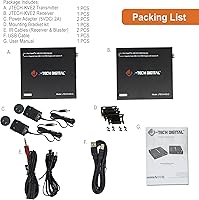
- Cable Type: Requires Cat6, Cat6a, or Cat7 ethernet cable, sold separately, for the extension link between transmitter and receiver.
- Driver Required: No software drivers are needed; the unit is fully plug-and-play on compatible systems.
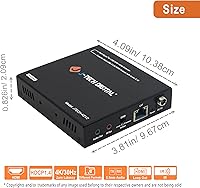
- Dimensions: The package measures 12.45 x 10 x 2.4 inches, housing both the transmitter and receiver units.
- Weight: The complete package weighs approximately 1 pound.
- Warranty: Covered by a one-year manufacturer replacement warranty from J-Tech Digital.
- Tech Support: Free lifetime technical support is provided by a US-based team in Stafford, TX, available Monday through Friday, 9AM to 6PM CST.
- Compatible Source: Designed for use with PC sources; compatibility with Mac or other platforms is not officially specified.
- Model Number: Official model designation is JTECH-KVE2, manufactured by J-Tech Digital.
Related Reviews
J-Tech Digital WEX200V3 Wireless HDMI Extender
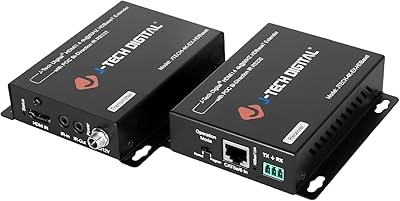
J-Tech Digital HDBaseT HDMI Extender
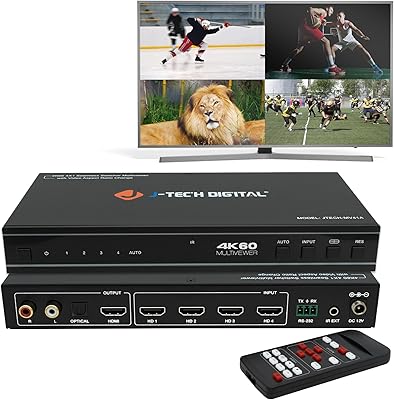
J-Tech Digital JTECH-MV41A 4x1 HDMI Multi-Viewer
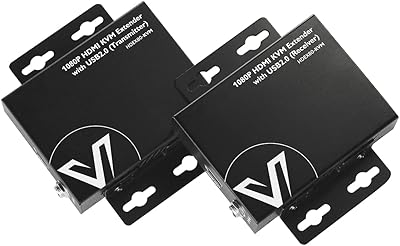
AV Access HDEX80-KVM HDMI KVM Extender
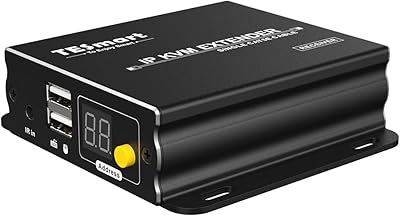
TESmart HKE12MMA20 HDMI KVM Extender
AV Access 4KIP100-KVM HDMI KVM Extender
J-Tech Digital V638
VPFET HDMI KVM USB Extender 394ft/120M
OREI EX-230PRO-KVM 4K HDMI KVM Extender