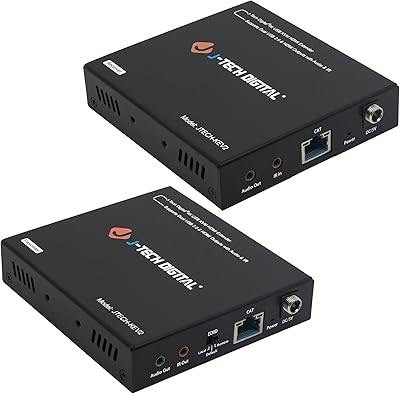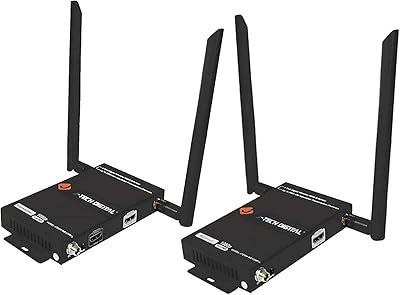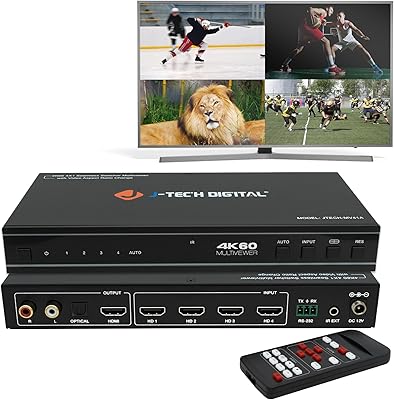

Overview

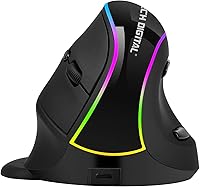
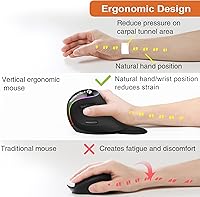
The J-Tech Digital V638 is a budget-friendly vertical ergonomic mouse aimed at anyone who has started feeling that nagging ache in their wrist after hours of clicking and scrolling. Unlike a standard flat mouse that keeps your forearm rotated downward, this vertical mouse positions your hand in a more natural handshake grip, reducing the pronation that causes strain over time. It connects wirelessly via a USB receiver, runs on a built-in rechargeable battery, and ships with a detachable palm rest that sets it apart from most mice in this price range. Keep expectations realistic — this is a practical, affordable option, not a precision tool for power users.

Features & Benefits

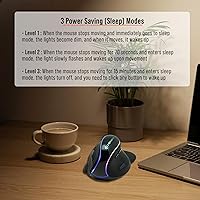
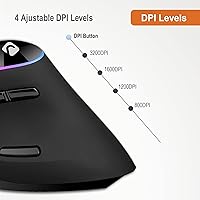
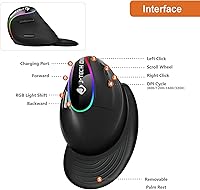
The vertical handshake design is the centerpiece here — your palm faces inward rather than flat down, which many users find noticeably more comfortable during extended sessions. The detachable palm rest adds a layer of cushioning, and because it is non-skid, the mouse does not slide around as you work. Four DPI levels — 800, 1200, 1600, and 3200 — let you dial in cursor speed for tasks ranging from careful document editing to faster screen navigation. The thumb buttons for back and forward navigation are a genuine daily convenience, and three automatic power-saving modes mean the battery holds up well between charges without any effort on your part.

Best For

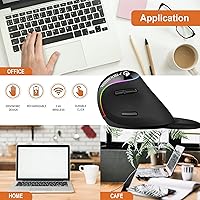
This ergonomic wireless mouse makes the most sense for desk workers and remote employees who spend the bulk of their day mousing through documents, spreadsheets, and browser tabs. People dealing with wrist fatigue or early signs of repetitive strain will appreciate the posture shift this grip encourages — though comfort improvements are user-reported, not a medical guarantee. The plug-and-play USB receiver works across Windows and Mac without any driver installation headaches. It is also a sensible first step for anyone curious about vertical mice but not ready to spend heavily on the category. Left-handed users should look elsewhere, as the shape is strictly right-hand only.

User Feedback

The most consistent thing buyers mention is that switching to this vertical mouse brought noticeable wrist relief within the first week — a pattern showing up across many reviews. Build quality gets a more mixed reception: the plastic construction feels functional rather than premium, and a few users found the scroll wheel a bit stiff. The palm rest, while a nice inclusion, occasionally detaches mid-use for some buyers. Thumb button placement works well for average-sized hands but can feel awkward for larger ones. Battery life generally earns solid marks. Left-handed users are a non-starter here, as the shape offers no ambidextrous accommodation whatsoever.

Pros

  • The vertical handshake grip noticeably reduces wrist pronation during long desk sessions, according to consistent user feedback.
  • A built-in rechargeable battery eliminates the ongoing cost and hassle of buying replacement AAs.
  • Plug-and-play USB setup works instantly on both Windows and Mac with no driver installation needed.
  • The detachable palm rest adds real cushioning without permanently changing the mouse footprint.
  • Four switchable DPI levels cover everything from careful spreadsheet work to faster general navigation.
  • Back and forward thumb buttons become a genuine workflow convenience once you adapt to their placement.
  • Three automatic power-saving modes extend battery life passively, requiring no manual management from the user.
  • A one-year warranty and lifetime US-based technical support back the purchase at no extra cost.
  • At its price tier, the feature set — wireless, rechargeable, ergonomic, with thumb buttons — is genuinely hard to match.

Cons

  • The scroll wheel feels noticeably stiff and lacks the smooth, damped action found on mid-range mice.
  • The palm rest attachment is not secure enough, occasionally detaching during faster wrist movements mid-session.
  • Build materials feel budget-grade, and the outer shell picks up scuffs and minor marks over time.
  • No bundled software means button remapping requires hunting for and configuring third-party applications.
  • Thumb button placement does not scale well for larger hands, requiring an uncomfortable stretch to reach.
  • Charging takes the mouse offline temporarily, as there is no option to use it while plugged in.
  • Optical tracking becomes unreliable on metallic or highly reflective surfaces, limiting surface flexibility.
  • Support is only available on weekdays during business hours, leaving weekend issues unresolved until Monday.
  • The right-hand-only design is a hard stop for left-handed users with no ergonomic accommodation whatsoever.

Ratings

Our AI-generated scores for the J-Tech Digital V638 are produced by systematically analyzing verified global buyer reviews, with spam, bot submissions, and incentivized feedback actively filtered out before any scoring takes place. The result is an honest, balanced snapshot of what real users experience day-to-day — strengths and frustrations alike, weighted fairly across thousands of data points.

Ergonomic Comfort
83%
The vertical grip angle consistently earns praise from users who made the switch after months of wrist discomfort. Many report that within the first week or two, the ache that crept in during long work sessions noticeably diminished — not a cure, but a meaningful shift in daily comfort.
Users with larger hands occasionally find the grip size a touch compact, requiring a slight adjustment period. A handful of reviewers noted the handshake angle felt awkward at first, especially for those coming from decades of using a flat mouse.
Build Quality
61%
39%
For a mouse at this price point, the construction holds up reasonably well under daily office use. The buttons feel responsive enough, and the overall shell does not flex or creak in a way that would feel immediately cheap.
The plastic finish and overall material weight make it clear this is not a premium-tier device. Several buyers mentioned the scroll wheel feels stiffer than expected and that the housing shows minor scuff marks after a few months of regular desk use.
Palm Rest Design
72%
28%
The detachable palm rest is a genuine differentiator at this price, providing extra cushioning that reduces drag across a desk surface. Users who keep it attached report that the non-skid base keeps things stable during longer mousing sessions.
The attachment mechanism is not especially secure — a recurring complaint involves the palm rest detaching mid-session during quicker wrist movements. A few users simply stopped using it rather than deal with the interruption.
Wireless Performance
78%
22%
The 2.4GHz USB receiver delivers a connection that is stable and low-latency enough for office tasks, web browsing, and document editing. Users routinely note they can work from a comfortable arm's length without dropouts interfering.
This is not a mouse built for precision at range or use in RF-congested environments. A small number of reviewers experienced occasional micro-stutters in open-plan offices with many competing wireless devices nearby.
Battery Life
81%
19%
The built-in rechargeable battery earns consistent praise for lasting through several full workdays before needing a top-up. The three automatic power-saving modes do their job quietly in the background, and most users simply charge it over a weekend without any anxiety about mid-week power drops.
Charging requires plugging in a cable, which means the mouse is temporarily wired and stationary during that window. A few buyers wished the charging port were more conveniently positioned so they could continue using it while connected.
DPI & Cursor Control
69%
31%
The four DPI steps — 800 through 3200 — cover the full range an office user realistically needs. Dropping to 800 for fine spreadsheet work or bumping to 1600 for faster screen navigation works as advertised, and switching between them is quick.
The 3200 DPI ceiling rules this mouse out for any competitive gaming or precision creative work. Reviewers who tried it for photo editing found the tracking a bit loose at higher sensitivity settings on certain surface types.
Thumb Button Usability
74%
26%
Back and forward thumb buttons get quietly appreciative mentions from users who rely on browser navigation throughout the workday. After a short adjustment period, most right-handed users find the placement intuitive enough to use without looking.
Hand size plays a significant role here. Buyers with larger palms reported stretching uncomfortably to reach the buttons, while those with smaller hands found placement nearly perfect. There is no adjustability to compensate for this.
Setup & Compatibility
88%
Plug-and-play setup is exactly what users experience — insert the USB dongle, and the mouse is ready within seconds on both Windows and Mac. No driver installation, no software headaches, and no compatibility surprises across operating systems.
There is no dedicated software bundled for reassigning buttons or tweaking DPI curves, which limits customization for power users. Button remapping requires third-party tools, which adds friction for less tech-savvy buyers.
Value for Money
84%
At its price point, this ergonomic wireless mouse delivers a feature set — vertical grip, detachable palm rest, rechargeable battery, thumb buttons — that would cost significantly more from established ergonomic brands. For first-time vertical mouse buyers, the trade-off feels fair.
The build quality and scroll wheel feel do remind you of the price. Buyers who stick with it long-term sometimes find themselves wanting to upgrade, suggesting it functions better as a starting point than a permanent workstation fixture.
Weight & Portability
76%
24%
Coming in under an ounce, this vertical mouse is lighter than many people expect, which reduces fatigue during extended sessions. The compact USB receiver tucks away easily, making it a workable travel companion for remote workers on the go.
The lightweight construction is partly a function of thin plastics rather than engineering precision, which can affect how grounded the mouse feels on the desk. Some users prefer a little more heft for a sense of control.
Scroll Wheel Feel
57%
43%
The scroll wheel is functional and gets the basic job done for document navigation and web browsing. Most users adapt to it without much complaint when their expectations are calibrated to an entry-level device.
This is one of the most frequently mentioned weak spots across buyer reviews. The wheel feels noticeably stiff and lacks the smooth, well-damped roll that mid-range and premium mice offer, which becomes more apparent during longer scrolling sessions.
Left-Hand Accessibility
18%
82%
There is nothing to note here in terms of positive feedback — the shape is purely designed for right-handed use, and the ergonomic contouring makes that immediately clear upon picking it up.
Left-handed users have no viable path with this mouse. The vertical shape and thumb button placement are built entirely around a right-hand grip, and no amount of adaptation changes that. It is a firm dealbreaker for a portion of the potential audience.
Optical Tracking Accuracy
71%
29%
On standard desk surfaces and mousepads, the optical sensor tracks reliably enough for the everyday tasks this mouse is designed for. Users doing email, spreadsheets, and browser work report no meaningful accuracy complaints.
The sensor struggles on highly reflective or metallic surfaces, which the product itself acknowledges. Precision-demanding tasks like vector illustration or fine photo retouching expose the sensor's limitations at the edges of its range.
After-Sales Support
79%
21%
J-Tech Digital backs this mouse with a one-year warranty and lifetime US-based technical support, which is a meaningful commitment at this price tier. Several buyers noted that their support inquiries were handled promptly and without pushback.
Support hours are limited to weekday business hours, which means weekend issues go unaddressed until Monday. A small number of reviewers also reported the warranty replacement process required more back-and-forth than they expected for a straightforward hardware fault.

Suitable for:

The J-Tech Digital V638 is built for right-handed desk workers who spend most of their day navigating documents, spreadsheets, and browser tabs and have started noticing wrist fatigue or discomfort creeping in by mid-afternoon. If you work from home or in an office and your current flat mouse has been leaving your forearm feeling strained, the vertical grip angle this mouse encourages can make a genuine difference in day-to-day comfort — not as a medical fix, but as a more natural resting posture for your hand. It is also a smart pick for anyone curious about ergonomic peripherals but reluctant to spend heavily on a first experiment, since the price makes the learning curve feel low-risk. Mac and Windows users alike will appreciate the zero-fuss plug-and-play setup — no drivers, no software installs, just a USB dongle and you are working. Those who find disposable battery management annoying will also welcome the built-in rechargeable cell, which holds up well through several full workdays between charges.

Not suitable for:

Left-handed users should stop reading here — the shape of this ergonomic wireless mouse is designed exclusively around a right-hand grip, and there is no workaround for that. If you are a graphic designer, photo editor, or anyone who demands precise cursor control and smooth, well-weighted scrolling, the scroll wheel and optical sensor on the V638 are not going to meet your standards. Competitive gamers and power users chasing ultra-low latency or high-precision tracking will also find this mouse undersized for their needs, as the 3200 DPI ceiling and basic wireless tech are calibrated for office productivity, not performance. People with larger hands may find the grip dimensions a bit compact for comfortable all-day use, and those who expect premium build quality — solid plastics, a damped scroll wheel, a satisfying click — will notice the budget-tier construction fairly quickly. Finally, anyone working primarily on metallic or highly reflective surfaces should know the optical sensor can be inconsistent on those materials.

Specifications

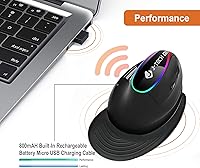
  • Connectivity: The mouse uses a 2.4GHz wireless connection via a compact USB receiver that plugs directly into any available USB port on your computer.
  • Battery: A built-in lithium-ion rechargeable battery powers the mouse, eliminating the need for disposable AA or AAA batteries.
  • DPI Settings: Four sensitivity levels are available — 800, 1200, 1600, and 3200 DPI — switchable on the fly using the dedicated DPI button.
  • Grip Style: The mouse uses a vertical handshake ergonomic design that keeps the forearm in a more neutral, upright position during use.
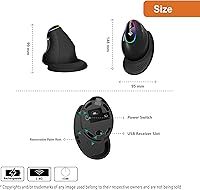
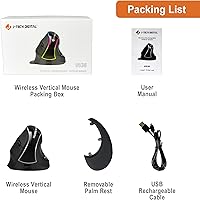
  • Palm Rest: A detachable, non-skid, anti-sweat palm rest is included and can be attached or removed depending on user preference.
  • Thumb Buttons: Two programmable thumb buttons provide back and forward navigation out of the box, with third-party software enabling reassignment.
  • Tracking: An optical sensor handles movement detection and works reliably on most standard non-metallic surfaces including fabric mousepads and wood desktops.
  • Dimensions: The mouse measures 5.83 x 3.74 x 3.90 inches, sized for a right-handed adult grip in a standard office setting.
  • Weight: The mouse weighs approximately 0.67 ounces, making it one of the lighter vertical mice available at this price tier.
  • OS Compatibility: Compatible operating systems include Windows XP, Vista, 7, 8, and 10, as well as Linux and Mac OS, with no driver installation required.
  • Power Saving: Three automatic power-saving modes activate progressively during periods of inactivity to conserve battery charge without requiring manual input.
  • Handedness: The ergonomic shape is designed exclusively for right-handed users; there is no left-handed or ambidextrous version of this model.
  • Signal Range: The 2.4GHz wireless connection supports 360-degree signal reception, providing freedom of movement within a standard desktop working range.
  • Surface Support: The optical sensor functions correctly on most non-metallic surfaces but may produce inconsistent tracking on highly reflective or metallic materials.
  • Warranty: A one-year manufacturer warranty is included, covering hardware defects under normal use conditions.
  • Technical Support: J-Tech Digital provides free lifetime technical support through a US-based customer support team, available Monday through Friday, 9AM to 6PM CST.
  • Charging: The built-in battery charges via a cable connection, during which the mouse is stationary and temporarily unavailable for wireless use.
  • Receiver Type: The included USB nano receiver is small enough to remain plugged into a laptop port during travel without protruding significantly.

Related Reviews
J-Tech Digital 4K HDBaseT HDMI Extender
84%
91%
Range and Signal Stability
88%
Ease of Installation
90%
4K Video Quality
70%
Compatibility with Devices
86%
Durability and Build Quality
More
J-Tech Digital 4K USB KVM HDMI Extender
85%
89%
Performance
93%
Ease of Installation
88%
Long-Distance Signal Quality
60%
USB Port Compatibility
91%
Video Resolution
More
J-Tech Digital Wireless HDMI Extender 1X2 (JTECH-WEX200V3)
85%
91%
Value for Money
95%
Setup & Installation
88%
Signal Strength
92%
Latency for Video Playback
80%
Range Performance
More
J-Tech Digital JTECH-MV41A 4x1 HDMI Multi-Viewer
77%
88%
Display Mode Versatility
91%
Switching Performance
83%
4K Resolution Handling
74%
Audio Extraction
86%
Build Quality
More
Tiny Tech 64GB Digital Voice Recorder
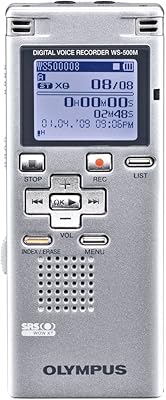
84%
82%
Voice Activation Accuracy
88%
Battery Life
94%
Portability/Size
84%
Audio Quality
90%
Ease of Use
More
OM Digital Solutions WS-500 Digital Voice Recorder
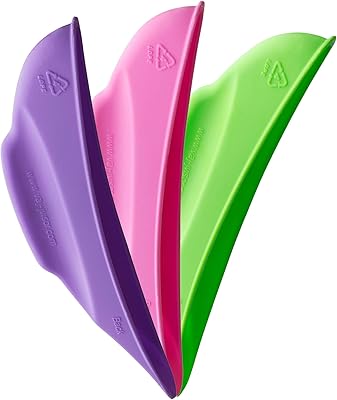
81%
94%
Battery Life
91%
Ease of Use
78%
Sound Quality
96%
Recording Time
85%
Portability
More
VA J-J Visor Women’s Intimate Area Protection Shield
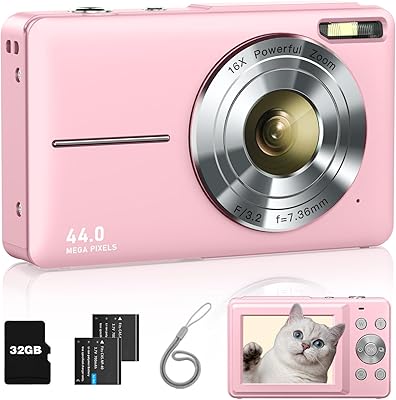
86%
89%
Comfort & Fit
93%
Privacy Protection
84%
Ease of Use
91%
Eco-Friendliness
90%
Durability & Reusability
More
PRUNUS J-110 Radio
PRUNUS J-110 Radio
83%
89%
Reception Quality
83%
Battery Life
74%
Sound Quality
92%
Ease of Use
88%
Build Quality
More
QFX J-220BT Boombox
QFX J-220BT Boombox
82%
87%
Bluetooth Performance
91%
Portability
65%
Sound Quality
82%
Build Quality
80%
Battery Life
More
Jexylon CA06 Digital Camera
81%
92%
Value for Money
85%
Image Quality (48MP Stills)
81%
Video Quality (2.7K Resolution)
88%
Ease of Use
78%
Build Quality
More

FAQ

It is fully plug-and-play. Just insert the USB receiver into an open port on your Windows or Mac computer and the mouse is ready to use within seconds — no software downloads or driver installations needed.

Most users get through several full workdays before needing to recharge. The three automatic power-saving modes help stretch the battery life by reducing power draw during idle periods, so if you step away from your desk regularly, you will likely get even more use per charge.

Unfortunately, no. The vertical shape and thumb button placement are built entirely around a right-handed grip, and the ergonomic contouring makes left-handed use genuinely uncomfortable. Left-handed users should look for a dedicated ambidextrous or left-handed vertical mouse instead.

The palm rest adds a nice cushioning layer for most users, and the non-skid base helps keep things stable during normal mousing. That said, a recurring complaint is that the attachment mechanism is not the most secure — some users find it pops off during quicker wrist movements, and a few just set it aside entirely.

Yes, it is compatible with Mac OS and connects instantly through the USB receiver with no additional configuration. The J-Tech Digital V638 works across both Windows and Mac in the same plug-and-play fashion, which is one of its more practical everyday strengths.

The buttons are set to browser back and forward navigation by default, which covers most everyday needs. If you want to reassign them to different functions, you can do that using third-party software — there is no proprietary J-Tech application included in the package.

It is designed for office productivity, not gaming. The 3200 DPI ceiling is fine for everyday computer tasks, but the tracking, latency, and build are not calibrated for fast-paced games. If gaming is your priority, you would want to look at a mouse built specifically for that purpose.

There is a DPI button on the mouse that cycles through the four settings — 800, 1200, 1600, and 3200. Many users simply try each level briefly until the cursor speed feels right for the task at hand, whether that is careful editing work or general browsing.

It tracks well on standard mousepads, wood desks, and similar non-metallic surfaces. Where it runs into trouble is on highly polished or reflective materials — glossy desks and metal surfaces can cause the sensor to skip or stutter, so a basic fabric mousepad is a safe bet if you want consistent performance.

For most people, yes — usually a few days to a week. The vertical grip angle feels unusual at first if you have spent years using a traditional flat mouse, but the majority of users report settling in comfortably after a short adaptation period. Some find the scroll wheel stiffness takes longer to get used to than the grip itself.