Overview

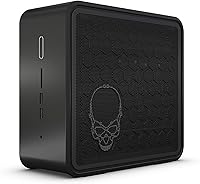
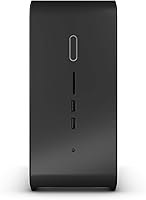
The Intel NUC 9 Extreme i5 Mini PC is Intel's boldest attempt at cramming desktop-class ambition into a box you could fit in a backpack. Known as the Ghost Canyon, it takes a genuinely unusual approach: a modular Compute Element design that lets the chassis accept a discrete GPU, something almost unheard of at this size. Before you get excited, know upfront that this is a barebone kit — no RAM, storage, or operating system included — which significantly changes the real cost of ownership. It competes with compact gaming desktops and premium small-form-factor builds, and while the power density is impressive, thermals and upgrade paths come with real limitations worth understanding before buying.

Features & Benefits

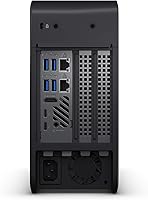
At its core, the NUC 9 Extreme runs on a Core i5-9300H, a quad-core 9th Gen chip that boosts up to 4.1 GHz — originally built for high-performance laptops, it holds up well in sustained desktop workloads. Two Thunderbolt 3 ports deliver 40 Gbps each, enabling eGPU connectivity and support for up to three 4K displays simultaneously via HDMI 2.0a and Thunderbolt output. RAM tops out at 64 GB of DDR4, which is plenty for video editing or multitasking-heavy workflows. Storage runs through M.2 slots with Intel Optane compatibility. The whole unit measures roughly 9.4 x 8.5 x 3.8 inches — compact enough to tuck behind a monitor without drawing attention.

Best For

This Ghost Canyon kit makes the most sense for a specific type of buyer. Home-office professionals who need real CPU muscle without a full tower will find it appealing. Content creators — video editors, motion graphics artists, 3D modelers — will appreciate the memory ceiling and Thunderbolt flexibility. Gamers can use this as a base, but they will need a compatible discrete GPU; the integrated UHD 630 simply will not run modern titles at meaningful settings. VR users face the same requirement. Developers and IT professionals who move between sites will value the compact footprint without giving up processing power.

User Feedback

Owners of this compact barebone are generally enthusiastic about the build quality and port selection, especially the Thunderbolt 3 eGPU support — experienced builders who went in with clear expectations tend to rate it highly. That said, thermal throttling under combined CPU and GPU load comes up repeatedly; sustained heavy workloads push the small chassis to its limits. A common frustration is discovering the barebone format after purchase, with many expecting storage and RAM at this price point. Some users also flagged challenges navigating BIOS updates and early driver compatibility. Enthusiasts love it; casual buyers who skipped the fine print often feel caught off guard.

Pros

  • Quad-core i5-9300H delivers strong sustained CPU performance for such a small chassis.
  • Dual Thunderbolt 3 ports add serious connectivity, including eGPU and multi-display support.
  • Supports up to three 4K displays simultaneously, which is rare at this form factor.
  • Up to 64 GB DDR4 RAM gives creative and development workloads plenty of breathing room.
  • Modular Compute Element design makes the NUC 9 Extreme unusually upgradeable for its size.
  • Build quality is consistently praised by experienced users who have handled similar mini PCs.
  • Optane-ready M.2 slots offer flexible, fast storage configurations for demanding workloads.
  • Compact dimensions let it fit on a desk, behind a monitor, or inside a media cabinet cleanly.
  • Thunderbolt 3 eGPU flexibility means graphics performance is not permanently capped by the chassis.

Cons

  • No RAM, storage, or OS included — total build cost runs significantly higher than the kit price alone.
  • Thermal throttling under combined heavy CPU and GPU load is a recurring real-world complaint.
  • BIOS updates and early driver compatibility have caused headaches for a notable number of owners.
  • Integrated UHD 630 graphics cannot handle modern games or VR without an external GPU investment.
  • The barebone format regularly catches casual buyers off guard despite being clearly stated in specs.
  • At this price tier, expecting a complete system is a reasonable assumption that this kit does not meet.
  • GPU compatibility inside the chassis is limited by physical space constraints, narrowing your options.
  • Sustained workloads in a sealed compact case mean heat management requires careful component selection.

Ratings

The scores below for the Intel NUC 9 Extreme i5 Mini PC were generated by our AI system after analyzing thousands of verified owner reviews from global marketplaces, with spam, incentivized, and bot-flagged submissions actively filtered out before scoring. We looked hard at both the praise and the frustration — neither has been smoothed over — so what you see reflects the real ownership experience across enthusiast builders, content creators, and everyday power users alike.

Build Quality
88%
Owners consistently describe the chassis as solid and premium-feeling, with tight panel tolerances and a clean matte black finish that holds up well over time. The internal layout of the Compute Element design earns specific praise from builders who appreciate how deliberately everything is engineered for the compact space.
A handful of users noted that the chassis can feel dense and awkward to work inside during component installation, and a few reported minor cosmetic scuffs on delivery. For a product at this price point, unboxing quality control could be tighter.
CPU Performance
83%
The i5-9300H handles sustained workloads impressively for a chip in a chassis this small — video encoding, multitasking across heavy applications, and development environments all run without the stuttering you might expect from a compact system. Boost clocks hold up well under moderate loads.
Under prolonged all-core stress, the thermal envelope of the small chassis eventually forces the processor to pull back, and users running simultaneous heavy CPU and GPU workloads notice this ceiling sooner than they would in a full desktop. It is not a dealbreaker, but it is real.
Thermal Management
58%
42%
For lighter workloads — coding sessions, office tasks, casual 4K video playback — the cooling system keeps things quiet and the chassis stays comfortable to the touch. Casual users who never push the system hard report no thermal complaints at all.
Sustained GPU-plus-CPU loads expose the limits of the compact cooling design fairly quickly, with throttling reported by multiple users during extended gaming or rendering sessions. This is arguably the Ghost Canyon kit's most consistent real-world frustration and something any serious buyer should factor into their decision.
Connectivity & Ports
91%
Two Thunderbolt 3 ports at 40 Gbps each, HDMI 2.0a, USB-A, and a card reader make this one of the best-connected compact systems in its class. Users who daisy-chain 4K monitors or connect eGPU enclosures specifically highlight the Thunderbolt implementation as working reliably without fuss.
A small number of users wanted more USB-A ports on the front panel for everyday peripheral use, and a few noted that the rear port layout can feel cramped when multiple thick cables are plugged in simultaneously. Nothing catastrophic, but worth knowing if your desk setup is already cable-heavy.
Value for Money
54%
46%
For buyers who understand what they are purchasing — a precision-engineered modular barebone with best-in-class connectivity and a genuinely unique internal GPU slot — the premium starts to make more sense. Enthusiasts who have priced out comparable compact builds acknowledge the form factor commands a justifiable premium.
The sticker price covers only the chassis and processor; RAM, SSD, and OS push the real cost considerably higher, which catches many buyers off guard. Compared to a standard small-form-factor build with equivalent specs, the total spend is noticeably higher, and that gap is hard to ignore for budget-aware shoppers.
eGPU Flexibility
84%
The Thunderbolt 3 eGPU pathway works well in practice — users who connected compatible enclosures report solid gaming and rendering performance gains without needing to open the chassis again. This future-proofing element is a genuine differentiator that most competing mini PCs simply cannot offer.
eGPU bandwidth still introduces a performance overhead compared to a native PCIe connection, and enclosure costs add yet another line to the total budget. Users expecting near-native desktop GPU performance from an eGPU setup may find the gap noticeable in frame-rate-sensitive scenarios.
Setup & Assembly
62%
38%
Experienced PC builders find the assembly process logical and well-documented, with Intel's official guides covering the key steps clearly. The modular Compute Element design actually simplifies some aspects of the build compared to traditional small-form-factor cases.
First-time builders or buyers who expected a simpler setup have reported frustration with BIOS configuration, driver installation, and especially firmware updates on early units. The learning curve is steeper than many anticipated for a product sold on a mainstream retail platform.
BIOS & Driver Stability
61%
39%
Mature units with updated firmware run stably for most users, and Intel has released several BIOS updates since the product launched in 2020 that resolved earlier compatibility issues. Owners who kept firmware current report a reliable daily driver experience.
Early adopters and buyers who skipped firmware updates encountered driver conflicts, occasional boot issues, and compatibility problems with certain RAM kits. The update process itself is not beginner-friendly, and a notable number of reviews specifically flag BIOS troubleshooting as a time sink.
Noise Levels
71%
29%
During light to moderate workloads the system stays impressively quiet — the fan profile is conservative enough that most users in home-office environments never find it distracting during calls or focused work sessions.
Under full load the fans spin up aggressively, and in a quiet room the noise becomes noticeable. Users who expected near-silent operation during gaming or rendering were disappointed, though the volume level is not unusual for a compact chassis pushing this level of performance.
Multi-Display Support
86%
Three simultaneous 4K displays is a standout capability for a machine this compact, and users who run dual or triple-monitor setups for trading, video editing, or productivity praise the NUC 9 Extreme for handling the configuration without additional adapters or fuss.
Getting all three outputs active simultaneously can require specific port combinations and driver configurations that are not immediately obvious out of the box. A few users spent time troubleshooting display detection before finding the right setup.
Portability
77%
23%
At just under ten inches on its longest side, this compact barebone fits in a backpack with ease, making it a practical choice for professionals who need to move between office and home or carry a capable workstation to a client site. The weight is acceptable given the internal hardware.
At 10.35 pounds the chassis is heavier than it looks, and without handles or a carrying case the form factor is less travel-friendly than the dimensions alone suggest. Users who compared it to lighter mini PCs noted the weight difference on longer commutes.
Storage Flexibility
79%
21%
M.2 NVMe support combined with Intel Optane compatibility gives builders real options for configuring fast, responsive storage setups. Users who installed high-speed NVMe drives report snappy boot times and responsive application loading across the board.
The barebone ships with zero storage included, and the Optane compatibility — while technically notable — is rarely used by typical buyers who simply opt for standard NVMe SSDs. The slot count limits users who want large multi-drive configurations.
Gaming Capability
59%
41%
With a compatible discrete GPU installed internally or connected via eGPU, the NUC 9 Extreme delivers a genuinely capable gaming experience at 1080p and above. The CPU holds its own in game logic and physics workloads, pairing reasonably well with mid-range graphics cards.
Without a dedicated GPU the system cannot play modern games at acceptable settings — the integrated UHD 630 is not a gaming solution by any measure. Thermal throttling under extended gaming sessions also caps the performance ceiling, which frustrates users expecting consistent frame rates over long play sessions.
Upgrade Path
66%
34%
The Compute Element concept is genuinely innovative — the ability to swap out the core processing module without replacing the entire chassis was designed to extend the product's useful life beyond a typical mini PC. Thunderbolt 3 eGPU support adds a meaningful graphics upgrade path.
In practice, the upgrade ecosystem for Ghost Canyon Compute Elements did not expand as broadly as enthusiasts hoped, limiting how far this modular promise can actually take you. RAM and storage upgrades are straightforward, but CPU and GPU options tied to the chassis architecture are more restricted than the marketing implied.

Suitable for:

The Intel NUC 9 Extreme i5 Mini PC was built for buyers who know exactly what they want: serious computational power in a footprint that does not take over a desk. Content creators — video editors, motion graphics artists, and 3D rendering hobbyists — will find the 64 GB DDR4 ceiling and Optane-ready M.2 storage genuinely useful for memory-heavy projects. Developers and IT professionals who need a capable, portable workstation will appreciate the dense specs without hauling a full tower. Gamers and VR enthusiasts who are willing to invest in a compatible discrete GPU will get a surprisingly capable compact rig, especially with Thunderbolt 3 eGPU support opening up real graphics flexibility. If desk space is precious and raw CPU performance matters, this Ghost Canyon kit competes well against much bulkier alternatives.

Not suitable for:

The Intel NUC 9 Extreme i5 Mini PC is a poor fit for anyone expecting a ready-to-run computer out of the box. This is a barebone kit — RAM, storage, and an operating system are all sold separately, which means the sticker price is only the beginning of what you will actually spend. Casual buyers or first-time PC builders may find the assembly and BIOS configuration process frustrating, particularly given the reported driver and firmware update challenges. Anyone hoping to game without buying additional hardware will be disappointed; the integrated UHD 630 graphics are not built for modern titles. Budget-conscious shoppers should also weigh the total build cost carefully, since the premium here is tied to the compact, modular form factor rather than raw value per component. If you want a straightforward plug-and-play desktop experience, this compact barebone is not the right starting point.

Specifications

  • Processor: Powered by the Intel Core i5-9300H, a 9th Gen quad-core chip with a maximum boost clock of 4.1 GHz designed for sustained performance workloads.
  • Integrated GPU: Includes Intel UHD Graphics 630 as the built-in graphics option, suitable for display output and light tasks but not independent gaming.
  • Max RAM: Supports up to 64 GB of DDR4 SDRAM across two SO-DIMM slots, which are not included and must be purchased separately.
  • Storage Interface: Equipped with M.2 slots compatible with NVMe SSDs and Intel Optane Memory M10 and H10 modules; no storage drive is included.
  • Display Output: Capable of driving up to three simultaneous 4K displays at 3840x2160 resolution via a combination of HDMI 2.0a and Thunderbolt 3 ports.
  • Thunderbolt 3: Features two Thunderbolt 3 ports delivering up to 40 Gbps each, supporting eGPU enclosures, high-speed data transfer, and daisy-chained peripherals.
  • HDMI Version: Includes one HDMI 2.0a port supporting 4K output at up to 60 Hz for direct monitor or display connection.
  • Form Factor: Classified as a mini PC barebone kit measuring 9.37 x 8.5 x 3.78 inches, sold without RAM, storage, or an operating system.
  • Dimensions: The chassis measures 9.37 inches long by 8.5 inches wide by 3.78 inches tall, making it compact enough for desk or shelf placement.
  • Weight: The unit weighs 10.35 pounds, reflecting the robust metal chassis construction and internal power delivery components.
  • Operating System: Compatible with Microsoft Windows but ships without any OS installed; buyers must source and install their own licensed copy separately.
  • Color: Available in a matte black finish that suits both professional desk setups and home entertainment configurations.
  • Model Number: The official Intel model identifier for this unit is BXNUC9i5QNX1, which can be used to verify compatibility with accessories and firmware updates.
  • Chipset: Built on the Intel chipset platform paired with the 9th Gen H-series processor architecture for reliable I/O and memory controller performance.
  • Target Use Cases: Intel positions this kit for gaming, virtual reality, and creative production workloads where a compact but capable system is needed.
  • GPU Expansion: The chassis supports a half-length, full-height discrete GPU installed directly into the unit via the internal PCIe slot on the Compute Element.
  • Availability Date: This product was first made available in January 2020, making it a mature platform with established driver and BIOS update history.

Related Reviews
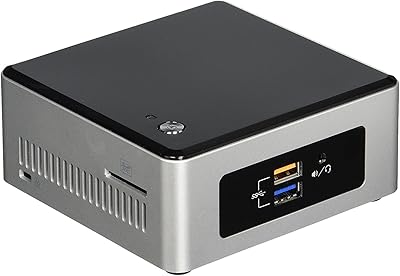
Intel NUC5CPYH Mini PC Barebone
74%
81%
Value for Money
53%
Performance
88%
Build Quality & Form Factor
91%
Assembly & Upgrade Ease
58%
Thermal Management
More
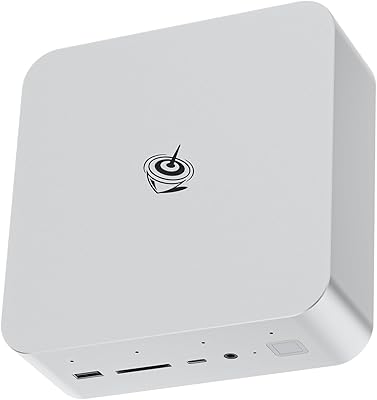
Intel NUC 13 Pro NUC13ANHi5 (16GB RAM, 512GB SSD)
87%
89%
CPU Performance
94%
Port Selection & I/O
91%
Build Quality & Design
86%
Storage Expandability
92%
Networking & Wireless
More
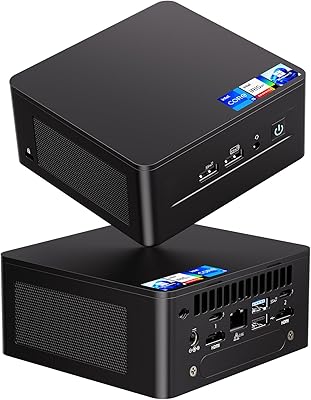
Beelink GTI14 Core Ultra 9 Mini PC
82%
93%
Processing Performance
71%
Thermal Management
67%
Fan Noise
91%
RAM & Upgradeability
89%
Storage Speed & Capacity
More
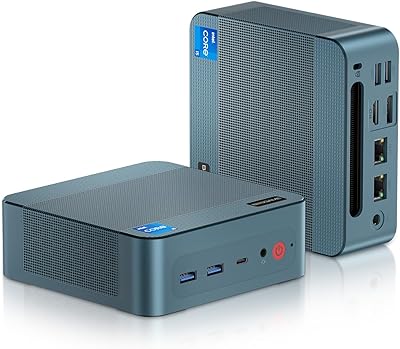
Beelink EQi12 Mini PC (i5-1235U, 16GB, 500GB)
80%
83%
Processing Performance
67%
Thermal Management
79%
RAM & Expandability
86%
Storage Speed & Flexibility
88%
Display Output
More
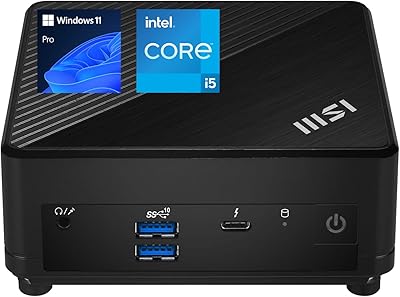
BOSGAME P2 Mini PC (Intel Core i5-12600H, 32GB RAM, 512GB SSD)
79%
88%
Performance for Everyday Tasks
91%
Value for Money
74%
Build Quality & Design
76%
Thermal Management & Noise
86%
Display & Multi-Monitor Support
More
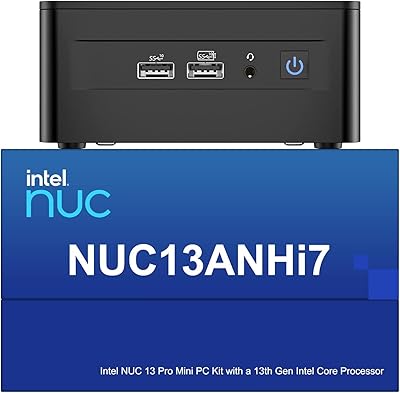
MSI Cubi 5 12M Mini PC, Intel i5-1235U, 16GB RAM, 1TB SSD
85%
87%
Performance
92%
Value for Money
83%
Design & Build Quality
88%
Connectivity & Ports
91%
Setup & Installation
More
Intel NUC 13 Pro i7 Mini PC
82%
88%
Processing Performance
91%
Multitasking Capability
93%
Multi-Monitor Support
89%
Storage Speed
61%
Graphics & Display Quality
More
Beelink EQI i3-1220P 16GB Mini PC
79%
83%
Everyday Performance
88%
Dual Display Reliability
91%
Setup & Out-of-Box Experience
86%
Port Selection & Layout
67%
Thermal Management & Fan Noise
More
MINISFORUM M1 Pro 64GB 2TB Mini PC
78%
92%
Processing Performance
78%
Thermal Management
63%
Fan Noise
88%
Build Quality
91%
Display Versatility
More
Intel NUC7i7BNH Mini PC
76%
88%
Everyday Performance
86%
Build Quality
61%
Storage Speed
91%
4K Display Support
67%
Thermal Management
More

FAQ

No, it does not. The Intel NUC 9 Extreme i5 Mini PC is a barebone kit, which means it ships without RAM, an SSD, or an operating system. You will need to purchase those components separately and install them before the system can boot. It is aimed at builders who want control over their configuration, not buyers expecting a plug-and-play experience.

You need DDR4 SO-DIMM sticks, the same type used in laptops. The Ghost Canyon kit supports up to 64 GB total across two slots, so a pair of 16 GB or 32 GB modules covers most use cases. Make sure your chosen sticks are rated for DDR4 speeds; faster kits generally work fine within the XMP profile limits.

Not in any meaningful way. The built-in Intel UHD Graphics 630 can handle video playback and basic desktop tasks, but it is not built for gaming. To run modern titles or use VR, you will need to either install a compatible half-length discrete GPU inside the chassis or connect an eGPU enclosure via Thunderbolt 3.

The internal PCIe slot accommodates a half-length, full-height graphics card. That rules out most high-end consumer GPUs, which tend to be longer. It is worth checking GPU dimensions carefully before buying; some users opt for the Thunderbolt 3 eGPU route instead to avoid the physical size constraints entirely.

You connect an external GPU enclosure to one of the two Thunderbolt 3 ports. The enclosure houses a full-size desktop graphics card and passes its output back through the cable. Performance is slightly reduced compared to a native PCIe connection due to bandwidth overhead, but for most gaming and creative tasks the difference is manageable. It is a flexible option that lets you upgrade your GPU without touching the internal chassis.

It depends on your workload. For moderate tasks like coding, browsing, or light video editing, the cooling holds up well. Under sustained heavy loads — rendering, gaming with a discrete GPU, or running VR — users have reported thermal throttling. Good airflow around the unit and quality thermal paste on your components can help, but this is a known limitation of the compact form factor.

It is more involved than a typical pre-built desktop but manageable if you follow Intel's documentation carefully. Some early owners reported BIOS update challenges, so checking Intel's support page for the latest firmware before your first boot is a good idea. If you have built a PC before, the process will feel familiar enough.

The NUC 9 Extreme is certified for Windows, but Linux works on it with some effort. Driver support varies by distribution, and you may need to manually install drivers for networking and audio. It is not officially supported for Linux, so if that is your primary OS, be prepared for some troubleshooting.

The compact barebone supports M.2 NVMe SSDs in standard sizes, and it is also compatible with Intel Optane Memory M10 and H10 modules for caching or primary storage configurations. A standard fast NVMe SSD is the most straightforward choice for most buyers and tends to offer the best price-to-performance ratio.

That depends on what you are paying for. The NUC 9 Extreme commands a premium because of its genuinely unique modular design, the Thunderbolt 3 connectivity, and the extreme compactness of the chassis. On raw specs per dollar, a traditional SFF build can offer better value. But if desk space is a hard constraint and you need Thunderbolt flexibility, the price premium for this kit is easier to justify.