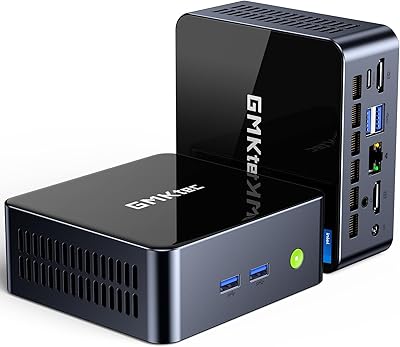
Intel NUC 13 Pro i7 Mini PC
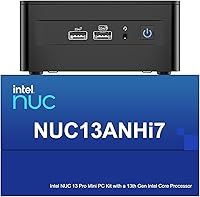

Overview
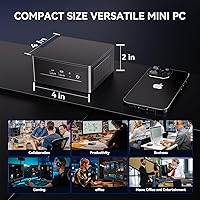
The Intel NUC 13 Pro i7 Mini PC is the kind of machine that makes you question why anyone still buys a full-size tower for office work. Measuring just 4.6 x 4.4 x 2 inches, it sits comfortably behind a monitor or on a shelf, yet punches well above its weight on actual performance. This is an ASUS and Intel co-developed platform, which matters — you are not buying a generic white-label box. That heritage carries real weight when it comes to firmware support, component quality, and long-term reliability. The price sits firmly in premium territory for a mini PC, but the warranty coverage and build pedigree give it genuine justification.
Features & Benefits
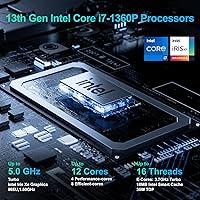
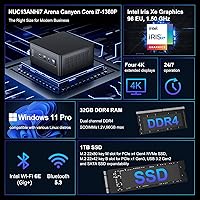
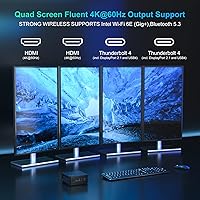
At the heart of this mini PC is Intel's i7-1360P — a 12-core chip split between four performance cores and eight efficiency cores. In practice, that means heavy single-threaded tasks like video calls and spreadsheet work stay snappy, while background processes do not drag things down. The 32GB of dual-channel DDR4 keeps multitasking fluid, and the 1TB Gen4 NVMe drive loads applications near-instantly. What really stands out for desk workers is quad-display support: two HDMI 2.1 ports plus two Thunderbolt 4 outputs let you run four monitors simultaneously. Those Thunderbolt 4 ports also open the door to external GPU enclosures and high-speed storage docks. Rounding things out, Wi-Fi 6E and 2.5GbE ethernet mean you are covered whether wired or wireless.
Best For
The NUC 13 Pro earns its keep most convincingly in multi-monitor office environments. Think stock traders juggling four screens, developers running a coding setup alongside documentation, or accountants who live in spreadsheets all day. It also fits neatly into digital signage and edge compute roles, where stable 24/7 operation and remote management matter more than raw GPU power. Home office workers wanting a quiet, capable machine without sacrificing desk space will find it genuinely satisfying. That said, if your workload leans heavily on 3D rendering or modern gaming titles, this compact desktop will disappoint — the integrated Iris Xe graphics simply cannot compete with a dedicated GPU setup. Know what you need before you buy.
User Feedback
Buyers in office and productivity roles tend to come away satisfied — fast boot times, quiet operation under light-to-moderate loads, and a plug-and-play setup with Windows 11 Pro preinstalled are the most repeated positives. The 3-year warranty through Intel, ASUS, and GEEK+ also surfaces frequently as a confidence factor, especially for business buyers. On the flip side, sustained workloads like long video exports can push the fan noticeably, and the BIOS settings feel unfamiliar to first-time NUC users. A steep learning curve around initial configuration is a real pattern, not an outlier. The integrated GPU ceiling frustrates anyone expecting casual gaming. Overall, satisfaction tracks closely with how well buyers understood the machine before purchasing.
Pros
- Fits in the palm of your hand yet handles serious multitasking without breaking a sweat.
- Quad-display support across four outputs is rare at this form factor and genuinely useful for power users.
- The Gen4 NVMe drive loads applications and large files at speeds that make traditional storage feel archaic.
- 32GB of dual-channel RAM means heavy browser sessions, virtual machines, and dev environments all coexist comfortably.
- Thunderbolt 4 ports open the door to eGPUs, fast docks, and daisy-chained peripherals down the road.
- Wi-Fi 6E and 2.5GbE ethernet future-proof the network side without needing any upgrades.
- Windows 11 Pro is ready out of the box — no activation headaches or OS hunting required.
- The three-year warranty backed by ASUS and Intel is a genuine differentiator over lesser mini PC brands.
- Both RAM and storage are user-upgradeable, so the machine can grow with your needs over time.
- Whisper-quiet under everyday workloads — easy to forget it is even running on your desk.
Cons
- Fan noise becomes noticeable during sustained heavy workloads like long exports or large compilations.
- Integrated graphics hit a hard wall with modern games and GPU-accelerated rendering tasks.
- BIOS navigation has a learning curve that can frustrate buyers new to the NUC platform.
- Premium pricing puts it out of reach for users with modest computing needs who would never use its full capability.
- The secondary M.2 slot is limited to PCIe x1 Gen3 speeds, which bottlenecks faster expansion drives.
- No discrete GPU option in the base configuration means creative professionals must budget extra for an external enclosure.
- The compact chassis leaves very little room for additional internal expansion beyond the two M.2 slots.
- Thermal throttling can occur under prolonged peak loads in warm or poorly ventilated environments.
Ratings
The scores below reflect AI-driven analysis of verified global buyer reviews for the Intel NUC 13 Pro i7 Mini PC, with spam, bot-submitted, and incentivized feedback actively filtered out before scoring. Each category captures both the genuine strengths users praised and the recurring frustrations they reported — nothing has been softened or cherry-picked. This compact desktop earns high marks in several areas but carries real trade-offs that informed buyers deserve to see clearly.
Processing Performance
Multitasking Capability
Multi-Monitor Support
Storage Speed
Graphics & Display Quality
Thermal Management
Noise Level
Connectivity & Ports
Wireless Performance
Build Quality & Design
Setup & Out-of-Box Experience
Value for Money
Warranty & After-Sales Support
Upgradability & Longevity
Suitable for:
The Intel NUC 13 Pro i7 Mini PC was built for people who need real computing muscle but have no interest in a bulky tower sitting under their desk. It is an excellent fit for home office professionals — think analysts, consultants, and developers — who run multiple demanding applications simultaneously and want the reliability of a business-grade platform. Multi-monitor power users will find the quad-display capability alone worth serious consideration, whether that means four screens for a trading setup or a wide coding environment across three displays. Businesses deploying digital signage, edge compute nodes, or unattended kiosks will also benefit from the remote management features and the 24/7 reliability that comes with ASUS and Intel's engineering behind it. Anyone who values a proper warranty program and a known after-sales path — rather than gambling on a generic mini PC brand — will appreciate the three-year coverage that comes with this machine.
Not suitable for:
The Intel NUC 13 Pro i7 Mini PC is not the right call for buyers whose primary use case involves gaming or GPU-heavy creative work. The integrated Intel Iris Xe graphics handle light tasks and even some older titles, but modern games at decent settings, real-time 3D rendering, or heavy GPU-accelerated video encoding will expose its ceiling quickly. Budget-conscious buyers should also think carefully — this compact desktop sits at a premium price point, and if your workload is basic web browsing, email, and light documents, you are paying for headroom you will never use. First-time NUC buyers who are not comfortable navigating BIOS settings or researching memory compatibility may find the initial setup more involved than a pre-built all-in-one. If you need a machine primarily for creative production at scale or immersive gaming, a dedicated GPU system — even a larger one — will serve you far better dollar for dollar.
Specifications
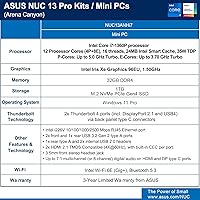
- Processor: Intel Core i7-1360P with 12 cores (4 Performance + 8 Efficiency), 16 threads, and up to 5.0 GHz Turbo frequency.
- CPU Cache: 18MB Intel Smart Cache shared across all cores for faster repeated data access.
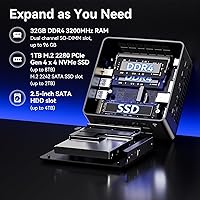
- RAM: 32GB DDR4-3200 installed as two 16GB SODIMMs in dual-channel configuration, upgradeable to a maximum of 64GB.
- Storage: 1TB M.2 2280 PCIe Gen4 x4 NVMe SSD delivering fast sequential read and write speeds for quick application loading.
- Expansion Slot: Secondary M.2 2242 slot supports PCIe x1 Gen3, USB 3.2 Gen2, and SATA drives for additional storage capacity.
- Graphics: Intel Iris Xe integrated graphics with 96 execution units running at up to 1.50 GHz; no discrete GPU included.
- Display Output: Supports up to four simultaneous displays via two HDMI 2.1 ports and two Thunderbolt 4 ports with DisplayPort 2.1.
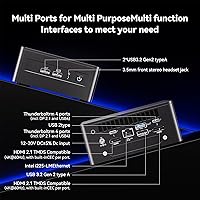
- Thunderbolt 4: Two rear-panel Thunderbolt 4 Type-C ports support USB4, DisplayPort 2.1, up to 40 Gbps data transfer, and eGPU enclosures.
- USB Ports: Three USB 3.2 Gen2 Type-A ports (two front, one rear) plus two internal USB 2.0 headers for additional peripheral connectivity.
- Networking: Intel Wi-Fi 6E (802.11ax, Gig+) with Bluetooth 5.3, plus a dedicated Intel i226V 2.5GbE RJ45 Ethernet port.
- Audio: 3.5mm front stereo headset jack and up to 7.1 multichannel digital audio output via HDMI and Thunderbolt DisplayPort connections.
- Operating System: Windows 11 Pro comes preinstalled and activated, ready for immediate use with full business and security feature support.
- Dimensions: Measures 4.6 x 4.4 x 2 inches (116 x 111 x 51 mm) in the standard 4x4 NUC chassis form factor.
- Weight: The unit weighs approximately 1.41 lbs (640g), making it easy to mount, relocate, or deploy in tight spaces.
- Warranty: Covered by a 3-year global warranty through Intel, ASUS, and the GEEK+ seller program, including RAM, SSD, and OS support.
- Memory Type: Uses standard DDR4 SODIMM modules, making future RAM upgrades straightforward with widely available consumer memory kits.
- Business Software: Intel NUC Pro Software Suite (NPSS) supports remote management, hardware KVM, power scheduling, and cloud-based device control.
- Color & Finish: Ships in a matte black chassis with a clean, professional appearance suited to office or business environments.
Related Reviews
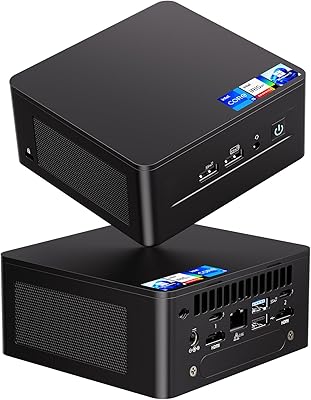
Intel NUC 13 Pro NUC13ANHi5 (16GB RAM, 512GB SSD)
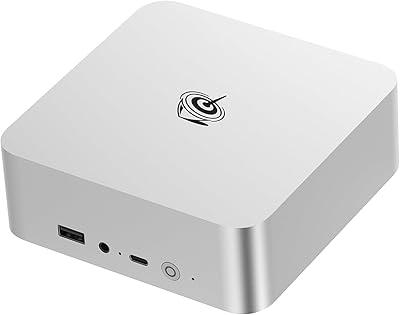
Beelink EQI13 Pro Mini PC
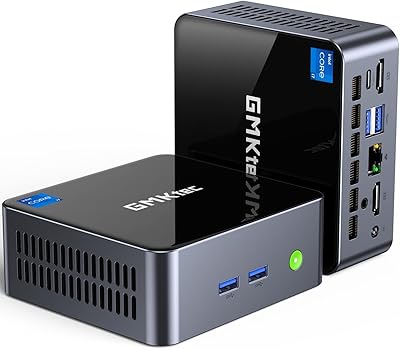
GMKtec Nucbox M2 Pro S (i7-1185G7, 32GB/1TB)
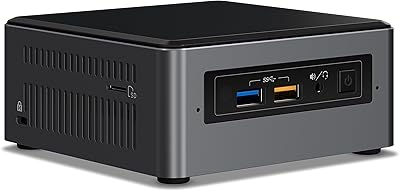
Intel NUC7i7BNH Mini PC
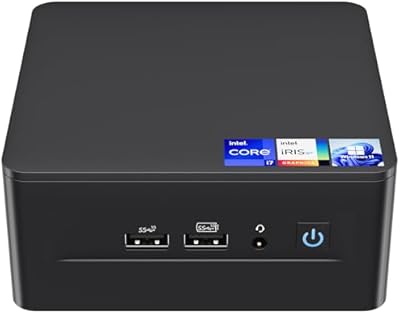
Intel NUC 12 Pro i7 Mini PC
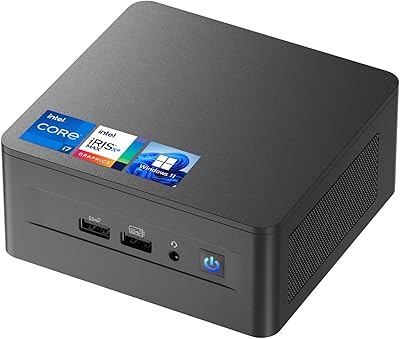
ASUS NUC 12 NUC12WSHi7 16GB/512GB
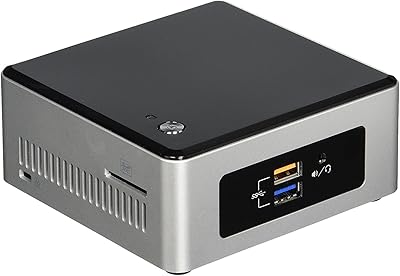
Intel NUC5CPYH Mini PC Barebone
Microsoft Surface Pro 9 1TB 2-in-1 Tablet
Microsoft Surface Pro 8 1TB 2-in-1 Tablet