Overview

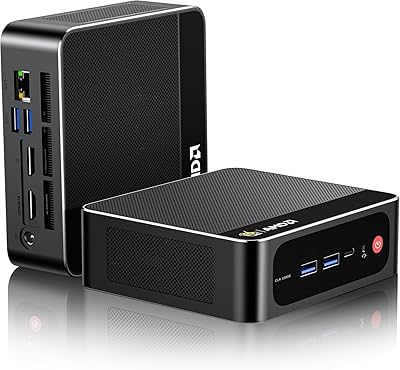
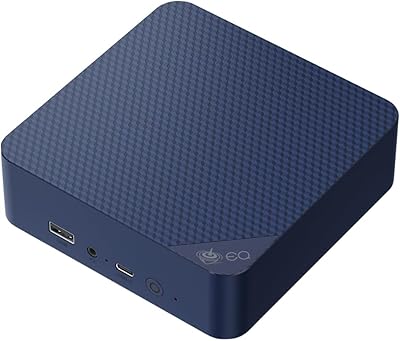
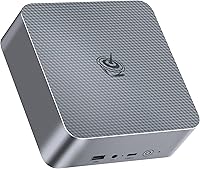
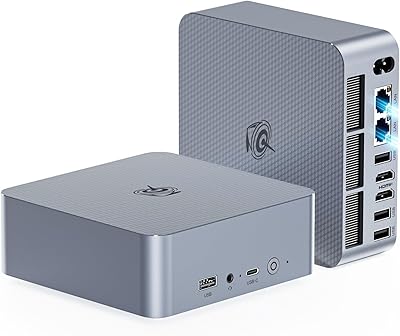
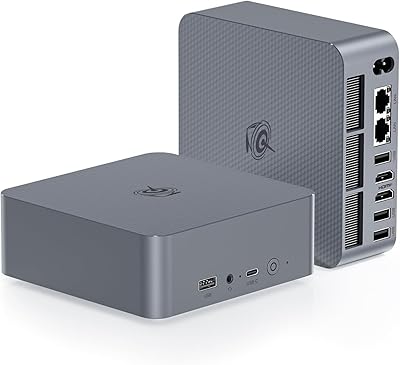
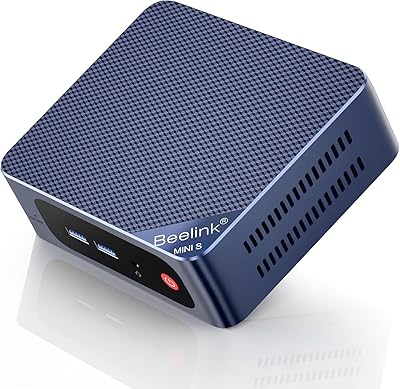
The Beelink EQi12 Mini PC (i5-1235U, 16GB, 500GB) is a mid-range compact desktop that marks a genuine step up from the budget Celeron and Pentium machines that have long crowded this category. Powered by Intel's 12th-gen Core i5-1235U, this mini PC competes directly with NUC-style machines at a similar price point. It ships with Windows 11 Pro pre-installed — a practical inclusion for business users who would otherwise pay extra for the license. At roughly 5×5 inches, the footprint is smaller than a hardcover book. Just be clear on what it is: a capable daily driver for productivity and media, not a gaming rig.
Features & Benefits

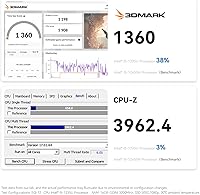
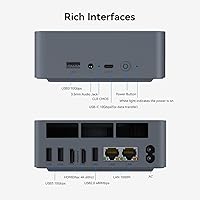
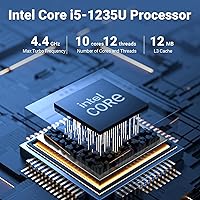
The i5-1235U's 10-core hybrid architecture — two performance cores backed by eight efficiency cores — handles the kind of multitasking that trips up older mini PCs: Lightroom open alongside a dozen browser tabs without the fan spinning up constantly. The 16GB DDR4 RAM covers most workflows, though it is worth knowing DDR5 machines exist at this tier if memory bandwidth matters to you. The PCIe 4.0 NVMe SSD keeps boot and app-load times genuinely quick. Dual HDMI outputs let you run two 4K monitors simultaneously, and the dual Gigabit Ethernet ports are an uncommon bonus — useful for network segmentation or anyone running a small home lab.

Best For

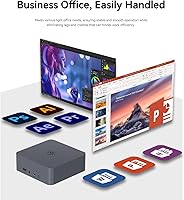
This compact desktop fits a specific type of buyer well. If you work from home and want a clean desk with dual-monitor productivity, it delivers without the bulk of a tower. Small offices and education environments benefit from the included Windows 11 Pro license, which is not a given at this price point. The Beelink EQi12 also works well as a media center — 4K playback is handled comfortably by the Iris Xe graphics. If you are upgrading from an aging laptop or a basic all-in-one, the difference in speed and flexibility will be noticeable. Just do not expect to run demanding 3D applications or modern games; the integrated GPU is not built for that.

User Feedback

Buyers tend to praise the build quality and quiet operation — the chassis feels more substantial than expected, and under typical office loads, the fan is barely audible. Out-of-box setup is generally smooth, with drivers behaving on Windows 11 Pro. Where opinions diverge is thermals under sustained load: some users report throttling during extended CPU-heavy tasks, which is worth noting if your workload is consistently demanding. A handful of buyers also question whether DDR4 memory is the right call at this tier. After-sales support from Beelink gets mixed marks — most email responses are reportedly helpful, but response times are inconsistent according to several reviewers.

Pros

  • Intel 12th-gen i5-1235U handles real multitasking workloads without the hesitation common in budget mini PCs.
  • Dual HDMI outputs support two 4K monitors at 60Hz simultaneously — a genuine productivity advantage.
  • Windows 11 Pro comes pre-activated, saving buyers a separate license purchase.
  • Dual Gigabit Ethernet is rare at this price tier and adds serious value for network-aware users.
  • PCIe 4.0 NVMe SSD keeps boot and app-launch times quick compared to older SATA-based competitors.
  • WiFi 6 and Bluetooth 5.4 are current-generation standards, not the afterthought wireless found in cheaper units.
  • RAM is user-upgradeable up to 64GB, extending the machine's useful lifespan significantly.
  • The chassis is compact enough to mount behind a monitor or fit inside a TV cabinet with room to spare.
  • A second M.2 slot means storage can be expanded well beyond the base 500GB without external drives.
  • Auto Power On and Wake-on-LAN support make this compact desktop viable for light remote-access scenarios.

Cons

  • Sustained CPU workloads trigger thermal throttling inside the compact chassis, limiting prolonged heavy use.
  • DDR4 memory is a generational step behind DDR5 platforms now available at comparable price points.
  • Sleep and wake reliability is inconsistent — some units fail to restore display output without a full restart.
  • After-sales support response times are unpredictable, a real concern for business-critical deployments.
  • 500GB fills quickly once Windows, updates, and applications settle in; a second drive is often needed sooner than expected.
  • Accessing the auto power-on feature requires emailing Beelink for a tutorial rather than a built-in BIOS option.
  • Only one USB-A 2.0 port is included, which can create conflicts for users with multiple legacy peripherals.
  • No USB-C video output means fewer monitor compatibility options and no single-cable dock solutions.
  • WiFi occasionally drops after sleep cycles, requiring driver updates to resolve on some units.
  • The fan becomes audible during moderate rendering tasks, which may bother users in quiet work environments.

Ratings

The scores below reflect AI-analyzed feedback from verified global buyers of the Beelink EQi12 Mini PC (i5-1235U, 16GB, 500GB), with spam, incentivized, and bot-flagged reviews actively filtered out before scoring. Each category captures the real distribution of sentiment — not just the praise — so both the strengths and the friction points are represented honestly. Where buyers consistently disagreed, the score reflects that split rather than defaulting to either extreme.

Processing Performance
83%
For everyday office workloads — spreadsheets, video calls, browser-heavy multitasking, light photo editing — the i5-1235U handles the load without hesitation. The hybrid core design means background tasks don't compete noticeably with foreground ones, which users coming from older dual-core machines find immediately noticeable.
Under sustained CPU pressure, such as long video exports or running multiple VMs, some users report performance tapering off as thermals build up. The compact chassis limits sustained turbo headroom in ways a larger desktop simply wouldn't face.
Thermal Management
67%
33%
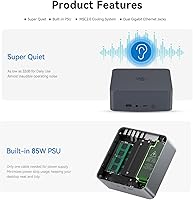
Under typical office and media use, the cooling system is genuinely quiet — most users describe the fan as nearly inaudible during web browsing, document editing, or 4K video playback. Idle and light-load temperatures stay well within comfortable ranges.
This is where feedback diverges most. Several buyers report noticeable throttling during extended CPU-intensive tasks, with fan ramp-up becoming audible under pressure. The small chassis physically constrains airflow, and a handful of users feel Beelink could have pushed the thermal design further at this price point.
RAM & Expandability
79%
21%
16GB covers the majority of home office and productivity workflows without feeling strained. The fact that slots are accessible and capacity can reach 64GB is a meaningful reassurance for buyers planning to hold onto the machine for several years.
The use of DDR4 rather than DDR5 is a legitimate criticism at this tier — not a dealbreaker for most, but buyers comparing against newer competing platforms will notice the generational gap. A small number of users also wished the base config shipped with 32GB given the asking price.
Storage Speed & Flexibility
86%
The PCIe 4.0 NVMe SSD makes a tangible difference in boot times and application launches compared to SATA or PCIe 3.0 drives found in cheaper mini PCs. The dual M.2 slot setup gives users a clear upgrade path without needing external drives for extra capacity.
500GB fills up faster than expected once Windows, drivers, and a few applications settle in. Users who work with large media libraries or virtual machine images will likely need to add a second drive sooner than anticipated.
Display Output
88%
Dual HDMI ports capable of pushing 4K at 60Hz to two monitors simultaneously is a standout feature for a machine this size. Home office users running a two-screen setup report it works reliably without configuration headaches, which is not always the case with cheaper mini PCs using DisplayLink adapters.
There is no DisplayPort output, which limits compatibility with certain professional monitors or KVM switches. Users who need three displays will find no clean solution here, and the absence of a USB-C video output mode is a missed opportunity on the front port.
Connectivity & Ports
91%
The dual Gigabit Ethernet configuration is genuinely uncommon at this price and earns consistent praise from network-aware buyers — those running home labs, separating work and personal traffic, or connecting to two network segments at once. USB-C at 10Gbps adds flexibility for fast external drives or docks.
There is only one USB-A 2.0 port alongside three USB 3.0 ports, so users with several older peripherals may feel the mix is slightly unbalanced. A front-facing USB-C that also supports video output would have rounded the port selection out more completely.
Wireless Performance
84%
WiFi 6 delivers noticeably more stable throughput than the WiFi 5 adapters still shipping in competing units at similar prices. Bluetooth 5.4 connects peripherals quickly and maintains steady links across keyboards, mice, and audio devices without the dropout issues some older Beelink models were criticized for.
A small but consistent group of buyers reports intermittent WiFi reconnection issues after sleep or wake cycles, which required driver updates to resolve. Performance is strong when stable, but out-of-box reliability on wireless is not quite as polished as the wired Ethernet experience.
Build Quality & Design
82%
18%
The aluminum-accented chassis feels noticeably more solid than the all-plastic shells common in budget mini PCs. At just over two pounds, it has enough heft to feel substantial on a desk without being cumbersome to relocate or mount behind a monitor with a VESA adapter.
Some buyers note that the matte finish attracts dust and fine scratches more visibly than expected over time. The rubber feet, while functional, have been reported by a few users to loosen slightly after repeated repositioning on smooth surfaces.
Out-of-Box Setup
81%
19%
Windows 11 Pro comes pre-activated and drivers are largely in place at first boot, which buyers appreciate — there is no extended hunting for chipset or display drivers. The included HDMI cable and power adapter mean most users are up and running within minutes of unboxing.
A small portion of buyers encountered minor software bloat or pre-installed utilities from Beelink that needed manual removal. A handful also reported that the auto power-on feature required contacting support for a tutorial file rather than being configurable directly from BIOS out of the box.
After-Sales Support
63%
37%
Beelink offers a one-year warranty with stated 24/7 email support, and a portion of buyers report responsive, helpful interactions — particularly for driver issues or configuration questions that the included manual doesn't cover clearly.
Response consistency is the core complaint. Several buyers describe multi-day waits for replies, and the process for accessing features like auto power-on requires emailing Beelink for a tutorial rather than finding documentation independently. For business buyers relying on prompt support, this inconsistency is a genuine concern.
Value for Money
74%
26%
The combination of a 12th-gen Core i5, PCIe 4.0 storage, dual 4K output, WiFi 6, and Windows 11 Pro in a package this compact represents a fair overall proposition. Buyers upgrading from older mini PCs or entry-level desktops generally feel the price reflects a meaningful capability jump.
At the asking price, the DDR4 memory and the thermal limitations give some buyers pause — particularly when newer competing platforms offer DDR5 at comparable costs. Users doing price-per-performance comparisons against larger small-form-factor desktops sometimes feel the size premium is not fully justified.
Noise Level
77%
23%
Under light to moderate workloads, the fan is quiet enough that most users forget it is there. For a home office environment or living room media setup, the acoustic footprint is genuinely unobtrusive during typical daily use.
The fan becomes clearly audible when the CPU ramps up under load, and some users report that even moderate rendering or compilation tasks trigger an audible response sooner than they expected. A passive or semi-passive mode for truly silent operation is absent.
4K Media Playback
89%
Intel Iris Xe handles 4K video playback across streaming platforms and local files with no visible dropped frames or audio sync issues. For users setting this up as a media center or home theater PC, the display output quality at 4K 60Hz is clean and reliable.
HDR support depends heavily on the connected display and HDMI cable quality — a few users found HDR tone mapping inconsistent or required manual Windows HDR settings adjustments. The integrated GPU is not suited for transcoding large 4K libraries in real time.
Software & Driver Stability
72%
28%
Most buyers report a stable Windows 11 Pro experience with no major driver conflicts at first setup. Regular Windows Update cycles have kept the system current without user-reported instability on networking or display drivers for the majority of the install base.
A recurring minority of reviews mention that sleep and wake reliability is not fully consistent — some units require a full restart to restore display output after extended sleep. Occasional WiFi driver quirks post-sleep also appear frequently enough in feedback to be worth flagging as a known edge case.

Suitable for:

The Beelink EQi12 Mini PC (i5-1235U, 16GB, 500GB) is a strong fit for home office workers who want a clean, cable-minimal desk setup without sacrificing real productivity capability. If you regularly juggle video calls, Office applications, browser-heavy research, and the occasional Lightroom edit across two monitors, this compact desktop handles that combination without breaking a sweat. Small business owners and IT managers deploying machines for staff in education or administrative roles will appreciate Windows 11 Pro arriving pre-activated — that alone removes a meaningful line item from deployment costs. The dual Gigabit Ethernet setup makes it particularly well-suited for anyone running a home lab, separating work and personal network traffic, or needing a reliable wired connection as a primary link with the second port as a failover. Users upgrading from a five-year-old laptop or a budget all-in-one will notice a tangible improvement in responsiveness and multitasking headroom, and the compact form factor means it fits equally well behind a monitor, in a TV cabinet, or tucked under a reception desk.
Not suitable for:

If gaming is any part of your intended use — even casual titles beyond basic browser games — the Beelink EQi12 Mini PC (i5-1235U, 16GB, 500GB) is the wrong machine; integrated Iris Xe graphics simply cannot handle modern 3D workloads at playable settings. Creative professionals who work daily with video encoding, 3D rendering, or large batch photo processing will also run into the thermal ceiling of this compact chassis under sustained load, where performance tapers off in ways a larger tower with active cooling would not allow. Buyers who are deliberate about memory bandwidth should note that this machine uses DDR4, not DDR5 — a generational trade-off that matters if your workflow is memory-intensive or if you plan to hold onto the machine for four or five years and want some future-proofing. Anyone who needs three or more simultaneous display outputs will find no clean solution here, as the two HDMI ports are the extent of native video connectivity. Finally, buyers who expect rapid, responsive manufacturer support should weigh Beelink's inconsistent after-sales track record before committing, particularly if this machine is going into a business-critical environment.
Specifications

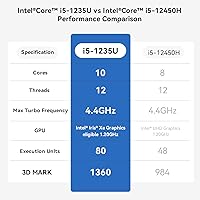
  • CPU: Intel Core i5-1235U with 10 cores (2 performance + 8 efficiency threads) and a maximum boost clock of 4.4GHz.
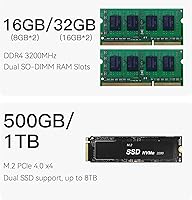
  • RAM: 16GB DDR4 SDRAM installed across two SO-DIMM slots, with a maximum supported capacity of 64GB.
  • Storage: 500GB M.2 2280 PCIe 4.0 x4 NVMe SSD occupies the primary slot, with a second M.2 slot supporting up to 4TB additional storage.
  • Graphics: Intel Iris Xe integrated graphics with 80 execution units running at up to 1.20GHz, supporting hardware-accelerated 4K video decode.
  • Display Output: Two full-size HDMI ports, each capable of driving a display at up to 4K resolution at 60Hz simultaneously.
  • Ethernet: Dual independent Gigabit Ethernet (1000M) ports for wired networking, supporting network segmentation or dual-network configurations.
  • Wireless: WiFi 6 (802.11ax) via MT7920 adapter and Bluetooth 5.4 for wireless connectivity.
  • USB Ports: One USB-C port at 10Gbps (data transfer only), three USB-A ports at 10Gbps, and one USB-A port at 480Mbps (USB 2.0).
  • Audio: One 3.5mm combo audio jack supporting both headphone output and microphone input.
  • Operating System: Windows 11 Pro comes pre-installed and pre-activated on the device.
  • Dimensions: The chassis measures 126×126×44.2mm (approximately 4.96×4.96×1.74 inches) excluding rubber feet.
  • Weight: The unit weighs approximately 2.14 pounds (0.97kg), making it easy to mount or relocate.
  • Power Input: The AC adapter accepts 100–240V at 50/60Hz with a rated input of 1.9A, supporting worldwide voltage standards.
  • Extra Features: Auto Power On and Wake-on-LAN (WOL) are supported, enabling remote or scheduled startup without physical interaction.
  • Operating Temp: The device is rated for operation between 0°C and 40°C at 30–90% relative humidity (non-condensing).
  • Certifications: The unit holds FCC, CE, and RoHS certifications, confirming compliance with US, European, and environmental safety standards.
  • Warranty: Beelink provides a one-year limited warranty with stated 24/7 email-based technical support and lifetime assistance for software issues.
  • Accessories Included: The package includes a user manual, one 100cm HDMI cable, and one 150cm AC power cable.

Related Reviews
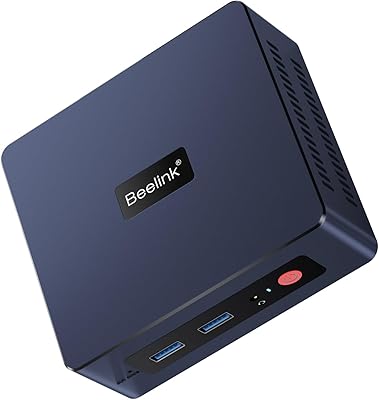
Beelink EQI12 Mini PC (i3-1220P, 16GB/500GB)

81%
84%
Everyday Performance
89%
Boot & Load Speed
71%
Thermal Management & Cooling
86%
Display & Dual Monitor Support
82%
Build Quality & Design
More
Beelink Mini S12 Pro (N100, 16GB, 500GB)
83%
83%
Everyday Performance
91%
Value for Money
76%
Build Quality & Design
84%
Thermal Management & Noise
88%
Connectivity & Ports
More
Beelink EQI Mini PC i5-1235U 32GB RAM 1TB SSD
87%
88%
Performance
85%
Build Quality
92%
Value for Money
90%
Design/Size
81%
Thermals
More
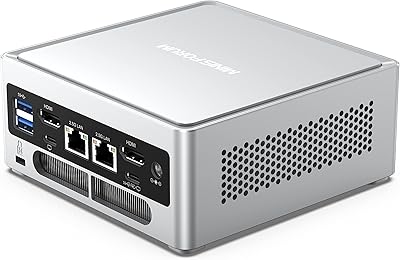
MINISFORUM NAB6 Lite Mini PC Core i5-12600H 16GB RAM 500GB SSD
85%
92%
Performance
87%
Value for Money
88%
Build Quality
90%
Network Connectivity
89%
Multi-Display Setup
More
Beelink SER3 Mini PC, AMD Ryzen 3 3200U, 16GB RAM, 500GB SSD
84%
85%
Performance
92%
Value for Money
88%
Build Quality
94%
Compact Design
90%
Ease of Setup
More
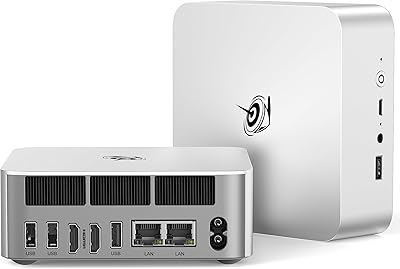
Beelink SEI Mini PC (Ryzen 5500U, 16GB/500GB)
81%
84%
Everyday Performance
61%
RAM Configuration
91%
Display & Multi-Monitor Support
73%
Cooling & Thermal Management
88%
Networking
More
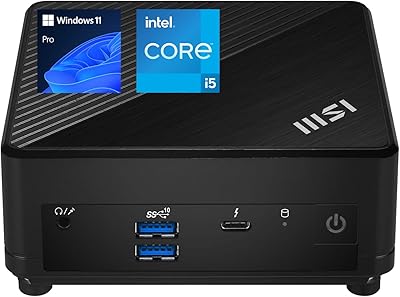
MSI Cubi 5 12M Mini PC, Intel i5-1235U, 16GB RAM, 1TB SSD
85%
87%
Performance
92%
Value for Money
83%
Design & Build Quality
88%
Connectivity & Ports
91%
Setup & Installation
More
Beelink EQi13 Pro (32GB/500GB)
83%
88%
Processing Performance
91%
Memory & Multitasking
86%
Storage Speed & Expandability
74%
Thermal Management & Noise
93%
Networking Capabilities
More
Beelink EQ14 Mini PC (N150, 16GB, 1TB)
74%
74%
Everyday Performance
61%
RAM & Memory Configuration
83%
Storage & Expandability
91%
Connectivity & Networking
79%
Display Output
More
Beelink Mini S13 Pro N150 16GB/500GB
82%
83%
Everyday Performance
78%
Build Quality & Design
61%
Thermal Management
86%
RAM & Multitasking
74%
Storage Speed & Expandability
More

FAQ

Yes, both slots are user-accessible. The RAM uses standard SO-DIMM DDR4 modules, so upgrading to 32GB or 64GB is straightforward if you are comfortable opening a small PC chassis. The primary M.2 slot uses the PCIe 4.0 x4 interface, and the second slot adds extra storage capacity — just make sure any replacement or additional drive uses the M.2 2280 form factor.

No — there are only two HDMI outputs, so you are limited to two displays natively. There is no DisplayPort or USB-C video output, which means adding a third screen would require a USB display adapter, and those come with their own latency and compatibility trade-offs. For most office workflows, two 4K monitors is more than sufficient, but if three screens are essential to your setup, this compact desktop is not the right choice.

Under everyday workloads — web browsing, Office apps, video calls, streaming — the fan is nearly silent and most users simply forget it is running. The noise becomes more noticeable during sustained CPU-heavy tasks like video encoding or compiling code, where the fan audibly ramps up. If your work is predominantly light to moderate, noise will not be an issue.

Yes, Linux generally installs without major issues on this hardware. The i5-1235U has solid Linux kernel support, and most users report that networking, display output, and USB peripherals work correctly after installation. WiFi driver support can occasionally require a manual firmware step for the MT7920 adapter, so it is worth checking your distro's compatibility before committing.

4K playback is one of this machine's comfortable strengths. The Iris Xe GPU handles hardware-accelerated decoding of H.264, H.265, and VP9 streams reliably, which covers the vast majority of 4K content on streaming platforms and local media players. You are unlikely to see dropped frames or audio sync issues under normal 4K viewing conditions.

The license is a legitimate OEM version of Windows 11 Pro tied to the machine's hardware. It is pre-activated and fully functional, but as an OEM license it is bound to this specific device and cannot be transferred to a different PC if you ever replace the hardware entirely. For most buyers using this as a dedicated workstation, that distinction does not matter in practice.

Auto Power On allows the machine to start up automatically when it receives power — useful for kiosk setups, media centers on a smart power strip, or any scenario where you want the PC running without pressing the power button. The catch is that enabling it requires contacting Beelink support by email and sending them the barcode from the bottom of the unit, after which they provide a configuration tutorial. It is a workable but unnecessarily cumbersome process compared to a standard BIOS toggle.

For most home users, one Gigabit port is perfectly sufficient and the second will sit unused. Where it genuinely earns its place is in small business or home lab scenarios: you can separate internal and external network traffic, connect to two different switches or VLANs, or use one port as a dedicated management interface. If none of that applies to you, treat it as a bonus rather than a selling point.

The i5-1235U is competitive with Intel NUC 12 Pro configurations using the same chip, and in practice the day-to-day performance difference is minimal. Where the Beelink lags slightly is in sustained performance under heavy thermal load, where premium NUC chassis with better cooling designs can maintain boost clocks longer. For everyday productivity and media use, the gap is not meaningful — but for consistently demanding workloads, the thermal ceiling of this compact chassis is the more relevant comparison point than raw CPU specs.

Beelink's support is email-based and the quality is genuinely mixed based on buyer feedback. Many users report helpful, technically knowledgeable responses, but wait times can stretch to several days, which is frustrating if you have an urgent issue. For home users who can tolerate some back-and-forth, it is generally fine. For business deployments where downtime is costly, it is worth factoring in the lack of a guaranteed response SLA before purchasing.