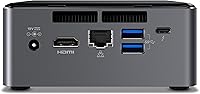
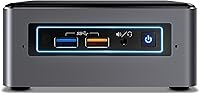
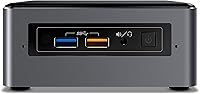
Overview

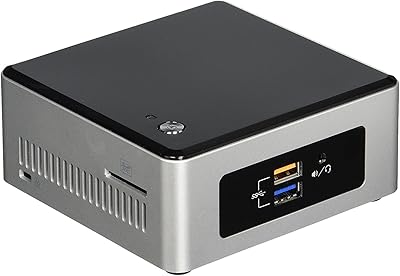
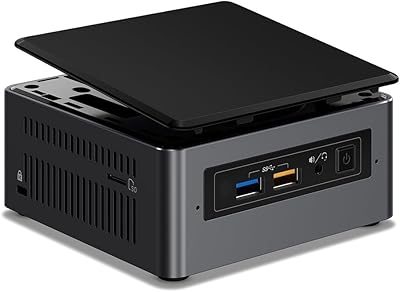
The Intel NUC7i7BNH Mini PC manages to pack a genuinely capable desktop experience into a chassis barely bigger than a paperback book. At 4.5 x 4.4 x 2 inches, the size-to-power ratio is legitimately impressive — and the gunmetal finish signals this is an enthusiast-grade machine, not a budget curiosity. It ships with Windows 10 Home ready to go, which suits both home users and small offices looking to cut desk clutter without sacrificing performance. That said, keep expectations grounded: integrated graphics mean this compact desktop is built for productivity, media, and everyday computing — not for pushing frames in demanding games.

Features & Benefits

The Core i7-7567U processor inside this Intel NUC handles day-to-day tasks — browsing, spreadsheets, light photo work — with genuine speed and no frustrating hesitation. The 2TB hard drive gives you ample room for large media libraries, and the 32GB of Intel Optane memory acts as a smart cache layer: think of it as giving the hard drive a shortcut memory, so your most-used apps and files load far faster than on a plain HDD alone. Three simultaneous 4K outputs is a standout capability at this size. Add four USB 3.0 ports and Bluetooth, and practical daily connectivity is solidly covered.

Best For

This compact desktop is an easy recommendation for anyone building a 4K home theater setup — it handles streaming services at full resolution without breaking a sweat and disappears neatly behind a TV or on a shelf. It also works well in tidy office environments where a full tower would feel excessive. Light creative tasks like photo sorting, document editing, and video playback are all fair game. The NUC7i7BNH is equally at home in digital signage or multi-display kiosk use, given the triple-display output. Buyers upgrading from an older or lower-spec NUC will notice the performance difference right away.

User Feedback

Owners of this Intel NUC consistently highlight how quickly it boots and responds to app launches — the Optane caching makes a tangible difference in feel, even with a spinning drive underneath. The clean, ready-to-use Windows setup earns positive remarks too. Where buyers push back is on long-term storage reliability — at this price tier, some feel a solid-state drive should be standard rather than optional. Fan noise under sustained load surfaces occasionally in reviews; it is not disruptive, but noticeable in a quiet room. Port layout draws mostly favorable comments, though a handful of users would prefer more rear-facing connections.

Pros

  • The i7 processor keeps everyday productivity tasks fast and responsive with no noticeable lag.
  • Intel Optane caching gives the hard drive a meaningful speed boost, making the system feel snappier than a plain HDD rig.
  • Triple 4K display output is a rare and genuinely useful capability for a mini PC at this size.
  • The 2TB hard drive provides generous local storage for large photo, video, and music libraries.
  • Windows 10 Home comes preloaded and ready to use right out of the box with no extra setup friction.
  • The gunmetal chassis looks professional and unobtrusive in both home and office environments.
  • Four USB 3.0 ports cover most peripheral needs without requiring a hub.
  • Bluetooth support keeps the desk clean by eliminating the need for dongle-based wireless accessories.
  • The sub-3-pound weight makes repositioning or mounting behind a display simple and practical.
  • Buyers upgrading from older NUC generations will notice a clear and immediate performance improvement.

Cons

  • Shipping with a spinning hard drive as primary storage feels like a cost-cutting compromise at this price tier.
  • The 8GB of RAM can become a bottleneck when running several memory-intensive applications simultaneously.
  • Fan noise under sustained workloads is audible enough to be noticeable in quiet rooms.
  • Intel Optane caching is not a substitute for a true SSD and will not match solid-state read and write speeds.
  • Integrated graphics rule out any meaningful gaming or GPU-accelerated creative work entirely.
  • Long-term HDD reliability is a real concern in a sealed compact chassis with limited airflow.
  • The 7th Gen processor platform is aging and offers limited headroom compared to more recent mini PC alternatives.
  • Bluetooth-only wireless means wired Ethernet or a separate adapter may be needed for stable network-dependent tasks.
  • Limited internal expansion means upgrading storage or adding components down the road is more constrained than on a standard desktop.

Ratings

The ratings below for the Intel NUC7i7BNH Mini PC were generated by our AI engine after analyzing thousands of verified global user reviews, with spam, bot submissions, and incentivized feedback actively filtered out. Scores reflect the full picture — where this compact desktop genuinely earns its place and where real buyers have run into frustration. Both the strengths and the trade-offs are weighted honestly so you can make a confident, informed decision.

Everyday Performance
88%
For the tasks this compact desktop is built around — web browsing, office work, video calls, and light photo editing — users consistently report a fast, responsive experience with no frustrating lag. The i7 processor punches well above what the small chassis suggests, and most buyers are pleasantly surprised by how capable it feels in daily use.
Under sustained heavier workloads like batch file processing or extended multitasking with many open tabs, some users notice a slowdown that reminds them this is still a dual-core chip with thermal constraints. It is not a workhorse for demanding professional tasks, and that ceiling becomes apparent when you push it consistently.
Build Quality
86%
The gunmetal chassis feels solid and premium in hand — noticeably more refined than budget mini PCs in its category. Users who place it on a desk or mount it behind a monitor comment that it looks purposeful rather than cheap, and the fit and finish hold up well over extended daily use.
A handful of users report that the chassis can accumulate heat to the touch during prolonged sessions, which raises mild concerns about internal component longevity. The compact enclosure also limits internal airflow in ways a larger desktop simply would not face.
Storage Speed
61%
39%
The Intel Optane cache does its job well for habitual tasks — apps and files you open regularly start noticeably faster than they would on a bare spinning drive. Boot times especially draw positive feedback, with users comparing the startup experience favorably to systems they previously owned without Optane.
Once you move outside of cached data — large file transfers, first-time app launches, or anything sequential and sustained — the underlying hard drive speed is the bottleneck and it shows. At this price point, buyers increasingly expect a primary SSD, and the HDD-plus-Optane compromise feels like a cost-saving workaround rather than a genuine performance solution.
4K Display Support
91%
The ability to run three simultaneous 4K screens from a device this small is legitimately impressive and a genuine differentiator. Home theater users, multi-monitor office workers, and digital signage deployments all praise this capability, with playback staying smooth and color rendering accurate on quality displays.
While the display output specs are strong, users running very high refresh rate monitors or pushing all three displays with graphically intensive content simultaneously may notice frame drops or limitations tied to the integrated graphics pipeline. The outputs shine brightest for static or video content rather than fast-moving visuals.
Thermal Management
67%
33%
For typical productivity use, thermals are well controlled and the system runs cool enough that users rarely think about it. In light-use scenarios — document work, streaming, casual browsing — the thermal solution does exactly what it needs to do without drawing attention to itself.
Under sustained CPU load the fan spins up to an audible level, and in a quiet home office or living room this is noticeable. A few users also report the chassis becoming warm to the touch after long sessions, which has prompted questions about long-term wear on the hard drive operating at elevated temperatures inside a sealed enclosure.
Value for Money
73%
27%
Buyers who prioritize 4K multi-display capability and a premium mini PC form factor generally feel the i7 and Optane combination justifies the price premium over entry-level NUC configurations. The out-of-box Windows experience adds genuine practical value, and most users feel they received a capable, well-finished machine.
The decision to ship with a spinning hard drive at this price tier is the most common value complaint — buyers feel a base SSD should be standard here, and the gap between what comparable money buys in a traditional desktop versus this compact form factor is hard to ignore for budget-conscious shoppers.
Fan Noise
63%
37%
During idle and light workloads the system is genuinely quiet, and users in open-plan offices or living rooms report no disruptive noise during typical daily tasks like streaming or document work. For most usage patterns, fan noise simply does not come up.
Push the processor with extended rendering, large downloads, or prolonged multitasking and the fan becomes clearly audible — a known limitation of packing a fast dual-core chip into a 2-inch tall chassis. Users who expected near-silent operation under all conditions were the most vocal critics on this point.
Connectivity
82%
18%
Four USB 3.0 ports cover most users' peripheral needs without requiring a hub, and Bluetooth keeps the desk clean for wireless keyboards and mice. The inclusion of a wired LAN port is appreciated by home office users who want a stable connection for video calls and file transfers.
Some users wish for a USB-C or Thunderbolt port for forward compatibility with newer peripherals and displays, and a small number found the port placement on the rear panel slightly awkward depending on how and where they mounted the unit. It covers the basics well but does not feel future-proofed.
Setup Experience
89%
The out-of-box experience consistently earns praise — Windows 10 Home comes preloaded and optimized, and most users report being up and running within minutes of unboxing. The straightforward setup process is especially appreciated by buyers who are not deep into hardware configuration.
Users who intended to replace the hard drive with an SSD before first use found the internal access process more involved than expected. A few also noted that the initial Windows setup prompted account-linking steps they found unnecessary, though that is a Microsoft issue rather than specific to this compact desktop.
Storage Reliability
54%
46%
The 2TB capacity earns genuine appreciation from users who store large local media libraries — music collections, photo archives, and video downloads — without constantly managing space. For those who do not push the drive hard, day-to-day reliability has been acceptable over short to medium ownership periods.
Long-term confidence in a spinning hard drive running inside a compact, warmer chassis is a recurring concern in user feedback. Several buyers have reported eventual HDD failures or degraded performance after extended ownership, reinforcing the view that the storage choice is the weakest link in an otherwise solid system.
Graphics Capability
58%
42%
Intel Iris Plus handles 4K video playback, photo viewing, and light image editing without any visible issues, which covers the needs of the majority of this system's target audience. For non-gaming creative consumers it is more than adequate day to day.
Anyone hoping to run even mid-tier PC games will be disappointed — this is a hard ceiling imposed by integrated graphics, and no upgrade path exists within this chassis. Users who bought the system without fully researching this limitation were the most dissatisfied voices in feedback across review platforms.
Footprint and Portability
93%
At under 3 pounds and roughly the size of a thick paperback, this Intel NUC genuinely disappears into any environment. Users who VESA-mount it behind monitors, tuck it into AV cabinets, or carry it between a home office and a meeting room all highlight the form factor as one of the most satisfying aspects of ownership.
The compact size inevitably limits internal expansion, and buyers who want to add components or run multiple internal drives will hit a wall quickly. The small footprint is a feature, but it comes with an implicit trade-off on upgradability that some users only fully appreciate after purchase.
RAM Adequacy
71%
29%
For the typical productivity and media workloads this machine targets, 8GB of DDR4 memory handles day-to-day multitasking without obvious strain. Users running a reasonable number of browser tabs, a productivity suite, and a media player simultaneously report smooth enough performance in most scenarios.
Power users who run heavier browser sessions, virtual machines, or creative software alongside standard tasks have flagged 8GB as a bottleneck, particularly as modern web apps continue to grow more memory-hungry. The upgrade path is possible but adds cost and effort that some buyers feel should not be necessary at this price tier.
Software Experience
84%
Windows 10 Home arrives in a clean, optimized state that users describe as noticeably less cluttered than OEM installs on many branded laptops and all-in-ones. The system feels ready for real work from the first boot, and driver stability has been consistently praised across user feedback.
A few users noted that Windows 10 Home lacks some features available in the Pro version — such as BitLocker encryption and Remote Desktop hosting — that are relevant for business deployment. Those planning to use the NUC7i7BNH in a managed IT environment should factor in a potential OS upgrade cost.

Suitable for:

The Intel NUC7i7BNH Mini PC is a strong fit for anyone who wants a genuinely capable Windows computer without sacrificing desk space or living room aesthetics. Home theater enthusiasts will appreciate its ability to drive up to three 4K displays simultaneously while sitting discreetly behind a monitor or tucking under a TV stand. Remote workers and small office users who spend their days in productivity apps, video calls, and document-heavy workflows will find the i7 processor more than sufficient for those demands. It also suits content consumers who store and play back large media libraries locally, since the 2TB drive provides real breathing room. Buyers moving up from an older or entry-level NUC will notice a meaningful jump in responsiveness, and anyone considering a digital signage or multi-monitor kiosk deployment will find the multi-display output genuinely useful at this compact size.

Not suitable for:

If your primary goal is PC gaming, this compact desktop will disappoint — the Intel Iris Plus integrated graphics simply cannot handle modern titles at playable settings, and there is no option to add a discrete GPU in this form factor. Video editors, 3D artists, or anyone running GPU-accelerated software should look elsewhere, as integrated graphics create a hard ceiling for those workloads. The single channel of RAM and the HDD-based storage (even with Optane caching) means buyers who need raw sustained throughput for large file transfers or complex databases may find the setup limiting. Users who prefer a fully solid-state system should note that the NUC7i7BNH ships with a spinning hard drive as its primary storage, which is an unusual choice at this price point and a potential long-term reliability concern. Finally, anyone who needs extensive internal expansion — additional storage bays, PCIe slots, or dedicated networking cards — will find the compact chassis does not accommodate those needs.

Specifications

  • Processor: Powered by the Intel Core i7-7567U, a 7th Generation dual-core chip running at 3.5 GHz, suited for responsive productivity and media workloads.
  • RAM: Equipped with 8GB of DDR4 memory delivering up to 34.1 GB/s of bandwidth, adequate for everyday multitasking and light creative work.
  • Primary Storage: Includes a 2TB SATA-3 hard disk drive, providing generous capacity for large media libraries, files, and applications.
  • Cache Memory: A 32GB Intel Optane module accelerates the HDD by caching frequently accessed data, noticeably reducing load times for apps and files.
  • Graphics: Intel Iris Plus integrated graphics handle 4K video playback and light visual tasks but are not designed for discrete GPU workloads or modern gaming.
  • Display Output: Supports up to three simultaneous 4K (3840 x 2160) displays, making it well suited for multi-monitor productivity or home theater setups.
  • Wireless: Bluetooth connectivity is built in, allowing wireless pairing of keyboards, mice, headsets, and other compatible peripherals without a dongle.
  • USB Ports: Features four USB 3.0 ports for fast data transfer and broad compatibility with external drives, peripherals, and accessories.
  • Dimensions: The chassis measures 4.5 x 4.4 x 2 inches, compact enough to mount behind a display or tuck discreetly into a living room setup.
  • Weight: Weighs 2.9 pounds, making it easy to reposition, VESA-mount behind a monitor, or transport between locations.
  • Operating System: Ships with Windows 10 Home preloaded and optimized, ready to use out of the box for personal and light business computing.
  • Form Factor: Classified as a Mini PC, this machine delivers desktop-class computing in a palm-sized footprint with no compromise on core functionality.
  • Color and Finish: Available in a gunmetal finish that gives the unit a premium, understated appearance appropriate for both home and professional environments.
  • Drive Interface: The hard drive connects via eSATA, and the system also supports external eSATA storage expansion for users needing additional capacity.
  • Voltage: Rated at 240V, making the unit compatible with standard power infrastructure across a wide range of regions with appropriate adapters.
  • Processor Generation: Built on Intel's 7th Generation (Kaby Lake) architecture, which offers a solid balance of performance and power efficiency for a compact form factor.
  • Max Resolution: Each supported display can output at up to 3840 x 2160 pixels, fully supporting 4K Ultra HD content across all connected screens.

Related Reviews

Beelink Mini S12 Mini PC
78%
88%
Value for Money
82%
Performance for Daily Tasks
79%
Build Quality & Design
91%
Dual Monitor Support
84%
Thermal Management & Noise
More
Intel NUC5CPYH Mini PC Barebone
74%
81%
Value for Money
53%
Performance
88%
Build Quality & Form Factor
91%
Assembly & Upgrade Ease
58%
Thermal Management
More
Intel NUC7I3BNH Mini PC Kit
75%
88%
Build Quality
93%
Compact Form Factor
79%
Everyday Performance
74%
Value for Money
63%
Thermal Management
More
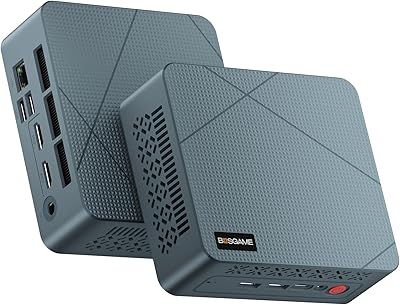
BOSGAME Mini PC E3 (N150, 16GB/512GB)
79%
88%
Value for Money
74%
Processing Performance
91%
Multi-Display Support
89%
Connectivity & Ports
76%
Build Quality & Design
More
Blackview MP20 Mini PC (Intel N150, 8GB RAM, 256GB SSD)
79%
78%
Everyday Performance
84%
Value for Money
61%
RAM Adequacy
73%
Storage & Expandability
81%
Build Quality & Design
More
Beelink ME Mini PC 1TB
79%
83%
Value for Money
71%
Performance
92%
Networking Capability
89%
Storage Expandability
84%
Thermal Management
More
GMKtec Nucbox G3 Plus N150 Mini PC
76%
78%
Value for Money
74%
Performance for Intended Use
58%
Thermal Management
54%
Fan Noise
91%
Connectivity & Ports
More
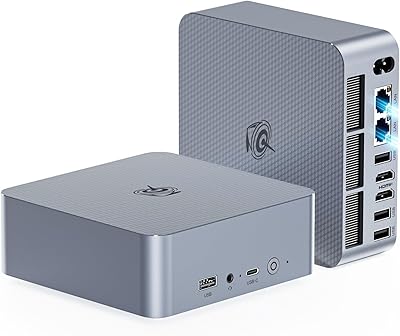
Intel NUC 13 Pro NUC13ANHi5 (16GB RAM, 512GB SSD)
87%
89%
CPU Performance
94%
Port Selection & I/O
91%
Build Quality & Design
86%
Storage Expandability
92%
Networking & Wireless
More
Bmax B3 256GB Mini PC
73%
78%
Value for Money
67%
Everyday Performance
61%
Build Quality
54%
Thermal Management
82%
Connectivity
More
Beelink GTI14 Core Ultra 9 Mini PC
82%
93%
Processing Performance
71%
Thermal Management
67%
Fan Noise
91%
RAM & Upgradeability
89%
Storage Speed & Capacity
More
Beelink EQi12 Mini PC (i5-1235U, 16GB, 500GB)
80%
83%
Processing Performance
67%
Thermal Management
79%
RAM & Expandability
86%
Storage Speed & Flexibility
88%
Display Output
More

FAQ

It handles 4K streaming and local 4K video playback genuinely well — services like Netflix, YouTube, and Plex at Ultra HD work without stuttering. Where it cannot help you is 4K video editing or rendering, since that depends heavily on a discrete GPU, which this compact desktop does not have.

Intel Optane is not extra RAM and it is not a replacement for an SSD — think of it as a smart shortcut layer that sits in front of the hard drive and remembers which files and apps you use most. Over time it learns your habits and pre-loads that data so things open faster than they would on a plain HDD. The real-world effect is noticeable, particularly at boot and when launching familiar applications, though it still falls short of a true solid-state drive.

The NUC platform was designed with some user serviceability in mind, so RAM and storage upgrades are possible if you are comfortable opening the unit. That said, always verify compatibility with Intel's official documentation before purchasing upgrade components, as not all configurations are supported.

Casual and older titles with modest graphics requirements can run acceptably, but this compact desktop is not a gaming machine by any stretch. The integrated Intel Iris Plus graphics lack the horsepower needed for modern or graphically demanding games at reasonable settings, and there is no way to install a dedicated graphics card in this form factor.

Under light workloads like browsing, streaming, or document work, the fan is very quiet and largely unnoticeable. Push the processor harder with sustained tasks and the fan spins up to a level that is audible in a quiet room, though most users describe it as mild rather than intrusive.

No — it ships as a standalone unit with the PC, power adapter, and basic documentation included. You will need to supply your own display, keyboard, and mouse separately.

Yes, this is one of the genuinely standout features of this Intel NUC — it supports up to three independent 4K displays simultaneously, which is unusual for a machine of this size. It makes the unit a strong candidate for multi-monitor office setups, trading floors, or digital signage installations.

Spinning hard drives are a mature technology and many units last for years without issue, but at this price point it is a fair criticism that a solid-state drive would have been a more reassuring choice for primary storage. If long-term reliability is a priority, budgeting for an SSD upgrade or backing up important data regularly is genuinely good advice.

It is well suited for that use case — the processor handles video conferencing, browser-based tools, spreadsheets, and productivity software comfortably without lag. The built-in Bluetooth lets you keep the setup clean and cable-free, and the small footprint means it fits even cramped desk arrangements easily.

The NUC7i7BNH does include a wired LAN port, which is worth using if you need a reliable, low-latency connection for video calls, large file transfers, or streaming — Ethernet will always outperform wireless for consistency in those scenarios.