Overview

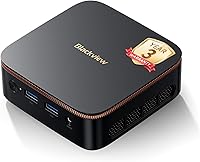
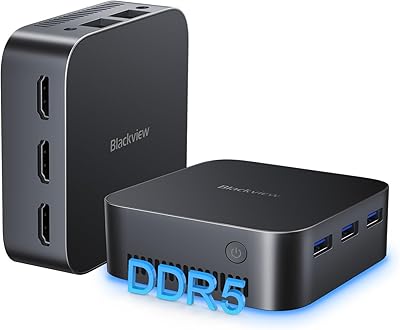
The Blackview MP20 Mini PC (Intel N150, 8GB RAM, 256GB SSD) is a palm-sized Windows 11 Pro desktop built for everyday computing. Blackview is a Chinese brand better known for rugged smartphones, but their mini PC lineup has been quietly improving. The N150 chip is a genuine step up from the N95 and N100 found in many competing boxes — it clocks higher and handles light multitasking more confidently. That said, this is not a workstation. For web browsing, video calls, document work, and 4K media playback, it holds its own. The 3-year warranty is a rare commitment at this tier. Physically, the machine is barely the size of a thick paperback, easy to tuck behind a monitor or slip out of sight entirely.
Features & Benefits

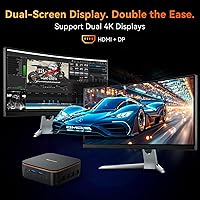
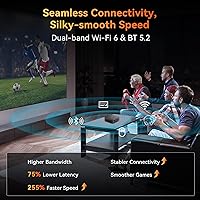
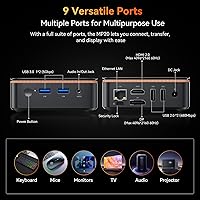
The Intel N150 processor is the heart of the MP20, and in day-to-day use it delivers responsive performance for the tasks most people actually do: spreadsheets, video conferencing, streaming, and light photo work. Paired with 8GB DDR4 RAM and a 256GB SSD, boot times are fast and the system rarely feels sluggish under normal workloads. Connectivity is a strong point — WiFi 6 and Bluetooth 5.2 keep things stable and modern, while Gigabit Ethernet is there when you need a wired fallback. The dual 4K output via HDMI and DisplayPort is genuinely useful for a two-monitor desk setup. Storage will eventually feel tight for heavy users, but the tool-free expansion bay accepting up to 2TB gives you a clear upgrade path without any fuss.

Best For

This compact desktop is a natural fit for remote workers who want a clean desk setup without the bulk of a tower — especially when paired with a VESA-mounted monitor. Home theater enthusiasts will appreciate the quiet fan and the ability to push 4K to a large display without a noisy box sitting nearby. Students and families looking for a low-drama everyday PC will find the MP20 easy to set up and maintain. It also works well for small business point-of-sale or digital signage deployments, where the VESA mount and compact footprint are practical advantages. If you are upgrading from an older NUC or basic mini PC and want WiFi 6 without a steep outlay, this mini PC makes a sensible case for itself.

User Feedback

Buyers generally respond well to this mini PC out of the box — setup is quick, the machine feels solid for its weight, and first boot into Windows 11 Pro goes smoothly. The most consistent praise centers on boot speed and the compact size. On the other side, some users hit a wall with 8GB of RAM when juggling a dozen browser tabs alongside a video call. It is enough for most people, but not for everyone. Storage feedback is mixed too: 256GB disappears faster than expected, though the expansion bay eases that concern. Thermal performance under prolonged load gets occasional mentions — nothing alarming, but worth knowing if you plan to run the machine hard for hours. Warranty support responses appear mostly positive, though response times can vary.

Pros

  • The Intel N150 processor delivers a noticeable real-world performance step up over older N95 and N100 mini PCs.
  • Cold boot to a working desktop takes under 20 seconds in typical conditions.
  • Dual 4K output over HDMI and DisplayPort works reliably with two monitors without additional adapters.
  • WiFi 6 provides stable, fast wireless connectivity even in congested home or office network environments.
  • The VESA mount lets you hide this mini PC cleanly behind a monitor for a genuinely clutter-free workspace.
  • A 3-year warranty is a rare and meaningful commitment at this price tier, offering real buyer peace of mind.
  • The tool-free 2.5-inch expansion bay makes adding up to 2TB of storage straightforward and accessible.
  • Fan noise stays impressively low during everyday tasks, making it comfortable in shared or quiet spaces.
  • Windows 11 Pro arrives pre-activated and clean, with no significant bloatware slowing things down on first boot.
  • At under 10 ounces, the MP20 is easy to relocate between a home office and another workspace when needed.

Cons

  • RAM is fixed at 8GB with no upgrade path, which limits the machine's ability to grow with your workload.
  • 256GB of base storage disappears fast once Windows, updates, and a handful of apps are installed.
  • The external power brick adds bulk and limits how truly portable this compact desktop actually is in practice.
  • Sustained workloads like video encoding cause the fan to become audible and the chassis to warm noticeably.
  • Support response times vary by region, with some international buyers reporting slower warranty claim turnaround.
  • USB 2.0 ports are still included alongside the faster 3.2 ports, which feels behind for a current-generation device.
  • The setup documentation is thin, leaving less experienced users without clear guidance on dual-monitor or BIOS configuration.
  • The VESA bracket feels lightweight for long-term mounting, with some flex reported when used on heavier monitor arms.

Ratings

The scores below reflect an AI-driven analysis of verified global user reviews for the Blackview MP20 Mini PC (Intel N150, 8GB RAM, 256GB SSD), with spam, bot-generated, and incentivized feedback actively filtered out before scoring. Each category is weighted against real buyer experiences across home office, media, and light business use cases. Both the strengths that win repeat recommendations and the pain points that generate returns are transparently factored into every number.

Everyday Performance
78%
22%
For typical daily tasks — web browsing, video calls, spreadsheets, and streaming — the MP20 handles things confidently. The N150 chip noticeably outpaces older N95 and N100 units, and cold boot to desktop happens in under 20 seconds for most users.
Push it beyond its comfort zone with multiple demanding apps open simultaneously and you will feel the ceiling. Users running browser-heavy workflows with 15 or more tabs alongside a video call report occasional hesitation and longer load times.
Value for Money
84%
Relative to what you get — WiFi 6, dual 4K output, Windows 11 Pro, a 3-year warranty, and a VESA mount — buyers widely feel the MP20 punches above its price bracket. For a secondary office PC or a living room media box, the value case is hard to argue with.
A handful of buyers note that similarly priced alternatives from competitors offer 16GB RAM configurations, making the MP20 feel slightly behind on memory headroom for the price, particularly as Windows 11 Pro can be memory-hungry in the background.
RAM Adequacy
61%
39%
For single-purpose use — a dedicated streaming box, a kiosk display, or a light office machine for one or two apps — 8GB is genuinely sufficient and the system runs without complaint. Users in these narrower roles rarely report issues.
In 2025, 8GB is the floor, not a comfortable baseline. Power users and anyone who multitasks heavily will hit the limit faster than expected, and the RAM does not appear to be user-upgradeable, meaning there is no easy path to fix this down the road.
Storage & Expandability
73%
27%
The 256GB SSD keeps the base system snappy, and the tool-free 2.5-inch expansion bay is a genuinely practical design choice. Users who added a secondary drive report that the process is straightforward and takes only a few minutes.
256GB disappears quickly once Windows updates, applications, and any media files settle in. Users who did not buy an expansion drive upfront often find themselves scrambling within the first few months, which adds an unplanned cost to the initial outlay.
Build Quality & Design
81%
19%
For its weight class — barely over 9 ounces — the MP20 feels more solid than expected. The matte black enclosure does not attract fingerprints aggressively, and the overall fit of the chassis is tighter than cheaper mini PCs in the same bracket.
It still reads as plastic, and the base panel flexes slightly when pressed. A few buyers note that the unit does not feel premium sitting next to a higher-end monitor setup, though this is largely a cosmetic concern rather than a functional one.
Noise & Thermal Management
77%
23%
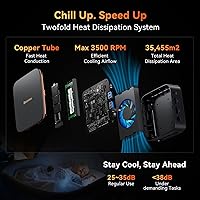
Under everyday workloads the MP20 is impressively quiet — genuinely easy to forget it is running in a shared workspace or bedroom setup. The sub-38 dB rating holds up in practice during streaming and light office tasks.
Under sustained CPU load — longer video exports or prolonged encoding tasks — the fan becomes audible and the chassis warms noticeably. It is not alarming, but users expecting dead-silent operation during intensive work will be disappointed.
Connectivity & Ports
86%
WiFi 6 delivers stable throughput and noticeably better range compared to AC-equipped alternatives in the same form factor. The inclusion of Gigabit Ethernet, USB 3.2 ports, and Bluetooth 5.2 covers most real-world peripheral and network needs without dongles.
Two USB 2.0 ports are included alongside the faster 3.2 ports, which feels slightly dated. Users with multiple high-speed peripherals — external SSDs, fast hubs — will want to be selective about which ports they assign to which devices.
Display Output Quality
88%
Dual 4K output over HDMI 2.0 and DisplayPort works reliably, and buyers running two monitors report clean, stable images without the flickering or handshake issues sometimes found in cheaper mini PCs. For media and productivity spanning two screens, it delivers.
The integrated Intel UHD graphics are firmly not for gaming or any GPU-intensive creative work. Users who expected more from the 4K badge — thinking it implied graphical horsepower — were let down when frame rates in even older games were underwhelming.
Setup & Out-of-Box Experience
83%
Windows 11 Pro arrives genuinely pre-activated, and most buyers report going from box to working desktop in under 30 minutes including driver setup. The included HDMI cable and VESA accessories mean you are not hunting for parts before you can start.
The included setup guide is minimal, and buyers less comfortable with Windows configuration occasionally found themselves unsure about BIOS settings or display configuration for dual monitors. Better documentation would reduce early support contacts.
VESA Mount & Physical Footprint
89%
The VESA mount is a standout practical feature — hiding the MP20 behind a monitor produces a genuinely clean desk with almost no visible hardware. For living room media setups mounted behind a TV, this feature alone justifies serious consideration.
The VESA bracket is functional but feels light for long-term mounting, and a few users with heavier monitor arms noted some flex. Cable management from the back of the mount could also be tidier, with ports sometimes awkwardly angled after installation.
Warranty & After-Sales Support
71%
29%
Three years of warranty coverage is uncommon at this price point and gives buyers meaningful peace of mind. Several users report receiving replacement units or troubleshooting assistance without excessive friction, which builds credibility for the brand.
Support response times vary depending on region and how the claim is submitted. Some buyers outside North America report slower email turnaround, and the warranty terms — while broad on paper — are not always clearly spelled out in accessible documentation.
Software & OS Experience
76%
24%
Windows 11 Pro arrives clean without excessive bloatware, which is a genuine plus compared to some budget mini PCs that ship with adware-adjacent software pre-loaded. The Pro license also unlocks Remote Desktop and BitLocker for business-minded buyers.
Some users encountered initial driver issues with display configuration or Bluetooth pairing that required a manual update pass before everything worked cleanly. These are minor issues but add friction to the otherwise smooth out-of-box experience.
Portability & Form Factor
82%
18%
At roughly the dimensions of a thick CD case and under 10 ounces, the MP20 travels easily between locations. Digital nomads and users who move between a home office and another workspace find the size genuinely practical rather than just a marketing claim.
Portability is somewhat limited by the external power brick, which adds bulk to any travel setup. The MP20 does not run on battery power, so it is a portable desktop rather than a truly mobile solution — an important distinction for buyers expecting laptop-like flexibility.

Suitable for:

The Blackview MP20 Mini PC (Intel N150, 8GB RAM, 256GB SSD) is a strong fit for anyone who needs a capable, no-fuss Windows desktop without dedicating significant desk space or budget to it. Remote workers who spend their days in video calls, document editors, and browser tabs will find the MP20 more than adequate, especially when paired with a dual-monitor setup using the HDMI and DisplayPort outputs. Home theater enthusiasts looking to run a quiet 4K media box behind a TV will appreciate the VESA mount and the near-silent fan under light streaming loads. Students and families who want a shared everyday PC for schoolwork, browsing, and light creative tasks will get solid value from this compact desktop without dealing with complicated setup or maintenance. Small businesses setting up digital signage, reception displays, or point-of-sale terminals will also find the form factor and included mounting hardware genuinely practical. If you are coming from an older NUC-style mini PC running an N95 or N100 chip and want a meaningful bump in responsiveness along with modern wireless connectivity, this mini PC represents a logical and cost-conscious upgrade.
Not suitable for:

The Blackview MP20 Mini PC (Intel N150, 8GB RAM, 256GB SSD) is the wrong tool for anyone whose daily workflow pushes hardware hard. Video editors, 3D designers, software developers compiling large codebases, and anyone running virtual machines will hit the ceiling of both the CPU and the integrated Intel UHD graphics faster than they expect. The 8GB of RAM is not user-upgradeable, which means there is no cheap fix if your workload grows — you would be looking at replacing the machine entirely. Gamers should look elsewhere entirely; this compact desktop can handle casual browser-based games at best, and even older PC titles will struggle to run at acceptable frame rates. Users who need large local storage without buying accessories should also reconsider, since 256GB fills up quickly once Windows updates and applications settle in. If you are expecting a responsive machine for multitasking across 15 or more browser tabs, editing RAW photos, or running Zoom alongside several other demanding apps simultaneously, the MP20 will frustrate you more than it helps.
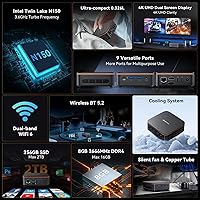
Specifications

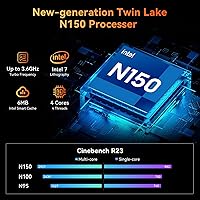
  • Processor: Intel N150 quad-core CPU clocks up to 3.6 GHz with a 6MB cache, offering a measurable step up in responsiveness over the older N95 and N100 generations.
  • RAM: 8GB of DDR4 SDRAM running at 2666 MHz is soldered to the board and is not user-upgradeable.
  • Storage: A 256GB SATA SSD handles the primary drive duties, delivering fast boot times without the noise or vibration of a spinning hard drive.
  • Expandable Storage: A tool-free 2.5-inch internal bay supports an additional SSD or HDD of up to 2TB for users who need more local storage capacity.
  • Operating System: Windows 11 Pro comes pre-installed and pre-activated, with the option to downgrade to Windows 10 if required.
  • Graphics: Intel UHD integrated graphics handle display output and light media decoding; no discrete GPU is present.
  • Display Output: Dual 4K output is supported simultaneously via one HDMI 2.0 port and one DisplayPort, with a maximum resolution of 4096 x 2160 per screen.
  • Wireless: WiFi 6 (802.11ax) delivers theoretical speeds up to 9.6 Gbps and significantly improved performance in congested network environments compared to older WiFi standards.
  • Bluetooth: Bluetooth 5.2 is built in, supporting modern wireless peripherals including keyboards, mice, headsets, and speakers.
  • Wired Network: A single RJ45 Gigabit Ethernet port provides a stable wired connection option for users who prefer or require hardwired networking.
  • USB Ports: Four USB ports are included: two USB 3.2 Gen 1 ports for fast data transfer and two USB 2.0 ports for standard peripherals.
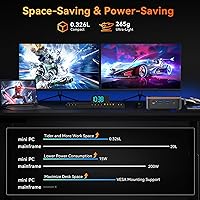
  • Dimensions: The unit measures 3.94 x 3.94 x 1.39 inches (approximately 10 x 10 x 3.5 cm), making it one of the most compact Windows desktops in its class.
  • Weight: The MP20 weighs approximately 9.3 ounces (265g) without the power adapter, light enough to relocate or travel with easily.
  • Noise Level: Thermal design targets a maximum noise output under 38 dB during typical workloads, keeping fan noise below conversational speech levels.
  • VESA Mount: A VESA-compatible mounting bracket is included in the box, allowing the unit to be attached cleanly behind most monitors or flat-screen TVs.
  • Power Supply: An external power supply adapter is included; the unit does not operate on battery power and requires a mains connection to function.
  • Warranty: Blackview covers the MP20 with a 3-year limited warranty backed by email, live chat, and phone support channels.
  • In-Box Contents: The package includes the mini PC unit, an HDMI cable, a power supply adapter, VESA mounting hardware, and a printed operation guidebook.

Related Reviews

Beelink Mini S12 Mini PC, Intel 12th Gen, 8GB RAM, 256GB SSD
86%
87%
Performance for Everyday Tasks
92%
Energy Efficiency
82%
Multitasking Capability
89%
Setup and Installation
85%
Display Quality
More
GMKtec Nucbox G2 Plus Mini PC Intel N150 12GB RAM 256GB SSD
85%
88%
Performance for Everyday Use
91%
Connectivity Options
93%
Multi-Display Support
94%
Energy Efficiency
85%
Size & Portability
More
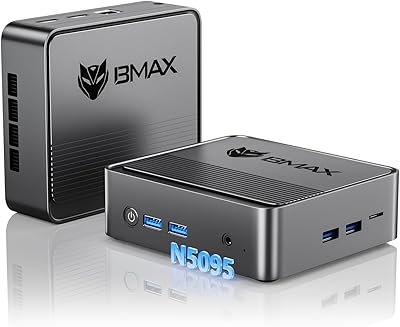
Bmax B3 Mini PC 256GB SSD 8GB RAM Intel 11th Gen N5095
84%
87%
Performance
92%
Value for Money
81%
Build Quality
90%
Energy Efficiency
88%
Ease of Setup
More
OASLOA T9PRO Mini PC 8GB RAM 256GB SSD
81%
86%
Performance
88%
Build Quality
92%
Energy Efficiency
83%
Display Quality (4K Support)
89%
Connectivity
More
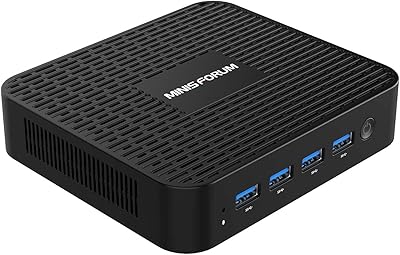
MINISFORUM GK41 Mini PC Celeron J4125 8GB RAM 256GB SSD
85%
87%
Performance for Everyday Use
91%
Dual Display & Video Output
82%
Build Quality
75%
Storage Expansion Flexibility
94%
Size & Portability
More
BOSGAME Mini PC E3 (N150, 16GB/512GB)
79%
88%
Value for Money
74%
Processing Performance
91%
Multi-Display Support
89%
Connectivity & Ports
76%
Build Quality & Design
More
ACEMAGIC Vista Mini V1 (N150, 16GB/256GB)
78%
83%
Performance for Daily Tasks
81%
Build Quality & Design
62%
Storage Speed & Configuration
54%
RAM & Upgradeability
88%
Display & Multi-Monitor Support
More
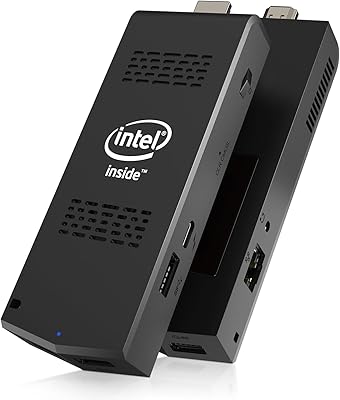
AIOEXPC S7-J4125-8128 Mini PC Stick with Intel Celeron J4125, 8GB RAM, 128GB SSD
85%
91%
Value for Money
95%
Portability
88%
Connectivity
85%
Performance for Basic Tasks
90%
Ease of Setup
More
HP 23.8″ All-in-One Desktop 24-cr0030
85%
94%
Setup Simplicity
91%
Aesthetic Design
86%
Display Quality
82%
System Responsiveness
93%
Privacy & Security
More
Blackview MP60 Mini PC 16GB RAM 1TB SSD
84%
88%
Performance
92%
Value for Money
85%
Multitasking Ability
90%
Energy Efficiency
80%
Connectivity
More

FAQ

Unfortunately, no. The 8GB of RAM is soldered directly onto the motherboard, which means there is no slot to add or swap memory. If you anticipate needing more than 8GB regularly, it is worth factoring that into your buying decision now rather than expecting to upgrade later.

Yes, Windows 11 Pro arrives pre-installed and fully activated out of the box. You do not need to purchase a separate license or enter a key. It also supports a downgrade to Windows 10 if your workflow requires it.

Yes, the MP20 supports simultaneous dual 4K output using its HDMI 2.0 port and DisplayPort. Both screens can run at full 4096 x 2160 resolution. For productivity work and media, it handles dual 4K without issue, though GPU-intensive tasks like gaming across two 4K displays are not realistic expectations for integrated graphics.

Under normal workloads like web browsing, streaming, and document work, the fan is very quiet — most users describe it as barely noticeable in a typical room. Under heavier sustained loads the fan does spin up and becomes audible, but it does not reach the level of a loud laptop or desktop tower.

Yes, and it is genuinely easy. There is a 2.5-inch internal bay that accepts standard SATA SSDs or HDDs up to 2TB. The base panel removes without tools, and slotting in a drive takes only a few minutes. It is one of the more user-friendly aspects of the design.

Blackview's warranty covers manufacturing defects and hardware failures under normal use. Support is available via email, live chat, and phone. Keep in mind that response times can vary depending on your region, and like most warranties it will not cover physical damage or user-caused issues. Reading the warranty documentation included in the box is worthwhile before you need it.

Absolutely, and it is one of the better use cases for this compact desktop. The HDMI output handles 4K content cleanly, the fan is quiet enough for living room use during playback, and the VESA mount can attach it neatly to the back of most TVs. Add a Bluetooth or USB wireless keyboard and mouse and you have a capable media center setup.

For most home users the real-world difference comes down to stability rather than raw speed. WiFi 6 handles congested networks — those with many connected devices — more gracefully than older standards, and the range tends to be more consistent. If you are in a house with a lot of smart devices or share a network with multiple heavy users, you will likely notice the improvement.

The N150 is a refinement of the same Intel efficiency core architecture but with higher boost clocks and slightly better power efficiency. In practice, you will notice the difference most in tasks that briefly spike CPU usage — opening apps, loading pages, handling video calls — where the N150 responds a bit more crisply. It is not a dramatic leap, but it is a meaningful one for everyday responsiveness.

For a lot of users, 256GB will feel tight within the first few months once Windows, updates, and a handful of applications settle in. If you plan to store videos, music, large downloads, or work with bigger files regularly, budgeting for an additional 2.5-inch SSD at purchase is a smart move. If you work primarily in the cloud and keep local files minimal, you can get by without it.