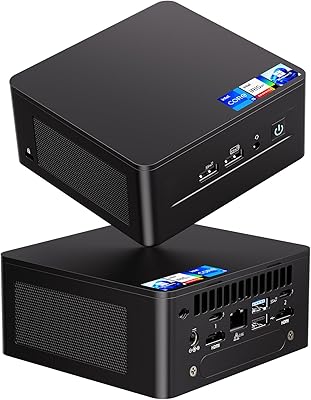
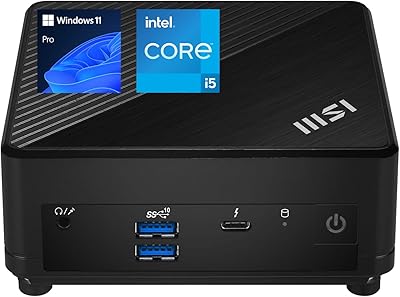
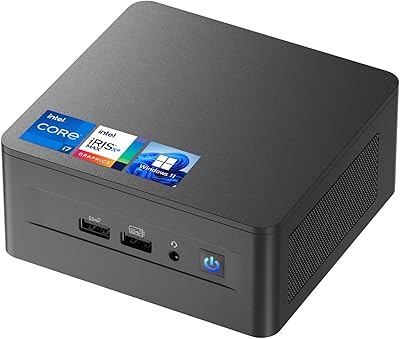
Overview

The Intel NUC 10 i5 Mini PC Kit is Intel's Frost Canyon-based barebone built for home office work and light entertainment, packed into a chassis roughly the size of a thick paperback book. One thing to know before anything else: it ships without RAM or storage, so budget for those extras on top of the unit itself. The tall chassis variant earns its keep by fitting a 2.5-inch drive bay alongside the M.2 slot — a real advantage over the slim version. In the mid-range mini PC segment, where size-to-performance balance matters most, the Frost Canyon platform offers a genuinely capable and compact foundation.
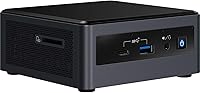
Features & Benefits

At the core of this mini PC kit sits the i5-10210U quad-core processor, turboing up to 4.2 GHz and handling everyday multitasking without much complaint. Two SODIMM slots accommodate up to 64GB of DDR4 RAM — generous for a box this compact. Connectivity is where the NUC 10 i5 genuinely stands out at this form factor: three simultaneous display outputs covering HDMI 2.0a, USB-C DisplayPort, and a front-panel USB-C port, six USB ports including Thunderbolt 3, and Wi-Fi 6 with Bluetooth 5.1. A built-in far-field quad-array microphone also means cleaner video call audio without an extra peripheral crowding the desk.

Best For

This compact barebone is a natural fit for home office and remote work setups where desk space matters — it has roughly the footprint of a hardback novel, yet handles productivity software and video conferencing comfortably. Home theater users will appreciate the 4K-capable outputs and the quiet fan behavior at idle. Casual gamers can run older or lighter titles, but don't expect it to push modern AAA games; integrated UHD graphics has real limits there. Linux developers and IT teams deploying small-footprint workstations in tight spaces will also find it a practical choice, given the flexible storage options and broad OS compatibility.

User Feedback

Owners consistently praise how quietly it runs during typical office or browsing sessions, and many mention being genuinely surprised by how compact it feels in person. Wi-Fi 6 stability gets specific callouts, and the built-in microphone array is appreciated for cutting desk clutter. That said, thermal throttling under sustained CPU load is a recurring concern — push the processor hard for long stretches and both heat and fan noise climb noticeably. First-time builders sometimes find the kit format a hurdle, since sourcing compatible RAM and an SSD adds cost and complexity. Several buyers also note the barebone price feels harder to swallow once the full build cost is added up.

Pros

  • Impressively compact chassis fits virtually anywhere a thick hardback book would.
  • The 10th Gen Core i5 handles office workloads, video calls, and light multitasking without breaking a sweat.
  • Triple-display output at this size is genuinely rare and a major plus for productivity setups.
  • Wi-Fi 6 and Bluetooth 5.1 deliver fast, reliable wireless without needing a separate adapter.
  • Up to 64GB DDR4 RAM support gives the NUC 10 i5 unusual headroom for a machine this small.
  • Built-in far-field microphone array reduces desk clutter and works well for remote meetings.
  • Thunderbolt 3 opens up fast external storage and single-cable docking options.
  • The tall chassis adds a 2.5-inch drive bay, making dual-storage configurations straightforward.
  • Broad OS compatibility suits Linux users and developers who need a flexible base platform.
  • Quiet fan behavior at idle makes it unobtrusive in living rooms or shared workspaces.

Cons

  • RAM and SSD are not included, so the true cost of a working build is considerably higher than the unit price.
  • Thermal throttling under sustained CPU load is a real limitation that affects longer rendering or compile tasks.
  • Fan noise climbs noticeably when the processor is pushed hard for extended periods.
  • Integrated UHD graphics rules out modern gaming and GPU-accelerated creative workloads entirely.
  • No operating system is included, adding another step and potential cost for Windows users.
  • First-time builders may find component sourcing and assembly more involved than anticipated.
  • The barebone price feels harder to justify once a competitive total build cost is calculated.
  • Only two USB 2.0 ports are included alongside the faster options, which may frustrate legacy peripheral users.
  • No option to add a discrete GPU means the platform has a hard ceiling on graphics performance.
  • This compact barebone can be tricky to find in stock, and availability has narrowed as the platform ages.

Ratings

The scores below reflect an AI-driven analysis of thousands of verified global user reviews for the Intel NUC 10 i5 Mini PC Kit, with spam, bot activity, and incentivized feedback actively filtered out to protect integrity. Each category score is calibrated to surface both what this compact barebone genuinely excels at and where real buyers have run into friction. Nothing has been glossed over — the pain points are reflected just as clearly as the strengths.

Performance for Workloads
83%
For the daily workload this machine is designed for — productivity apps, video calls, spreadsheets, and browser-heavy multitasking — the i5-10210U handles it all without hesitation. Users running multiple monitors with several apps open simultaneously report smooth, responsive behavior throughout the workday.
Push it into sustained heavier tasks like long video exports or large code compilations and thermal throttling visibly reduces throughput. Users expecting desktop-grade sustained performance from the compact chassis tend to come away disappointed by how quickly the chip pulls back under prolonged load.
Thermal Management
61%
39%
At idle and during light tasks, the thermal solution is genuinely well-managed — the fan stays quiet and the chassis barely warms up, which is exactly what you want from a machine sitting on a desk or behind a TV all day.
This is the most consistent complaint in real-world feedback. Under sustained CPU stress, temperatures rise quickly, the fan becomes audible, and throttling kicks in sooner than many buyers expect. The small chassis simply does not have the thermal headroom that longer workloads demand.
Form Factor & Design
92%
Almost universally praised. Users repeatedly describe being surprised by just how small and tidy the unit is in person — roughly the footprint of a hardback book. The build quality feels solid for a barebone kit, and it tucks behind a monitor or TV without drawing any attention.
A small number of users find the port layout slightly awkward, with some connections at the front requiring cables that become visible in otherwise clean setups. The matte black plastic finish, while clean, can attract dust and minor scuffs over time.
Value for Money
58%
42%
Buyers who already own compatible DDR4 SODIMM RAM and an M.2 SSD from a previous build find the NUC 10 i5 to be a genuinely efficient investment — the platform delivers a lot of capability for the physical space it occupies.
For buyers starting from scratch, the total cost of a working build — barebone unit plus RAM plus SSD plus an OS license — adds up significantly and invites direct comparison with fully configured mini PCs at similar price points. The value equation is harder to defend once those extras are factored in.
Connectivity & Ports
89%
The port selection is genuinely impressive for a unit this size. Thunderbolt 3, six USB ports, triple-display output, Wi-Fi 6, and Bluetooth 5.1 cover nearly every peripheral or docking scenario a home office or media setup would need, without requiring additional hubs in most cases.
Only two of the six USB ports are USB 2.0, which occasionally causes minor incompatibilities with older peripherals that expect more legacy port options. A small number of users also noted the front-panel USB-C cable management can get messy when all three display outputs are in use simultaneously.
Wireless Performance
88%
Wi-Fi 6 performance consistently earns positive feedback, particularly from users in crowded wireless environments where older standards struggle. Video calls, 4K streaming, and large file transfers over Wi-Fi are all described as stable and fast on compatible routers.
Users on older Wi-Fi 5 or Wi-Fi 4 routers obviously do not benefit from the Wi-Fi 6 upgrade and report nothing exceptional. A small number of Linux users also flagged occasional driver compatibility issues with the wireless adapter that required manual configuration.
Audio — Built-in Microphone
77%
23%
The integrated far-field quad-array microphone is a genuine differentiator in this product category. Remote workers using it for daily video calls on Zoom or Teams report clear, usable pickup quality that eliminates the need for a separate desktop microphone in most cases.
It is not a replacement for a dedicated microphone in any scenario that demands quality audio — podcasting, recording, or streaming. In noisier room environments, background noise pickup becomes noticeable, and placement of the unit relative to the speaker matters more than users initially expect.
Setup & Assembly
69%
31%
For users with any prior PC building experience, assembly is quick and straightforward — installing SODIMM modules and sliding in an M.2 SSD takes under 20 minutes with a small screwdriver. The internal layout is logical and the chassis opens without much effort.
First-time builders consistently flag the kit format as a hurdle, particularly around sourcing compatible parts and navigating OS installation. The process is simpler than building a full tower, but it still demands more research and confidence than unboxing a complete, ready-to-use desktop.
Gaming Capability
44%
56%
Older titles, classic games, and lighter indie fare run adequately on the integrated Intel UHD graphics. Users looking to revisit games from the early 2010s or play less demanding titles find it capable enough for casual sessions.
Modern AAA titles are largely unplayable at acceptable frame rates and settings. There is no discrete GPU option for this platform and no upgrade path for graphics, which means buyers drawn in by the word gaming in the product description are frequently let down by the real-world performance ceiling.
4K Media Playback
86%
As a home theater media PC, the NUC 10 i5 performs well above expectations. Hardware-accelerated 4K video playback is smooth across popular streaming platforms, and the HDMI 2.0a output handles 4K at 60Hz without issue when connected to a capable display or TV.
Local 4K playback of very high-bitrate files — particularly HEVC or AV1 streams at extreme bitrates — can occasionally stutter depending on the software player used. A small number of users also noted HDR tone-mapping behavior is inconsistent across different display configurations.
Noise Levels
78%
22%
Under light and typical workloads, the fan behavior is widely praised as near-silent, which makes this compact barebone genuinely comfortable in quiet living rooms, bedrooms, or shared office spaces where noise would otherwise be disruptive.
The same fan that stays quiet at idle becomes noticeably louder under CPU stress, and because the chassis is so small, there is little acoustic dampening to absorb it. Users sensitive to fan noise during tasks like video encoding or large file operations find it distracting.
Storage Flexibility
81%
19%
The tall chassis variant earns real appreciation for including both an M.2 slot and a 2.5-inch drive bay — a combination that lets users pair a fast NVMe boot drive with a larger SATA storage drive in a single tiny unit without needing external storage.
Neither drive is included, which means buyers must budget and source both separately. Users who accidentally purchase the slim chassis variant and then discover there is no 2.5-inch bay represent a recurring disappointment that points to a confusing product variant naming structure.
Linux Compatibility
74%
26%
Linux users — particularly developers and hobbyists running Ubuntu, Fedora, or Debian-based distros — report that the NUC 10 i5 works well as a quiet, low-power workstation. Core functions like networking, display output, and storage work reliably across popular distributions.
Bluetooth and wireless driver behavior is inconsistent across some distributions and kernel versions, occasionally requiring manual fixes after system updates. Users running niche or less-maintained distributions encounter more compatibility friction than those sticking with mainstream distros.
Upgrade Potential
67%
33%
The two open SODIMM slots and dual storage bays mean buyers can start lean and scale up memory and storage over time without replacing the unit. For a fixed-platform mini PC, that is a meaningful degree of long-term flexibility.
The CPU is soldered to the board and cannot be upgraded, and the integrated GPU has no upgrade path whatsoever. As the Frost Canyon platform ages, these hardware ceilings become increasingly limiting for buyers hoping to extend the useful lifespan of the unit well beyond five years.

Suitable for:

The Intel NUC 10 i5 Mini PC Kit is a strong fit for anyone who needs a real desktop computer but simply has no room for one — think cramped home offices, wall-mounted home theater setups, or corporate environments where a full tower would be absurd. Remote workers who spend their days in video calls, spreadsheets, and browser tabs will find the processing headroom more than adequate, and the built-in quad-array microphone is a genuine convenience that most competing mini PCs skip entirely. Home theater enthusiasts who want a tidy 4K media box tucked behind a TV will appreciate the triple-display output and quiet idle behavior. Linux developers and IT professionals deploying lean, low-footprint workstations are also well-served here, especially given the flexible storage configuration in the tall chassis and strong wireless connectivity. If you enjoy building and configuring your own system and want a compact base to start from, this barebone kit rewards that kind of hands-on approach.

Not suitable for:

Anyone expecting a plug-and-play, ready-to-use computer should look elsewhere — the Intel NUC 10 i5 Mini PC Kit ships without RAM, storage, or an operating system, meaning the real cost of ownership is noticeably higher than the unit price alone. Buyers who have never sourced or installed SODIMM modules and an M.2 SSD may find the assembly process a friction point, and a mistake in component selection can create compatibility headaches. Serious gamers should also walk away; the integrated Intel UHD graphics handles casual and older titles at best, and no discrete GPU option exists for this platform. Content creators or professionals running sustained heavy workloads like video rendering or large compilations will hit thermal limits faster than they might expect, with fan noise rising noticeably under load. If your budget is tight and you need a complete, working machine immediately, the total cost once RAM and SSD are factored in may push you toward a fully configured alternative.

Specifications

  • Processor: Powered by the Intel Core i5-10210U (10th Gen), a quad-core processor with a base clock of 1.6 GHz and Turbo Boost up to 4.2 GHz.
  • Integrated Graphics: Uses Intel UHD integrated graphics for 10th Gen processors, with a dynamic frequency range of 300 MHz to 1.1 GHz.
  • RAM Support: Accepts up to 64GB of DDR4 SODIMM memory across two slots; no RAM is included with the unit.
  • Storage Slots: Includes one M.2 slot for an NVMe or SATA SSD and one 2.5-inch SATA drive bay (tall chassis only); no storage is included.
  • Display Outputs: Supports up to three simultaneous displays via HDMI 2.0a, a rear USB-C port (DisplayPort 1.2), and a front-panel USB-C port.
  • Max Resolution: Capable of driving displays at up to 3840 x 2160 (4K UHD) resolution.
  • USB Ports: Provides six USB ports in total, including one Thunderbolt 3 port, two USB 3.1 Gen 2 ports, and two USB 2.0 ports.
  • Wireless: Built-in Wi-Fi 6 (802.11ax) and Bluetooth 5.1 are included with no additional adapter required.
  • Microphone: Features a far-field quad-array microphone integrated into the chassis for voice pickup during calls and voice commands.
  • Dimensions: The unit measures 4.61 x 4.41 x 1.5 inches (L x W x H), making it roughly the footprint of a thick hardback novel.
  • Weight: The bare unit weighs 2.83 pounds before RAM, storage, or any accessories are installed.
  • OS Compatibility: No operating system is included; the unit carries Windows 10 logo certification and is compatible with multiple Linux distributions.
  • Chassis Type: This is the tall chassis variant (NUC10i5FNH), which adds the 2.5-inch drive bay absent from the slim version.
  • Platform: Built on Intel's Frost Canyon platform, the 10th generation of the NUC lineup first made available in early 2020.

Related Reviews
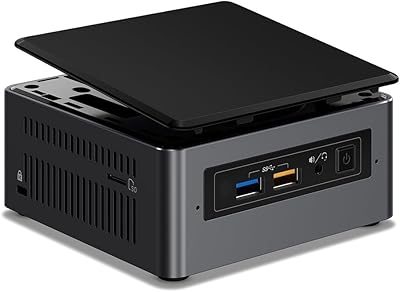
Intel NUC7I3BNH Mini PC Kit
75%
88%
Build Quality
93%
Compact Form Factor
79%
Everyday Performance
74%
Value for Money
63%
Thermal Management
More
Intel NUC5CPYH Mini PC Barebone
74%
81%
Value for Money
53%
Performance
88%
Build Quality & Form Factor
91%
Assembly & Upgrade Ease
58%
Thermal Management
More
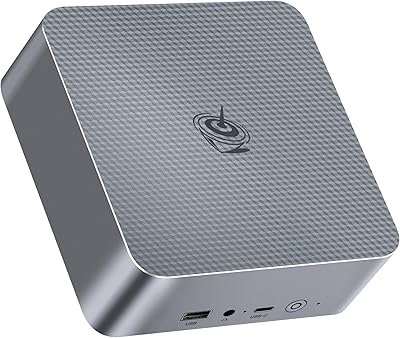
Intel NUC 13 Pro NUC13ANHi5 (16GB RAM, 512GB SSD)
87%
89%
CPU Performance
94%
Port Selection & I/O
91%
Build Quality & Design
86%
Storage Expandability
92%
Networking & Wireless
More
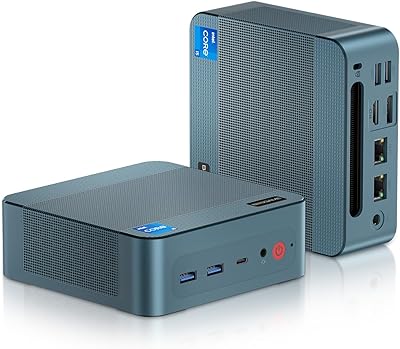
Beelink EQi12 Mini PC (i5-1235U, 16GB, 500GB)
80%
83%
Processing Performance
67%
Thermal Management
79%
RAM & Expandability
86%
Storage Speed & Flexibility
88%
Display Output
More
BOSGAME P2 Mini PC (Intel Core i5-12600H, 32GB RAM, 512GB SSD)
79%
88%
Performance for Everyday Tasks
91%
Value for Money
74%
Build Quality & Design
76%
Thermal Management & Noise
86%
Display & Multi-Monitor Support
More
Intel NUC 13 Pro i7 Mini PC
82%
88%
Processing Performance
91%
Multitasking Capability
93%
Multi-Monitor Support
89%
Storage Speed
61%
Graphics & Display Quality
More
MSI Cubi 5 12M Mini PC, Intel i5-1235U, 16GB RAM, 1TB SSD
85%
87%
Performance
92%
Value for Money
83%
Design & Build Quality
88%
Connectivity & Ports
91%
Setup & Installation
More
Intel NUC7i7BNH Mini PC
76%
88%
Everyday Performance
86%
Build Quality
61%
Storage Speed
91%
4K Display Support
67%
Thermal Management
More
Beelink Mini S12 Mini PC
78%
88%
Value for Money
82%
Performance for Daily Tasks
79%
Build Quality & Design
91%
Dual Monitor Support
84%
Thermal Management & Noise
More
ASUS NUC 12 NUC12WSHi7 16GB/512GB
82%
88%
Everyday Performance
83%
Build Quality & Chassis
61%
Thermal Management & Fan Noise
91%
Port Selection & Connectivity
89%
Wireless & Network Performance
More

FAQ

No, it does not. The Intel NUC 10 i5 Mini PC Kit is a barebone unit, meaning it ships without RAM, storage, or an operating system. You will need to purchase compatible DDR4 SODIMM memory, an M.2 or 2.5-inch SSD, and install your own OS before it will boot.

You need DDR4 SODIMM modules — the same type used in most laptops. For general home office use, 16GB is a comfortable starting point, while 32GB gives you more breathing room for heavier workloads. The unit has two slots and supports up to 64GB total, so there is plenty of room to upgrade later.

Technically, the i5-10210U is not on Microsoft's official Windows 11 supported processor list, which could make a clean installation through normal channels tricky. Many users have successfully installed it using workarounds, but official support is not guaranteed, and you may miss certain security-related updates down the line.

It depends entirely on what you want to play. Older titles, indie games, and less demanding games run fine, but modern AAA games are largely out of reach due to the integrated Intel UHD graphics. There is no way to add a discrete GPU to this platform, so if gaming is your primary goal, a dedicated gaming PC or a unit with a discrete GPU will serve you far better.

Yes, for media playback and general desktop use, 4K output works well via the HDMI 2.0a port. Streaming 4K video, browsing, and productivity tasks at 4K resolution are all handled comfortably. Just keep in mind that GPU-intensive tasks at 4K, like gaming or video editing, will run into the same integrated graphics limitations mentioned above.

During light tasks like web browsing, document editing, or video calls, the fan is barely noticeable — many users describe it as nearly silent at idle. Push the processor with a sustained heavy workload, though, and the fan does spin up and become audible. It is not unusually loud, but it is something to be aware of if you plan on running demanding tasks for extended periods.

The tall chassis adds roughly half an inch of height and, more importantly, a 2.5-inch SATA drive bay alongside the M.2 slot. This lets you pair a fast NVMe SSD with a larger SATA drive for extra storage capacity. The slim version only has the M.2 slot, so it is a meaningful difference if flexible or high-capacity storage matters to you.

It is more involved than buying a fully configured desktop, but it is far simpler than building a full tower PC. Installing two SODIMM sticks and sliding in an M.2 SSD takes about 15 minutes with a small screwdriver. The trickier part for first-timers is often sourcing compatible parts and installing an OS, so doing a bit of research before purchasing is genuinely worthwhile.

For everyday video conferencing on platforms like Zoom, Teams, or Google Meet, the far-field quad-array microphone does a solid job. Users generally report clear pickup even from a moderate distance. It is not a replacement for a dedicated USB microphone if you record podcasts or voiceovers, but it comfortably handles the demands of a typical remote work day.

If your router supports Wi-Fi 6, the connection is notably faster and more stable than older wireless standards, which is handy when running cable to the unit is not practical. That said, the NUC 10 i5 does also include a Gigabit ethernet port, so if you have a cable nearby, a wired connection will always be the more consistent choice for sustained transfers or low-latency tasks.

Where to Buy

ExcelDisc
In stock $400.00
NextWarehouse.com
In stock $434.50
neweggbusiness.com
In stock $462.45
Electromaker
In stock $522.35